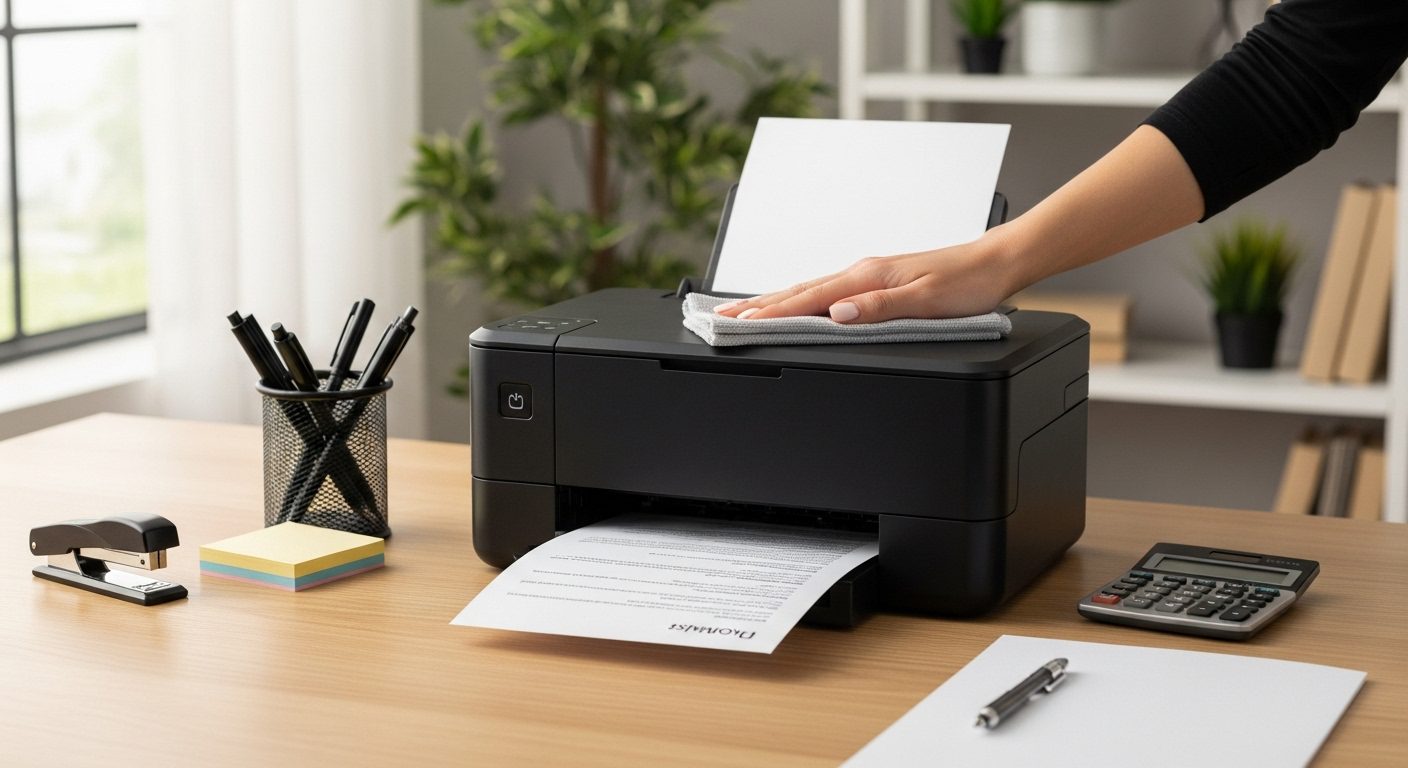
When I first bought my compact printer for our small home office, I quickly learned that these space-saving devices need special attention to keep running smoothly. Unlike their larger counterparts, compact printers face unique challenges from frequent movement, battery power management, and tighter internal spaces that can accumulate dust more quickly. After maintaining various portable printers for the past five years, I’ve developed a systematic approach that keeps them running like new.
The reality is that compact printers work harder in smaller spaces. Their components are more tightly packed, which means heat dissipation becomes critical, dust accumulation happens faster, and paper paths require more careful attention. Whether you’re using a battery-powered photo printer for travel or a compact laser printer for your home office, proper maintenance can extend your printer’s life from the typical two to three years to five years or more.
In this comprehensive guide, I’ll share the maintenance routines that have saved me hundreds of dollars in replacement costs and service calls. We’ll cover everything from daily quick checks that take seconds to seasonal deep cleaning procedures, plus troubleshooting tips for the most common compact printer problems.
Understanding Your Compact Printer’s Unique Needs
Compact printers differ fundamentally from standard office printers in ways that affect their maintenance requirements. The miniaturized components mean everything runs with tighter tolerances – there’s less room for error when paper feeds through, less space for heat to dissipate, and smaller reservoirs for ink or toner.
Battery-powered models add another layer of complexity. The lithium-ion batteries in portable printers degrade over time, especially when exposed to extreme temperatures or left unused for extended periods. I’ve seen perfectly good printers become unusable simply because owners didn’t understand battery maintenance basics.
The portability that makes compact printers so convenient also exposes them to more environmental stress. Every time you move your printer, you risk introducing dust, shifting delicate components, or exposing it to temperature and humidity changes. This mobility demands a different maintenance mindset than you’d apply to a stationary office printer.
Essential Daily Maintenance Routines
Daily maintenance for your compact printer takes less than a minute but prevents most common problems. Start by checking the paper tray for any debris or misaligned sheets. Compact printers have less powerful paper feed mechanisms than full-size models, so even small obstructions can cause jams.
Power management deserves daily attention, especially for battery-powered models. If your printer has a battery indicator, check it each morning. Running the battery completely flat repeatedly will shorten its lifespan significantly. I recommend keeping battery-powered printers between 20% and 80% charge for optimal longevity.
Before each use, give your printer a quick visual inspection. Look for any paper dust around the output tray, check that all covers close properly, and ensure ventilation openings remain clear. These small observations help you catch problems before they escalate into printer-stopping issues.
Weekly Cleaning and Inspection Procedures
Weekly cleaning prevents the gradual buildup that causes most compact printer failures. Start with the exterior using a slightly damp microfiber cloth. Avoid harsh chemicals or excessive moisture, especially near control panels and connection ports. For stubborn marks, isopropyl alcohol on a cloth works well without leaving residue.
Paper path cleaning requires more attention in compact printers because their smaller rollers accumulate debris faster. Open all accessible panels and use compressed air to blow out paper dust. Hold the can upright and use short bursts from at least six inches away to avoid condensation buildup. Pay special attention to the corners where paper dust tends to accumulate.
Connection ports need weekly attention too. Dust in USB, power, or network ports causes intermittent connectivity issues that frustrate many compact printer users. Use a soft brush or compressed air to clean these areas gently. For printers with wireless connectivity, ensure the antenna area (usually near the top or back) stays clear of obstructions.
Monthly Deep Cleaning Techniques
Monthly deep cleaning addresses areas that weekly maintenance misses. Start by cleaning the paper feed rollers, which directly impact print quality and paper handling. Most compact printers allow access to these rollers through the paper tray area. Use a lint-free cloth dampened with distilled water to clean each roller, rotating it manually to clean the entire surface.
Print head maintenance varies between inkjet and laser compact printers. For inkjet models, run the built-in cleaning cycle monthly, but avoid overdoing it as this wastes ink. If your printer lacks an automatic cleaning function, you can manually clean accessible print heads with a cotton swab barely dampened with distilled water. Never touch the electrical contacts or nozzles directly.
Laser compact printers need different attention. The toner area requires careful cleaning to prevent print quality issues. Remove the toner cartridge monthly and gently clean the contacts with a dry cotton swab. Use a specialized toner vacuum or very careful compressed air application to remove any loose toner from the cartridge bay. Always work in a well-ventilated area and avoid inhaling toner particles.
Battery Care for Portable Printers
Battery maintenance makes or breaks portable printer longevity. Modern lithium-ion batteries in compact printers last longest when kept partially charged rather than fully charged or depleted. I maintain my portable printers at around 50% charge when storing them for more than a week.
Temperature extremes kill printer batteries faster than any other factor. Never leave your portable printer in a car during summer or winter. Room temperature storage between 60°F and 75°F optimizes battery life. If you must use your printer in extreme conditions, allow it to return to room temperature before charging.
Calibrate your printer’s battery every three months by fully charging it, then using it until the battery depletes to about 5%, then fully charging again. This process helps the battery gauge remain accurate and can extend overall battery life by preventing the deep discharge cycles that damage lithium-ion cells.
Troubleshooting Common Compact Printer Issues
Paper jams plague compact printers more than full-size models due to their tighter paper paths. When clearing jams, always pull paper in the direction it normally travels to avoid damaging delicate feed mechanisms. If paper tears during removal, ensure you retrieve all pieces – even small fragments can cause recurring jams.
Poor print quality often stems from maintenance neglect rather than hardware failure. Streaky prints usually indicate dirty print heads or low ink/toner. Before assuming you need new cartridges, run cleaning cycles and check for paper dust in the print path. Compact printers’ smaller ink reservoirs mean they’re more sensitive to air bubbles, which cleaning cycles usually resolve.
Connectivity problems frustrate many compact printer users, especially with wireless models. Start troubleshooting by power cycling both the printer and your router. Check that firmware updates haven’t changed security settings. For Bluetooth-enabled printers, clearing paired devices and re-pairing often resolves connection issues. Remember that compact printers typically have less powerful wireless radios than full-size models, so proximity to the router matters more.
Seasonal Storage and Travel Preparation
Preparing your compact printer for storage or travel prevents damage during inactive periods. For storage exceeding two weeks, remove ink cartridges from inkjet printers and store them in airtight containers to prevent drying. Laser printer toner cartridges can typically remain installed but benefit from removal in humid environments.
Travel preparation requires special consideration for portable printers. Secure all moving parts, especially paper trays and output extensions. Remove batteries if traveling by air, as some airlines restrict lithium-ion batteries in checked luggage. Pack your printer in its original packaging when possible, or wrap it in anti-static bubble wrap inside a hard-shell case.
Climate changes during travel stress compact printers significantly. Allow your printer to acclimate to new environments for at least two hours before use. Condensation from rapid temperature changes can damage electronic components. If you notice any moisture, wait until the printer completely dries before powering it on.
Choosing the Right Maintenance Supplies
Quality maintenance supplies make a significant difference in compact printer care. Invest in lint-free microfiber cloths specifically designed for electronics. Generic cloths often leave residue or create static that damages sensitive components. Keep separate cloths for external cleaning and internal maintenance to avoid cross-contamination.
Cleaning solutions require careful selection for compact printers. Distilled water works for most cleaning tasks without risking mineral deposits. When stronger cleaning is needed, use isopropyl alcohol at 70% concentration or higher. Avoid ammonia-based cleaners near any plastic components as they can cause cracking or discoloration over time.
Compressed air quality matters more than most people realize. Use electronics-specific compressed air that includes an extension straw for precise application. Avoid using air compressors or generic compressed air that might contain moisture or oil residues. Always hold cans upright to prevent liquid propellant from spraying onto printer components.
Creating a Maintenance Schedule That Works
Successful compact printer maintenance relies on consistency rather than intensity. I maintain a simple log noting cleaning dates, cartridge changes, and any issues encountered. This record helps identify patterns and predict when preventive maintenance is needed.
Set digital reminders for maintenance tasks based on your usage patterns. Heavy users should increase cleaning frequency, while occasional users might extend intervals but shouldn’t skip them entirely. Inactive printers actually need more attention in some ways, as ink can dry and dust can accumulate without regular use dispersing it.
Batch your maintenance tasks for efficiency. Combine weekly external cleaning with paper tray inspection. Schedule monthly deep cleaning for times when you’re already changing cartridges. This approach makes maintenance feel less burdensome and ensures nothing gets forgotten.
When to Seek Professional Service?
Recognizing when professional service is needed saves money and prevents permanent damage. Grinding noises during printing indicate mechanical problems beyond routine maintenance. Similarly, error codes that persist after basic troubleshooting often require professional diagnosis.
Print quality issues that cleaning doesn’t resolve might indicate worn components. Compact printers’ smaller parts wear faster under heavy use. If you’re printing more than 500 pages monthly on a compact printer designed for light duty, consider professional service every six months to replace wear parts preemptively.
Electrical issues always warrant professional attention. If you smell burning plastic, see smoke, or experience electrical shocks, immediately unplug the printer and seek professional service. These symptoms indicate serious problems that pose safety risks beyond simple maintenance concerns.
Extending Your Compact Printer’s Lifespan
Proper ventilation significantly extends compact printer life. These devices generate surprising heat in small spaces, and inadequate cooling causes premature component failure. Ensure at least two inches of clearance on all sides and never place items on top of the printer that might block vents.
Using quality consumables protects your investment. Third-party cartridges might save money initially but often cause problems in compact printers calibrated for specific ink formulations. Poor quality paper sheds more fibers, accelerating roller wear and increasing cleaning frequency. The money saved on cheap supplies rarely offsets shortened printer lifespan.
Regular use actually helps maintain compact printers. Printing at least a page weekly prevents ink from drying in nozzles and keeps mechanical parts lubricated through movement. For inkjet models, printing a color test page weekly maintains all ink channels. This preventive printing costs pennies but saves expensive cleaning cycles or printhead replacements.
Environmental Considerations for Compact Printer Care
Humidity control prevents numerous compact printer problems. Ideal humidity ranges from 40% to 60%. Lower humidity increases static electricity that attracts dust and can damage electronic components. Higher humidity causes paper to absorb moisture, leading to jams and poor print quality. A small dehumidifier or humidifier near your printer area maintains optimal conditions.
Dust prevention beats dust removal every time. Position compact printers away from windows, vents, and high-traffic areas where dust accumulates. Consider using a printer dust cover during periods of non-use, but ensure adequate ventilation when printing. Some users successfully use small air purifiers near their printers to reduce airborne particles.
Temperature stability matters as much as the absolute temperature. Rapid temperature changes cause condensation and thermal stress on components. Avoid placing compact printers near heating vents, air conditioners, or windows with direct sunlight. Consistent room temperature between 65°F and 75°F provides optimal operating conditions.
Frequently Asked Questions
How often should I clean my compact printer if I only use it occasionally?
Even with light use, clean your compact printer monthly. Dust accumulates regardless of usage, and inkjet printers benefit from regular cleaning cycles to prevent nozzle clogging. Run a test page monthly to keep ink flowing and identify any developing issues.
Can I use generic cleaning supplies from the office supply store?
While generic microfiber cloths and distilled water work fine, avoid generic “printer cleaning kits” that might contain inappropriate chemicals. Stick to electronics-specific compressed air and high-quality isopropyl alcohol. The few dollars saved on generic supplies isn’t worth risking printer damage.
Why does my portable printer’s battery die so quickly even when not in use?
Lithium-ion batteries naturally discharge over time, and printer batteries often drain faster due to background processes like maintaining wireless connections. Store portable printers with batteries at 50% charge and disable wireless features when not needed. If battery life severely degrades, replacement batteries are often available from manufacturers.
Should I leave my compact printer on all the time or turn it off after each use?
Turn off compact printers when not in use to save energy and reduce component wear. However, avoid turning them on and off multiple times daily, as power cycling stresses electronic components. Find a balance based on your usage pattern – perhaps leaving it on during work hours but off overnight and weekends.
How do I know when it’s time to replace my compact printer versus repairing it?
Consider replacement when repair costs exceed 50% of a new printer’s price or when your printer is over three years old with recurring problems. Factor in technological improvements – newer models often offer better efficiency, connectivity, and features that justify replacement over expensive repairs to older units.
Conclusion
Maintaining your compact printer doesn’t require technical expertise or expensive tools – just consistency and attention to detail. The routines I’ve outlined have kept my compact printers running reliably for years beyond their expected lifespan. By investing a few minutes weekly in basic maintenance and understanding your printer’s unique needs, you’ll enjoy reliable printing while avoiding the frustration and expense of premature replacement.
Remember that every compact printer has slightly different requirements, so adapt these guidelines to your specific model. Check your user manual for manufacturer-specific maintenance recommendations, but don’t let perfect be the enemy of good – any regular maintenance beats none at all. Whether you’re maintaining a portable photo printer for creative projects or a compact laser printer for your home office, these practices will serve you well.
The key to successful compact printer maintenance lies in prevention rather than correction. By establishing simple routines and sticking to them, you’ll spend less time troubleshooting problems and more time benefiting from the convenience these space-saving devices provide. Start implementing these maintenance practices today, and your compact printer will reward you with years of reliable service.