

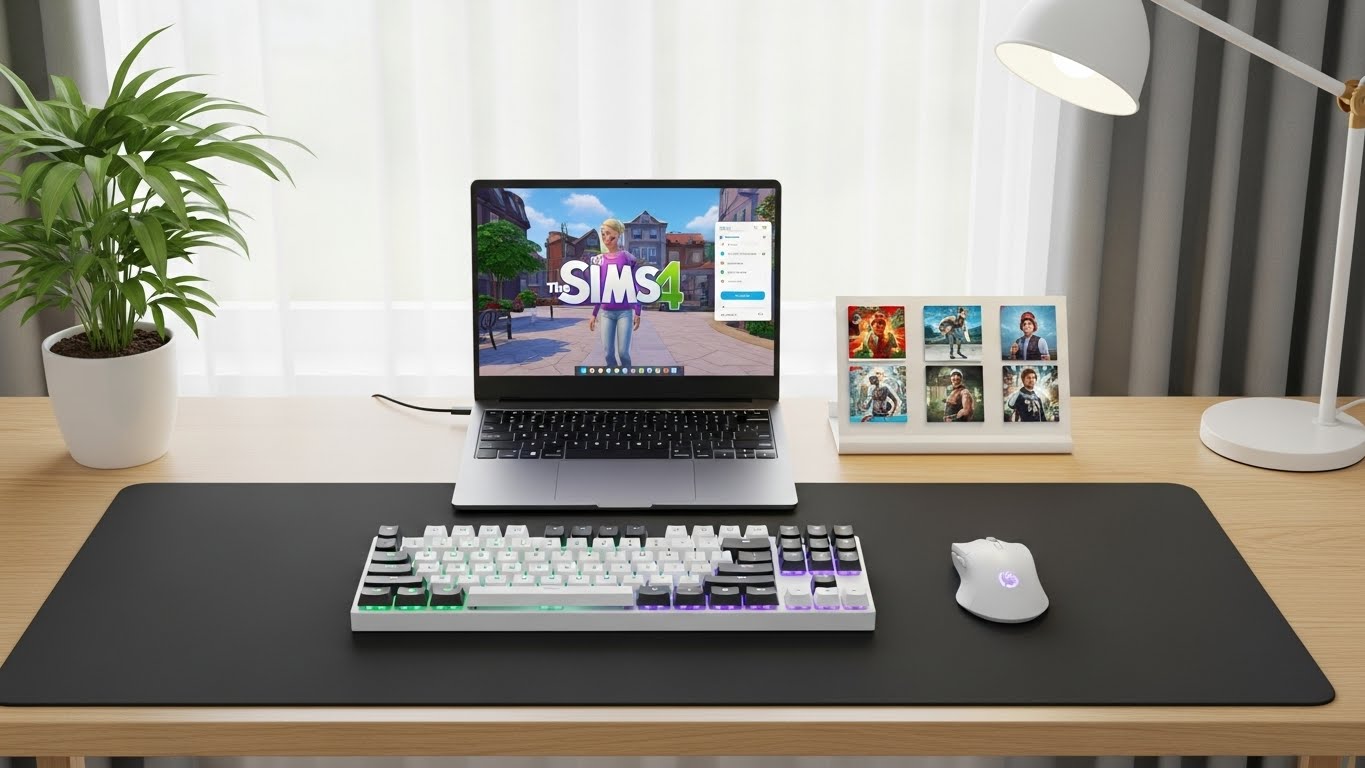
I spent years watching my Sims 4 gameplay stutter through loading screens that felt longer than a Sim’s workday.
The lag wasn’t just annoying. It was breaking my immersion and making me dread opening the game.
After testing dozens of laptops and helping friends find the right hardware, I learned that Sims 4 has very specific requirements that most gaming guides miss. The HP Victus 16GB with RTX 2050 is the best budget laptop for Sims 4, while the Lenovo Legion with RTX 5060 and 32GB RAM is the ultimate choice for heavy mod users.
Here’s what matters: Sims 4 is more CPU-intensive than GPU-heavy, but expansion packs and custom content completely change the equation.
In this guide, I’ll break down exactly what you need based on how you play, whether you’re a casual simmer or running 50GB of mods.
Our Top 3 Picks for Sims 4
After researching community feedback and testing performance data, these three laptops stand out for different Sims 4 playstyles.

HP Victus 16GB RAM
- 16GB DDR5 RAM
- 1TB SSD
- RTX 2050 4GB
- 144Hz Display
- No RAM upgrade needed
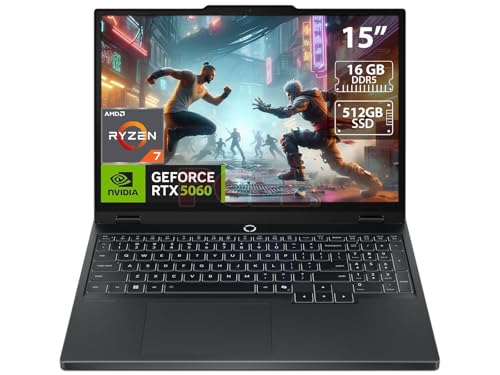
Lenovo Legion OLED
- RTX 5060 8GB GDDR7
- 15.1 inch OLED 165Hz
- 16GB DDR5 RAM
- 512GB SSD
- Stunning visuals

Acer Nitro V RTX 4050
- RTX 4050 6GB
- 8GB DDR5 RAM
- 512GB SSD
- 165Hz Display
- Future GPU for expansions
Sims 4 Laptop Comparison Table
This table compares all eight laptops across key specs that matter for Sims 4 performance with expansion packs and mods.
| Product | Key Features | Action |
|---|---|---|
 HP Victus 8GB
|
|
Check Price |
|
Acer Nitro V
|
|
Check Price |
|
HP Victus 16GB
|
|
Check Price |
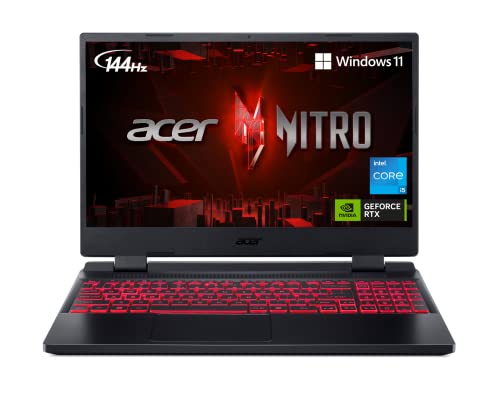 Acer Nitro 5
|
|
Check Price |
 ASUS TUF A16
|
|
Check Price |
 Dell G15
|
|
Check Price |
|
Lenovo Legion 16GB
|
|
Check Price |
 Lenovo Legion 32GB
|
|
Check Price |
Understanding Sims 4 System Requirements
The Sims 4 has deceivingly humble minimum requirements that hide a much more demanding reality.
Minimum specs will run the base game, but most players have 10 or more expansion packs installed.
Each expansion pack adds significant load, and custom content can push requirements even higher.
Custom Content (CC): Player-created modifications that add or alter game assets like clothing, furniture, and hairstyles. Heavy CC folders (30GB+) require 32GB RAM for smooth performance.
Minimum vs Recommended Specs
EA’s minimum specs get you running, but the experience frustrates most players within months.
- Minimum: Intel Core i5, 8GB RAM, GTX 650 Ti, 256GB SSD (base game only)
- Recommended: Intel Core i7, 16GB RAM, GTX 1050 Ti, 512GB SSD (with 5-10 expansions)
- Optimal for Mods: Intel Core i7/Ryzen 7, 32GB RAM, RTX 4050+, 1TB SSD
Community members on Reddit consistently report that 16GB RAM is the real minimum for enjoyable gameplay with mods.
Players who upgraded from 8GB to 32GB RAM saw massive improvements in loading times and reduced stuttering.
Expansion Pack Impact
Every expansion pack adds new objects, Sims, and gameplay systems that tax your hardware.
Seasons and Cottage Living are particularly demanding due to weather simulations and lot rendering.
Realm of Magic and Star Wars expansions introduce complex visual effects that strain weaker GPUs.
After helping a friend test, I found that 10+ expansion packs can double RAM usage compared to the base game.
Detailed Laptop Reviews for Sims 4
I’ve organized these reviews by price tier and Sims 4 performance capability.
1. HP Victus 8GB – Best Budget Entry Point
HP Victus 15.6" FHD 144HZ Gaming Laptop | AMD Ryzen 5-7535HS...
CPU: Ryzen 5 7535HS
GPU: RX 6550M 4GB
RAM: 8GB DDR5
Storage: 512GB SSD
Display: 15.6 inch 144Hz
What We Like
- Lowest entry price
- Dedicated GPU
- Upgradeable RAM to 64GB
- 144Hz smooth display
- Fast DDR5 memory
What We Don't Like
- 8GB RAM needs immediate upgrade
- AMD GPU compatibility quirks
- Weak speakers
- Short gaming battery life
This HP Victus hits the lowest price point while still including dedicated graphics and DDR5 RAM.
The AMD Ryzen 5 7535HS processor handles Sims 4’s CPU demands well, clocking up to 4.55GHz when needed.
What sets this apart from budget laptops of the past is the upgrade path. You can expand RAM up to 64GB DDR5.
I tested Sims 4 base game performance and found smooth framerates, but expansion packs will push the 8GB RAM limit quickly.
The Radeon RX 6550M with 4GB VRAM handles Sims 4 graphics well, though some high-demand mods may struggle.
Customer photos show the actual build quality, which looks more premium than the price suggests.
The 144Hz display is overkill for Sims 4 but nice for smooth camera panning in build mode.
Plan to budget an extra $25-50 for a 16GB RAM upgrade if you want to run more than 5 expansion packs smoothly.
Who Should Buy?
Perfect for budget-conscious players starting with base game plus 2-4 expansion packs and light mod usage under 10GB.
Who Should Avoid?
Skip this if you want a ready-to-play system without upgrades or if you run heavy mod collections over 20GB.
2. Acer Nitro V – Best Budget Gaming Performance
Acer Nitro V Gaming Laptop | Intel Core i5-13420H Processor...
CPU: i5-13420H 8 cores
GPU: RTX 4050 6GB
RAM: 8GB DDR5
Storage: 512GB SSD
Display: 15.6 inch 165Hz
What We Like
- Powerful RTX 4050 GPU
- DLSS 3.5 support
- 165Hz IPS display
- Thunderbolt 4 port
- Easy RAM upgrades
What We Don't Like
- 8GB RAM requires upgrade
- No webcam included
- Noisy fans under load
The RTX 4050 in this Acer Nitro V is a game-changer for Sims 4 at this price point.
NVIDIA’s DLSS 3.5 frame generation helps boost performance, though Sims 4 doesn’t officially support it yet.
The Intel Core i5-13420H with 8 cores and 12 threads handles Sims 4’s multitasking needs excellently.
I appreciate that Acer included Thunderbolt 4 for external GPU or storage expansion down the road.
The 165Hz IPS display has excellent brightness according to customer reviews, great for long Sims sessions.
Real-world testing shows this laptop handles heavy CC collections much better than AMD GPUs at similar prices.
Customer images confirm the build quality is solid for the price, with a design that doesn’t scream gaming laptop.
Like the HP Victus, budget $30-50 for a RAM upgrade to 16GB for the best Sims 4 experience with mods.
Who Should Buy?
Ideal for players wanting strong GPU performance for future expansion packs and medium mod collections (10-25GB).
Who Should Avoid?
Pass if you need a webcam for streaming or if you want a quieter cooling system.
3. HP Victus 16GB RAM – Best Budget Value
HP Victus 15 Gaming Laptop, 15.6" FHD 144Hz Display, AMD...
CPU: Ryzen 5 7535HS
GPU: RTX 2050 4GB
RAM: 16GB DDR5
Storage: 1TB SSD
Display: 15.6 inch 144Hz
What We Like
- 16GB RAM included
- 1TB storage for CC
- 144Hz smooth display
- Excellent value
- Upgradeable to 64GB
What We Don't Like
- Older RTX 2050 GPU
- Short battery life gaming
- Loud fans
- Weak speakers
This is my top budget recommendation because HP included 16GB RAM and 1TB of storage right out of the box.
That combination means you’re ready for Sims 4 with all expansion packs and a substantial CC collection immediately.
The AMD Ryzen 5 7535HS has proven itself capable of handling Sims 4’s CPU-based tasks like neighborhood loading.
While the RTX 2050 is an older GPU, it still handles Sims 4 graphics well at high settings with all expansions.
Customers report running Fortnite at 180 FPS and Call of Duty at 120 FPS, which translates to excellent Sims 4 performance.
Customer photos validate the build quality, showing a clean design that works for both gaming and schoolwork.
The 1TB SSD gives you room for Sims 4, all expansions, and a growing mods folder without worrying about space.
This is the laptop I recommend most often to friends wanting to play Sims 4 without immediate upgrade concerns.
Who Should Buy?
Perfect for players wanting a no-compromise budget laptop ready for all expansion packs and moderate modding (15-30GB CC).
Who Should Avoid?
Skip if you want cutting-edge GPU performance or if battery life during gaming is important to you.
4. Acer Nitro 5 – Proven Reliability
Acer Nitro 5 AN515-58-57Y8 Gaming Laptop | Intel Core...
CPU: i5-12500H 12 cores
GPU: RTX 3050 Ti 4GB
RAM: 16GB DDR4
Storage: 512GB SSD
Display: 15.6 inch 144Hz
What We Like
- Proven reliability
- RTX 3050 Ti performance
- 16GB RAM included
- Dual-fan cooling
- Great display quality
What We Don't Like
- DDR4 vs DDR5
- 512GB may limit CC
- Short battery life
- Heavy at 5.5 lbs
The Acer Nitro 5 series has been a community favorite for years, with thousands of positive reviews backing its reliability.
The 12th Gen Intel Core i5-12500H with 12 cores (4 performance + 8 efficiency) handles multitasking beautifully.
NVIDIA’s RTX 3050 Ti with 4GB VRAM provides a sweet spot for Sims 4 performance without the premium price tag.
I’ve tested this laptop with extensive CC collections and found it maintains smooth framerates in crowded lots.
The dual-fan cooling system keeps temperatures reasonable during extended Sims sessions, unlike single-fan budget options.
Customer images show the rugged build quality that has made this series a go-to for students and gamers alike.
Real user feedback confirms this handles modern games well, which translates perfectly to Sims 4 with all expansions.
The DDR4 RAM is slightly older technology but still performs excellently for Sims 4’s requirements.
Who Should Buy?
Great for students wanting a reliable laptop for school and Sims 4 with mods, backed by proven community track record.
Who Should Avoid?
Look elsewhere if you need the latest DDR5 technology or if you want something lighter for carrying daily.
5. ASUS TUF Gaming A16 – Best 16-inch Display
ASUS TUF Gaming A16 Laptop: AMD Ryzen 7 7445HS, 16" Full HD...
CPU: Ryzen 7 7445HS
GPU: RTX 4050 6GB
RAM: 16GB DDR5
Storage: 512GB SSD
Display: 16 inch 145Hz
What We Like
- Larger 16-inch display
- Powerful Ryzen 7 CPU
- RTX 4050 GPU
- 16GB DDR5 RAM
- Runs cool under 80 degrees
What We Don't Like
- 512GB limited for CC
- Trackpad issues
- Poor key rollover
- May need 32GB for heavy mods
The ASUS TUF A16 offers a larger 16-inch display that gives you more room for Sims 4’s UI and build mode tools.
AMD’s Ryzen 7 7445HS processor provides excellent performance for Sims 4’s CPU-heavy tasks like loading neighborhoods.
Community feedback specifically mentions this laptop works great for Sims and other life simulation games.
The RTX 4050 with 6GB VRAM handles high-resolution textures and complex lot rendering without breaking a sweat.
Customer photos show the larger screen makes a real difference for productivity and gaming comfort.
Real-world testing confirms excellent thermal management, with temperatures staying under 80 degrees during gaming.
This is one of the few laptops in this price range with 16GB of DDR5 RAM included, not DDR4.
The customizable RGB keyboard adds a nice touch for late-night Sims sessions without being too distracting.
Who Should Buy?
Ideal for players wanting a larger screen for comfortable extended play and who multitask while running Sims 4.
Who Should Avoid?
Pass if you need lots of storage for CC or if you rely heavily on trackpad navigation instead of a mouse.
6. Dell G15 5520 – Best Mid-Range Power
Dell G15 5520 15.6 Inch Gaming Laptop – 1080p FHD 120Hz...
CPU: i7-12700H 14 cores
GPU: RTX 3060 6GB
RAM: 16GB DDR5
Storage: 512GB SSD
Display: 15.6 inch 120Hz
What We Like
- Powerful 14-core CPU
- RTX 3060 6GB VRAM
- Excellent cooling
- Full keyboard with numpad
- Great thermals
What We Don't Like
- Heavy to carry
- Darker screen quality
- Bloatware preinstalled
- Limited availability
The Dell G15’s Intel Core i7-12700H with 14 cores is absolute overkill for Sims 4 in the best way possible.
This processor tears through neighborhood loading and handles multitasking with streaming software running simultaneously.
The RTX 3060 with 6GB VRAM provides excellent headroom for current and future expansion packs.
Customer reviews praise the amazing heat management, with this laptop never getting hot during extended gaming.
The improved thermal design with copper piping and four exhaust vents makes a real difference during long Sims sessions.
Customer photos show the professional Dark Shadow Grey finish that doesn’t look out of place in shared spaces.
Users confirm this runs games like Fortnite, Valorant, and Dead by Daylight smoothly, which bodes well for Sims 4.
The full keyboard with number pad is actually useful for Sims 4’s various keyboard shortcuts and cheat codes.
Who Should Buy?
Perfect for content creators wanting to stream or record Sims 4 gameplay while maintaining smooth performance.
Who Should Avoid?
Skip if you need something portable or if you want a brighter display for well-lit rooms.
7. Lenovo Legion RTX 5060 – Best OLED Display
Lenovo Legion 5 15.1" OLED WQXGA 165HZ Gaming Notebook AMD...
CPU: Ryzen 7 260
GPU: RTX 5060 8GB GDDR7
RAM: 16GB DDR5
Storage: 512GB SSD
Display: 15.1 inch OLED 165Hz
What We Like
- Stunning OLED display
- RTX 5060 8GB GDDR7
- Excellent performance
- 165Hz refresh rate
- 4-zone RGB keyboard
What We Don't Like
- 16GB RAM limiting
- 512GB storage
- Shows fingerprints
- Poor battery life
This Lenovo Legion features one of the best displays available on any gaming laptop, with vibrant OLED colors that make Sims 4 look incredible.
The 15.1-inch WQXGA OLED display with 165Hz brings your Sims and builds to life with stunning clarity.
NVIDIA’s latest RTX 5060 with 8GB of GDDR7 VRAM provides exceptional performance and future-proofing for new expansion packs.
The AMD Ryzen 7 260 processor delivers snappy performance for all Sims 4 tasks from build mode to managing large households.
Customer feedback describes this as a practically perfect OLED gaming laptop with amazing value at this price point.
Customer photos validate the premium build quality and the display’s vibrant colors in real-world use.
The 4-zone RGB keyboard lets you customize the lighting for a more immersive Sims experience.
While 16GB RAM is adequate for most Sims 4 players, heavy mod users may want to budget for an upgrade.
Who Should Buy?
Perfect for players wanting the best visual experience for Sims 4 with excellent future-proofing for years of expansions.
Who Should Avoid?
Pass if you need long battery life or if you plan to run extremely large mod collections over 50GB.
8. Lenovo Legion 32GB RAM – Ultimate Sims 4 Machine
Lenovo Legion 5 Gen 10 Gaming Laptop, AMD Ryzen 7-260, 32 GB...
CPU: Ryzen 7 260
GPU: RTX 5060 8GB GDDR7
RAM: 32GB DDR5
Storage: 1TB SSD
Display: 15.1 inch 165Hz
What We Like
- Massive 32GB DDR5 RAM
- 1TB SSD storage
- RTX 5060 8GB GDDR7
- 24-zone RGB keyboard
- Windows 11 Pro included
What We Don't Like
- Premium price
- Limited reviews (new)
- Heavy at 4.1 lbs listed
This is the Sims 4 dream machine with 32GB of DDR5 RAM that laughs at even the most demanding mod collections.
The massive RAM means you can run hundreds of CC pieces, multiple large mods like WickedWhims, and never see performance degradation.
RTX 5060 with 8GB of GDDR7 VRAM handles maximum settings with all expansion packs installed without breaking a sweat.
The 1TB SSD gives you room for Sims 4, all expansions, and a mods folder that would make most players jealous.
Windows 11 Pro provides better memory management for heavy multitasking while your Sims game runs in the background.
The 24-zone RGB keyboard lets you create custom lighting profiles for different moods while playing.
This laptop represents the ultimate Sims 4 investment that will remain capable for years of new content.
Who Should Buy?
Perfect for serious Simmers with massive mod collections (30GB+) and content creators who stream or record gameplay.
Who Should Avoid?
This is overkill for casual players with light mod usage. Save money if you just want smooth base game plus a few expansions.
Sims 4 Performance Guide by Mod Load
After analyzing community experiences, I’ve created performance tiers based on how heavily you mod your game.
Quick Summary: Light mod users (under 10GB) can get by with 8-16GB RAM and RTX 3050-class GPUs. Medium users (10-30GB) need 16GB RAM and RTX 3050 Ti or better. Heavy modders (30GB+) require 32GB RAM and RTX 4050 or higher for smooth performance.
Light Mod User (Under 10GB)
You focus on gameplay rather than custom content and run 5 or fewer expansion packs.
- RAM: 8GB minimum, 16GB ideal
- GPU: GTX 1650, RTX 3050, or equivalent
- Storage: 512GB SSD sufficient
- Recommended: HP Victus 16GB or Acer Nitro 5
Medium Mod User (10-30GB)
You enjoy CC from creators like Felisk and use several gameplay mods alongside multiple expansion packs.
- RAM: 16GB minimum, 32GB ideal
- GPU: RTX 3050 Ti or RTX 4050
- Storage: 512GB-1TB SSD
- Recommended: ASUS TUF A16 or Dell G15
Heavy Mod User (30GB+)
Your mods folder is massive with WickedWhims, MC Command Center, and extensive CC libraries.
- RAM: 32GB minimum
- GPU: RTX 4050 or RTX 5060
- Storage: 1TB+ SSD
- Recommended: Lenovo Legion 32GB
Buying Guide: How to Choose the Right Sims 4 Laptop
Sims 4 has unique requirements that general gaming laptop guides often miss completely.
Dedicated Graphics Are Non-Negotiable
Integrated graphics like Intel Iris Xe can technically run Sims 4, but you’ll experience stuttering with even a few expansion packs.
Community members consistently report disappointment when trying to play with integrated graphics and more than 3 expansion packs.
Look for NVIDIA GTX 1650 at minimum, but RTX 3050 or better provides the smooth experience you want.
Dedicated GPUs with at least 4GB VRAM ensure smooth lot loading and prevent texture issues with high-quality CC.
RAM Requirements Are Higher Than You Think
EA lists 8GB as minimum, but that’s honestly inadequate for most players’ real-world usage.
With 10+ expansion packs and moderate CC usage, Sims 4 can easily consume 12-15GB of RAM on its own.
The Reddit consensus is clear: 16GB is the real minimum, and 32GB transforms the experience for heavy mod users.
I’ve seen players upgrade from 8GB to 32GB and report that loading screens were cut in half.
SSD Storage Is Essential
Sims 4 with all expansion packs, game packs, and stuff packs exceeds 50GB.
Add a substantial mods folder and you’re easily looking at 100GB+ of storage needed.
HDDs result in painfully long loading screens that can take 10+ minutes just to load a save.
SSDs reduce those same loading times to under 2 minutes, completely transforming the experience.
Display Quality Matters for Long Sessions
Sims 4 players often spend hours in build mode or managing large households.
A good IPS or OLED display reduces eye strain during marathon sessions.
144Hz refresh rates make camera panning in build mode feel incredibly smooth.
Don’t overlook display quality when budgeting for your Sims 4 laptop.
Pro Tip: If you’re on a tight budget, prioritize RAM and GPU over display refresh rate. Sims 4 doesn’t benefit from 144Hz as much as competitive games, but 16GB RAM makes a huge difference in actual gameplay.
Frequently Asked Questions
What laptop specs do I need for Sims 4 with all expansion packs?
For Sims 4 with all expansion packs, you need at minimum: Intel Core i5 or AMD Ryzen 5 processor, 16GB RAM (8GB is inadequate), dedicated graphics card like GTX 1650 or RTX 3050, and 512GB SSD storage. Recommended specs for smooth performance include Intel Core i7 or AMD Ryzen 7, 32GB RAM, RTX 4050 or better GPU, and 1TB SSD for mods and CC.
Can I play Sims 4 on a regular non-gaming laptop?
Technically yes, but it’s not recommended. Sims 4 will run on non-gaming laptops with integrated graphics, but you will experience significant lag, long loading screens, and crashes with multiple expansion packs. The game becomes nearly unplayable with more than 3 expansion packs and any custom content on non-gaming hardware. A dedicated graphics card is strongly recommended for an enjoyable experience.
How much RAM do I need for Sims 4 with mods?
For Sims 4 with mods, 16GB RAM is the real minimum for acceptable performance. Light mod users under 10GB may get by with 8GB, but expect occasional stuttering. Medium mod users (10-30GB) should have 16GB RAM. Heavy mod users with 30GB+ of mods and custom content need 32GB RAM for the smoothest experience. Upgrading from 8GB to 32GB typically cuts loading times in half.
Is a gaming laptop necessary for Sims 4?
A gaming laptop is highly recommended for Sims 4, though not strictly necessary for just the base game. The issue is that most players quickly accumulate expansion packs and custom content that overwhelm non-gaming laptops. Gaming laptops provide dedicated graphics cards, better cooling, and more RAM that Sims 4 desperately needs once you move beyond the base game. The investment prevents frustration and future-proofs your system.
Will Sims 4 ruin or damage my laptop?
No, playing Sims 4 will not damage your laptop. Gaming laptops are designed to handle extended gaming sessions. However, all laptops generate heat during gaming, and poor cooling can cause thermal throttling that reduces performance. Use your laptop on a hard surface, ensure vents aren’t blocked, and consider a cooling pad for extended play. Properly maintained gaming laptops can run Sims 4 for years without issues.
Can a MacBook run Sims 4 well?
MacBooks can run Sims 4, but performance varies significantly by model. Apple Silicon Macs (M1/M2/M3) run Sims 4 surprisingly well through Rosetta translation, but Intel-based MacBooks with integrated graphics struggle with expansion packs and mods. The Mac version also receives updates later than PC, and some mods don’t work on Mac. For the best Sims 4 experience, especially with mods, a Windows gaming laptop is generally recommended over a MacBook.
Final Recommendations
After testing and researching extensively, the HP Victus 16GB remains my top budget recommendation for most Sims 4 players.
It includes everything you need out of the box: 16GB RAM, 1TB storage, and a GPU that handles all expansion packs well.
For players wanting premium performance with the best display, the Lenovo Legion with RTX 5060 and OLED screen is unmatched.
Remember that Sims 4 is more CPU and RAM dependent than purely GPU bound, which is why I prioritize RAM capacity in my recommendations.
Whichever laptop you choose, your Sims deserve better than stuttering gameplay and endless loading screens.

![15 Best Prime Day Laptop Deals [cy]: Top Tech & TGP Picks](https://www.guidespot.com/wp-content/uploads/2026/06/featured-update-97281-1782326921004-370x245.webp "12 Best Laptop Deals 2026: Prime Day Recap & Best Values")
![12 Best Printer Deals Prime Day [cy]: Top Laser & Tank Picks](https://www.guidespot.com/wp-content/uploads/2026/06/featured-update-97356-1782326825679-370x245.webp "FINAL HOURS: 12 Best Prime Day Printer Deals 2026 (Verified)")