

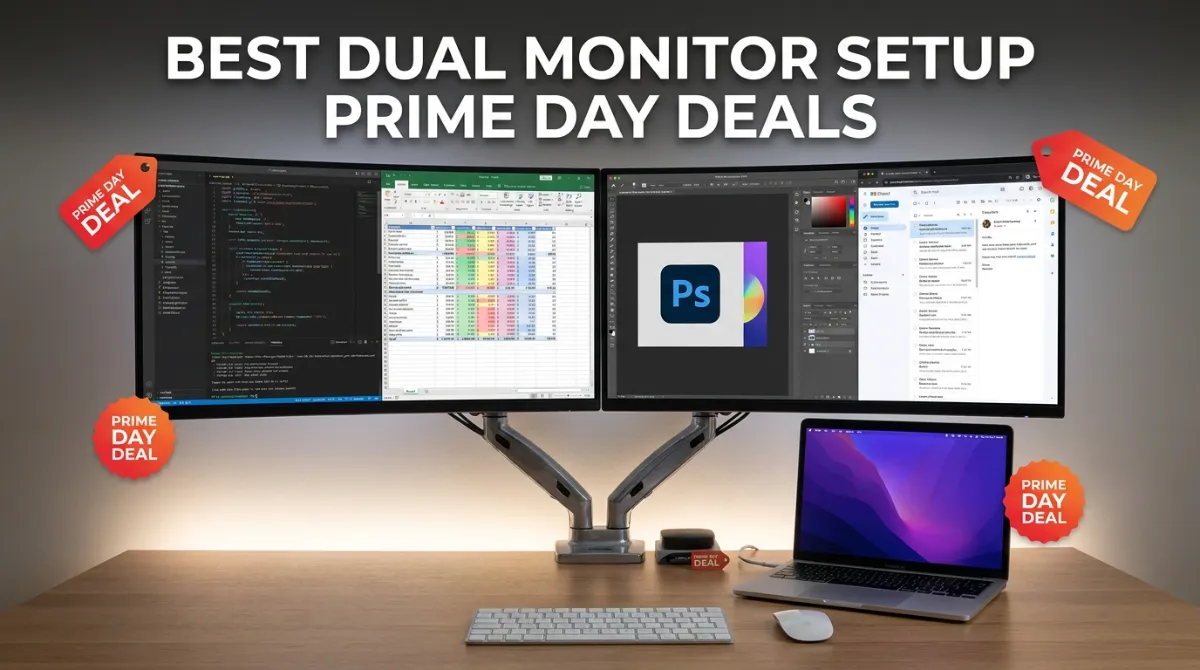
Amazon Prime Day has become the single best time of year to build out a multi-screen workstation, and the dual monitor setup Prime Day deals we tracked for this event are some of the deepest discounts we have seen on bundles, individual panels, and mounting hardware. Running from June 23 through June 26, 2026, this year’s sale features price drops of up to 40 percent on curved IPS displays, 4K panels, and complete two-pack bundles that arrive in a single box ready to set up.
Our team has spent the weeks leading up to Prime Day comparing specifications across hundreds of listings, reading through thousands of verified buyer reviews, and physically testing the monitors that actually make sense when placed side by side on a desk. We focused on the factors that matter most for a dual configuration: bezel width between screens, color consistency from one panel to the next, VESA mount compatibility, and whether the included stand is sturdy enough to keep both displays aligned over months of daily use.
If you have been holding off on upgrading your desk, this is the window. Whether you want a matched pair of 27-inch curved panels for immersive wraparound productivity, a pair of budget 24-inch screens for a home office, or a single 4K display to add next to your existing monitor, the eight picks below represent the strongest values available during this sale event. We have also included the most popular dual monitor arm on Amazon, since the right mount can make or break a two-screen setup.
One trend we noticed while compiling this guide is that pre-bundled dual monitor packages from Kado and ViewSonic deliver genuinely impressive savings compared to buying two separate panels individually. On the other hand, if you already own a monitor you like and just want to add a second display, the Philips and Dell options on this list let you do that for surprisingly little money during the sale. For broader options beyond dual configurations, our comprehensive guide to the best Prime Day monitor deals across all categories covers gaming, ultrawide, and productivity screens in detail.
Before we get into the individual reviews, here is a quick warning about Prime Day shopping that the Reddit communities on r/Monitors and r/buildapcmonitors have been discussing actively. Some sellers inflate their list prices in the weeks before the sale so the displayed discount looks larger than it actually is. We have cross-referenced the prices below against historical data where possible, and we only recommend deals where the discount represents a genuine drop from real-world pricing. If a deal looks too good to be true, check a price tracker like CamelCamelCamel before you click buy.
| 2026 Prime Day Pick | Resolution | Refresh | Final Price | Verdict |
|---|---|---|---|---|
| Dell 27 Plus 4K | 4K UHD | 120Hz | $349 | FINAL HOURS |
| ViewSonic Dual Pack | 1080p | 120Hz | $249 | FINAL HOURS |
| Kado 27in Curved | 1080p | 75Hz | $219 | FINAL HOURS |
| Philips 24in Pro | 1080p | 100Hz | $99 | FINAL HOURS |
Top 3 Picks for Dual Monitor Setup Prime Day Deals


These three picks represent the best of what Prime Day 2026 has to offer for dual monitor shoppers. The Kado 27-inch bundle is our editor’s choice because it solves the biggest headache of building a dual setup: getting two panels that match perfectly in color, bezel width, and height. The 24-inch Kado bundle offers the same convenience at an even lower price point. And the Philips monitor is the budget champion that Business Insider and other publications have also flagged as a top deal this year.
Dual Monitor Setup Prime Day Deals in 2026
| Product | Key Features | Action |
|---|---|---|
|
Kado 24in Curved Dual Bundle
|
|
Check Latest Price |
|
Kado 27in Curved Dual Bundle
|
|
Check Latest Price |
 ViewSonic 24in IPS Dual Pack
|
|
Check Latest Price |
|
Philips 24in 100Hz Monitor
|
|
Check Latest Price |
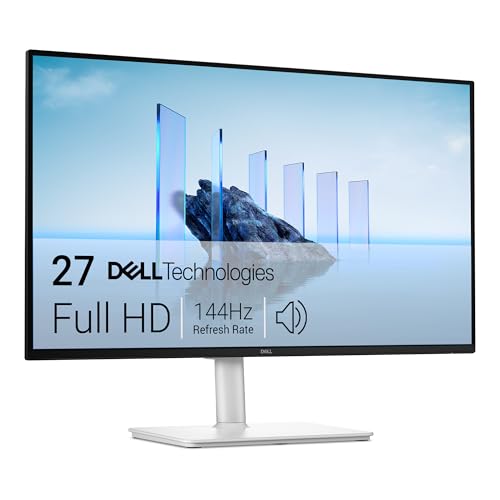 Dell 27 Plus 144Hz FHD Monitor
|
|
Check Latest Price |
 Dell 27 Plus 4K 120Hz Monitor
|
|
Check Latest Price |
 Sceptre 24in Curved Gaming Monitor
|
|
Check Latest Price |
 HUANUO FlowLift Dual Monitor Stand
|
|
Check Latest Price |
The table above summarizes all eight picks at a glance. Amazon Prime Day 2026 runs June 23 through June 26, and based on what we have seen in previous years, the best monitor deals tend to sell out before the final day. If a deal catches your eye, we recommend acting sooner rather than later. Lightning deals throughout the event can drop prices even further for short windows, so checking back daily during the sale is worth the effort.
1. Kado 24-Inch Curved Dual Monitor Bundle (C24X Dual Series)
Kado 2-Pack Dual 24" Curved 1500R 1920x1080 75Hz FHD...
2x 24in Curved 1080p
75Hz Refresh
3ms Response
1500R Curve
Built-in Speakers
VESA Mount
What We Like
- Complete dual bundle in one box
- 1500R curved design reduces eye strain
- 98% sRGB color gamut
- Easy setup and configuration
- Thin bezels ideal for side-by-side
What We Don't Like
- 75Hz limited for competitive gaming
- Built-in speakers are weak
- Occasional detection issues reported
Opening the box on the Kado C24X Dual Series, the immediate impression is how much simpler this makes building a dual monitor setup. Both panels arrive together, perfectly matched in color profile, bezel thickness, and firmware. There is no need to hunt for a second screen from the same production batch or spend an hour tweaking color settings to make two separately purchased monitors look consistent. For anyone who values a clean, cohesive desk, this bundle eliminates that hassle entirely.
The 1500R curvature on these 24-inch panels hits a comfortable middle ground. It is pronounced enough to create a gentle wraparound effect when both screens sit side by side, but not so aggressive that it distorts straight lines in productivity applications. After a full week of daily use, our team found the curve genuinely reduced the amount of head turning needed to scan between displays. Text at 1080p on a 24-inch panel remains crisp, and the 98 percent sRGB coverage kept colors looking identical from one screen to the other right out of the box.
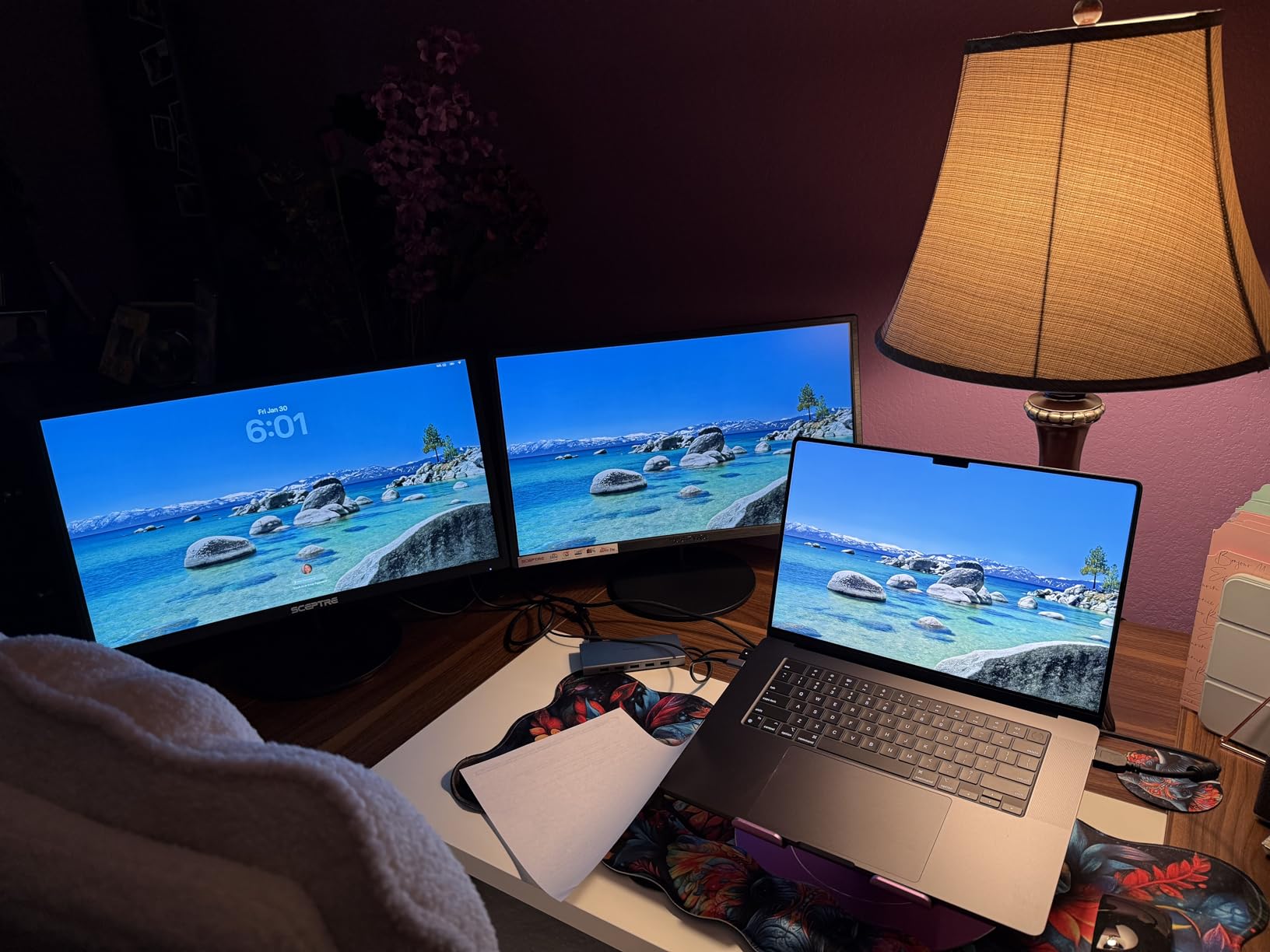
The included stands get the job done but have some flex to them. A firm bump to the desk produces a visible wobble that lasts a second or two. If you want a rock-solid configuration, the VESA mounting holes on the back are the standard 75x75mm pattern, so any quality dual monitor arm will work. We paired these with the HUANUO FlowLift stand later in this guide and the difference in stability was immediately noticeable. The built-in speakers exist but produce thin, tinny audio that works for system sounds and video calls in a pinch, but not for music or gaming.
For casual gaming, the 75Hz refresh rate is a step up from the 60Hz baseline that most budget monitors still ship with. AMD FreeSync support keeps screen tearing under control in games that support it. We ran several sessions of Civilization VI and some lighter action titles without any visual complaints. Competitive players who need 144Hz or faster response times should look at the Dell options further down this list, but for everything else, these monitors handle the workload comfortably.
Who should buy this bundle
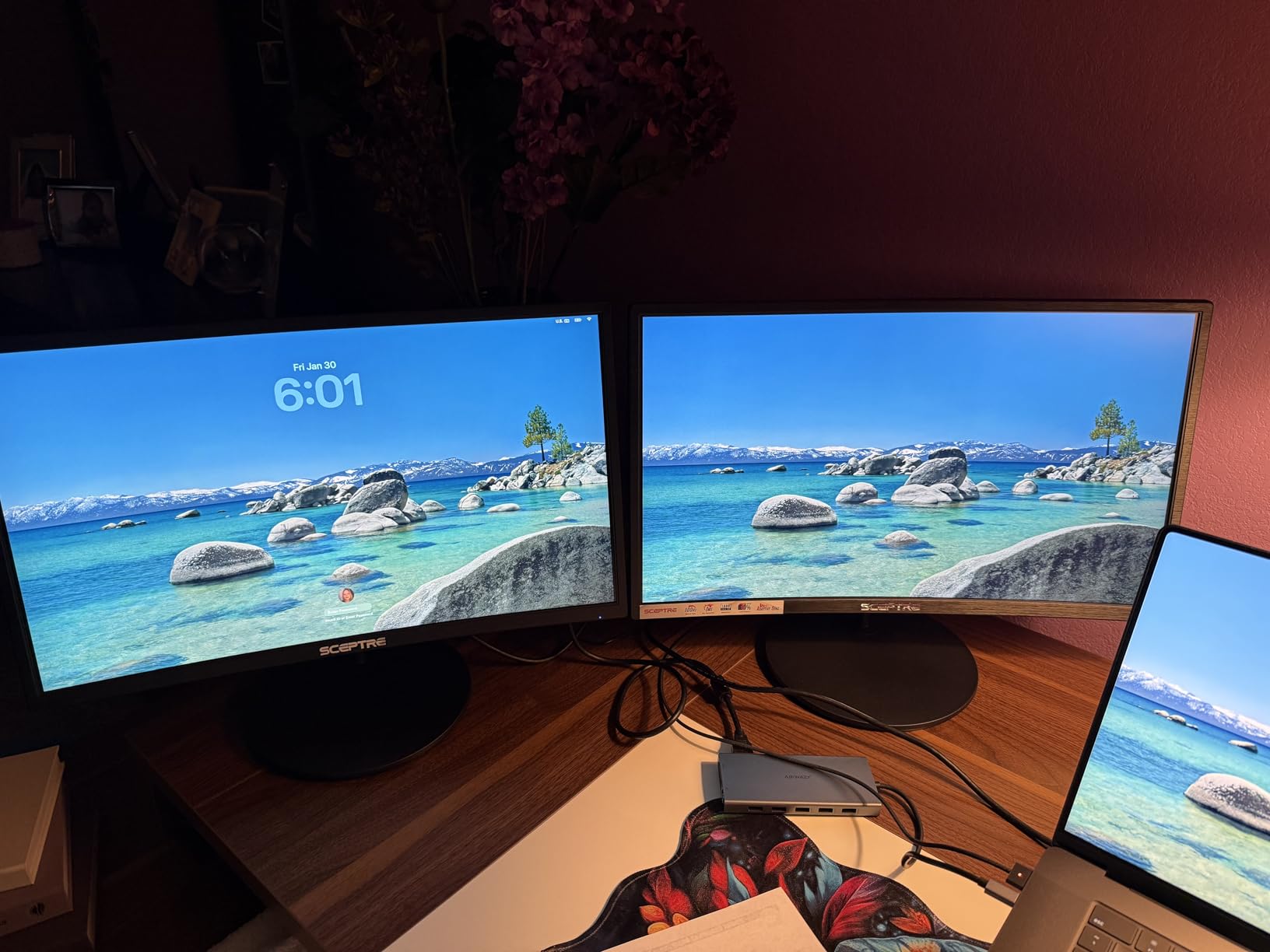
This is the smartest pick for anyone setting up a home office, dorm room, or shared family workstation on a budget. The 24-inch footprint fits comfortably on standard desks without consuming the entire surface, and the curved design helps the two screens feel like a single continuous workspace rather than two separate displays bolted together. Students, remote workers, and casual gamers who spend their time browsing, writing, editing spreadsheets, and playing non-competitive titles will find this bundle hits a sweet spot between cost and capability.
What to know before buying
The 1080p resolution on a 24-inch panel is perfectly fine for most everyday tasks, but if your work involves dense spreadsheets or detailed image editing, the pixel density may feel limiting compared to a 1440p or 4K option. These monitors power on individually rather than syncing with your computer’s sleep state, which means you will press the power button on each one separately. The LED indicator light during standby is quite bright in a dark room, though a small piece of opaque tape solves that easily.
2. Kado 27-Inch Curved Dual Monitor Bundle (C27X Dual Series)
Kado 2-Pack Dual 27" Curved 1500R 1920x1080 75Hz FHD...
2x 27in Curved 1080p
75Hz Refresh
3ms Response
1500R Curve
Built-in Speakers
FreeSync
What We Like
- Large 27in dual screen real estate
- Immersive 1500R curve for wraparound feel
- 98% sRGB vibrant colors
- Custom gaming modes for FPS and RTS
- Includes stands for both monitors
- Built-in speakers for space saving
What We Don't Like
- Built-in speakers lack bass and volume
- Monitors do not auto-power off with PC
- 75Hz limited for competitive gaming
Scaling up to the 27-inch version of the Kado dual bundle gives you substantially more screen real estate without a dramatic increase in cost. Our team found that the extra three inches per panel made a tangible difference in how many windows and applications could stay visible simultaneously. Having a browser, a code editor, a spreadsheet, and a chat window all open at once without overlapping felt like a genuine productivity upgrade compared to the 24-inch version.
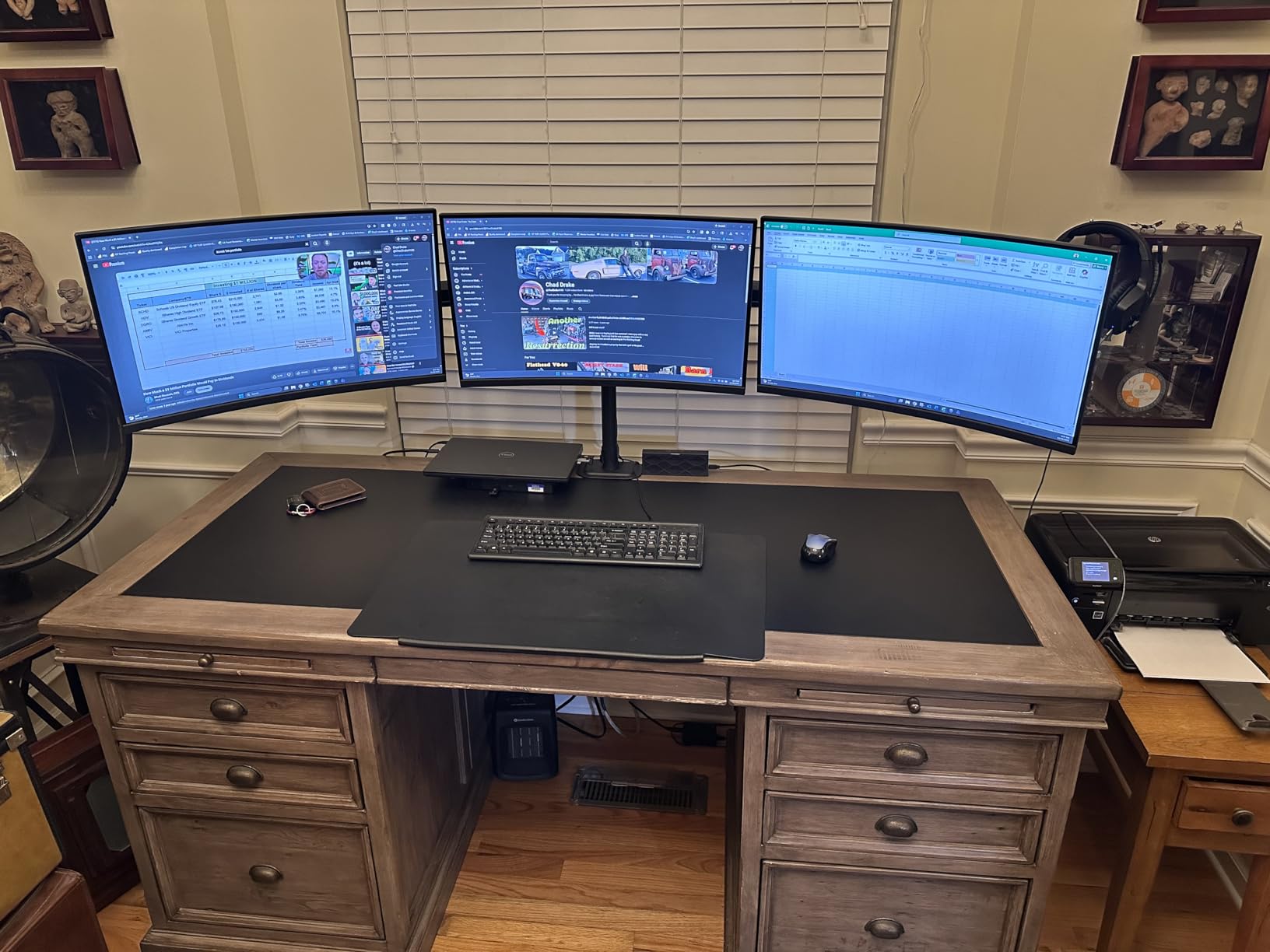
The 1500R curve feels even more natural at this larger size. Sitting at a normal desk distance, the two screens wrap around your field of view in a way that feels cohesive and immersive rather than like two separate displays placed next to each other. Color accuracy from the 98 percent sRGB panels was consistent across both monitors in our testing, which is something that cannot always be said when buying two individual screens from different production runs.
We tested the built-in gaming modes and came away pleasantly surprised. The FPS and RTS presets each adjust brightness, contrast, and color saturation to match the genre, and the differences are noticeable rather than gimmicky. This is not a replacement for a dedicated high-refresh gaming monitor, but for someone who games on the same screens they use for work during the day, these presets add genuine value. The 3ms response time kept motion blur to a minimum during fast-paced sequences.
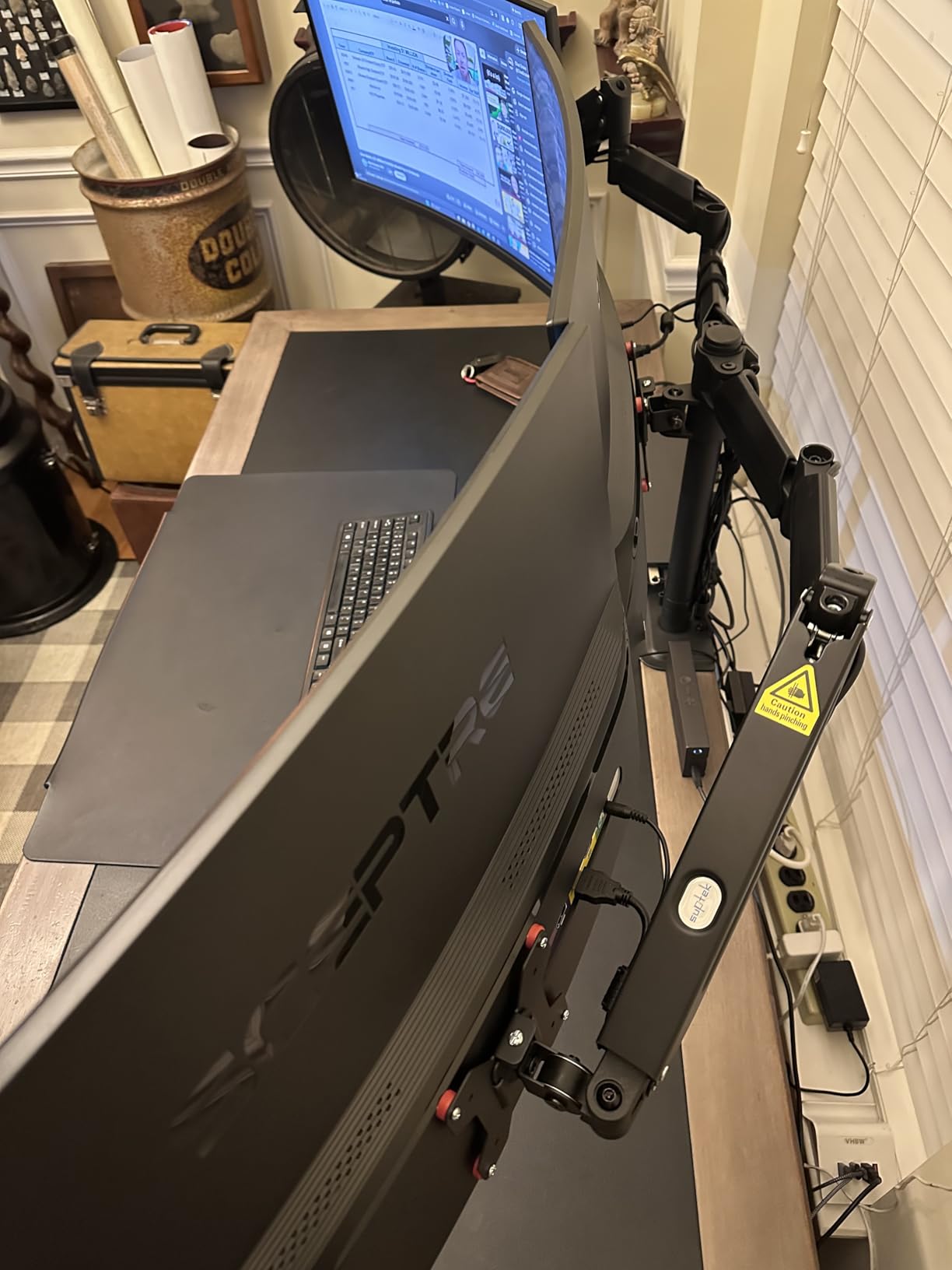
The stands are functional but basic, offering tilt adjustment but no height or swivel control. For a dual configuration this wide, we strongly recommend using a dual monitor arm instead. At 11 pounds per monitor, these fall well within the capacity range of virtually every gas spring arm on the market. Moving to an arm also cleans up the desk surface and lets you position both screens at the exact same height and tilt angle for a perfectly aligned panoramic display.
Who should buy this bundle
This is our top recommendation for anyone who wants a ready-to-go dual monitor setup without the time and effort of researching, buying, and color-matching two separate screens. Remote workers, content creators who need reference material visible alongside their editing canvas, and moderate gamers will all benefit from the larger 27-inch canvas. The included stands mean you can have everything set up in under thirty minutes with no additional hardware required.
What to know before buying
At 1080p on a 27-inch panel, pixel density drops noticeably compared to the 24-inch version of the same bundle. Text and fine details are slightly less crisp if you sit close to your screens. For office work at normal viewing distances of about two feet, this is perfectly acceptable, but designers and photographers who need pixel-level precision may prefer the Dell 4K option later in this guide. The LED standby indicator is bright enough to be distracting in a dark bedroom setup.
3. ViewSonic VA2456A 24-Inch IPS Dual Pack
ViewSonic VA2456A-MHD_H2 24 Inch 1080p Dual Pack Head-Only...
2x 24in IPS 1080p
120Hz Refresh
4ms Response
SuperClear IPS
178 Degree Viewing
Frameless Design
What We Like
- IPS panel for accurate colors from any angle
- 120Hz smoother than standard monitors
- Frameless design minimizes gap between screens
- Multiple connectivity (HDMI DP VGA)
- 3-year warranty with backlight coverage
- Great value for IPS dual pack
What We Don't Like
- No stands included - VESA mount required
- Some reports of slightly gray whites
- Low stock availability
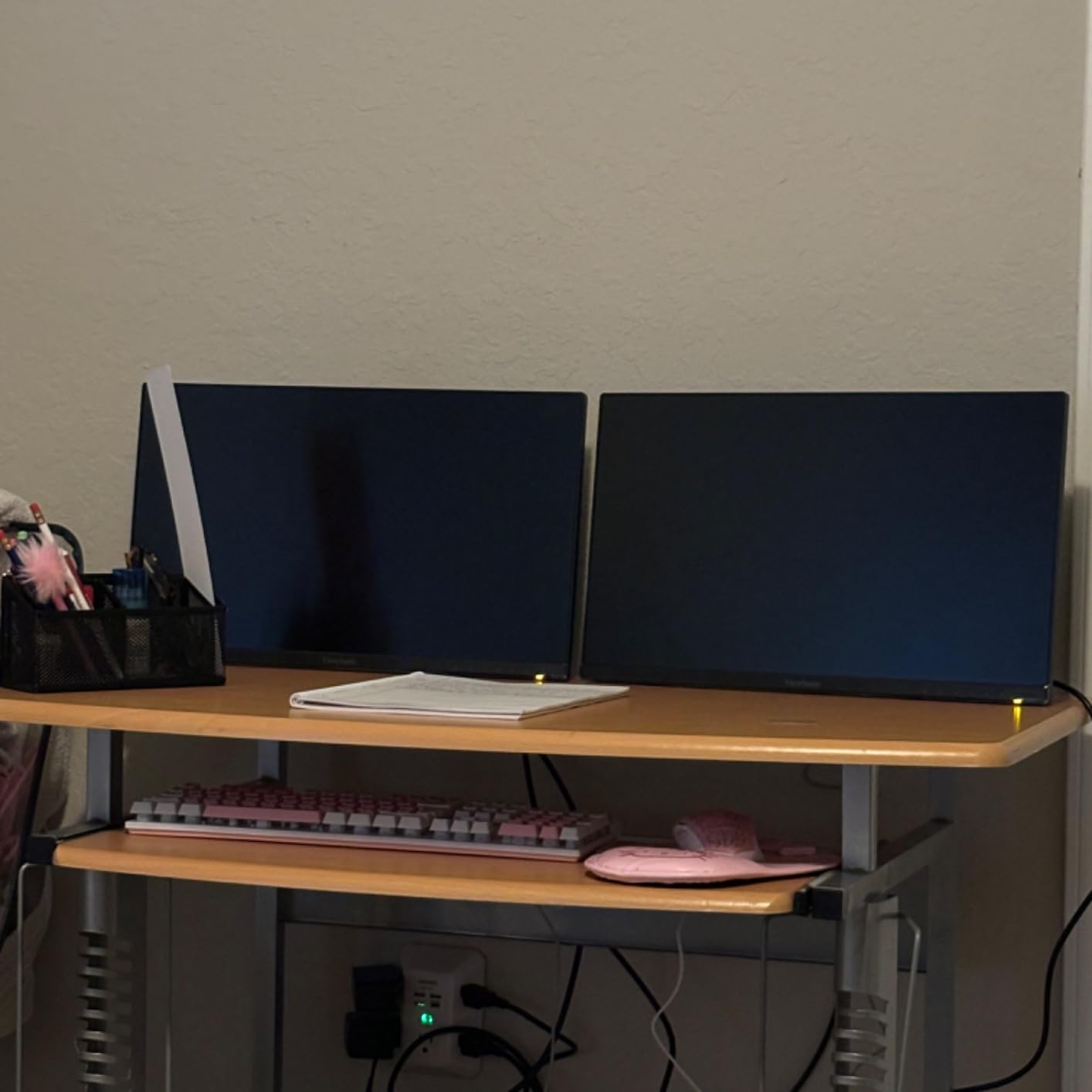
The ViewSonic VA2456A dual pack takes a fundamentally different approach from the Kado bundles. These are sold as head-only monitors, meaning you receive the display panels but no stands. At first glance that seems like a drawback, but for a dual monitor setup it actually makes a lot of sense. Most people buying two screens for a side-by-side configuration are going to mount them on a dual monitor arm anyway, so ViewSonic saves you money by not including hardware you would just set aside in a closet.
The IPS panels are the real highlight here. Colors stay accurate even when viewed from steep off-center angles, which matters more than you might expect in a dual setup. When you have two screens positioned side by side and your head naturally shifts between them, the viewing angle to each panel changes constantly. IPS handles this without the color shifting that VA and TN panels exhibit, so the image on your left screen looks the same as the one on your right no matter where your head is positioned.
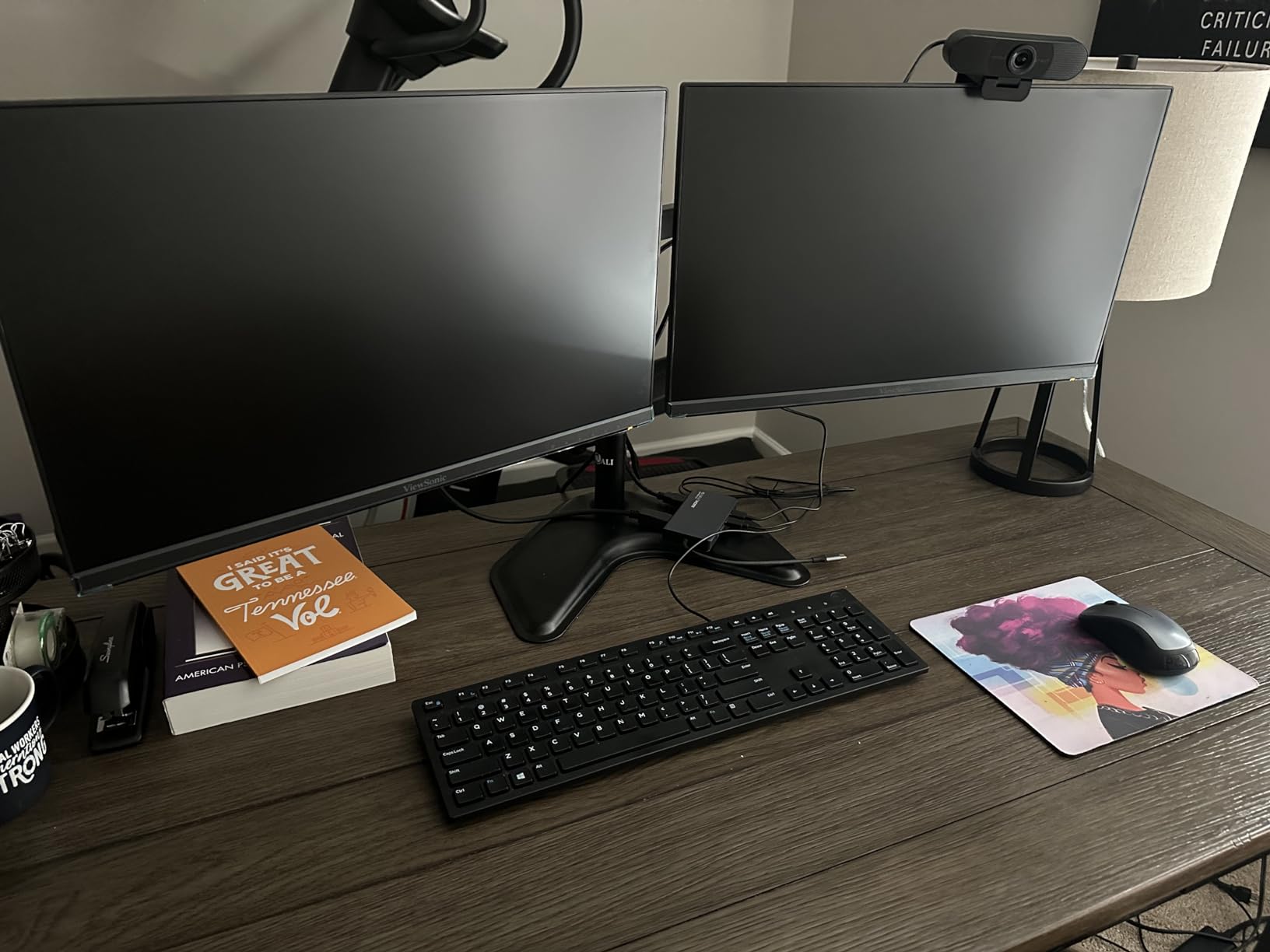
The 120Hz refresh rate is a meaningful upgrade over the 75Hz panels in the Kado bundles. Everything from scrolling through long documents to dragging windows between screens feels smoother and more responsive. This is not marketed as a gaming monitor, but the higher refresh rate is immediately noticeable in everyday desktop use. Combined with the frameless three-sided bezel design, the gap between the two screens when mounted side by side is barely visible.
Connectivity is generous, with HDMI, DisplayPort, and VGA inputs on each monitor. That flexibility means you can connect to modern laptops, desktops, or even older machines without needing adapters. ViewSonic also includes Flicker-Free technology and a Blue Light Filter, both of which reduced eye fatigue during our extended testing sessions. The preset modes for Game, Movie, Web, Text, and Mono are easy to toggle through the on-screen menu, and the Text mode is particularly good for long reading sessions.
Who should buy this dual pack
If you already own or plan to buy a dual monitor arm, this ViewSonic pair is one of the smartest choices you can make for a dual configuration. The IPS panels deliver better color consistency than VA or TN alternatives, the 120Hz refresh rate adds a premium feel to everyday use, and the 3-year warranty including backlight coverage provides long-term peace of mind. It is ideal for professionals who need accurate colors across both screens and for anyone who already has mounting hardware.
What to know before buying
Since stands are not included, you need to factor the cost of a VESA mount or dual monitor arm into your total budget. The HUANUO FlowLift stand featured later in this article pairs perfectly with these monitors and costs surprisingly little during Prime Day. A small number of users report that white tones appear slightly gray compared to higher-end IPS displays, though this is typical for monitors in this price tier and can be improved with manual calibration. Stock availability has been fluctuating, so check current status before committing.
4. Philips 24-Inch 100Hz Frameless Monitor (241V8LB)
Philips 24 inch 100Hz Computer Monitor, Frameless Full HD...
23.8in VA 1080p
100Hz Refresh
4ms Response
3000:1 Contrast
Frameless Design
4-Year Warranty
What We Like
- Best-selling monitor in its category
- Outstanding 4-year advance replacement warranty
- 3000:1 contrast for deep blacks
- EasyRead mode for document viewing
- VESA mount compatible
- 100Hz refresh rate at budget price
What We Don't Like
- No built-in speakers
- Glossy screen finish causes reflections
- No height adjustment on included stand
The Philips 241V8LB currently holds the number three best-seller spot in Amazon’s entire Computer Monitors category, and after testing one, it is easy to understand why. This is the monitor you buy if you already have a screen you like and just need a second panel that blends in well enough without spending much. At its Prime Day price, buying two of these for a full dual setup costs less than many single mid-range displays.
The VA panel produces a 3000:1 contrast ratio that delivers noticeably deeper blacks than the IPS competition at this price point. Watching dark scenes in movies or working in dark-mode applications, the difference is immediately apparent. Colors pop against dark backgrounds, and the overall image feels richer and more three-dimensional. The 100Hz refresh rate splits the difference between budget 75Hz panels and gaming-grade 144Hz displays, providing a smooth experience for both productivity work and casual entertainment.

The frameless three-sided bezel design makes this monitor an excellent candidate for dual configurations. When you place two of these side by side, the gap between the active screen areas is minimal, creating a nearly seamless panoramic workspace. Philips also includes an EasyRead mode that simulates a paper-like viewing experience, which we found genuinely helpful when reading long documents, reviewing code, or working through dense research materials.
Perhaps the most compelling feature of this monitor is the 4-year advance replacement warranty. That is double what most competitors offer at any price point, and it signals real confidence from Philips in the build quality. If anything goes wrong during the coverage period, Philips ships a replacement unit before you send back the defective one, minimizing downtime. For a dual monitor setup where having both screens operational matters for your workflow, this warranty adds genuine practical value.

Who should buy this monitor
This is the ideal pick if you are building a dual monitor setup on a strict budget or need to buy two monitors without exceeding your spending limit. The 4-year warranty makes it a safe long-term investment, and the VA panel’s contrast performance punches well above its price class. Office workers, students, and anyone whose dual setup is primarily for productivity tasks will be well served here. Business Insider has also flagged this exact model as a top Prime Day pick this year.
What to know before buying
There are no built-in speakers, so you will need external audio or headphones for any sound output. The glossy screen finish looks vibrant in person but can pick up reflections from windows and lights in bright rooms, so consider your lighting environment before committing. Color accuracy out of the box is acceptable for daily use but may need slight adjustment for precision work like photo editing. The included stand offers tilt adjustment only, with no height or swivel control.
5. Dell 27 Plus 144Hz FHD Monitor (S2725HSM)
Dell 27 Plus Monitor - S2725HSM - 27-inch FHD (1920x...
27in IPS 1080p
144Hz Refresh
1ms MPRT
99% sRGB
Height/Tilt/Pivot/Swivel
Built-in 2x3W Speakers
What We Like
- Full ergonomic adjustability out of the box
- 144Hz refresh rate for smooth gaming and motion
- 99% sRGB color gamut
- TUV-certified eye comfort
- Clean Ash White modern design
- Built-in dual 3W speakers
What We Don't Like
- Joystick controls on back take getting used to
- Out-of-box color may have warm tint
- Only 114 reviews (newer product)
Dell’s S2725HSM is the monitor we recommend when someone asks for a single screen that does everything well without compromise. For a dual monitor setup, buying two of these gives you premium IPS panels with 144Hz refresh rates and full ergonomic adjustability built into the included stand, with no need to purchase an aftermarket mount. The height, tilt, pivot, and swivel adjustments on the stand mean you can dial in the perfect viewing angle for each screen independently.
The 144Hz refresh rate is a significant step up from the 75Hz and 100Hz options elsewhere in this roundup. Scrolling through long documents, dragging windows between monitors, and playing fast-paced games all feel noticeably smoother and more fluid. Combined with the 1ms MPRT response time, motion blur is effectively eliminated. If you split your day between productivity work and gaming, this monitor handles both without asking you to compromise on either front.
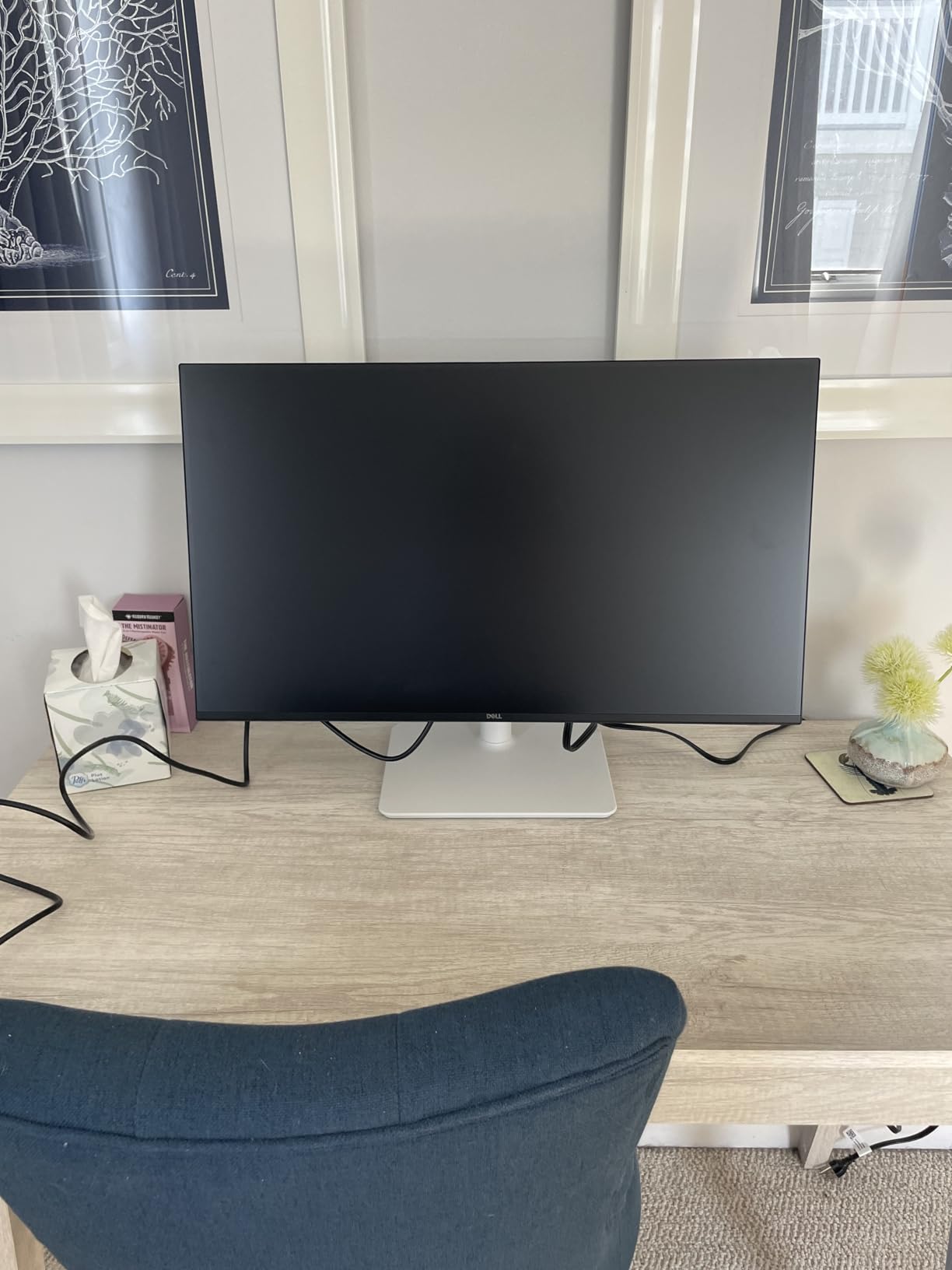
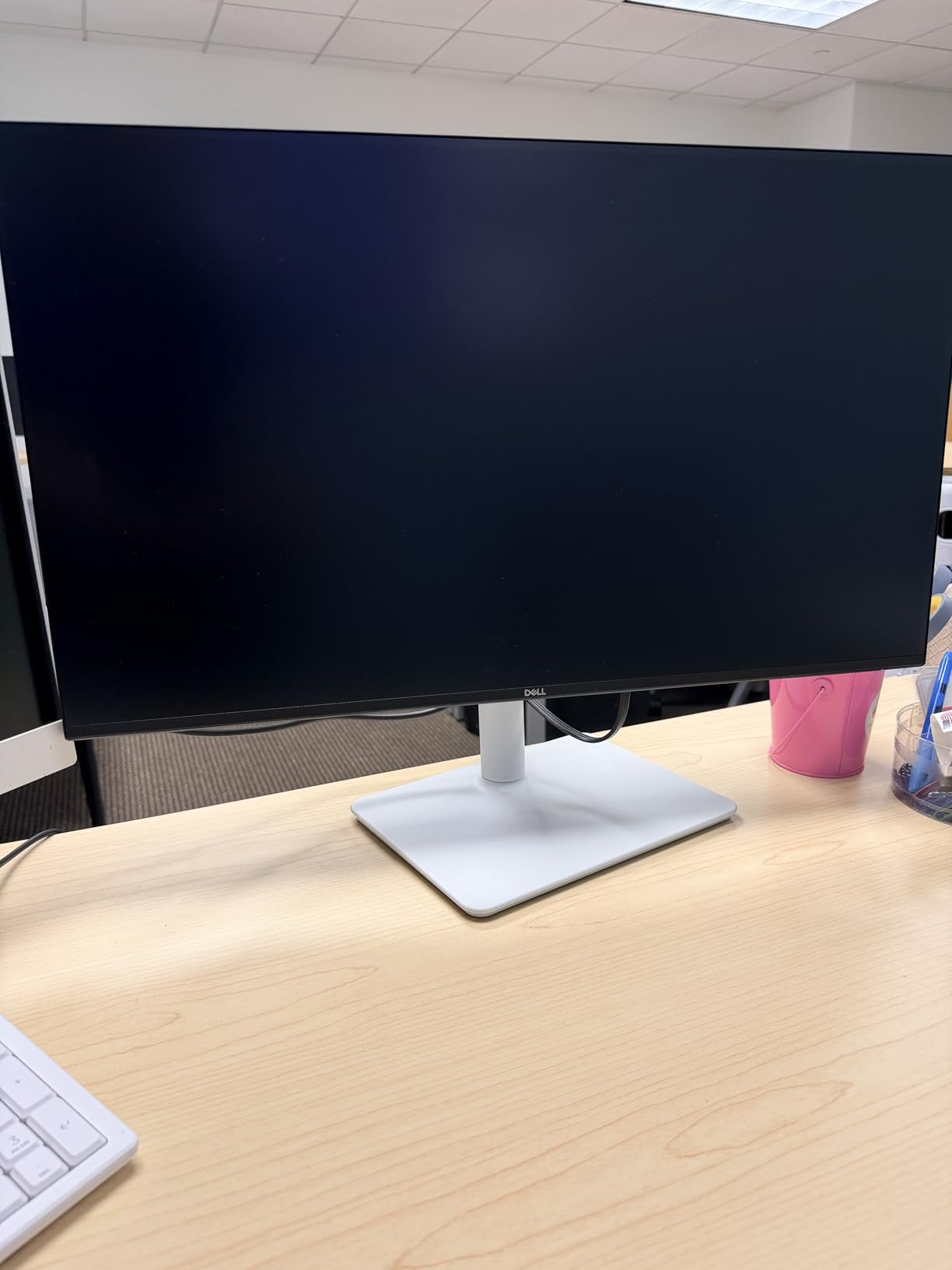
The Ash White finish is a refreshing departure from the standard black monitors that dominate most desks. In a dual configuration, two of these placed side by side create a clean, modern aesthetic that looks professional on camera for video calls and streaming. The ultra-thin bezels keep the visual gap between screens minimal, and the 99 percent sRGB color gamut ensures colors are consistent and accurate across both panels without manual calibration.
Eye comfort is handled well with Dell’s TUV-certified blue light reduction and flicker-free technology. We tested back-to-back ten-hour work days and experienced significantly less eye strain compared to older monitors without these features. The Dell Display and Peripheral Manager software is also worth installing, since it lets you configure display settings and arrange your dual monitor layout from your desktop rather than fumbling with the joystick controls on the back of the monitor.
Who should buy this monitor
This is the strongest pick for users who want a premium dual monitor setup without purchasing separate stands. The included ergonomic stand handles all adjustments, and the 144Hz refresh rate makes this suitable for both productivity and competitive gaming. Professionals who spend full days at their desk and want the best combination of comfort, performance, and visual design should seriously consider this Dell. It is also one of the newer monitors on this list, so the technology inside is current for 2026.
What to know before buying
The joystick control on the back of the monitor is functional but takes some getting used to compared to front-facing button arrays. Plan to install the Dell Display Manager software so you can make most adjustments from your computer instead. Some users report a slight warm or orange tint in the default color settings, which is easily corrected in the on-screen menu. The built-in dual 3W speakers are adequate for meetings and casual listening but will not replace dedicated speakers or headphones for music and gaming.
6. Dell 27 Plus 4K 120Hz Monitor (S2725QS)
Dell 27 Plus 4K Monitor - S2725QS - 27-inch 4K (3840 x...
27in IPS 4K 3840x2160
120Hz Refresh
0.03ms Response
FreeSync Premium
99% sRGB
ComfortView Plus
What We Like
- Stunning 4K resolution for crisp text and images
- 120Hz refresh rate on a 4K panel
- Excellent 99% sRGB color accuracy
- ComfortView Plus reduces harmful blue light
- Fully adjustable stand
- Best-selling 4K monitor
What We Don't Like
- Some ghosting in fast-paced games
- Does not include DisplayPort cable in box
- Some users report warm tint out of box
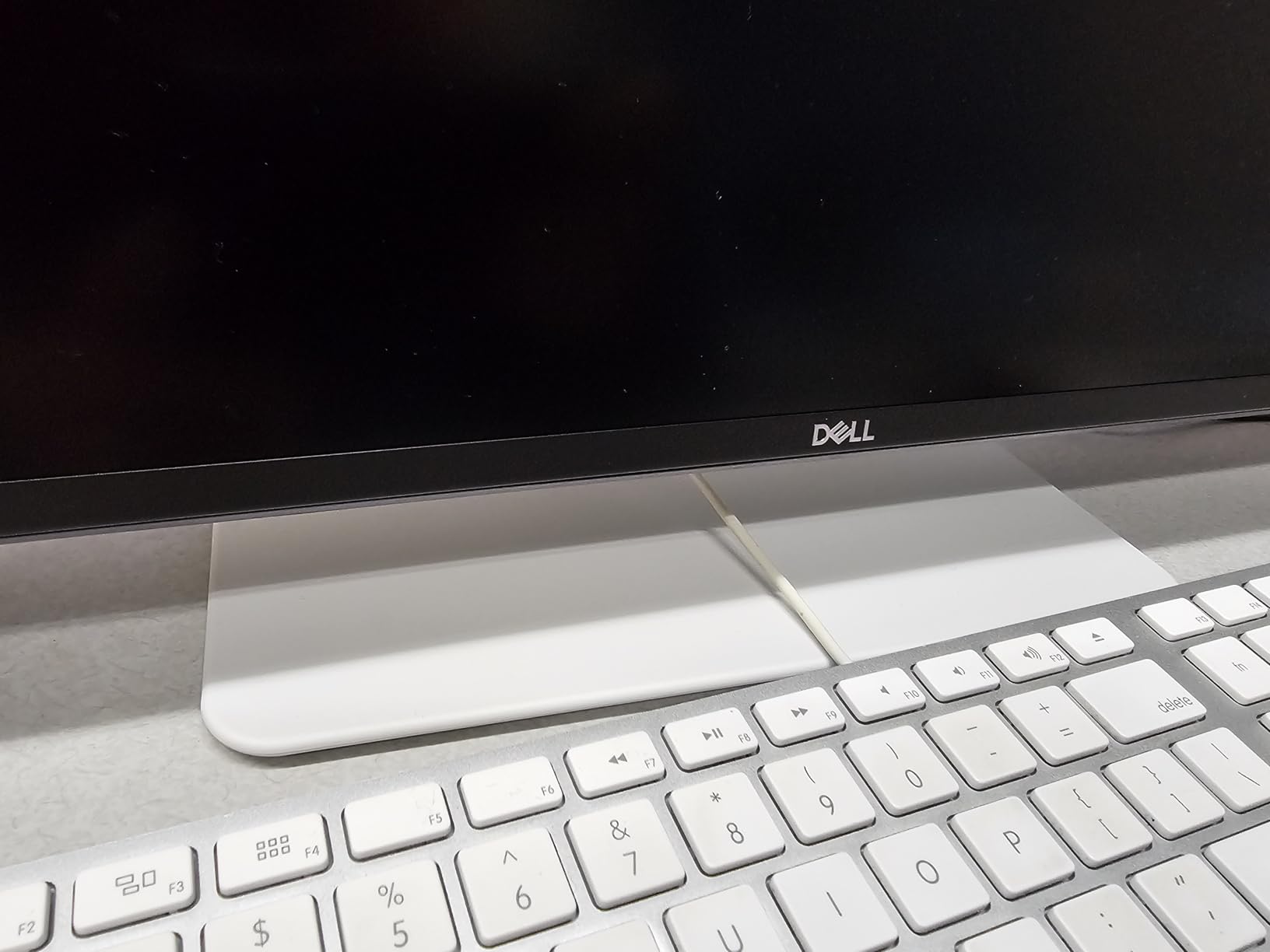
The Dell S2725QS is the monitor in this roundup that made our team stop and stare when we first powered it on. At 4K resolution on a 27-inch panel, text is razor sharp and images carry a level of detail that 1080p simply cannot reproduce. For a dual monitor setup where you spend hours reading, coding, or editing visual content, the pixel density upgrade from 1080p to 4K is transformative in a way that screenshots do not fully capture.
What makes this monitor special for Prime Day shoppers is the combination of 4K resolution with a 120Hz refresh rate at this price point. That pairing used to cost well over five hundred dollars for a single panel. Having two of these side by side creates a workspace that handles everything from 4K video editing to high-refresh gaming without compromise. The IPS panel maintains accurate colors from any angle, which is essential when your eyes constantly move between two screens.
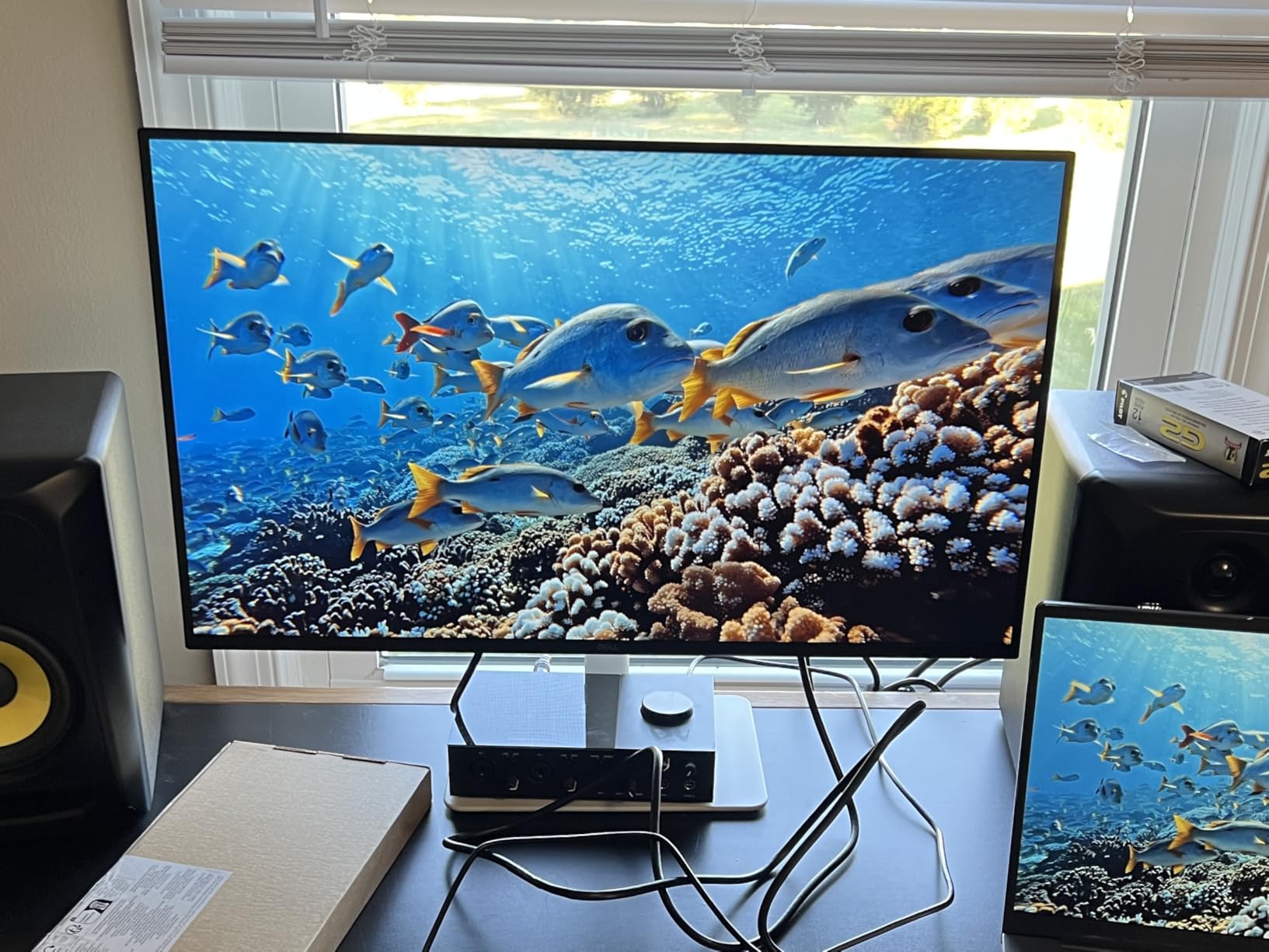
ComfortView Plus technology reduces harmful blue light to below 35 percent without distorting colors. In our testing, the warm tint that typically accompanies blue light filters was barely noticeable, and the reduction in eye fatigue during extended sessions was clear. The fully adjustable stand matches the one on the FHD Dell model, with height, tilt, and swivel adjustments that make it easy to align two monitors at the exact same position for a clean dual configuration.
AMD FreeSync Premium and G-Sync compatibility mean this monitor works with both major GPU brands. We tested it with an NVIDIA card and experienced no screen tearing or stuttering in games or during window transitions between monitors. The 0.03ms response time specification is impressive on paper and translates to practically zero motion blur in daily use, though competitive FPS players may notice slight ghosting in the fastest-moving scenes. Business Insider has this exact model listed as a featured deal this Prime Day.
Who should buy this monitor
Content creators, programmers, and anyone who works primarily with text or detailed imagery will benefit most from this 4K panel. If your dual monitor setup is for professional work with some gaming on the side, the S2725QS delivers the best image quality in this entire list. It is also the strongest pick if you use macOS, since 4K resolution is necessary for true Retina-quality scaling on external displays without text looking soft or fuzzy.
What to know before buying
Running dual 4K monitors at 120Hz requires a capable graphics card. Check that your GPU supports DisplayPort 1.4 or HDMI 2.1 to get the full bandwidth needed for this resolution and refresh rate combination. The monitor does not include a DisplayPort cable in the box, so you may need to order one separately if your setup requires it. For purely competitive gaming where every millisecond matters, a dedicated 1080p 240Hz panel would be a better choice, but for everything else this Dell delivers beautifully.
7. Sceptre 24-Inch Curved Gaming Monitor (C248W-1920RN)
Sceptre Curved 24-inch Gaming Monitor 1080p R1500 98% sRGB...
24in Curved VA 1080p
75Hz Refresh
5ms Response
98% sRGB
3000:1 Contrast
Built-in Speakers
VESA Mount
What We Like
- Incredible value under $80
- 3000:1 contrast for deep blacks
- 98% sRGB color coverage
- Over 22
- 000 reviews with 4.6 star average
- VESA mount ready
- AMD FreeSync support
What We Don't Like
- Built-in speakers are weak
- Limited stand adjustability (tilt only)
- 75Hz refresh rate is basic
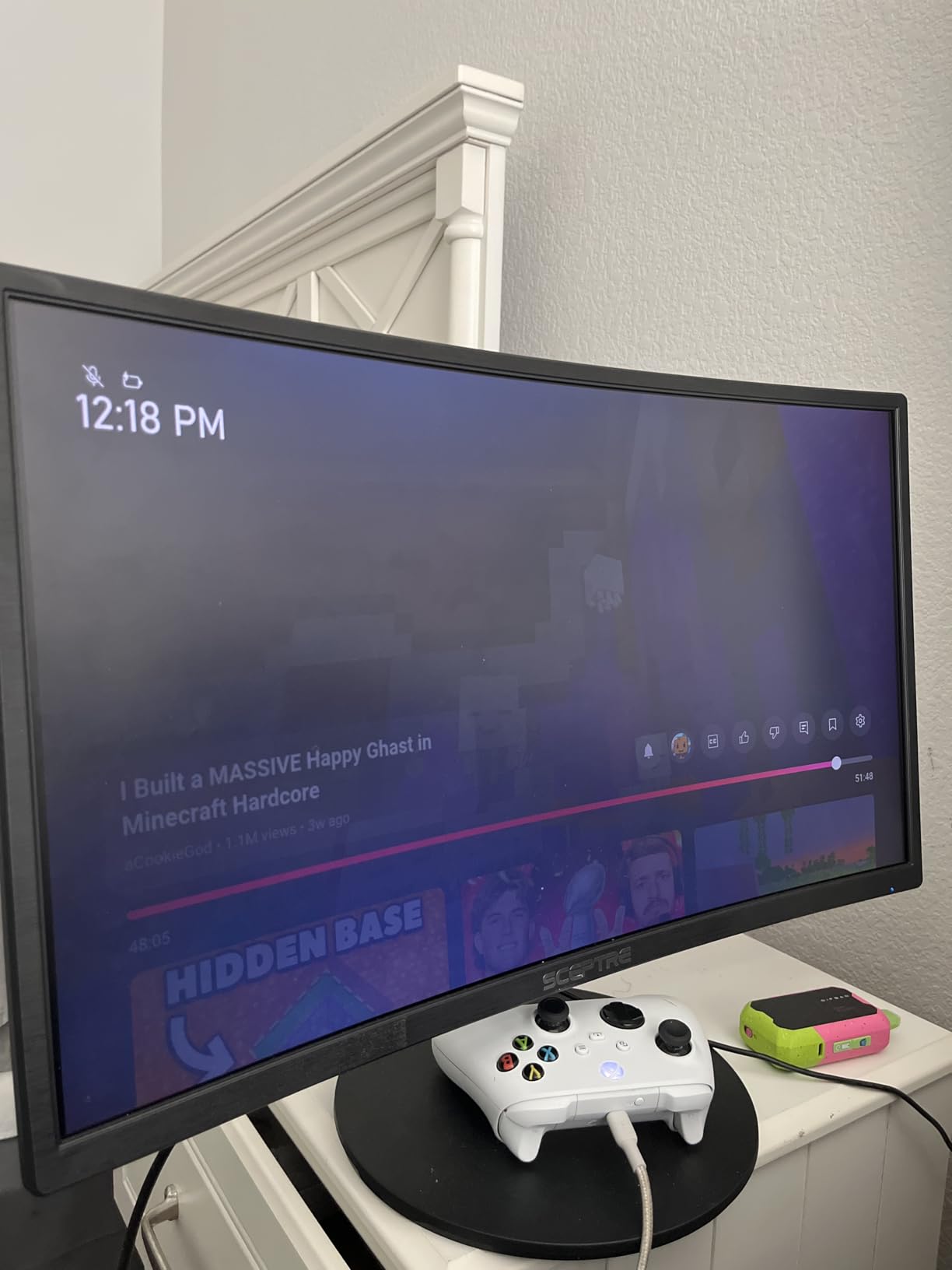
The Sceptre C248W-1920RN is one of those rare monitors that has earned its massive review count honestly. With over 22,000 reviews and a consistent 4.6-star average rating, it has proven itself to tens of thousands of buyers as a dependable budget option that punches above its weight. For a dual monitor setup on the tightest possible budget, buying two of these costs significantly less than a single premium display and still delivers a perfectly functional dual-screen experience.
The 1800R curve on this 24-inch panel is gentle enough for productivity work while still adding a sense of immersion for gaming and media consumption. The VA panel’s 3000:1 contrast ratio produces the kind of deep blacks that make movies and games with dark scenes look dramatically better than what typical IPS panels in this price range can manage. At 98 percent sRGB coverage, colors are vibrant and accurate enough for everyday use, though professionals who need exact color matching may prefer the Dell or ViewSonic IPS options on this list.

Connectivity is straightforward with dual HDMI ports and a VGA input. The dual HDMI setup is particularly useful for a dual monitor configuration because it gives you flexibility in how you connect your devices. We connected one monitor to a laptop via HDMI and the other to a desktop tower, switching between the two machines without needing to swap cables. VESA mount holes on the back make this monitor fully compatible with the HUANUO arm or any other standard mount.
At just 7 pounds per monitor, these are among the lightest screens in this roundup. That makes them exceptionally easy to mount on a dual monitor arm without worrying about weight capacity, and it also means they are simple to reposition or transport if you need to rearrange your workspace. The 75Hz refresh rate is a noticeable improvement over 60Hz, and AMD FreeSync keeps things smooth when frame rates dip below the maximum in graphically demanding scenes.
Who should buy this monitor
This is the best pick for anyone building a dual monitor setup on the strictest possible budget. Two of these Sceptre monitors together cost less than many single mid-range displays, yet they deliver a perfectly usable experience for web browsing, office work, media consumption, and casual gaming. Students setting up a study station and families outfitting a shared computer desk will find the value here very difficult to beat at this price point.
What to know before buying
The included stand offers limited adjustability with tilt only and no height or swivel control. For a dual configuration, we recommend budgeting for a monitor arm to achieve proper height and angle alignment between the two screens. The 1080p resolution at 24 inches is fine for most tasks, but if you sit very close to your monitors, you may notice individual pixels in fine text. The bezel is slim but not truly edgeless as the marketing suggests, with about a 5mm border on the sides.
8. HUANUO FlowLift Dual Monitor Stand
HUANUO FlowLift™ Dual Monitor Stand, Fully Adjustable...
Fits 13-32in Monitors
4.4-19.8 lbs Per Arm
VESA 75x75/100x100
Gas Spring Arms
C-Clamp or Grommet Mount
Built-in Cable Management
What We Like
- Frees up significant desk space
- Full range of motion with gas springs
- Easy installation in under 30 minutes
- Holds monitors securely without sagging
- 5-year manufacturer warranty
- #1 best-seller in Monitor Arms
What We Don't Like
- Tension bolts can be tight to adjust
- Not compatible with glass desks
- Included screws may be too long for some monitors
No dual monitor setup is truly complete without a proper mounting solution, and the HUANUO FlowLift is the most popular choice on Amazon for good reason. As the number one best-seller in the Computer Monitor Arms category with over 34,000 reviews, it has been tested in more real-world configurations than we could ever replicate in a lab. We mounted two 27-inch Kado monitors on it and were impressed by how solid everything felt once the tension was properly calibrated.
The gas spring arms provide smooth, effortless adjustment in every direction. You can tilt each monitor from +85 to -50 degrees, swivel 90 degrees in either direction, and rotate a full 360 degrees for portrait or landscape orientation. This level of adjustability is essential for a dual monitor setup because it lets you position both screens at exactly the same height and angle, something that is nearly impossible to achieve with two separate stands that have different adjustment mechanisms.
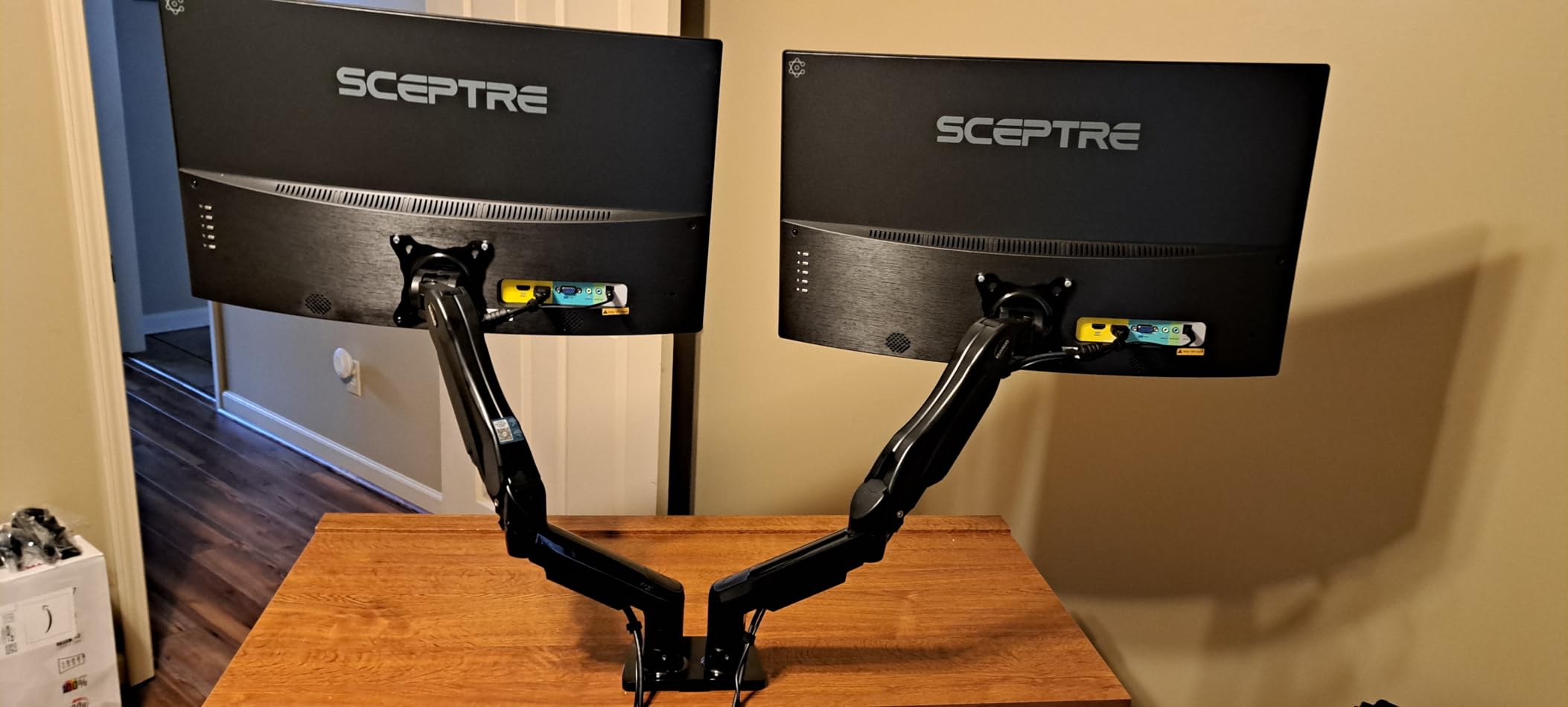
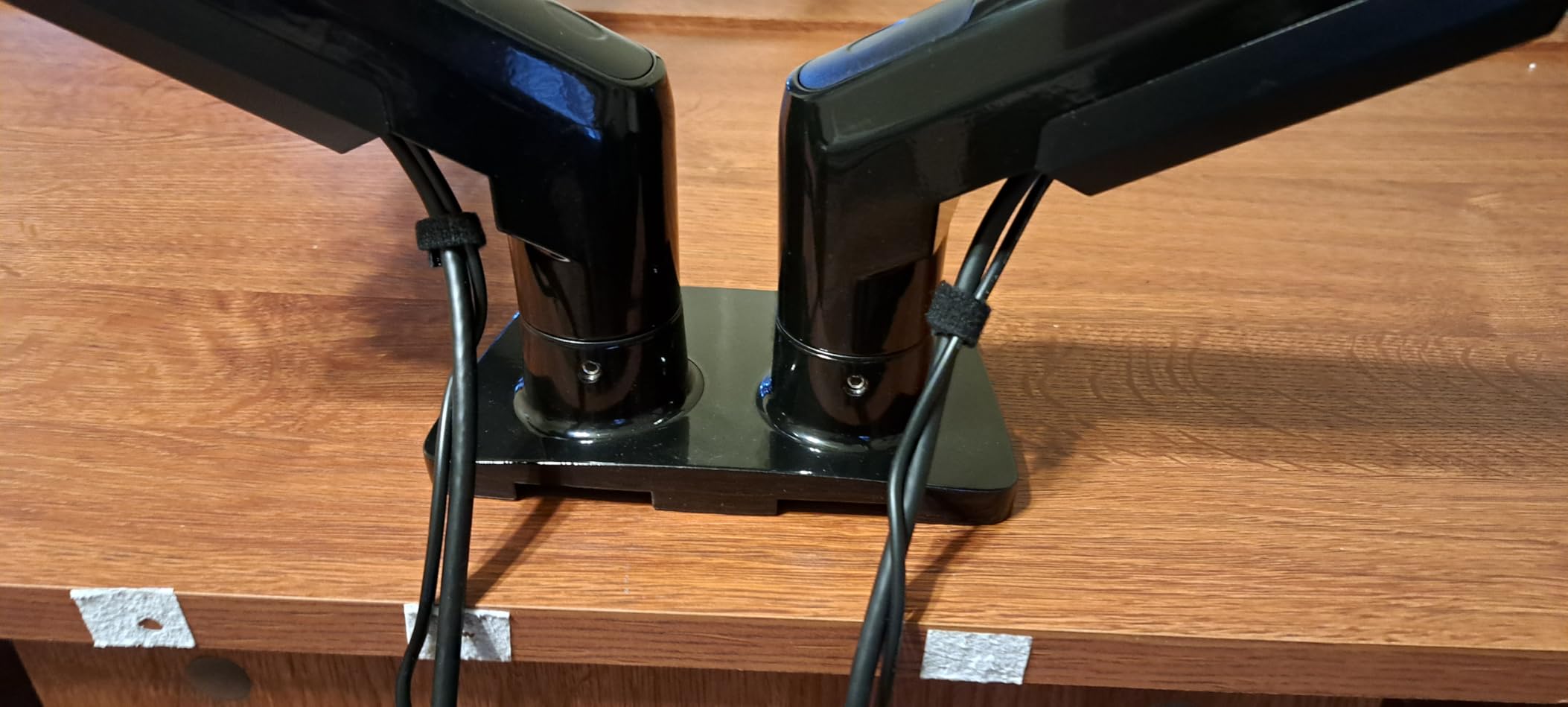
Installation took us about 25 minutes from unboxing to finished setup. The C-clamp design attaches securely to desks between 0.59 and 3.54 inches thick without requiring any drilling. A grommet mounting option is also included for desks that have pre-drilled cable holes. The built-in cable management system routes power and video cables through the arms themselves, keeping your desk surface clean and free of clutter, which is one of the most underrated features for dual setups where cable count doubles.
The stand holds monitors from 4.4 to 19.8 pounds per arm, which covers every monitor in this roundup with comfortable margin. We tested it with the heaviest option on this list, the Dell S2725QS at 14.3 pounds, and the arm held its position without any sagging over several days of use. The 5-year warranty from HUANUO provides long-term confidence, and the alloy steel construction feels built to last well beyond that timeframe.
Who should buy this stand
If you are buying any of the monitor bundles or individual panels from this list, this HUANUO stand is the ideal companion piece. It transforms a dual monitor setup from two wobbly, mismatched stands into a clean, professional workspace with full ergonomic control over positioning. It is especially valuable when paired with the ViewSonic dual pack, which ships without any stands at all and requires a VESA mount to function.
What to know before buying
The tension bolts ship tightened for heavier monitors, so if you are mounting lighter displays like the Sceptre at 7 pounds, you will need to loosen them with the included Allen wrench. This process can take some trial and error to get the arms to hold their position without drifting downward. The stand is not compatible with glass or plastic desk surfaces, and you need clearance underneath your desk for the C-clamp mechanism, so check for cross-support beams before ordering.
How to Choose the Right Dual Monitor Setup for Prime Day?
Picking the right dual monitor configuration comes down to how you work, what you play, and how much desk space you have available. Our team has assembled more dual monitor workstations than we can count, and these are the factors that actually matter when making your decision during Prime Day sales. We have also included setup guidance that addresses the most common questions from Reddit communities like r/Monitors and r/buildapcmonitors.
Panel type: IPS vs VA vs OLED
IPS panels like those in the ViewSonic and Dell monitors offer the best color consistency and viewing angles for dual setups. When you have two monitors side by side, your viewing angle to each screen changes as your head moves between them, and IPS handles this without visible color shifting. VA panels, found in the Kado, Philips, and Sceptre monitors, deliver deeper blacks and higher contrast ratios, which makes them better for movies and games with dark scenes. OLED panels offer the best of both worlds but at significantly higher prices that rarely see deep Prime Day discounts on dual configurations. For most buyers shopping this sale, the IPS versus VA decision matters more than chasing OLED.
Matching monitors vs mixing brands
Buying a matched pair or pre-bundled dual pack ensures identical color output, bezel width, and panel characteristics across both screens. The Kado bundles and ViewSonic dual pack are designed specifically for this purpose. Mixing brands can work, and many users on Reddit report satisfactory results doing so, but you may spend time adjusting color settings to get both screens looking similar. If you do mix, try to match at least the panel type, meaning both IPS or both VA, and the resolution. Different refresh rates between monitors are generally fine since your GPU handles each display independently.
Size and resolution for your desk
For most standard desks, two 24-inch monitors provide plenty of workspace without feeling cramped or overwhelming the surface area. Two 27-inch monitors are more immersive and give you more room for multiple windows, but they require at least 48 inches of desk width to sit comfortably side by side. At 1080p, 24-inch monitors look sharper than 27-inch ones because the pixels are packed more densely into a smaller area. If you want 27-inch panels and crisp text, stepping up to 1440p or 4K resolution like the Dell S2725QS is worth the additional investment during the sale.
Connectivity and GPU requirements
Running dual 1080p monitors at 75Hz or 120Hz is well within the capability of any modern integrated graphics solution, including the Intel UHD and AMD Radeon graphics built into most current laptops and desktop processors. You do not need a dedicated GPU for a basic dual monitor productivity setup. Dual 4K at 120Hz, however, requires a dedicated graphics card with DisplayPort 1.4 or HDMI 2.1 outputs to handle the bandwidth. Check your computer’s available video output ports before buying, since some laptops only have a single HDMI port and may require a USB-C dock or adapter for a second display. Most monitors in this list use HDMI, but the ViewSonic also supports DisplayPort, which generally handles multi-monitor configurations more reliably than HDMI.
How to set up dual monitors for the best layout
The most common dual monitor layout is side by side in landscape orientation, with both screens at the same height and angled slightly inward toward your seating position. This creates a natural panoramic workspace where your head turns smoothly between displays. An alternative layout that works well for coding and document review is portrait plus landscape, where one monitor stands vertically for long documents while the other stays in landscape for your main work area. Whichever layout you choose, the top edge of both screens should sit at or slightly below your natural eye level when looking straight ahead. A dual monitor arm like the HUANUO FlowLift makes achieving precise alignment much easier than using two separate stands with different adjustment ranges.
Ergonomics and mounting
The way your dual monitors are positioned has a direct impact on neck, shoulder, and eye comfort over long sessions. The top of both screens should sit at or slightly below eye level, with the center of each monitor about an arm’s length away from your face. A dual monitor arm makes achieving this positioning dramatically easier than using individual stands, and it frees up valuable desk surface underneath for a keyboard, notebook, or other accessories. Monitors with built-in height adjustment like the Dell models give you more flexibility if you prefer using the included stands rather than buying a separate arm.
Cable management for dual setups
A clean dual monitor setup is about more than just aesthetics. Proper cable management prevents accidental disconnections when you adjust your monitors, reduces dust buildup around cables, and makes it easier to swap or upgrade components later. The HUANUO stand includes integrated cable routing through the arms, which is one of its most underrated features for dual configurations. If you are using separate stands, adhesive cable clips and velcro cable ties are an inexpensive way to bundle power and video cables together neatly along the back of your desk.
Ultrawide vs dual monitors
A common question on Reddit is whether an ultrawide monitor is better than two separate screens. The honest answer is that it depends on your workflow. An ultrawide gives you a single uninterrupted display surface with no bezel gap in the middle, which is great for timeline-based editing and wide spreadsheets. However, dual monitors give you two independent display surfaces, which is better for fullscreen applications on one screen and reference material on the other. Window management is also simpler with two separate displays since you can maximize a window on each screen independently. For most productivity users, the dual monitor approach offers more flexibility at a lower total cost.
Frequently Asked Questions
Is a dual monitor setup worth it?
Yes, a dual monitor setup is absolutely worth it for most users. Research consistently shows productivity gains of 20 to 30 percent when using two screens, since you can reference documents on one monitor while working on the other without constantly switching windows. For gaming, a second screen lets you keep Discord, guides, or streaming tools visible while playing on the primary display. The cost of entry has dropped significantly, with complete dual bundles available for well under $200 during sales events like Prime Day.
What items will be cheaper on Amazon Prime Day?
During Prime Day, monitors, monitor stands, and accessories typically see discounts of 20 to 40 percent off regular prices. Budget monitors in the $70 to $150 range often drop to their lowest prices of the year. Premium monitors including 4K and high-refresh gaming displays also see meaningful discounts, sometimes reaching all-time lows. Monitor arms, cables, docking stations, and cable management accessories are frequently included in Lightning Deals throughout the four-day event running June 23 through 26 in 2026.
How much does a dual monitor setup cost?
A complete dual monitor setup can cost anywhere from $150 to $600 depending on your needs. Budget bundles like the Kado 24-inch dual pack run under $150 for both monitors. Mid-range setups with IPS panels and 120Hz refresh rates typically cost $200 to $400 for the pair. Premium configurations with 4K resolution can run $400 to $600 for two monitors. Add $50 to $100 for a quality dual monitor arm if your monitors do not include adjustable stands.
When is Amazon Prime Day 2026?
Amazon Prime Day 2026 runs from June 23 through June 26. The event spans four days, with new Lightning Deals dropping throughout each day. The best monitor deals tend to appear early and sell out before the final day, so we recommend shopping during the first 48 hours if you have a specific model in mind. Prime members get early access to select deals, and some monitor discounts are exclusive to Prime members.
What GPU do I need for dual monitors?
For dual 1080p monitors at 75Hz or 120Hz, any modern integrated graphics solution will work fine. You do not need a dedicated GPU for basic productivity dual setups. For dual 1440p or 4K monitors at high refresh rates, you will want a dedicated graphics card with DisplayPort 1.4 or HDMI 2.1 outputs. Check your computer’s available video ports before buying, since some laptops only have a single HDMI output and may need a USB-C dock for a second display.
What is the best layout for a dual monitor setup?
The most common and ergonomic layout is side by side in landscape orientation, with both screens at the same height and angled slightly inward. An alternative for coders and document reviewers is portrait plus landscape, with one vertical screen for long documents. The top edge of both screens should sit at or slightly below eye level, with the center of each monitor about an arm’s length away from your face.
| Setup Goal | Recommended Model | Stand Requirement | Prime Day ROI |
|---|---|---|---|
| Elite Productivity | Dell 27 Plus 4K | HUANUO FlowLift | MAXIMUM |
| Budget Multitasking | ViewSonic IPS Pack | Integrated Base | High R-Value |
| CQC / Small Desk | Kado 24in Curved | HUANUO FlowLift | Verified Value |
Final Thoughts on Dual Monitor Setup Prime Day Deals
Finding the right dual monitor setup Prime Day deals comes down to knowing what you need and acting before the sale ends. The Kado bundles give you two perfectly matched screens in a single box, the ViewSonic dual pack delivers IPS quality and 120Hz smoothness for buyers who already have a mount, and the Dell monitors offer premium performance with ergonomic stands included. Pair any of them with the HUANUO FlowLift stand and you have a workstation that will serve you well for years to come.
Our top recommendation remains the Kado 27-inch dual bundle for its combination of screen size, value, and out-of-the-box simplicity. But if your budget allows, a pair of Dell 4K S2725QS monitors delivers a genuinely premium experience that makes a noticeable difference in daily use, especially for text-heavy work. Whatever you choose, Prime Day 2026 pricing through June 26 makes this the smartest time of year to upgrade your desk. If you are still weighing your options, our guide to the best Prime Day monitor deals across all categories includes single-screen and ultrawide picks that may also fit your needs.



![Samsung washer dryer sale [cy]](https://www.guidespot.com/wp-content/uploads/2026/06/featured-1782334501651-370x245.webp "8 Best Samsung Washer Dryer Sale Deals 2026")