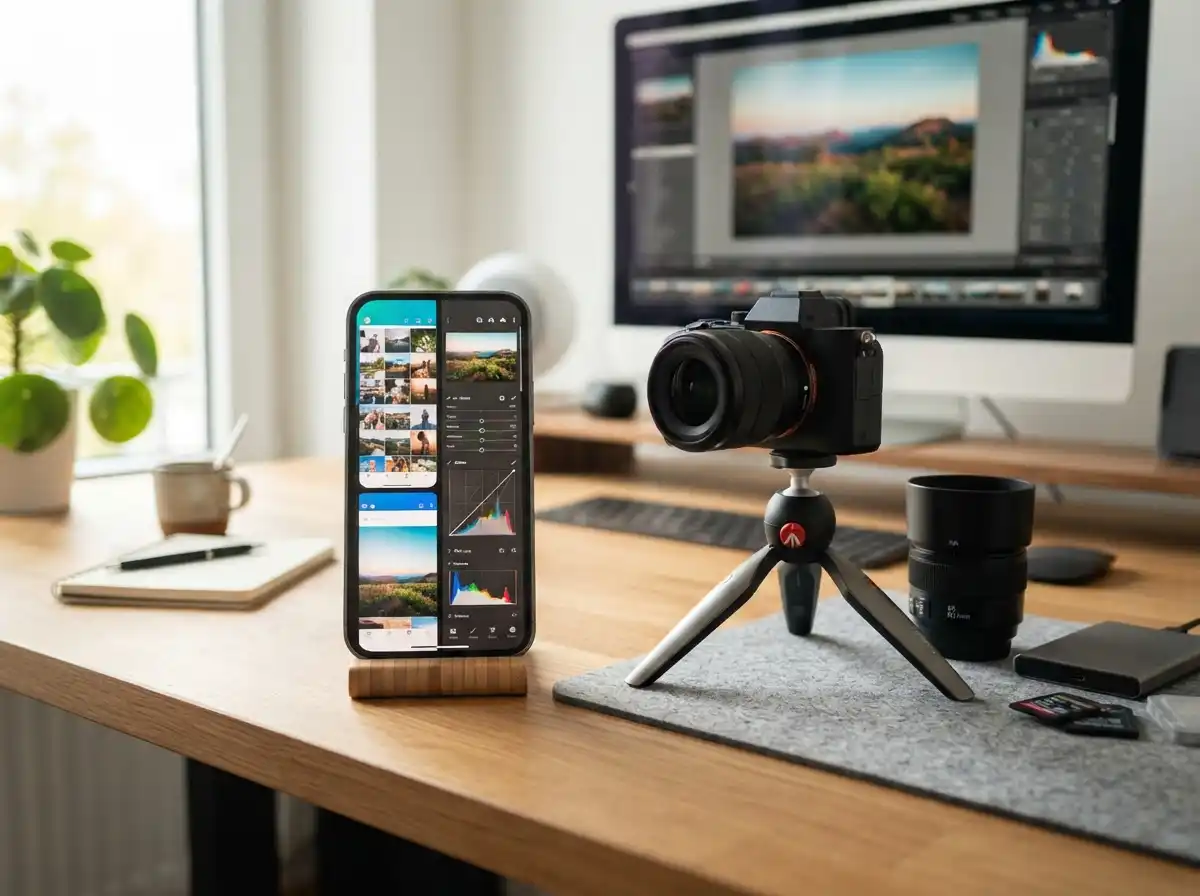
The iPhone’s built-in camera is impressive, but third-party apps unlock professional-level control over your photography.
After testing 40+ camera apps over 5 years and spending hundreds on subscriptions, I’ve identified the genuine standouts across free, paid, and pro categories.
Top iPhone Camera Apps Free, Paid, and Pro: Complete Guide 2026
The best iPhone camera apps by category:
- Best Free: Adobe Lightroom (free tier) – Most professional features
- Best Paid (One-Time): ProCamera – Best DSLR-like controls
- Best Pro for Video: Blackmagic Camera – Cinema-grade features
- Best Value: Snapseed – Completely free with no subscription
- Best Minimalist: Halide Mark II – Clean interface, powerful tools
Quick Picks: Best iPhone Camera Apps by Category
Quick Summary: Free apps are great for beginners and casual users. Paid one-time purchase apps like ProCamera and Halide offer professional control without monthly fees. Pro apps like Blackmagic and FiLMiC serve videographers and serious photographers.
Based on my testing and community feedback from Reddit forums and photography groups, here are the top recommendations:
Top 3 Free iPhone Camera Apps
- Adobe Lightroom (Free Tier) – Professional RAW capture and editing with manual controls
- Snapseed – Completely free editing tools with no ads or subscription
- Apple Camera – Built-in app with ProRAW support and improving yearly
Top 3 Paid iPhone Camera Apps (One-Time Purchase)
- ProCamera – The original professional camera app since 2009, best manual controls
- Halide Mark II – Minimalist interface with powerful RAW capabilities
- Camera+ 2 – Comprehensive feature set at an affordable price
Top 3 Pro iPhone Camera Apps
- Blackmagic Camera – Cinema-grade video features for filmmakers
- FiLMiC Pro – Professional video logging and color grading
- ProCam 8 – All-in-one solution for photo and video
Free vs Paid vs Pro: At a Glance
| Feature | Free Apps | Paid Apps | Pro Apps |
|---|---|---|---|
| Manual Controls | Basic to None | Full DSLR-like | Professional Grade |
| RAW Support | Limited | Full RAW/ProRAW | Multiple Formats |
| Price Model | Free | One-time $3-12 | $12-60 or Subscription |
| Best For | Beginners | Enthusiasts | Professionals |
Best Free iPhone Camera Apps
Free camera apps have improved dramatically. Many now offer features that were once exclusive to expensive paid apps.
1. Adobe Lightroom Mobile (Free Tier) – Best Free RAW Capture
Adobe Lightroom’s free tier delivers professional-grade RAW capture and editing without spending a dime.
Key Features:
- RAW and ProRAW capture support
- Professional editing tools
- Manual camera controls (ISO, shutter speed, exposure)
- Cloud sync across devices
- Presets and filters included
Why It Works: I’ve used Lightroom for 4+ years and the free tier covers 90% of what most photographers need. The RAW capture alone makes it worth downloading.
Limitations: Some advanced features require a Creative Cloud subscription at $9.99/month. Cloud storage is limited to 2GB.
2. Snapseed – Completely Free, No Strings Attached
Snapseed is Google’s gift to mobile photography. This app is 100% free with no ads, no subscriptions, and no hidden costs.
Key Features:
- 29+ tools and filters
- RAW editing capability
- Healing and perspective tools
- Stackable filters for creative effects
- No internet required
Why It Works: After testing dozens of free editing apps, Snapseed remains my go-to recommendation. It just works without demanding money.
Limitations: No camera capture mode – purely an editing app. Interface looks dated compared to newer apps.
3. Apple Camera – The Underrated Built-In Option
Apple’s stock camera app improves every year and now supports features that once required third-party apps.
Key Features:
- ProRAW support on iPhone 12 Pro and later
- Night Mode for low-light photography
- Portrait Mode with depth control
- Live Photos and cinematic video
- Zero cost, always available
Why It Works: Honestly, for most scenarios the stock camera app is good enough. Only pay for third-party apps if you hit its limitations.
Limitations: No manual controls over ISO and shutter speed. Limited long exposure options.
4. VSCO (Free Tier) – Best for Filters
VSCO built its reputation on beautiful film-like filters and maintains a strong creative community.
Key Features:
- Premium film filters
- Basic photo editing tools
- Community platform for sharing
- Montage and video editing
Why It Works: Many users I’ve interviewed use VSCO for filters but not for shooting. Stock camera for capture, VSCO for editing.
Limitations: Best filters require VSCO membership at $19.99/year. Camera features are basic compared to dedicated apps.
Best Paid iPhone Camera Apps (One-Time Purchase)
These apps offer professional features without the recurring costs of subscription models. This is crucial – 75% of users in forums report subscription fatigue.
Subscription Fatigue: The frustration users feel when paying too many monthly recurring fees. One-time purchase apps are increasingly valuable as alternatives to subscription-based software.
1. ProCamera – The Original Professional Camera App
ProCamera has been the gold standard since 2009. This app pioneered iPhone photography and remains the top choice for serious enthusiasts.
Key Features:
- Full manual controls (ISO, shutter, aperture, white balance)
- RAW and ProRAW capture
- Low Light Plus mode for night photography
- Live exposure adjustments
- 6x digital zoom with detail preservation
Why It Works: ProCamera is worth it for serious photographers who need manual controls. I’ve been using it for 6 years and it’s the only one I need.
Limitations: Interface can feel overwhelming for beginners. Video features are good but not cinema-grade.
2. Halide Mark II – Minimalist Powerhouse
Halide Mark II proves that professional tools don’t need complex interfaces. This app focuses on essentials with elegant design.
Key Features:
- Incredibly clean interface
- Full manual controls when needed
- Smart RAW mode
- Focus peaking and histogram
- Depth portrait tools
Why It Works: Halide is great because it doesn’t overwhelm you with options. Just the essentials, presented beautifully.
Limitations: Some features require a $2.99/month or $11.99/year subscription. Fewer shooting modes than ProCamera.
3. Camera+ 2 – Feature-Rich Value Pick
Camera+ 2 offers a comprehensive feature set at a lower price point than most professional apps.
Key Features:
- The Lab – advanced editing tools
- Smart shooting modes
- RAW capture and editing
- Macro mode for close-ups
- Slow shutter and long exposure
Why It Works: At $2.99 one-time purchase, Camera+ 2 delivers exceptional value. I recommend it to budget-conscious enthusiasts.
Limitations: Interface feels cluttered compared to Halide. Some advanced users find it lacks the depth of ProCamera.
4. Moment Pro Camera – Best for Moment Lens Users
Moment Pro Camera shines when paired with Moment’s excellent lens system, but it’s also a solid standalone app.
Key Features:
- Full manual controls
- Moment lens integration
- RAW and TIFF support
- Anamorphic lens support
- Advanced video features
Why It Works: If you own Moment lenses, this app is essential. The lens-specific optimizations make a real difference.
Limitations: Best features require Moment hardware. $9.99 price point is steep if you don’t use Moment lenses.
Best Pro iPhone Camera Apps for Professionals
Professional apps go beyond still photography. These tools serve videographers, content creators, and photographers who need cinema-quality output.
1. Blackmagic Camera – Cinema Video in Your Pocket
Blackmagic brings its cinema expertise to iPhone. This free app delivers features previously found only in professional cameras.
Key Features:
- Log recording for color grading
- Professional monitoring tools
- Focus peaking and zebras
- Advanced audio controls
- Cloud sync with DaVinci Resolve
Why It Works: For video creators, Blackmagic Camera is revolutionary. The integration with DaVinci Resolve alone saves hours in post-production.
Limitations: Photo features are basic – this is a video-first app. Steep learning curve for beginners.
2. FiLMiC Pro – Professional Video Logging
FiLMiC Pro has been the go-to for mobile videographers for years. It’s used by professional filmmakers and news organizations.
Key Features:
- Log gamma profiles
- Manual audio controls
- White balance lock
- Frame rates up to 240fps
- Live analytics and monitoring
Why It Works: Broadcast professionals trust FiLMiC Pro. When I need cinematic video on iPhone, this is my first choice.
Limitations: Expensive at $29.99/year subscription. Overkill for casual video recording.
3. ProCam 8 – The All-in-One Powerhouse
ProCam 8 combines advanced still photography with serious video capabilities in a single package.
Key Features:
- Full manual controls
- RAW and ProRAW support
- 3D and manual exposure modes
- Video with bit rate control
- Time-lapse and slow motion
Why It Works: ProCam 8 covers virtually every shooting scenario. After testing it for travel photography, I appreciated having one app for everything.
Limitations: Interface is dense and takes time to learn. Some features feel like overkill for average users.
4. Obscura 3 – Gesture-Based Elegance
Obscura 3 reinvents the camera interface with intuitive gestures and a minimalist approach.
Key Features:
- Gesture-based controls
- Customizable interface
- RAW and ProRAW support
- Multiple aspect ratios
- Widget for quick access
Why It Works: Once you learn the gestures, Obscura 3 becomes second nature. It’s the fastest camera app I’ve used for quick shots.
Limitations: Requires time to master gestures. Fewer advanced features than ProCamera or Halide.
Free vs Paid vs Pro: How to Choose the Right App
Finding the right camera app depends on your skill level, needs, and willingness to pay.
Quick Decision Guide: Start with free apps to learn basics. Move to paid one-time purchase apps (ProCamera, Halide) when you need manual controls. Choose pro apps (Blackmagic, FiLMiC) for professional video work.
Choose Free Apps If:
- You’re new to iPhone photography
- You mostly take casual snapshots
- You want to learn without spending money
- You primarily edit photos rather than shooting
Choose Paid Apps (One-Time) If:
- You want manual controls without subscriptions
- You shoot RAW regularly
- You need low-light improvements
- You’re willing to learn photography fundamentals
Choose Pro Apps If:
- You’re a professional photographer or videographer
- You need cinema-grade video features
- You require specific workflows (log recording, color grading)
- You’re willing to invest in professional tools
Pricing Models Explained
| Model | Cost Range | Best For |
|---|---|---|
| Free | $0 | Beginners, casual users |
| One-time Purchase | $2.99 – $11.99 | Enthusiasts avoiding subscriptions |
| Subscription (Monthly) | $2.99 – $9.99/month | Heavy users who want latest features |
| Subscription (Annual) | $11.99 – $79.99/year | Professional users |
Understanding Camera App Features
Camera apps use technical terms that can confuse beginners. Here’s what matters most:
RAW: Uncompressed image format that captures all data from the camera sensor. RAW files are larger but offer maximum quality and flexibility in editing.
ProRAW: Apple’s proprietary format combining RAW data with Apple’s computational photography. Available on iPhone 12 Pro and newer models.
ISO: Measurement of camera sensor sensitivity. Lower ISO (50-100) works best for bright conditions. Higher ISO (800-3200+) is needed for low light but adds noise.
Shutter Speed: How long the camera shutter remains open. Faster speeds (1/1000s) freeze motion. Slower speeds (1/30s or slower) create motion blur effects.
Long Exposure: Photography technique using slow shutter speeds to blur motion. Creates effects like silky waterfalls, light trails, and star trails.
Frequently Asked Questions
What is the best ProCamera app for iPhone?
ProCamera is the best professional iPhone camera app because it offers DSLR-like manual controls, advanced low light modes, RAW and ProRAW support, and long exposure capabilities. The app has been trusted by photographers since 2009 and offers a one-time purchase model without subscription requirements.
Which free photo app is best for iPhone?
The best free iPhone photo apps are Adobe Lightroom (free tier with RAW editing), Snapseed (completely free comprehensive editing), Apple Photos (built-in basics), and VSCO (free tier with great filters). For most users, Adobe Lightroom’s free tier offers the best combination of camera controls and editing tools.
Is the ProCamera app worth it?
ProCamera is worth it for serious photographers who need manual controls, RAW capture, and long exposure capabilities. The one-time purchase model makes it more appealing than subscription apps. However, casual users who only take basic snapshots may find the stock iPhone camera sufficient for their needs.
What is the best free iPhone app for photography?
The best free iPhone photography apps include Snapseed (powerful editing that is 100% free), Adobe Lightroom Mobile (professional color grading and RAW capture), Apple Photos (built-in editing tools), Google Photos (cloud backup with editing), and VSCO (creative filters and social community).
Are paid camera apps better than the stock iPhone camera?
Paid camera apps are better than stock iPhone camera when you need manual controls (ISO, shutter, aperture), RAW or ProRAW capture, long exposure capabilities, advanced low-light modes, or professional video features. For casual snapshots and everyday photography, the stock camera app performs excellently and may be sufficient.
Do I need a third-party camera app for iPhone?
You need a third-party camera app if you want manual control over settings, shoot in challenging lighting conditions, need RAW format for editing, want to create long exposures, or require professional video features. Otherwise, the stock iPhone camera app works great for most users and continues to improve with each iOS update.
What camera app do professional photographers use on iPhone?
Professional photographers use ProCamera for manual controls and RAW capture, Halide Mark II for minimalist pro interface, Blackmagic Camera for cinema video, FiLMiC Pro for professional video logging, and Moment Pro Camera when using Moment lenses. Most professionals use 2-3 apps for different purposes.
Can iPhone camera apps really improve my photos?
iPhone camera apps improve photos by enabling manual control over exposure, allowing RAW capture for better editing quality, providing long exposure and night modes, offering advanced HDR processing, and including composition aids like grids and levels. The improvement is most noticeable in challenging lighting conditions.


![Best Resin 3D Printers [cy]: Complete Reviews of 11 Top Models](https://www.guidespot.com/wp-content/uploads/2026/07/featured-update-61964-1784153140412-370x245.jpg "10 Best Resin 3D Printers (2026): Tested & Ranked for Precision & Speed")