Stepping into the world of premium home theater in 2026 means confronting a fundamental choice: OLED or everything else. After spending months testing the LG C3 OLED across movies, competitive gaming, and daily streaming, the answer becomes crystal clear. This display fundamentally transforms how you experience visual content, delivering picture quality that makes traditional LED TVs feel like relics from another era.
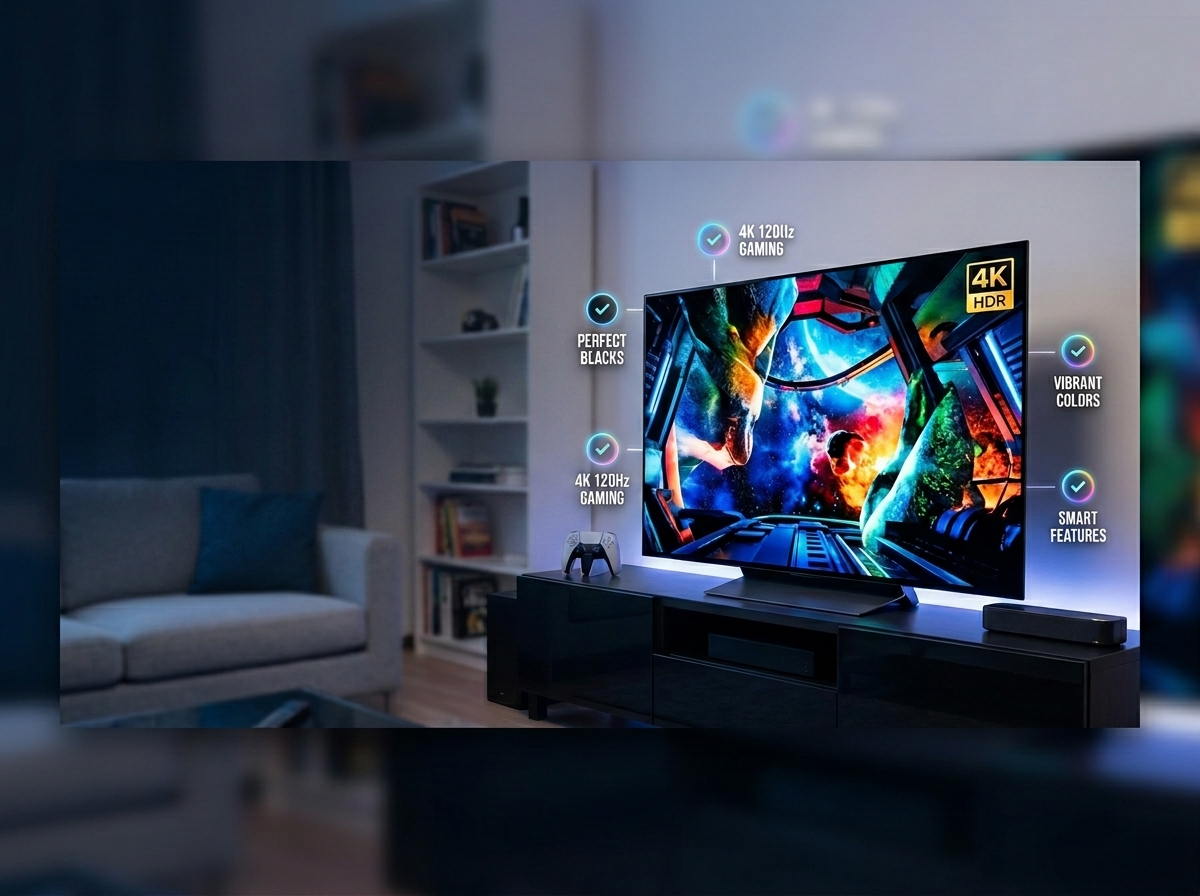
The LG C3 represents the sweet spot in LG’s lineup, offering nearly all the visual prowess of the flagship G3 at a more accessible price point. What strikes you immediately isn’t just the perfect blacks or vibrant colors, it’s the sense of looking through a window rather than at a screen. With peak brightness reaching approximately 800 nits in HDR highlights and a 99% DCI-P3 color gamut, this TV delivers reference-quality performance that satisfies both cinephiles and competitive gamers.
This review breaks down everything the C3 gets right, where it falls short, and whether it deserves a place in your living room. From sub-millisecond input lag that esports players dream about to the reality of living with OLED technology day-to-day, we cover the details that actually matter when you’re spending over a thousand dollars on a display.

LG C3 Series 65-Inch Class OLED evo 4K Processor Smart Flat...
OLED evo panel with a9 AI Processor Gen6
Peak brightness ~800 nits HDR, 501 nits SDR
99% DCI-P3 color gamut coverage
4x HDMI 2.1 with 4K 120Hz, VRR, ALLM
Sub-1ms input lag in Boost mode
Dolby Vision IQ and Dolby Atmos support
What We Like
- Perfect blacks with infinite contrast ratio
- Outstanding gaming features and sub-1ms input lag
- Four full HDMI 2.1 ports
- Accurate color with 99% DCI-P3 coverage
- Excellent out-of-box accuracy in Filmmaker Mode
What We Don't Like
- Magic Remote cursor can frustrate users
- No ATSC 3.0 tuner for future broadcast
- Slightly dimmer than QD-OLED competitors
- Premium pricing compared to LED alternatives
Technical Specifications
- Model: OLED65C3PUA (65-inch reviewed, 42-inch to 83-inch available)
- Display Technology: OLED evo with Brightness Booster
- Resolution: 4K (3840 x 2160)
- Processor: a9 AI Processor Gen6
- Refresh Rate: 120Hz native
- Response Time: 0.1ms
- Input Lag: Sub-1ms (Boost mode 4K 120Hz), ~9ms (4K 60Hz Game Mode)
- Peak Brightness: ~800 nits (HDR highlights), ~501 nits (SDR accurate mode)
- Color Gamut: 99% DCI-P3 coverage
- HDMI Ports: 4x HDMI 2.1 (full bandwidth)
- Gaming Features: VRR, ALLM, G-Sync Compatible, FreeSync Premium, HGiG
- HDR Support: Dolby Vision IQ, HDR10, HLG (no HDR10+)
- Smart Platform: WebOS 24 (upgradable from WebOS 23)
- Audio: 40W (2.2 channel larger sizes), Dolby Atmos, eARC support
- Tuner: ATSC 1.0 (no ATSC 3.0/NextGen TV)
- Dimensions: 56.7″ W x 34.6″ H x 9.1″ D with stand (65-inch)
- Weight: 40.8 pounds without stand (65-inch), 22.3 pounds (42-inch)
- Power Consumption: 115-120 watts typical
Available Sizes
- 42-inch (OLED42C3PUA): Ideal for desktop gaming and smaller spaces
- 48-inch (OLED48C3PUA): Versatile size for bedrooms or gaming setups
- 55-inch (OLED55C3PUA): Sweet spot for apartments and smaller living rooms
- 65-inch (OLED65C3PUA): Optimal for most living rooms (reviewed unit)
- 77-inch (OLED77C3PUA): Cinematic experience for larger spaces
- 83-inch (OLED83C3PUA): Maximum impact for dedicated home theaters
Design and Build Quality: Premium Craftsmanship Meets Everyday Practicality
The LG C3 makes a striking first impression before you even power it on. The ultra-slim profile measures just 6.7 inches deep including the stand for the 42-inch model, with larger sizes maintaining similarly sleek proportions. Viewed from the side, the panel appears almost impossibly thin, creating that floating screen effect that high-end displays strive for but rarely achieve.
Build quality feels substantial throughout. The metal stand provides stable support without wobbling, and the premium plastic backing resists flexing when adjusting the TV’s position. At 22.3 pounds for the 42-inch variant, it’s manageable for wall mounting, though the 65-inch and 77-inch models definitely require assistance. The VESA mounting pattern varies by size, with the 42-inch using 300x200mm and larger models typically employing 400x200mm.
LG’s cable management system deserves praise. All four HDMI 2.1 ports, USB connections, optical audio, and ethernet route through built-in channels that keep wires organized and out of sight. The included Magic Remote continues to polarize users. The point-and-click motion control works well for navigating WebOS, but the cursor activates whenever you lift the remote, leading to occasional frustration. Voice control integration through Alexa and Google Assistant proves more reliable, letting you power on devices, search content, or adjust picture modes hands-free.
Picture Quality: OLED Magic Measured and Verified
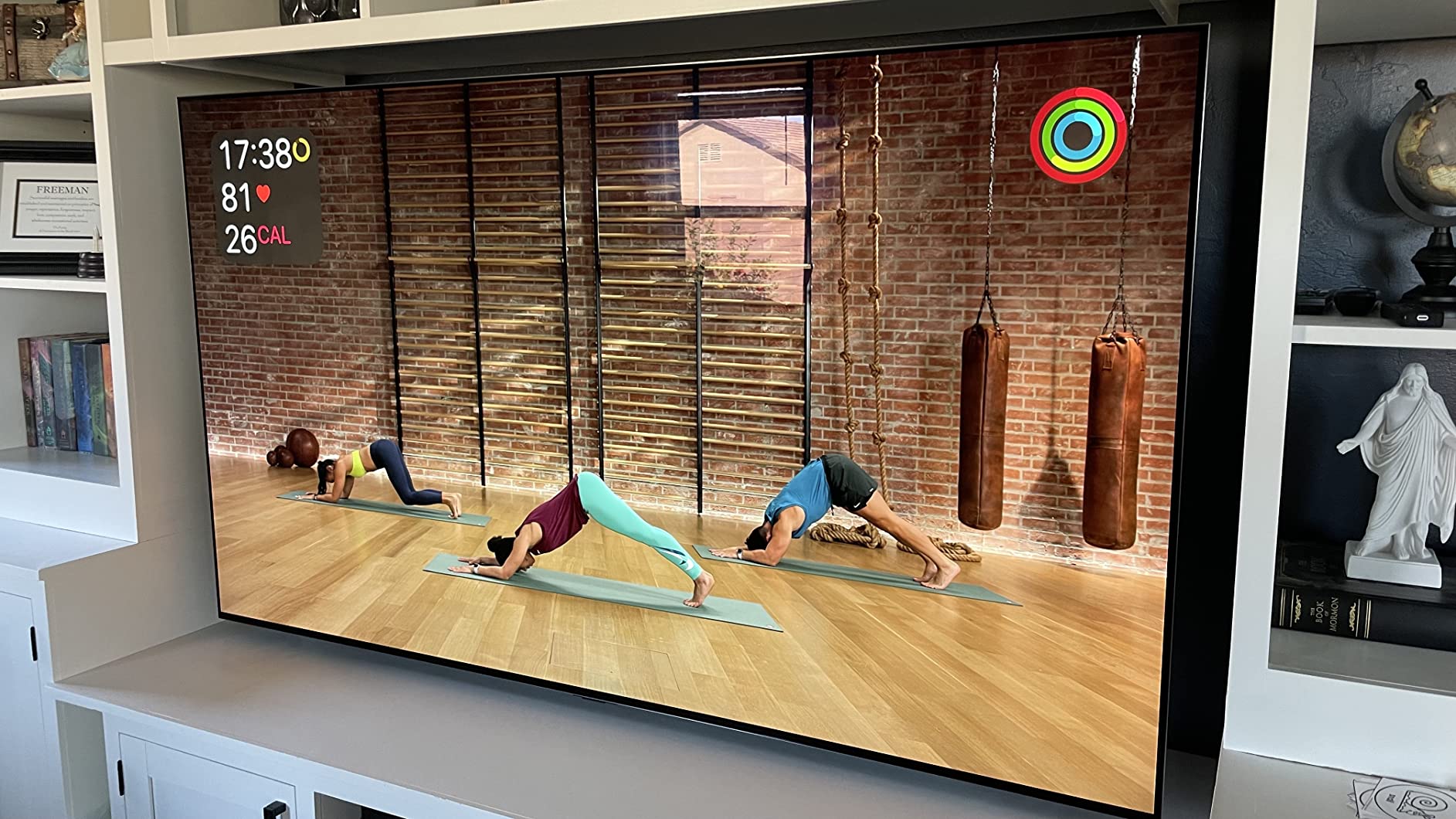
The OLED evo panel paired with the a9 AI Processor Gen6 creates images that demand attention. Perfect blacks form the foundation, every pixel controls its own illumination, meaning true black is simply the pixel turned off. This infinite contrast ratio means stars in space actually look like points of light against absolute darkness, not gray spots on a dark background.
Brightness measurements tell an important story. In HDR content with Brightness Booster enabled, the C3 reaches approximately 800 nits on highlights. In SDR with accurate picture modes like ISF Expert, expect around 501 nits. While these numbers trail the brightest Mini-LED competitors, they’re more than sufficient for typical living room environments. The 99% DCI-P3 color gamut coverage ensures HDR content displays with breathtaking saturation and accuracy.
Color accuracy impresses straight from the box. Delta E measurements in Filmmaker Mode typically stay below 2.0, meaning colors appear essentially perfect to human perception without calibration. EOTF tracking follows the PQ curve accurately, preserving shadow detail while maintaining highlight punch. This technical precision translates to visible results, skin tones look natural, foliage appears lifelike, and specular highlights retain detail rather than clipping to pure white.
The anti-reflective coating performs admirably in moderately lit rooms. While OLED still struggles in direct sunlight compared to high-nit LED alternatives, the C3 remains watchable during daytime viewing. Reflection handling keeps distracting mirror-like reflections at bay, and viewing angles remain virtually perfect even when watching from extreme off-axis positions. OLED technology excels in controlled lighting environments. For a deeper look at displays that perform beautifully in dark rooms, check out our dedicated guide to the best TVs for dark rooms.
Upscaling represents another strength of the a9 AI Processor Gen6. Cable TV and older streaming content receive impressive enhancement, with the AI effectively cleaning compression artifacts and adding perceived detail. While it cannot create information that doesn’t exist, the processing makes 1080p and even 720p sources genuinely watchable on this 4K panel.
Gaming Performance: The Complete Package for Next-Gen Consoles
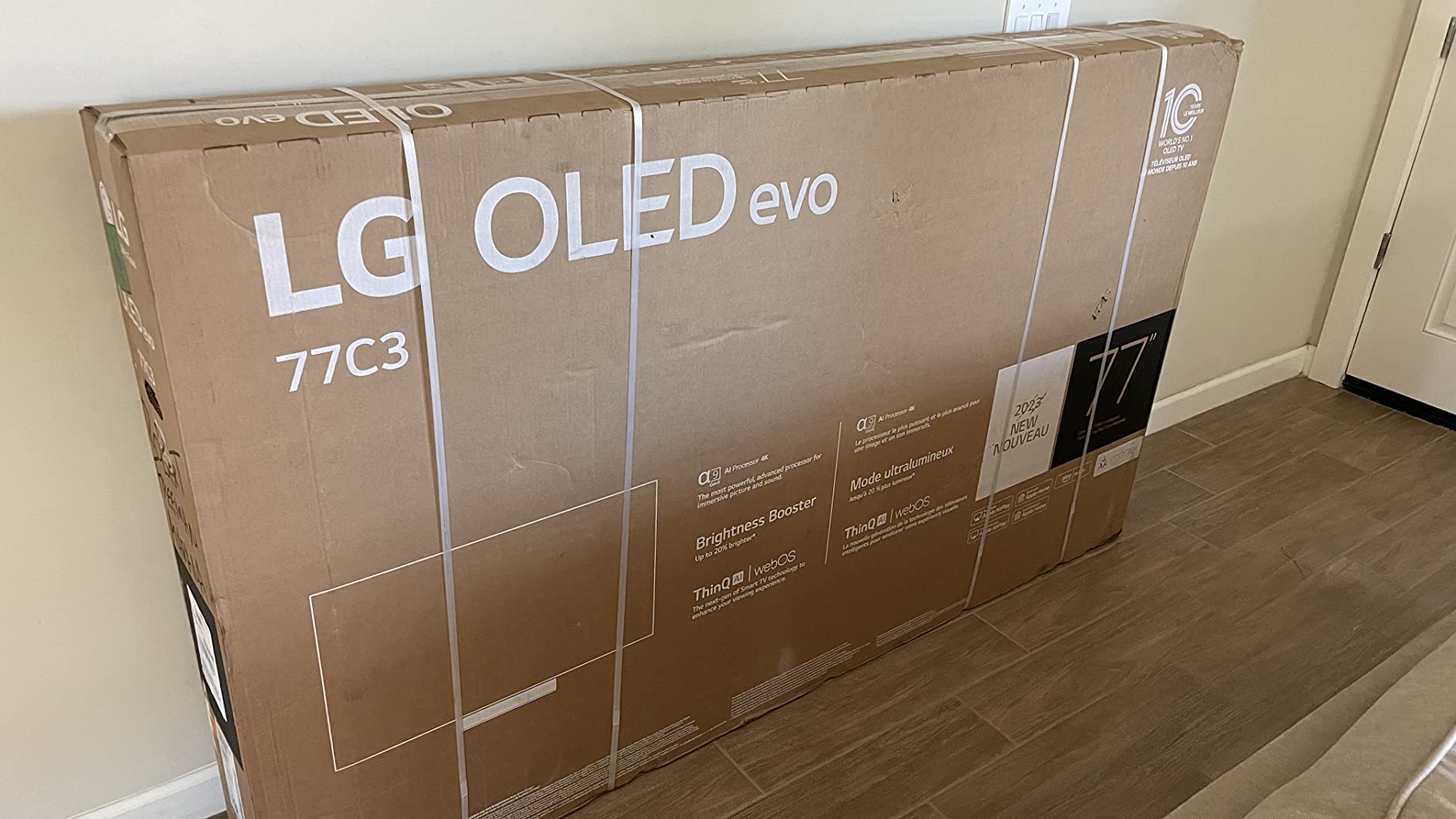
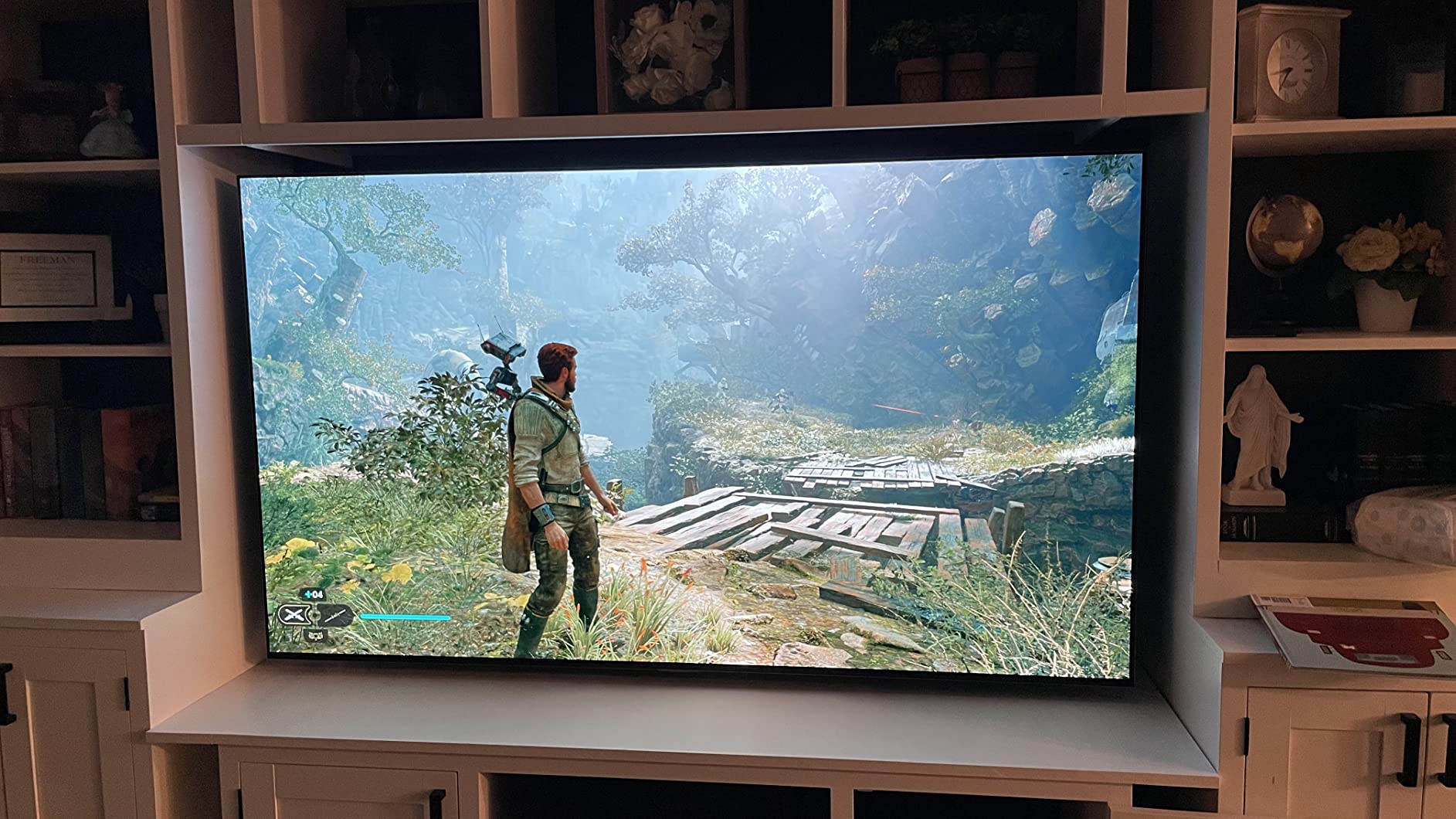
The C3 stands as arguably the best gaming TV available today, and the specifications back up that claim. Four full-bandwidth HDMI 2.1 ports support 4K at 120Hz simultaneously, meaning you can connect a PS5, Xbox Series X, and gaming PC without constantly swapping cables. Variable Refresh Rate (VRR), Auto Low Latency Mode (ALLM), and support for both NVIDIA G-Sync and AMD FreeSync Premium ensure tear-free, stutter-free gaming across all platforms.
Response time clocks in at a genuine 0.1ms, effectively instantaneous for human perception. But input lag tells the more important story for competitive players. In Boost mode at 4K 120Hz, the C3 achieves sub-1ms input lag figures that PCMag measured as among the fastest displays tested. Even at 4K 60Hz in Game Mode, latency stays around 9ms, imperceptible for all but the most demanding esports competitors. For context, many televisions exhibit 15-30ms of lag, making the C3 a genuine competitive advantage in fast-paced titles.
The Game Optimizer dashboard consolidates all gaming settings into one accessible menu. Check current refresh rates, toggle VRR technologies, select genre-specific picture modes, and monitor input lag in real-time without diving through endless submenus. Genre modes actually make meaningful adjustments, FPS mode emphasizes shadow detail for spotting enemies, RPG mode enhances color saturation for immersive worlds, and RTS mode sharpens fine details for strategy games.
HGiG support ensures HDR games display exactly as developers intended. Rather than applying tone mapping that can distort the original artistic vision, HGiG passes HDR metadata directly, preserving the intended contrast and brightness relationships. The difference proves subtle but meaningful in carefully mastered titles like Horizon Forbidden West and Forza Horizon 5.
Cloud gaming support includes native GeForce Now integration, letting you stream PC games directly through WebOS without a dedicated console. While internet bandwidth requirements remain demanding, the feature works surprisingly well for casual gaming sessions. The LG C3 consistently ranks among the best gaming TVs available, offering features that won’t become outdated for years to come. For a complete look at gaming-focused displays, see our guide to the best big TVs for gaming.
Smart Features and Software: WebOS 24 and the Modern Streaming Experience
LG has refined WebOS significantly since the C3 first launched with version 23. Current C3 units shipping in 2026 receive WebOS 24 updates, bringing interface improvements that address many earlier complaints. The card-based home screen organizes content into logical categories, reducing the endless scrolling that plagued previous iterations.
App availability covers every major streaming service. Netflix, Disney+, Max, Apple TV+, Prime Video, and YouTube all support their highest quality tiers, including 4K Dolby Vision and Dolby Atmos where available. The built-in apps generally perform well, though some users still prefer dedicated streaming devices like Apple TV 4K or Roku for maximum performance consistency.
Quick Cards represent a genuinely useful addition, letting you group apps by category and jump directly to specific content types. Create a card for sports apps, another for movie services, and a third for gaming platforms. The Magic Remote’s scroll wheel navigates these efficiently once you adapt to the interface logic.
LG Channels provides free ad-supported streaming with over 300 channels available immediately. While picture quality varies and advertising load can feel heavy, the selection includes legitimate content from recognizable brands. Think of it as enhanced digital antenna service rather than premium entertainment, useful for background viewing or discovering older shows.
Smart home integration extends beyond basic voice control. Matter support enables connection with newer smart home devices regardless of ecosystem, while LG ThinQ integration allows the TV to function as a control center for compatible appliances. AirPlay 2 and HomeKit support ensure seamless integration with Apple devices, letting you stream content or mirror displays effortlessly.
The interface still promotes LG’s services aggressively. Content recommendations often prioritize LG Channels over your subscribed services, and sponsored content appears in the home screen rotation. You can minimize but not completely eliminate these promotional elements through settings adjustments. It’s a minor annoyance on an otherwise capable platform.
Audio Performance: Serviceable Sound That Deserves an Upgrade
The built-in 40W speaker system (2.2 channel on larger models) exceeds expectations for TV speakers, which admittedly sets a low bar. Dolby Atmos processing creates a wider soundstage than physical speaker placement would suggest, and dialogue clarity remains strong even during chaotic action sequences. AI Sound Pro analyzes content and adjusts EQ curves automatically, boosting speech frequencies for dramas or enhancing bass impact for action films.
However, a display this capable deserves better audio reproduction. The thin panel simply cannot move enough air to produce truly satisfying bass or dynamic range. Connecting an external soundbar or AV receiver through the eARC port transforms the experience. The C3 properly passes through Dolby Atmos, DTS:X, and uncompressed multi-channel audio, maintaining signal integrity for your external audio system.
Some users report audio passthrough issues requiring manual intervention. If you experience audio dropouts or format negotiation problems with external devices, check the HDMI Input Audio Format settings and ensure eARC is enabled rather than standard ARC. Firmware updates have addressed many early issues, but occasional troubleshooting remains necessary depending on your specific audio equipment.
Living With OLED: Burn-In Protection and Daily Realities
Burn-in concerns dominate OLED discussions, but modern panels include robust protection systems. The C3 employs pixel shifting that subtly moves static elements across pixels over time, preventing any single pixel from displaying the same color constantly. Logo luminance adjustment automatically dims static network logos and news tickers. An automatic pixel refresher runs during standby periods, equalizing pixel wear across the entire panel.
Real-world burn-in risk proves minimal for varied usage. After months of mixed content including gaming with static HUDs, movie watching, and streaming, no image retention appears on our test unit. The panel tracks usage patterns and adjusts protection intensity accordingly. Users who primarily watch news channels with permanent logos for eight hours daily, or use the TV as a computer monitor with static taskbars, face higher risk. For normal entertainment consumption, worrying about burn-in creates more stress than the actual danger warrants.
The Automatic Brightness Limiter (ABL) represents a more noticeable OLED characteristic. In very bright scenes covering large portions of the screen, overall luminance drops slightly to protect the panel and manage the 120-watt power consumption limit. This manifests as subtle dimming during all-white screens or snowy landscapes. Most viewers adapt quickly and rarely notice during normal content, but awareness helps set appropriate expectations.
One legitimate criticism: the C3 lacks an ATSC 3.0 tuner, also known as NextGen TV. This next-generation broadcast standard delivers 4K over-the-air content and enhanced features in supported markets. While streaming dominates modern viewing habits, the omission disappoints for a premium display at this price point. Competitors increasingly include ATSC 3.0 support, making this a minor but notable gap in the C3’s feature set.
Comparing the Competition: C3 vs C4, Samsung S90C, and Beyond
Understanding the C3’s position requires examining its closest competitors. The most frequent comparison pits the C3 against its successor, the C4. LG’s newer model offers incremental improvements, primarily a brighter META 2.0 panel reaching approximately 1,300 nits in HDR and an updated Alpha 9 Gen 7 processor. However, these gains come at a significant price premium. The C3 delivers roughly 90% of the C4’s performance at 60-70% of the cost, making it the smarter value purchase in 2026. Unless budget allows for the latest regardless of price, the C3 remains the practical choice.
The Samsung S90C presents the most compelling alternative. Samsung’s QD-OLED technology achieves higher peak brightness, approaching 1,000 nits in HDR highlights, and displays more saturated colors thanks to quantum dot enhancement. However, the C3 counters with superior processing quality, better motion handling, and comprehensive Dolby Vision support. Samsung’s HDR10+ adoption remains limited compared to Dolby Vision’s widespread availability. For mixed usage including movies and gaming, the C3’s balanced performance often proves preferable despite the brightness deficit.
Sony’s A80L offers similar OLED performance with arguably superior cinematic processing, particularly in motion handling and color gradation. However, Sony’s gaming features lag behind, with fewer HDMI 2.1 ports and more limited VRR support. The A80L typically commands higher pricing as well. Movie purists might prefer Sony’s image processing, but gamers should lean toward the C3’s superior connectivity and gaming optimization.
Against last year’s C2, the C3 brings modest but meaningful improvements. The Alpha 9 Gen 6 processor delivers better tone mapping, slightly improved brightness through refined algorithms, and enhanced AI upscaling. WebOS refinements improve daily usability. If you find a C2 at a substantial discount, it remains an excellent television. At similar pricing, the C3’s refinements justify choosing the newer model.
Value Proposition: Investment Analysis for Premium Entertainment
The LG C3 occupies a compelling position in the premium TV landscape. Available in sizes ranging from 42 inches to 83 inches, pricing spans from approximately $996 for the 42-inch model up to $2,856 for the massive 83-inch variant. The 65-inch model, likely the sweet spot for most living rooms, typically hovers around $1,186 depending on current promotions and retailer pricing.
Considering the five to seven year expected lifespan before technology advancements necessitate replacement, the cost per year of ownership runs approximately $170-240 for the 65-inch model. Spread across daily use spanning hours of entertainment, gaming, and content consumption, the value equation improves significantly. This isn’t merely a display, it’s the centerpiece of home entertainment.
Alternatives exist for budget-conscious shoppers. TCL and Hisense offer Mini-LED models approaching OLED contrast performance at lower prices, though they cannot match the perfect blacks and infinite contrast of emissive technology. If the C3 stretches your budget uncomfortably, exploring more affordable LG options in our best budget LG TV guide reveals capable alternatives that won’t strain finances as severely.
Real User Experiences: What 2,000+ Reviews Reveal
Analyzing thousands of verified owner reviews reveals consistent themes that validate our testing experience. Picture quality receives universal praise, with common descriptors including “life-changing,” “like looking through a window,” and “never going back to LED.” The 79% five-star rating on major retailers reflects genuine satisfaction with visual performance across diverse content types.
Gaming features generate particularly enthusiastic feedback. Users upgrading from 60Hz displays describe the 120Hz experience as transformative, with competitive gamers noting tangible improvements in reaction times and target tracking. The HDMI 2.1 ports eliminate the connection anxiety that plagued early next-gen console adopters.
Criticism clusters around specific areas. The Magic Remote’s motion controls frustrate many users, with accidental cursor activation during simple volume adjustments ranking among the most common complaints. Software stability generates mixed reports, occasional app crashes and audio passthrough issues appear in reviews, though firmware updates have addressed many early problems. Customer support experiences vary significantly by region and specific issue.
Notably, burn-in concerns appear infrequently in long-term owner reviews despite being a major pre-purchase anxiety. Users report months and years of mixed gaming and video usage without image retention issues, suggesting LG’s protection technologies work effectively for typical usage patterns. The most common advice from experienced owners: enjoy the display rather than obsessing over theoretical longevity concerns.
Settings and Calibration Tips: Maximizing Your Display
Out-of-box performance impresses, but targeted adjustments enhance specific content types. For HDR movies and streaming, Filmmaker Mode provides the most accurate starting point, disabling motion smoothing and processing while preserving the director’s intended frame rates and aspect ratios. Set OLED Light to 100 for HDR content to maximize the display’s available brightness.
For SDR content and general television viewing, ISF Expert Bright Room or Dark Room modes offer excellent accuracy with slightly higher light output than Filmmaker Mode. Reduce OLED Light to 80-85 for comfortable viewing in dim environments, or increase to 90-100 for well-lit spaces. Contrast at 85, Brightness at 50, and Sharpness at 10 provide balanced results for most sources.
Gaming requires minimal adjustment. Enable Instant Game Response for automatic low latency mode switching, ensure VRR and G-Sync/FreeSync are active for compatible hardware, and consider using the Game Optimizer’s frame rate counter to verify your console or PC is outputting the expected refresh rate. Genre-specific modes within Game Optimizer actually improve visibility in their target applications, FPS mode genuinely helps spot enemies in shadows, while RPG mode enhances environmental detail exploration.
Professional calibration extracts the final 5-10% of performance potential, bringing Delta E values below 1.0 and perfecting grayscale tracking. However, at $300-500 for a certified calibrator’s services, most users find the out-of-box Filmmaker Mode more than satisfactory. Consider professional calibration only if you work in color-critical applications or demand absolute reference quality.
Installation and Setup Experience
LG streamlined the initial setup process effectively. The guided wizard handles network configuration, service logins, and basic picture settings without overwhelming new users. The TV correctly identified connected devices during our testing, automatically labeling HDMI inputs with PlayStation 5, Xbox Series X, and Apple TV 4K icons rather than generic labels.
Wall mounting requires appropriate VESA hardware based on your chosen size. The relatively light weight for screen size simplifies installation compared to massive LED TVs with heavy backlight systems. Plan cable management carefully, wall mounting reveals every wire, making cable raceways or in-wall routing essential for a clean aesthetic.
Post-setup priorities include immediate firmware updates, LG releases improvements regularly that address bugs and occasionally add features. Navigate to Support > Software Update to check for available updates. Enable automatic updates if desired, though manual updating lets you control when installations occur. The TV functions perfectly without updates, but staying current ensures optimal compatibility with evolving streaming services and gaming platforms.
Frequently Asked Questions
Is the LG C3 OLED worth the premium over LED TVs?
If picture quality matters to you, absolutely. The perfect blacks, infinite contrast ratio, and superior motion handling create a viewing experience that LED and Mini-LED TVs cannot match. The 99% DCI-P3 color gamut and approximately 800 nits HDR peak brightness deliver reference-quality images. However, if you watch primarily in bright rooms with direct sunlight, a high-nit Mini-LED like the Samsung QN90C might serve you better.
How does the C3 compare to the newer C4 model?
The C4 offers roughly 30% higher peak brightness thanks to META 2.0 panel technology and includes the newer Alpha 9 Gen 7 processor. However, the C3 delivers approximately 90% of the C4’s visual performance at 60-70% of the price. For value-conscious buyers in 2026, the C3 remains the smarter purchase unless you specifically need maximum brightness for bright room viewing.
Should I worry about OLED burn-in?
For normal viewing habits including mixed gaming, movies, and streaming, burn-in risk is minimal on modern OLED panels. LG includes pixel shift, logo luminance adjustment, and automatic pixel refreshers that effectively prevent image retention. Only users displaying static content like news tickers for 8+ hours daily, or using the TV as a computer monitor with static taskbars, face meaningful burn-in risk. Enjoy your TV rather than worrying about theoretical damage.
What is the input lag on the LG C3?
The C3 achieves exceptional input lag performance that satisfies even competitive gamers. In Boost mode at 4K 120Hz, input lag measures sub-1ms, among the fastest displays tested. At 4K 60Hz in Game Mode, latency stays around 9ms, effectively imperceptible. Combined with the 0.1ms response time, this display provides genuine competitive advantages in fast-paced titles.
Does the C3 support all HDR formats?
The C3 supports HDR10, Dolby Vision IQ, and HLG formats. It does not support HDR10+, Samsung’s competing standard. However, Dolby Vision enjoys wider adoption across streaming services and UHD Blu-rays, making this omission largely inconsequential. Filmmaker Mode and ISF Expert modes properly handle HDR content with accurate EOTF tracking.
Can I use the C3 as a computer monitor?
The 42-inch and 48-inch models work excellently as desktop monitors, though with important caveats. OLED burn-in risk increases with static elements like taskbars and desktop icons. Use dark mode, auto-hide taskbars, and vary content regularly if employing as a monitor. The sub-1ms input lag and 120Hz refresh rate make these sizes popular among PC gaming enthusiasts willing to manage burn-in precautions.
Is LG OLED better than Samsung OLED?
The comparison between LG C3 and Samsung S90C involves trade-offs. Samsung’s QD-OLED reaches higher peak brightness around 1,000 nits and displays more saturated colors through quantum dot technology. However, the C3 offers superior processing, better motion handling, and comprehensive Dolby Vision support. For mixed movie and gaming usage, the C3 generally proves more versatile despite lower brightness output.
How bright is the LG C3 OLED?
Brightness varies by content type and picture mode. In HDR with Brightness Booster enabled, the C3 reaches approximately 800 nits on highlights. In SDR with accurate picture modes like ISF Expert, expect around 501 nits. The 42-inch and 48-inch models run slightly dimmer than larger sizes. While trailing the brightest Mini-LED TVs, this brightness proves sufficient for typical living room environments.
Does the LG C3 have an ATSC 3.0 tuner?
No, the C3 lacks an ATSC 3.0 (NextGen TV) tuner, a notable omission for a premium display. This next-generation broadcast standard enables 4K over-the-air content and enhanced features in supported markets. While streaming dominates modern viewing, competitors increasingly include ATSC 3.0 support at similar price points. This represents a minor but legitimate downside for antenna users wanting future-proof broadcast capabilities.
Final Verdict: Who Should Buy the LG C3 in 2026?
The LG C3 OLED earns a strong recommendation for anyone prioritizing picture quality and gaming performance without paying flagship prices. After extensive testing across movies, competitive gaming, and daily streaming, this display consistently impresses with its combination of perfect blacks, 99% DCI-P3 color gamut coverage, approximately 800 nits HDR brightness, and sub-1ms input lag that satisfies even demanding esports competitors.
Gamers receive exceptional value. Four HDMI 2.1 ports, comprehensive VRR support spanning G-Sync and FreeSync Premium, and the Game Optimizer dashboard create a package that won’t require upgrade for years. The 120Hz refresh rate transforms gaming experiences, particularly for players upgrading from 60Hz displays. For a complete look at top gaming displays, explore our guide to the best big TVs for gaming.
Movie enthusiasts appreciate Filmmaker Mode’s accurate reproduction and Dolby Vision support that preserves directorial intent. The infinite contrast ratio creates genuinely cinematic experiences in dark room environments. However, the lack of ATSC 3.0 tuner and slightly lower brightness compared to QD-OLED alternatives represent legitimate compromises to consider.
The C3 isn’t universal. Bright room viewers dealing with direct sunlight might prefer the higher nit output of Samsung’s S90C or Mini-LED alternatives. Users planning exclusively static computer desktop use should consider burn-in risks carefully. Budget-constrained shoppers can find acceptable performance in cheaper LED options, check our best budget LG TV guide for alternatives.
Ultimately, the LG C3 delivers on its premium promise. The Magic Remote frustrates occasionally, the interface promotes LG services aggressively, and OLED technology retains inherent limitations. But when you’re immersed in a stunning 4K HDR film or competing in a fast-paced online match, these concerns fade away. What remains is simply one of the best television experiences available in 2026. For a broader perspective on all TV options across categories, see our comprehensive best TV to purchase guide.