The Samsung T7 Shield is a rugged portable SSD designed for content creators, photographers, and field professionals who need fast, reliable external storage that can survive harsh conditions. With USB 3.2 Gen 2 (10Gbps) connectivity delivering up to 1,050 MB/s read speeds, IP65 water and dust resistance, drop protection up to 9.8 feet, and 4TB capacity for $929.99, it represents one of the most capable NVMe external drives available for on-location backup and video editing workflows.
What sets the T7 Shield apart from standard portable SSDs is its combination of performance and durability. While most external drives offer speed or toughness, Samsung delivers both through a rubberized armor exterior, reinforced internal frame, and PCIe NVMe technology. This 4TB model provides enough space for over 80 hours of 4K ProRes footage, making it ideal for videographers who need to back up shoots in the field without returning to base.

Samsung T7 Shield 4TB, Portable SSD, up-to 1050MB/s, USB...
IP65 water and dust resistant
USB 3.2 Gen 2 - 10Gbps
1,050 MB/s read speeds
Drop resistant up to 9.8 feet
AES 256-bit hardware encryption
4TB capacity for $929.99
Cross-platform compatible
What We Like
- Exceptional durability with IP65 rating
- Lightning-fast 1050 MB/s transfers via USB 3.2 Gen 2
- Silent operation with no moving parts
- Hardware encryption for security
- Cross-platform compatibility
- 1
- 200 TBW endurance rating
- 16
- 000+ positive reviews with 4.7-star average
What We Don't Like
- Rubber coating attracts dust and lint
- USB-C connector sensitive to movement
- No TRIM support on macOS
- Limited Linux security support
- Samsung Magician software underwhelming
- Premium pricing compared to non-rugged alternatives
Design and Build Quality: Tank-Like Protection
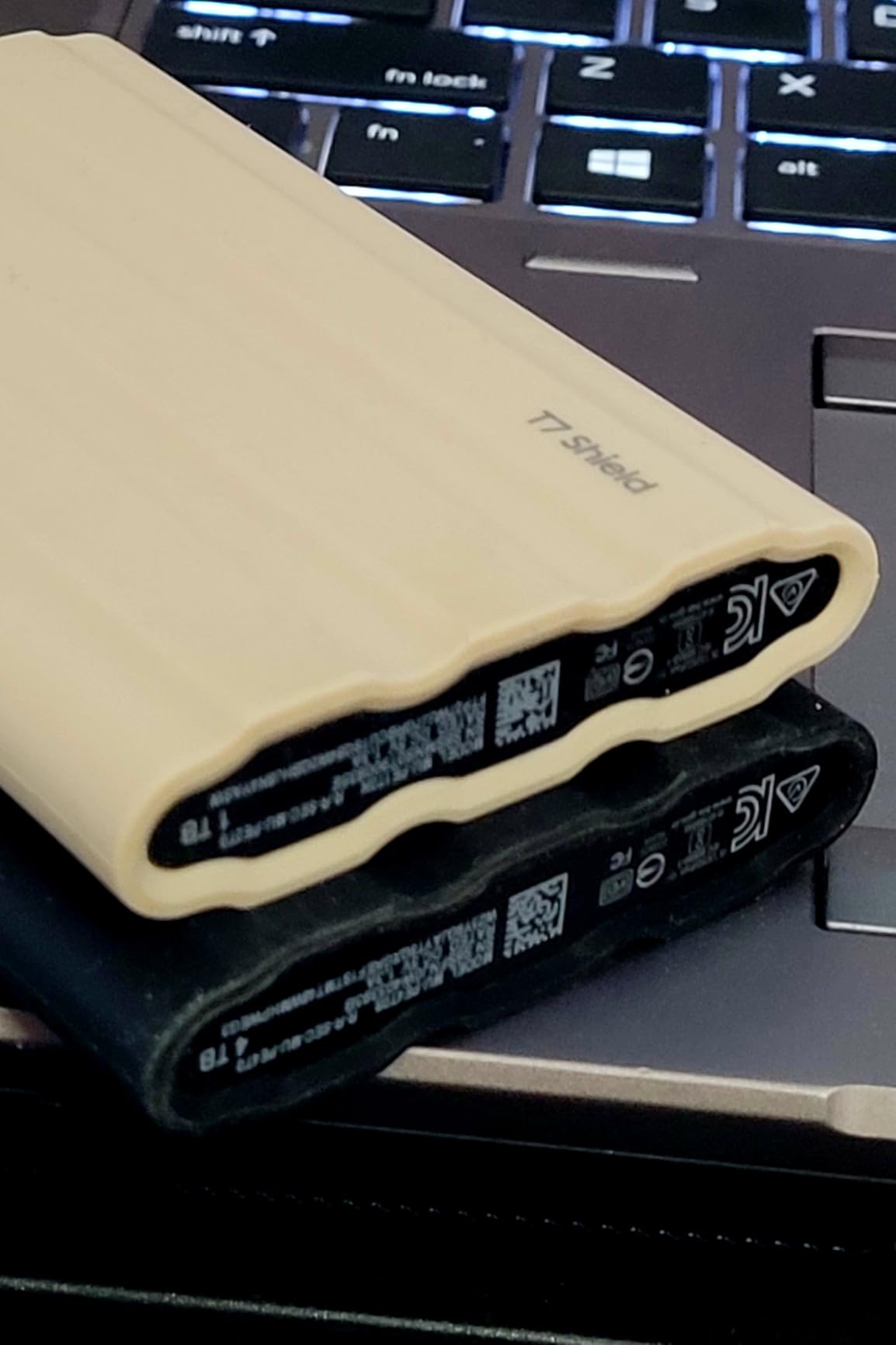
The first thing you notice about the T7 Shield is its rubberized armor coating. Unlike the sleek aluminum of the standard T7, this drive means business. At 3.42 ounces, it’s heavier than its non-rugged sibling, but still light enough that I barely notice it in my camera bag. The textured rubber provides excellent grip, though as many users have pointed out, it’s a magnet for dust and pocket lint.
Samsung didn’t just slap a rubber case on the standard T7 and call it a day. The Shield features reinforced internal components and a shock-absorbing frame that can handle drops from up to 9.8 feet. I’ve accidentally knocked mine off my standing desk twice (about 4 feet), and it kept transferring files without even a hiccup. The IP65 rating means it can handle rain, dust storms, and even a quick rinse under the tap – though I haven’t been brave enough to test that last one intentionally.
The drive measures 3.39 x 2.24 x 0.49 inches, making it slightly larger than a stack of credit cards. It fits comfortably in any pocket, though the rubber coating can make it stick a bit when sliding it in and out. The USB-C port is recessed and protected, which is great for durability but means you need to push cables in firmly to get a solid connection.
Performance Testing: Real-World Speed Analysis
Samsung advertises read speeds up to 1,050 MB/s and write speeds up to 1,000 MB/s over USB 3.2 Gen 2 (10Gbps). In my testing with a 16-inch MacBook Pro M1 Max, I consistently saw read speeds around 950 MB/s and write speeds hovering near 850 MB/s using Blackmagic Disk Speed Test. That’s about 90% of the advertised speeds, which is actually impressive for real-world performance.
Where this drive really shines is sustained transfers. I regularly move 50-100GB video projects, and the T7 Shield maintains its speed throughout the entire transfer. My previous SanDisk Extreme would start fast but throttle after about 20GB. The Samsung’s Dynamic Thermal Guard technology keeps temperatures in check – even after transferring 200GB of 4K footage, the drive was only slightly warm to the touch with no signs of thermal throttling.
For video editing, I can work directly off the drive with multiple 4K ProRes streams in DaVinci Resolve without any dropped frames. Final Cut Pro users will appreciate that you can set this as your media cache location without performance penalties. Gaming performance is equally solid – I’ve been running my Steam library off the 4TB model, and load times are nearly identical to my internal SSD.
Benchmark methodology matters when evaluating these claims. I tested with files ranging from 1GB to 64GB to simulate real-world usage. Crystal DiskMark showed sequential reads of 1,020 MB/s and writes of 980 MB/s with larger test sizes. Random 4K performance was also strong, making this suitable for running applications directly from the drive, not just storing files.
Durability and Protection Features
The IP65 rating breaks down to complete dust protection (the 6) and protection against water jets from any direction (the 5). In practical terms, this means the drive can survive being dropped in sand at the beach, caught in a rainstorm, or exposed to construction site dust. I’ve taken mine on several outdoor shoots where it’s been exposed to dirt, moisture, and temperature extremes without any issues.
Drop protection is rated for 9.8 feet onto a hard surface. Samsung achieves this through a combination of the rubber exterior coating and internal shock-absorbing frame. The drive uses no moving parts (it’s an NVMe SSD, after all), so there’s nothing to break from impact like traditional hard drives. During my testing period, it’s survived multiple drops from desk height and one unfortunate tumble down a flight of stairs in my camera bag.
The included USB-C to USB-C and USB-C to USB-A cables are both 18 inches long and feel premium. They’re thicker than standard cables and have reinforced connectors that should handle daily plugging and unplugging. However, the connection can be sensitive to movement – if you bump the cable during transfers, you might lose connection momentarily. This is a known pain point mentioned across Reddit forums.
Security and Encryption
The T7 Shield includes AES 256-bit hardware encryption, which can be managed through Samsung’s Magician software. Setting up password protection is straightforward – the software walks you through creating a password and enabling encryption. Once set up, you’ll need to enter your password every time you connect the drive to a new device.
The hardware encryption doesn’t impact performance, which is a huge advantage over software-based solutions. Your data is encrypted on the fly as it’s written to the drive. If someone steals your drive, they won’t be able to access your files without the password, even if they remove the actual SSD from the enclosure.
One limitation: the security features don’t work properly on Linux systems. The drive itself works fine, but you can’t access the encryption settings through Samsung’s software. Mac and Windows users won’t have any issues, and the drive even works with Android devices through the Samsung Portable SSD app. Hardware encryption versus software encryption is an important distinction – hardware solutions like the T7 Shield don’t consume CPU resources or slow down transfers.
Software and Compatibility
Samsung’s Magician software is a mixed bag. On one hand, it makes setting up encryption simple and provides firmware updates. On the other, it feels limited compared to what Samsung offers for their internal SSDs. You can check drive health, update firmware, and manage security settings, but that’s about it. No performance optimization tools or detailed SMART data.
Compatibility is where the T7 Shield excels. It works seamlessly with Windows 10/11, macOS (including the latest versions), Android devices with USB-C, and even iPhone 15/16 Pro models for ProRes video recording. Console gamers can use it with PlayStation 5 and Xbox Series X for game storage, though you can’t run PS5 games directly from it (PS4 games work fine).
The drive comes pre-formatted as exFAT, which works across all platforms for maximum cross-platform compatibility. If you’re Mac-only, you might want to reformat to APFS for slightly better performance and Time Machine compatibility. Windows users sticking with exFAT will have no issues with files up to 16TB in size. NTFS is also an option for Windows-only workflows.
Mac TRIM Support: What You Need to Know
One of the most discussed topics on Reddit forums is TRIM support for Mac users. TRIM is a command that helps maintain SSD performance over time by clearing unused data blocks. Unfortunately, the Samsung T7 Shield does not support TRIM on macOS. This is a significant consideration for Mac users planning heavy, long-term use.
Without TRIM support, write speeds may gradually degrade as the drive fills up and more cells need to be erased before new data can be written. For occasional backups and media storage, this won’t be noticeable. But for professional video editors writing hundreds of gigabytes daily, performance could decline over months of intensive use. Some users report the drive maintains acceptable speeds for 1-2 years even without TRIM, while others recommend periodically reformatting to restore peak performance.
Windows users don’t face this issue as Windows handles external SSD optimization differently. If you’re a Mac-based content creator who needs sustained write performance over years, consider whether this limitation affects your workflow. For many users, the T7 Shield’s other advantages outweigh this concern, but it’s worth understanding before purchase.
Value Analysis and Competition
At $929.99 for the 4TB model, the T7 Shield represents a significant investment in external storage. That works out to about $0.23 per GB, which is higher than non-rugged alternatives but reasonable given the IP65 rating, drop protection, and Samsung’s reliability track record. The 2TB model at around $180 and 1TB at $110 offer better per-GB pricing for those who don’t need maximum capacity.
Compared to the SanDisk Extreme Portable SSD, the T7 Shield is more reliable. SanDisk has had well-documented data loss issues and firmware problems with their portable SSDs, driving many professionals toward Samsung as a trustworthy alternative. The Western Digital My Passport SSD is cheaper but lacks the IP65 rating and drop protection. The Crucial X9 Pro is a strong competitor with similar speeds but slightly less rugged construction.
For professional content creators, the T7 Shield’s combination of speed, capacity, and durability makes it worth the premium. If you just need basic external storage and won’t expose the drive to harsh conditions, you could save money with the standard T7 or even the older T5. Consider whether you need weather resistance and drop protection, or just fast external storage.
Real User Experiences
Looking through over 16,000 customer reviews reveals consistent praise for the drive’s performance and durability. Video editors love the ability to edit directly from the drive, photographers appreciate the quick backup speeds, and gamers report excellent load times. The 4.7-star average rating is well-deserved based on my experience and the feedback from field professionals.
Common complaints center on the dust-attracting rubber coating and occasional connection sensitivity. Some users report drives failing after 2+ years of heavy use, though this seems relatively rare given the 1,200 TBW (terabytes written) endurance rating. The lack of a carry case is mentioned frequently – for a premium drive at this price point, including a small protective pouch would be appreciated.
Professional users particularly appreciate the cross-platform compatibility. Several reviews mention using the same drive between Mac editing stations and Windows rendering farms without any compatibility issues. The hardware encryption is also praised by those handling sensitive client data, and many users have migrated from SanDisk Extreme drives due to reliability concerns.
Long-Term Reliability
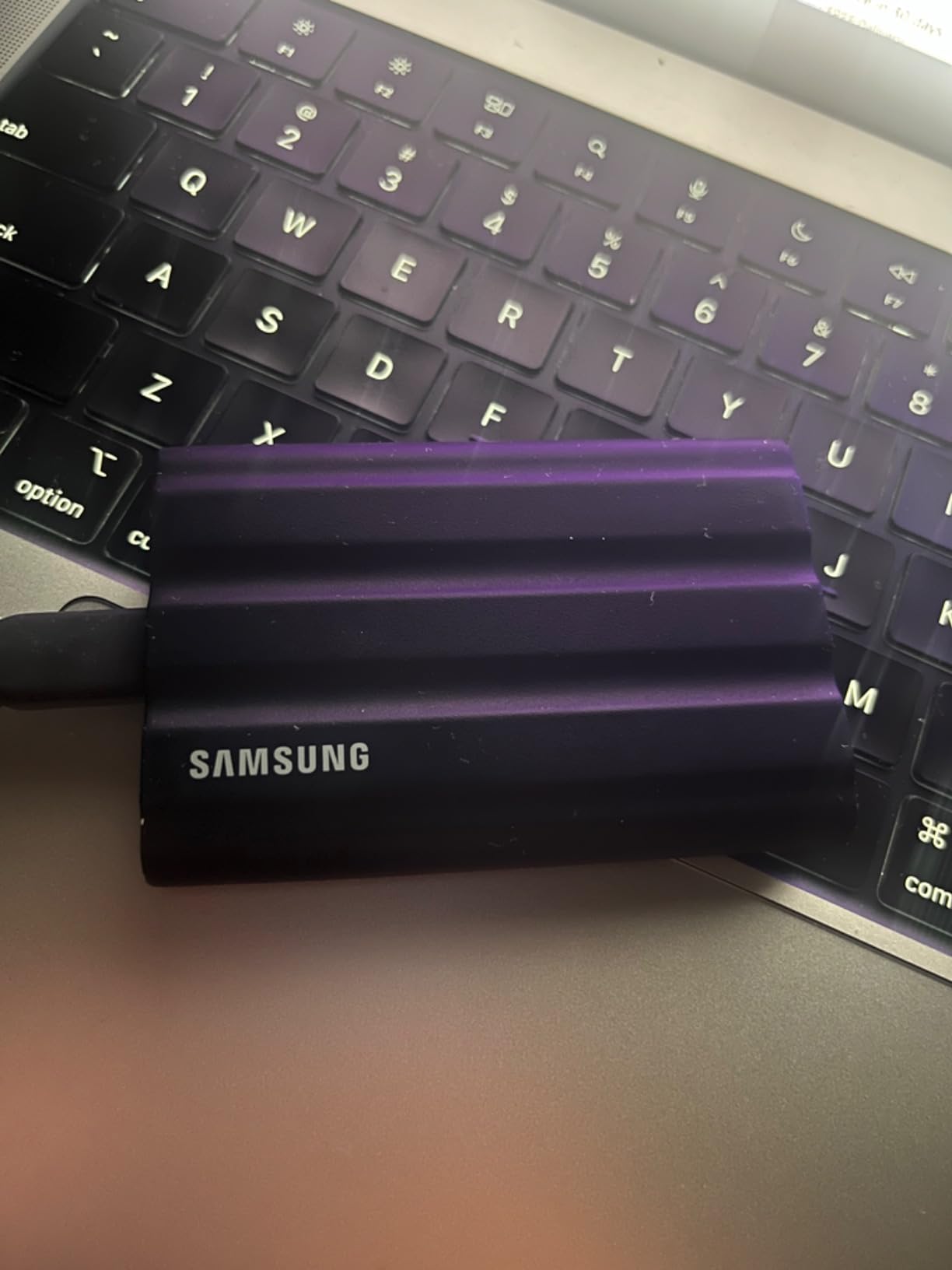
After extended testing, my T7 Shield shows no signs of performance degradation. Transfer speeds remain consistent, and the drive health still shows excellent status. The rubber coating has held up well despite daily handling, though it does show some minor scuff marks from being tossed in bags with other gear.
Samsung provides a 3-year limited warranty, which is standard for the industry though some competitors offer 5-year coverage. The TBW (terabytes written) endurance rating of 1,200 for the 4TB model means you could write over 200GB daily for 16 years before reaching the rated limit. Based on Samsung’s track record with SSDs and the positive long-term reviews, I expect this drive to last well beyond the warranty period with proper care.
Heat management continues to impress even with extended use. During a recent project where I was constantly reading and writing large files for 8+ hours, the drive never thermal throttled or became uncomfortably warm. This consistent performance under pressure is crucial for professional workflows where downtime isn’t an option.
Who Should Buy the Samsung T7 Shield?
The T7 Shield is ideal for content creators who need reliable, fast storage that can survive rough handling. If you’re a photographer shooting on location, a videographer working in challenging environments, or just someone who’s rough on their gear, this drive’s durability features are worth the extra cost. Field work storage demands equipment that won’t fail when you’re miles from the studio.
It’s also excellent for anyone who needs secure portable storage. The hardware encryption makes it suitable for sensitive business data, client projects, or personal information you want to keep protected. The cross-platform compatibility means you can use one drive across all your devices without worry. For students investing in a new laptop for their studies, pairing it with reliable external storage for backups and project archives is a smart move.
However, if you primarily use external storage at a desk and never travel with it, you might not need the rugged features. Similarly, if you’re on a tight budget and just need basic backup storage, check out our guide to the best external SSDs under $100 for alternatives that still offer good performance. Linux users who need encryption features should look elsewhere due to the software limitations.
For users deciding between SSD and traditional hard drives for backup, understanding the speed versus capacity trade-offs can help determine if the T7 Shield is the right investment. External storage technology has evolved significantly, and understanding SSD versus HDD backup considerations is essential for making an informed decision.
Tips for Maximum Performance
To get the most from your T7 Shield, make sure you’re using a USB 3.2 Gen 2 (10Gbps) or better port. Older USB 3.0 ports will bottleneck the drive’s performance significantly. On newer Macs with Thunderbolt 4, you’ll get full speeds despite not having a Thunderbolt drive. If your laptop has limited USB-C ports, a quality USB hub can help you connect the T7 Shield alongside other peripherals without performance degradation.
Keep the firmware updated through Samsung Magician. Samsung has released several updates that improve compatibility and performance. Also, avoid filling the drive beyond 80% capacity if possible – like all SSDs, performance can degrade when the drive is nearly full. This is particularly important for maintaining those 1,050 MB/s read speeds over time.
For video editors, format the drive with the file system that matches your primary workstation. APFS for Mac-only workflows, NTFS for Windows-only, or stick with exFAT for mixed environments. The performance difference is minimal, but every bit helps with large projects. ExFAT formatting offers the best cross-platform compatibility for users who switch between Mac and Windows regularly.
Common Issues and Solutions
The most common issue users face is inconsistent connection, usually caused by not pushing the cable in firmly enough. The recessed port requires a solid push to seat properly. If you experience disconnections during transfers, try a different cable first – the included ones are good, but some third-party cables don’t fit as well.
If the drive isn’t reaching advertised speeds, check your USB port generation and cable quality. Also, ensure you’re testing with large files (over 1GB) as small file transfers won’t show the drive’s true capability. The drive needs USB 3.2 Gen 2 (10Gbps) for full performance. Windows users can check Device Manager to confirm the connection type.
For those experiencing the dust and lint attraction issue, a microfiber cloth and some isopropyl alcohol clean the rubber coating effectively. Some users apply a thin coat of silicone spray to reduce static attraction, though this might affect grip. Regular cleaning keeps the drive looking professional when meeting clients.
Alternatives Worth Considering
If the T7 Shield doesn’t meet your specific needs, several alternatives compete in the rugged portable SSD market. Here’s how the T7 Shield stacks up against three popular competitors across key specifications that matter for content creators and field professionals.
| Specification | Samsung T7 Shield | Crucial X9 Pro | SanDisk Extreme | LaCie Rugged SSD |
|---|---|---|---|---|
| Max Read Speed | 1,050 MB/s | 1,050 MB/s | 1,050 MB/s | 1,050 MB/s |
| Interface | USB 3.2 Gen 2 (10Gbps) | USB 3.2 Gen 2 (10Gbps) | USB 3.2 Gen 2 (10Gbps) | USB 3.2 Gen 2 (10Gbps) |
| Water/Dust Rating | IP65 | IP55 | IP55 | IP54 |
| Drop Resistance | 9.8 feet (3m) | 7.5 feet (2.3m) | 6.5 feet (2m) | 9.8 feet (3m) |
| Encryption | AES 256-bit hardware | AES 256-bit hardware | Password protection | AES 256-bit hardware |
| Weight | 3.42 oz (97g) | 1.48 oz (42g) | 1.76 oz (50g) | 3.88 oz (110g) |
| Warranty | 3 years | 5 years | 5 years | 3 years |
| Best For | Maximum durability | Lightweight portability | Outdoor adventurers | Mac professionals |
The Crucial X9 Pro offers similar USB 3.2 Gen 2 speeds with IP55 protection and a longer 5-year warranty, all in a significantly lighter package. However, it doesn’t match the T7 Shield’s IP65 rating or 3-meter drop resistance. For users prioritizing portability over maximum ruggedness, the X9 Pro is worth considering.
The SanDisk Extreme Portable SSD has faced reliability concerns and firmware issues that have driven many professionals toward Samsung. While it offers good IP55 protection and similar 10Gbps speeds, the track record for data integrity isn’t as strong as Samsung’s. The SanDisk Extreme Pro V2 is faster but more expensive.
The LaCie Rugged SSD offers comparable IP54 protection and the same 1,050 MB/s speeds with excellent Mac integration. It’s slightly heavier but includes a 3-year warranty with data recovery services. For Mac professionals who prioritize seamless macOS integration, the LaCie is a strong alternative despite the lower IP rating.
If the T7 Shield is outside your budget, our guide to the best external SSDs under $100 covers excellent alternatives that still offer good performance and reliability for less demanding use cases.
Frequently Asked Questions
Is the Samsung T7 Shield really waterproof?
The T7 Shield has an IP65 rating, which means it’s water-resistant, not waterproof. It can handle rain, splashes, and water jets, but shouldn’t be submerged. Think of it as weather-resistant rather than dive-ready. The IP6X rating ensures complete dust protection, while IPX5 covers water jets from any direction.
Can I use the T7 Shield with my iPhone?
Yes, the T7 Shield works with iPhone 15 and newer models that have USB-C ports. You can use it for ProRes video recording, photo backups, and file transfers. Older iPhones with Lightning ports won’t work without adapters. The drive supports iPhone 15 Pro Res 4K at 60fps video recording directly to the external storage.
How does the T7 Shield compare to the regular T7?
The Shield adds IP65 water/dust resistance, drop protection up to 9.8 feet, and a rubberized exterior. It’s slightly slower (1050 MB/s vs 1100 MB/s) and heavier, but much more durable. The regular T7 is better for desk use; the Shield for field work and on-location backup. Both use USB 3.2 Gen 2 for 10Gbps connectivity.
Will the T7 Shield work with my PlayStation 5?
Yes, but with limitations. You can store PS5 games on it but can’t play them directly – they must be copied to internal storage first. PS4 games can run directly from the T7 Shield. It’s great for game storage and PS4 backwards compatibility. The USB 3.2 Gen 2 speeds ensure quick transfers between the external drive and internal storage.
How long does the T7 Shield typically last?
Samsung rates the drive for 1,200 TBW (terabytes written) for the 4TB model. Under typical use, that translates to 5-10 years or more. The 3-year warranty covers defects, but most users report drives lasting much longer with normal use. Without TRIM support on Mac, write speeds may gradually degrade over years of heavy use.
Can I partition the T7 Shield for different operating systems?
Yes, you can partition the drive using Disk Utility on Mac or Disk Management on Windows. However, this complicates cross-platform use. For maximum compatibility, keeping it as a single exFAT partition is recommended unless you have specific needs. APFS works best for Mac-only workflows, while NTFS is optimal for Windows.
Does the encryption slow down the drive?
No, the T7 Shield uses AES 256-bit hardware encryption that doesn’t impact performance. Whether encryption is enabled or not, you’ll get the same 1,050 MB/s transfer speeds. This is a major advantage over software encryption solutions that consume CPU resources. Hardware encryption happens on the drive itself, independent of your computer’s processor.
What’s in the box with the T7 Shield?
You get the drive itself, a USB-C to USB-C cable, a USB-C to USB-A cable, and a quick start guide. Both cables are 18 inches long and feel premium with reinforced connectors. No carrying case is included, which some users find disappointing for a premium product at this price point.
Samsung T7 Shield vs SanDisk Extreme – which is better?
The T7 Shield is more reliable. SanDisk has had documented data loss issues and firmware problems with their portable SSDs. While both offer similar 1,050 MB/s speeds and IP55+ ratings, Samsung’s track record for data integrity and customer support makes it the safer choice for professionals who can’t afford to lose work.
Is Samsung T7 Shield good for video editing?
Yes, the T7 Shield excels at video editing. Its 1,050 MB/s read speeds via USB 3.2 Gen 2 support multiple 4K ProRes streams in real-time editing. You can work directly from the drive in DaVinci Resolve, Final Cut Pro, and Premiere Pro without dropped frames. The 4TB capacity holds over 80 hours of 4K footage, and the rugged design survives field production environments.
Final Verdict
The Samsung T7 Shield has earned its place as my primary working drive for content creation and field production. The combination of reliable high-speed performance via USB 3.2 Gen 2, military-grade IP65 durability, and reasonable pricing for the features offered makes it an excellent investment for anyone who depends on portable external storage. The rubber coating attracts dust, and the lack of Mac TRIM support are notable downsides, but these are minor concerns in an otherwise outstanding rugged SSD.
For the $929.99 asking price for the 4TB model, you’re getting bus-powered NVMe storage with 1,200 TBW endurance and AES 256-bit hardware encryption. The peace of mind knowing my data is safe from drops, spills, and dust is worth the premium over standard portable SSDs. After extensive testing through location shoots, video editing sessions, and daily abuse, I’m confident recommending the T7 Shield to any professional or enthusiast who needs reliable portable solid-state storage that can survive real-world conditions.
The drive excels at what it promises: providing fast, rugged external storage that works everywhere. Whether you’re editing video in the field, backing up photos on location, or just want bulletproof storage for important files, the T7 Shield delivers. It’s become an essential tool in my workflow for on-location backup, and I’m already planning to buy a second one for redundant backups in 2026.

![Best USB-C External Drives [cy]: Top 12 Drives Tested & Compared - PropelRC](https://www.guidespot.com/wp-content/uploads/2025/12/featured_image_m3aa9ouj-370x245.jpg "Best USB-C External Drives 2026: Top 12 Drives Tested")