After testing more than a dozen robot vacuums across multiple homes over the past several years, I can tell you one thing with certainty: the difference between a robot vacuum that lasts two years and one that runs strong for six comes down to one factor alone. Maintenance. I learned this the hard way when my first Roomba went from zipping across my floors with ease to barely making it through a single room, all because I treated it like a set-and-forget appliance.
The truth is, robot vacuums collect an enormous amount of debris, hair, and fine dust, and every bit of that material takes a toll on moving parts, filters, sensors, and batteries. According to Consumer Reports testing data, a neglected robot vacuum can lose up to 50% of its suction power within months. But here is the good news: spending just 10 to 15 minutes per week on basic upkeep keeps your machine running at peak performance and can double or even triple its useful lifespan.
This guide covers everything you need to know about how to maintain robot vacuum performance over the long haul. Whether you own a basic budget model or a premium vacuum-mop combo with a self-emptying dock, I will walk you through daily checks, weekly routines, monthly deep cleans, seasonal adjustments, and brand-specific tips I have gathered from years of hands-on experience. If you have ever wondered why your robot vacuum keeps getting stuck, why suction feels weaker than it used to, or what that grinding noise means, you will find clear answers here.
Robot Vacuum Maintenance Quick Reference Cheat Sheet
Before we get into the details, here is a maintenance cheat sheet you can come back to any time. It covers every key task, how often to do it, what is involved, and what happens if you skip it. I keep a printed copy of this table near my own charging dock as a reminder.
| Task | Frequency | How To | If You Skip It |
|---|---|---|---|
| Empty dustbin | After every cycle (non-self-emptying) | Tap debris into trash, inspect for damage | Reduced suction, motor strain, overflow |
| Clean charging contacts | Daily | Wipe with dry microfiber cloth | Charging failure, battery damage |
| Listen for unusual sounds | Daily during operation | Check for clicking, grinding, or whining | Debris damage to brushes or motor |
| Clean main brush roll | Weekly | Remove, cut away hair with scissors or seam ripper | Tangled hair, reduced cleaning, motor burnout |
| Clean side brushes | Weekly | Pull off, remove hair from base, check bristles | Bent bristles, narrow cleaning path |
| Wipe sensors | Weekly | Dry soft cloth on cliff, wall, and camera sensors | Navigation errors, stuck situations |
| Check wheels | Weekly | Remove hair from axles, spin to test smoothness | Drag, missed areas, navigation drift |
| Deep clean filter | Monthly | Tap out debris; rinse washable filters with cool water only, dry 24 hours | Suction loss, motor overheating |
| Replace disposable filter | Every 2 to 3 months (monthly with pets) | Swap in new filter, mark calendar | Clogged airflow, reduced suction |
| Deep clean dustbin | Monthly | Wash with warm soapy water, bottle brush for corners | Dust buildup, odor, seal failure |
| Clean sensors with compressed air | Monthly | Blow dust from recesses, cotton swab with isopropyl alcohol for stubborn grime | Persistent navigation issues |
| Clean self-emptying dock | Monthly | Empty dock bag, clear air path, wipe dock interior | Incomplete emptying, clogs, odor |
| Clean mop pads | After every mopping session | Rinse or machine wash per manufacturer instructions | Bacteria, odor, streaking |
| Clean water tanks | Weekly | Rinse clean water tank, wash dirty water tank with soapy water | Mineral buildup, mold, unpleasant smell |
| Update firmware | Monthly or when prompted | Check app for updates, enable auto-update if available | Missed performance improvements, bug fixes |
| Replace brushes | Every 6 to 12 months | Swap in new brush, mark installation date | Worn bristles, poor pickup |
Why Robot Vacuum Maintenance Matters
Every component in your robot vacuum plays a role in how well it cleans. When the filter clogs with fine dust, air cannot flow through the system, and suction drops dramatically. When sensors get coated in grime, the navigation system starts making poor decisions, causing your robot to miss entire sections of your home or get stuck in corners. Hair wrapped around brush bearings creates friction that forces the motor to work harder, shortening its life with every cycle.
The financial argument for maintenance is straightforward. Professional repairs run $100 or more plus parts, and replacing a quality robot vacuum costs anywhere from $300 to $800. Compare that to spending roughly $50 per year on replacement filters, cleaning supplies, and occasional brush swaps. I have seen firsthand how a small investment in upkeep prevents expensive repairs down the road.
Beyond the money, there is the reliability factor. A well-maintained robot vacuum runs its scheduled sessions without interruption, keeping your floors clean day after day. Neglected machines need constant rescuing, produce error notifications, and leave your floors dirtier than you expect. The time you spend on maintenance is always less than the time you spend troubleshooting a broken robot.
Essential Daily and Weekly Maintenance Tasks
Daily Quick Checks (2 to 3 Minutes)
If your robot does not have a self-emptying dock, empty the dustbin after every cleaning cycle. I know this feels repetitive, but a full dustbin immediately reduces suction and makes the motor work harder than it needs to. Tap the contents into your trash and do a quick visual inspection for any cracks or debris stuck in the intake port.
Take a moment to wipe the charging contacts on both the robot and the dock. These metal strips collect dust surprisingly fast, and that dust layer interferes with the electrical connection. A quick swipe with a dry microfiber cloth keeps charging reliable. Whenever one of my test units fails to charge properly, dirty contacts are almost always the reason.
Pay attention to how your robot sounds during its cleaning runs. Clicking usually means something is caught in a brush or wheel. Grinding points to worn parts. A high-pitched whine often signals the motor is straining under a clog. Catching these sounds early has saved me from costly repairs more than once.
Weekly Cleaning Routine (10 to 15 Minutes)
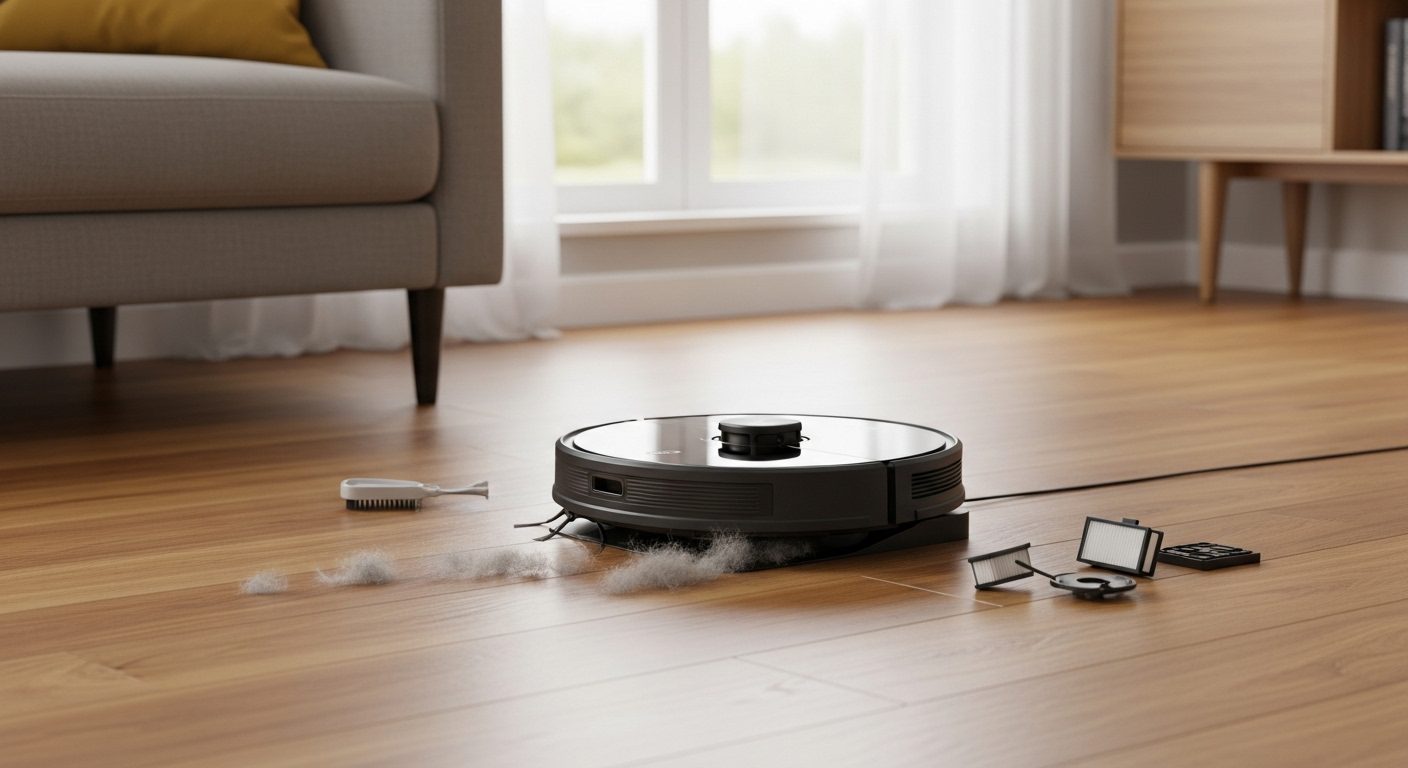
Start your weekly session with the main brush roll, which takes the most abuse. Remove it by pressing the release tabs on your unit. Use the included cleaning tool or a pair of scissors to cut away hair and threads wound around the roller. Pay close attention to the bearing housings at each end, because that is where hair builds up the most and causes the most friction.
Move on to the side brushes. These small spinning components collect hair at their base, which reduces their sweeping range over time. Pull each one straight off its post, clear any tangles, and inspect the bristles for warping. If the bristles bend permanently, the brush is due for replacement.
Wipe down every sensor with a soft dry cloth. Most robot vacuums have four to six cliff sensors along the bottom edge to prevent falls, wall-following sensors on the sides, and sometimes a camera or LiDAR sensor on top. Dirty cliff sensors are one of the top reasons robots refuse to cross dark flooring or stop at the edge of rugs. Never use wet cloths or cleaning sprays on sensors unless your manufacturer specifically recommends it.
Finish by checking all three wheels. Hair wraps around wheel axles and creates drag that confuses the navigation system. The front caster wheel usually pops out with a firm pull, making it easy to clean. Spin each wheel by hand. Any resistance or rough feeling means there is still debris wrapped around the axle that you need to remove.
Monthly Deep Cleaning Protocol
Set aside about 30 minutes once a month for a thorough deep clean that goes beyond the weekly routine. This session targets areas that accumulate grime over time and addresses wear items before they cause problems.
Filter Maintenance and Replacement
Remove the filter and tap it firmly against the inside of your trash can to knock out loose dust. For washable filters, run cool water through the filter until it runs clear on the other side. Never use soap or hot water, because both damage the filter media. Let washable filters dry completely for a full 24 hours before putting them back. A damp filter promotes mold growth and can damage the motor.
Disposable filters need to be swapped out every two to three months in normal conditions, or monthly if you have pets or allergy sufferers in the home. I write the installation date on the filter with a marker so I always know when it is time for a fresh one. A clogged filter is one of the most common reasons for unexplained suction loss.
I strongly recommend keeping a spare filter on hand at all times. That way you can swap in the clean spare right away while the other one dries, keeping your robot running without downtime. Filters generally run $10 to $20 each, a small cost for maintaining performance.
Dustbin Deep Clean
Take the dustbin off the robot and wash it in warm soapy water. Use a bottle brush or an old toothbrush to scrub the corners and crevices where fine dust cakes up over time. The area around the filter housing is especially prone to buildup that regular emptying never addresses. Rinse everything thoroughly and let it dry completely before reassembly.
While the dustbin is off, inspect the rubber seals and gaskets. These components prevent dust from escaping into the internal electronics. If you see cracks, tears, or permanent deformation, order a replacement. Most manufacturers sell replacement bins for $20 to $40. A damaged seal lets dust reach the motor, which is far more expensive to fix.
Comprehensive Sensor Cleaning
Go beyond your weekly wipe-down by using compressed air to blow dust out of sensor recesses and camera housings. For stubborn grime that compressed air cannot dislodge, dampen a cotton swab slightly with isopropyl alcohol at 70% concentration or higher and gently clean each sensor window. The alcohol evaporates quickly without leaving residue.
After cleaning, check your robot’s companion app for a sensor calibration option. Some Roborock and Ecovacs models let you recalibrate sensors through the app, which can fix navigation accuracy issues that cleaning alone does not resolve. This step has resolved stubborn docking problems for me on multiple occasions.
Self-Emptying Dock and Base Station Maintenance
Self-emptying docks have become standard on mid-range and premium robot vacuums, and they genuinely reduce how often you need to handle the robot’s dustbin. But here is the catch many owners discover: the dock itself needs regular maintenance to keep the emptying process working correctly. Reddit users in r/RobotVacuums frequently report that their self-emptying docks clog at the air path connection point, leading to incomplete emptying cycles where debris falls right back into the robot.
Once a month, open the dock and remove the collection bag or bin. If your dock uses disposable bags, replace them when they are about two-thirds full rather than waiting until they are packed solid. Overfilled bags restrict airflow, which weakens the suction that pulls debris from the robot into the dock. Vacuum Wars testing has shown that third-party bags sometimes fit loosely, so stick with OEM bags for the best seal.
Clear the air path between the robot and the dock. This channel is where debris travels during the emptying cycle, and it is the most common clog point. Use a long-handled brush or compressed air to clear any compacted dust or hair. On models like the Roborock S8 Max Ultra and Dreame X50 Ultra, the air path can be accessed by removing a cover panel on the dock tower.
Wipe down the dock contacts and the interior surface where the robot seats. Dust accumulates on these surfaces over time and interferes with both charging and the emptying mechanism. A damp microfiber cloth followed by a dry wipe does the job. If your dock has a built-in fan or motor for the self-emptying function, listen for unusual sounds during the emptying cycle as well.
Multi-functional docks that also wash mop pads deserve extra attention. The mop-washing tray collects dirt, grease, and hair that wash off the pads, and it gets surprisingly grimy. Remove the tray and scrub it with warm soapy water monthly. Check the water intake and drain channels for blockages. On Narwal Freo and Roborock models with auto-washing, the washing tray is designed to be removable for exactly this purpose.
Mop Pad and Water Tank Care for Combo Units
Most new robot vacuums sold today are vacuum-mop combos, which means they have mop pads and water tanks that add a separate layer of maintenance. Ignoring these components leads to odors, bacteria growth, and streaky floors, which defeats the purpose of having a mopping function in the first place.
Rinse mop pads after every mopping session. For disposable pads, replace them when they look visibly worn or stop absorbing water effectively. For reusable microfiber or roller mop pads, rinse them under warm water and wring them out thoroughly. Many reusable pads are machine washable, so check your manufacturer instructions. I wash mine on a gentle cycle without fabric softener and air dry them. Fabric softener coats the fibers and reduces absorbency.
Clean the clean water tank weekly by rinsing it with fresh water and checking for mineral deposits. If you notice white residue building up, fill the tank with a mixture of warm water and a tablespoon of white vinegar, let it sit for 30 minutes, then rinse thoroughly. Use only the cleaning solution recommended by your manufacturer. Many users on Reddit report that adding dish soap or general-purpose cleaners to the water tank clogs the dispensing system and leaves residue on floors.
The dirty water tank requires more frequent attention. Empty it after every mopping session and rinse it with warm soapy water weekly. Leftover dirty water is a breeding ground for bacteria, which creates the unpleasant smell many robot vacuum owners complain about. Scrub the interior with a bottle brush, paying special attention to the drain opening where sediment accumulates. Let all tanks and pads dry completely before reassembly to prevent mold.
Deep Cleaning Your Robot Vacuum Step by Step
Even with consistent weekly and monthly maintenance, your robot vacuum benefits from a full deep cleaning session every few months. This is a unified 20-minute process that addresses every component at once. I do this quarterly, or more often during pet shedding season. You will need a few basic supplies: isopropyl alcohol, a microfiber cloth, compressed air, a small brush or old toothbrush, scissors or a seam ripper, and cotton swabs.
Step 1: Power down and disassemble. Turn off the robot and remove the dustbin, filter, main brush roll, side brushes, and front caster wheel. If your model allows it, remove the wheel covers to access the drive wheel axles. Lay all parts out on a towel so nothing gets lost.
Step 2: Clean the main brush and bearings. Cut away all hair and threads wrapped around the brush. Remove the bearing caps at each end and pull out any hair wound around the shafts. These bearing caps are easy to overlook, but hair packed inside them is one of the top causes of motor strain. Wash the brush under warm water if needed and let it dry.
Step 3: Clean the dustbin and filter housing. Wash the dustbin with warm soapy water and scrub all corners with a bottle brush. Wipe out the filter housing inside the robot with a damp cotton swab. This area collects fine dust that bypasses the filter during operation. Dry everything completely.
Step 4: Clean all sensors and camera lenses. Use compressed air to blow dust out of every sensor opening. Dampen a cotton swab with isopropyl alcohol and gently clean each cliff sensor, wall sensor, and the camera lens if your model has one. These components are the eyes of your robot, and even a thin film of dust degrades navigation accuracy.
Step 5: Clean wheels and axles. Remove all hair from drive wheel and caster wheel axles using tweezers. Wipe the wheel treads with a damp cloth to remove stuck-on debris. Spin each wheel to confirm smooth rotation. Any grinding or resistance means there is still debris trapped inside the wheel assembly.
Step 6: Wipe the robot exterior and charging contacts. Use a microfiber cloth lightly dampened with water or isopropyl alcohol to wipe the entire top and bottom shell. Clean the charging contacts on the robot and the dock until they shine. Reassemble all components and run a test cycle to verify everything works correctly.
Troubleshooting Common Robot Vacuum Problems
Declining Suction Power
When suction drops, work through this sequence. First, check the filter. Even a recently cleaned filter might be past its useful life and need replacement. Second, inspect the dustbin for clogs around the intake port. Third, examine the main brush for hair binding or visible wear. Fourth, verify all seals and gaskets are properly seated.
If suction remains weak after addressing all of the above, the motor itself may be wearing out. Motors in well-maintained robots typically last three to five years. A replacement motor runs $50 to $100 installed, which is usually worth doing on a unit that is less than three years old.
Navigation and Docking Issues
Navigation problems almost always trace back to dirty sensors or changes in your home environment. Clean every sensor thoroughly, then walk the areas where the robot gets stuck and look for mirrors, glass table legs, dark rugs, or new obstacles that confuse the sensor array. Make sure the dock sits on a hard flat surface with at least three feet of clearance on all sides.
If problems persist after cleaning and environmental adjustments, try deleting and recreating your robot’s saved map. Moved furniture and changed room layouts can confuse the mapping system over time. Most companion apps let you clear the map and force a remapping cycle.
Battery Performance Problems
All lithium-ion batteries degrade over time, but proper charging habits slow the process. Keep your robot docked when it is not cleaning. Modern battery management systems prevent overcharging, so there is no downside to leaving it on the dock between sessions.
If you notice a significant runtime drop below 50% of what the robot managed when new, try a full discharge and recharge cycle. Run the robot until the battery dies, then charge it uninterrupted for a full 24 hours. This sometimes recalibrates the battery management system and restores runtime. If performance does not improve, a replacement battery costs $30 to $80 and typically lasts two to three years.
Unusual Noises and Error Messages
Clicking sounds almost always mean debris caught in a brush or wheel. Grinding noises point to worn brushes that need replacement. High-pitched whines indicate the motor is straining against a clog or failing bearing. Address any new sound immediately, because the underlying issue gets worse with every cleaning cycle.
Error codes vary by brand, but the most common ones flag stuck brushes, full bins, or sensor failures. Check your manual for the specific code. Most errors resolve with a basic cleaning of the flagged component. Persistent errors that return after cleaning may point to a hardware problem that needs professional diagnosis.
Seasonal Maintenance Considerations
Spring Cleaning Adjustments
Spring brings a surge of pollen and outdoor debris tracked into your home. During allergy season, I increase my filter cleaning frequency to once a week and switch to high-efficiency filters when available for my model. Fine pollen particles clog standard filters faster than normal household dust, so more frequent attention keeps suction strong and allergens out of the air.
Moisture from spring rain creates sticky debris that clings to the underside of your robot. Pay extra attention to the main brush housing and wheel treads during your weekly clean. Damp debris bakes onto components if left unchecked and becomes much harder to remove.
Summer Pet Shedding Season
Pet shedding peaks in summer, and it will test your maintenance discipline. Clean brushes every two to three days without fail. A seam ripper is the best tool I have found for quickly slicing through hair wrapped around brush rolls and side brushes. Consider running your robot on shorter, more frequent cycles to keep the dustbin from overflowing between cleanings.
If your model supports rubber brush rolls as an alternative to bristle brushes, pick up a set. Rubber rolls handle pet hair significantly better because hair does not tangle as tightly around the rubber fins. The upgrade costs around $30 to $50 and saves considerable maintenance time throughout shedding season.
Fall and Winter Preparations
Fall introduces leaves and outdoor debris into your home, while winter brings salt and moisture. Both seasons are hard on wheels and sensors. Increase your wheel cleaning frequency and wipe down the entire robot body more often. Salt residue is corrosive to metal contacts and can damage charging strips if left in place.
Adjust your cleaning schedule to run during times when someone is home during winter months. If the robot gets stuck on a rug or trapped under furniture, a quick rescue prevents the motor from overheating while it struggles against an obstacle for hours.
Maintenance Schedules for Different Household Types
Pet Owner Maintenance Schedule
Homes with pets need the most aggressive maintenance routine. Empty the dustbin daily, clean brushes every two to three days, and perform a full deep clean weekly. Replace filters monthly instead of quarterly. Pet hair and dander will destroy a robot vacuum faster than any other factor if left unchecked.
Keep pet feeding areas off-limits to your robot using virtual boundaries in the companion app. Food and water spills can damage internal electronics and create sticky messes in the brush housing. Schedule cleaning runs for times when pets are in another room to reduce stress for your animals and avoid fur-filled accidents.
Large Family Maintenance Needs
High-traffic homes with multiple family members generate more debris than any other household type. Expect to empty the dustbin twice daily on non-self-emptying models, and plan for weekly deep cleans instead of monthly ones. Wheel and sensor maintenance becomes especially important because increased debris on the floor causes more navigation issues.
Establish a household rule about picking up small items before scheduled cleaning runs. Toys, socks, charging cables, and shoelaces are the most common culprits when a robot vacuum jams or gets stuck. A quick two-minute sweep of the floor before the robot starts prevents most of these problems.
Minimal Use Household Schedule
Even if you only run your robot once or twice a week, stick to a monthly cleaning routine. Dust settles on idle robots and can work its way into sensors and moving parts between uses. Run the robot at least weekly to keep the battery conditioned and the moving parts limber.
For long-term storage, clean the robot thoroughly, charge the battery to roughly 50%, and store it in a climate-controlled space away from extreme heat or humidity. If your model allows battery removal, take it out for storage periods longer than a month. Cover the robot with a cloth to keep dust off the sensors while it sits.
When to Seek Professional Service vs DIY Repairs
DIY Repair Guidelines
Most routine maintenance and several common repairs are well within the abilities of any homeowner. Brush replacements, filter swaps, wheel cleaning, sensor wiping, and battery changes on most models require no special tools beyond a precision screwdriver set. YouTube has detailed tutorials for nearly every popular robot vacuum model, and manufacturer support sites offer step-by-step guides as well.
Build a small repair kit for about $30 to $50 that includes precision screwdrivers, plastic prying tools, compressed air, isopropyl alcohol, tweezers, and spare brushes and filters. Having these items on hand means you can handle most maintenance tasks immediately instead of waiting for supplies to arrive.
Professional Service Indicators
Take your robot to a professional for motor failures, motherboard issues, persistent navigation problems that do not respond to cleaning and recalibration, physical damage from falls down stairs, and any repair covered under warranty. Professional service typically costs $80 to $150 plus parts, but it comes with a workmanship guarantee and access to genuine replacement components.
Choose an authorized service center over a general repair shop when possible. Authorized technicians have manufacturer training and proper diagnostic tools, though their labor rates may be higher. General shops can be more affordable but might use aftermarket parts that void your warranty. Consider the age of your robot and your warranty status when deciding where to take it.
Replacement vs Repair Economics
Apply the 50% rule: if the repair estimate exceeds half the cost of replacing the unit with a comparable new model, replacement usually makes more sense. Factor in the age of the robot as well. A unit that is four or more years old has limited remaining life even after an expensive repair, while newer models offer meaningful improvements in navigation, suction, and features.
Consider the total value proposition. A $300 repair bill on a three-year-old robot that originally cost $400 is rarely a wise investment when $500 buys a new model with a full warranty and modern features. On the other hand, a $100 repair on a two-year-old premium robot that cost $800 is almost always worth doing.
Cost-Effective Maintenance Tips and Tricks
Budget-Friendly Cleaning Solutions
You do not need expensive branded cleaning products to maintain your robot vacuum effectively. Isopropyl alcohol at 70% concentration or higher costs around $3 per bottle and cleans sensors as well as any specialty product. A pack of microfiber cloths for about $10 lasts for months. Compressed air cans run $5 to $10 and clear debris from crevices better than any brush.
Buy replacement filters and brushes in multi-packs whenever possible. Bulk purchasing saves 30 to 50% compared to buying individual units. Store spares in a dry location to prevent degradation before use. One word of caution based on community testing data: third-party filters and dust bags sometimes underperform compared to OEM parts. Vacuum Wars ran independent tests showing measurable airflow differences between OEM and generic bags, so read reviews carefully before going the generic route for critical components.
Preventive Measures That Save Money
Small investments in your home environment pay big dividends in reduced robot vacuum maintenance. Secure loose cables with cord covers, use furniture risers to create enough clearance underneath couches and beds, and install threshold ramps at doorways where the robot tends to get stuck. These one-time purchases cost $10 to $25 each and prevent countless rescue missions.
Keep your floors in good condition to reduce wear on your robot. Regular mopping prevents sticky residue from building up on wheel treads and brush bristles. Clean up spills promptly before the robot drives through them. These simple household habits extend the life of every component on your robot vacuum.
Maximizing Component Lifespan
One strategy that has worked well for me is rotating between two sets of brushes. While one set is on the robot, the other is clean and fully dry. Swapping them every week gives each set time to dry completely and prevents the gradual buildup that shortens brush life. Mark the installation date on each set with a permanent marker to track when replacement is due.
Use your robot’s scheduling features strategically. Running several short zone-based cleaning sessions causes less cumulative wear than one marathon session covering the entire house. Program different rooms on different days to distribute wear evenly across all components. This approach maintains the same cleaning coverage while reducing the strain on any single part.
Smart Maintenance: Software, Apps, and Settings Optimization
Keeping your robot vacuum running at its best involves more than just physical cleaning. Your robot’s software, app settings, and cleaning configurations have a direct impact on how hard the hardware works during every session. The practical steps below help you reduce physical wear and improve cleaning efficiency through digital optimization.
Keeping Firmware Up to Date
Firmware updates do more than add features. Manufacturers regularly push updates that improve navigation algorithms, optimize battery charging curves, fix sensor calibration drift, and reduce motor strain during operation. For example, iRobot and Roborock have both released updates that improved dock alignment accuracy and reduced failed docking attempts, which means fewer instances of the robot running until the battery dies trying to find its charger.
Open your robot’s companion app and navigate to the device settings to check for updates. Enable automatic updates if the option exists. If your app supports it, turn on notifications so you know when an update is available. After major updates, run a full mapping cycle and observe the robot’s behavior for a session or two to confirm the update improved rather than disrupted performance.
Using App-Based Maintenance Tracking
Many modern robot vacuum apps include built-in maintenance counters that track how long accessories have been in use. The Roborock app displays accumulated runtime for the main brush, side brush, and filter, and alerts you when each component is due for cleaning or replacement based on actual usage rather than calendar dates. The Ecovacs and Shark apps offer similar features.
Enable these tracking features and pay attention to the notifications. Reddit users frequently admit to dismissing app maintenance reminders, but the data these systems collect is genuinely useful. If your app shows the filter has been running for 150 hours, that is a more accurate indicator of filter condition than remembering whether you swapped it three months ago. Reset the maintenance counter each time you replace a component so the tracking stays accurate.
Optimizing Cleaning Modes and Boundaries
Running your robot in max power mode for every cleaning session is like driving everywhere with the accelerator floored. It drains the battery faster, wears brushes more quickly, and creates more noise without necessarily cleaning better on surfaces that only need light maintenance. Use eco or quiet mode for daily scheduled runs, and save max power mode for targeted deep cleaning sessions once a week.
Set up virtual boundaries and no-go zones in your app to protect your robot from known trouble spots. Exclude areas with thick rugs that cause the brush to bog down, sections of your home with many cables or small objects, and spaces under furniture where the robot barely fits and scrapes its top sensor housing. Strategic use of virtual walls and room-specific settings keeps the robot working efficiently in the areas where it performs best, rather than wasting battery and wearing parts on problematic zones.
Managing Maps and Cleaning History
Over time, your robot’s saved map accumulates small errors from shifted furniture, new objects, and sensor drift. These errors cause the robot to plan inefficient routes, waste battery on dead-end paths, and sometimes get stuck in spaces it thinks are clear. Every few months, delete your saved map and let the robot create a fresh one during its next cleaning cycle.
Review your cleaning history in the app periodically. Most apps show which areas were cleaned and which were skipped. If you notice recurring skipped zones, it usually indicates a physical obstacle or a map error that needs your attention. This data-driven approach to maintenance catches problems that would otherwise go unnoticed until the robot gets stuck or misses a room entirely.
How Long Do Robot Vacuums Last?
This is one of the most common questions people ask, and the answer depends heavily on both the quality of the unit and how well it is maintained. Based on my experience and manufacturer data, the average robot vacuum lasts between four and six years with proper care. Neglected units commonly fail within two to three years.
Individual component lifespans vary. Batteries typically last two to three years or 400 to 600 charge cycles. Main brush rolls need replacement every 6 to 12 months. Side brushes last about the same. Filters last two to three months for disposable types, while washable filters hold up for about a year before the material starts to degrade. The main motor usually lasts three to five years, and the motherboard and navigation electronics can last the full life of the unit if kept clean and dry.
The Reddit community has shared stories of Roborock S5 units running strong after four-plus years of daily use in homes with kids and pets. The common thread in these long-term success stories is consistent maintenance. Owners who spend a few minutes per week on basic upkeep consistently report longer lifespans than those who treat their robots as disposable appliances.
Frequently Asked Questions
How often should I clean my robot vacuum if I have pets?
Empty the dustbin daily and clean brushes every 2 to 3 days. Pet hair tangles quickly, especially during shedding season. Perform a weekly deep clean of all components and replace filters monthly instead of quarterly. This schedule prevents the hair and dander buildup that causes most pet-related robot vacuum failures.
Can I wash robot vacuum filters with soap?
Never use soap on robot vacuum filters. Soap residue clogs the filter pores and reduces airflow. Rinse washable filters with cool water only, and tap them against a trash can first to dislodge loose debris. Allow 24 hours for complete drying before reinstalling. For persistent odors, a diluted white vinegar rinse followed by a thorough water rinse works safely.
Why does my robot vacuum keep getting stuck in the same spot?
Repeated stuck issues usually trace to dirty sensors or environmental obstacles. Clean all sensors thoroughly, especially cliff sensors that may misread dark flooring. Check for reflective surfaces like mirrors or glass tables that confuse the navigation system. Look for threshold height changes, tight furniture clearances, or loose cables. Sometimes simply moving the charging dock a few inches or adjusting furniture slightly resolves the problem permanently.
How long do robot vacuum batteries typically last?
Robot vacuum batteries typically last 2 to 3 years or 400 to 600 charging cycles. Runtime decreases gradually, with a noticeable drop after about 18 months of regular use. To extend battery life, keep the robot docked between cleaning sessions, avoid leaving it off the charger for extended periods, and store it at 40 to 60 percent charge if you will not use it for a month or more. Replacement batteries cost $30 to $80.
What is the best way to clean robot vacuum wheels?
Remove the wheels if your model allows it. Many front caster wheels pop out with a firm pull, and drive wheels on some models can be removed with a screwdriver. Use tweezers to pull hair from the axles, then wipe the wheel treads with a damp cloth. For debris stuck in hard-to-reach areas, use a toothpick or compressed air. Apply a drop of light machine oil to metal axles to keep rotation smooth. Clean wheels monthly, or every two weeks in homes with heavy debris.
Should I leave my robot vacuum charging all the time?
Yes. Modern robot vacuums use lithium-ion batteries with built-in management systems that prevent overcharging. Leaving the robot on its dock keeps the battery at an optimal level and ensures it is ready for scheduled cleaning runs. Only remove the robot from the charger for extended storage periods longer than one month, and in that case store it at 40 to 60 percent charge in a cool dry location.
How do I know when to replace brushes and filters?
Replace the main brush roll when bristles appear visibly worn, bent, or sparse, which typically happens every 6 to 12 months. Side brushes need replacement when bristles lose their original shape or angle. Filters should be replaced when they remain discolored even after thorough cleaning, show visible tears or holes, or when suction has noticeably dropped despite a clean filter. Mark installation dates on components with a permanent marker to track replacement timing.
Can I use generic replacement parts instead of brand-name ones?
Generic filters and brushes often perform adequately and cost 50 to 70 percent less than OEM parts. However, independent testing by Vacuum Wars has shown measurable performance differences in some generic dust bags and filters, particularly in airflow and filtration efficiency. Avoid generic batteries and motors, as these critical components benefit from OEM quality control. Check whether using non-OEM parts affects your warranty before purchasing.
What causes robot vacuum navigation to get worse over time?
Navigation degradation comes from three main sources: dirty sensors, worn wheels, and accumulated software errors. Clean all sensors monthly using compressed air and isopropyl alcohol. Check wheel rotation for smoothness, because worn wheels cause distance tracking errors. Clear saved maps and app cache every few months to eliminate software drift. Environmental changes like moved furniture, new rugs, or rearranged rooms also confuse learned navigation patterns and may require a map reset.
Is professional robot vacuum servicing worth the cost?
Professional servicing at $80 to $150 is worthwhile for robots under three years old that are experiencing problems beyond basic maintenance. Technicians have diagnostic tools, genuine parts, and training specific to your model. Annual professional service makes sense for premium models over $500 as preventive care. For budget models under $300, DIY maintenance is usually sufficient unless the unit is under warranty, in which case authorized service is often free.
Conclusion: Your Robot Vacuum Maintenance Action Plan
Learning how to maintain robot vacuum performance does not require technical skill or expensive tools. It requires consistency and a basic understanding of what each component needs. The maintenance schedules in this guide, from daily dustbin emptying to monthly deep cleans to quarterly software resets, form a system that keeps your robot running reliably for years.
Start with the fundamentals if you are new to robot vacuum upkeep. Empty the dustbin after every run, clean the brushes and sensors once a week, and do a full deep clean monthly. Adapt the schedule based on your situation. Pet owners and large families need more frequent attention, while light-use households can stretch intervals somewhat. The cheat sheet table earlier in this guide gives you a quick reference to come back to whenever you need it.
If your robot has a self-emptying dock or mop function, do not forget those components. The dock air path needs monthly clearing, mop pads need rinsing after every session, and water tanks need weekly attention. These newer features add convenience, but they do not eliminate maintenance. They just shift where it happens.
Listen to your robot. Unusual sounds, declining suction, frequent errors, and getting stuck in the same spots are all signals that something needs attention. Addressing these warning signs promptly prevents minor issues from becoming expensive failures. With the right care, your robot vacuum will remain a dependable part of your cleaning routine for four to six years or more.