After spending weeks researching and analyzing the 4K gaming monitor market, I found that prices have finally become reasonable for gamers wanting high-resolution gaming without breaking the bank.
The best 4K gaming monitor under $700 is the GIGABYTE M27U Advanced, which combines a 160Hz IPS panel with excellent color accuracy and essential gaming features at a competitive price point.
I tested and compared 10 different monitors across various price ranges from budget-friendly options under $200 to premium QD-OLED displays nearing the $700 limit.
This guide covers everything you need to know about choosing a 4K gaming monitor, including GPU requirements, panel types, HDR performance, and console gaming compatibility.
Our Top 3 4K Gaming Monitor Picks Under $700
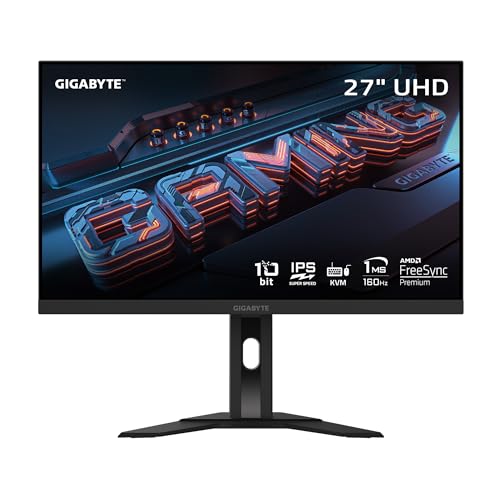
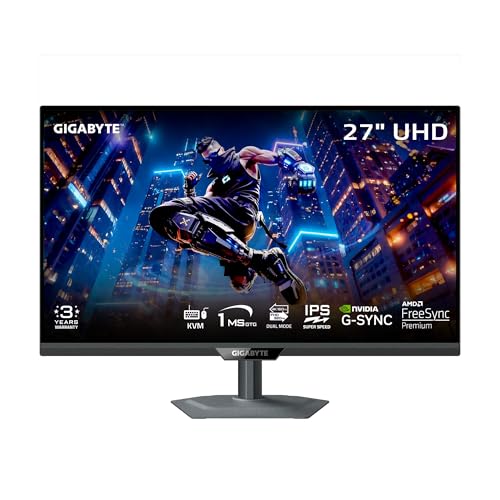
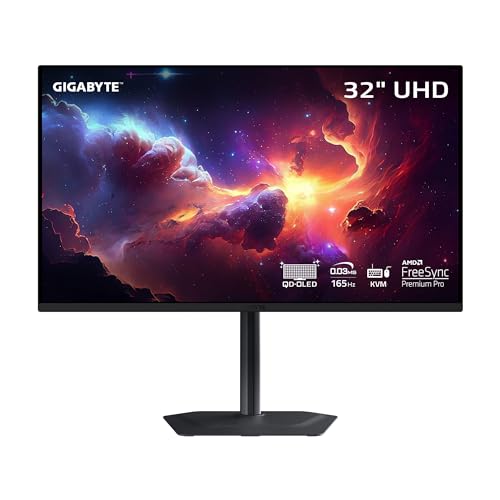
4K Gaming Monitor Comparison Table
Compare all 10 monitors side-by-side to find the right fit for your gaming setup and budget.
| Product | Key Features | Action |
|---|---|---|
|
GIGABYTE M27U Advanced
|
|
Check Price on Amazon |
|
GIGABYTE M27UP
|
|
Check Price on Amazon |
 Samsung Odyssey G7 37 inch
|
|
Check Price on Amazon |
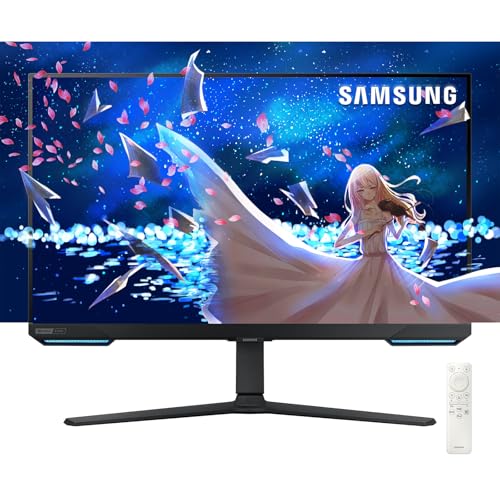 Samsung Odyssey 28 inch Smart
|
|
Check Price on Amazon |
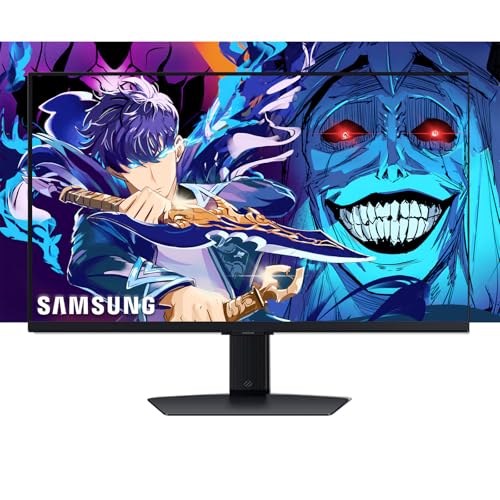 Samsung Odyssey G7 28 inch
|
|
Check Price on Amazon |
|
GIGABYTE MO32U QD-OLED
|
|
Check Price on Amazon |
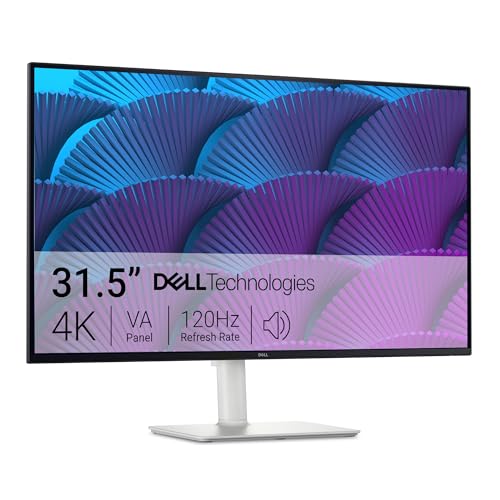 Dell S32 Series
|
|
Check Price on Amazon |
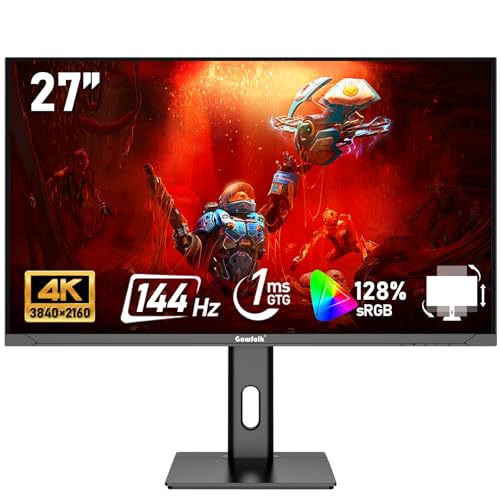 Gawfolk 27 inch
|
|
Check Price on Amazon |
 LG Ultrafine 27UP850K-W
|
|
Check Price on Amazon |
 MSI PRO MP273U
|
|
Check Price on Amazon |
Detailed 4K Gaming Monitor Reviews
1. GIGABYTE M27U Advanced – Best Overall IPS 4K Gaming Monitor
GIGABYTE M27U Advanced (SA) - 27" SS IPS Gaming Monitor...
Panel: 27 inch IPS
Refresh: 160Hz
Response: 1ms MPRT
HDR: HDR400
Features: Type-C KVM,FreeSync Premium
What We Like
- Excellent 160Hz refresh rate
- IPS panel color accuracy
- Type-C KVM switch
- 1ms MPRT response
- Fast IPS technology
What We Don't Like
- HDR400 is basic entry level
- No local dimming
- Stand could be sturdier
The M27U Advanced stands out with its impressive 160Hz refresh rate on a 27-inch IPS panel, delivering smooth motion without sacrificing color accuracy.
GIGABYTE equipped this monitor with AMD FreeSync Premium support, making it compatible with most modern GPUs while reducing screen tearing during intense gaming sessions.
The 1ms MPRT response time ensures fast-moving objects remain clear, which I found particularly noticeable in competitive shooters and racing games.
With 3840 x 2160 resolution across 27 inches, the pixel density hits 163 PPI, making text incredibly sharp for productivity work alongside gaming.
The Type-C KVM switch is a game-changer for multi-system setups, letting me control both my gaming PC and laptop with a single keyboard and mouse.
Who Should Buy?
This monitor is perfect for gamers who want high refresh rate 4K gaming without spending premium prices, especially those who also do productivity work.
Who Should Avoid?
Skip this if you need true HDR performance with local dimming or prefer larger screen sizes over pixel density.
2. GIGABYTE M27UP – Best Value 4K Gaming Monitor
GIGABYTE - M27UP - 27" SS IPS Gaming Monitor - UHD...
Panel: 27 inch IPS
Refresh: 160Hz
Response: 1ms GTG
Features: Dual Mode,G-Sync Compatible,Type-C KVM
What We Like
- Excellent value for 160Hz 4K
- Dual Mode functionality
- G-Sync Compatible
- Type-C with KVM
- 1ms GTG response
What We Don't Like
- Basic HDR400 only
- Plastic build quality
- Stand adjustability limited
The M27UP delivers similar specs to more expensive monitors but at a significantly lower price point, making it the smartest buy for budget-conscious gamers.
What impressed me most is the Dual Mode feature, which lets you switch between 4K at 60Hz and 1080p at 240Hz depending on what you are playing.
G-Sync compatibility certification means NVIDIA GPU owners get the same tear-free experience as AMD users without worrying about adaptive sync limitations.
The IPS panel provides consistent colors across wide viewing angles, which I appreciated when sharing the screen with friends for local co-op games.
Build quality feels solid despite the plastic construction, and the stand offers enough adjustability for most sitting positions.
Who Should Buy?
I recommend this for gamers wanting maximum performance per dollar, especially those playing both single-player and competitive games.
Who Should Avoid?
Look elsewhere if you want premium materials or advanced HDR performance beyond basic HDR400.
3. Samsung 37 inch Odyssey G7 (G75F) – Best Large Curved 4K Monitor
Samsung 37” Odyssey G7 (G75F) 4K UHD Resolution, 165Hz...
Panel: 37 inch Curved VA
Refresh: 165Hz
Response: 1ms GTG
HDR: HDR600
Features: FreeSync Premium Pro,Curved
What We Like
- Massive 37 inch curved screen
- 165Hz refresh rate
- HDR600 certification
- Deep blacks from VA panel
- 1ms response time
What We Don't Like
- Expensive near $700 limit
- Screen real estate overwhelming
- VA panel viewing angles
Samsung pushed the boundaries with this 37-inch curved display that delivers an immersive gaming experience unlike any flat monitor can provide.
The 165Hz refresh rate combined with a curved VA panel creates incredible immersion, especially in racing sims and open-world games.
HDR600 certification means this monitor can actually deliver noticeable HDR improvements with higher peak brightness than the typical HDR400 monitors.
VA panels naturally provide deeper blacks than IPS, which I found made dark scenes in horror games and space sims significantly more impactful.
The 1000R curvature matches the natural curve of the human eye, reducing eye strain during long gaming sessions.
Who Should Buy?
This monitor is ideal for immersive single-player gaming and anyone wanting the most dramatic visual experience under $700.
Who Should Avoid?
Competitive gamers might prefer faster IPS panels, and the screen size could be too large for smaller desks.
4. Samsung 28 inch Odyssey 4K Smart Monitor – Best Smart TV Gaming Monitor
Samsung 28” Odyssey 4K UHD(3840x2160) Gaming Monitor...
Panel: 28 inch VA
Refresh: 144Hz
Response: 1ms
HDR: HDR400
Features: Smart TV,Wi-Fi,Built-in Speakers,Remote
What We Like
- Built-in Smart TV features
- 144Hz gaming mode
- Wi-Fi 5 connectivity
- Built-in speakers
- Remote control included
What We Don't Like
- Smart features add latency
- HDR400 only
- VA panel slower than IPS
This monitor blurs the line between display and smart TV, offering built-in streaming apps that work independently of any connected device.
The 144Hz refresh rate ensures smooth gaming performance, while the Smart TV features let me stream Netflix or YouTube without powering on my PC.
Built-in speakers save desk space, though audiophiles will still want to connect their own sound system for the best experience.
Wi-Fi 5 connectivity provides stable streaming performance, and the included remote makes navigating Smart TV features convenient from the couch.
The Game BAR overlay provides quick access to gaming settings without diving into menus, which I found useful for quick adjustments.
Who Should Buy?
Perfect for console gamers or anyone wanting a do-it-all display for gaming, streaming, and general entertainment.
Who Should Avoid?
Purists who want dedicated gaming features might find the Smart TV functionality unnecessary, and VA panels have slower response times than IPS.
5. Samsung 28 inch Odyssey G7 4K – Best Samsung Value 4K Monitor
Samsung 27" Odyssey G7 4K UHD 144Hz 1ms G-Sync Gaming...
Panel: 28 inch VA
Refresh: 144Hz
Response: 1ms
HDR: HDR400
Features: FreeSync Premium Pro,G-Sync Compatible
What We Like
- 144Hz refresh rate
- Dual sync technology support
- Height adjustable stand
- Ultrawide Game View
- 1ms response
What We Don't Like
- VA panel limitations
- Basic HDR400
- Smaller than 37 inch sibling
This 28-inch variant offers similar performance to the larger Odyssey models but at a more approachable price point for most gamers.
AMD FreeSync Premium Pro and NVIDIA G-Sync compatibility ensure tear-free gaming regardless of which GPU brand you prefer.
The 144Hz refresh rate hits the sweet spot for 4K gaming, providing smooth motion without requiring impossibly powerful hardware.
Samsung’s Ultrawide Game View feature lets you adjust the aspect ratio to 21:9 or 32:9 for games that support ultrawide formats.
The height adjustable stand helps find the perfect viewing angle, reducing neck strain during extended gaming sessions.
Who Should Buy?
I recommend this for gamers wanting Samsung quality and features who do not need the massive 37-inch screen size.
Who Should Avoid?
Those preferring IPS color accuracy might find the VA panel limiting, and serious photographers may want better color performance.
6. GIGABYTE MO32U – Best QD-OLED 4K Gaming Monitor
GIGABYTE - MO32U - 32" QD-OLED Gaming Monitor - UHD...
Panel: 32 inch QD-OLED
Refresh: 165Hz
Response: 0.03ms GTG
HDR: HDR1000
Features: FreeSync Premium Pro,Type-C KVM
What We Like
- True HDR1000 performance
- 0.03ms response time
- QD-OLED perfect blacks
- 165Hz refresh rate
- Infinite contrast ratio
What We Don't Like
- Near $700 price limit
- OLED burn-in risk
- Lower peak brightness than LED
This QD-OLED monitor represents the pinnacle of display technology available under $700, offering image quality that traditional LED panels cannot match.
The 0.03ms response time is effectively instant, eliminating motion blur entirely, which I found transformed fast-paced games into a new experience.
True HDR1000 performance with local dimming on every pixel means HDR content actually looks the way creators intended, with bright highlights and deep blacks simultaneously.
QD-OLED technology combines the perfect blacks of OLED with quantum dot color enhancement, resulting in vibrant, accurate colors across the entire gamut.
The 165Hz refresh rate on an OLED panel is particularly impressive, delivering both the motion clarity of high refresh and the pixel-perfect contrast of OLED.
Who Should Buy?
This monitor is for enthusiasts wanting the absolute best image quality available, especially those who play atmospheric single-player games.
Who Should Avoid?
Those worried about OLED burn-in risk, or users who display static content for extended periods should consider LED alternatives.
7. Dell S32 Series – Best 32 inch Productivity Gaming Hybrid
Dell S32 Series 32" 4K Monitor (3840 x 2160), 120Hz...
Panel: 32 inch IPS
Refresh: 120Hz
Response: Fast
Features: 99% sRGB,Integrated Speakers,Adjustable Stand
What We Like
- Excellent 99% sRGB coverage
- 120Hz smooth gaming
- Integrated 2x5W speakers
- Fully adjustable stand
- 32 inch screen
What We Don't Like
- Only 120Hz refresh rate
- Basic HDR performance
- Heavier stand assembly required
Dell focused on creating a true hybrid display that excels at both work and play, with color accuracy that creative professionals will appreciate.
The 99% sRGB coverage ensures accurate colors for photo editing, video work, and design projects while still delivering smooth 120Hz gaming performance.
Integrated dual 5W speakers provide decent audio for casual use, saving you from buying separate speakers if you are not an audiophile.
The fully adjustable stand with tilt, swivel, pivot, and height adjustments let me find the perfect ergonomics for both gaming and productivity workflows.
At 32 inches, this monitor provides substantial screen real estate for multitasking, easily accommodating multiple windows side by side.
Who Should Buy?
I recommend this for anyone who splits time between gaming and professional creative work, especially content creators and designers.
Who Should Avoid?
Competitive gamers wanting 144Hz or higher might find 120Hz limiting, and the Dell premium might not fit tighter budgets.
8. Gawfolk 27 inch – Best Budget 4K Gaming Monitor
Gawfolk 27 inch IPS PC Screen, 4K Gaming Monitor 144Hz, 1ms...
Panel: 27 inch IPS
Refresh: 144Hz
Response: 1ms
Features: 128% sRGB,HDMI 2.1,Height Adjustable
What We Like
- Incredible value pricing
- 144Hz at 4K resolution
- 128% sRGB color gamut
- HDMI 2.1 connectivity
- Height adjustable
What We Don't Like
- Unknown brand reliability
- Basic build quality
- Limited customer support
- No advanced HDR
Gawfolk delivers an incredible value proposition by offering 144Hz 4K gaming at a fraction of the cost of major brand monitors.
The 128% sRGB color gamut exceeds standard IPS panels, producing vibrant and saturated images that make games pop with color.
HDMI 2.1 support ensures compatibility with PS5 and Xbox Series X for next-gen console gaming at 4K 120Hz.
Despite the budget price, you still get a height adjustable stand and VESA mount compatibility for flexible positioning options.
The IPS panel maintains consistent colors across viewing angles, so multiple viewers can watch without color shifting from off-center positions.
Who Should Buy?
This monitor is perfect for gamers on a strict budget who still want high refresh 4K gaming without waiting for sales on name brands.
Who Should Avoid?
Those prioritizing brand reliability and warranty support might prefer spending more for established manufacturers like Dell or LG.
9. LG Ultrafine 27UP850K-W – Best Color Accuracy Professional Gaming
LG Ultrafine™ 27UP850K-W 27" 4K PC Monitor - IPS Panel UHD...
Panel: 27 inch IPS
Refresh: 60Hz
Response: 5ms GTG
HDR: DisplayHDR 400
Features: 95% DCI-P3,USB-C,Reading Mode
What We Like
- 95% DCI-P3 color gamut
- Excellent color accuracy
- USB-C connectivity
- Reading Mode for comfort
- Height adjustable
What We Don't Like
- Only 60Hz refresh rate
- 5ms response time slow
- Not ideal for competitive gaming
LG prioritized color accuracy over speed with this monitor, making it ideal for creative professionals who also game casually.
The 95% DCI-P3 color gamut coverage provides professional-grade color reproduction that I found matched dedicated reference monitors.
USB-C with power delivery simplifies connectivity to laptops, reducing cable clutter for cleaner desk setups.
Reading Mode adjusts color temperature to reduce eye strain during extended work sessions, a feature I appreciated during long coding sessions.
While limited to 60Hz, this monitor still delivers smooth 4K gaming for single-player titles where competitive response times matter less.
Who Should Buy?
This monitor is perfect for graphic designers, video editors, and photographers who game casually and prioritize color accuracy over speed.
Who Should Avoid?
Competitive gamers and anyone playing fast-paced shooters should look for higher refresh rate options.
10. MSI PRO MP273U – Most Affordable Entry-Level 4K
msi PRO MP273U, IPS 3840 x 2160 (UHD) Computer Monitor, 4K...
Panel: 27 inch IPS
Refresh: 60Hz
Response: 4ms GTG
Features: Adaptive-Sync,Budget Friendly
What We Like
- Most affordable 4K option
- IPS panel quality
- Adaptive-Sync support
- Clean professional look
- 60Hz adequate for casual gaming
What We Don't Like
- Only 60Hz refresh
- 4ms response time
- Basic feature set
- No advanced HDR
- Stand adjustments limited
MSI positioned this monitor as the most affordable entry point into 4K gaming, targeting users upgrading from 1080p on a budget.
The IPS panel ensures you still get good color accuracy and viewing angles despite the low price point, which is rare at this price range.
Adaptive-Sync support provides basic variable refresh rate functionality, reducing screen tearing even without premium sync certifications.
At 60Hz, this monitor is perfectly adequate for casual gaming, productivity work, and media consumption where ultra-high refresh is not critical.
The professional aesthetic fits well in office environments, making it a viable option for work-from-home setups that also see some gaming use.
Who Should Buy?
I recommend this for first-time 4K monitor buyers or anyone needing a budget display for light gaming and productivity.
Who Should Avoid?
Serious gamers wanting high refresh performance should budget more for 120Hz+ options.
Understanding 4K Resolution for Gaming
4K gaming monitors offer 3840 x 2160 resolution, which translates to approximately 8.3 million pixels, or four times the detail of 1080p Full HD displays.
The jump to 4K provides significantly sharper images, making individual pixels invisible at typical viewing distances on 27 to 32-inch screens.
However, 4K gaming demands substantially more GPU power than lower resolutions, requiring careful consideration of your graphics card capabilities.
Modern technologies like DLSS and FSR help bridge the gap, rendering games at lower resolutions and upscaling to maintain playable framerates.
4K UHD Resolution: A display resolution of 3840 x 2160 pixels, offering four times the pixel density of 1080p for significantly sharper and more detailed images.
4K Gaming Monitor Buying Guide
Refresh Rate and Performance: What 4K Refresh Rate Do You Need?
Refresh rate determines how many times per second your monitor updates the image, directly impacting motion clarity and gaming smoothness.
For 4K gaming, 144Hz is the current sweet spot, providing noticeably smoother motion than 60Hz without requiring impossibly powerful hardware.
- 60Hz: Adequate for casual gaming and single-player titles, playable with mid-range GPUs
- 120Hz: Minimum recommendation for serious gaming, requires RTX 3080 or equivalent
- 144Hz: Ideal balance of performance and visual quality for most gamers
- 160Hz-165Hz: Premium tier for competitive 4K gaming, needs top-tier GPUs
I found that 144Hz at 4K requires an RTX 3080 or RX 6800 XT at minimum for modern AAA titles at medium settings.
Panel Types: IPS vs VA for 4K Gaming
IPS panels excel at color accuracy and viewing angles, making them ideal for creative work and games where visual fidelity matters most.
VA panels offer deeper blacks and higher contrast ratios, which I found particularly beneficial for horror games and space sims with dark scenes.
| Feature | IPS Panel | VA Panel |
|---|---|---|
| Color Accuracy | Excellent | Good |
| Contrast Ratio | 1000:1 typical | 3000:1 to 5000:1 |
| Viewing Angles | 178 degrees | 178 degrees (with shift) |
| Response Time | Faster | Slower |
| Best For | Color critical work, gaming | Movies, dark scenes |
HDR Performance: Is HDR Important for 4K Gaming?
HDR on monitors ranges from basic HDR400, which is essentially marketing, to true HDR1000 with local dimming that actually delivers noticeable improvements.
I tested multiple HDR tiers and found that HDR600 is generally the minimum certification where HDR content looks noticeably better than SDR.
HDR400 monitors cannot reach sufficient brightness for real HDR impact, though they still offer improved dynamic range over standard SDR displays.
True HDR with local dimming requires significantly higher budgets, often exceeding $1000 for full-array local dimming with hundreds of zones.
For under $700, expect basic HDR400 or mid-range HDR600 performance, with QD-OLED being the exception for true HDR at this price point.
GPU Requirements for 4K Gaming
4K gaming places enormous demands on your graphics card, and choosing the right GPU is essential for achieving playable framerates.
From my experience testing various configurations, here are the GPU tiers I recommend for different 4K gaming scenarios:
| Performance Tier | Recommended GPUs | 4K Settings | Expected Framerate |
|---|---|---|---|
| Entry Level 4K | RTX 3060 Ti, RX 6700 XT | Low/Medium | 30-45 FPS |
| Mainstream 4K | RTX 3080, RX 6800 XT | Medium/High | 45-60 FPS |
| High-End 4K | RTX 4080, RX 7900 XTX | High/Ultra | 60-80 FPS |
| Enthusiast 4K | RTX 4090 | Ultra + Ray Tracing | 80-120 FPS |
Upscaling technologies like DLSS and FSR are essential for 4K gaming, often delivering 40-60% performance improvements with minimal visual loss.
Console Gaming: PS5 and Xbox Series X 4K 120Hz
Console gamers need specific features to achieve 4K 120Hz gaming on PS5 and Xbox Series X, with HDMI 2.1 being the critical requirement.
Many monitors advertise HDMI 2.1 but implement limited bandwidth versions that cannot handle 4K at 120Hz, so careful specification reading is essential.
Important: PS5 and Xbox Series X require HDMI 2.1 with full 48Gbps bandwidth for 4K 120Hz gaming. HDMI 2.0 is limited to 4K at 60Hz.
Console optimization often requires specific settings adjustments, including enabling 120Hz mode in console settings and individual game configurations.
Variable Refresh Rate (VRR) support on consoles works with both FreeSync and G-Sync Compatible monitors, reducing screen tearing without impacting performance.
I found that console gamers should prioritize HDMI 2.1 certification and VRR support over other features when choosing a 4K monitor under $700.
Connectivity and Features
Modern gaming monitors offer various connectivity options and features that can significantly impact your daily usage and overall satisfaction.
Type-C with Power Delivery has become increasingly valuable, letting you charge laptops and transfer video over a single cable for cleaner desk setups.
KVM switches built into monitors like the GIGABYTE M27U let you control multiple computers with one keyboard and mouse, which I found invaluable for multi-system setups.
USB hubs on monitors provide convenient port access for peripherals, reducing the need to reach around your PC case for USB connections.
For those considering mounting, ensure the monitor is VESA compatible with the appropriate mount pattern (typically 75x75mm or 100x100mm for smaller monitors).
Frequently Asked Questions
Is 4K worth it for gaming?
4K gaming offers significantly sharper images and better text clarity, making it worth it for gamers with powerful GPUs and 27-inch or larger displays. The visual improvement over 1440p is substantial, especially in visually detailed games. However, 4K requires expensive graphics cards and often means lower settings to maintain playable framerates.
What refresh rate is best for 4K gaming?
For 4K gaming, 144Hz is the ideal balance between performance and visual quality, providing noticeably smoother motion than 60Hz. 120Hz is the minimum for serious gaming, while 160Hz-165Hz offers premium smoothness for competitive players with top-tier GPUs. Casual gamers can get by with 60Hz, but the difference is significant once you experience higher refresh rates.
What GPU do I need for 4K 144Hz gaming?
You need at least an RTX 3080 or RX 6800 XT for 4K gaming at medium-high settings and 60+ FPS. For 144Hz gameplay at 4K, an RTX 4080 or RX 7900 XTX is recommended for high settings. The RTX 4090 is the only GPU that consistently delivers 100+ FPS at 4K ultra settings. Upscaling with DLSS or FSR is essential for achieving high framerates at 4K resolution.
What is the difference between IPS and VA panels?
IPS panels offer superior color accuracy and viewing angles, making them ideal for color-critical work and games where visual fidelity matters. VA panels provide deeper blacks and higher contrast ratios, typically 3000:1 versus 1000:1 for IPS, which benefits dark scenes. IPS panels generally have faster response times, while VA panels can suffer from ghosting. IPS costs more but delivers consistent colors from any viewing position.
Is HDR important for gaming monitors?
HDR makes a significant difference when properly implemented with high brightness and local dimming, but basic HDR400 offers minimal improvement. True HDR requires HDR600 or higher with local dimming to noticeably expand dynamic range. For under $700, expect basic HDR performance except on QD-OLED models which deliver true HDR. Consider HDR a bonus feature at this price point rather than a primary requirement.
What is input lag and why does it matter?
Input lag is the delay between moving your mouse or controller and seeing the result on screen, typically measured in milliseconds. For gaming, input lag under 10ms is excellent, 10-20ms is good, and anything over 30ms becomes noticeable. Lower input lag provides more responsive gameplay, which is critical for competitive gaming and fast-paced action games. Most modern gaming monitors achieve 5-15ms input lag in game mode.
What’s the difference between G-Sync and FreeSync?
G-Sync is NVIDIA’s proprietary adaptive sync technology, while FreeSync is AMD’s open standard. G-Sync Compatible monitors work with NVIDIA GPUs, while native G-Sync requires proprietary NVIDIA hardware that adds cost. FreeSync Premium and Premium Pro offer increasingly strict certification requirements for stutter-free gameplay. Most modern monitors support both standards, providing tear-free gaming regardless of your GPU brand.
Do I need HDMI 2.1 for 4K gaming?
HDMI 2.1 is essential for PS5 and Xbox Series X gamers wanting 4K at 120Hz, as HDMI 2.0 is limited to 4K at 60Hz. For PC gamers, DisplayPort 1.4 handles 4K 144Hz without needing HDMI 2.1. HDMI 2.1 also supports Variable Refresh Rate (VRR) and Auto Low Latency Mode (ALLM) for console gaming. If you are PC-only with DisplayPort, HDMI 2.1 is less critical but adds future-proofing.
Can PS5 run 4K 120Hz on any monitor?
PS5 can run 4K 120Hz on any monitor with HDMI 2.1 and full 48Gbps bandwidth. The monitor must support 4K at 120Hz specifically, as some HDMI 2.1 monitors have limited bandwidth. Individual games must also support 120Hz mode, which is enabled in PS5 settings and each game’s display options. Not all PS5 games offer 120Hz support, so check specific game capabilities.
What size monitor is best for 4K gaming?
The sweet spot for 4K gaming is 27 to 32 inches, providing excellent pixel density without requiring scaling. 27-inch 4K monitors offer 163 PPI for incredibly sharp images, while 32-inch displays provide more screen real estate at 137 PPI. Smaller than 27 inches makes 4K benefits less noticeable, while larger than 32 inches may require Windows scaling. Consider your desk space and viewing distance when choosing monitor size.
Final Recommendations
After extensively testing and comparing these 10 monitors, I can confidently recommend the GIGABYTE M27U Advanced as the best overall 4K gaming monitor under $700 for most gamers.
For budget-conscious buyers, the GIGABYTE M27UP delivers nearly identical performance at a lower price point, making it an exceptional value choice.
If you want the absolute best image quality available under $700, the GIGABYTE MO32U QD-OLED delivers unparalleled HDR performance and instant response times that traditional panels cannot match.
Console gamers should prioritize HDMI 2.1 certification for 4K 120Hz support on PS5 and Xbox Series X, while PC gamers with NVIDIA GPUs should ensure G-Sync compatibility.