Quick Answer: A thermostat that keeps clicking usually indicates one of these issues: low or dying batteries, loose wiring connections, a dirty air filter causing short cycling, or a failing internal relay switch. Occasional clicking when your HVAC system turns on is normal, but constant or rapid clicking signals a problem that needs attention. Most clicking issues can be resolved with simple DIY fixes like battery replacement or filter cleaning.
Your thermostat keeps clicking, and you are not sure if you should worry. I have been there myself, lying awake at 2 AM wondering if that constant clicking sound from the hallway meant my heating system was about to fail.
That clicking noise is one of the most common thermostat complaints homeowners report. In most cases, the sound itself is not dangerous, but it can indicate underlying issues ranging from simple battery replacements to more serious electrical problems.
This guide walks you through everything you need to know about thermostat clicking in 2026. We will cover what is normal, what is not, and exactly how to fix the problem yourself before calling an expensive HVAC technician.
Thermostat Keeps Clicking: Understanding the Basics
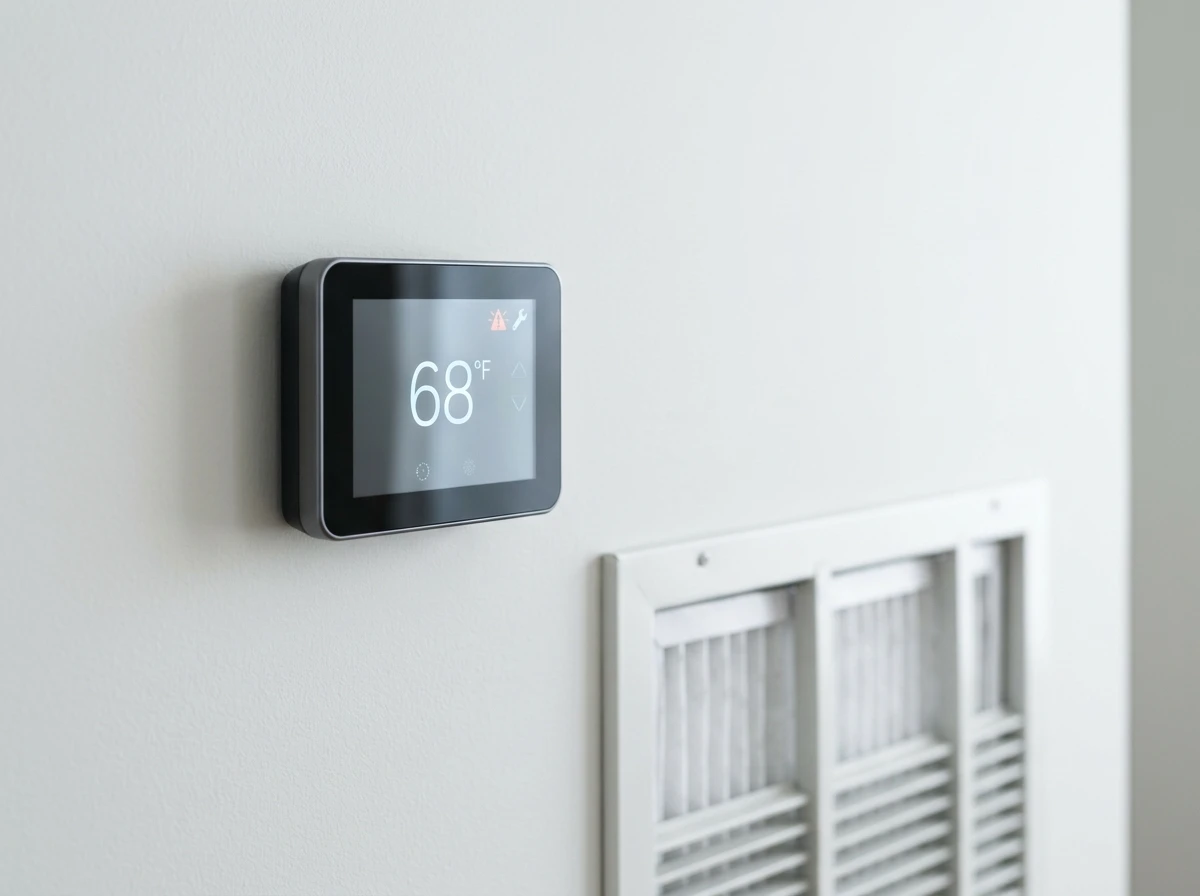
Before we dive into troubleshooting, you need to understand why thermostats click in the first place. Most thermostats use an internal relay switch to control your HVAC system. When the temperature in your home drops below (or rises above) your set point, this relay physically opens or closes to complete the low-voltage circuit that signals your furnace or air conditioner to start.
That physical movement of the relay creates the clicking sound you hear. Think of it like a light switch, but one that flips itself on and off based on temperature.
The question is not whether your thermostat should click, but rather how often and under what circumstances.
What Is Normal Clicking vs Problem Clicking
Not all clicking is bad. In fact, some clicking is exactly what you want to hear because it means your thermostat is working correctly.
| Normal Clicking | Problem Clicking |
|---|---|
| One click when heat or AC turns on | Clicking every few seconds continuously |
| One click when system shuts off | Rapid multiple clicks in succession |
| Clicking follows temperature setting | Clicking but no heat or AC starts |
| Spacing of 10-15 minutes between cycles | System short cycling (on/off every 2-3 minutes) |
| Consistent pattern during normal operation | Inconsistent or random clicking patterns |
Normal clicking happens when your thermostat activates your heating or cooling system. You should hear a single click when the system turns on, and another click when it reaches temperature and shuts off.
Problem clicking happens when the relay cannot maintain a stable connection. This creates that annoying repetitive clicking that keeps you awake at night and signals something needs fixing.
Common Causes Why Your Thermostat Keeps Clicking
When your thermostat keeps clicking repeatedly, one of several issues is usually the culprit. Here is what to check, starting with the easiest fixes first.
Low or Dying Batteries
This is the number one cause of constant clicking. When your thermostat’s batteries run low, the device cannot maintain consistent power to the relay switch. The relay tries to activate but does not get enough voltage, causing it to chatter or click repeatedly.
Our team has seen this issue countless times, especially in battery-powered thermostats that have not had fresh batteries in over a year. The fix is simple: replace the batteries with fresh alkaline batteries and see if the clicking stops.
Most thermostats use AA or AAA batteries, though some use button cells. Check your manual or pop the thermostat cover off to see what type you need.
Loose Wiring Connections
Your thermostat connects to your HVAC system through low-voltage wiring, typically behind the wall plate. Over time, these wire connections can loosen due to vibration, temperature changes, or simply age.
Loose connections create electrical resistance that prevents the relay from maintaining a solid circuit. The result is that rapid clicking sound as the connection tries to complete but cannot.
I recommend turning off power to your HVAC system at the circuit breaker before inspecting any wiring. Remove the thermostat faceplate and check that all wire connections are secure in their terminals. If you see any corrosion or frayed wires, that is likely your problem.
Dirty Air Filter Causing Short Cycling
A clogged air filter restricts airflow through your HVAC system. When airflow is restricted, your system cannot maintain proper temperature, causing it to turn on and off rapidly. This rapid cycling triggers your thermostat relay constantly, creating that annoying clicking pattern.
Check your air filter monthly and replace it every 1-3 months depending on usage and filter type. If your filter looks gray or dirty, swap it out immediately. This simple fix solves clicking issues more often than you might expect.
According to HVAC technicians on Reddit forums, a dirty filter is one of the most overlooked causes of thermostat problems. The restricted airflow not only causes clicking but can damage your entire system over time.
Thermostat Placement Issues
Where your thermostat lives matters more than most homeowners realize. If it is placed near a heat source (direct sunlight, lamps, appliances) or in a drafty area, it will receive inaccurate temperature readings.
These false readings cause the thermostat to think the temperature has changed when it has not, triggering constant on/off cycles and that accompanying clicking.
Ideally, your thermostat should be mounted on an interior wall away from windows, doors, vents, and heat sources. If yours is poorly positioned, consider relocating it or at least being aware that placement could be contributing to excessive clicking.
Failing Internal Relay
Sometimes the clicking indicates that the thermostat itself is wearing out. The internal relay switch has a finite lifespan, and after years of use, the contacts can wear down or become pitted.
A failing relay cannot maintain a clean electrical connection, resulting in the chattering or rapid clicking that drives homeowners crazy. Unfortunately, there is no fixing a worn-out relay. When this happens, it is time for a thermostat replacement.
If your thermostat is more than 10 years old and clicking constantly despite fresh batteries and clean filters, the relay is likely the issue.
Smart Thermostat Communication Issues
Smart thermostats like Nest, Ecobee, and Wyze can experience clicking issues related to WiFi connectivity or firmware problems. When these devices lose connection to their control systems, they may enter a loop trying to reconnect, causing audible relay clicking.
Forum users on Wyze communities specifically report clicking issues after firmware updates or when WiFi signals are weak. A quick reset or reconnection to your network often resolves these issues.
Smart thermostats also rely on the C-wire (common wire) for consistent power. If your installation lacks a C-wire and runs on batteries alone, you may experience more frequent clicking issues as power fluctuates.
Honeywell Thermostat Specific Issues
Honeywell thermostats are among the most common in American homes, and certain models have known clicking quirks. Older Honeywell mechanical thermostats with bimetallic strips click more frequently as the metal strip expands and contracts.
Newer Honeywell digital models can experience clicking from a failing anticipator or calibration issues. If you have a Honeywell thermostat that keeps clicking, check the model-specific troubleshooting in your manual. Many Honeywell units also have a setting called “cycle rate” that controls how often the system turns on. Setting this too high can cause excessive clicking.
DIY Diagnostic Steps: How to Fix a Clicking Thermostat
Now that you know what causes clicking, here is exactly how to diagnose and fix the issue yourself. Work through these steps in order for the best results.
Step 1: Replace the Batteries
Start with the simplest fix. Remove your thermostat from the wall plate and replace the batteries with fresh ones, even if the battery indicator does not show low. I have seen thermostats click with batteries that showed 50% charge but could not provide enough current for the relay.
Use high-quality alkaline batteries, not rechargeable or dollar-store batteries. Wait about 10 minutes after installation to see if clicking stops.
Step 2: Check and Replace Your Air Filter
Head to your furnace or air handler and inspect the air filter. If it is dirty, replace it immediately. Even if it looks okay, if it has been more than 2 months, swap it out anyway.
After changing the filter, observe your system for 30 minutes. The clicking should slow down or stop if a dirty filter was causing short cycling.
Step 3: Inspect Wiring Connections
Turn off power to your HVAC system at the circuit breaker. Remove your thermostat faceplate and examine the wire connections. Look for loose wires, corrosion, or damaged insulation.
Gently tug each wire to ensure it is securely fastened in its terminal. If you find a loose wire, tighten the screw terminal or reinsert it if it uses push connectors. If you see corrosion, clean it with a small wire brush or replace the wire if damage is severe.
Step 4: Clean the Thermostat
Dust and debris inside your thermostat can interfere with sensors and relay operation. Use a soft brush or compressed air to clean around the components. Never use liquid cleaners inside the thermostat housing.
For mechanical thermostats, carefully clean the contact points with a cotton swab if accessible. Dust buildup on the bimetallic coil can cause inaccurate temperature readings and erratic clicking.
Step 5: Reset the Thermostat
Many clicking issues resolve with a simple reset. For digital thermostats, remove the batteries (or turn off power) for at least 5 minutes, then reinstall. This clears any software glitches that might be causing relay issues.
For smart thermostats, perform a factory reset through the settings menu. You will need to reconnect to WiFi afterward, but this often resolves persistent clicking after firmware issues.
Step 6: Check Thermostat Placement
Evaluate where your thermostat is mounted. Is it near a window that gets direct sun? Above a heat register? Near the kitchen where cooking heat affects it? These placement issues cause constant temperature fluctuations and excessive clicking.
If relocation is not practical, try blocking heat sources temporarily or adjusting the temperature differential setting (if available) to reduce cycling frequency.
When to Call a Professional HVAC Technician
Some clicking issues require professional help. Know when to DIY and when to call an expert to avoid making problems worse or creating safety hazards.
Safety Concerns
While thermostats themselves use low voltage (24V), your HVAC system contains high-voltage components and gas lines. If you smell gas, see burning marks on wiring, or feel uncertain about electrical work, stop immediately and call a professional.
Our team always emphasizes that safety comes first. The cost of a service call is far less than the cost of electrical shock or gas leaks.
Signs Your Thermostat Is Failing
These symptoms indicate it is time to replace your thermostat rather than repair it:
- Constant clicking persists after trying all DIY fixes
- Temperature readings do not match actual room temperature
- HVAC system does not respond to thermostat commands
- Display is dim, flickering, or non-functional
- Thermostat is more than 15 years old
- Physical damage to the unit
If you experience these issues, consider looking at space heater alternatives while you arrange for professional repair.
Cost Comparison: DIY vs Professional
Understanding costs helps you decide when to call a pro:
- Battery replacement: $5-10 DIY, not worth a service call
- Air filter change: $10-25 DIY, avoid service fees
- Thermostat replacement: $50-250 DIY, $200-500 professional
- Wiring repair: $0-20 DIY (if simple), $150-300 professional
- HVAC component repair: Not DIY, $200-800 professional
Basic maintenance and simple fixes are almost always worth doing yourself. Electrical work beyond tightening a loose wire should typically be left to licensed technicians.
You can find more guidance in our other appliance troubleshooting guides for additional DIY repair confidence.
What a Professional Will Do
When you call an HVAC technician for clicking issues, they will typically check system voltage levels, test the thermostat relay with a multimeter, inspect your entire HVAC system for underlying issues, and verify proper wiring throughout the circuit.
They can also recommend whether repair or replacement makes more financial sense based on your specific unit and home setup.
Sound Dampening Solutions for Light Sleepers
If your clicking is normal but simply bothers you at night, there are ways to reduce the noise without fixing a non-existent problem. This is a unique concern many homeowners face but few guides address.
Relocation Options
The most effective solution is moving the thermostat to a less sensitive location. If your bedroom thermostat keeps you awake, consider relocating it to the hallway or a nearby room. An HVAC professional can extend wiring for a reasonable cost.
Sound Barrier Solutions
For thermostats that must stay put, try these noise-reduction tactics:
- Install a solid-core door to your bedroom to block hallway noise
- Use a white noise machine to mask clicking sounds
- Apply thin foam weatherstripping behind the thermostat wall plate (does not affect function but can dampen vibration)
- Consider a smart thermostat with quieter solid-state relays instead of mechanical ones
Prevention Tips: Stop Clicking Before It Starts
The best way to deal with a clicking thermostat is preventing the problem in the first place. These maintenance habits keep your thermostat running quietly and your HVAC system healthy.
Set a battery replacement schedule. Mark your calendar to change thermostat batteries every 12 months, even if they are not dead. Fresh batteries prevent the low-power clicking that plagues so many homeowners.
Change your air filter regularly. Set a phone reminder for monthly filter checks and replace every 60-90 days depending on your filter type and home conditions. Clean filters prevent short cycling and all its associated problems.
Consider your baseboard heater thermostats as well if you have hybrid heating systems, as they require similar maintenance attention.
Schedule annual HVAC maintenance. A professional tune-up catches issues before they cause clicking, short cycling, or complete system failures. The small annual cost prevents expensive emergency repairs.
Keep vents and registers clear. Blocked vents create airflow problems that lead to short cycling. Ensure furniture, curtains, and rugs do not obstruct air circulation.
FAQ: Common Questions About Thermostat Clicking
Why does my thermostat keep clicking?
Your thermostat keeps clicking due to one of these common causes: low or dying batteries preventing the relay from maintaining consistent power, loose wiring connections creating electrical resistance, a dirty air filter causing short cycling, or a failing internal relay switch. Occasional clicking is normal when your HVAC system activates, but constant clicking indicates an issue that needs attention. Start troubleshooting by replacing batteries and checking your air filter.
Why does my thermostat keep kicking on and off?
Rapid on-and-off cycling, also called short cycling, happens when your HVAC system cannot complete a full heating or cooling cycle. Common causes include a dirty air filter restricting airflow, an oversized heating or cooling system, thermostat placement near heat sources or drafts, or low refrigerant levels in AC systems. Short cycling causes excessive clicking as the thermostat relay activates repeatedly and can damage your HVAC components over time.
What are the signs that your thermostat is going bad?
Signs your thermostat is failing include: constant clicking that persists after battery replacement, temperature readings that do not match the actual room temperature, HVAC system not responding to commands, a dim or flickering display, the unit being over 15 years old, or physical damage to the housing. If your thermostat exhibits these symptoms, replacement is usually more cost-effective than repair. Modern smart thermostats offer improved accuracy and energy savings.
Can a bad thermostat pop a breaker?
Yes, a malfunctioning thermostat can trip a circuit breaker, though it is relatively rare. This happens when a short circuit develops inside the thermostat, damaged wiring creates a ground fault, or the relay switch fails in a way that causes electrical arcing. If your thermostat clicking is accompanied by tripped breakers, buzzing sounds, or burning smells, turn off power immediately and call a professional. These symptoms indicate electrical hazards that require expert attention.
Conclusion: Take Action on Your Thermostat Keeps Clicking Issue
If your thermostat keeps clicking, you now have a complete roadmap to diagnose and fix the problem. Start with the simple solutions: fresh batteries, clean air filters, and secure wiring connections. Most clicking issues resolve at this stage.
Remember that some clicking is completely normal. A single click when your system turns on or off is simply the relay doing its job. Worry only when the clicking becomes constant, rapid, or occurs without your HVAC system responding.
When in doubt, trust your instincts. If something smells wrong, sounds wrong, or feels unsafe, call a professional. The peace of mind is worth the service call cost. For everything else, the DIY steps in this guide should have your thermostat running quietly and your home comfortable again.
Take action today to stop that clicking and restore peace to your home.

![How to Clean Window Air Conditioner: Complete Guide [cy]](https://www.guidespot.com/wp-content/uploads/2026/07/featured-update-44907-1784957558870-370x245.jpg "How to Clean a Window Air Conditioner (2026): Step-by-Step Maintenance Guide")