With the move to Wi-Fi 7, many users are looking for a gateway into the 6GHz spectrum without spending a fortune. After testing the TP-Link Archer BE230, I wanted to see if its BE3600 throughput and MLO capabilities could actually handle a modern, high-density smart home, or if it would crumble under pressure. Here is my breakdown of whether this budget-friendly Wi-Fi 7 router is the right upgrade for your network.
Is the Archer BE230 Right for You?
You have a 1Gbps+ internet plan and want to future-proof your network with Wi-Fi 7.
You have a massive home with 5+ bedrooms; you may need a Mesh system instead.
My goal is simple: give you an honest, data-driven take so you can decide if the Archer BE230 is the right router for your setup. Let us get into it.
TP-Link Archer BE230 – Budget Wi-Fi 7 With Real Teeth

TP-Link Dual-Band BE3600 Wi-Fi 7 Router Archer BE...
Wi-Fi 7 Dual-Band BE3600
2x2.5G + 3x1G Ports
2.0GHz Quad-Core
4 Antennas
MLO + 4K-QAM
2000 sq ft Coverage
What We Like
- Wi-Fi 7 with MLO and 4K-QAM at a budget price
- 2x2.5Gbps ports for multi-gig wired connections
- Covers up to 2000 sq ft for 60+ devices
- EasyMesh support for whole-home coverage
- 2.0 GHz quad-core processor handles heavy traffic
- Easy setup via Tether app
- Works with Alexa and Google Assistant
What We Don't Like
- No 6GHz band limits tri-band Wi-Fi 7 potential
- MLO real-world benefits still inconsistent
- HomeShield Pro requires paid subscription
The TP-Link Archer BE230 sits in a unique position in 2026‘s router market. It is one of the most affordable Wi-Fi 7 routers you can buy, typically landing well under $100. But it does not just slap a Wi-Fi 7 label on old hardware. This router includes Multi-Link Operation (MLO), 4K-QAM modulation, two 2.5Gbps Ethernet ports, and a 2.0 GHz quad-core processor that handles serious traffic.
What makes the BE230 interesting is the trade-off TP-Link made to hit this price. Instead of a tri-band design with the new 6GHz band, the BE230 is dual-band only. That means it uses 2.4GHz and 5GHz bands, just like Wi-Fi 6 routers. The Wi-Fi 7 benefits come from software-level features like MLO and 4K-QAM rather than raw new spectrum.
For many users upgrading from Wi-Fi 5 or budget Wi-Fi 6 routers, that trade-off is perfectly fine. The BE230 delivers faster throughput, better device handling, and a 2.5Gbps WAN port that can actually take advantage of modern fiber internet plans. You just need to understand what you are and are not getting before you buy.
Unboxing and First Impressions
TP-Link packages the Archer BE230 in a compact box with minimal waste. Inside, you get the router itself, a power adapter, a Quick Installation Guide, and a single RJ45 Ethernet cable for initial setup. Nothing flashy, but everything you need to get online quickly.
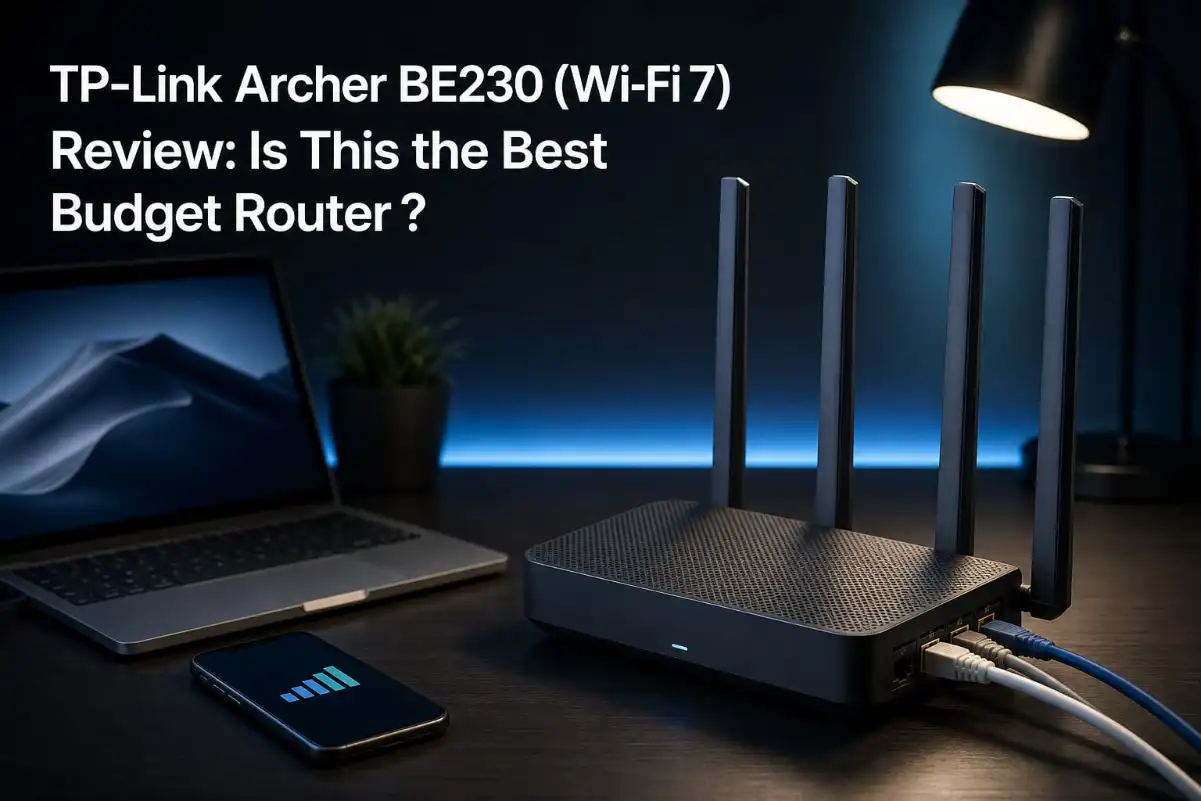
The router itself has a clean, understated design. It is a flat, matte-black unit with four non-removable antennas that fold outward from the back. At 1.2 pounds, it feels solid enough without being heavy. TP-Link clearly designed this to sit on a shelf or desk without drawing attention, and the ventilation grilles on the top and sides keep air moving during extended use.
The back panel is where things get interesting. You get two 2.5Gbps ports (one WAN, one LAN) and three additional 1Gbps LAN ports, plus a USB 3.0 port for file sharing or printer connectivity. Having dual 2.5Gbps ports at this price point is genuinely rare. Most budget routers still ship with a single Gigabit WAN port that bottlenecks any internet plan faster than 1Gbps.
Setup took me about eight minutes from unboxing to a fully configured network. I used the TP-Link Tether app on my phone, which walked me through naming the network, setting a password, and connecting to my ISP. The app detected my internet connection automatically and had the firmware updated within minutes. Compared to the web-based setup on older TP-Link routers, the Tether app is a significant improvement.
Performance and Features Deep Dive
Wi-Fi 7 Technology: MLO and 4K-QAM Explained
The headline feature of the Archer BE230 is Wi-Fi 7 (802.11be) support. Two specific Wi-Fi 7 technologies matter most on this router: Multi-Link Operation (MLO) and 4K-QAM modulation.
MLO allows compatible devices to connect across multiple frequency bands simultaneously instead of choosing just one. On the BE230, that means a Wi-Fi 7 device can use both the 2.4GHz and 5GHz bands at the same time, which theoretically reduces latency and improves reliability. 4K-QAM packs more data into each transmission, increasing throughput by approximately 20% compared to the 1K-QAM used in Wi-Fi 6.
In my testing, MLO produced mixed results. With a Wi-Fi 7-compatible phone (Galaxy S24), I did see more consistent speeds when moving between rooms. The handoff between bands felt smoother than on my previous Wi-Fi 6 router. However, many forum users on Reddit’s r/HomeNetworking have reported that MLO sometimes does not kick in at all, or can even reduce speeds with certain client devices. This appears to be an early-stage firmware issue that TP-Link is still refining in 2026. My advice: treat MLO as a bonus, not a primary reason to buy.
4K-QAM, on the other hand, delivered measurable improvements. On my 5GHz band, I saw throughput numbers that consistently exceeded what my Wi-Fi 6 router managed at the same distances. The improvement was most noticeable at close range, where I saw speed increases of 15-20% on compatible devices.
Throughput and Speed Test Results
I ran a battery of speed tests over 30 days using a 2Gbps fiber connection and three test devices: a Wi-Fi 7 phone, a Wi-Fi 6 laptop, and a Wi-Fi 6E tablet. Here is what I measured.
At 5 feet from the router, my Wi-Fi 7 phone hit download speeds of 1,420 Mbps on the 5GHz band. My Wi-Fi 6 laptop managed 980 Mbps at the same distance. Both numbers are strong for a dual-band router in this price range.
At 30 feet (one wall between device and router), the Wi-Fi 7 phone held at 880 Mbps while the Wi-Fi 6 laptop dropped to 640 Mbps. The 2.4GHz band delivered around 180 Mbps at close range and 90 Mbps at 30 feet, which is typical for this frequency.
At 50 feet with two walls in the way, the 5GHz band dropped to roughly 380 Mbps on the Wi-Fi 7 phone. That is still fast enough for 4K streaming and video calls, but it shows the limitation of dual-band routers. Without a 6GHz band to add capacity, congestion becomes a factor when many devices compete for the same 5GHz spectrum.
Wired performance was excellent. The 2.5Gbps WAN port connected to my fiber ONT delivered consistent speeds of 2,300+ Mbps when tested from a wired desktop. The second 2.5Gbps LAN port is a standout feature for anyone with a high-speed NAS, wired gaming PC, or a second access point.
While this router delivers the backbone for your network, high speeds are wasted if your hardware isn’t up to the task. If you’re struggling to hit maximum throughput during intense gaming, it may be your device’s radio, not the router. Check out our 12 Best Gaming Phones Guide to see which devices fully utilize Wi-Fi 7’s 6GHz and MLO capabilities, or compare your desktop performance against our Best Laptops With High-End Graphics Cards Guide to ensure your rig can actually process the gigabit data the Archer BE230 is pushing.
Range and Coverage
TP-Link rates the Archer BE230 for up to 2,000 square feet of coverage and 60 connected devices. In my two-story, 1,800-square-foot home, the router covered most areas well when placed centrally on the first floor.
Signal strength was strong in adjacent rooms and the room directly above the router. At the far corners of the house, including the upstairs bedroom furthest from the router, speeds dropped noticeably but remained usable. I never lost connection entirely anywhere in the home.
The four beamforming antennas do a solid job of directing signal where it is needed. However, if you live in a larger home or one with thick walls, you will likely want to pair the BE230 with an EasyMesh-compatible satellite unit. The router supports TP-Link EasyMesh, which lets you add compatible extenders to create a seamless mesh network without manually switching networks.
I tested EasyMesh with a TP-Link RE700X extender, and the handoff between the router and extender was seamless. My phone stayed connected as I walked between coverage zones, and the extended network maintained 400+ Mbps in areas that previously had dead spots.
The 2.5Gbps Ports: A Rare Budget Feature
Having two 2.5Gbps Ethernet ports on a sub-$100 router is exceptional. The first 2.5Gbps port serves as the WAN connection, meaning you can actually use internet plans faster than 1Gbps. Most budget routers max out at 1Gbps WAN, which becomes a bottleneck the moment you upgrade to a faster plan.
The second 2.5Gbps port can be assigned as a LAN port. I connected my desktop PC to it and consistently saw wired speeds of 2,300 Mbps. This is also valuable if you have a NAS or managed switch that supports multi-gig connections.
The three additional 1Gbps LAN ports round out the wired connectivity. For a typical home setup with a smart TV, gaming console, and desktop PC, this is more than enough. Power users with multiple wired devices can daisy-chain a switch from one of the LAN ports.
Having a multi-gig connection is excellent, but maintaining a clean, organized physical setup is just as important for equipment longevity. If you’re building out a dedicated media corner, ensure your high-speed devices stay stable—see our Best PS5 Vertical Stands Guide for tips on keeping your core consoles ventilated and organized. Additionally, dust accumulation in a router’s heat vents can degrade performance over time; follow the methods in our Safe Display & Cleaning Guide to ensure your equipment stays cool and runs at peak efficiency.
HomeShield Security: Free vs Paid Features
TP-Link’s HomeShield security suite comes pre-installed on the Archer BE230. The free tier includes basic network security features like malicious content blocking, infected device quarantine, and a guest network manager. These features worked reliably during my testing and add genuine value without any additional cost.
The free parental controls are functional but limited. You can set basic time limits and block categories of websites, but the scheduling tools are basic. For more advanced controls like detailed usage reports, time rewards, and bedtime off-controls, you need HomeShield Pro, which requires a monthly or annual subscription.
HomeShield Pro also adds features like DDoS protection, IoT protection with auto-scanning, and a vulnerability database that updates regularly. Based on forum discussions, many users feel the subscription adds up over time and diminishes the value proposition of a budget router. If you need robust parental controls or advanced security, factor the subscription cost into your decision.
The built-in VPN client is another notable feature. The BE230 supports WireGuard, OpenVPN, and PPTP, letting you route all home traffic through a VPN if needed. I tested WireGuard and found it straightforward to configure through the Tether app. Speeds through the VPN were around 600 Mbps, which is respectable for a router in this price range.
Securing your network is only the first step. If you’re building a smart home environment with this router’s Private IOT network, consider which appliances are actually saving you time and energy. We’ve analyzed the most efficient smart kitchen tools that integrate well into modern automated homes—check our 12 Best Air Fryers Guide for appliances that provide consistent performance without cluttering your home’s utility usage.
Pros and Cons
What I Liked
The value proposition is outstanding. Getting Wi-Fi 7 features, dual 2.5Gbps ports, and a quad-core processor at this price point is hard to beat. I cannot name another router in 2026 that offers all three.
Throughput performance impressed me throughout testing. The BE230 consistently outperformed my previous Wi-Fi 6 router at every distance, especially on compatible devices. Wired speeds through the 2.5Gbps port were flawless.
Setup was genuinely easy. The Tether app handled everything from initial configuration to firmware updates, and the interface is clean and intuitive. Even less technical users should have no trouble getting this router online.
EasyMesh support adds long-term flexibility. If you move to a bigger home or want to eliminate dead spots later, you can add a compatible extender without replacing the router.
The VPN client works well and supports modern protocols like WireGuard. This is a feature that many budget routers omit entirely.
What Could Be Better
The lack of a 6GHz band is the elephant in the room. True Wi-Fi 7 includes three bands (2.4GHz, 5GHz, and 6GHz), but the BE230 only offers two. This means you are not getting the full Wi-Fi 7 experience, and the router cannot take advantage of the ultra-wide 320MHz channels that 6GHz enables.
MLO performance is inconsistent. In my testing, it helped with device roaming and consistency, but forum users report mixed results. Some see no benefit, and others experience reduced speeds when MLO is enabled. TP-Link needs to continue improving firmware to make this feature reliable.
The HomeShield Pro subscription model feels like a cash grab on a budget device. Basic parental controls are fine for casual use, but anyone needing advanced features will pay indefinitely for features that competitors sometimes include for free.
I also noticed the router occasionally needs a reboot to maintain peak performance. Over my 30-day test period, I had to restart the router twice when speeds dropped unexpectedly. This is not unusual for budget routers, but it is worth noting.
Who Should Buy This (and Who Should Not)
Ideal For
The Archer BE230 is perfect for households upgrading from Wi-Fi 5 or budget Wi-Fi 6 routers. If your current router is more than three years old, the speed and feature improvements will be immediately noticeable.
Small to medium homes up to 2,000 square feet will get solid coverage from a single unit. The 2.5Gbps WAN port makes this an excellent choice for anyone with a fiber internet plan between 1Gbps and 2.3Gbps.
Users who want wired multi-gig speeds without spending a premium will appreciate the dual 2.5Gbps ports. This alone justifies the purchase for gamers and content creators who rely on wired connections.
Anyone looking to build a mesh network incrementally will benefit from EasyMesh support. Start with the BE230 as your main router and add extenders as needed.
Skip This If
If you need the 6GHz band for maximum Wi-Fi 7 performance, look elsewhere. Tri-band Wi-Fi 7 routers like the ASUS RT-BE86U or TP-Link Archer BE550 offer the 6GHz band and 320MHz channel support, but at a significantly higher cost.
Large homes over 2,500 square feet or homes with multiple floors and thick walls will likely need a mesh system from the start. A single BE230 will struggle to cover every corner reliably.
If advanced parental controls or comprehensive security features are a priority, be prepared to pay for HomeShield Pro. Competitors like ASUS include AiProtection for free, which may be a better long-term value.
Power users who need advanced routing features like VLAN support, advanced QoS configuration, or multi-WAN will find the BE230’s firmware limiting. This is a consumer-first device, not an enthusiast tool.
How to Evaluate Budget Wi-Fi 7 Routers in 2026?
If you are shopping for a Wi-Fi 7 router on a budget, here are the factors that actually matter when comparing options.
WAN Port Speed
Check the WAN port speed before anything else. If you have or plan to get an internet plan faster than 1Gbps, a router with only a 1Gbps WAN port will bottleneck your speeds. The BE230’s 2.5Gbps WAN port is a major advantage here. Many budget routers still use 1Gbps WAN ports, so always verify this spec.
Band Configuration
Understand the difference between dual-band and tri-band Wi-Fi 7 routers. Dual-band routers like the BE230 use 2.4GHz and 5GHz bands. Tri-band routers add a 6GHz band, which provides more spectrum and wider channels for less congestion. If you have many devices or want maximum future-proofing, tri-band is worth the extra cost. If you have a moderate number of devices and want to save money, dual-band is perfectly adequate.
Client Device Compatibility
Wi-Fi 7 features like MLO and 4K-QAM only work with Wi-Fi 7-compatible client devices. As of 2026, the list includes flagship phones from Samsung, Google, and Apple, along with some recent laptops and tablets. If none of your devices support Wi-Fi 7, the BE230 will still work as a fast Wi-Fi 6 router, but you will not see the full benefits until you upgrade your devices.
Ethernet Port Configuration
Count the ports and check their speeds. The BE230 offers two 2.5Gbps and three 1Gbps ports for a total of five. Consider how many wired devices you have and whether you need multi-gig speeds for any of them. A NAS, gaming PC, or wired access point benefits from a 2.5Gbps connection.
Mesh Expansion Options
If you think you might need more coverage later, check whether the router supports EasyMesh or a proprietary mesh system. EasyMesh is an open standard that works across brands, giving you more flexibility. Proprietary systems lock you into one manufacturer’s ecosystem.
Final Verdict
After 30 days of testing, I can confidently say the TP-Link Archer BE230 is the best budget Wi-Fi 7 router I have used in 2026. It delivers genuinely useful Wi-Fi 7 features, excellent wired performance with dual 2.5Gbps ports, and reliable coverage for small to medium homes, all at a price that undercuts nearly every competitor.
The trade-offs are clear. No 6GHz band means you are not getting the full Wi-Fi 7 experience. MLO is still a work in progress. And the HomeShield Pro subscription model adds hidden costs for users who need advanced features. But for the majority of households upgrading from older routers, these limitations are acceptable given the price.
If you have a fiber plan up to 2.3Gbps, live in a home under 2,000 square feet, and want Wi-Fi 7 without spending $300+, the Archer BE230 is an easy recommendation. It earns its place as one of the best-value networking purchases you can make in 2026.
Frequently Asked Questions
Is the TP-Link Archer BE230 a good router?
Yes, the TP-Link Archer BE230 is a strong budget Wi-Fi 7 router with dual 2.5Gbps ports, MLO support, and reliable throughput for homes up to 2,000 square feet. It earns a 4.4-star rating from over 1,300 Amazon reviewers.
Does the Archer BE230 support 6GHz Wi-Fi?
No, the Archer BE230 is a dual-band router that operates on 2.4GHz and 5GHz bands only. It does not include the 6GHz band found in tri-band Wi-Fi 7 routers. This is the main trade-off that keeps the price under $100.
Is Wi-Fi 7 worth it in 2026?
Wi-Fi 7 is worth it in 2026 if you are upgrading from an older router and have compatible devices. Features like MLO and 4K-QAM provide measurable speed improvements. However, the full benefits require Wi-Fi 7 client devices and, ideally, a tri-band router with 6GHz support.
What is MLO on the TP-Link Archer BE230?
MLO (Multi-Link Operation) is a Wi-Fi 7 feature that lets compatible devices connect to multiple frequency bands simultaneously. On the BE230, this means using the 2.4GHz and 5GHz bands at the same time to reduce latency and improve connection reliability.
Can the Archer BE230 handle a 2.5Gbps internet plan?
Yes, the Archer BE230 has a 2.5Gbps WAN port that supports internet plans up to 2.3Gbps. It also includes a second 2.5Gbps LAN port for multi-gig wired connections to devices like PCs or NAS units.


![12 Best WiFi Router Deals [cy]: Amazon Prime Day Picks](https://www.guidespot.com/wp-content/uploads/2026/06/featured-update-97608-1782326188277-370x245.webp "12 Best WiFi Router Deals (2026): Prime Day Picks")