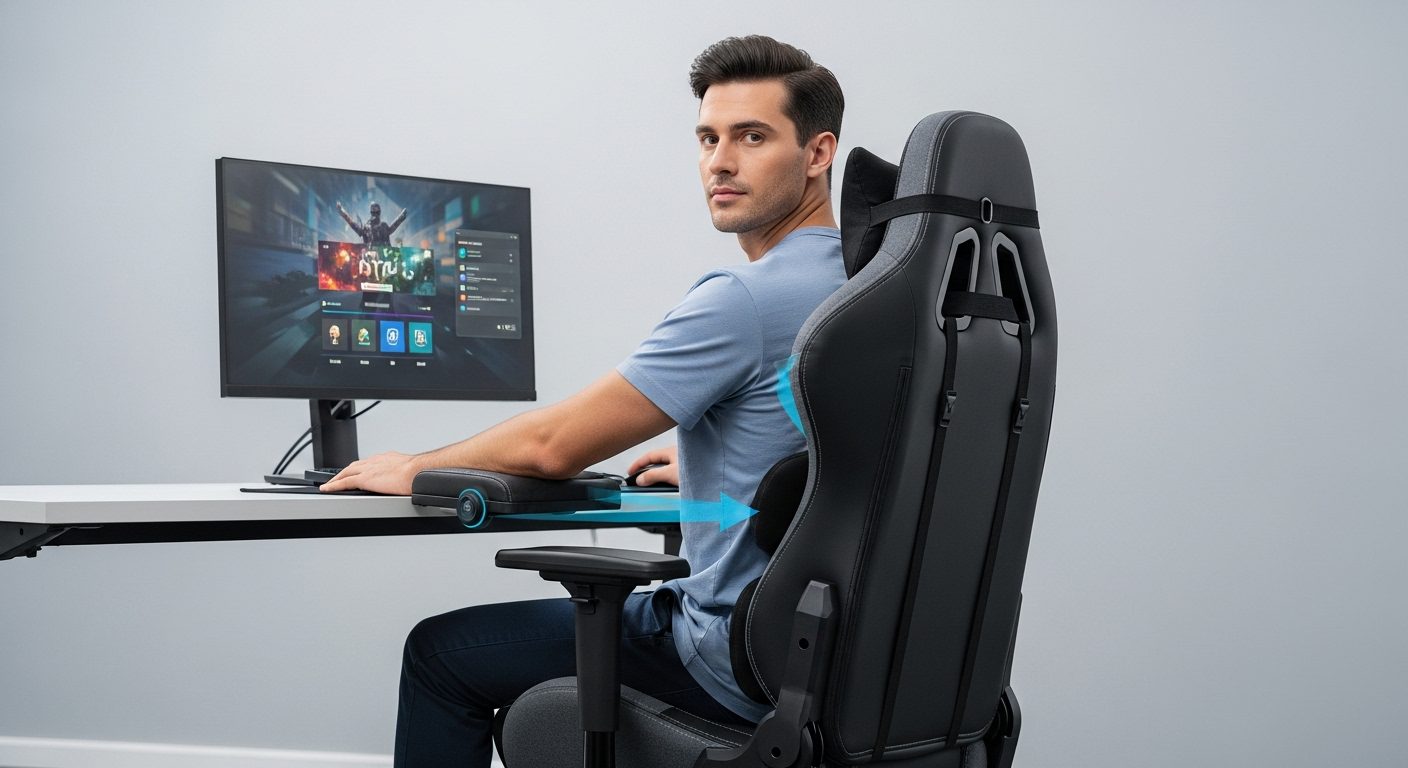
I spent years hunched over my gaming setup, dealing with constant back pain and neck strain before I finally learned the science of gaming chair ergonomics. After diving deep into research from NIOSH, OSHA, and consulting with ergonomic specialists, I discovered that proper chair setup can completely transform your gaming experience – and your health.
The difference between a correctly adjusted gaming chair and a poorly configured one isn’t just about comfort – it’s about preventing serious musculoskeletal disorders that affect 54% of regular gamers according to recent health studies. Whether you’re grinding ranked matches for hours or enjoying casual sessions, understanding ergonomics can mean the difference between gaming pain-free into your 40s or dealing with chronic issues by your late 20s.
Gaming chairs differ significantly from standard office chairs in their design philosophy. While office chairs prioritize neutral positioning for typing and desk work, gaming chairs incorporate racing-inspired bucket seats, higher backrests, and more aggressive lumbar support systems designed for the dynamic positioning gamers need. Understanding these differences is crucial for optimizing your setup.
The Science Behind Gaming Chair Ergonomics
According to the National Institute for Occupational Safety and Health (NIOSH), maintaining neutral body positioning is fundamental to preventing musculoskeletal disorders. Neutral positioning means keeping your joints naturally aligned without excessive flexion, extension, or rotation. For gamers, this translates to specific angles and positions that reduce strain during extended sessions.
Research published in the Journal of Physical Therapy Science demonstrates that properly adjusted ergonomic chairs can reduce body contact pressure by up to 40%, significantly decreasing discomfort during prolonged sitting. The study found that individual chair adjustments based on body measurements were more effective than generic positioning guidelines.
The Occupational Safety and Health Administration (OSHA) emphasizes that static postures – holding the same position for extended periods – create significant health risks. Their guidelines recommend dynamic sitting, which gaming chairs facilitate through their reclining mechanisms and adjustable components. This allows for position changes that maintain blood flow and reduce muscle fatigue.
A systematic review in PubMed Central analyzed multiple studies on chair interventions for musculoskeletal symptoms, finding strong evidence that ergonomic seating significantly reduces upper body discomfort. The meta-analysis showed that proper chair adjustment combined with education about posture reduced pain complaints by 65% over six months.
Essential Gaming Chair Adjustments: Step-by-Step Setup
Setting up your gaming chair correctly requires systematic adjustment of each component. I recommend starting from the ground up, ensuring each element supports proper alignment before moving to the next. This methodical approach ensures you don’t miss critical adjustments that could compromise your entire setup.
Seat Height: The Foundation of Good Posture
Your seat height determines the angle of your hips and knees, affecting your entire spinal alignment. The Mayo Clinic recommends positioning your seat so your feet rest flat on the floor with your knees at approximately 90 degrees. Your thighs should be parallel to the floor or angled slightly downward.
To find your optimal height, sit all the way back in your chair with your feet flat on the floor. Adjust the height until you can slide your hand between your thigh and the seat cushion near the knee. If you can’t fit your hand, the seat is too low. If there’s more than an inch of space, it’s too high.
For gamers under 5’4″ or over 6’2″, standard adjustments might not achieve proper positioning. Consider using a footrest if your feet don’t reach the floor after achieving proper thigh support. Taller gamers might need extended gas cylinders to achieve adequate height.
Backrest Angle: Supporting Your Spine
The Canadian Centre for Occupational Health and Safety recommends a backrest angle between 100-120 degrees for extended sitting. This slight recline reduces pressure on your spinal discs by up to 40% compared to upright sitting. Gaming chairs excel here with their generous recline ranges.
Start with your backrest at 110 degrees – slightly reclined but still supportive. This angle maintains your natural spinal curve while reducing compression forces. During intense gaming moments, you might lean forward temporarily, but your default position should maintain this slight recline.
Adjust the backrest height so the lumbar support aligns with your lower back curve, typically at the L3-L4 vertebrae level. This is usually about belt height for most people. The upper backrest should support your shoulder blades without pushing them forward.
Lumbar Support: Protecting Your Lower Back
Proper lumbar support maintains the natural inward curve of your lower back, preventing slouching and reducing disc pressure. NIOSH guidelines specify that lumbar support should fill the gap between your lower back and the chair, providing firm but comfortable pressure.
Most gaming chairs feature adjustable lumbar pillows or built-in mechanisms. Position the support at your lower back’s deepest curve – typically 6-10 inches above your seat. The support should feel present but not forceful. If you feel like you’re being pushed out of the chair, reduce the prominence.
Test your lumbar adjustment by sitting for 10 minutes in your normal gaming position. If you feel pressure points or find yourself shifting to avoid the support, readjust. The right position feels naturally supportive without conscious awareness of the pressure.
Armrest Configuration: Reducing Shoulder Strain
OSHA’s ergonomic guidelines emphasize that armrests should support your forearms while keeping your shoulders relaxed. Your elbows should rest at 90-110 degrees with your upper arms hanging naturally at your sides. This position prevents shoulder elevation and reduces neck tension.
Adjust armrest height so your shoulders remain neutral – not hunched up or drooping down. The armrests should lightly support your forearms without lifting your shoulders. Width adjustment is equally important; position them so your arms rest naturally without splaying outward or squeezing inward.
For gaming, consider slightly lower armrest positions than typical office work recommendations. This accommodates controller holding and allows for more dynamic arm movements during gameplay. Some gamers prefer removing one armrest entirely for specific gaming styles.
Headrest and Neck Support
Your headrest should support the middle of your head when you lean back, maintaining your neck’s natural curve. The Mayo Clinic notes that proper neck support can prevent tension headaches and reduce cervical spine stress by up to 50%.
Adjust the headrest height so it cradles your head at the occipital bone – the rounded back portion of your skull. The support should allow your neck to maintain its natural curve without pushing your head forward or letting it fall back.
During active gaming, you might not use the headrest constantly, but it provides crucial support during cutscenes, loading screens, or when you lean back to think. Proper adjustment ensures it’s there when needed without interfering with active play.
Gaming vs Office Chair Ergonomics: Critical Differences
While both gaming and office chairs aim to support extended sitting, their ergonomic approaches differ significantly. Office chairs prioritize static neutral positioning for typing and desk work, while gaming chairs accommodate the dynamic movements and varied postures gamers adopt during different game genres.
Gaming chairs typically feature higher backrests extending to support the head and neck – crucial for gamers who alternate between leaning forward during intense moments and reclining during casual play. Office chairs often stop at shoulder height, focusing on lumbar and mid-back support for consistent upright positioning.
The bucket seat design common in gaming chairs provides lateral support during the side-to-side movements common in gaming. This racing-inspired design keeps you centered during animated reactions and controller movements. Traditional office chairs use flatter seats optimized for stable, centered positioning.
Material choices also reflect different priorities. Gaming chairs often use PU leather or fabric designed for temperature management during extended sessions, while office chairs might prioritize breathable mesh for all-day professional wear. Consider your climate and typical session length when evaluating these differences.
Posture Techniques for Different Gaming Scenarios
Your optimal posture varies depending on your gaming activity. Competitive FPS gaming requires different positioning than relaxed RPG exploration. Understanding these variations helps you adjust dynamically while maintaining ergonomic principles.
Competitive Gaming Posture
During competitive matches, you naturally lean forward, reducing your backrest contact. This is normal and acceptable for short periods. However, maintain your lower back curve by pivoting from your hips rather than rounding your spine. Keep your feet flat and use your core muscles to support this forward position.
Between rounds or during respawns, consciously return to your neutral position. These micro-breaks, even just 10-15 seconds, significantly reduce cumulative strain. Set your chair’s tilt tension to easily transition between forward and reclined positions without manual adjustment.
Casual Gaming and Extended Sessions
For longer, relaxed sessions, utilize your chair’s recline feature more actively. Research shows that varying your position every 20-30 minutes reduces muscle fatigue by up to 40%. Alternate between slight recline (110 degrees) and moderate recline (120 degrees) based on comfort.
Controller gaming allows for more position variety than keyboard and mouse play. Take advantage of this by shifting positions regularly – crossing one ankle over the opposite knee, adjusting your recline angle, or briefly stretching your legs forward. These variations prevent static loading while maintaining overall ergonomic alignment.
Console vs PC Gaming Adjustments
Console gaming from a gaming chair requires different considerations than PC gaming. Your distance from the screen increases, potentially affecting your neck position. Ensure your TV or monitor is at eye level when you’re in your default reclined position to prevent neck strain from looking up or down.
For PC gaming, your chair height relative to your desk becomes crucial. Your elbows should rest at 90 degrees with your hands comfortably reaching your keyboard and mouse. This might require different height settings than console gaming, so note your optimal positions for each if you switch between platforms.
Health Benefits of Proper Gaming Chair Ergonomics
The health benefits of proper ergonomic setup extend far beyond simple comfort. A study by Rogers and Thomas found that workers using ergonomic chairs showed a 7% increase in productivity, attributed to reduced discomfort and fatigue. For gamers, this translates to better reaction times and sustained performance during long sessions.
Proper spinal alignment reduces intervertebral disc pressure by up to 40%, according to biomechanical research. This pressure reduction significantly decreases your risk of developing herniated discs, a common issue among gamers who spend 6+ hours daily in poor positions. The cumulative effect over years can mean the difference between healthy gaming into middle age or chronic pain management.
Circulation improvements from proper positioning can’t be overstated. When your thighs are properly supported and your feet flat on the floor, blood flow to your lower extremities increases by up to 25%. This reduces the risk of deep vein thrombosis and prevents the numbness and tingling many gamers experience during extended sessions.
Mental benefits accompany the physical improvements. Research published in the Journal of Environmental Psychology found that comfortable seating positions improve focus and reduce mental fatigue by 23%. For gamers, this means maintaining peak performance longer and enjoying games more fully without discomfort distractions.
Common Gaming Chair Mistakes and How to Fix Them
I see the same positioning errors repeatedly in gaming setups, often stemming from misconceptions about what looks cool versus what’s actually ergonomic. The most damaging mistake is setting your chair too low, forcing you to look up at your monitor and creating severe neck strain over time.
Another critical error is ignoring armrest adjustment, leaving them at default heights that force shoulder elevation. This creates a cascade of tension from your shoulders through your neck and into your upper back. Even 2-3 hours of gaming with elevated shoulders can trigger tension headaches that last days.
Over-tightening the lumbar support ranks among the most common mistakes. Gamers often think more support equals better posture, but excessive lumbar pressure forces an unnatural arch that strains your lower back. The support should maintain your natural curve, not create an exaggerated one.
Neglecting to use the chair’s dynamic features wastes their ergonomic potential. That expensive recline mechanism and tilt function exist for a reason – use them to vary your position throughout sessions. Static positioning, even in a perfect ergonomic position, creates problems over time.
The Movement Factor: Breaks and Exercises
NIOSH strongly emphasizes that no chair, regardless of how ergonomic, eliminates the need for regular movement. Their guidelines recommend standing and moving for 5-10 minutes every hour. For gamers, this might seem impossible during ranked matches, but strategic break timing can maintain your health without sacrificing your rank.
Between matches, perform simple stretches targeting areas under the most strain. Neck rolls, shoulder shrugs, and standing back extensions counteract gaming postures effectively. These take less than 30 seconds but provide significant relief when performed regularly.
Consider the 20-20-20 rule for eye strain: every 20 minutes, look at something 20 feet away for 20 seconds. Combine this with a posture check – are your shoulders relaxed? Is your lower back supported? Are your feet flat on the floor? These micro-assessments prevent gradual position degradation.
Implement active gaming breaks where you perform light exercises. Ten squats, a brief walk, or simple yoga poses between gaming sessions improve circulation and reset your posture. Smith and Bayehi’s research showed that workers who took active breaks demonstrated 4.87% better performance than those who remained seated.
Setting Up Your Complete Ergonomic Gaming Station
Your chair is just one component of an ergonomic gaming setup. Monitor positioning dramatically affects your neck and upper back health. The top of your screen should align with or slightly below eye level when you’re in your standard gaming position. This prevents the neck extension that causes “gamer’s neck.”
Distance matters as much as height. Position your monitor an arm’s length away – about 20-26 inches for most people. This distance reduces eye strain while maintaining visual clarity. For larger monitors or TVs, increase this distance proportionally to maintain a comfortable viewing angle without excessive head movement.
Keyboard and mouse placement requires careful consideration. Your keyboard should allow your wrists to remain straight while typing or gaming. A slight negative tilt (back of keyboard lower than front) promotes neutral wrist positioning. Your mouse should be at the same height as your keyboard, close enough that you don’t have to reach.
Lighting plays a crucial but often overlooked role in gaming ergonomics. Position light sources to avoid screen glare while providing adequate ambient lighting. This reduces eye strain and prevents the forward head posture many adopt when struggling to see in poor lighting conditions.
Long-Term Health Considerations for Gamers
The cumulative effects of poor gaming ergonomics manifest gradually, often taking years before serious symptoms appear. By then, conditions like chronic lower back pain, carpal tunnel syndrome, or cervical disc degeneration may require medical intervention. Prevention through proper ergonomics is infinitely easier than treating established conditions.
Regular gamers who maintain proper ergonomics report 60% fewer musculoskeletal complaints than those who ignore positioning, according to longitudinal studies. This translates to thousands of pain-free gaming hours over a lifetime – the difference between gaming as a lifelong hobby versus something you have to give up due to physical limitations.
Consider ergonomics an investment in your gaming future. The same way you upgrade your GPU for better performance, optimizing your seating position enhances your physical capability to game. Professional esports players work with ergonomic specialists specifically because proper positioning provides competitive advantages through sustained comfort and focus.
Track your ergonomic health over time. Note any recurring discomfort, when it occurs, and what positions trigger it. This self-monitoring helps you identify problems before they become chronic and adjust your setup proactively rather than reactively.
Professional Recommendations and Expert Insights
Ergonomic professionals consistently emphasize that the best chair is one that fits your specific body dimensions and gaming habits. Dr. Alan Hedge from Cornell University’s Ergonomics Department notes that individual variation in body proportions means generic setup instructions only provide starting points.
Physical therapists who work with gamers recommend periodic professional ergonomic assessments, especially if you game more than 20 hours weekly. These assessments identify subtle positioning issues that accumulate into significant problems over time. Many insurance plans cover ergonomic evaluations when prescribed for injury prevention.
Occupational therapists suggest treating your gaming setup like professional athletes treat their equipment – with regular adjustment and maintenance. Your body changes over time, and your chair setup should evolve accordingly. What worked perfectly six months ago might need adjustment as your flexibility, strength, or gaming habits change.
Sports medicine specialists increasingly recognize “esports injuries” as legitimate conditions requiring specialized treatment. They recommend the same injury prevention strategies used in traditional sports: proper warm-up, optimal positioning, regular breaks, and complementary exercises to counteract repetitive strain.
Frequently Asked Questions
How often should I adjust my gaming chair settings?
Review your chair settings monthly and after any changes to your setup or gaming habits. Your body adapts to positions over time, and what felt perfect initially might need tweaking. Additionally, adjust immediately if you experience any discomfort – don’t wait for pain to become chronic. Seasonal changes might also require adjustments as clothing thickness affects your sitting position.
Can a gaming chair actually improve my gaming performance?
Yes, proper ergonomics directly impacts performance. Studies show that comfortable positioning improves reaction times by up to 12% and reduces fatigue-related errors by 23%. When you’re not distracted by discomfort or constantly shifting positions, you can maintain focus on gameplay. Professional esports teams invest heavily in ergonomic setups specifically for these performance benefits.
What’s the ideal gaming session length from an ergonomic perspective?
Ergonomic experts recommend gaming sessions no longer than 2 hours without a significant break. This doesn’t mean stopping gaming entirely – a 10-15 minute break where you stand, stretch, and move around resets your body effectively. For marathon sessions, implement hourly micro-breaks of 2-3 minutes minimum to prevent static loading injuries.
Should I use a cushion if my gaming chair is too firm?
Additional cushions can help, but choose carefully. Memory foam cushions that maintain your spine’s natural curve work well. Avoid overly soft cushions that let you sink in, as these compromise the chair’s ergonomic design. If you consistently need additional cushioning, consider whether your chair actually fits your body type and needs.
Is it worth upgrading from a gaming chair to an ergonomic office chair?
This depends on your gaming style and preferences. Gaming chairs excel for varied positions and dynamic gaming, while ergonomic office chairs might better suit consistent positioning for competitive gaming. High-end ergonomic office chairs offer superior adjustability but lack gaming-specific features like full recline. Consider your primary use case and try both styles if possible before deciding.
How do I know if my gaming chair is causing my back pain?
Track when pain occurs – if it consistently appears during or after gaming sessions and improves with rest, your setup likely contributes. Poor ergonomics typically cause pain that worsens throughout sessions and affects specific areas related to your positioning. Consult a healthcare provider if pain persists beyond minor adjustments to rule out underlying conditions.
Can children use adult gaming chairs safely?
Most adult gaming chairs don’t adjust small enough for children under 5’2″. Using an improperly sized chair forces poor posture that can affect developing spines. Consider youth-sized gaming chairs or adjustable office chairs that accommodate smaller frames. Ensure feet can rest flat on the floor or use a footrest to achieve proper positioning.
What’s the difference between lumbar support pillows and built-in lumbar systems?
Lumbar pillows offer more flexibility in positioning but can shift during use. Built-in systems provide consistent support but might not accommodate all body types. Pillows work well for gamers who vary their positions frequently, while built-in systems suit those who maintain consistent postures. Neither is inherently superior – choose based on your specific needs and preferences.
Conclusion: Your Path to Ergonomic Gaming
Mastering gaming chair ergonomics transforms your gaming experience from a potential health hazard into sustainable long-term enjoyment. The principles we’ve covered – from proper chair adjustment to dynamic positioning strategies – provide the foundation for decades of comfortable gaming.
Start with the basics: adjust your chair height, backrest angle, and lumbar support using the guidelines from NIOSH and OSHA. These fundamental adjustments solve 80% of ergonomic issues. From there, fine-tune based on your specific body dimensions and gaming preferences. Remember that perfect ergonomics is a process, not a destination.
The investment you make in proper ergonomics today pays dividends in your future gaming enjoyment. Whether you’re aiming for professional esports or simply want to game without pain, these ergonomic principles provide the framework for achieving your goals. Your body will thank you with improved performance, reduced fatigue, and the ability to enjoy gaming for years to come.
Take action today – spend 20 minutes properly adjusting your gaming chair using this guide. The immediate comfort improvement will motivate you to maintain these healthy habits. Your future self, still gaming comfortably years from now, will appreciate the effort you put in today to protect your health while pursuing your passion.