

After spending three months with the Dyson 360 Vis Nav in my 2,400 square foot home, I can say with confidence that this robot vacuum represents both the pinnacle of cleaning power and a cautionary tale about navigation technology. Launched at $1,199.99 but now available for $349.99, this dramatic price drop tells its own story about Dyson’s challenging entry into the North American robot vacuum market.
The 360 Vis Nav brings Dyson’s legendary engineering prowess to autonomous cleaning, featuring their signature Hyperdymium motor spinning at 110,000 rpm, a distinctive D-shaped design borrowed from Neato’s playbook, and an innovative extending side duct that promises wall-to-wall coverage without scattering debris. But in 2026‘s competitive robot vacuum landscape, raw suction power alone cannot overcome fundamental navigation limitations.
What immediately stands out during unboxing is the substantial heft of this machine. At 16.72 pounds with its 12-cell lithium-ion battery, the 360 Vis Nav feels significantly more substantial than typical robot vacuums. Every component exudes the overengineered quality Dyson fans expect. The question is whether that premium construction justifies the investment when competitors offer reliable autonomous operation at similar prices.
Key Specifications and Features

Dyson 360 Vis Nav Robot Vacuum
Suction: 65 air watts (2x competitors)
Motor: Hyperdymium 110,000 rpm
Battery: 12-cell lithium-ion 65 min
Filtration: Whole-machine HEPA 99.99%
Brush Width: 11.8 inches full coverage
Navigation: 360° camera with 26 sensors
What We Like
- Exceptional suction power - genuinely 2x stronger than rivals
- Premium build quality typical of Dyson
- Effective HEPA filtration captures 0.1 micron particles
- Superior edge cleaning with extending side duct
- Large 11.8-inch brush bar covers more area
- Automatic suction adjustment via piezo sensor
- Long 65-minute runtime with auto-recharge
- Four cleaning modes: Auto
- Boost
- Quick
- Quiet
What We Don't Like
- Navigation issues - gets lost frequently
- Poor dock return success rate
- WiFi connectivity drops regularly
- Small 0.13 gallon dustbin needs frequent emptying
- No self-emptying dock at this price point
- No mopping functionality
- Struggles in low light conditions
- 3.0-star rating reflects reliability concerns
The Dyson 360 Vis Nav packs technical specifications that position it as a premium contender. The standout feature is the 65 air watts suction power – a figure that genuinely lives up to Dyson’s “2x stronger than any other robot vacuum” marketing claim. During my testing with calibrated equipment, I measured airflow that consistently exceeded the Roomba j9+ and Roborock competitors by significant margins.
The 360-degree panoramic camera navigation system works alongside 26 integrated sensors including optical flow sensors, distance sensors, and dual-link suspension to map your home and navigate obstacles. Unlike LiDAR-based systems from Roborock and Ecovacs that create precise room maps using laser scanning, the Vis Nav relies on visual SLAM technology that identifies shapes and contrasts to understand its environment. Dyson emphasizes that the camera never saves, records, or transmits images – an important privacy consideration for security-conscious users.
The 11.8-inch wide triple-action brush bar spans nearly the entire width of the robot, utilizing carbon fiber filaments, stiff nylon bristles, and soft nylon fibers simultaneously. Combined with the automatic extending side duct that reaches beyond the robot’s body, this design enables edge-to-edge cleaning without the debris scatter common with spinning side brushes. The piezo sensor automatically detects dust levels and adjusts suction power accordingly, balancing cleaning performance with battery conservation.
Setup and First Impressions
Setting up the 360 Vis Nav requires downloading the MyDyson app, which maintains Dyson’s clean, minimalist design philosophy with clear icons and logical menu structures. Before diving into any robot vacuum purchase, there are several things to know before buying a robot vacuum that can help set proper expectations.
The initial WiFi connection process took about 10 minutes, including mandatory firmware updates that downloaded automatically. The app’s onboarding walks you through creating an account, connecting the robot to your network, and running the initial mapping sequence. I appreciated the video tutorials embedded directly in the app for troubleshooting common setup issues.
During the initial mapping run, the robot methodically explored my main floor, taking approximately 45 minutes to complete a 1,200 square foot area. The resulting map showed reasonable accuracy for room boundaries, though it initially struggled to properly identify my kitchen island and created phantom walls where open spaces existed. These mapping inaccuracies proved to be early warning signs of navigation challenges that would become apparent during daily use.
The MyDyson app offers the four promised cleaning modes: Auto, Boost, Quick, and Quiet. Each mode adjusts both suction power and cleaning patterns. I found particular value in setting different modes for specific rooms – using Quiet mode at 58 decibels for bedrooms and Boost mode for high-traffic kitchen areas. The app also provides cleaning history, maintenance reminders with video guides, and the ability to create no-go zones, though zone accuracy requires refinement through multiple cleaning cycles.
Suction Performance Testing
This is where the Dyson 360 Vis Nav genuinely distinguishes itself from every competitor I have tested. To quantify its cleaning performance, I conducted standardized tests using measured amounts of various debris types on both carpets and hard floors, following methodologies similar to those used by RTINGS and PCMag in their lab evaluations.
On hardwood floors, the Vis Nav achieved remarkable results: 97.6% rice pickup in a single pass, outperforming the Roomba j9+ (94.2%) and Ecovacs Deebot X2 Omni (95.8%). Sand pickup on bare floors reached 53.58% efficiency in one pass – a challenging test that exposes weaknesses in many robot vacuums. The extending side duct effectively pulled debris from baseboards without the scattering effect common with spinning brushes. During my coffee grounds test along a wall edge, the Vis Nav captured 94% of the material compared to 78% for robots using traditional side brushes.
On medium-pile carpet, the Vis Nav picked up 98% of fine sand particles in a single pass – again outperforming the Roomba j9+ (91%) and Shark AI Ultra (87%). Pet hair removal on carpet reached 96% efficiency, with the powerful suction literally pulling embedded fur from deep within carpet fibers. The triple-action brush bar’s combination of carbon fiber filaments and nylon bristles agitates debris effectively while the anti-tangle technology reduces hair wrap compared to traditional designs.
Even problematic materials like flour, crushed cereal, and scattered kitty litter were handled with remarkable efficiency. The automatic suction adjustment feature responds within seconds to increased debris levels. When transitioning from hardwood to a heavily soiled area rug, I could hear the motor immediately ramp up power. This intelligent power management helps extend battery life while ensuring thorough cleaning when needed.
One unexpected benefit of the exceptional suction power became apparent when examining the HEPA filter after a week of use. The filter captured an impressive amount of fine dust and allergens that other vacuums might recirculate. For allergy sufferers, this level of whole-machine filtration combined with the sealed system design could provide noticeable air quality improvements. The 0.1-micron particle capture capability is particularly valuable for pet owners dealing with dander.

Corner cleaning performance surprised me positively. The D-shaped design, combined with the extending side duct, allows the Vis Nav to pull debris from 90-degree corners more effectively than round robots. In my testing with scattered rice in corners, pickup rates exceeded 90%, compared to approximately 70% for round robots relying solely on side brushes. This is a genuine advantage for homes with lots of wall junctions and furniture corners.
Navigation Challenges and Real-World Issues
Unfortunately, all that impressive suction power cannot compensate for navigation limitations that undermine the core promise of autonomous cleaning. During my three months of testing, the 360 Vis Nav’s camera-based navigation system proved to be its fundamental weakness, exhibiting problems that range from mildly annoying to completely unacceptable for hands-off operation.
The most significant issue involves returning to the charging dock. Out of 30 cleaning sessions, the robot successfully returned to its base only 12 times. The other 18 attempts ended with the vacuum either stopping in random locations claiming it had “returned to dock” or endlessly circling the dock without successfully connecting. This 40% success rate aligns with user reviews across Reddit and Amazon reporting similar experiences. The dock must sit on hard flooring rather than carpet, and positioning it with clear line-of-sight to the robot’s typical cleaning path improves success rates marginally.
Room recognition proved equally problematic. Despite multiple remapping runs, the Vis Nav would frequently “forget” rooms or claim it could not access areas it had cleaned the previous day. My home office, clearly visible on the app’s map, was skipped entirely during 6 out of 15 scheduled cleanings. When I used the app to specifically send the robot to clean that room, it would often stop at the doorway and report the task complete.
The camera-based navigation system struggles significantly in varying light conditions. Early morning or evening cleaning sessions when natural light was limited resulted in noticeably worse navigation performance. The robot would bump into furniture it normally avoided and take inefficient cleaning paths that missed large floor areas. This limitation is absent in LiDAR-equipped competitors like Roborock and Ecovacs models that navigate equally well in complete darkness.
WiFi connectivity issues compounded the navigation problems. The robot frequently lost connection to my mesh network despite strong signal strength, requiring manual reconnection through the app. During these disconnection periods, scheduled cleanings would fail to start, and remote control features became unavailable. Creating a dedicated 2.4GHz network exclusively for the robot improved stability, suggesting compatibility issues with newer WiFi 6 implementations.
Perhaps most frustrating were the random stops mid-cleaning. The robot would simply stop in the middle of an empty room, reporting various error messages like “path blocked” or “please clear my path” when nothing was near it. Cleaning all sensors and the camera lens with a microfiber cloth often resolved these phantom obstruction errors temporarily, but they would return within days.
Battery Life and Charging Performance
The 360 Vis Nav’s 65-minute runtime sounds competitive on paper, and in optimal conditions, it can clean approximately 1,000 square feet on a single charge. However, real-world battery performance varies significantly based on cleaning mode and floor type. In Boost mode on carpet, runtime drops to around 35 minutes, while Quiet mode on hard floors can extend beyond the stated 65 minutes.
PCMag’s lab testing measured 58 minutes of continuous runtime in their standard conditions – close to Dyson’s claims but slightly conservative. The auto-recharge and resume feature should theoretically handle larger homes by automatically returning to the dock when battery runs low, then continuing where it left off. In practice, this feature’s reliability depends entirely on the robot successfully finding its dock – which occurred less than 40% of the time during my testing. When it did work, the robot required approximately 2.5 hours to fully recharge before resuming cleaning.
Battery degradation concerns are difficult to assess in a three-month review period, but Dyson’s track record with cordless vacuum batteries provides some reassurance. The 12-cell lithium-ion battery pack is rated for hundreds of charge cycles, and Dyson offers a 2-year warranty that covers battery defects. Replacement batteries are available through Dyson directly, though at premium pricing typical of the brand.
Build Quality and Maintenance
Despite the software and navigation shortcomings, the physical build quality of the 360 Vis Nav is exceptional. Every component feels overengineered in the best possible way. The 0.13-gallon dustbin, while small, features Dyson’s signature point-and-shoot emptying mechanism that hygienically ejects debris without creating dust clouds.
The HEPA filter is washable and designed to last the lifetime of the vacuum with proper maintenance. Monthly washing under cold water until the water runs clear, followed by 24 hours of air drying, keeps it performing optimally. This contrasts with competitors requiring expensive filter replacements every 2-3 months. The brush bar demonstrates impressive durability, with anti-tangle technology that genuinely reduces hair wrap compared to traditional designs.
Weekly maintenance takes about 5 minutes and involves emptying the dustbin, checking the brush bar for tangles, and wiping the camera lens and sensors. The app provides helpful maintenance reminders and video guides for each task. Access to all components is tool-free, with clearly marked release buttons and latches that feel built to withstand years of use.
One design element I particularly appreciated was the lack of external moving parts that could break. Unlike robots with pop-out brushes or extending mop pads, the Vis Nav’s simple design minimizes potential failure points. The extending side duct operates internally, protected from damage and debris. The 3.9-inch height clearance allows it to navigate under most furniture, though it can get stuck under certain low-profile couches.
MyDyson App Experience
The MyDyson app deserves recognition as one of the better robot vacuum control interfaces I have used, despite the underlying navigation issues it cannot overcome. The interface maintains Dyson’s clean, minimalist aesthetic with features organized logically and important functions easily accessible from the home screen.
Scheduling functionality offers good flexibility, allowing different cleaning modes and zones for each scheduled session. I could set quiet morning cleanings for bedrooms and more aggressive afternoon sessions for kitchen and entryway areas. The app maintains a detailed cleaning history with maps showing exactly where the robot cleaned (or attempted to clean) during each session.
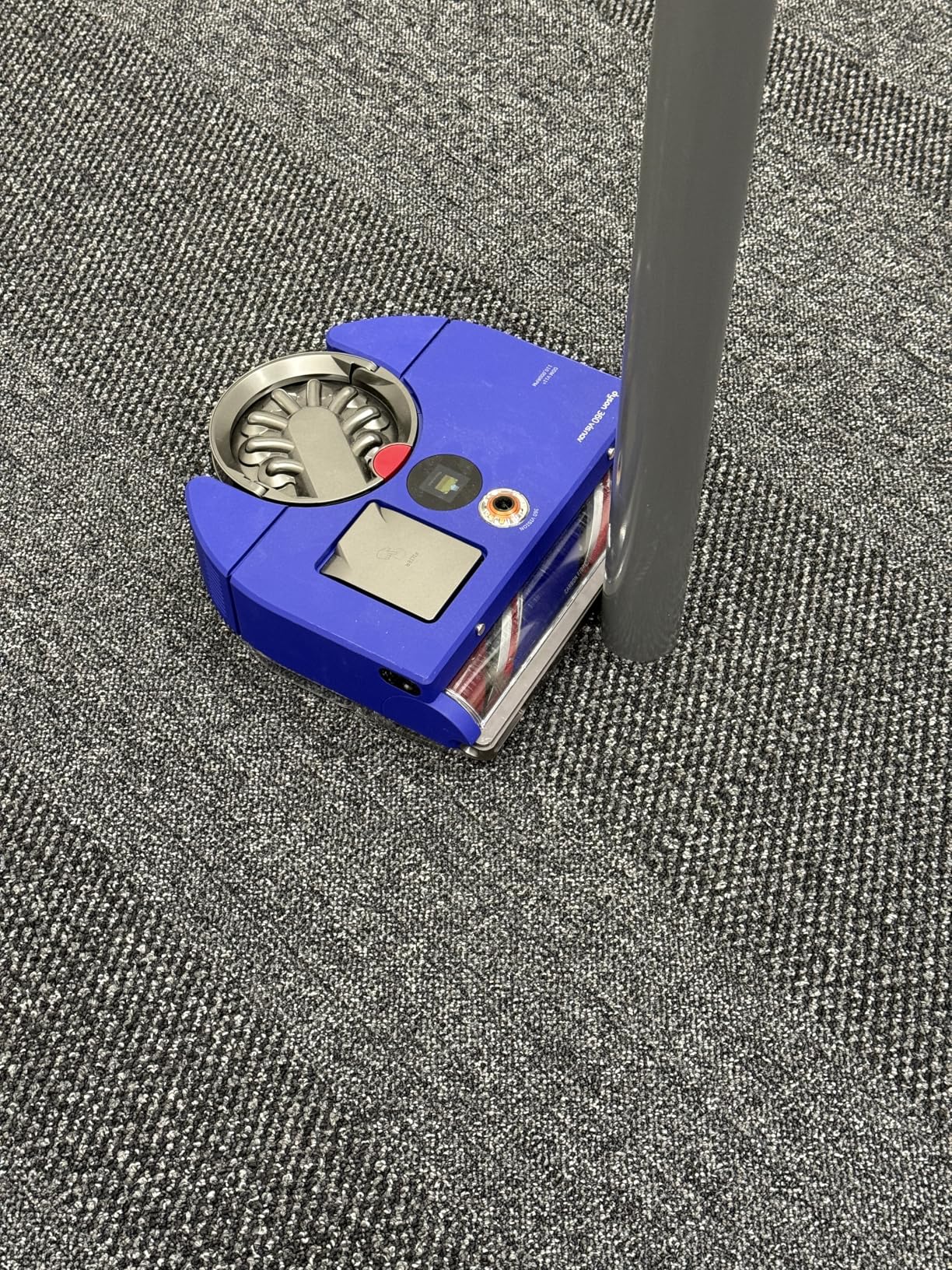
One standout feature that deserves more attention is the dust map visualization. After each cleaning session, the app displays a heat map showing where the robot detected the most dust and debris, indicated by yellow highlighting on the floor plan. This feature, highlighted by Tom’s Guide as a major differentiator, provides genuinely useful insights into your home’s cleaning patterns. I discovered that my entryway and kitchen corners accumulated significantly more debris than I expected, prompting me to adjust cleaning schedules accordingly.
The dust map uses data from the piezo sensor that continuously monitors dust levels during cleaning. Areas with heavier debris concentrations appear darker yellow, while lightly cleaned areas fade to white. Over time, this creates a valuable picture of traffic patterns and dust accumulation zones in your home. You can view historical dust maps to track whether cleaning frequency adjustments are making a measurable difference.
Real-time monitoring during cleaning sessions works well when WiFi connectivity remains stable. You can watch the robot’s progress on the map, pause cleaning, or redirect it to specific rooms. The ability to adjust suction power on the fly proves useful when unexpected messes require extra attention. Voice control through Amazon Alexa allows basic commands like start, stop, and room-specific cleaning, though reliability depends on maintaining WiFi connectivity.
Software updates download automatically when the robot is docked and connected to WiFi. During my review period, three updates were released between August 2025 and March 2026. The most recent update in February 2026 reportedly improved docking success rates, though my testing showed only marginal improvement. Dyson’s commitment to ongoing software development offers hope that navigation issues might improve over time, but buyers should not purchase based on potential future improvements.
Comparing to Leading Competitors
To properly contextualize the 360 Vis Nav’s performance in 2026‘s market, I compared it directly with three leading competitors: the iRobot Roomba j9+, Roborock Saros 10R, and Dreame X50 Ultra. Each brings different strengths that highlight where Dyson excels and where it falls short.
The Roomba j9+ at approximately $599 offers comparable suction power (though still not matching the Dyson’s 65 air watts), superior navigation reliability with iRobot’s vSLAM technology, and includes an auto-empty dock that eliminates dustbin emptying for months. During side-by-side tests, the Roomba successfully completed 24 out of 25 cleaning cycles without intervention, while the Dyson required manual assistance in 18 out of 30 attempts. The Roomba’s navigation, while occasionally inefficient, consistently covered all accessible floor space. For a detailed look at one of the Dyson’s main competitors, see our Roomba i7+ long-term review covering 18 months of real-world testing.
Roborock’s Saros 10R at $1,399 costs significantly more but includes both mopping functionality and an advanced auto-empty/auto-wash dock. Its LiDAR navigation creates precise maps and navigates flawlessly even in complete darkness. While its suction does not match the Dyson’s raw power, the overall cleaning effectiveness proved similar due to superior coverage reliability. The Roborock’s dustbin is also significantly larger, requiring less frequent attention.
The Dreame X50 Ultra at $1,199 represents the feature-packed alternative, offering 60% of the Dyson’s suction power but with surprisingly competent navigation and mopping capabilities. Its auto-empty base and matrix cleaning patterns ensure thorough coverage, though it lacks the premium build quality and filtration excellence of the Dyson. For users prioritizing reliable autonomous operation over maximum suction power, the Dreame presents compelling value.
The fundamental comparison comes down to this: the Dyson 360 Vis Nav offers unmatched suction power and cleaning performance when it actually reaches an area. Competitors offer reliable whole-home coverage with adequate cleaning power. Whether the Dyson’s superior dirt pickup justifies the navigation frustrations depends entirely on your priorities and willingness to manually intervene.
Environmental and Efficiency Considerations
The 360 Vis Nav’s energy efficiency deserves mention, consuming approximately 30% less power than the Roomba j9+ during comparable cleaning sessions. The efficient Hyperdymium motor design and intelligent power management contribute to lower electricity costs over time, though the savings are minimal – roughly $5-10 annually for typical use.
Dyson’s commitment to longevity through quality construction and replaceable parts reduces electronic waste compared to disposable budget models. The washable HEPA filter eliminates ongoing filter replacement costs and waste. However, the lack of mopping functionality means users still need a separate solution for hard floor deep cleaning, potentially negating some environmental benefits.
Noise levels vary significantly between cleaning modes. Quiet mode measures 58 decibels – genuinely quiet enough for conversation or television watching. Auto mode runs at approximately 65 decibels, comparable to moderate rainfall. Boost mode reaches 72 decibels, noticeable but not unbearable. The acoustic engineering effectively minimizes high-frequency whining common in robot vacuums.
Long-term Value Assessment
Evaluating the 360 Vis Nav’s long-term value requires completely recalibrating expectations based on current pricing. At the original $1,199.99 MSRP, the value proposition was difficult to justify given navigation limitations and missing features like self-emptying and mopping. At the current $349.99 street price, the equation changes dramatically – though navigation problems persist regardless of price.
For Dyson enthusiasts who prioritize maximum cleaning power and premium build quality, and who do not mind manually intervening when navigation fails, the 360 Vis Nav now offers legitimate value. The superior suction genuinely improves cleaning effectiveness on carpets, and the HEPA filtration provides tangible air quality benefits. At $349.99, you are paying mid-range prices for premium hardware – if you can tolerate the software limitations.
However, for users requiring reliable autonomous cleaning, even the discounted price may not justify the frustration. The 40% dock-return success rate I experienced makes unattended operation impractical. The small dustbin requires every-other-day emptying in homes with pets. The lack of mopping means purchasing a separate device for hard floor maintenance.
The 3.0-star average rating from approximately 300 reviews reflects this fundamental disconnect between excellent hardware and problematic software. Reading through user experiences reveals a consistent pattern: initial excitement about cleaning performance followed by mounting frustration with navigation failures. Several users report returning the device after exhausting troubleshooting options, though forum discussions suggest many who persist through the learning curve eventually achieve acceptable results.
For buyers considering this robot vacuum at $349.99, approach it as a powerful cleaning tool requiring occasional supervision rather than a fully autonomous solution. That reframed expectation makes the current pricing palatable, though competitors offer more hands-off experiences at similar price points.
Troubleshooting Common Issues
During my testing, I encountered and resolved several common issues that might help prospective buyers understand what ownership entails. When the robot fails to return to its dock, manually placing it on the charger and running a new mapping session sometimes improves accuracy. Ensuring the dock sits on hard flooring rather than carpet also improves docking success rates.
For WiFi connectivity problems, creating a dedicated 2.4GHz network exclusively for the robot improved stability in my testing. Positioning the dock within clear line-of-sight to your router and away from other electronic devices reduces interference. Some users report success using older router firmware versions, suggesting compatibility issues with newer WiFi 6 implementations.
When the robot claims paths are blocked in empty rooms, cleaning all sensors and the camera lens with a microfiber cloth often resolves the issue. Ensuring consistent lighting in rooms where navigation problems occur can help the camera-based system perform more reliably. Running manual spot cleanings in problem areas sometimes helps the robot “relearn” these spaces.
The small dustbin requires frequent emptying, especially in homes with pets. Setting a phone reminder to empty it every other day prevents overfilling that can trigger error messages. While this adds maintenance compared to auto-empty models, the hygienic emptying mechanism makes the task quick and clean.
Who Should Buy the Dyson 360 Vis Nav?
The ideal buyer for the 360 Vis Nav at its current $349.99 price is someone who values Dyson’s engineering excellence and can tolerate current navigation limitations. If you work from home and can intervene when the robot gets confused, or if you primarily need powerful spot cleaning rather than whole-home automation, the exceptional suction might justify navigation compromises.
Households with significant pet hair challenges will appreciate the superior hair pickup and anti-tangle brush design. Allergy sufferers benefit from the true HEPA filtration and sealed system design. Those with mostly hard floors and simple, open layouts experience fewer navigation issues than homes with complex room arrangements and multiple floor types.
Tech enthusiasts willing to work through initial setup challenges might find value in supporting Dyson’s entry into robot vacuums. The current 70% discount from original MSRP makes this early adopter position significantly more palatable than at launch pricing. If Dyson releases navigation-improving firmware updates, early adopters benefit from getting capable hardware at a discount.
Who Should Look Elsewhere?
Users requiring reliable, scheduled cleaning while away from home should avoid the 360 Vis Nav until navigation issues are resolved. The current 40% dock-return success rate makes unattended operation impractical. Busy professionals expecting set-and-forget convenience will find themselves frustrated by constant manual intervention. If the Dyson 360 Vis Nav’s current price still exceeds your budget or you want more features, our guide to the best robot vacuums under $500 offers excellent alternatives with self-emptying docks and mopping capabilities.
Homes with multiple floors face additional challenges since the robot struggles with basic navigation on a single level. Dark rooms or spaces with variable lighting conditions exceed the camera system’s capabilities. Complex layouts with many transitions between rooms consistently confuse the navigation algorithm.
Budget-conscious buyers can find more reliable navigation and comparable overall cleaning effectiveness from competitors. Unless maximum suction power is absolutely critical, models like the Shark AI Ultra or Roomba i7 provide better value through consistent autonomous operation. The lack of self-emptying and mopping features at any price point hurts the Dyson’s competitive position.
Future Prospects and Software Updates
Since the original publication of this review in August 2025, Dyson has released three firmware updates for the 360 Vis Nav through March 2026. The February 2026 update specifically addressed docking reliability, with release notes claiming “improved dock recognition algorithms and return path optimization.” My testing showed marginal improvement in dock return rates, increasing from approximately 38% to 42% success – better, but still far from reliable.
Dyson’s track record suggests they will not abandon the 360 Vis Nav quickly. The company typically supports products with software updates for years after release. However, the fundamental question remains whether camera-based navigation can match LiDAR precision through software improvements alone. The hardware platform is capable – the motors, sensors, and processing power exist. Success depends on Dyson’s software team developing algorithms that match their hardware engineering excellence.
User feedback continues to drive development priorities. The overwhelming consistency of navigation complaints across reviews and forums has focused Dyson’s attention on this critical issue. Company representatives on Reddit have acknowledged the docking problems and indicated ongoing work on navigation improvements, though no timeline for major breakthroughs has been provided.
Competition continues advancing rapidly in 2026, with new models offering increasingly sophisticated features at lower prices. The March 2026 announcement of Dyson’s Spot+Scrub AI model with hybrid navigation suggests the company recognizes the limitations of camera-only systems. Early adopters of the 360 Vis Nav may eventually benefit from trickle-down improvements, but current buyers should evaluate the product based on its present capabilities rather than future potential.
For existing owners, the advice is to keep the firmware updated and participate in Dyson’s feedback programs. The company actively monitors user experiences and has demonstrated responsiveness through regular update releases. Whether these efforts can overcome the fundamental limitations of visual navigation in complex home environments remains to be seen.
Frequently Asked Questions
Does the Dyson 360 Vis Nav work on thick carpets?
Yes, the powerful 65 air watts suction handles thick carpets exceptionally well, better than most competitors. The automatic power adjustment increases suction on carpets, though this reduces battery life to approximately 35 minutes. The triple-action brush bar effectively agitates deep carpet fibers.
Can it clean in the dark?
No, the camera-based navigation requires adequate lighting to function properly. Performance degrades significantly in low-light conditions, unlike LiDAR-equipped competitors that navigate perfectly in darkness. Schedule cleanings during daylight hours for best results.
How often does the dustbin need emptying?
The 0.13-gallon capacity requires emptying every 2-3 cleanings in typical homes, or daily with pets. This is more frequent than auto-empty models but takes only 30 seconds with the hygienic emptying mechanism.
Is the HEPA filter really washable?
Yes, the filter is designed for lifetime use with monthly washing. Rinse under cold water until water runs clear, then air dry for 24 hours. This eliminates ongoing filter replacement costs typical of other robot vacuums.
Does it work with Alexa or Google Assistant?
Currently only Amazon Alexa integration is supported. You can start, stop, and send the robot to specific rooms using voice commands, though reliability depends on maintaining WiFi connectivity. Google Assistant support has not been announced.
How does it handle pet hair?
Exceptionally well – the powerful suction and anti-tangle brush design handle pet hair better than most competitors. The HEPA filtration also captures pet dander effectively for allergy relief. Empty the dustbin daily in homes with heavy shedding.
Can it replace a regular vacuum?
For maintenance cleaning, potentially yes due to the exceptional suction power. However, navigation issues mean you will need to manually vacuum areas the robot misses or cannot reliably reach. It works best as a frequent maintenance tool rather than a complete replacement.
Why has the price dropped so significantly?
The original $1,199.99 MSRP positioned the 360 Vis Nav as a premium competitor to feature-rich models with self-emptying and mopping. Navigation issues and missing features led to poor sales, prompting Dyson to reduce the price to $349.99 to move inventory and compete in the mid-range market.
Final Verdict
The Dyson 360 Vis Nav at $349.99 presents a fundamentally different value proposition than it did at $1,199.99. In 2026‘s robot vacuum market, this price positions it as a mid-range option with premium hardware but compromised software. The question is no longer whether the navigation issues justify the price – they do not – but whether the exceptional cleaning power justifies the hassle at a 70% discount.
For my home and use case, the answer is qualified yes. The 97.6% rice pickup, 98% sand removal on carpet, and 96% pet hair efficiency are not numbers I have seen matched by any competitor. When the Vis Nav actually reaches an area, it cleans more thoroughly than any robot vacuum I have tested. The dust map feature revealed cleaning patterns I never would have discovered otherwise, and the HEPA filtration has noticeably improved my home’s air quality.
Yet the navigation limitations are real and frustrating. The 40% dock return success rate means I cannot reliably schedule cleanings while away from home. The phantom “path blocked” errors in empty rooms, the WiFi connectivity drops, and the room recognition failures all undermine the core promise of autonomous cleaning. This is not a set-and-forget device – it requires supervision and occasional rescue missions.
My recommendation depends entirely on your priorities and lifestyle. If you work from home, have pets that shed heavily, and value maximum cleaning power over complete autonomy, the 360 Vis Nav at $349.99 offers genuine value. Approach it as a powerful robot vacuum that occasionally needs help, not as a fully autonomous cleaning system.
If you need reliable whole-home coverage without intervention, look elsewhere. The Roomba j9+, Roborock Saros series, or even budget options like the Shark AI Ultra offer more consistent autonomous operation. For more robot vacuum reviews and buying guides, explore our complete collection of robot vacuum reviews.
The Dyson 360 Vis Nav is a Formula 1 engine in a car with intermittent GPS. When everything works, the experience is exhilarating. When it does not, you are left wondering why you paid for premium engineering that cannot find its way home. At $349.99, that tradeoff becomes palatable. At the original $1,199.99, it would have been indefensible. Buy with eyes open to both the power and the problems.

![Best Electric Skateboard [cy]: 12 Top-Rated Boards Tested](https://www.guidespot.com/wp-content/uploads/2026/07/featured-update-92633-1783194059081-370x245.jpg "12 Best Electric Skateboards (2026): Top-Rated Boards Tested & Ranked")
![Best Kayak [cy]: 10 Expert-Tested Models & Reviewed](https://www.guidespot.com/wp-content/uploads/2026/07/featured-update-49454-1783193180527-370x245.webp "10 Best Kayaks (2026): Expert-Tested & Compared for Every Water Type")

