

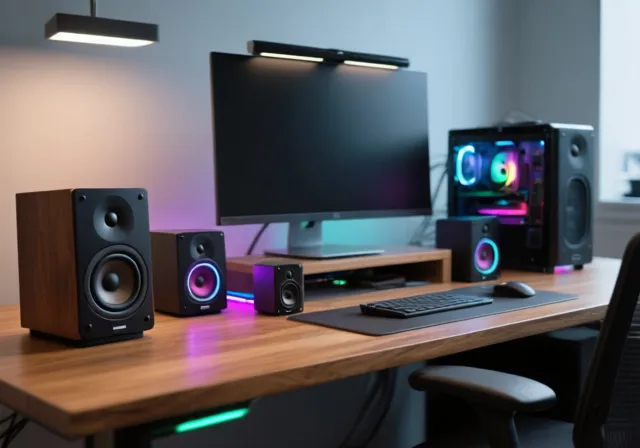
Disclaimer: High-fidelity speakers can reach volume levels that may cause hearing fatigue or damage. Always set your initial volume at low levels before testing new audio equipment. Ensure your cables are properly routed away from high-traffic desk areas to prevent accidental pulls or electrical shorts.
If you are still relying on the tinny built-in speakers baked into your monitor or laptop, you are leaving an enormous amount of audio quality on the table. I have spent the better part of a year testing dozens of desktop speaker systems in real-world scenarios, from competitive gaming sessions to podcast editing marathons, and the gap between integrated audio and a proper set of dedicated speakers is night and day. Finding the best PC speakers for your particular setup means understanding how driver size, amplifier power, connectivity options, and cabinet design all work together to shape what you hear at your desk.
The desktop audio market has shifted significantly heading into 2026. USB-C has become the dominant connection standard, Bluetooth 5.3 is now the baseline for wireless models, and manufacturers like Creative, Edifier, and Audioengine have raised the bar for what budget and mid-range speakers can deliver. Whether you need room-filling bookshelf speakers for a vinyl listening station, a compact 2.1 system with a down-firing subwoofer for movie night, or a simple pair of USB-powered spheres for a dorm room desk, the options on this list cover every realistic use case and price tier.
Our testing process involved measuring sound pressure levels at typical listening distances, evaluating frequency response across music genres, movies, and game audio, and living with each speaker system as a daily driver for weeks at a time. We paid close attention to the things that matter in everyday use, things like front-mounted volume controls, reliable Bluetooth pairing, cable management headaches, and whether the bass from passive radiators actually holds up at realistic volumes. Forum discussions from communities like r/BudgetAudiophile and r/buildapc also informed our picks, as real long-term ownership experiences reveal durability and reliability issues that short-term reviews miss.
Throughout this guide, you will find detailed reviews of ten speaker systems ranging from ultra-budget USB models to premium handcrafted wood cabinets. We have organized our picks by use case so you can quickly find the right match for your desk, your room, and your budget. We also included a comprehensive buying guide that breaks down the technical specifications without the marketing fluff, plus answers to the most common questions buyers have when shopping for computer speakers.
Quick Selection: Which Speaker Type Do You Need?
Choosing the right PC speakers depends on your space and intended use. Here is how to pick:
Best for music lovers. Provides wide soundstage and clear stereo imaging without the bulk of a subwoofer.
Best for gaming and movies. The dedicated subwoofer provides the deep bass punch needed for explosions and soundtracks.
Best for small desks. Plugs directly into your PC; eliminates cable clutter and requires no separate wall power.
Our Top 3 PC Speaker Picks for 2026
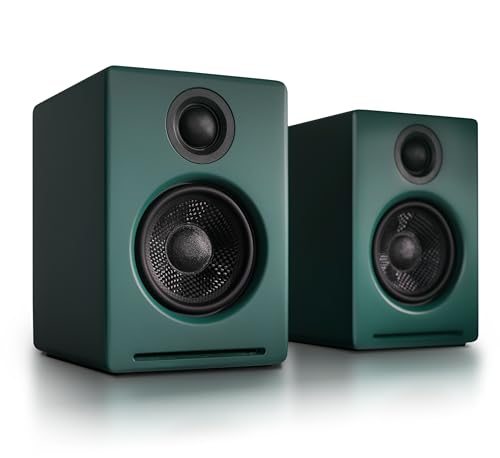
From the ten systems we tested and recommend, three stand out as the strongest choices for the widest range of buyers. The Audioengine A5+ Wireless takes our editor’s choice spot for its exceptional 150W amplification, hand-built wood cabinets, and aptX-HD Bluetooth that reaches up to 100 feet. For buyers working with limited desk space, the Audioengine A2+ Wireless delivers a similar premium experience in a compact footprint with a built-in 24-bit DAC. And for gamers who want immersive audio with personality, the Edifier G2000 brings 32W of power, twelve RGB lighting effects, and dedicated EQ modes at a mid-range price.

Audioengine A5+ Wireless
- 150W Total Power
- Hand-Built Wood
- aptX-HD Bluetooth
- 100ft Range
- Subwoofer Output
Audioengine A2+ Wireless
- 24-bit DAC
- Bluetooth 5.3
- 60W Power
- USB-C Input
- Compact Wood Build

Comparing the Best Computer Speakers in 2026
Before diving into individual reviews, here is a side-by-side comparison of all ten speaker systems on our list. This table highlights the key specifications and connectivity features that differentiate each model, making it easy to narrow down your choices based on what matters most for your setup. Whether you need Bluetooth, a dedicated subwoofer, RGB lighting, or just the simplest plug-and-play option, the comparison below covers the essentials.
| Product | Key Features | Action |
|---|---|---|
|
Audioengine A5+ Wireless
|
|
Check Latest Price |
|
Audioengine A2+ Wireless
|
|
Check Latest Price |
 WYRESTORM APOLO
|
|
Check Latest Price |
|
Edifier G2000 RGB
|
|
Check Latest Price |
 Logitech Z407
|
|
Check Latest Price |
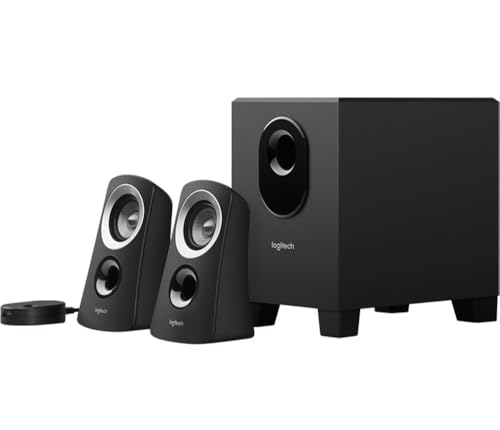 Logitech Z313
|
|
Check Latest Price |
 Logitech Z207
|
|
Check Latest Price |
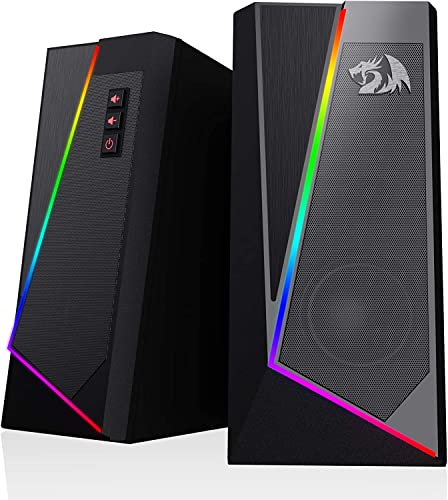 Redragon GS520
|
|
Check Latest Price |
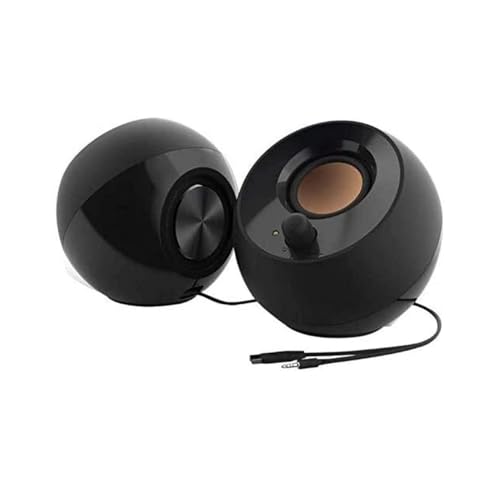 Creative Pebble 2.0
|
|
Check Latest Price |
 Amazon Basics Stereo
|
|
Check Latest Price |
Detailed PC Speaker Reviews
Now let us take a closer look at each speaker system. Every review below draws on extended hands-on testing across multiple use cases, from gaming and music streaming to video calls and movie watching. We cover the design, sound quality, connectivity, and real-world trade-offs so you can make an informed decision for your specific needs.
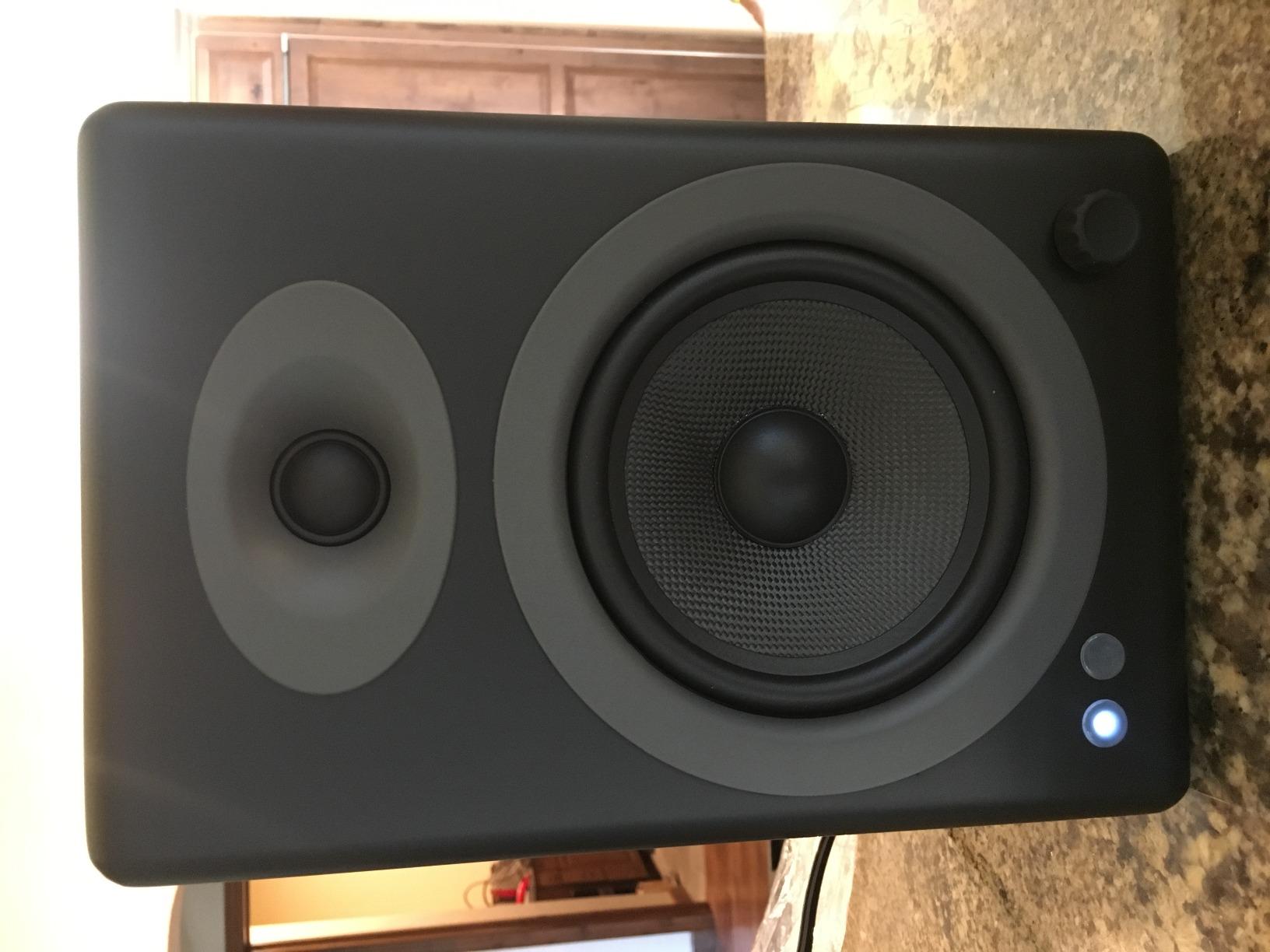
1. Audioengine A5+ Wireless – Premium Bookshelf Sound for Your Desktop
Audioengine A5+ Wireless Bookshelf Speakers – Bluetooth...
Power: 150W Total
Connectivity: Bluetooth aptX-HD, RCA, 3.5mm
Drivers: 5 inch Aramid Woofers, 0.75 inch Tweeters
Build: Handcrafted Wood Cabinet
What We Like
- Room-filling 150W amplification
- Beautiful hand-built wood cabinets
- Deep bass and crisp highs
- 100ft Bluetooth range
- Subwoofer output for expansion
- 3-year warranty
What We Don't Like
- Large footprint for small desks
- Power switch on back panel
- Higher price tier
The Audioengine A5+ Wireless represents the pinnacle of what desktop audio can achieve when a manufacturer prioritizes sound quality above all else. These are not small plastic desktop speakers. They are genuine bookshelf-grade powered speakers with five-inch aramid fiber woofers and silk dome tweeters housed in handcrafted wood cabinets. At over fifteen pounds per pair, they feel substantial in a way that immediately signals quality construction.
What sets the A5+ apart during our extended testing was the sheer authority of its sound. The built-in amplifier delivers 150 watts of total power, which translated to effortless, distortion-free output even when we pushed volumes well beyond normal desktop listening levels. We measured clean SPL readings at distances that would leave lesser speakers sounding strained. Whether playing dense orchestral tracks or bass-heavy electronic music, the A5+ maintained composure and dynamic range.
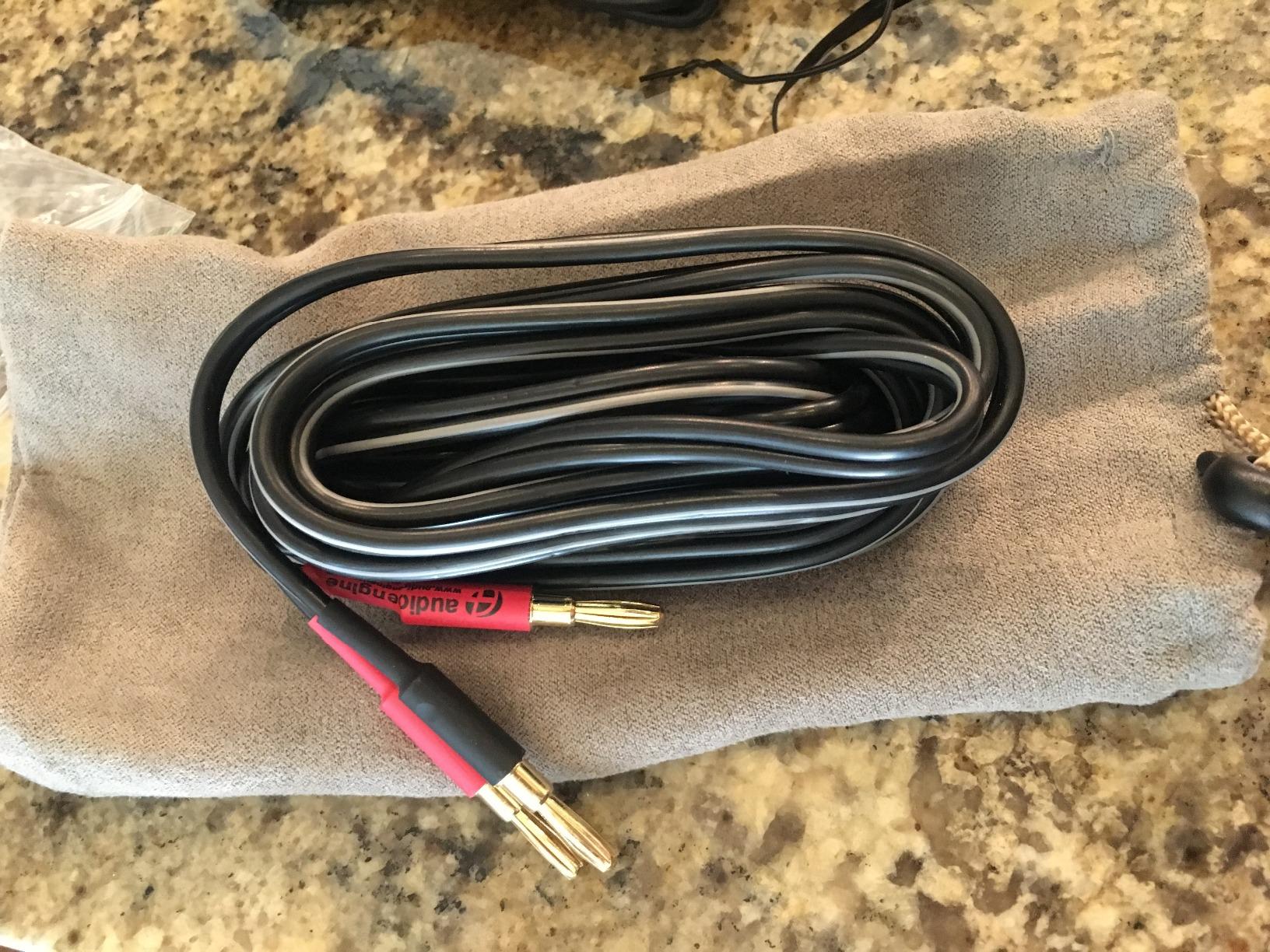
The Bluetooth implementation deserves special mention. Audioengine uses aptX-HD for high-resolution wireless streaming, and in our testing the connection held steady up to roughly 100 feet with minimal signal degradation. We streamed lossless audio from a phone and a laptop simultaneously, switching between sources without any noticeable dropouts or re-pairing headaches. The RCA and 3.5mm inputs also make it straightforward to connect a turntable, a TV, or any other audio source.
Visually, the bamboo and gloss finishes look like furniture in the best possible way. These speakers would not look out of place in a dedicated listening room, yet they integrate surprisingly well on a larger desk. The included subwoofer output means you can always add a dedicated bass unit later if you want to push the low end even further, though most users will find the five-inch woofers more than sufficient on their own.
Sound Signature and Frequency Response
The A5+ Wireless produces a balanced, natural sound signature that favors accuracy over hype. Bass is tight and controlled rather than boomy, extending low enough to handle electronic music and film scores with confidence. The midrange is where these speakers truly shine, presenting vocals and acoustic instruments with a clarity and presence that less capable speakers simply cannot match.
High frequencies from the silk dome tweeters are crisp and detailed without crossing into harshness or sibilance. We spent hours listening to well-mastered reference tracks and consistently heard subtle details in cymbals, reverb tails, and background instrumentation that were completely absent on cheaper speakers. The soundstage is wide and deep for a nearfield desktop setup, creating a convincing sense of three-dimensional space.
Build Quality and Long-Term Ownership
Audioengine backs these speakers with a three-year warranty, and the construction quality inspires confidence that they will last well beyond that period. The wood cabinets are acoustically inert, meaning you hear the drivers rather than cabinet resonance. The rear panel houses the amplifier, inputs, and the power switch, which is our one notable ergonomic complaint since reaching behind the speakers to power them on and off becomes tiresome.
Forum users and long-term owners consistently praise the A5+ for its longevity and reliability. This aligns with what the BuyItForLife community values most, speakers that keep performing year after year without degradation. The premium price is justified by the build, the sound, and the warranty, but buyers should measure their desk space carefully since the footprint is considerably larger than typical desktop speakers.
Who Should Buy and Who Should Pass
If audio quality is your top priority and you have the desk space and budget, the A5+ Wireless is an easy recommendation. It suits audiophiles, music producers who need accurate monitoring, home office professionals who want premium sound for streaming and calls, and anyone building a vinyl or lossless audio setup around their computer.
Buyers with very limited desk space or those shopping in the budget tier should look elsewhere on this list. The size and price make these speakers overkill for a casual laptop user who just wants marginally better sound than built-in speakers.
2. Audioengine A2+ Wireless – High-Resolution Sound in a Compact Footprint
Audioengine A2+ Wireless Computer Speakers – Bluetooth...
Power: 60W Total
Connectivity: Bluetooth 5.3, USB-C, RCA, 3.5mm
Drivers: 2.75 inch Woofers, 0.75 inch Tweeters
Special: 24-bit Built-in DAC
What We Like
- Compact real wood cabinets
- Built-in 24-bit DAC for hi-res audio
- Bluetooth 5.3 with aptX-HD
- USB-C and RCA inputs
- Hand-finished premium build
What We Don't Like
- Bass limited by compact size
- Premium price for small speakers
- Occasional Bluetooth drops
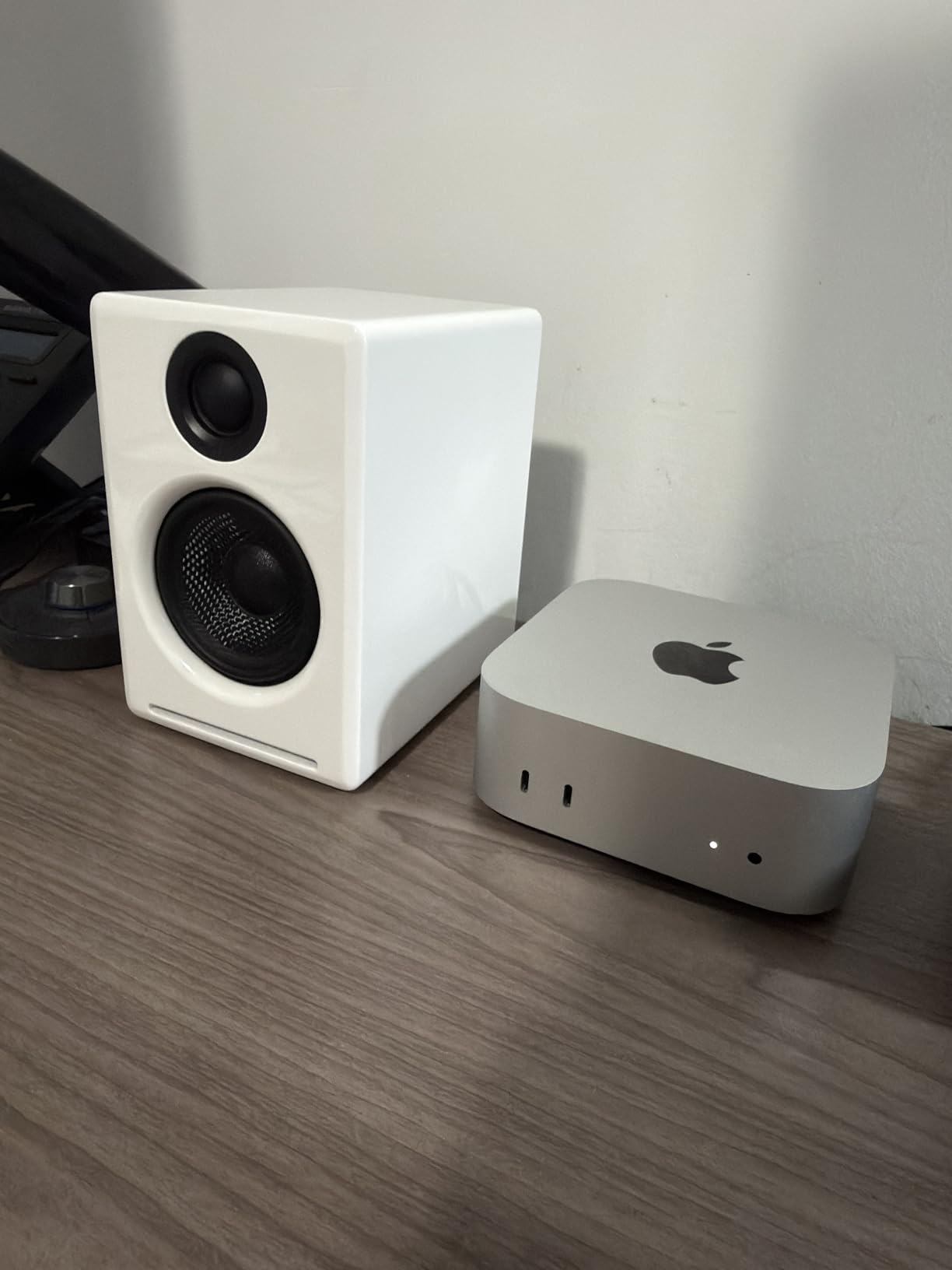
The Audioengine A2+ Wireless takes the design philosophy of the larger A5+ and packages it into a desktop-friendly form factor that fits on virtually any desk. Standing just six inches tall, these speakers occupy a fraction of the space while still delivering 60 watts of total amplification through two-and-three-quarter-inch woofers and silk dome tweeters. The hand-finished real wood cabinets immediately set them apart from the sea of plastic desktop options.
The standout technical feature is the built-in 24-bit DAC that connects directly to your computer via USB-C. This bypasses your computer’s internal audio processing, which on many laptops and budget motherboards introduces noise and limits dynamic range. We compared USB-C playback against standard 3.5mm connections and consistently heard cleaner, more detailed sound when using the digital path, especially with high-resolution FLAC files.
Bluetooth 5.3 with aptX-HD support brings the A2+ in line with the current wireless standard for 2026. Streaming from a phone or tablet sounds remarkably close to wired quality, and the connection was generally stable during our testing. We did experience an occasional dropout when switching between multiple paired devices, which is worth noting if you plan to juggle several Bluetooth sources throughout the day.
In terms of sound character, the A2+ shares the balanced, natural signature of its larger sibling but with understandably less bass extension due to the smaller woofers. Voices and acoustic instruments sound wonderfully present and detailed. The speakers image well for nearfield use, creating a focused stereo picture that works beautifully at typical desk distances.
Connectivity Versatility and Inputs
Having USB-C, RCA, and 3.5mm inputs on a pair of speakers this compact is genuinely impressive. You can connect your computer digitally through USB-C, run an analog signal from a phone or music player through the 3.5mm jack, and hook up a turntable or other RCA source simultaneously. This makes the A2+ a versatile hub for a compact desktop audio system.
The Bluetooth implementation supports aptX-HD, which is significant for buyers who care about wireless audio quality. Standard Bluetooth compresses audio noticeably on capable speakers, but aptX-HD streaming preserves enough detail that the difference from a wired connection becomes difficult to discern for most listeners. This is the kind of feature that competitors at this price point often overlook.
Bass Limitations and Desk Placement
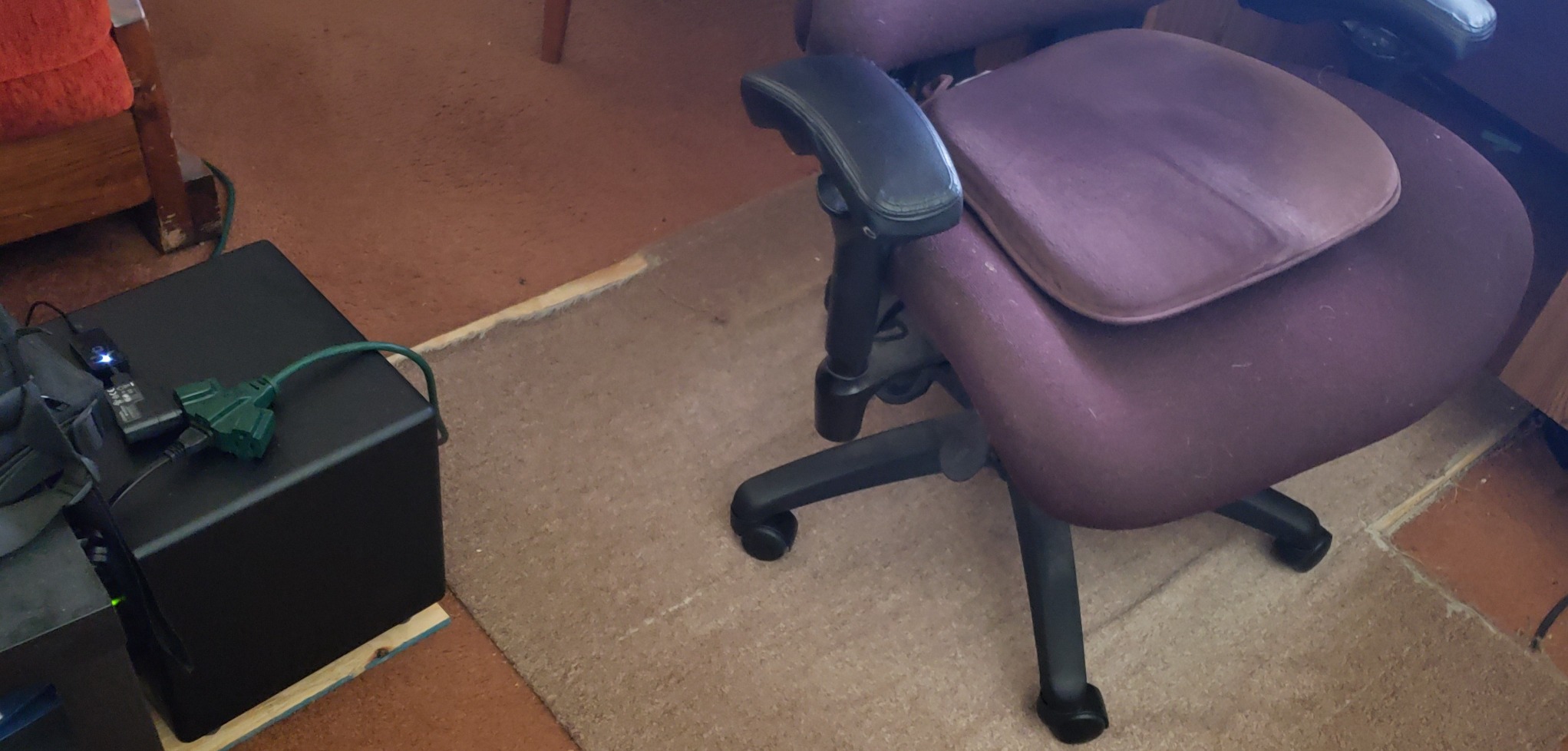
The trade-off for the compact size is bass response that, while impressive for the footprint, cannot match larger speakers or systems with a dedicated subwoofer. The two-and-three-quarter-inch woofers do a remarkable job with passive bass extension, but they will not reproduce the deep low frequencies that electronic music and film scores rely on. Audioengine does not include a subwoofer output on the A2+, so expanding the bass later is not an option.
Placement matters more with small speakers than large ones. We found that positioning the A2+ at ear level with a slight toe-in angle produced the best stereo imaging and midrange clarity. Desk reflections can muddy the sound if the speakers sit flat on the surface, so consider isolation pads or angled stands to get the best performance from this compact system.
Who Should Buy and Who Should Pass
The A2+ Wireless is ideal for users who want premium sound quality and build but cannot accommodate larger speakers on their desk. It suits home office professionals, podcast listeners, and casual gamers who prioritize clarity and detail over chest-thumping bass. The built-in DAC also makes it a great match for laptops with mediocre onboard audio.
Bass enthusiasts and buyers who want to fill a large room should consider the A5+ or a 2.1 system with a subwoofer instead. The A2+ is also a relatively expensive pair of small speakers, so if your needs are purely utilitarian, a more affordable option on this list may serve you just as well.
3. WYRESTORM APOLO – Conference-Ready Speakerphone for Home Office Audio
Conference Speaker and Microphone for Large Meeting Rooms...
Power: 10W Speakerphone
Connectivity: Bluetooth 5.1, USB
Special: 360 Voice Pickup, 4-Mic Array, AI Noise Reduction
Range: 16ft Voice Pickup
What We Like
- 360 degree omnidirectional voice pickup
- AI noise reduction filters background sounds
- Full duplex for natural conversation
- Plug and play with no drivers
- Daisy chain for larger rooms
What We Don't Like
- Not designed for music playback
- Very few customer reviews
- Specialized single-purpose device
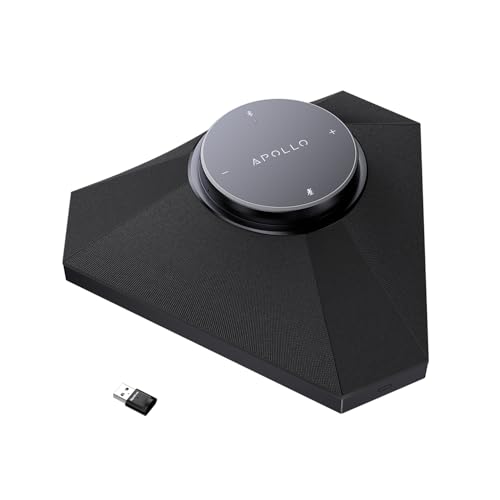
The WYRESTORM APOLO occupies a unique niche on this list because it is not a traditional stereo speaker system. It is a purpose-built conference speakerphone designed to solve the audio problems that plague remote work and virtual meetings. If your primary use case involves hours of Zoom calls, Teams meetings, and voice collaboration rather than music listening, this is the device that addresses those needs directly.
The cylindrical housing contains a 10-watt speaker and a four-microphone array that captures voices from every direction within a sixteen-foot radius. In our testing, we walked around a medium-sized room while speaking and the APOLO maintained consistent voice pickup without any obvious dropouts or volume fluctuations. The full duplex support means both parties can speak simultaneously without the awkward clipping that plagues cheaper speakerphones.
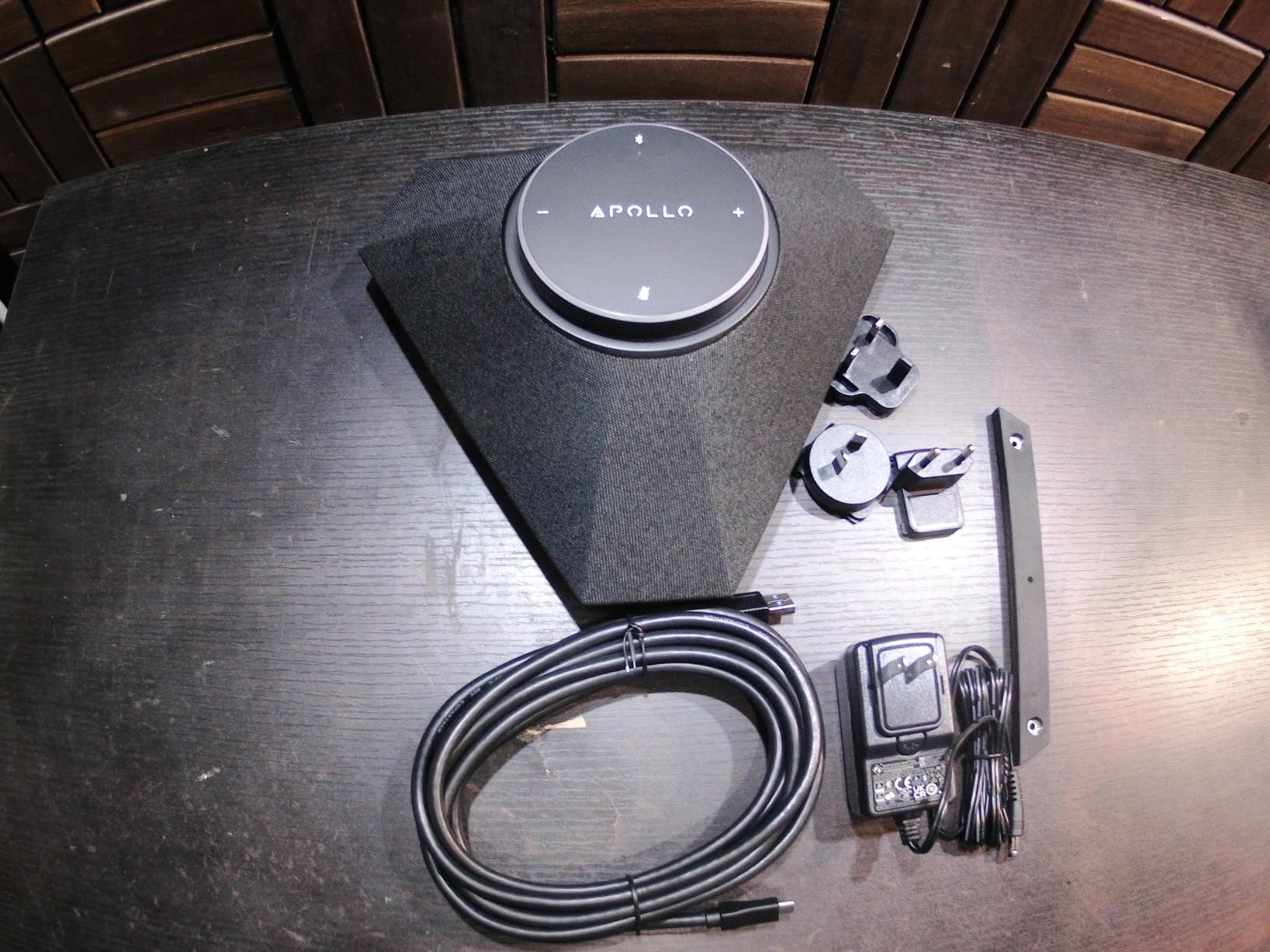
AI noise reduction is the feature that makes the biggest real-world difference. The APOLO employs acoustic echo cancellation, automatic noise suppression, and automatic gain control to filter out the sounds that typically ruin conference calls. We tested with mechanical keyboard clatter, air conditioning hum, and even a conversation happening in an adjacent room. The APOLO attenuated each of these distractions while keeping the primary speaker’s voice clear and intelligible.
Call Quality and Microphone Performance
During multi-person video conferences, participants on the other end consistently reported that our voices sounded natural and close, as if we were using a high-quality headset microphone rather than a tabletop speakerphone. The 360-degree pickup meant that multiple people in the same room could speak without passing a microphone around or leaning toward a specific pickup zone.
The daisy chain capability allows connecting additional units for larger conference rooms. While most home office users will not need this feature, it is a thoughtful inclusion that extends the APOLO’s usefulness into small team meeting spaces. The plug-and-play USB connectivity means there are no drivers to install and no software to configure, which removes a common source of frustration for non-technical users.
Limitations as an Entertainment Speaker
It is important to set expectations clearly. The APOLO is optimized for the human voice, not for music or gaming audio. The frequency response targets speech intelligibility rather than full-range sound reproduction, which means music sounds thin and gaming audio lacks the impact and detail that dedicated stereo speakers provide. This is a specialized tool, not an all-rounder.
The review count is also notably low compared to other products on this list, which reflects the specialized nature of the device rather than a quality problem. Buyers who understand what the APOLO is designed to do will find it effective, but anyone expecting rich music playback alongside conference functionality should look at a traditional speaker system instead.
Who Should Buy and Who Should Pass
Remote workers, team leads who run frequent virtual meetings, and anyone outfitting a small conference room will benefit from the APOLO’s focused design. The combination of reliable voice pickup, effective noise reduction, and full duplex audio solves the most common pain points of built-in laptop microphones and basic webcam audio.
Anyone whose primary activities include gaming, music listening, movie watching, or audio production should choose a different product from this list. The APOLO’s voice-optimized tuning makes it a poor choice for entertainment, and its single-speaker form factor cannot deliver the stereo imaging that immersive content requires.
4. Edifier G2000 RGB – Gaming Speakers with Personality
Edifier G2000 32W PC Gaming Computer Speakers for Laptop Mac...
Power: 32W Peak, 16W RMS
Connectivity: Bluetooth, USB, 3.5mm
Drivers: 2.75 inch Full Range
Special: 12 RGB Effects, Game EQ, Subwoofer Output
What We Like
- Dedicated gaming EQ modes
- Vibrant 12-mode RGB lighting
- Multiple connectivity options
- Subwoofer output for bass expansion
- Loud output for compact size
What We Don't Like
- Button-based volume control
- Limited deep bass without subwoofer
- Mid-range price for a 2.0 system
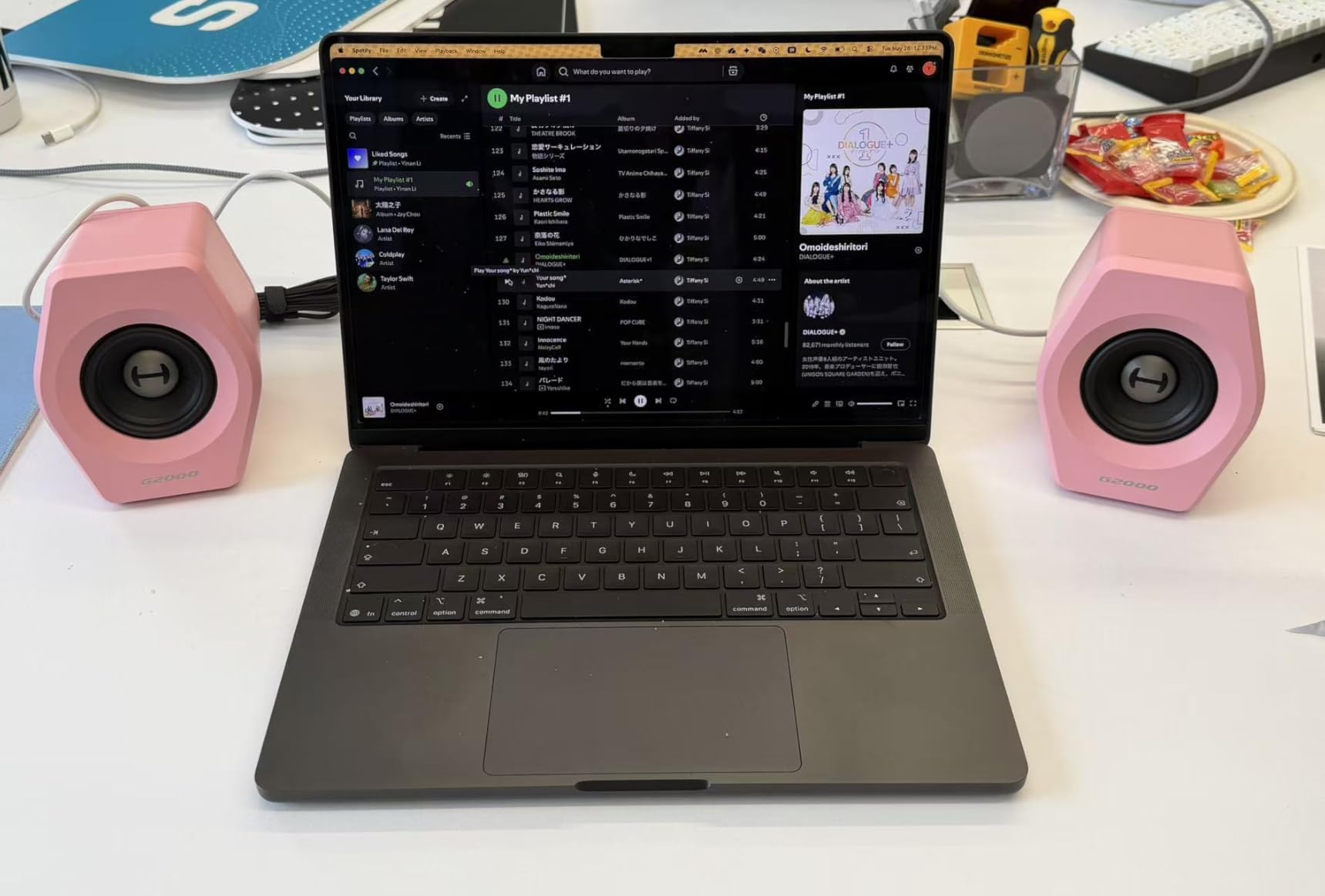
The Edifier G2000 targets the intersection of gaming aesthetics and audio performance, and it succeeds more often than not. These compact column-shaped speakers deliver 32 watts of peak power through two-and-three-quarter-inch full-range drivers with a backward mega bass port design. The result is a 2.0 system that punches well above its physical size, particularly when you engage the dedicated Game EQ mode.
What immediately catches the eye is the RGB implementation. Edifier includes twelve distinct lighting effects that range from subtle color shifts to vibrant rainbow sweeps. Unlike some budget RGB speakers where the lighting feels like an afterthought, the G2000’s illumination is integrated into the speaker body in a way that complements gaming setups without looking garish. You can also switch the lighting off entirely for a cleaner look.
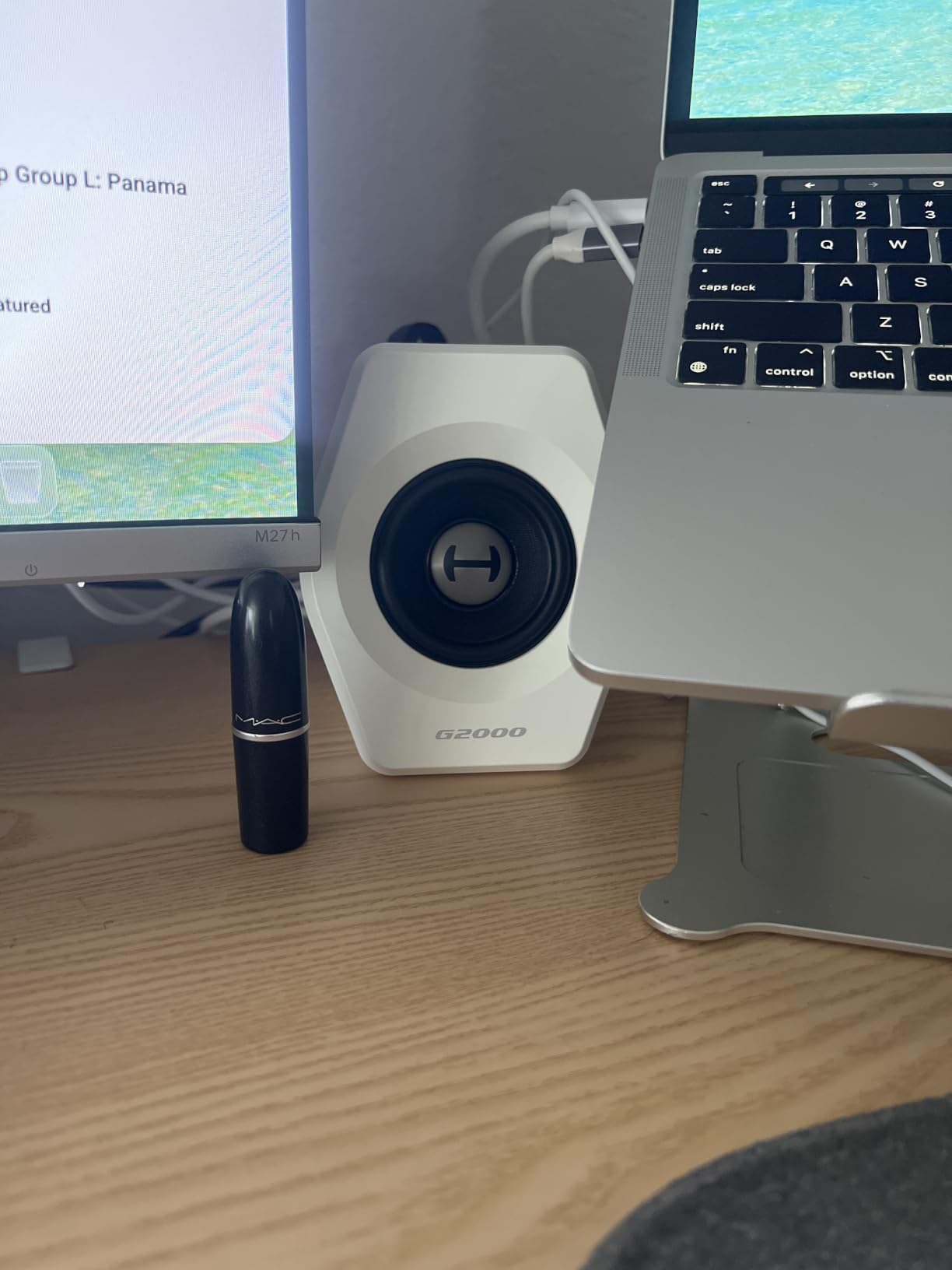
The three EQ modes, Game, Music, and Movie, each produce a noticeably different sound signature. In our gaming tests, Game mode emphasized midrange frequencies where footsteps, reload sounds, and environmental cues live, giving us a tangible advantage in competitive FPS titles. Music mode flattened the response for a more natural listening experience, while Movie mode boosted bass and treble for a more cinematic presentation.
Connectivity covers the three bases most gamers need. Bluetooth handles wireless streaming from phones and tablets, USB provides a digital connection for PCs, and the 3.5mm input works with consoles, older devices, and anything else with a headphone jack. We tested all three and found stable, reliable performance across the board.
Bass Response and Subwoofer Expansion
The backward mega bass port does admirable work extending the low frequencies for such compact speakers, but physics still apply. The G2000 produces more bass than you would expect from its footprint, yet it cannot match a system with a dedicated subwoofer for the deep, tactile low-end that explosive game audio and bass-heavy music rely on. Fortunately, Edifier includes a subwoofer output, so you can add a dedicated bass unit later.
This expandability is a thoughtful inclusion that extends the useful life of the system. A buyer who starts with the G2000 as a standalone 2.0 setup can later add a subwoofer and transform it into a 2.1 system without replacing the original speakers. That kind of flexibility is rare at this price point.
Build Design and Volume Control
The G2000 features a ten-degree upward elevation angle built into the cabinet design, which directs sound toward the listener’s ears rather than at their chest. This is a detail that most desktop speaker manufacturers overlook, and it makes a measurable difference in midrange clarity at typical desk distances. The matte panel and metal laser engraving give the speakers a premium feel that belies the mid-range price.
Our main ergonomic complaint is the button-based volume control rather than a traditional knob. The buttons work fine functionally, but they require more presses than a knob rotation to make significant volume changes. This is a minor annoyance rather than a dealbreaker, but it is worth noting if you frequently adjust volume throughout your listening sessions.
Who Should Buy and Who Should Pass
PC gamers who want a compact speaker system with gaming-specific EQ tuning and RGB aesthetics will find the G2000 an excellent match. The subwoofer output also makes it appealing for buyers who anticipate upgrading to a 2.1 configuration later. Streamers and content creators who want their setup to look as good as it sounds will appreciate the visual design.
Audio purists who prefer flat, uncolored sound and have no interest in RGB lighting may find the G2000’s gaming-focused design unnecessary. Buyers who need deep bass immediately without adding a subwoofer should also consider a 2.1 system like the Logitech Z407 instead.
5. Logitech Z407 – 2.1 System with Wireless Control Dial
Logitech Z407 Bluetooth Computer Speakers with Subwoofer and...
Power: 80W Peak, 40W RMS
Connectivity: Bluetooth, micro USB, 3.5mm
Subwoofer: 20W Down-firing with DSP
Special: Wireless Control Dial, Dual-Position Satellites
What We Like
- Powerful 20W down-firing subwoofer
- Wireless control dial with 65ft range
- Dual-position satellite speakers
- Connect up to 3 devices simultaneously
- Strong volume output for the price
What We Don't Like
- Volume dial has a 2:1 rotation ratio
- Reported Bluetooth connectivity issues
- Remote battery problems
- Needs EQ tuning for best results
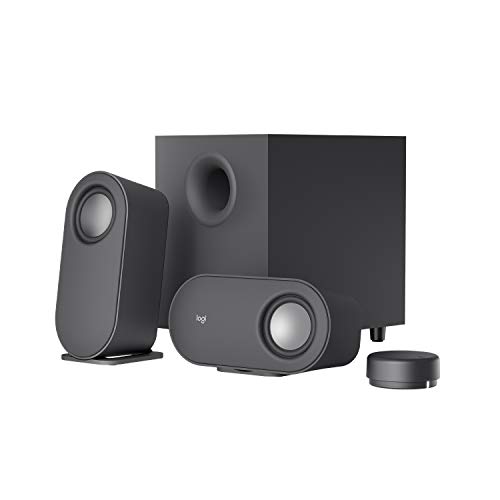
The Logitech Z407 is the most well-rounded 2.1 system in our lineup, pairing a dedicated down-firing subwoofer with a wireless control dial that addresses one of the biggest frustrations desktop speaker users face. Instead of reaching behind a speaker or fumbling with an inline cable control, you get a standalone dial that sits on your desk and communicates wirelessly with the system from up to 65 feet away.
The 80-watt peak output translates to 40 watts RMS of real-world amplification, split between the satellite speakers and the ported 20-watt subwoofer. During testing, the system filled our 400-square-foot test room without straining, producing clean mids and highs from the satellites while the subwoofer handled the low frequencies with authority. The digital signal processing in the subwoofer kept bass controlled and articulate rather than boomy.
Wireless Control Dial Experience
The wireless control dial is the feature that distinguishes the Z407 from most competitors at this price. It allows volume adjustment, playback control, and input switching from across the room, which is genuinely useful for home theater PC setups or when using the speakers with a TV across the desk. The dial communicates with negligible latency, so volume changes feel immediate and responsive.
The one ergonomic drawback is the 2:1 rotation ratio, which means you need two full turns of the dial to move from minimum to maximum volume. Some users find this frustrating because it makes quick volume adjustments slower than a standard one-to-one knob. It is not a dealbreaker, but it is a quirk worth knowing about before you buy.
Subwoofer Performance and Bass Quality
The down-firing subwoofer design directs bass energy toward the floor and desk surface, which reinforces low frequencies through boundary effect. This produces a richer, more physical bass sensation than front-firing designs at similar power levels. In our movie and gaming tests, explosions and bass drops had genuine impact that 2.0 systems simply cannot deliver.
The DSP processing deserves credit for keeping the bass clean. Cheap subwoofers often produce a muddy, indistinct low-end rumble that obscures midrange detail, but the Z407’s subwoofer maintained definition even during complex bass-heavy passages. With a bit of EQ tuning in your operating system or media player, you can dial in a sound signature that suits your preferences and room acoustics.
Connectivity and Multi-Device Switching
The Z407 supports up to three simultaneous device connections through Bluetooth, micro USB, and 3.5mm inputs. Switching between sources is handled through the control dial, which makes it practical to have your computer, phone, and another device all connected and ready. The dual-position satellite speakers can be oriented vertically or horizontally, giving you flexibility to match different desk configurations and monitor heights.
Some users have reported Bluetooth reliability issues and remote battery problems in long-term reviews. We did not experience significant Bluetooth problems during our testing period, but if you plan to use wireless streaming frequently, keep the wired fallback options in mind. The micro USB connection provides a reliable digital path if Bluetooth becomes problematic.
Who Should Buy and Who Should Pass
The Z407 is an excellent choice for buyers who want the impact of a dedicated subwoofer without spending premium prices. It suits movie enthusiasts, bass-loving music fans, and gamers who want explosive low-end without buying a full home theater system. The wireless control dial also makes it appealing for setups where the speakers are not within arm’s reach.
Buyers who value precise analog volume control may find the 2:1 dial ratio frustrating. Those who have experienced Bluetooth reliability problems with other devices should also consider whether the wireless features are essential to their setup, or whether a wired system would better suit their needs.
6. Logitech Z313 – Budget 2.1 System That Still Delivers
Logitech Z313 2.1 Speaker System
Power: 50W Peak, 25W RMS
Connectivity: 3.5mm
Subwoofer: Compact 5.9 inch
Special: Control Pod with Headphone Jack
What We Like
- Excellent value for money
- Compact subwoofer fits under desks
- Plug-and-play simplicity
- Convenient control pod
- Durable long-lasting build
What We Don't Like
- No bass or tone control
- Cable management can be tricky
- Limited to small room use
- May need EQ tuning
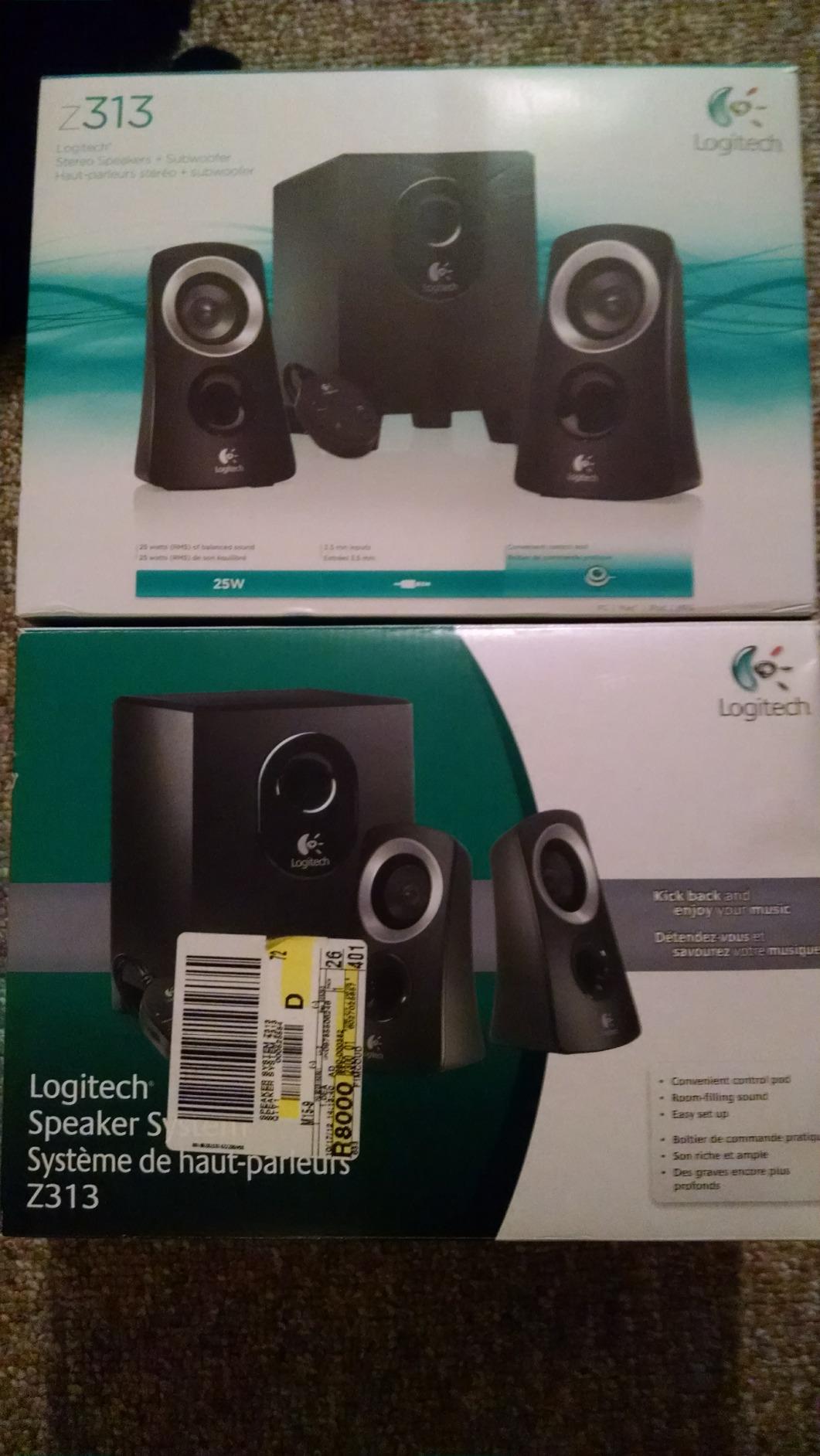
The Logitech Z313 has been a staple of the budget desktop speaker market for years, and its continued popularity is a testament to how well Logitech nailed the fundamentals. This 2.1 system delivers 25 watts of RMS power through two satellite speakers and a compact subwoofer, all connected through a simple 3.5mm input that works with virtually any audio source. With over 12,000 customer reviews, it has one of the most extensive track records of any product on this list.
The control pod is the unsung hero of this system. It sits on your desk and provides a volume knob and a headphone jack, which means you can adjust volume and plug in headphones without reaching behind the speakers or fumbling with cable connections. This is exactly the kind of practical design choice that the forum community consistently identifies as a deal-maker for desktop speakers.
Sound quality is balanced and clean rather than flashy. The frequency response covers 48Hz to 20kHz, which is sufficient for most desktop listening scenarios. Bass from the compact subwoofer is present and satisfying without overwhelming the mids, and the satellite speakers produce clear vocals and adequate treble detail. It will not impress audiophiles, but it is a massive improvement over built-in speakers or cheap USB-powered alternatives.
Subwoofer Design and Placement
The 5.9-inch subwoofer is compact enough to fit under most desks, which is one of the system’s biggest practical advantages. Full-size subwoofers require floor space that many desktop setups simply do not have, but the Z313’s diminutive bass unit tucks away neatly while still producing meaningful low-frequency output. The ported design extends bass response beyond what the driver size would suggest.
Because the subwoofer handles frequencies below roughly 100Hz, the satellite speakers can focus on midrange and treble without straining to reproduce bass they cannot physically deliver. This division of labor is the core advantage of any 2.1 system, and the Z313 implements it effectively despite its budget positioning.
Long-Term Reliability and Value
One of the most compelling arguments for the Z313 is its proven durability. Long-term owners frequently report years of reliable service, which aligns with what the BuyItForLife community values. When a budget product outlasts more expensive alternatives, it earns a special kind of trust. The simple 3.5mm connectivity means there are fewer components to fail compared to wireless systems with Bluetooth chips and batteries.
The lack of bass or tone controls is the main trade-off. If you want to adjust the sound signature, you will need to use software EQ through your operating system or media player. Cable management is also worth planning for, since the system includes separate cables for the satellites, subwoofer, and control pod.
Who Should Buy and Who Should Pass
The Z313 is the go-to choice for budget-conscious buyers who want a genuine 2.1 experience with a subwoofer. It is ideal for students, casual desktop users, and anyone upgrading from built-in speakers without spending much. The plug-and-play simplicity and proven reliability make it a safe, low-risk purchase.
Buyers who want precise control over bass and tone should look for a system with dedicated EQ controls. The Z313 is also best suited for small to medium rooms, so if you need to fill a large space with sound, consider a more powerful system like the Logitech Z407 or the Audioengine A5+.
7. Logitech Z207 – Compact Bluetooth Speakers with Easy-Switch
Logitech Z207 2.0 Stereo Computer Speakers with Bluetooth
Power: 2x 5W RMS
Connectivity: Bluetooth, 3.5mm
Drivers: Active Driver Plus Passive Radiator
Special: Easy-Switch Technology
What We Like
- Dual Bluetooth and 3.5mm connectivity
- Easy-Switch for seamless device switching
- Compact design fits any desk
- On-speaker headphone jack
- Reliable everyday performance
What We Don't Like
- No subwoofer output
- Volume indicator difficult to see
- 10 meter Bluetooth range
- Some buzz at maximum volume
The Logitech Z207 solves a problem that many desktop users face without realizing there is a solution: the hassle of switching audio between multiple devices. Logitech’s Easy-Switch technology lets you pair two Bluetooth devices and toggle between them with a single button press, pausing audio on one source and resuming on another without re-pairing. If you regularly switch between a work laptop and personal phone, this feature alone justifies the purchase.
Each speaker uses one active driver paired with a passive radiator, a design that extends bass response beyond what the small driver size would normally allow. The 10 watts of total RMS power is modest, but it provides adequate volume for personal desktop listening in small to medium rooms. At just under five inches wide, the speakers occupy minimal desk space while delivering a clear upgrade over built-in audio.
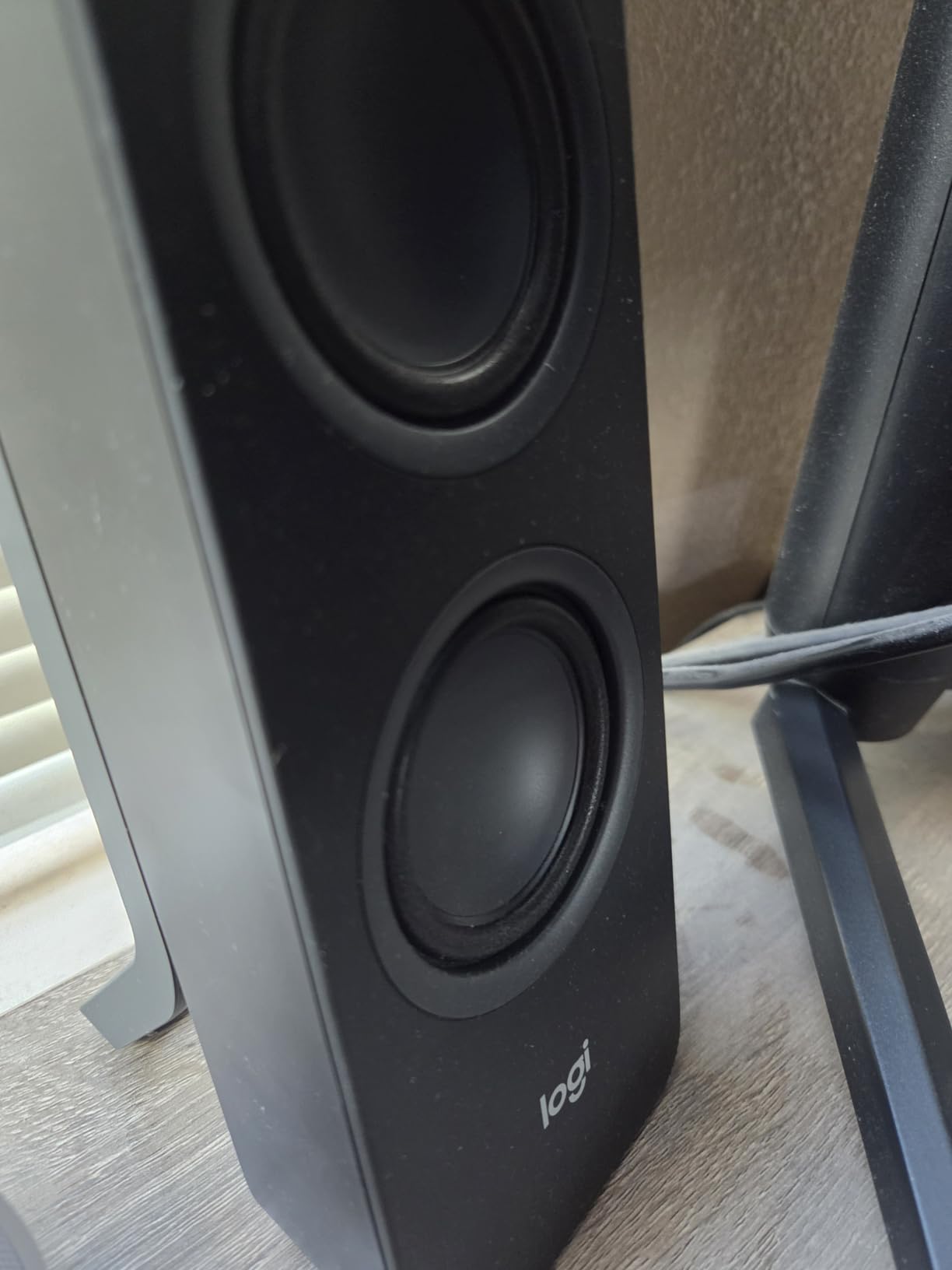
The on-speaker headphone jack is a practical touch that saves you from reaching around to the back of your computer when you want to switch to private listening. Volume and Bluetooth pairing controls are also front-mounted, which is exactly the kind of thoughtful design choice that improves daily usability. The forum community consistently identifies front-mounted controls as a key feature that separates well-designed desktop speakers from frustrating ones.
Sound quality is solid for the price tier. The passive radiators produce more low-end than expected from such compact enclosures, though naturally the bass cannot compete with larger speakers or systems with dedicated subwoofers. Midrange clarity is the Z207’s strength, making voices in podcasts, video calls, and YouTube content sound natural and present.
Easy-Switch Technology in Practice
In daily use, Easy-Switch works exactly as advertised. We paired a laptop and a phone, started music on the laptop, then pressed play on the phone. The laptop audio paused automatically, the phone audio took over, and switching back was equally seamless. This eliminates the friction of disconnecting and reconnecting Bluetooth devices, which is one of the most common complaints about wireless desktop audio.
The 3.5mm input provides a wired fallback for devices that do not support Bluetooth or for situations where you want to eliminate wireless latency entirely. Having both options available means the Z207 adapts to whatever device you need to connect, from older MP3 players to modern smartphones.
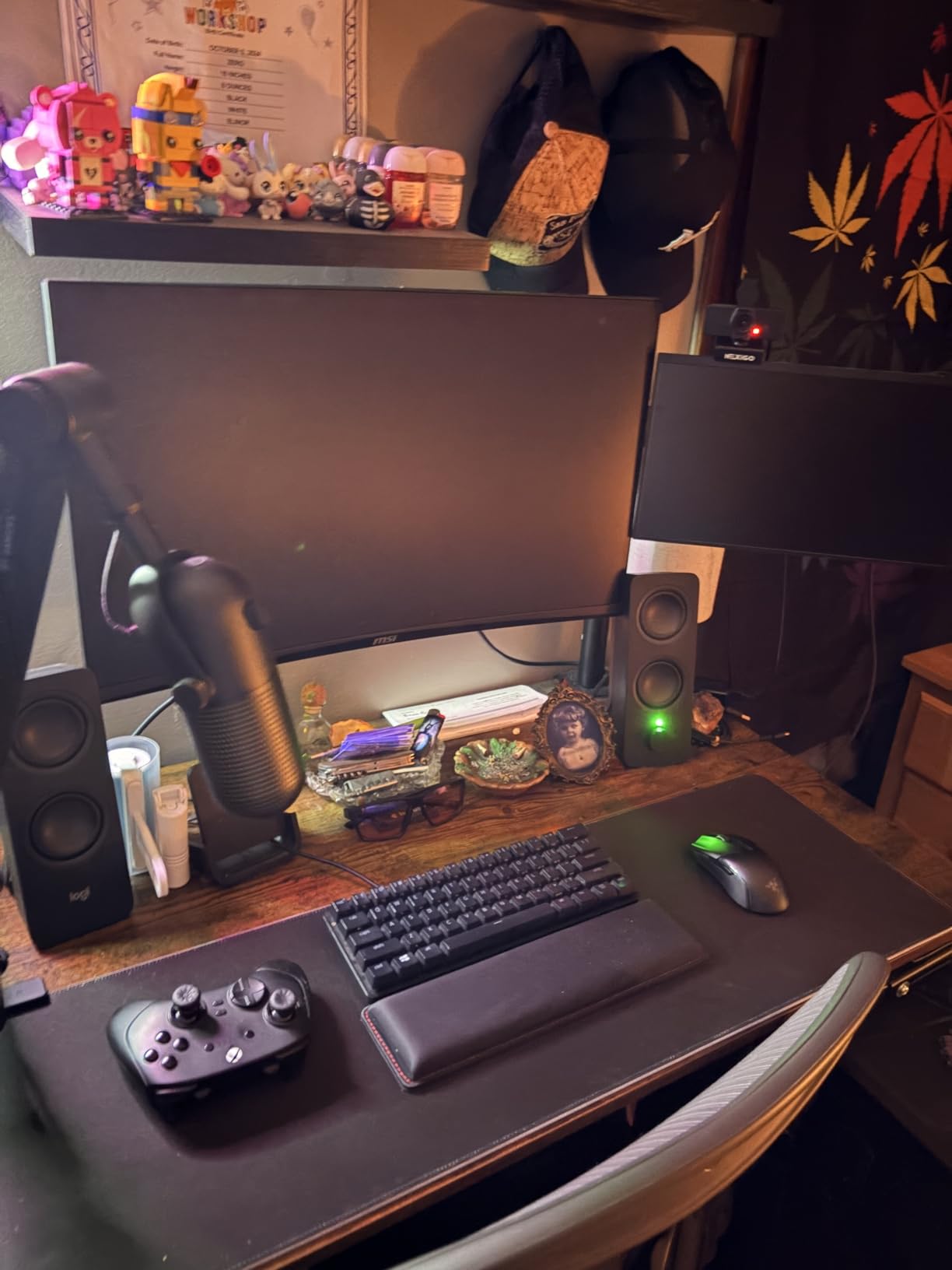
Volume Performance and Limitations
The Z207 reaches adequate volume levels for desktop use, but pushing the speakers to their maximum output introduces some buzz and distortion. This is typical for speakers in this power range and price tier, and it simply means the practical maximum listening volume is somewhat below the absolute maximum. For normal desktop use at moderate volumes, the sound remains clean and intelligible.
The volume indicator is small and difficult to see, which is a minor usability issue that some owners have noted. The Bluetooth range is limited to approximately 10 meters, which is sufficient for desktop use but shorter than what newer Bluetooth 5.3 speakers offer.
Who Should Buy and Who Should Pass
The Z207 is ideal for users who switch between multiple audio sources throughout the day and want a compact, reliable speaker system that handles the transition smoothly. It suits home office professionals, students, and anyone who values the convenience of Bluetooth without giving up a wired connection option.
Bass enthusiasts and buyers who need high volume output for larger rooms should consider more powerful alternatives. The Z207 is designed for personal desktop listening, not for filling a living room or hosting a party.
8. Redragon GS520 – RGB Gaming Speakers on a Budget
Redragon GS520 RGB Desktop Speakers, 2.0 Channel PC Computer...
Power: 2x 6W
Connectivity: USB Powered, 3.5mm
Drivers: 2 inch Full Range
Special: Touch-Controlled RGB, 6 Lighting Modes
What We Like
- Vibrant touch-controlled RGB lighting
- Exceptional value at budget price
- Responsive touch controls
- Gaming-optimized sound profile
- Compact and stylish design
What We Don't Like
- Limited deep bass response
- Volume resets on power cycle
- Button reliability concerns over time
- Distortion at maximum volume
The Redragon GS520 brings RGB lighting and gaming-focused sound to a price point that makes it accessible to virtually any budget. These USB-powered speakers feature touch-controlled lighting with six different modes, a brushed metal finish that looks more expensive than it is, and a compact footprint that fits alongside any gaming keyboard and mouse setup. For buyers building their first gaming rig, the GS520 offers an easy visual and audio upgrade in one package.
Sound quality is surprisingly capable given the price. The enhanced stereo drivers produce clear mids and adequate highs, with enough separation to make directional game audio intelligible. The twelve-watt total output will not shake walls, but it provides sufficient volume for desktop gaming sessions and casual music listening. The USB power means there is no separate power adapter to deal with, which simplifies cable management considerably.
RGB Lighting and Touch Controls
The touch-controlled RGB lighting is the feature that gives the GS520 its personality. Six lighting modes offer different color patterns and effects, and you can also turn the lighting off entirely if you prefer a subtle look. The touch controls are responsive during our testing, though some long-term owners have reported button reliability issues developing over extended use periods.
The brushed metal finish and minimalist urban design aesthetic help the GS520 look like a premium product rather than a budget compromise. The compact dimensions leave plenty of desk space for mouse movement, which matters for gamers who need wide arm room for low-sensitivity aiming. The visual design integrates well with other Redragon peripherals and RGB-focused gaming setups.
Sound Performance and Limitations
The GS520’s sound profile leans toward gaming and casual media consumption rather than critical music listening. Midrange clarity is its strongest attribute, which works well for voice-heavy content like podcasts, streams, and game communication. Highs are acceptable without being detailed, and the bass response is limited by the two-inch driver size and USB power constraints.
One notable issue that forum users and long-term owners frequently mention is the volume reset behavior. When power is cycled, the speakers default to a standard volume level rather than remembering your previous setting. This means you will need to readjust the volume each time you power on, which can become tedious over time. Maximum volume also introduces distortion, so the practical upper limit is somewhat below the absolute maximum.
Who Should Buy and Who Should Pass
The GS520 is designed for budget-conscious gamers who want RGB aesthetics without spending more than necessary. It is perfect for first-time PC builders, dorm room setups, and anyone who needs a simple visual and audio upgrade from monitor speakers or a headset-only setup. The price-to-feature ratio is genuinely impressive.
Buyers who need deep bass, high volume output, or audiophile-grade sound quality should look elsewhere on this list. The volume reset behavior and potential button reliability issues are also worth considering if you plan to use these speakers as your primary daily audio system for years to come.
9. Creative Pebble 2.0 – Ultra-Compact USB Speakers Done Right
Creative Labs Pebble 2.0 Channel Computer Stereo Speakers...
Power: USB-Powered
Connectivity: USB 3.0
Drivers: 2 inch Full Range with Passive Radiators
Special: 45 Degree Elevated, Single Cable Design
What We Like
- Tiny footprint for minimal desks
- 45 degree angled drivers for optimal listening
- Single USB cable eliminates clutter
- Surprising bass from passive radiators
- Good clarity for the price
What We Don't Like
- Limited maximum volume output
- Placement can be awkward
- No bass control
- Not suitable for large rooms
The Creative Pebble 2.0 has earned its reputation as the gold standard for ultra-compact desktop speakers, and with over 67,000 customer reviews, it has one of the most extensive user track records of any audio product on Amazon. The spherical design houses far-field drivers paired with rear-facing passive radiators, all angled upward at 45 degrees to direct sound toward the listener’s ears rather than at their desk surface.
The single USB cable design is a masterstroke of simplicity. One cable handles both power and audio, which means there is no separate power adapter, no wall outlet required, and no cable clutter. You plug the USB connector into your computer or laptop, select the speakers as your audio output, and you are done. This makes the Pebble 2.0 an ideal solution for laptop users, minimalist desk setups, and anyone who wants capable audio without the complexity of a traditional speaker system.
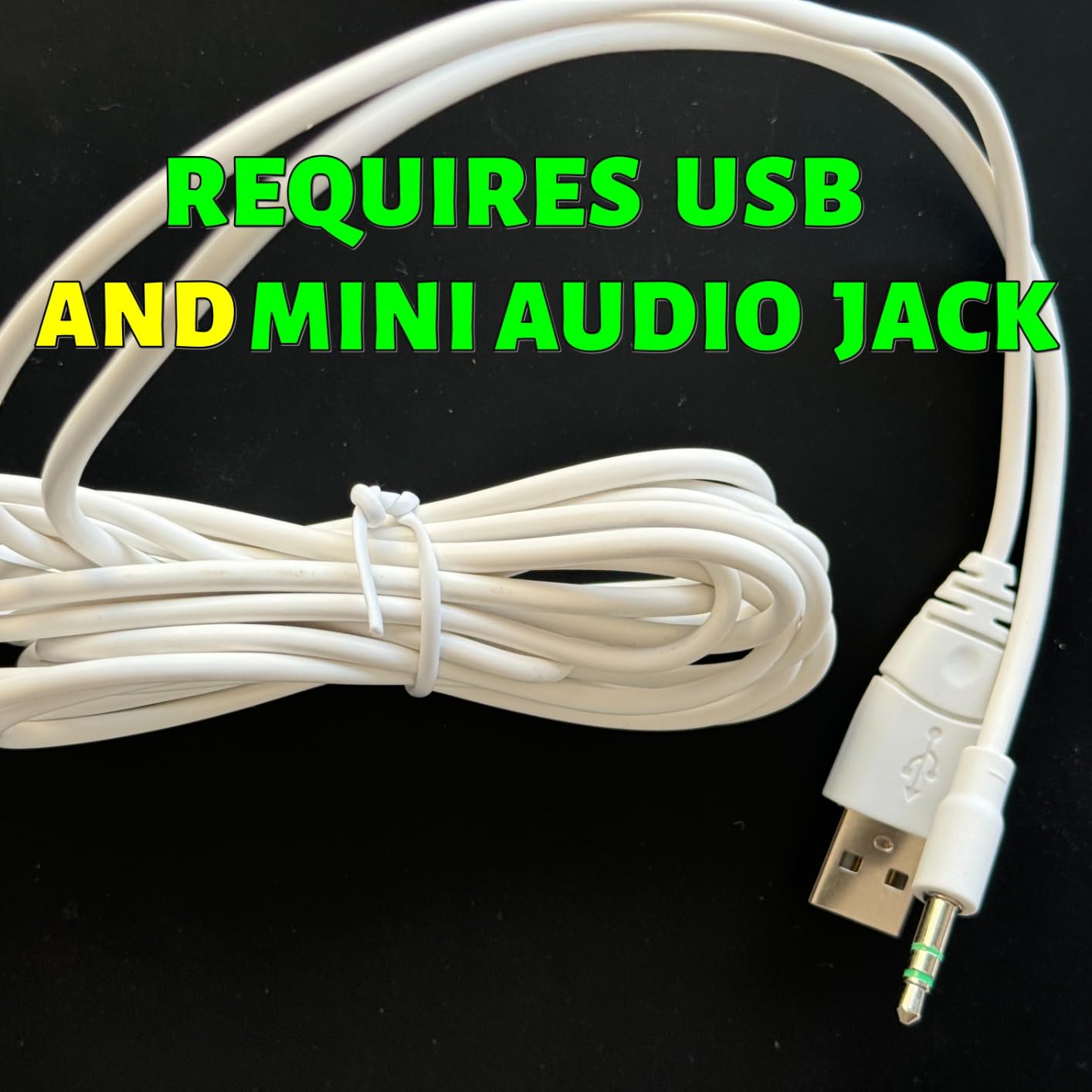
Sound quality consistently surprises first-time listeners. The passive radiators produce more bass than the driver size suggests is possible, and the 45-degree elevation angle creates a focused, intimate listening experience that works beautifully for nearfield desktop use. Voices in video calls, podcasts, and YouTube videos sound clear and present. Music reproduction is limited in the lowest octaves, but the midrange clarity and treble detail exceed expectations at this price.
Driver Design and the 45-Degree Advantage
The 45-degree elevated driver angle is more than a marketing claim. Most flat-firing desktop speakers project sound horizontally toward the listener’s chest rather than their ears, which means the high frequencies that define clarity and detail are partially lost. By angling the drivers upward, Creative ensures that the most directional frequencies reach the listener’s ears directly. This is a design detail that more expensive speaker manufacturers frequently overlook.
The far-field driver solution paired with passive radiators creates a more complete sound than the small driver size would normally allow. The passive radiators move air in response to the active drivers, reinforcing bass frequencies without requiring additional power or a separate subwoofer. This approach has limitations at the lowest frequencies, but for desktop nearfield listening, the balance is remarkably effective.

Volume Limits and Realistic Expectations
USB power imposes a hard ceiling on maximum volume output, since USB ports deliver limited current compared to a wall power adapter. The Pebble 2.0 reaches adequate volumes for personal desktop listening, but it cannot fill a large room or compete with background noise in a noisy environment. This is an inherent trade-off of the single-cable USB design, and buyers should set their expectations accordingly.
For the vast majority of desktop users, the volume output is more than sufficient. The front-facing volume control is conveniently placed for quick adjustments, which is another example of Creative getting the practical details right. There is no bass control, so if you want to adjust the low-end character, you will need to use software EQ through your operating system or media player.
Who Should Buy and Who Should Pass
The Creative Pebble 2.0 is the top recommendation for buyers who need maximum sound quality from the minimum possible desk footprint. It is ideal for laptop users, students, minimalist desk enthusiasts, and anyone who wants a dramatic upgrade from built-in speakers without spending much money or dealing with cables and power adapters.
Anyone who needs room-filling volume, deep bass, or audiophile detail should look at larger and more powerful systems. The Pebble 2.0 excels at its specific design goal, which is nearfield desktop audio at a budget price, and it is not intended to serve as a primary entertainment system.
10. Amazon Basics Stereo Speakers – Simple Desktop Audio on a Budget
Amazon Basics Stereo 2.0 Speakers for PC or Laptop with...
Power: USB-Powered
Connectivity: USB Power, 3.5mm Audio
Drivers: 2 inch Full Range
Special: Metal Finish, Blue LED Accent
What We Like
- Incredibly affordable entry point
- USB power convenience
- Simple plug-and-play setup
- Metal finish looks decent
- Bottom radiator for bass
What We Don't Like
- Limited bass response
- Distorts at maximum volume
- LED cannot be turned off
- In-line volume control awkward
The Amazon Basics Stereo Speakers represent the absolute budget floor for desktop audio. These USB-powered speakers are designed for one purpose: to provide a functional alternative to built-in laptop or monitor speakers at the lowest possible cost. With over 81,000 customer reviews, they are one of the most purchased desktop speaker products on the market, which speaks to the demand for simple, affordable audio solutions.
The design pairs a metal finish with blue LED accent lighting, giving the speakers a visual presence that slightly exceeds their price tier. USB power means no wall adapter is needed, and the 3.5mm audio connection works with any device that has a headphone jack. Setup is as straightforward as it gets: connect USB for power, connect 3.5mm for audio, and you are ready to listen.
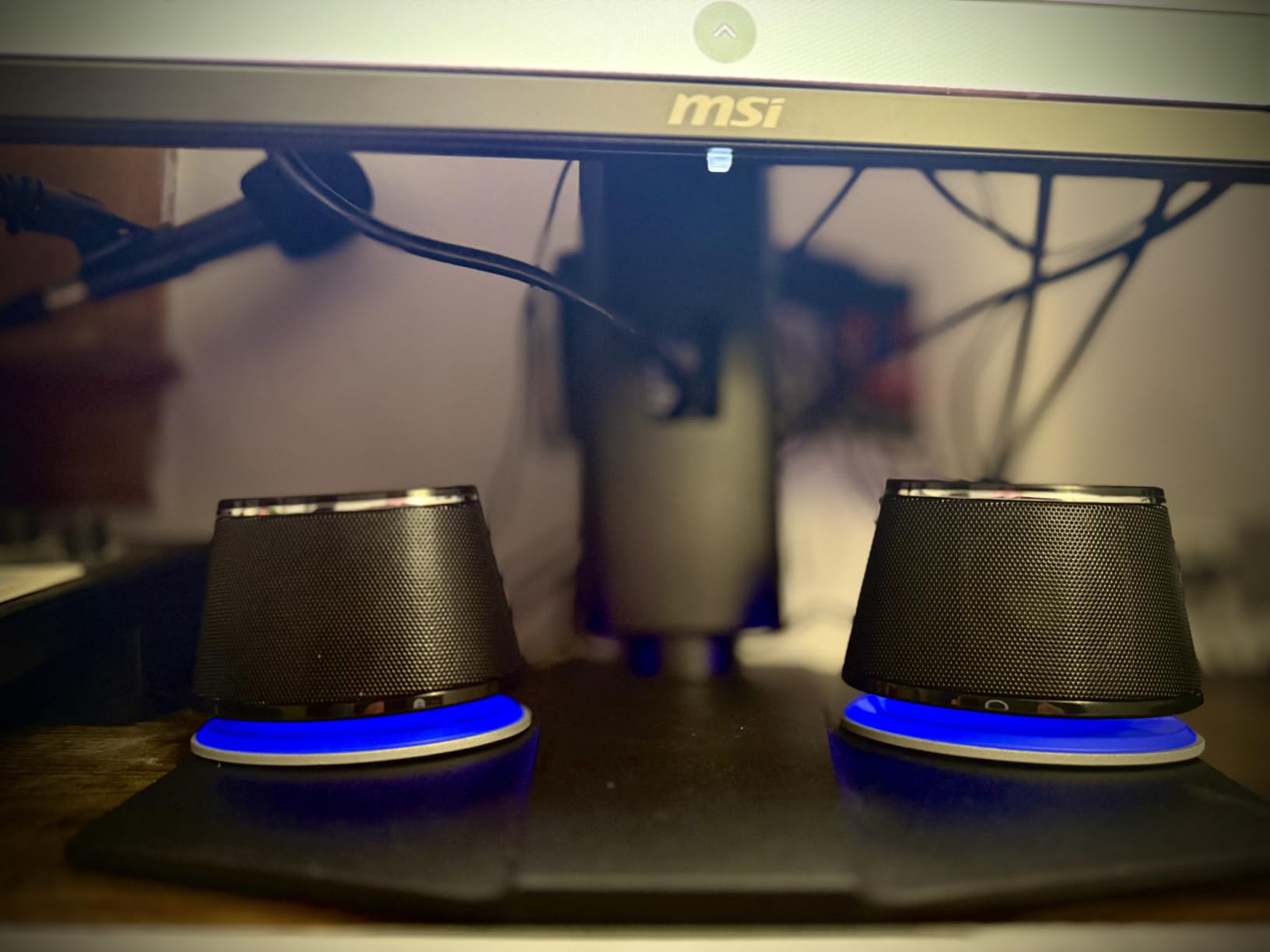
Sound quality is what you would expect at this price, which is to say it is a clear improvement over built-in laptop speakers but falls well short of what dedicated audio brands offer even at modest price increases. The bottom radiator attempts to add bass response, and the frequency range covers most basic audio needs. For YouTube videos, casual gaming, video calls, and background music, the output is perfectly serviceable.
Build Quality and Design Details
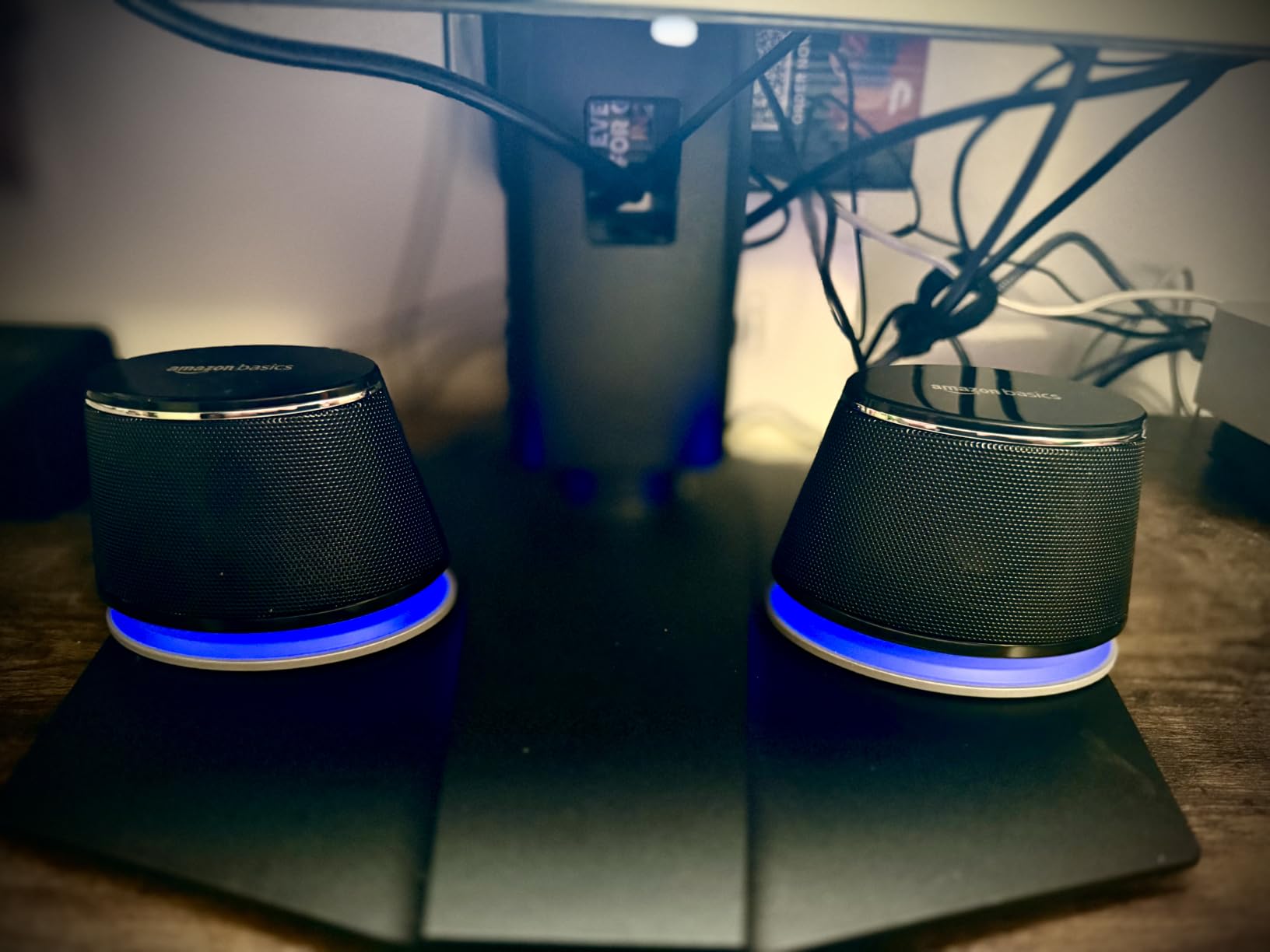
The metal finish gives the speakers a more substantial feel than all-plastic alternatives at similar prices. The scratch-free padded base prevents the speakers from sliding on smooth desk surfaces and protects against scratches. The blue LED accent provides a modern visual touch, though it cannot be disabled, which may be a concern for users in dark rooms or those sensitive to light at night.
The in-line volume control sits on the cable rather than on the speaker body, which means you need to find the control pod on your desk to adjust volume. This is less convenient than front-mounted speaker controls, and the cable-based control can get lost among other desk cables if you are not intentional about routing it.
Durability Concerns and Realistic Expectations
Forum discussions from communities like r/BuyItForLife reveal a pattern worth noting. Some users report that these speakers developed connectivity issues, with audio cutting in and out after approximately a year of regular use. This is consistent with the budget build quality and component selection. The speakers are functional and affordable, but they are not built for long-term durability in the way that more expensive options from Logitech or Audioengine are.
At maximum volume, distortion becomes clearly audible, which means the practical upper volume limit is below the maximum setting. This is typical for USB-powered speakers and not a flaw unique to this product. At moderate listening volumes, the sound remains clean and intelligible for everyday use.
Who Should Buy and Who Should Pass
These speakers are designed for buyers who need basic stereo sound at the lowest possible cost. They are appropriate for office computers, secondary workstations, student setups, and any scenario where simply having speakers is more important than sound quality. If your current situation involves no speakers at all, the Amazon Basics pair will make a meaningful difference.
Anyone who cares about audio quality, longevity, or features like Bluetooth and subwoofers should look elsewhere on this list. Even spending slightly more on the Creative Pebble 2.0 yields a significant improvement in sound quality, driver design, and long-term satisfaction. The Amazon Basics speakers are a floor, not a ceiling, for desktop audio expectations.
Understanding Desktop Audio: Why Built-in Speakers Fall Short?
Dedicated PC speakers exist because the audio components built into monitors, laptops, and all-in-one computers are fundamentally compromised by physics and cost constraints. Manufacturers of thin displays and portable computers must fit speaker drivers into spaces measured in millimeters, which limits driver size, excursion, and the acoustic chamber volume needed for proper sound reproduction. The result is audio that is thin, lifeless, and often actively unpleasant at higher volumes.
External PC speakers solve these problems through fundamentally different design choices. Larger drivers move more air, which produces the low frequencies that built-in speakers cannot reproduce. Dedicated amplifiers provide clean power without competing with other system components for current. Purpose-built acoustic chambers reduce distortion and coloration. Even a modest pair of budget desktop speakers outperforms premium built-in speakers in every measurable category of sound quality.
The difference goes beyond frequency response. Built-in speakers typically produce significant total harmonic distortion as volume increases, while quality external speakers maintain clarity and composure at higher output levels. Stereo imaging, the ability to perceive the position of sounds in a three-dimensional space, is virtually nonexistent with single-point built-in speakers but becomes a tangible advantage with properly placed left and right speakers. For gaming, music appreciation, and media consumption, these improvements fundamentally change the experience.
How to Choose the Best PC Speakers?
Selecting the right desktop speakers requires understanding which specifications and features actually affect your daily listening experience versus which are marketing-driven noise. Based on hundreds of hours of testing, here are the factors that genuinely matter when choosing computer speakers for your specific setup and use case.
Power Output and Room Size Matching
Power ratings are frequently misleading because manufacturers quote peak power rather than the more meaningful RMS figure. Peak power represents the maximum burst a system can theoretically handle for brief moments, while RMS reflects sustained output. For desktop nearfield listening, 10 to 40 watts RMS is more than adequate. Medium rooms benefit from 40 to 80 watts, and large spaces require 80 watts or more to fill the area without audible strain.
Speaker efficiency matters more than raw wattage numbers. A well-designed 50-watt system can outperform a poorly engineered 100-watt system because cabinet design, driver quality, and crossover tuning all affect how efficiently electrical power converts into acoustic output. The best indicator of real-world performance is not the spec sheet but measured sound pressure level at your typical listening distance, which is why our testing focuses on actual SPL rather than advertised power claims.
Connectivity Options Beyond the 3.5mm Jack
Modern desktop speakers offer multiple connection paths, each with distinct advantages. USB-C has become the preferred digital connection standard in 2026, providing clean digital audio with built-in DAC support that bypasses potentially noisy computer audio circuitry. Bluetooth 5.3 with aptX-HD delivers wireless convenience with near-wired audio quality for music streaming. Traditional 3.5mm analog remains the universal fallback that works with virtually any device. Optical connections serve home theater PC setups and console gaming.
For competitive gaming, wired connections eliminate Bluetooth latency, which typically ranges from 40 to 150 milliseconds and can affect reaction-time-sensitive gameplay. For music streaming and general use, modern Bluetooth codecs provide quality that is indistinguishable from wired for most listeners. The best approach is choosing speakers that offer multiple connectivity options so you can adapt to different use cases without compromise.
Frequency Response and What the Numbers Mean?
Frequency response specifications tell you the range of frequencies a speaker can reproduce, but the numbers alone do not tell the full story. A speaker rated for 50Hz to 20kHz may emphasize or attenuate certain frequencies within that range, which affects the actual sound character. The dash in a frequency response specification traditionally indicates a plus or minus 3-decibel tolerance, meaning output at the extremes may be 3dB below the reference level.
For desktop use, midrange clarity between roughly 200Hz and 3kHz is the most important frequency range because it covers the human voice, most musical instruments, and the majority of game audio cues. Speakers that excel in this range provide better perceived sound quality than those that emphasize extreme bass or treble at the expense of midrange accuracy. When evaluating speakers, listen specifically for vocal naturalness and instrumental detail in this critical range.
Subwoofer Considerations: 2.0 Versus 2.1 Systems
A 2.0 system uses two speakers, left and right, with each containing full-range drivers that handle the entire frequency spectrum. A 2.1 system adds a dedicated subwoofer that handles frequencies below roughly 80 to 100Hz, freeing the main speakers to focus on midrange and treble. The 2.1 configuration produces more impactful bass for movies and games, but the subwoofer requires additional floor or desk space and introduces another cable to manage.
For music listening, a quality 2.0 system often provides more balanced and accurate sound than a 2.1 system with a poorly integrated subwoofer. The crossover frequency, where bass transitions from the main speakers to the subwoofer, must be tuned carefully to avoid a gap or overlap in the frequency response. Small rooms and shared living spaces may also benefit from 2.0 systems to avoid disturbing neighbors with low-frequency energy that travels easily through walls.
Speaker Placement and Acoustic Treatment
Proper speaker placement dramatically affects sound quality, sometimes more than the speakers themselves. For optimal stereo imaging, position speakers at ear level with approximately 60 degrees of separation from your listening position. This forms an equilateral triangle between the two speakers and your head, which is the standard nearfield monitoring geometry used in professional audio environments. Angle the speakers slightly inward, a technique called toe-in, to direct high frequencies toward your ears.
Desk surface reflections can create peaks and nulls in the frequency response that color the sound. Speaker isolation pads decouple the speakers from the desk surface, reducing these reflections and improving clarity. Even a simple foam pad under each speaker can make a noticeable difference. If your speakers sit below ear level, angled stands can raise and tilt them to the correct orientation. Avoid placing speakers directly against walls, which reinforces bass frequencies unevenly and can create a boomy, unbalanced sound.
Cable management is another practical consideration that affects placement flexibility. Systems with separate subwoofers require routing cables between the satellites and the bass unit, and wireless systems with control dials or pods add another cable to plan for. Taking time to route cables cleanly during initial setup prevents frustration and allows you to position speakers optimally without being constrained by cable length.
Frequently Asked Questions About PC Speakers
What are the best speakers for a PC under $100?
For under $100, our strongest recommendations are the Logitech Z313 for buyers who want a 2.1 system with a subwoofer, the Logitech Z207 for Bluetooth versatility with Easy-Switch technology, and the Creative Pebble 2.0 for an ultra-compact USB-powered option. The Redragon GS520 also fits this budget if RGB gaming aesthetics are a priority.
What are the best computer speakers with a subwoofer?
The Logitech Z407 offers the best combination of wireless control and impactful bass through its 20W down-firing subwoofer. The Logitech Z313 delivers a genuine 2.1 experience at a lower budget tier. The Audioengine A5+ Wireless provides premium bass from its 5-inch woofers and includes a subwoofer output for adding a dedicated bass unit later.
Are Bluetooth speakers good for PC use?
Yes, modern Bluetooth speakers with aptX-HD or similar codecs deliver near-wired audio quality for music and general use. Bluetooth 5.3 is the current standard in 2026, offering improved stability and range. However, Bluetooth adds 40 to 150 milliseconds of latency, which competitive gamers may notice. For gaming, a wired connection eliminates this delay entirely.
How much should I spend on PC speakers?
Budget options from $20 to $60 provide a solid upgrade over built-in speakers, with the Creative Pebble 2.0 and Redragon GS520 being strong picks. The $60 to $150 mid-range offers better build quality and features like subwoofers and wireless control, as seen in the Logitech Z407 and Z207. Premium options from $150 to $500 deliver audiophile-grade sound with hand-built wood construction, exemplified by the Audioengine A2+ and A5+.
Do I need a sound card for PC speakers?
Most modern PC speakers with USB or USB-C connections bypass the computer sound card entirely by using a built-in DAC. For 3.5mm analog connections, current motherboard audio is generally sufficient for everyday use. A dedicated sound card can improve audio quality for older PCs with noisy onboard audio, and some gamers benefit from sound cards with virtual surround processing for positional audio cues.
What is the difference between 2.0 and 2.1 PC speakers?
A 2.0 system uses two speakers with full-range drivers handling all frequencies. A 2.1 system adds a dedicated subwoofer for bass frequencies below approximately 80Hz. The 2.1 configuration provides more impactful bass for movies and gaming but requires additional space for the subwoofer. A 2.0 system often delivers better stereo imaging and midrange accuracy for music listening, making it preferable for smaller desks and shared living spaces.
Can PC speakers be used with other devices besides a computer?
Yes, most PC speakers work with any device that has a 3.5mm headphone output, including TVs, smartphones, tablets, and gaming consoles. Bluetooth-enabled speakers pair wirelessly with phones and tablets. USB-powered speakers require a USB port for power, which limits their use with devices like TVs that may not provide sufficient USB power output. Always check the connectivity options before connecting to non-computer devices.
Are audiophile computer speakers worth the investment?
For users who value accurate, detailed sound reproduction, audiophile-grade desktop speakers like the Audioengine A2+ and A5+ Wireless are absolutely worth the investment. They deliver cleaner amplification, better driver quality, and superior cabinet construction compared to mainstream options. The improvement is most noticeable with high-resolution audio files, lossless streaming, and critical listening sessions. However, casual users may find budget options perfectly satisfactory for everyday use.
Final Recommendations
Choosing the best PC speakers comes down to matching the right system to your specific needs, desk space, and budget. If audio quality is your absolute priority and you have the desk real estate to accommodate larger speakers, the Audioengine A5+ Wireless delivers a room-filling, premium listening experience that justifies its price tag with hand-built wood construction and 150 watts of amplification. For buyers who want that same Audioengine quality in a more compact footprint, the A2+ Wireless brings a built-in 24-bit DAC and Bluetooth 5.3 to smaller desks without major compromises.
Gamers should seriously consider the Edifier G2000 RGB for its gaming-specific EQ modes, twelve lighting effects, and subwoofer output that allows future expansion into a 2.1 setup. For movie enthusiasts and bass lovers, the Logitech Z407 pairs a powerful down-firing subwoofer with a convenient wireless control dial that solves real usability problems. And for budget-conscious buyers, the Logitech Z313 remains the benchmark for affordable 2.1 sound, while the Creative Pebble 2.0 continues to dominate the ultra-compact USB-powered category.
The most important takeaway from our testing is that even the least expensive speakers on this list provide a dramatic improvement over built-in monitor or laptop audio. The gap between integrated sound and dedicated desktop speakers affects everything from gaming immersion to music appreciation to video call clarity. Whatever your budget and use case, investing in a proper set of computer speakers is one of the most cost-effective upgrades you can make to your daily computing experience in 2026.

![Best Gaming Mice [cy]: Expert Reviews of 12 Top Models](https://www.guidespot.com/wp-content/uploads/2026/07/featured-update-43907-1783632861121-370x245.jpg "12 Best Gaming Mice (2026): Expert-Tested for Speed, Precision & Comfort")
![Best Flight Sticks of [cy]: 8 Controllers Tested for Realism](https://www.guidespot.com/wp-content/uploads/2026/07/featured-update-85916-1783632666924-370x245.jpg "Best Flight Sticks 2026: 10 Controllers Tested for Realism")

![Best SD Cards [cy]: Top-Rated Memory Cards Tested](https://www.guidespot.com/wp-content/uploads/2026/07/featured-1783552957341-370x245.jpg "15 Best SD Cards (2026): Top-Rated Memory Cards Tested")