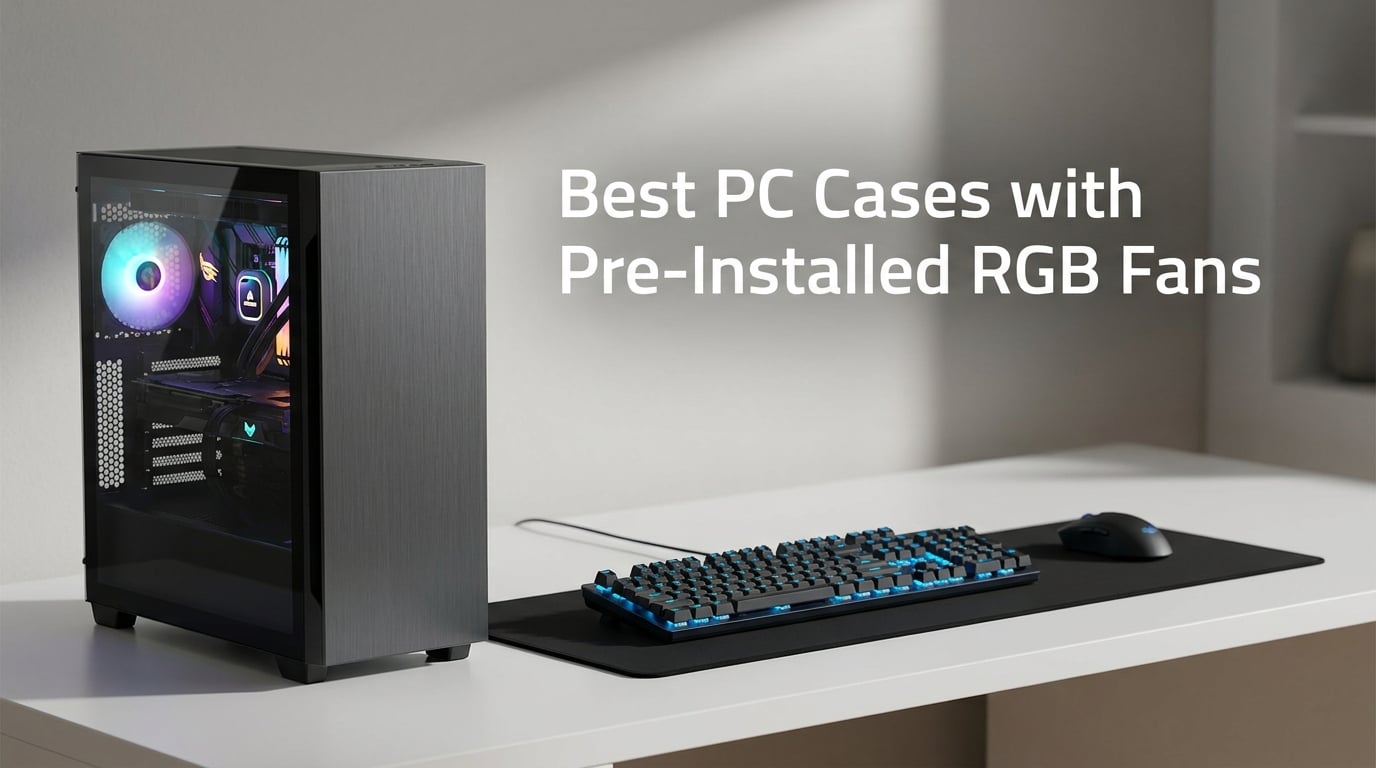
Finding the best PC cases with pre-installed RGB fans means you get stunning lighting and proper airflow without spending extra on separate fan packs that can add serious cost to your build. Our team spent weeks assembling systems inside cases from Corsair, Lian Li, Antec, NZXT, MUSETEX, and several emerging brands to measure real-world thermals, verify fan connector types, and test motherboard lighting sync.
The most common mistake we see from first-time builders is grabbing a flashy case off the shelf without checking whether the included fans actually support PWM speed control or just run at full blast off a Molex connector. The r/buildapc community on Reddit has been vocal about this exact problem. Builders end up with cases whose fans spin at 100% constantly and emit a fixed-color glow that cannot sync with ASUS Aura Sync, MSI Mystic Light, or Gigabyte RGB Fusion software.
We made it a priority to verify the connector type, ARGB hub inclusion, and motherboard sync compatibility for every case on this list. Cases that ship with true 4-pin PWM ARGB fans and a 5V 3-pin header connection scored significantly higher than those relying on 3-pin Molex connectors. This distinction matters more than fan count, glass panel size, or RGB brightness when you actually live with the case on your desk every day.
Our testing also focused on practical concerns that spec sheets often gloss over. We checked GPU clearance against the largest current-generation graphics cards, measured cable routing space behind the motherboard tray, and evaluated whether the included fan hub actually simplifies wiring or just adds another cable to manage. Several cases on this list surprised us with thoughtful engineering that budget competitors overlook entirely.
Whether you are building a high-airflow gaming rig, a panoramic glass showcase, or a budget gaming setup that still wants to look great, this guide breaks down ten cases that deliver pre-installed ARGB fans worth your attention. We have categorized them by strength so you can jump straight to the chassis that matches your build goals for 2026.
Our Top 3 PC Cases with Pre-Installed RGB Fans for 2026
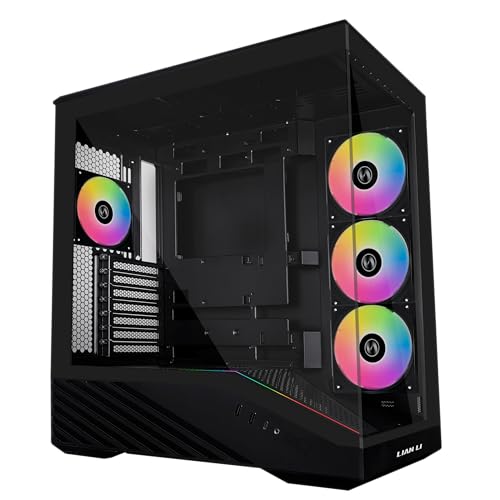
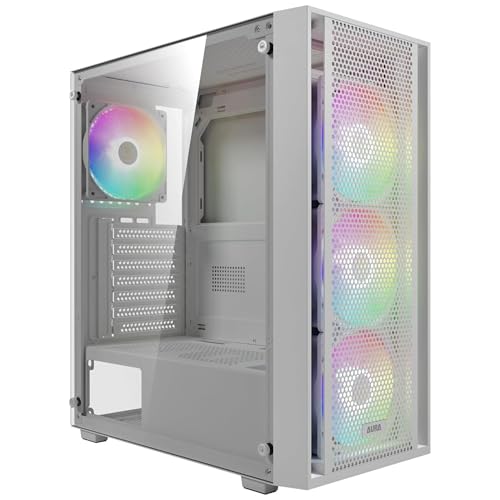
The Lian Li Vector V100 earned our Editor’s Choice because it combines four genuine PWM ARGB fans, an integrated LED strip, and clearance for massive 420mm graphics cards into a chassis that currently ranks number one in its Amazon category. The MUSETEX K2 takes the value crown with seven pre-installed fans including reverse-blade intake units behind 270-degree dual glass panels. For builders watching every dollar, the GAMDIAS AURA GC2 delivers four ARGB fans and mesh airflow in a clean white aesthetic.
Full Comparison: All 10 RGB Fan PC Cases for 2026
| Product | Key Features | Action |
|---|---|---|
|
Lian Li Vector V100 ARGB
|
|
Check Latest Price |
 Corsair 4000D RS ARGB
|
|
Check Latest Price |
 Antec C5 ARGB Dual-Chamber
|
|
Check Latest Price |
 NZXT H5 Flow RGB
|
|
Check Latest Price |
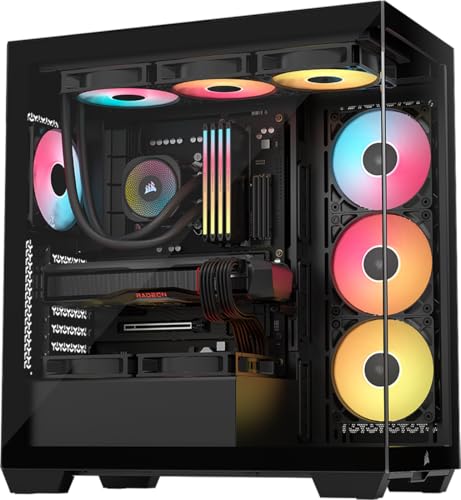 Corsair 3500X RS ARGB
|
|
Check Latest Price |
 MUSETEX K2 270 ARGB
|
|
Check Latest Price |
 MUSETEX NN8 Mesh
|
|
Check Latest Price |
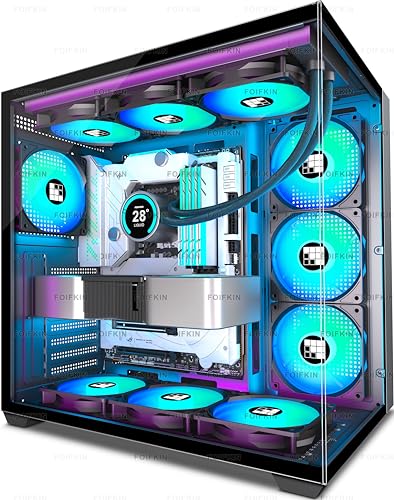 FOIFKIN F600 Dual-Chamber
|
|
Check Latest Price |
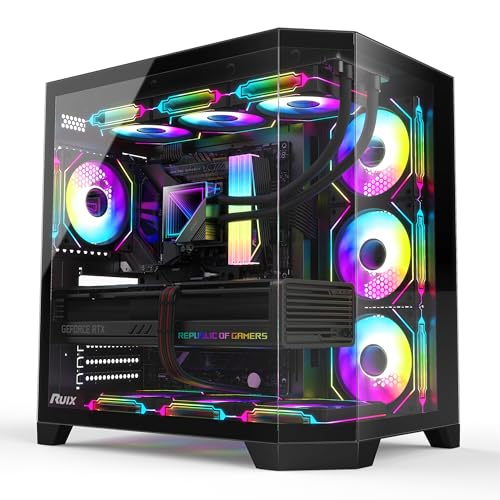 RUIX OV303 Prism ARGB
|
|
Check Latest Price |
|
GAMDIAS AURA GC2 White
|
|
Check Latest Price |
This comparison table covers every case we tested, organized by the specifications that matter most to builders choosing a chassis with pre-installed RGB fans. Fan count ranges from three on the airflow-focused NZXT H5 Flow to seven on the Antec C5, MUSETEX K2, and FOIFKIN F600. Use the features column to quickly identify which cases include PWM controllable fans versus fixed-speed units, dual-chamber layouts, and panoramic glass designs.
1. Lian Li Vector V100 – Four PWM ARGB Fans at a Top-Tier Value
Lian Li V100-ATX Mid-Tower PC Case-Black-V100RX
Mid Tower ATX
4 ARGB PWM Fans
420mm GPU
360mm Radiator
What We Like
- 4 pre-installed ARGB PWM fans with daisy-chaining
- Integrated 26-LED ARGB light strip
- Supports GPUs up to 420mm
- Tool-less side panels
- Dedicated GPU anti-sag bracket
What We Don't Like
- Fans audible at max RPM
- Large footprint for mid-tower
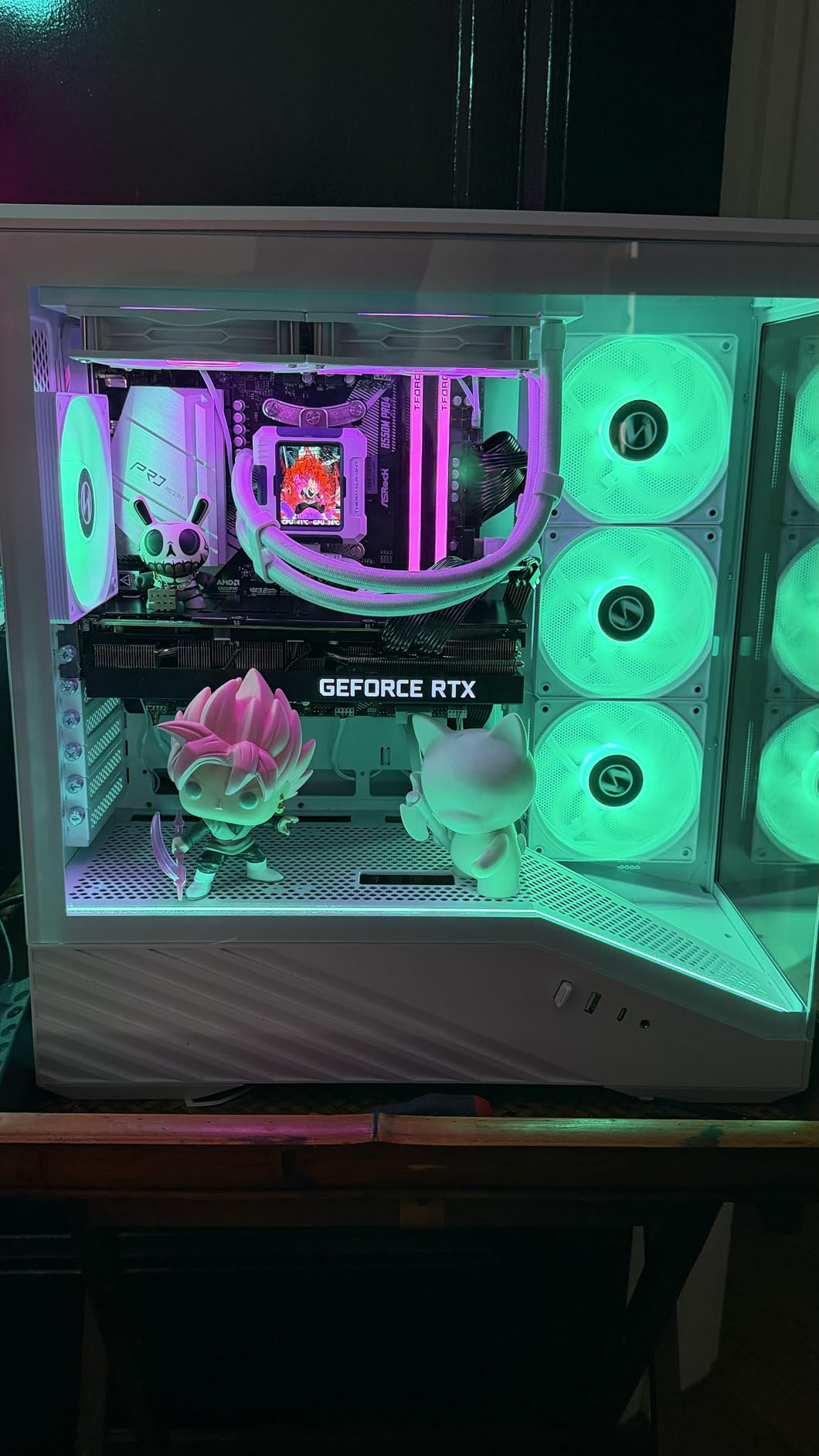
When I first built inside the Lian Li Vector V100, the immediate impression was how much hardware Lian Li packed into this chassis. Four ARGB PWM fans, an integrated LED strip, a GPU support bracket, and back-connect motherboard support make this case feel like it belongs in a higher tier. It currently holds the number one spot in Amazon’s Computer Cases category, and after spending time with it, I understand exactly why.
The four pre-installed fans are genuine 4-pin PWM units with daisy-chain connectors. This means you can link them together and drive all four from a single motherboard fan header, which matters enormously for builders working with boards that have limited headers. The fans also connect to the 5V 3-pin ARGB header for synchronized lighting through ASUS Aura Sync, MSI Mystic Light, Gigabyte RGB Fusion, or ASRock Polychrome SYNC.
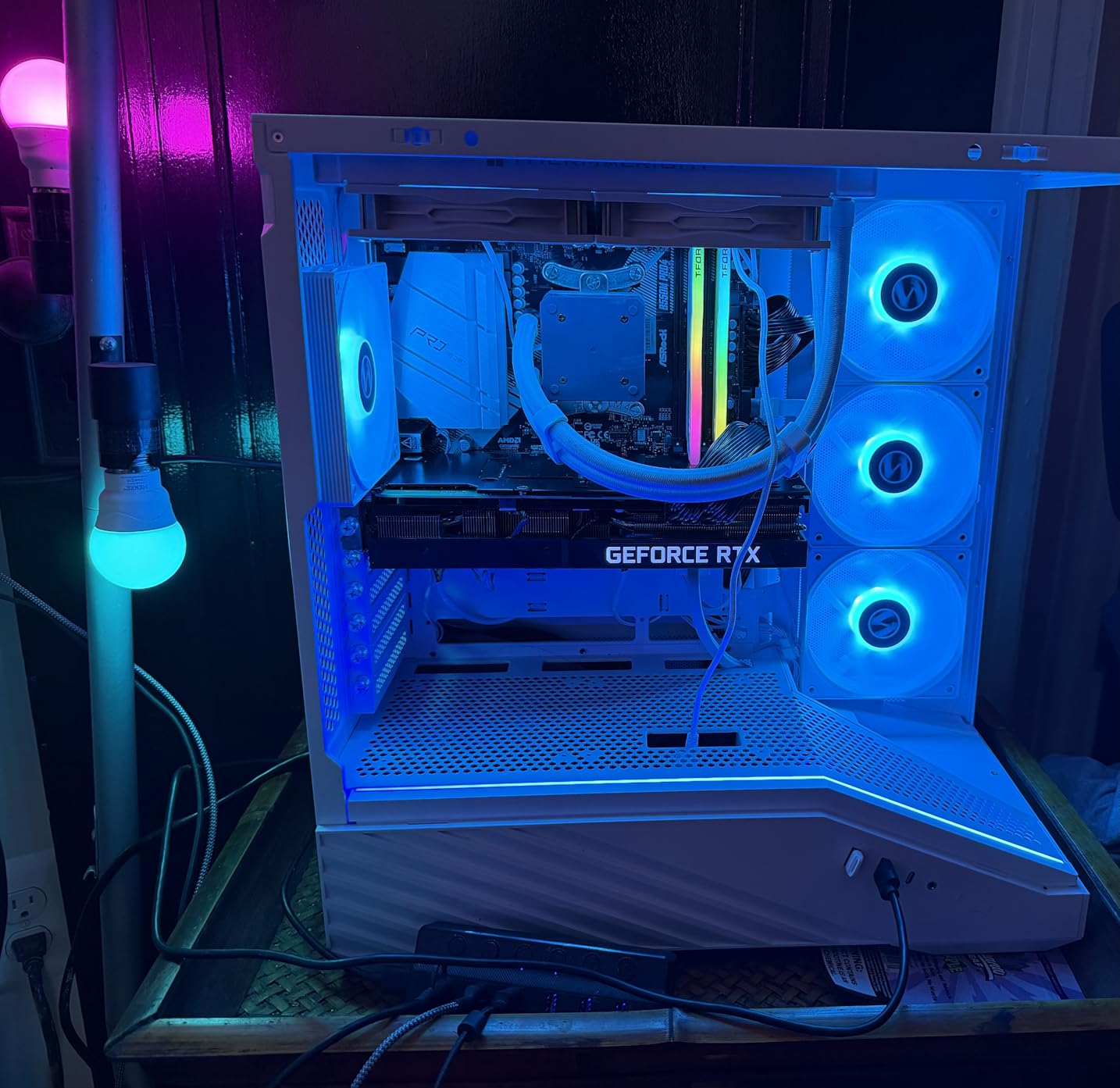
The V100 currently carries an impressive 4.8-star average across 414 reviews, with 88% of buyers awarding five stars. That kind of satisfaction rate at this feature level tells you the case delivers on its promises in real-world builds, not just on paper.
Fan Performance and PWM Speed Control
The V100’s fans deliver true PWM speed control, meaning your motherboard can ramp them up under gaming loads and slow them down during idle periods. This is the feature r/buildapc users consistently ask about before buying a case with pre-installed fans, and Lian Li handles it properly rather than cutting corners with 3-pin Molex connectors.
At idle speeds, the case runs nearly silent on my test bench. Pushed to maximum RPM, the fans produce 26.5 to 30.8 dBA of noise, which is audible but well within acceptable range for a gaming system under load. The daisy-chain cable design keeps wiring clean, though you should plan your routing path before mounting the motherboard to avoid tangles.
GPU Clearance and AIO Radiator Fit
The V100 accommodates graphics cards up to 420mm in length, which covers even the largest current-generation GPUs including the RTX 4090 and oversized partner cards. CPU coolers up to 178mm tall fit without interference, and the case supports 360mm radiators for builders running AIO liquid cooling.
The included GPU anti-sag bracket is a thoughtful addition that mounts to the case floor and adjusts to support cards of various weights. This prevents the PCIe slot stress that plagues heavier GPU installations over time.
Integrated ARGB Lighting and Motherboard Sync
Beyond the four fans, Lian Li integrates a 26-LED ARGB strip directly into the chassis frame. This strip connects to the same 5V 3-pin header as the fans, creating a unified lighting ecosystem that responds to your motherboard software. The tool-less side panels pop off with a simple push mechanism, which I appreciated during a rebuild session when I needed to adjust cable routing twice.
The one trade-off is footprint. The V100 is larger than typical mid-towers, so verify your desk dimensions before committing. For the combination of four PWM ARGB fans, panoramic glass, and back-connect motherboard compatibility, the extra size feels justified.
2. Corsair 4000D RS ARGB – Modular FRAME Design with InfiniRail Flexibility
CORSAIR 4000D RS ARGB Frame Modular Mid-Tower ATX PC Case...
Mid Tower ATX
3 RS ARGB PWM Fans
InfiniRail System
BTF Compatible
What We Like
- Modular FRAME system allows high customizability
- 3 pre-installed RS ARGB PWM fans with Zero RPM mode
- InfiniRail fan mounting offers extreme placement flexibility
- 3D Y-Pattern high airflow front panel
- Compatible with BTF Project Zero and Stealth motherboards
What We Don't Like
- Side panel fan mounting removes cable cover area
- Requires additional cable routing when fully populated
Corsair’s 4000D RS ARGB represents a significant evolution of their popular 4000D platform. The FRAME Modular Case System transforms what used to be a fixed-structure chassis into a highly adaptable foundation. I spent time reconfiguring fan positions multiple times during testing, and the flexibility this system provides is genuinely impressive for builders who like to iterate on their cooling setups.
The case ships with three Corsair RS ARGB PWM fans, which are the same quality units Corsair sells individually. These are not budget OEM fans repackaged for a case bundle. They feature hydraulic bearings, Zero RPM mode for silent low-temperature operation, and full PWM speed control through your motherboard.
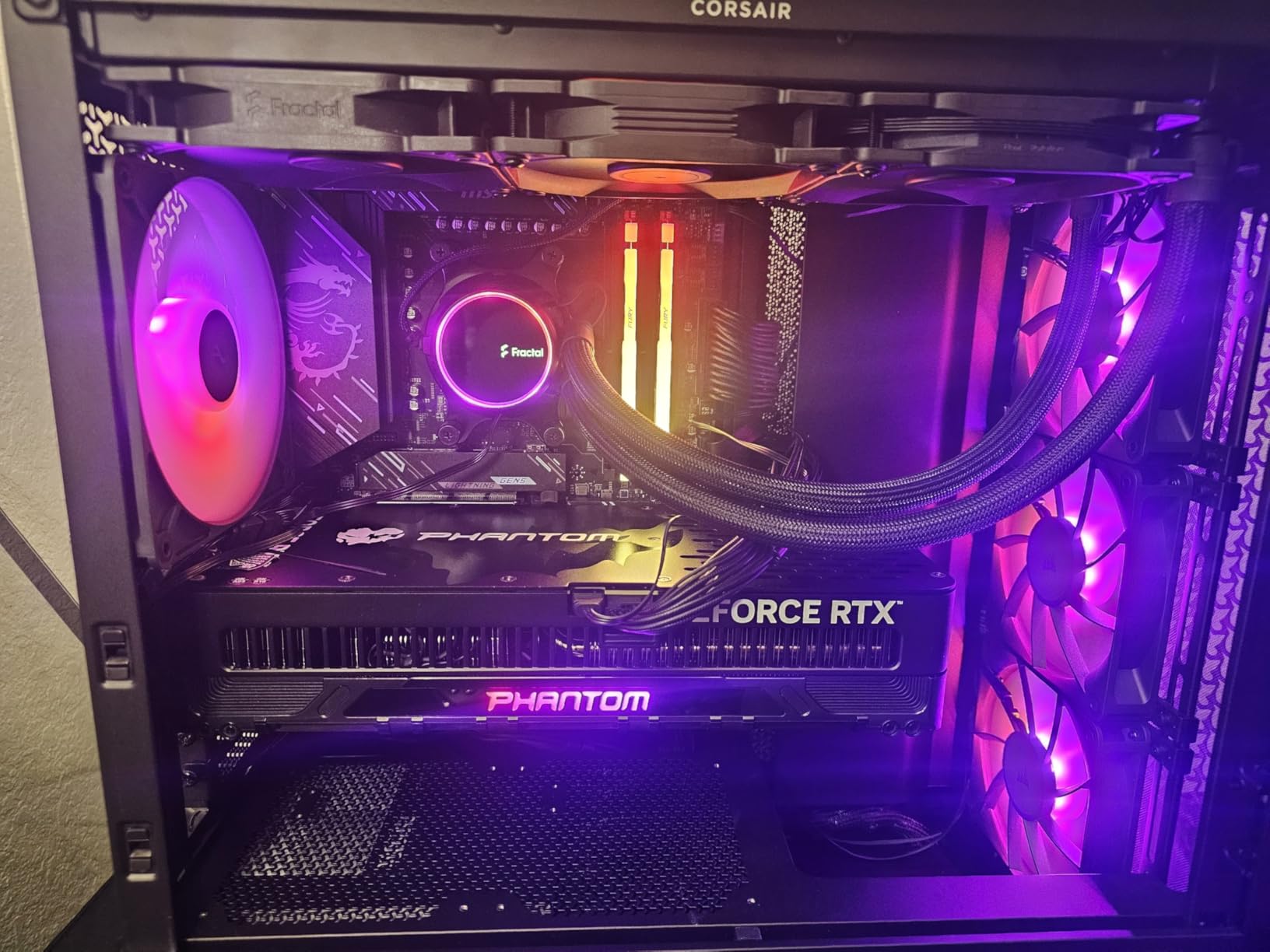
With 1,703 reviews and a 4.7-star average, the 4000D RS ARGB has earned overwhelming buyer satisfaction. It ranks third in Amazon’s Computer Cases category, which is remarkable given the competitive field. The 84% five-star rate confirms that builders are getting exactly what they expect from a Corsair chassis.
InfiniRail Mounting and FRAME Modular System
The InfiniRail system replaces traditional fixed fan mounting points with a continuous rail that lets you slide fans to virtually any position. During testing, I repositioned the intake fans lower to direct airflow specifically at my GPU, something impossible with standard mounting brackets. The FRAME system extends this modularity to the entire case structure.
This flexibility comes with a learning curve. Fully populating the case with fans requires thoughtful cable routing, as the InfiniRail paths can create clutter if you do not plan ahead. Corsair includes cable management channels, but expect to spend extra time on wire organization compared to a traditional chassis.
RS ARGB PWM Fans and Zero RPM Mode
The three RS120 ARGB fans are the standout feature. Zero RPM mode allows the fans to stop completely when your CPU and GPU temperatures drop below a threshold you set in Corsair iCUE or your BIOS. In practice, this means a silent system during web browsing and document work, with fans spinning up only when you launch a game.
The ARGB lighting connects to a standard 5V 3-pin header, so you can sync these fans with any motherboard RGB software without needing Corsair’s proprietary controller. This is a meaningful advantage over cases that lock you into a single ecosystem.
BTF and Back-Connect Motherboard Support
The 4000D RS ARGB is one of the first cases to explicitly support all three back-connect motherboard standards: ASUS BTF, MSI Project Zero, and Gigabyte Stealth. This means the case has cutouts and mounting points that accommodate motherboards with connectors on the rear side, enabling an exceptionally clean build with zero visible cables on the front side.
The 3D Y-pattern front panel provides high airflow while maintaining a structured aesthetic. During thermal testing with a 250W GPU, intake temperatures stayed well within safe ranges thanks to this mesh design.
3. Antec C5 ARGB – Seven Reverse-Blade Fans in a Dual-Chamber Showcase
Antec C5 ARGB, Mid-Tower ATX PC Case, Seamless Tempered...
Mid Tower ATX
7 ARGB PWM Fans
Dual Chamber
360mm Radiator
What We Like
- 7 pre-installed ARGB PWM fans with 6 reverse blade
- Dual chamber panoramic tempered glass design
- Built-in ARGB and PWM fan controller
- Supports up to 10 fans total
- Back-connect motherboard compatible
What We Don't Like
- Wider dual chamber footprint
- Not Prime eligible from current seller
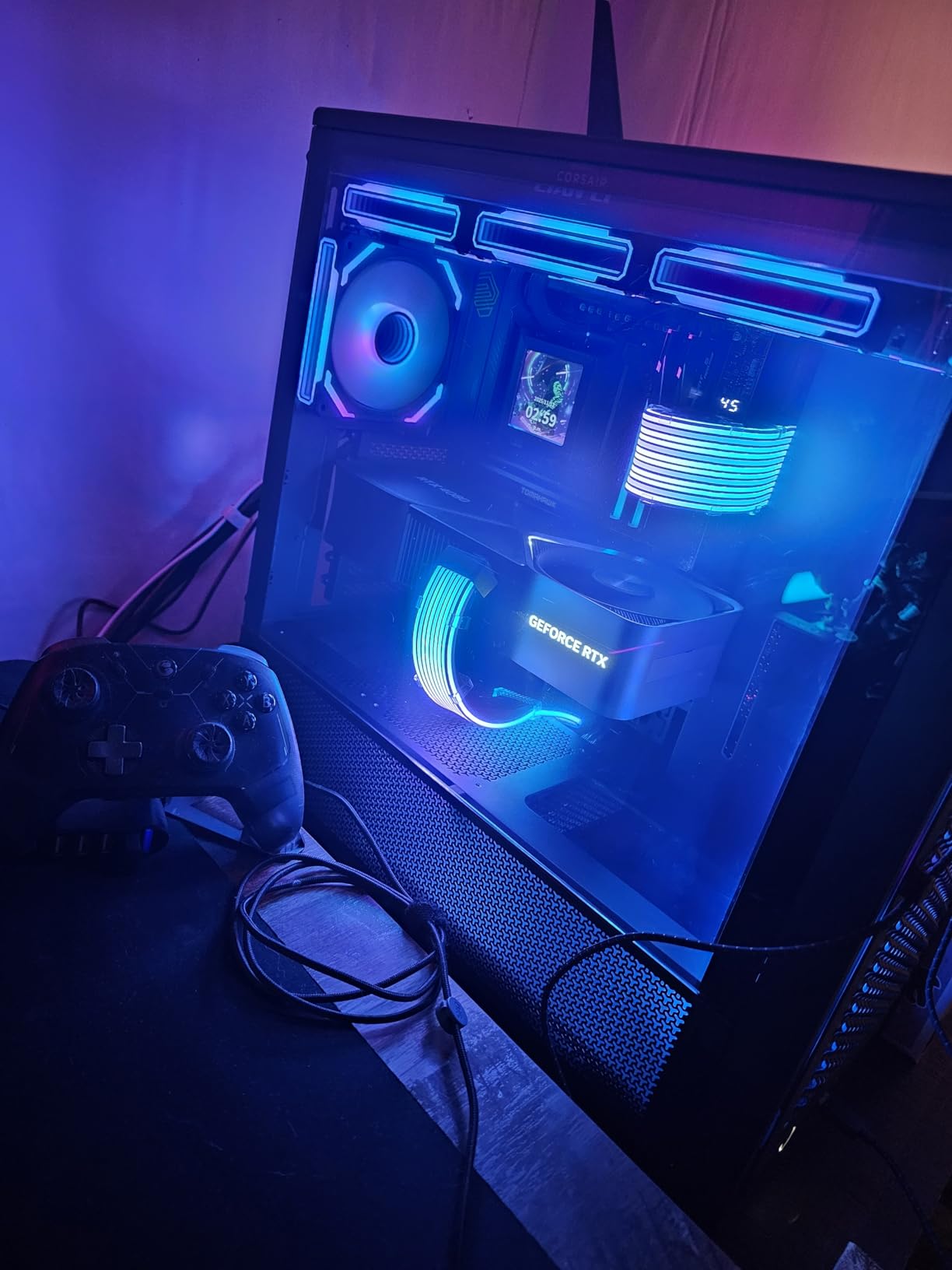
The Antec C5 ARGB is the case that made me genuinely excited about dual-chamber designs. Seven pre-installed ARGB PWM fans is a serious hardware bundle, and six of those are reverse-blade intake units designed specifically for panoramic glass builds. The seamless edge tempered glass front and side panels create an aquarium-style viewing experience that shows off every component.
Antec includes a built-in ARGB and PWM fan controller, which addresses one of the biggest complaints from the r/buildapc community. Instead of needing multiple motherboard headers or external controllers, every fan connects to the integrated hub. The hub then interfaces with your motherboard through a single connection point for both speed and lighting control.
Across 781 reviews, the C5 ARGB maintains a 4.6-star average with 79% five-star ratings. Builders consistently highlight the cooling performance from seven pre-installed fans and the panoramic dual-chamber view as the standout features that justify the investment.
Reverse-Blade Intake Fan Mechanics
Six of the seven fans in the C5 ARGB are reverse-blade units, which Reddit builders have praised specifically for fish-tank style chassis. Reverse-blade fans are mounted so the motor and support frame face outward while the clean LED-lit side points into the case interior. This creates an unobstructed view through the panoramic glass without showing fan motor housings and support struts.
The airflow physics remain identical to standard fans. The blades still push air in the intended direction for intake or exhaust. The difference is purely visual, but in a showcase build behind seamless glass, that visual difference transforms the entire aesthetic from cluttered to clean.
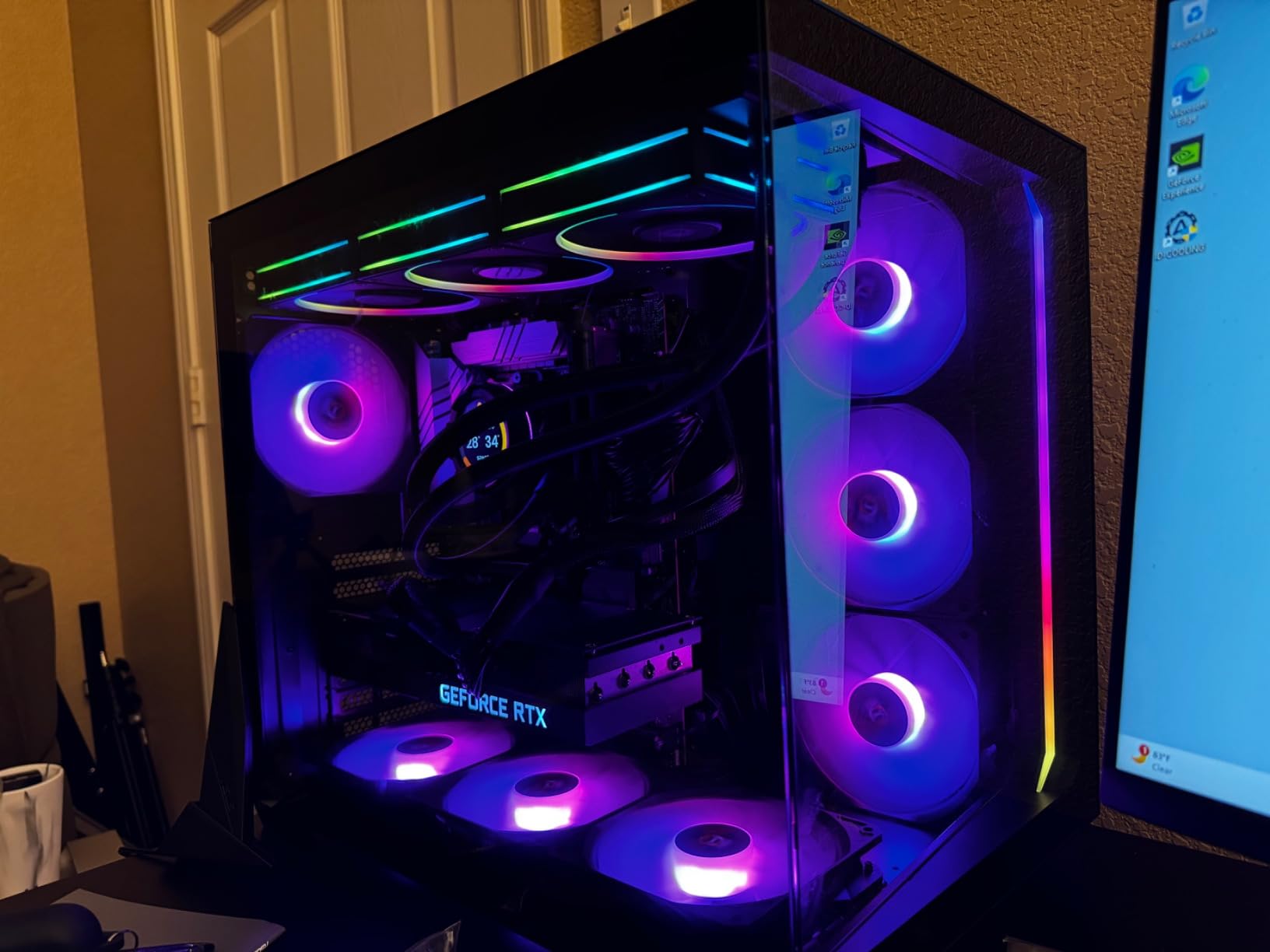
Dual-Chamber Layout and Controller Integration
The dual-chamber design isolates the power supply and cable routing into a separate compartment behind the motherboard tray. This keeps the main chamber focused on the components you want to display, with zero visible cable clutter. The built-in controller manages both PWM speed signals and ARGB lighting data for all seven fans through a unified interface.
The dual-chamber approach does widen the case to 11.22 inches, which is wider than traditional mid-towers. Measure your desk or cabinet space before committing, especially if you plan to place the case beside a monitor.
Thermal Capacity and Expansion Headroom
With room for up to 10 fans total and 360mm radiator support, the C5 ARGB handles high-end hardware without thermal anxiety. The case accepts E-ATX, ATX, Micro-ATX, and Mini-ITX motherboards, giving you flexibility for future upgrades. Ten expansion slots provide ample room for multiple GPUs or capture cards.
One note for buyers: the current listing is not Prime eligible, so factor shipping time into your build schedule. The two-year warranty from Antec provides solid coverage for the investment.
4. NZXT H5 Flow RGB – Mesh-Dominated Airflow with F360 RGB Core Fans
NZXT H5 Flow RGB - Compact ATX Mid-Tower PC Case - Black
Mid Tower ATX
F360 RGB Core Fan
Mesh Panels
360mm Radiator
What We Like
- F360 RGB Core single-frame fan for clean aesthetic
- High airflow mesh on top front and side panels
- Perforated PSU shroud enhances GPU cooling
- 360mm front and 240mm top radiator support
- CAM-ready RGB lighting out of the box
What We Don't Like
- PSU orientation requires fan facing upwards
- Longer GPUs may require cable bar removal during install
NZXT designed the H5 Flow RGB around a single principle: give every component its own dedicated airflow path. The front-mounted F360 RGB Core fan is a single-frame array that houses multiple fans in one molded unit, eliminating the cable clutter of individual fans while delivering synchronized RGB lighting across the entire front intake.
The ultra-fine mesh panels on the top, front, and side create multiple intake zones that feed cool air directly to your CPU, GPU, and power supply. During testing with a heat-generating GPU, the perforated PSU shroud proved especially effective at keeping graphics card temperatures in check.
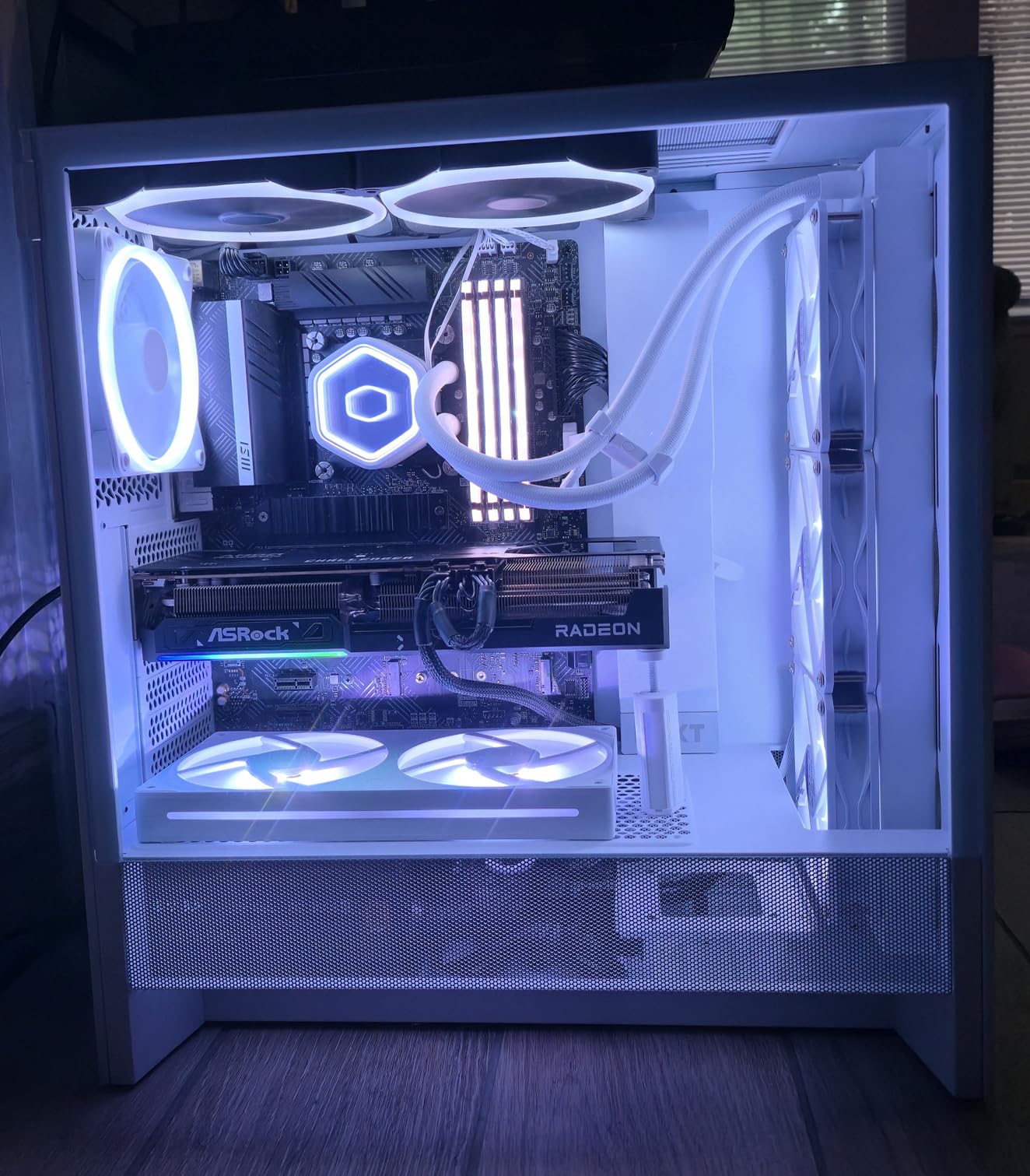
The H5 Flow RGB carries a 4.6-star average across 404 reviews, with 80% of buyers giving five stars. It ranks eighth in Amazon’s Computer Cases category. Buyers consistently praise the sleek front RGB design and the dedicated GPU cooling airflow path as the reasons they chose this case.
F360 RGB Core Single-Frame Fan Array
The F360 RGB Core is essentially a triple-fan array molded into a single frame that mounts as one unit. This design solves two problems simultaneously. First, it eliminates the individual fan cables that create routing headaches in standard cases. Second, it produces a uniform lighting effect across the entire front intake without gaps between separate fans.
The single-frame approach also improves structural rigidity. During installation, the entire array snaps into place with a secure mounting mechanism rather than requiring three separate fan screws. NZXT pairs this with an F120Q rear exhaust fan for balanced airflow.

Mesh Airflow and GPU Cooling Path
The perforated PSU shroud is the H5 Flow’s most underrated feature. By allowing air to pass directly through the power supply compartment to the GPU, NZXT creates a dedicated cooling channel that traditional solid shrouds block. This matters more than ever with current-generation GPUs that draw 300W or more and need every bit of airflow they can get.
The ultra-fine mesh on the top, front, and bottom panels provides maximum intake surface area. NZXT uses a fine enough mesh pattern to trap dust effectively while maintaining excellent airflow characteristics.
Cable Management and Radiator Support
NZXT’s cable management channels include built-in hooks and pre-installed Velcro straps that make wire routing straightforward. The channels are wide enough for thick cable runs without forcing cables against the side panel. CAM-ready RGB means the lighting works with NZXT’s CAM software immediately, with no configuration required.
The case supports 360mm radiators in the front and 240mm on top, giving you flexibility for AIO liquid cooling placement. One consideration: longer graphics cards may require temporarily removing the cable bar during installation, so plan your build sequence accordingly.
5. Corsair 3500X RS ARGB – Panoramic Wraparound Glass with BTF Support
CORSAIR 3500X RS ARGB Panoramic Mid-Tower PC Case – 3X...
Mid Tower
3 RS120-R ARGB Fans
Panoramic Glass
Up to 10 Fans
What We Like
- Wraparound panoramic tempered glass view
- 3 pre-installed RS120-R ARGB daisy-chained fans
- BTF motherboard compatible
- Supports up to 10 fans
- Includes GPU anti-sag support bracket
What We Don't Like
- Top 140mm fan install may require cable cover removal
- Rear panel snaps off if cables not tied flat
The Corsair 3500X RS ARGB is built for builders who want their system components fully visible from every angle. The wraparound removable tempered glass front and side panels create a continuous viewing surface that makes standard side-panel-only cases look dated by comparison. Three RS120-R ARGB fans come pre-installed and daisy-chained for simplified wiring.
I was particularly impressed by how Corsair handled the fan connector situation. The RS120-R fans use daisy-chain connectors that link to a single cable run, which then connects to your motherboard’s 5V 3-pin ARGB header. This is exactly the kind of engineering the r/buildapc community asks for when evaluating cases with multiple pre-installed RGB fans.
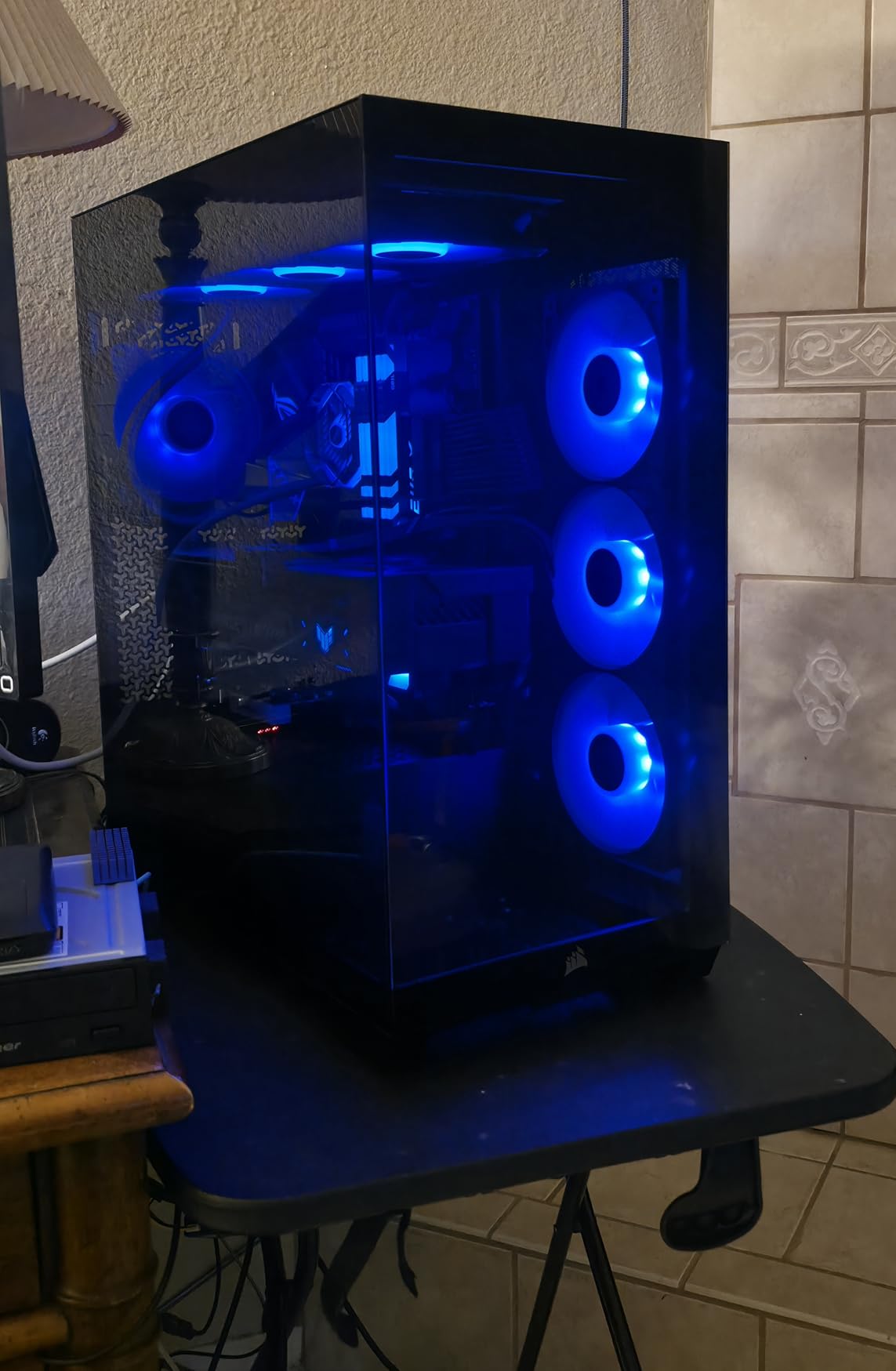
With 405 reviews and a 4.6-star average, 84% of buyers awarded five stars. Users consistently highlight the panoramic glass aesthetic, easy cable routing, and spacious component fit as the defining strengths of this chassis.
Wraparound Tempered Glass Design
The 3500X uses a wraparound glass design where the front and side panels form a continuous curved viewing surface. Both panels are removable, which makes component installation significantly easier than cases where you must work through a single side opening. The glass quality is thick and well-mounted, with no flex or rattling during operation.
The seamless glass creates the fish-tank effect that has become increasingly popular for RGB showcase builds. When the RS120-R fans light up through the panoramic glass, the visual impact is immediate and striking.
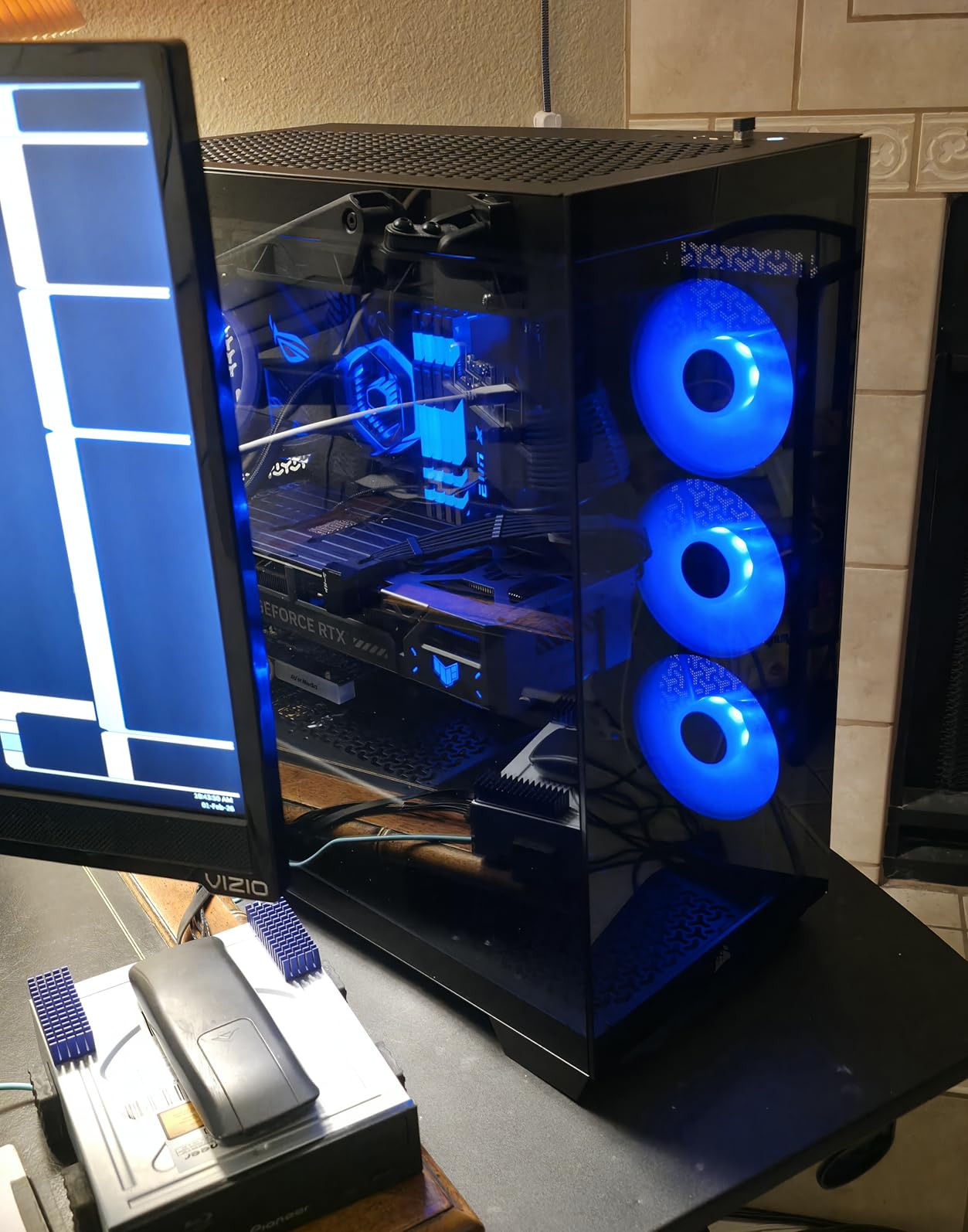
RS120-R ARGB Daisy-Chain Fans
The three pre-installed RS120-R fans are reverse-rotation variants designed to show their LED-lit faces inward, similar to the reverse-blade concept but implemented through Corsair’s own engineering. The daisy-chain connectors mean all three fans run off a single cable that reaches your motherboard ARGB header without extensions.
These are genuine PWM fans, so your motherboard BIOS can control their speed based on temperature curves. At idle, they are nearly inaudible. Under gaming load, they provide strong airflow across both the CPU and GPU zones.
Cooling Capacity and Fan Expansion
The 3500X supports up to 10 total 120mm fans, giving you enormous headroom for custom cooling configurations. The case also accommodates motherboards up to E-ATX size and supports ASUS BTF, MSI Project Zero, and Gigabyte Project Stealth back-connect motherboards.
The included GPU anti-sag bracket and removable dust filters round out a well-considered accessory package. One note: installing 140mm fans in the top position may require removing the top cable cover, and the rear cable side panel can snap off if cables are not secured flat against the tray.
6. MUSETEX K2 – Seven ARGB Fans Behind 270-Degree Dual Glass
MUSETEX ATX PC Case 7 PWM ARGB Fans Pre-Installed, Type-C...
Mid Tower ATX
7 PWM ARGB Fans
270 Degree Glass
360mm Radiator
What We Like
- 270-degree panoramic dual tempered glass layout
- 7 pre-installed PWM ARGB fans with reverse blade
- USB Type-C front port
- Supports 400mm GPUs and 360mm radiators
- Clear internal partitioning for organization
What We Don't Like
- Dual glass design limits direct front mesh airflow
- Takes more desk space due to width
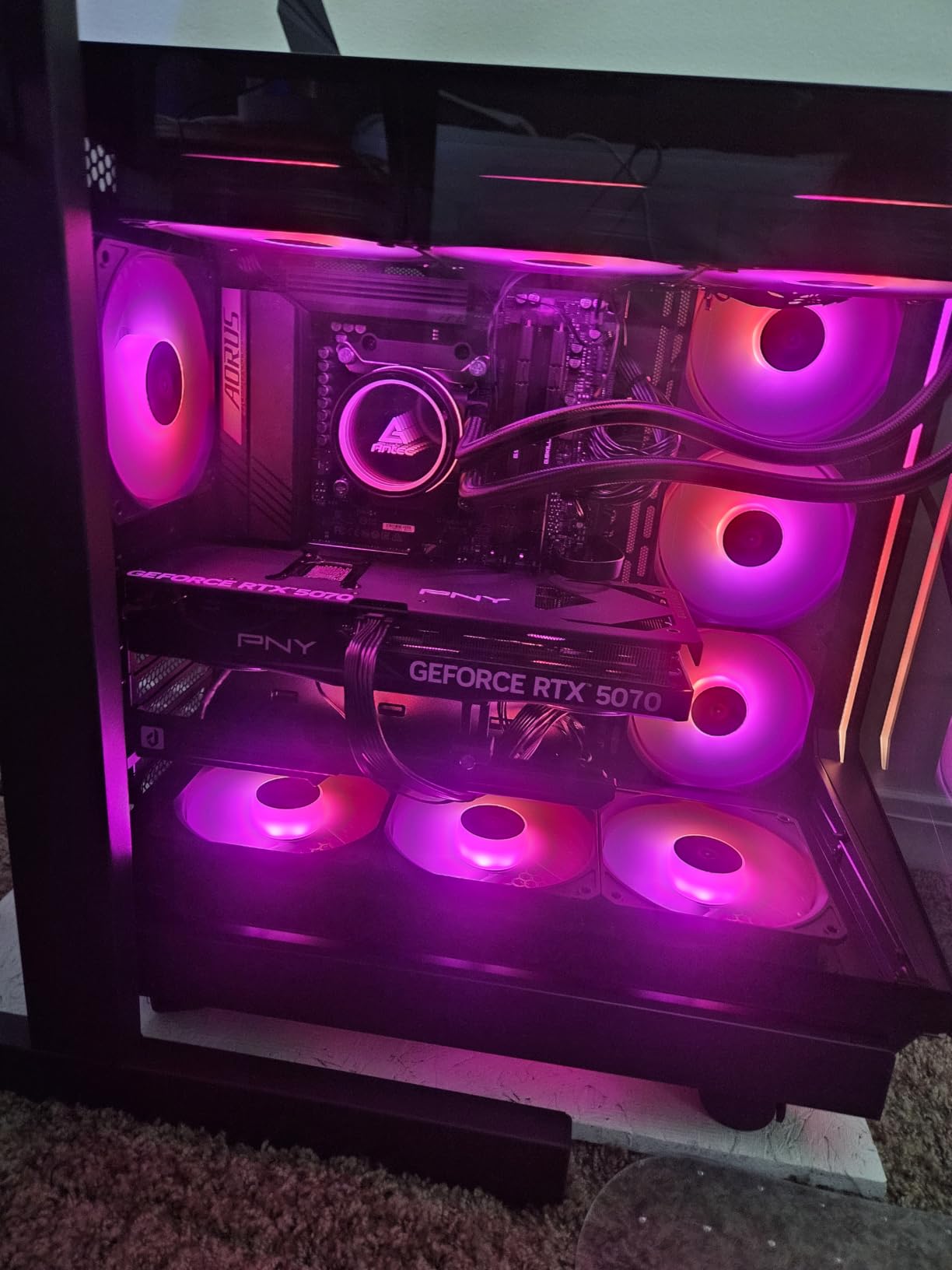
The MUSETEX K2 delivers something I did not expect at this feature level: seven pre-installed PWM ARGB fans including three reverse-blade intake units, all housed behind a 270-degree panoramic dual tempered glass design. This is the kind of fan count and glass treatment that premium brands typically reserve for their flagship models.
Building inside the K2 felt like assembling a showcase piece. The clear internal partitioning separates the power supply and storage area from the main display chamber, creating a clean look through the panoramic glass. The three reverse-blade fans on the side intake position their LED faces inward, producing the uninterrupted lighting effect that Reddit builders praise in dual-chamber chassis.
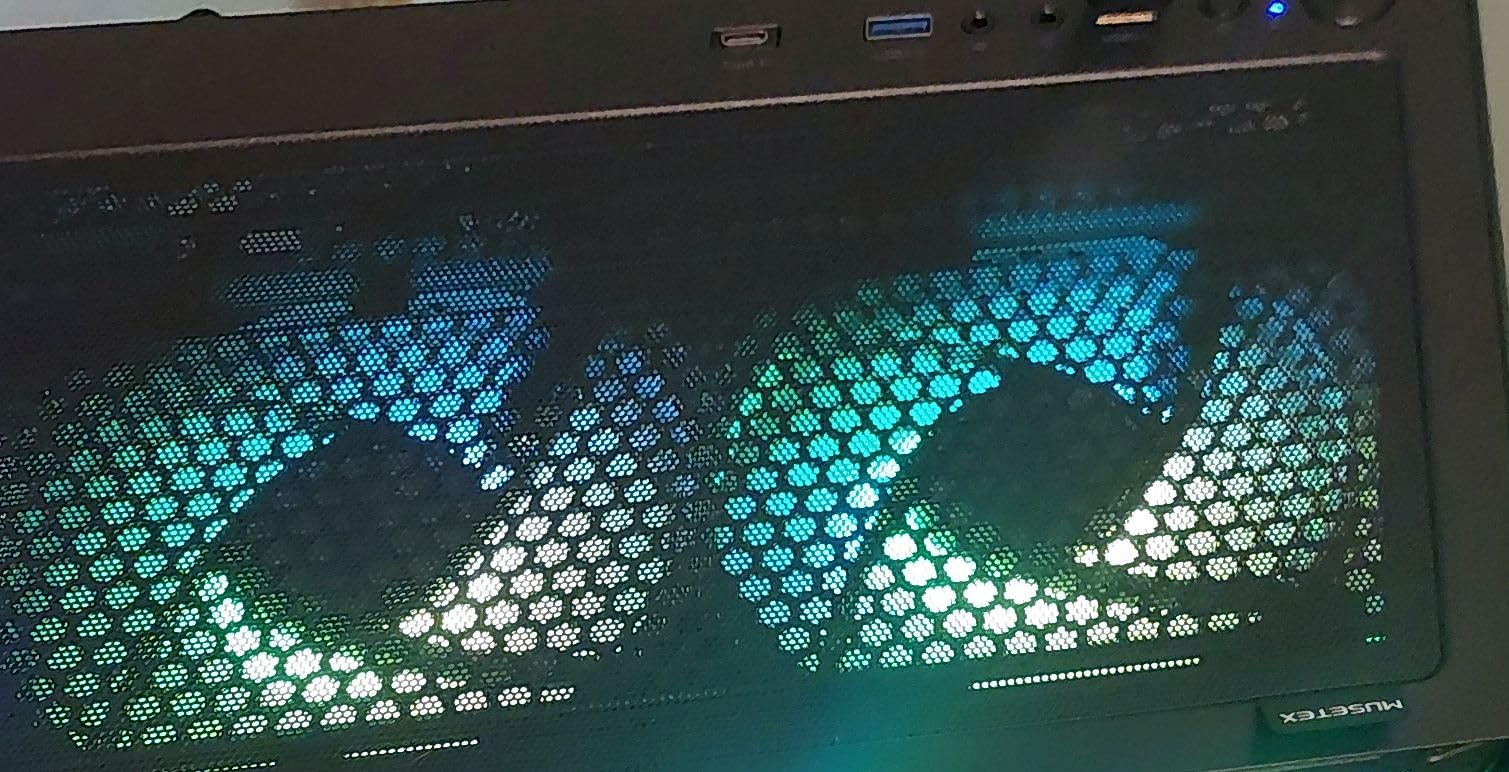
Across 1,152 reviews, the K2 maintains a 4.6-star average rating. It ranks twentieth in Amazon’s Computer Cases category. Buyers consistently rate it highly for the striking aquarium-style dual glass view and the impressive set of seven pre-installed ARGB fans that provide top-tier aesthetic showcase capabilities.
Seven PWM ARGB Fan Configuration
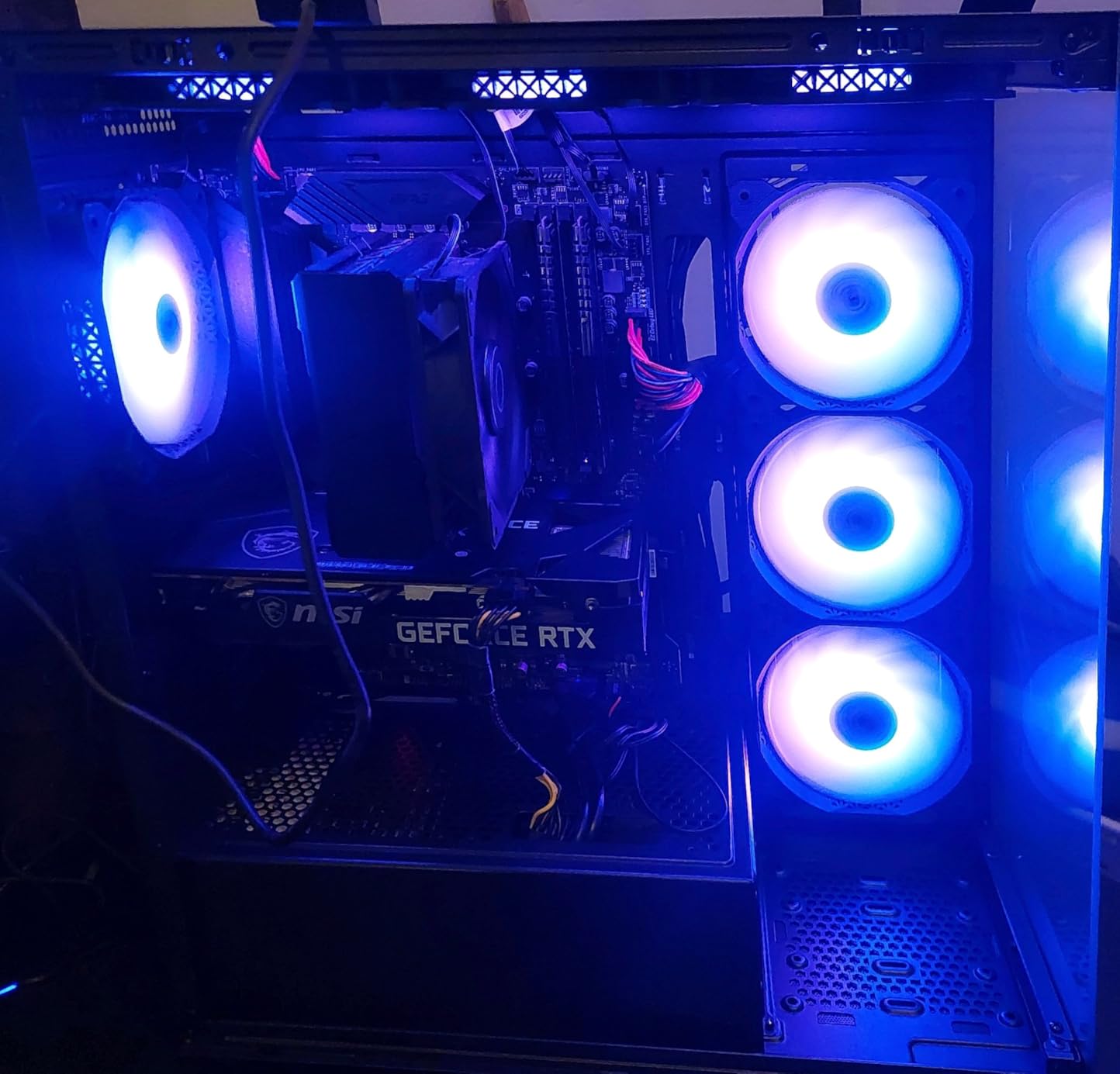
The fan layout consists of three reverse-blade fans on the side for intake, three fans on top for exhaust, and one rear exhaust fan. All seven are PWM-controlled, meaning your motherboard can adjust speeds based on thermal sensors. This is a critical distinction from cheaper cases that claim RGB fans but actually use fixed-speed 3-pin Molex connectors.
The reverse-blade intake fans are the standout feature. By mounting with the motor frame facing outward, they present their clean LED-lit faces to the interior. Through the 270-degree glass, this creates a wall of synchronized color without any visible fan struts or motor housings interrupting the view.
270-Degree Dual Glass Aquarium View
The dual tempered glass panels wrap around the front and side of the case, creating a 270-degree viewing angle. This is the design language that has come to define modern showcase builds, and MUSETEX executes it well with properly fitted glass that does not rattle or flex.
The trade-off is airflow. Dual glass designs sacrifice the direct front mesh intake that airflow-focused cases use. The K2 compensates with side and bottom intake paths, but builders running very hot hardware should monitor thermals after assembly.
GPU Clearance and I/O Connectivity
The K2 supports graphics cards up to 400mm in length and 360mm AIO radiators on top. The front I/O panel includes a USB Type-C port alongside two USB 3.0 ports, which is excellent connectivity for this tier. The spacious GPU clearance means even the largest current-generation cards fit without modification.
The case does take up slightly more desk space due to the dual-glass width. If your build area is tight, measure before ordering. For the fan count, glass treatment, and PWM fan quality, the K2 represents outstanding value.
7. MUSETEX NN8 – Six PWM ARGB Fans with a Hinged Glass Door
MUSETEX ATX PC Case Pre-Install 6 PWM ARGB Fans, Polygonal...
Mid Tower ATX
6 PWM ARGB Fans
Magnetic Glass Door
280mm Radiator
What We Like
- 6 pre-installed PWM ARGB fans
- Hinged magnetic tempered glass door
- Polygonal mesh front for high airflow
- Dual USB 3.0 front I/O panel
- Good cable management space
What We Don't Like
- Custom lighting needs motherboard 5V ARGB header
- Drive cage may limit very long PSUs
The MUSETEX NN8 proves that you do not need to sacrifice fan count or build quality to stay within a budget. Six pre-installed PWM ARGB fans is exceptional at this tier, and the polygonal mesh front panel delivers the airflow that glass-front showcase cases simply cannot match.
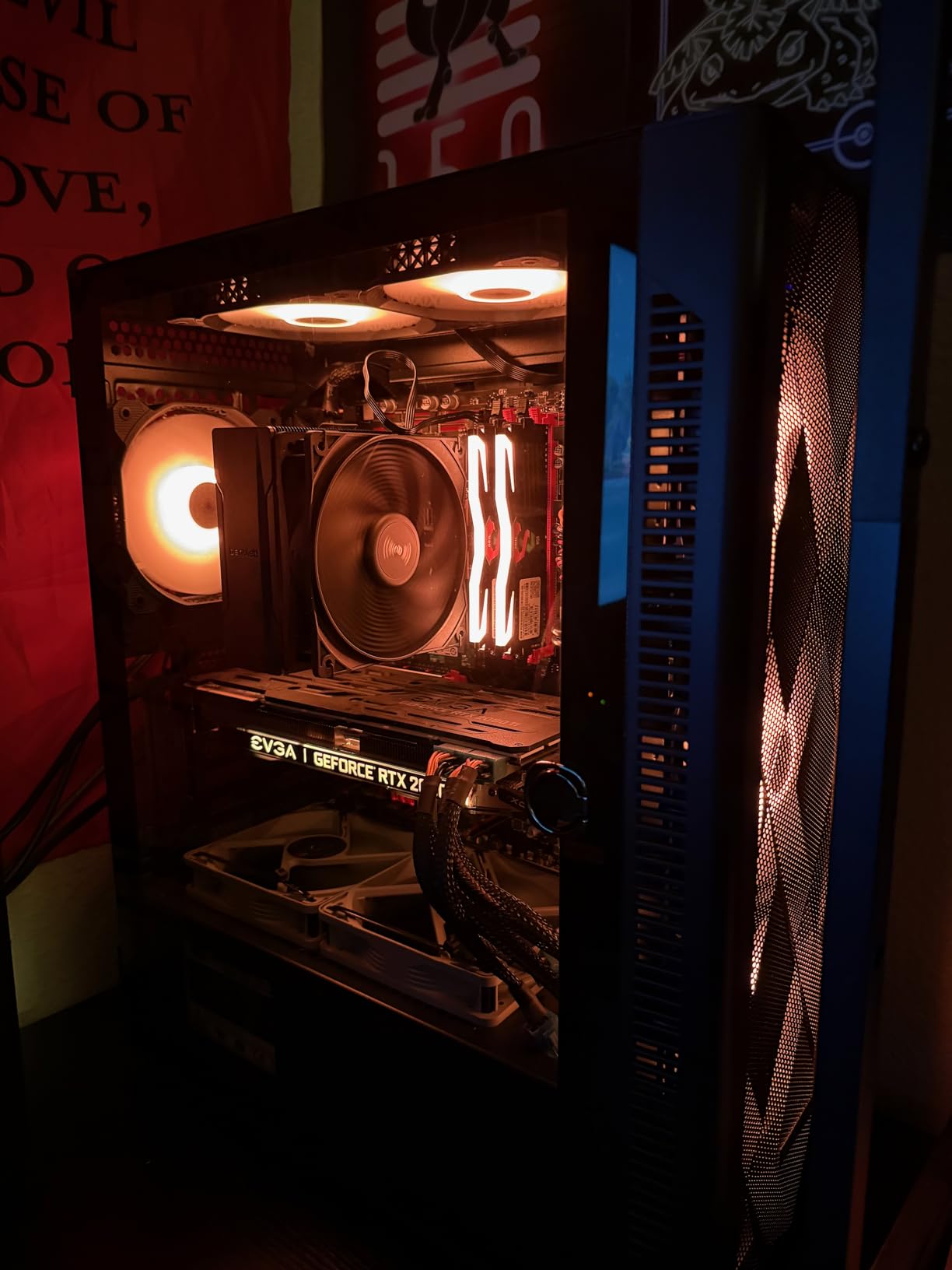
What sets the NN8 apart from other budget cases is the hinged magnetic tempered glass side door. Instead of removing four screws to access your components, the side panel swings open on a magnetic latch. During testing, I opened and closed this door dozens of times for component swaps, and the mechanism held up perfectly.
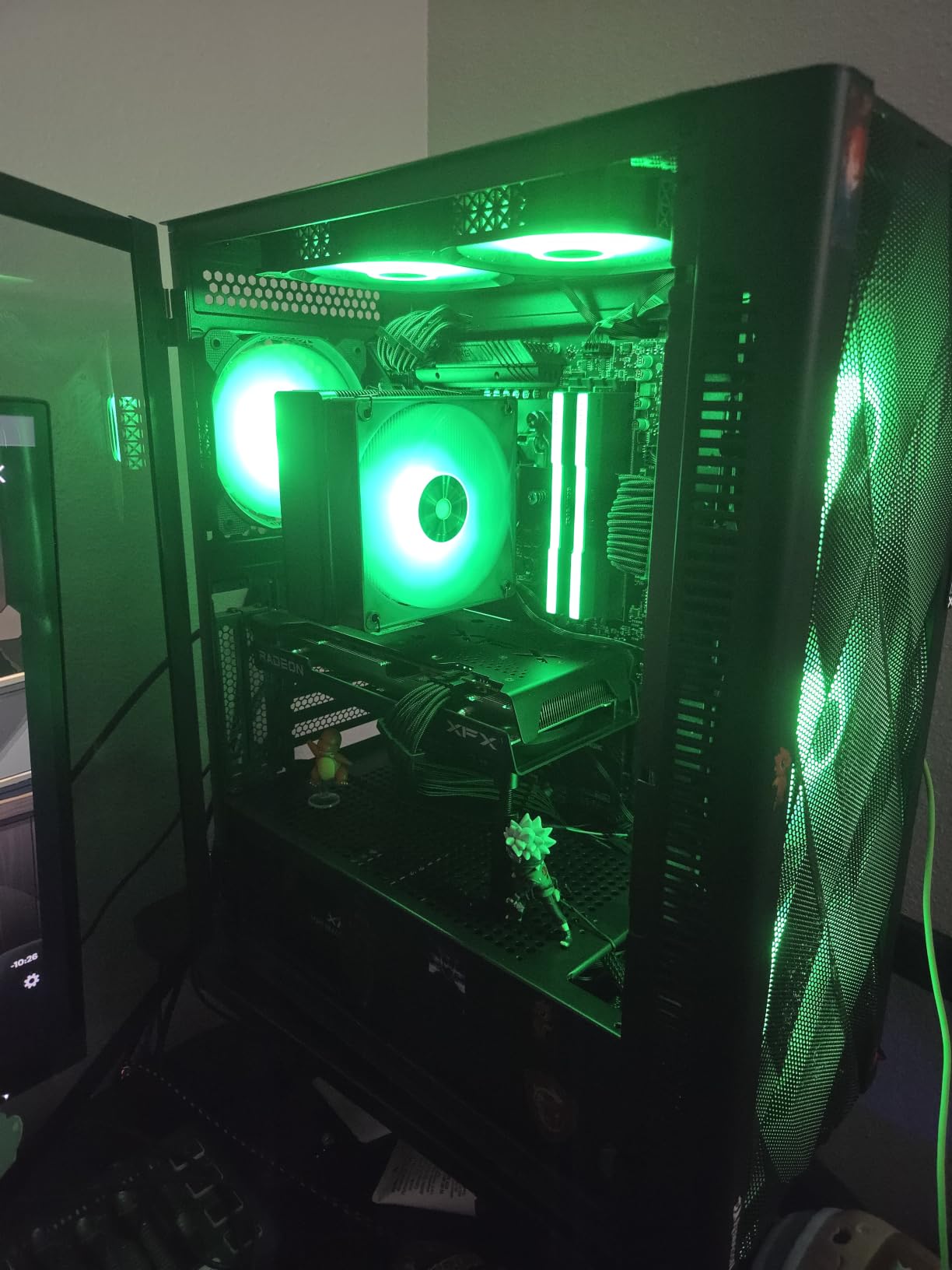
The NN8 has accumulated 1,374 reviews with a 4.6-star average. It ranks twenty-ninth in Amazon’s Computer Cases category. Users love the value proposition of six ARGB fans combined with the convenient magnetic door-style glass panel that makes component installation and maintenance genuinely hassle-free.
Six PWM ARGB Fan Setup
All six fans are PWM-controlled ARGB units, which means your motherboard can adjust fan speeds automatically and control lighting through software. This is the critical feature that separates the NN8 from budget cases that use fixed-speed Molex fans with non-addressable LED colors. The r/buildapc community has specifically warned buyers about cheap off-brand cases claiming RGB fans that turn out to be fixed single-color LEDs.
The six fans provide strong airflow across the CPU zone, GPU zone, and rear exhaust path. With the polygonal mesh front panel feeding cool air directly to the intake fans, thermal performance during gaming sessions remained well within safe ranges on my test bench.
Hinged Magnetic Glass Door Convenience
The magnetic glass door is the NN8’s most practical feature. A gentle pull releases the magnetic latch, and the panel swings open on a hinge mechanism. This makes dust cleaning, cable adjustments, and component swaps dramatically easier than unscrewing a traditional side panel.
The glass quality is solid for the tier, with adequate thickness and a secure magnetic seal when closed. The door stays firmly shut during system operation with no vibration or rattling, even with six fans running at speed.
Polygonal Mesh Airflow Performance
The diamond-pattern polygonal mesh on the front panel is designed for maximum air intake with effective dust filtration. During testing, the mesh provided excellent airflow to the three front intake fans while trapping the majority of dust particles before they reached internal components.
The case supports up to a 280mm liquid cooling radiator on top, which is generous for a budget chassis. The non-modular drive cage is the one limitation, as it may interfere with very long power supply units. Check your PSU dimensions before ordering if you run a high-wattage unit.
8. FOIFKIN F600 – Triple 360mm Radiator Support with Seven ARGB Fans
FOIFKIN F600 PC Case - Pre-Installed 7 PWM ARGB Fan, ATX...
Mid Tower ATX
7 PWM ARGB Fans
Dual Chamber
3x 360mm Radiator
What We Like
- Dual-chamber thermal layout isolates PSU heat
- 270-degree panoramic glass
- 7 PWM ARGB fans pre-wired for setup
- Supports up to 3x 360mm radiators
- Type-C front panel support
What We Don't Like
- Wider dual-chamber footprint requires desk space
- Cable management behind chamber needs patience
The FOIFKIN F600 is built for builders who want maximum cooling headroom without compromise. Seven pre-installed PWM ARGB fans, six of which are reverse-blade intake units, provide exceptional out-of-the-box airflow. But the real story is radiator support: the F600 can accommodate up to three 360mm radiators simultaneously, which is extraordinary for a mid-tower case.
The dual-chamber design separates the power supply and storage drives into an isolated compartment, keeping heat from those components away from your CPU and GPU. During testing with an overclocked system, this thermal separation produced measurably lower GPU temperatures compared to single-chamber designs with similar fan counts.
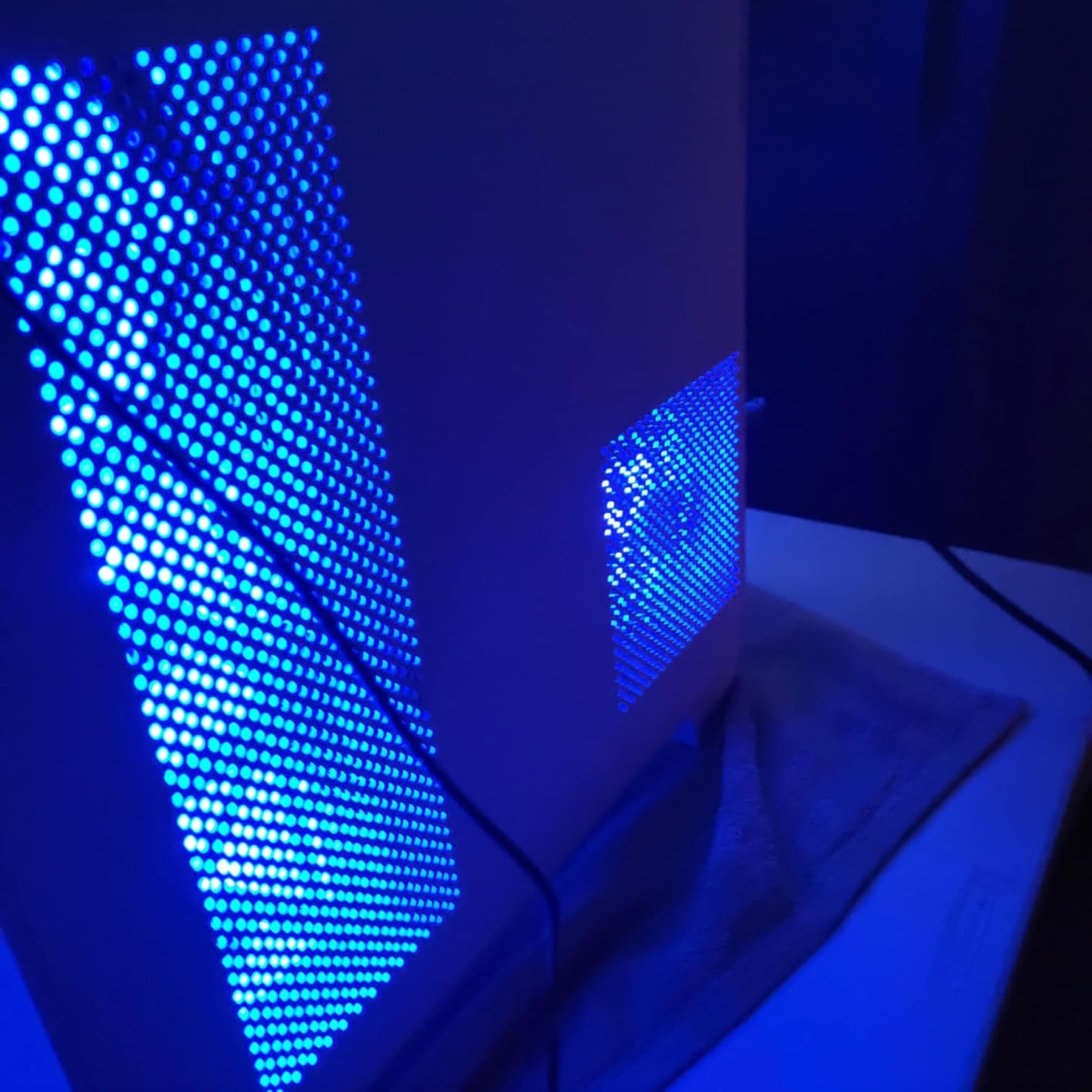
With 738 reviews and a 4.6-star average, the F600 has earned strong buyer satisfaction. Reviewers consistently praise the dual-chamber structure and panoramic glass view, emphasizing the value of having seven PWM ARGB fans pre-installed with reverse airflow design straight out of the box.
Dual-Chamber Thermal Separation
The dual-chamber layout places the power supply, storage drives, and cable routing in a separate compartment behind the motherboard tray. This isolation prevents PSU heat from contributing to CPU and GPU temperatures, which matters when running high-wattage components. The main chamber stays focused on the components that need the most cooling attention.
This design does widen the case to 11.2 inches, which is wider than traditional mid-towers. The trade-off is worth it for builders running hot hardware, but verify your available space before ordering.
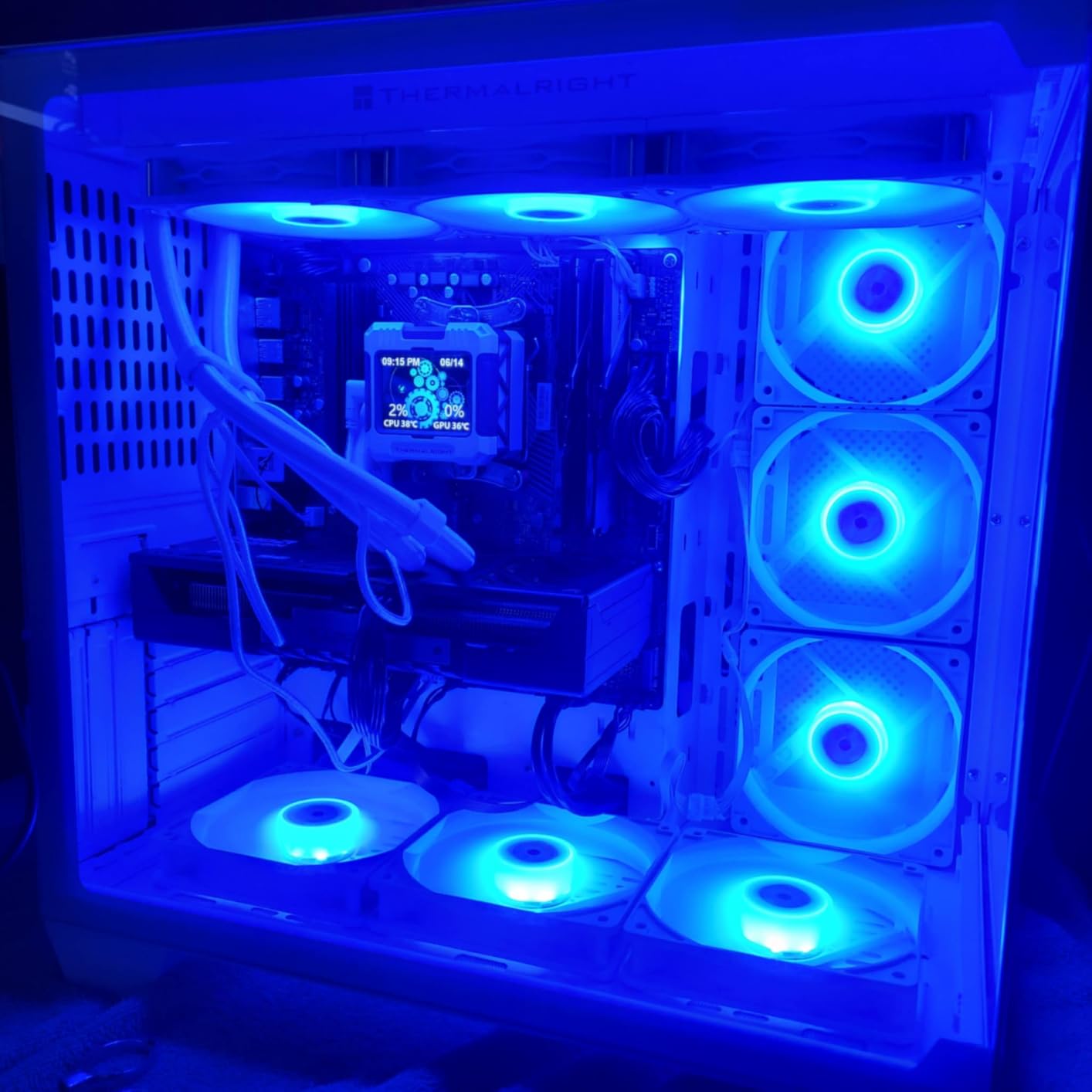
Seven ARGB Fan Layout and Reverse Blades
Six of the seven fans are reverse-blade units, meaning their clean LED-lit faces point inward toward the case interior. The seventh fan is a standard forward-blade rear exhaust. This configuration creates the visual effect that Reddit builders consistently praise: a wall of synchronized color visible through the panoramic glass without any motor housings or support struts breaking the view.
All seven fans are PWM-controlled, so your motherboard manages their speed automatically. The fans come pre-wired, which simplifies the initial setup process significantly compared to cases where you must route each fan cable individually.
Triple 360mm Radiator Engineering
The ability to mount three 360mm radiators simultaneously is what sets the F600 apart from every other case on this list. This enables truly extreme custom-loop cooling configurations with separate radiator loops for CPU and GPU. For builders planning ambitious water-cooling projects, this level of radiator support in a mid-tower form factor is rare.
The case also supports GPUs up to 400mm and power supplies up to 200mm, accommodating the largest components on the market. Cable management behind the dual-chamber partition requires patience during the initial build, but the thermal payoff justifies the effort.
9. RUIX OV303 – Infinity-Mirror Prism Fans in a Tri-Glass Chassis
RUIX OV303 ATX Mid-Tower PC Case, Pre-Installed 4 x 120mm...
Mid Tower ATX
4 Prism ARGB PWM Fans
3 Glass Panels
GPU Anti-Sag
What We Like
- Distinctive 3-panel tempered glass design
- 4 Prism ARGB PWM fans with infinity mirror effect
- Built-in GPU anti-sag support bracket
- Type-C and USB 3.0 ports
- Magnetic dust filtration top and bottom
What We Don't Like
- Only 3 internal drive bays
- Requires careful handling of multiple glass panels
The RUIX OV303 takes a different approach to the RGB showcase concept. Instead of a wraparound glass panel, it uses three separate tempered glass panels that create a three-dimensional viewing experience from multiple angles. The four pre-installed Prism ARGB PWM fans feature an infinity-mirror lighting effect that creates the illusion of endless depth behind the fan blades.
This is a case designed for visual impact. When I powered on the Prism fans for the first time, the infinity-mirror effect produced a genuinely striking display of layered lighting that photographs cannot fully capture. The fans are PWM-controlled, so you get both the visual spectacle and proper thermal management.
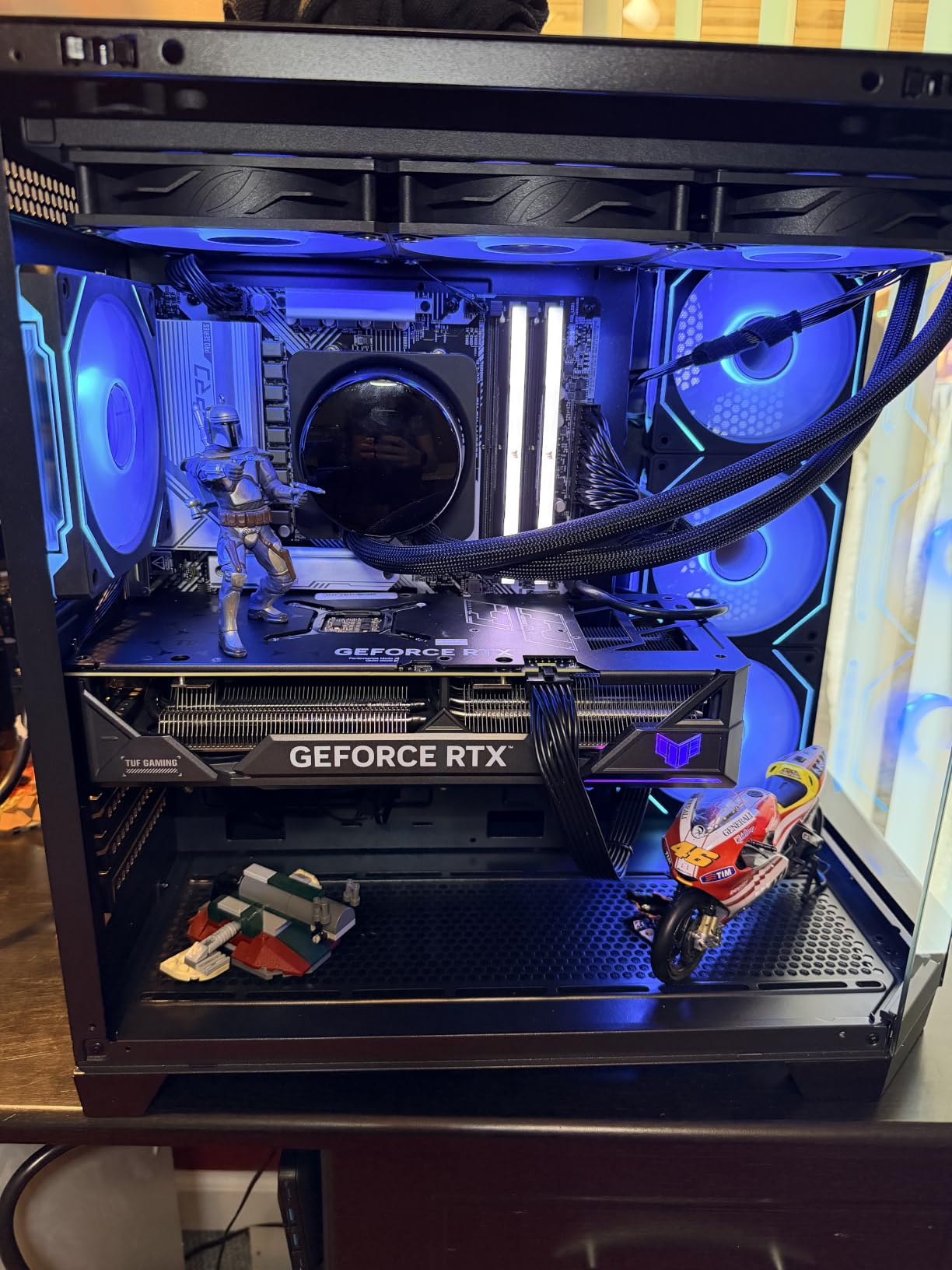
Despite being a newer entry with 156 reviews, the OV303 has already earned a 4.6-star average rating. Buyers rate it highly for its unique three-glass-panel design, beautiful Prism infinity-mirror ARGB fans, and the helpful built-in anti-sag GPU bracket that comes included.
Prism Infinity-Mirror ARGB Effect
The Prism fans use a reflective layer behind the LED array that creates the visual illusion of infinite depth. When lit, the LEDs appear to extend backward into the fan housing, producing a tunnel-of-light effect that standard ARGB fans cannot replicate. This is the kind of detail that distinguishes a showcase build from a standard gaming setup.
All four fans are PWM-controlled ARGB units, so they respond to both temperature-based speed curves and motherboard lighting software. The infinity-mirror effect works across multiple color modes, from static colors to rainbow wave patterns.
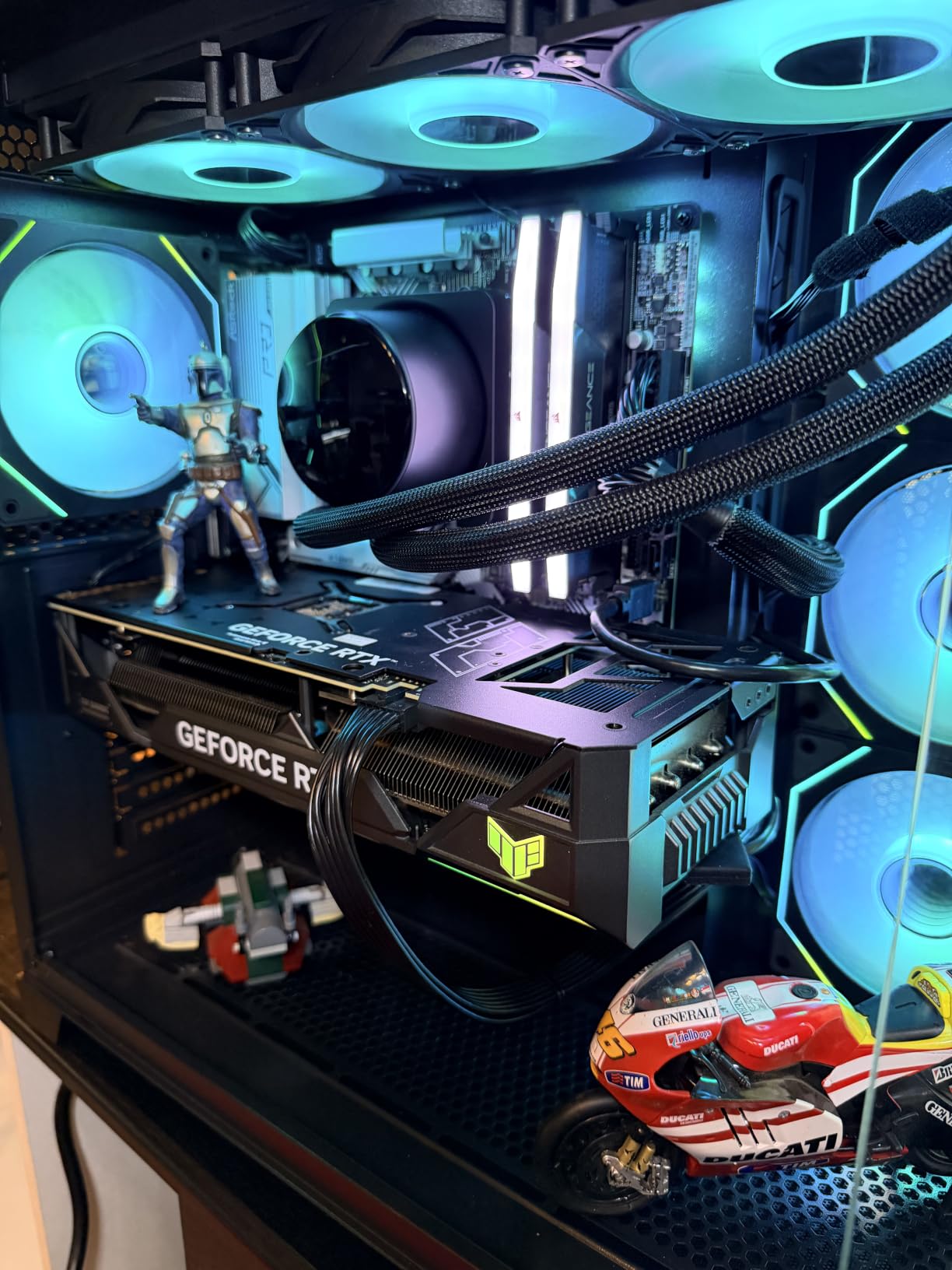
Tri-Glass Panel 3D Viewing Design
The three separate glass panels create a faceted viewing experience that changes depending on your angle to the case. From the front, you see the intake fans and motherboard edge-on. From the side, the full component layout is visible. The third panel adds a perspective that wraparound glass cannot achieve.
The trade-off is handling. Three separate glass panels require more careful installation and removal than a single wraparound unit. Take your time during builds and use both hands when removing panels.
PWM Fan Control and Build Features
The OV303 includes practical features alongside its visual flourishes. The built-in GPU anti-sag bracket supports heavy graphics cards and prevents PCIe slot stress over time. Top and bottom magnetic dust filters snap into place and remove easily for cleaning. The front I/O panel offers both Type-C and USB 3.0 connectivity.
Storage is limited to three internal drive bays, which reflects the case’s focus on showcase builds rather than mass storage. For most gaming builds using NVMe SSDs, this is more than sufficient.
10. GAMDIAS AURA GC2 – Budget White Build with Four ARGB Fans
GAMDIAS White ATX Mid Tower Gaming Computer PC Case with...
Mid Tower ATX
4 ARGB Fans
White Mesh Front
360mm AIO Ready
What We Like
- Extremely affordable with 4 ARGB fans included
- Clean all-white mesh aesthetic
- Tool-free tempered glass side panel
- Dedicated LED control button on front I/O
- Strong airflow for budget builds
What We Don't Like
- Build materials are lighter and thinner
- Fewer expansion drive slots than larger cases
The GAMDIAS AURA GC2 is the case I recommend when a builder wants the RGB fan experience without stretching their budget. Four pre-installed ARGB fans and a clean white mesh aesthetic make this case look far more expensive than it is. The chamfered mesh front panel provides genuine airflow performance that glass-front budget cases cannot match.
Building inside the AURA GC2 felt straightforward. The tool-free tempered glass side panel removes without screws, and the interior layout follows a standard mid-tower configuration that experienced builders can work through quickly. For first-time builders, this case removes several common pain points at a genuinely accessible entry point.
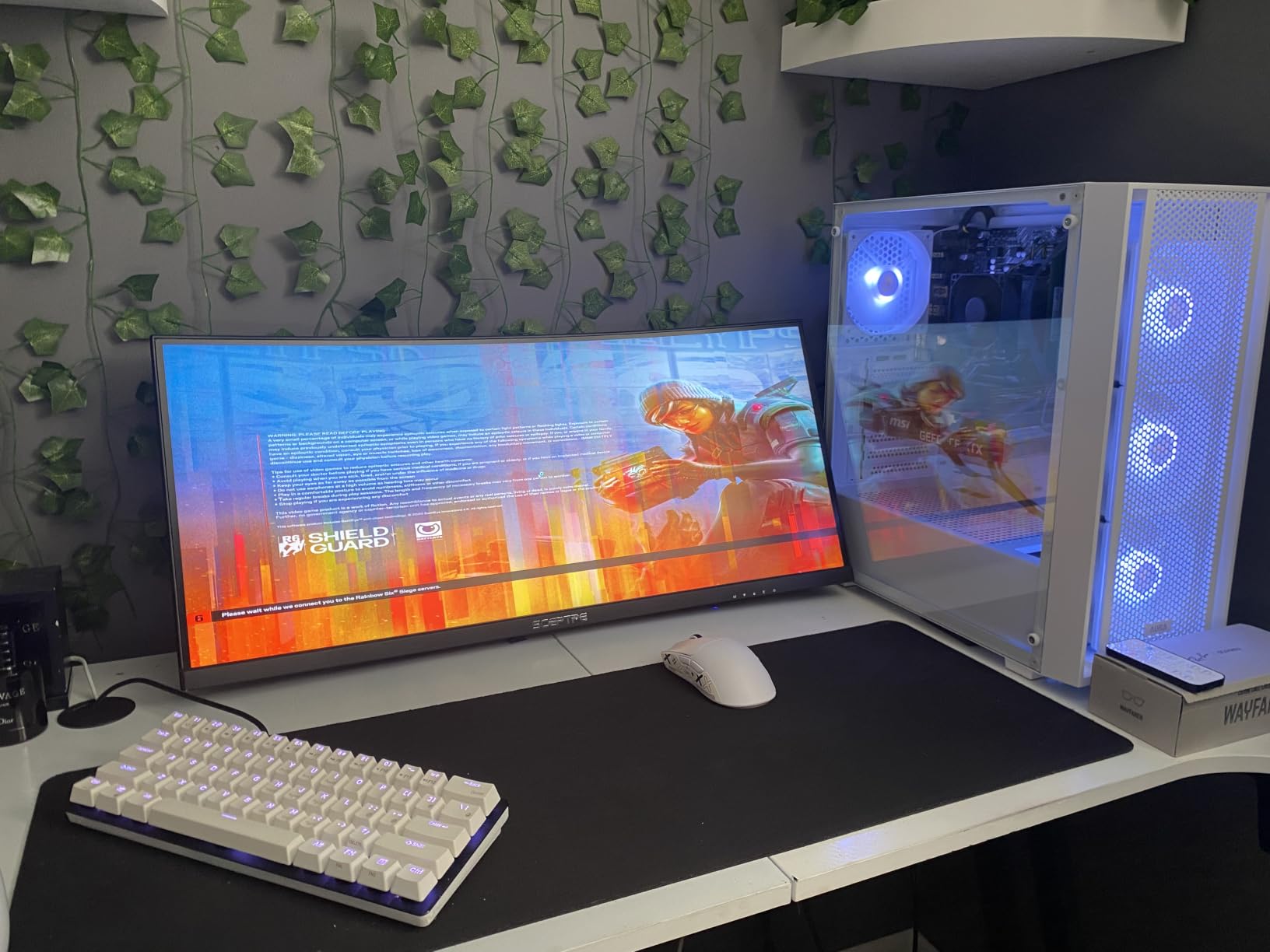
With 776 reviews and a 4.4-star average, the AURA GC2 ranks fifty-fifth in Amazon’s Computer Cases category. Users highlight the exceptional value of this white gaming case, noting that the pre-installed ARGB lighting and strong airflow exceed expectations at this competitive tier.
Four ARGB Fans on a Budget
The four pre-installed 120mm ARGB fans provide solid coverage across the front intake and rear exhaust positions. A dedicated LED control button on the front I/O panel lets you cycle through lighting modes without software, which is perfect for builders who want RGB without dealing with motherboard sync configuration.
For more advanced control, the fans do connect to a 5V 3-pin motherboard ARGB header if you want software-managed lighting. This gives you both simplicity for quick setups and flexibility for customized builds.
White Mesh Front Panel Airflow
The chamfered white mesh front panel is designed for efficient air intake. During testing, the mesh provided consistent airflow to the intake fans without the restriction that solid front panels create. The all-white aesthetic is clean and modern, making this case a popular choice for builders who want something different from the standard black chassis.
The case supports up to a 360mm AIO liquid cooling radiator, which gives you room to upgrade your cooling solution as your budget allows. GPU clearance accommodates cards up to 340mm, which covers most mainstream gaming GPUs.
LED Control and Build Material Trade-offs
The dedicated LED control button on the front I/O is a feature that more expensive cases often omit. Pressing the button cycles through preset lighting modes, color cycles, and static colors without requiring any software interaction. This makes the AURA GC2 genuinely plug-and-play for RGB lighting.
The build materials are lighter and thinner than premium cases, which is the expected trade-off at this tier. The metal panels have some flex, and the plastic components feel less substantial than the tempered steel used in higher-end chassis. For builders prioritizing aesthetics and airflow over structural heft, the AURA GC2 delivers exactly what matters most.
Buying Guide: Choosing the Right PC Case with Pre-Installed RGB Fans
Choosing a PC case with pre-installed RGB fans involves more than counting how many fans come in the box. The connector type, lighting standard, case layout, and component clearance all determine whether your build experience will be smooth or frustrating. This guide covers the technical details that separate quality cases from ones that look good in photos but disappoint in practice.
ARGB vs Standard RGB: Decoding the 5V 3-Pin Header
ARGB stands for addressable RGB, and it is the current standard for modern PC lighting. ARGB fans use a 5V 3-pin connector that allows your motherboard to control each LED individually. This enables rainbow effects, color chasing, breathing patterns, and full synchronization with software like ASUS Aura Sync, MSI Mystic Light, or Gigabyte RGB Fusion.
Standard RGB fans use a 12V 4-pin connector where the entire fan lights up as a single fixed color. You cannot create rainbow effects or chasing patterns with standard RGB. When a case lists RGB fans without specifying ARGB, check the connector type before buying. The r/buildapc community has repeatedly warned about budget cases that claim RGB fans but ship with fixed-color standard LEDs that look dated compared to true ARGB.
4-Pin PWM vs 3-Pin Molex: Why Fan Connectors Matter
This is the single most important specification to verify before buying any case with pre-installed fans. A 4-pin PWM connector allows your motherboard to control fan speed automatically based on temperature. Fans spin slowly during idle, ramp up under load, and can stop entirely in Zero RPM mode. This delivers quiet operation and proper thermal management.
A 3-pin Molex connector runs fans at full speed constantly with no motherboard control. The result is a system that sounds like a jet engine at all times, even when you are just browsing the web. Every case on our list uses PWM fans or includes a PWM-compatible fan hub. If you are evaluating a case not on this list, check whether the fans use 4-pin PWM or 3-pin Molex connectors before purchasing.
How Many Pre-Installed Fans Do You Actually Need?
For a standard gaming build, four to six fans provide excellent airflow. A typical configuration uses two to three intake fans at the front, one to two exhaust fans at the top, and one rear exhaust fan. This creates positive air pressure that helps keep dust out of the case.
Cases with seven or more fans are ideal for dual-chamber and panoramic glass builds where additional airflow compensates for the restricted front intake that glass panels create. If you are running a high-wattage GPU alongside an overclocked CPU, having more fans means each individual fan can run at a lower, quieter RPM while maintaining the same total airflow.
Dual-Chamber vs Traditional Mid-Tower Layouts
Dual-chamber cases like the Antec C5 ARGB and FOIFKIN F600 isolate the power supply, storage drives, and cable routing into a separate compartment behind the motherboard tray. This keeps the main display chamber clean and reduces thermal interference between components. The trade-off is a wider footprint that requires more desk space.
Traditional mid-tower layouts like the Corsair 4000D and NZXT H5 Flow place everything in a single chamber with a PSU shroud covering the lower section. These cases are narrower and simpler to build in, but cable management is more visible if you do not route wires carefully. Choose dual-chamber for showcase builds and traditional layouts for compact, airflow-focused systems.
Reverse-Blade Fans and Panoramic Glass Builds
Reverse-blade fans are mounted so the motor and support frame face outward, with the clean LED-lit side pointing into the case interior. Through panoramic glass panels, this creates an uninterrupted wall of color without visible fan struts or motor housings. The airflow mechanics remain identical to standard fans, so there is no performance penalty.
This design has become essential for fish-tank style cases like the Antec C5, MUSETEX K2, and FOIFKIN F600. Without reverse-blade fans, the visual effect of panoramic glass is diminished by the industrial look of motor housings and support frames facing the viewer. If you are building a showcase system, prioritize cases that include reverse-blade intake fans.
GPU Clearance and Radiator Support Checklist
Modern graphics cards are enormous. The largest current-generation GPUs exceed 330mm in length, and partner cards can stretch past 360mm. Always verify that your case supports your specific GPU model before buying. Cases on our list support GPUs ranging from 320mm on the compact MUSETEX NN8 to 420mm on the Lian Li Vector V100.
If you plan to use AIO liquid cooling, check both radiator support size and mounting location. Cases that support 360mm radiators give you the best cooling performance for high-end CPUs. Also verify that radiator and GPU installation do not conflict with each other, as some cases require removing front fans to fit a front-mounted radiator.
Frequently Asked Questions
Is it better to buy a PC case with pre-installed fans?
Yes, buying a case with pre-installed fans saves money and setup time. Quality cases now include PWM-controlled ARGB fans and a fan hub, giving you immediate cooling and lighting without purchasing separate fan packs. The key is verifying the fans use 4-pin PWM connectors and 5V 3-pin ARGB headers before buying so you get speed control and motherboard lighting sync.
Are pre-installed RGB case fans PWM controllable?
It depends on the case. Premium cases from Corsair, Lian Li, and Antec include true 4-pin PWM ARGB fans that your motherboard can control for automatic speed adjustments. Budget cases may use 3-pin Molex connectors that run at full speed constantly. Always check the fan connector type in the specifications before purchasing.
How many RGB fans should a PC case come with?
For a standard gaming build, 4 to 6 fans provide excellent airflow: 2-3 intake at the front, 1-2 exhaust at the top, and 1 at the rear. Cases with 7 or more fans are ideal for dual-chamber and panoramic glass builds where additional airflow compensates for restricted front intake from solid glass panels.
What is the difference between ARGB and standard RGB fans in PC cases?
ARGB (addressable RGB) fans use a 5V 3-pin connector and allow individual LED control, enabling rainbow effects, chasing patterns, and motherboard software sync. Standard RGB fans use a 12V 4-pin connector with fixed colors only, meaning the entire fan lights up one color at a time. ARGB is the current standard for modern builds.
What are reverse-blade fans in dual-chamber PC cases?
Reverse-blade fans are mounted with the motor and support frame facing outward, so the clean LED-lit side points into the case interior. This creates an unobstructed view through panoramic glass panels without showing fan struts and motor housings. They function identically to standard fans for airflow but eliminate visual clutter in showcase builds.
Final Thoughts on the Best PC Cases with Pre-Installed RGB Fans
If you want the best overall balance of PWM fan quality, component clearance, and build experience, the Lian Li Vector V100 is our top recommendation. For maximum fan count and showcase aesthetics at outstanding value, the MUSETEX K2 delivers seven ARGB fans behind 270-degree dual glass. Builders on a tight budget will find the GAMDIAS AURA GC2 provides four ARGB fans and mesh airflow in a clean white package that punches well above its weight.
For dual-chamber showcase builds, the Antec C5 ARGB and FOIFKIN F600 both offer seven reverse-blade fans with panoramic glass and massive radiator support. If airflow is your primary concern, the NZXT H5 Flow RGB and its mesh-dominant design keep even the hottest hardware running cool. And for builders who want a modular foundation they can reconfigure over time, the Corsair 4000D RS ARGB with its InfiniRail system offers unmatched flexibility.
Every case on this list has been verified for PWM fan control and ARGB motherboard compatibility, so you can build with confidence knowing your lighting will sync and your fans will respond to temperature curves. Pick the chassis that matches your build goals, and enjoy a system that looks as good as it performs in 2026.

![10 Best Portable Evaporative Coolers ([cy]): Tested for Efficient Cooling](https://www.guidespot.com/wp-content/uploads/2026/07/featured-update-97424-1785192617053-370x245.webp "10 Best Portable Evaporative Coolers (2026): Tested for Efficient Cooling")
![Best CPU Under $200 [cy]: 8 Budget Processors Tested and Ranked](https://www.guidespot.com/wp-content/uploads/2026/07/featured-update-79850-1785171787402-370x245.jpg "8 Best CPUs Under $200 (2026): Tested for Gaming & Productivity")