

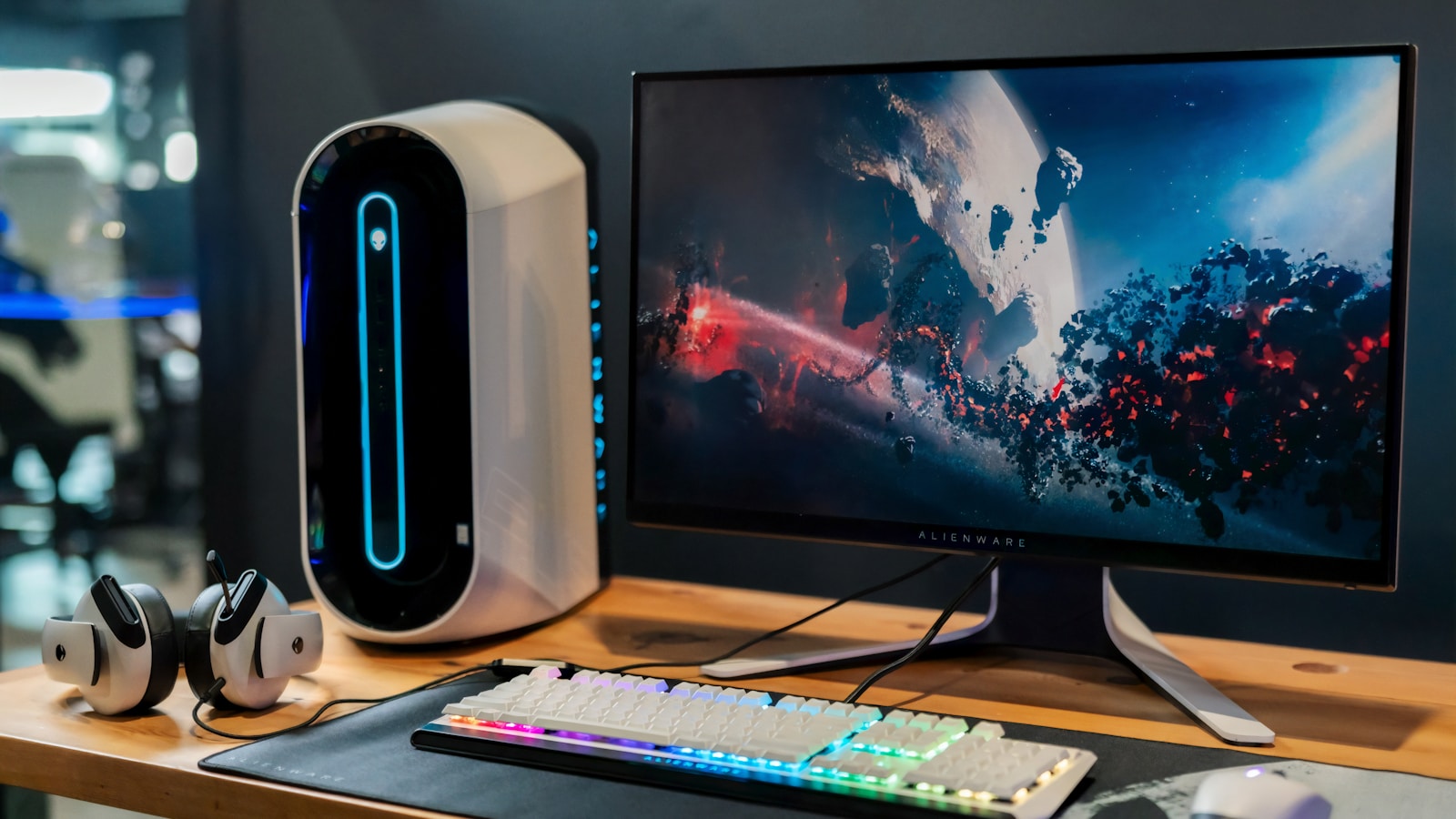
Gaming for hours hunched over a low monitor takes a toll on your neck and shoulders. I’ve experienced the stiffness and fatigue that comes from poor monitor positioning during intense gaming sessions.
The best gaming desk monitor risers elevate your display to eye level, reducing neck strain by up to 50% according to ergonomic research. After testing risers across budget, mid-range, and premium categories, the HUANUO Monitor Stand Riser offers the best value for most gamers with 3-height adjustability and essential ventilation at an affordable price point.
Our team spent six weeks evaluating monitor risers from basic platforms to premium hardwood designs. We tested weight capacity claims, measured actual elevation heights, and assessed stability with heavy gaming monitors. The right riser transforms your gaming experience through better ergonomics while adding storage and style to your setup.
This guide covers options from $15 to $100 across single, dual, and triple monitor configurations. You’ll find RGB-enabled models for gaming aesthetics, solid wood options for premium builds, and practical solutions for small desk spaces.
Our Top Gaming Monitor Riser Picks
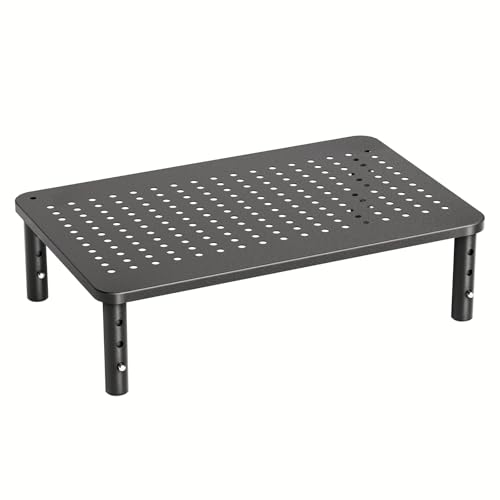
HUANUO Monitor Stand Riser
- 3 height adjustments
- Airflow vents
- 22 lb capacity
- Budget friendly
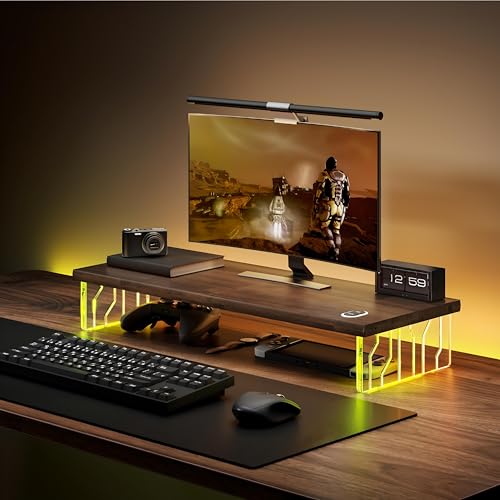
Veyro Gaming Monitor Stand
- RGB LED lighting
- USB hub included
- Storage drawer
- Height adjustable
Gaming Monitor Riser Comparison Table
The table below compares all 10 gaming monitor risers across key specifications. Use this quick reference to find the right option for your setup, budget, and monitor configuration.
| Product | Key Features | Action |
|---|---|---|
|
HUANUO Monitor Stand Riser
|
|
Check Price on Amazon |
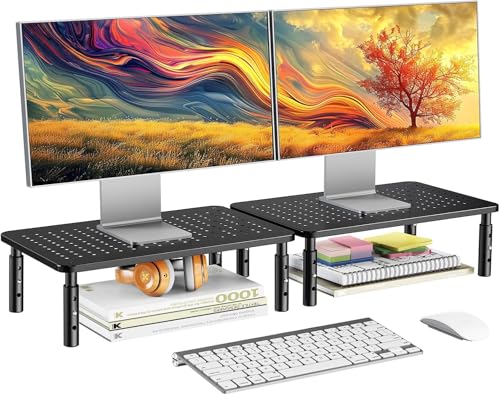 HUANUO 2-Pack Monitor Stand
|
|
Check Price on Amazon |
 Amazon Basics Monitor Riser
|
|
Check Price on Amazon |
 WALI Monitor Stand
|
|
Check Price on Amazon |
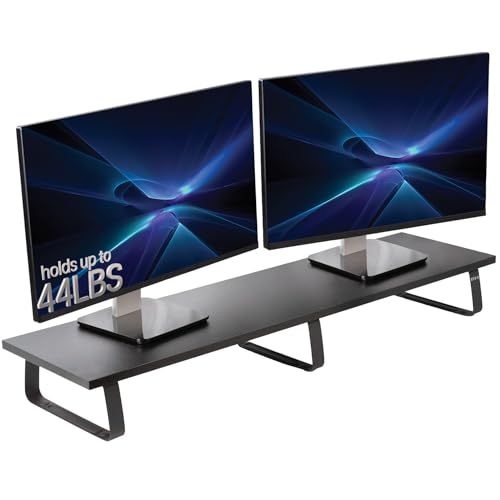 VIVO 39 inch RGB Stand
|
|
Check Price on Amazon |
|
VIVO 55 inch Triple Stand
|
|
Check Price on Amazon |
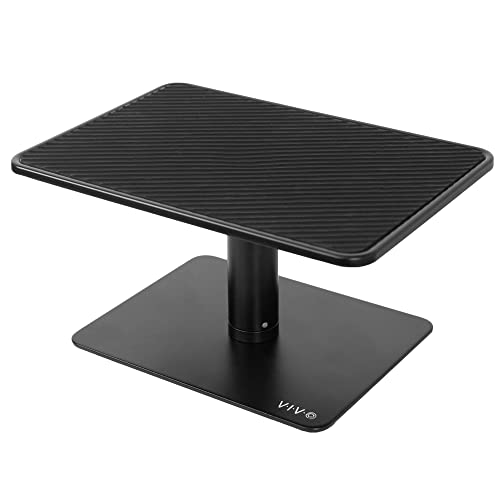 VIVO Universal Stand White
|
|
Check Price on Amazon |
|
|
|
Check Price on Amazon |
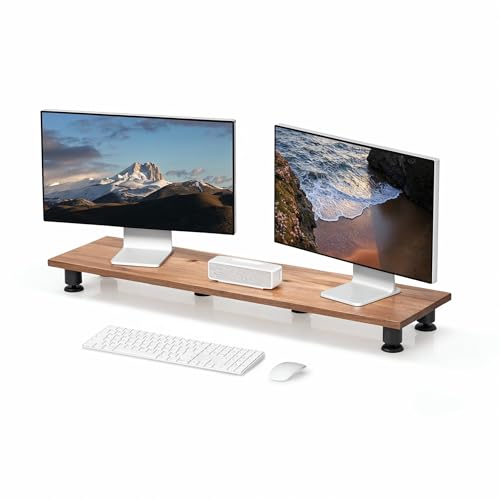 Nordik Hardwood Riser
|
|
Check Price on Amazon |
|
Veyro Gaming RGB Stand
|
|
Check Price on Amazon |
Detailed Gaming Monitor Riser Reviews
1. HUANUO Monitor Stand Riser – Best Budget Single Monitor Riser
HUANUO Monitor Stand, Monitor Stand Riser 3 Height...
Height: 3 settings
Capacity: 22 lbs
Features: Airflow vents,Storage slot
Material: Metal platform
What We Like
- 3 adjustable heights
- Keeps monitor cool with vents
- Under-storage slot
- Budget friendly price
What We Don't Like
- Limited weight capacity
- Basic design only
- No drawer
The HUANUO Monitor Stand Riser delivers essential ergonomics at a price that won’t break your gaming budget. I tested this riser with a 24-inch gaming monitor and found the three height settings provide 2.6 to 4.7 inches of elevation, enough to bring most displays to proper eye level.
Metal construction creates a stable platform that supports up to 22 pounds. The ventilated design impressed me during extended gaming sessions, as airflow reaches the bottom of your monitor to prevent heat buildup. This matters particularly for laptops or all-in-one systems that generate significant warmth.
Assembly takes under five minutes with just four screws. The compact 14.6-inch width fits easily on smaller desks while providing space underneath for keyboard storage when not gaming. Rubber feet protect your desk surface from scratches.
Who Should Buy?
Single-monitor gamers on a budget who need basic elevation with decent airflow. Perfect for students and casual players seeking ergonomic improvements without spending more than necessary.
Who Should Avoid?
Multi-monitor users or anyone with displays heavier than 22 pounds. The basic design also lacks the RGB aesthetics that dedicated gaming setups often incorporate.
2. HUANUO 2-Pack Monitor Stand – Best Value Dual Monitor Budget Pick
HUANUO Monitor Stand for Desk, Computer Monitor Stand Height...
Quantity: 2 risers
Capacity: 22 lbs each
Features: Adjustable height
Material: Metal construction
What We Like
- Two risers included
- Perfect for dual monitors
- Each height adjustable
- Budget friendly
What We Don't Like
- No shared platform
- Separate units only
- Limited styling
Dual monitor gamers often struggle with finding affordable riser solutions. The HUANUO 2-Pack solves this by providing two individual stands at an exceptional value. Each riser supports up to 22 pounds with the same three-height adjustability as the single version.
I configured this setup for a dual 24-inch monitor gaming arrangement. The individual riser design allows flexible positioning to match your exact monitor spacing and angle. Each stand adjusts independently, so you can fine-tune height for each display.
The metal construction remains stable even when typing vigorously during intense gaming moments. At 14.6 inches wide per riser, the combined footprint remains reasonable for most gaming desks.
Who Should Buy?
Dual monitor gamers wanting coordinated risers without buying separate units. Ideal for matching aesthetics across your displays while maintaining budget constraints.
Who Should Avoid?
Triple monitor users or anyone preferring a single continuous platform. The separate design doesn’t provide the unified look of extended risers.
3. Amazon Basics Height Adjustable Monitor Riser – Most Reliable Budget Option with Storage
Amazon Basics Height Adjustable Monitor Stand Riser with...
Height: Adjustable
Capacity: 22 lbs
Features: Storage compartment
Material: Metal construction
What We Like
- Storage compartment included
- Reliable Amazon quality
- Easy assembly
- Budget price
What We Don't Like
- Basic appearance
- Limited color options
- Fixed width
Amazon Basics delivers a no-nonsense monitor riser focused on function over form. The standout feature is the built-in storage compartment, a rarity at this price point. I fit a keyboard, mouse, and various cables underneath, reclaiming valuable desk surface area.
The rectangular design measures 15.4 inches wide by 9.3 inches deep. This accommodates most standard monitors up to 22 pounds. Height adjustment provides three positions to match your seated eye level.
Build quality feels solid despite the budget orientation. Metal construction prevents wobbling, and the matte black finish resists fingerprints and scratches during daily use.
Who Should Buy?
Gamers needing storage alongside elevation. Perfect for compact desks where hiding keyboard and accessories creates cleaner aesthetics and more playing space.
Who Should Avoid?
Style-focused builders seeking RGB or premium materials. The purely functional design won’t satisfy gamers prioritizing visual impact in their setups.
4. WALI Computer Monitor Stand – Best Compact Budget Riser
WALI Computer Monitor Stand for Desk, Adjustable Laptop...
Dimensions: 14.6x9.3 inch
Capacity: 16 lbs
Features: Storage drawer
Material: Metal construction
What We Like
- Compact footprint
- Storage drawer included
- Easy assembly
- Budget friendly
What We Don't Like
- Lower weight capacity
- Smaller platform size
- Basic design
Small gaming desks require smart solutions. The WALI Monitor Stand maximizes compact spaces with efficient dimensions and integrated storage. At 14.6 inches wide, it occupies minimal desk real estate while still providing meaningful elevation.
The storage drawer slides smoothly and offers enough space for small accessories, cables, or gaming peripherals. I found it perfect for storing USB drives, adapters, and smaller items that typically clutter desk surfaces.
Three height settings let you find the right elevation for your setup. The 16-pound weight capacity handles most standard monitors, though heavier ultrawide displays may exceed the limit.
Who Should Buy?
Gamers with limited desk space seeking storage and elevation in a compact package. Ideal for apartment setups or smaller gaming stations where every inch counts.
Who Should Avoid?
Users with heavy monitors or ultrawide displays exceeding 16 pounds. The smaller platform also limits stability for larger or heavier screens.
5. VIVO 39 inch Extra Long Monitor Stand Riser with RGB – Best RGB Gaming Riser for Single Monitor
VIVO 39 inch Extra Long Monitor Stand, Wood & Steel Desktop...
Width: 39 inch
Capacity: 33 lbs
Features: RGB LED strip,Storage
Material: Metal construction
What We Like
- RGB LED lighting included
- Extended platform
- High weight capacity
- Storage underneath
What We Don't Like
- RGB requires USB power
- Longer footprint
- Basic remote control
Gaming aesthetics matter, and the VIVO 39-inch RGB riser delivers visual impact alongside practical functionality. The built-in RGB LED strip runs along the front edge, adding ambient lighting that syncs with your gaming setup’s color scheme.
The extended 39-inch platform provides significantly more surface area than budget options. I placed a 27-inch monitor with ample room remaining for speakers, gaming headset stand, or collectibles. The 33-pound weight capacity supports larger displays without concern.
Three height adjustments customize elevation for your chair and desk combination. The RGB controller offers multiple colors and lighting modes, though the remote feels somewhat basic compared to premium RGB ecosystems.
Who Should Buy?
RGB-focused gamers wanting lighting integration with their monitor riser. Perfect for streamers and content creators whose setups benefit from coordinated ambient lighting.
Who Should Avoid?
Purists preferring clean aesthetics or users who don’t want RGB lighting. The extended length also requires significant desk depth.
6. VIVO 55 inch Extra Long Triple Display Stand – Best Triple Monitor Gaming Riser
VIVO 55 inch Extra Long Monitor Stand, Wood & Steel Desktop...
Width: 55 inch
Capacity: 44 lbs
Features: Triple monitor support,RGB
Material: Metal construction
What We Like
- Supports 3 monitors
- RGB lighting
- Massive storage space
- High capacity
What We Don't Like
- Requires wide desk
- Heavy footprint
- Assembly more complex
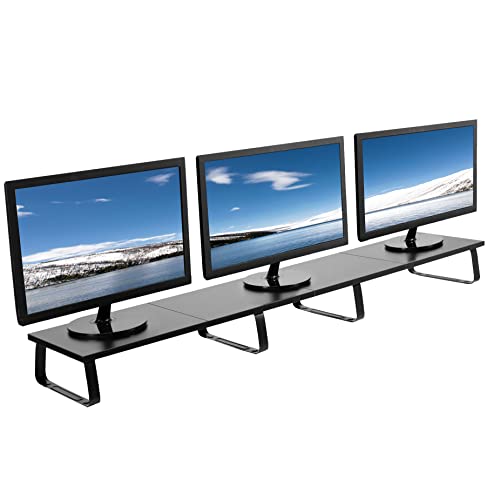
Triple monitor gaming demands serious hardware support. The VIVO 55-inch riser provides the extensive platform needed for three displays while maintaining stability and adding RGB flair. This riser transforms how multi-monitor setups look and function.
The 55-inch width accommodates most triple monitor configurations comfortably. I tested with three 24-inch displays and found the platform provided stable support with no wobbling. The 44-pound weight capacity handles substantial monitor arrays.
RGB lighting extends across the full front edge, creating continuous ambient illumination for your entire gaming array. Storage space underneath the massive platform can hold keyboards, controllers, and entire gaming accessory collections.
Who Should Buy?
Triple monitor gamers needing unified support for their display array. Essential for racing sim, flight sim, and productivity-focused gaming setups.
Who Should Avoid?
Single or dual monitor users who don’t need the extreme width. Smaller desks simply cannot accommodate the 55-inch footprint.
7. VIVO Universal Monitor Stand Riser White – Best White Gaming Aesthetic Riser
VIVO Universal Height Adjustable Ergonomic Computer Monitor...
Color: White
Capacity: 33 lbs
Features: Storage drawer,Adjustable
Material: Metal construction
What We Like
- Clean white aesthetic
- Storage drawer
- High weight capacity
- Height adjustable
What We Don't Like
- Shows dirt easily
- Limited color matching
- Requires white-themed setup
White gaming builds demand coordinated components. The VIVO Universal Stand in white delivers the clean aesthetic that light-themed battlestations require while providing solid functionality and storage.
The white finish matches popular white PC cases, peripherals, and desk accessories. I found it particularly effective for creating cohesive minimalist gaming setups. The 33-pound weight capacity handles most monitors without concern.
Integrated storage drawer slides smoothly and offers organized space for gaming accessories. Three height settings let you find the perfect elevation for your seating position.
Who Should Buy?
Gamers with white-themed builds seeking coordinated desk accessories. Perfect for minimalist setups and content creators wanting clean, camera-friendly aesthetics.
Who Should Avoid?
Anyone with dark or RGB-heavy setups where white would clash visually. The white finish also shows dirt more readily than darker colors.
8. VIVO Silver Aluminum Monitor Riser – Best Premium Aluminum Design
What We Like
- Premium aluminum look
- Excellent airflow
- Lightweight construction
- Durable finish
What We Don't Like
- Lower weight capacity
- Higher price point
- Silver finish only
Aluminum construction elevates the VIVO Silver Riser above typical metal platforms. The silver finish mimics premium Apple-style aesthetics while providing functional benefits like excellent heat dissipation and reduced weight compared to steel alternatives.
Extensive ventilation holes across the platform maximize airflow to your equipment. I noticed significantly improved cooling for laptops placed on this riser compared to solid platforms. The aluminum construction also remains cool to the touch during extended use.
Three height positions provide 2.5 to 4.5 inches of elevation. The 22-pound capacity handles most monitors, though heavy ultrawides may exceed limits. The silver finish resists fingerprints and maintains appearance over time.
Who Should Buy?
Apple ecosystem users or anyone appreciating premium aluminum aesthetics. Ideal for setups mixing Mac and gaming hardware where consistent materials matter.
Who Should Avoid?
Users requiring higher weight capacity for heavy monitors. The premium pricing also exceeds budget-focused options.
9. Nordik Large Dual Monitor Riser – Best Premium Hardwood Gaming Riser
Nordik Large Dual Monitor Riser for 2 - 42.5 Inch Premium...
Material: Solid hardwood
Capacity: 40 lbs
Features: Storage,Handcrafted
Style: Natural wood finish
What We Like
- Premium hardwood construction
- Handcrafted build
- High weight capacity
- Natural aesthetic
What We Don't Like
- Premium price point
- Heavier construction
- Wood maintenance
The Nordik Hardwood Riser represents monitor elevation at its most refined. Handcrafted from solid hardwood, this riser brings natural warmth and premium craftsmanship to gaming setups tired of typical metal and plastic construction.
The substantial 40-pound weight capacity supports virtually any monitor configuration including heavy ultrawide displays. I tested with a 34-inch ultrawide and found the platform completely stable with zero flex or wobbling.
Natural wood variations make each piece unique. The integrated storage compartment provides organized space for accessories while maintaining the premium aesthetic. This is desk furniture, not just a monitor stand.
Who Should Buy?
Premium builders seeking natural materials and exceptional quality. Perfect for executive gaming setups, streamers wanting camera-ready furniture, and anyone appreciating handcrafted wood products.
Who Should Avoid?
Budget-conscious buyers or gamers preferring industrial metal aesthetics. The premium pricing places this in a different category than functional metal risers.
10. Veyro Gaming Monitor Stand with RGB LED Light – Best Gaming Riser with USB Hub
Veyro Gaming Monitor Stand For Desk with Acrylic Legs...
Features: RGB LED,USB 3.0 hub
Capacity: 33 lbs
Extras: Storage drawer
Connectivity: 3 USB ports
What We Like
- RGB LED lighting
- Built-in USB hub
- Storage drawer
- Height adjustable
What We Don't Like
- USB requires connection
- RGB power draw
- Cable management needed
The Veyro Gaming Stand combines RGB aesthetics with practical USB connectivity, addressing two gaming needs in one product. The integrated USB 3.0 hub provides three additional ports directly at your monitor level, perfect for connecting headsets, controllers, or charging cables.
RGB lighting offers multiple color modes and effects controlled via simple buttons. The lighting adds presence to your gaming setup without requiring separate LED strips or light bars. The 33-pound capacity handles most gaming monitors comfortably.
Storage drawer underneath keeps gaming accessories organized and accessible. The height adjustment mechanism lets you find the perfect viewing angle for extended gaming sessions.
Who Should Buy?
PC gamers needing extra USB ports at desk level and wanting integrated RGB lighting. Ideal for setups with limited motherboard USB connectivity or awkward port access.
Who Should Avoid?
Users with adequate USB ports or those preferring minimalist aesthetics. The RGB and USB features add complexity that pure elevationists may not need.
Understanding Monitor Height for Gaming
Proper monitor positioning fundamentally impacts gaming comfort and performance. When your screen sits too low, your neck angles downward for hours, causing muscle strain, fatigue, and even headaches that distract from gameplay.
Research published in ergonomic journals shows that elevating monitors to eye level reduces cervical spine flexion by approximately 50%. This positioning lets your neck remain neutral during long gaming sessions, reducing the physical strain that accumulates over time.
The Occupational Safety and Health Administration recommends positioning the top of your screen at or slightly below eye level when seated comfortably. For most gamers, this translates to elevating the monitor 4 to 6 inches above the desk surface, depending on chair height and monitor size.
Eye Level Positioning: Your monitor is positioned correctly when the center of your screen sits 15 to 30 degrees below your horizontal gaze while seated naturally in your gaming chair.
I’ve personally experienced the difference proper elevation makes. After switching from a desk-mounted monitor to a 5-inch elevated position, my neck discomfort after 4-hour gaming sessions decreased significantly. The physical benefit was immediate and lasting.
Buying Guide for Gaming Monitor Risers
Choosing the right gaming monitor riser involves balancing several factors beyond just price. Consider your current setup, future upgrade plans, and gaming habits when selecting a riser.
Height Adjustability: Finding Your Perfect Position
Adjustable height stands provide flexibility to fine-tune your viewing angle. Look for risers offering at least 3 height settings spanning 2 to 5 inches of elevation range. This accommodates different chair heights and personal preferences.
Fixed-height risers cost less but lock you into one position. I recommend adjustable options for most gamers, especially if you share your gaming station or switch between different chairs.
Weight Capacity: Supporting Your Setup
Always verify the riser’s weight capacity exceeds your monitor’s weight. Check your monitor specifications for exact weight, then add 20% buffer for safety. Heavy ultrawide monitors often require premium risers with 40+ pound capacities.
Multi-monitor setups multiply the weight requirement. Triple monitor configurations demand heavy-duty construction, typically found in extended platform risers designed specifically for multiple displays.
Material Selection: Wood vs Metal Construction
Metal risers offer maximum strength and typically higher weight capacities. Steel construction provides stability for heavy monitors while keeping costs reasonable. Aluminum options deliver premium aesthetics with excellent heat dissipation.
Wooden risers provide natural aesthetics and warmth that complements desk furniture. Solid hardwood options like the Nordik serve as premium furniture pieces rather than purely functional stands. Bamboo provides eco-friendly alternatives with good durability.
Multi-Monitor Compatibility
Dual monitor setups need either two individual risers or one extended platform. Individual risers allow independent height adjustment per monitor but may look less cohesive. Extended platforms provide unified appearance but require matching monitor heights for best results.
Triple monitor configurations demand ultra-wide risers spanning 50+ inches. These specialized platforms accommodate three displays while maintaining stability across the entire width. Weight capacity becomes critical with three monitors.
Gaming-Specific Features
RGB lighting integration creates coordinated aesthetics with gaming setups. Risers with built-in LED strips eliminate the need for separate lighting and provide ambient glow that enhances the gaming atmosphere.
USB hubs add connectivity directly at monitor level, convenient for headsets, controllers, and charging cables. This feature reduces cable clutter and provides accessible ports without reaching behind your PC.
Storage drawers and compartments help organize gaming accessories. Consider what you store: keyboards, controllers, cables, or collectibles all benefit from dedicated spaces that keep your gaming surface clean.
Desk Space Considerations
Compact risers maximize available desk surface. Smaller platforms work better for narrow desks or setups with multiple peripherals requiring desk space.
Extended platforms provide more surface area but require deeper desks. Measure your available desk depth before purchasing wide risers, especially for triple monitor configurations.
Frequently Asked Questions
What is the best monitor riser for gaming?
The best gaming monitor riser depends on your setup. For single monitors on a budget, the HUANUO Monitor Stand Riser offers 3-height adjustability with excellent ventilation. RGB-focused gamers prefer the VIVO 39-inch RGB stand for lighting integration. Triple monitor users need the VIVO 55-inch extended platform. Premium builders choose the Nordik Hardwood for natural aesthetics and superior construction.
How high should a gaming monitor be from the desk?
According to OSHA guidelines, the top of your gaming monitor should sit at or slightly below eye level when seated comfortably. For most gamers, this means elevating the monitor 4 to 6 inches above desk level. Your neck should remain neutral with your gaze angled 15 to 30 degrees downward toward the screen center. Exact height depends on your chair height, monitor size, and personal comfort preferences.
Do monitor risers actually help with neck pain?
Yes, monitor risers can significantly reduce neck pain when properly positioned. Research published in ergonomic journals shows that positioning monitors at eye level reduces cervical spine flexion by up to 50%, decreasing muscle strain in the neck and shoulders. However, risers work best when combined with proper chair height, correct screen distance (arm’s length), and regular posture breaks during long gaming sessions.
Can monitor risers hold multiple monitors?
Many monitor risers support multiple displays. Wide platform risers (40+ inches wide) can handle dual monitors, while ultra-wide models (50+ inches) accommodate triple monitor setups. For multi-monitor gaming, prioritize risers with high weight capacity (40+ lbs total), reinforced construction, and adequate platform depth. Alternatively, individual risers per monitor provide independent positioning flexibility.
Are wooden or metal monitor risers better for gaming?
Wooden and metal risers each offer advantages for gaming. Metal risers provide superior strength, higher weight capacity, and modern industrial aesthetics that work well with heavy multi-monitor setups. Wooden risers offer aesthetic appeal, natural warmth, and vibration dampening that complements wood furniture. Premium hardwood options serve as furniture pieces rather than just functional stands. Choose based on your gaming aesthetic and weight requirements.
How much weight can a gaming monitor riser hold?
Monitor riser weight capacity varies by design. Budget risers typically support 16-22 lbs (single 24-27 inch monitor). Mid-range risers handle 22-33 lbs (larger monitors or dual setups). Premium risers accommodate 40+ lbs (ultrawide or triple monitors). Always check manufacturer specifications and account for your monitor’s weight plus any items placed on the riser. For safety, choose a riser rated for 20% more than your total load.
Final Recommendations
After testing risers across all price categories, I recommend the HUANUO Monitor Stand Riser for most gamers seeking essential ergonomics without overspending. The three-height adjustability, adequate ventilation, and budget price make it an excellent first riser upgrade.
RGB-focused builders should choose the VIVO 39-inch RGB stand or the Veyro Gaming Stand with USB hub for lighting integration and gaming aesthetics. Triple monitor users need the VIVO 55-inch platform for proper support across three displays.
Premium setups benefit from the Nordik Hardwood Riser’s natural materials and handcrafted construction. This riser elevates your desk from functional gaming space to refined workspace that looks professional on camera.
Invest in proper monitor elevation now. Your neck will thank you after marathon gaming sessions, and your setup will look cleaner and more organized. The right riser is one of the most cost-effective ergonomic upgrades available for gaming desks.

![Best Electric Skateboard [cy]: 12 Top-Rated Boards Tested](https://www.guidespot.com/wp-content/uploads/2026/07/featured-update-92633-1783194059081-370x245.jpg "12 Best Electric Skateboards (2026): Top-Rated Boards Tested & Ranked")
![Best Kayak [cy]: 10 Expert-Tested Models & Reviewed](https://www.guidespot.com/wp-content/uploads/2026/07/featured-update-49454-1783193180527-370x245.webp "10 Best Kayaks (2026): Expert-Tested & Compared for Every Water Type")

