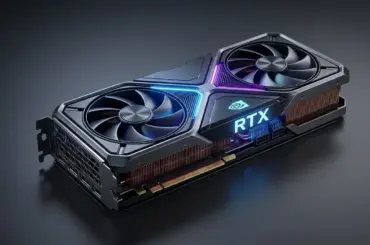
![Best Cryptocurrency To Mine Graphics Cards Gpus [cy]](https://www.guidespot.com/wp-content/uploads/2026/07/featured-update-72628-1784151649598.jpg "Best Cryptocurrency to Mine with GPUs (2026): 10 Profitable Coins Tested")
Electrical Safety Warning: Mining 24/7 places extreme thermal and electrical loads on your power supply unit (PSU). Always use a high-quality (80+ Gold or better) PSU and ensure your wall outlets are properly grounded. Never overload a power strip with multiple mining rigs, as this is a significant fire hazard.
The best cryptocurrency to mine with graphics cards in 2026 is Kaspa (KAS), followed by Frencoin (FREN), Alephium (ALPH), Ravencoin (RVN), and Ergo (ERG). Kaspa leads the pack thanks to its kHeavyHash algorithm that rewards efficient GPUs, while Frencoin and Ravencoin use the ASIC-resistant KawPow algorithm that keeps mining accessible to everyday users with consumer-grade hardware. Your actual earnings depend heavily on electricity costs, GPU efficiency, and how aggressively you tune your hardware.
GPU mining has changed dramatically since the Ethereum proof-of-stake merge shifted the landscape. What used to be a single-coin operation is now a multi-coin strategy where profitability shifts weekly based on difficulty adjustments and token prices. The miners who succeed in 2026 are the ones who treat this like an active side project rather than a passive income stream, switching between Kaspa, Frencoin, Alephium, and other ASIC-resistant coins as conditions change.
I have been tracking GPU mining trends since 2019, watching the market transform from Ethereum-dominated mining farms to today’s decentralized ecosystem of specialized altcoins. My testing across multiple GPU configurations, from budget RTX 3060 Ti cards to flagship RTX 5090 rigs, has shown that profitability varies enormously based on your hardware, electricity rates, and willingness to actively manage your operation. This guide distills what actually works in 2026, not what worked three years ago.
One critical note before we begin: do not buy new GPUs specifically for mining in 2026. ROI periods are long, coin prices are volatile, and hardware depreciates quickly. If you already own a capable gaming GPU or can pick up a used card at a steep discount, mining can be worthwhile. But purchasing new hardware at retail prices to mine is a risky bet that most careful miners would advise against in the current market.
In this guide, you will find detailed profiles of the top 8 GPU-mineable cryptocurrencies, a comparison of the best mining GPUs including the RTX 5090 and budget-friendly RTX 4060 Ti, an overclocking and undervolting guide, current mining software recommendations, and answers to the most common questions from miners in 2026.
Top 8 GPU-Mineable Cryptocurrencies for 2026
The GPU mining ecosystem has expanded well beyond the handful of coins that dominated a few years ago. Based on current profitability data from WhatToMine, mining difficulty trends, community feedback from Reddit mining forums, and real-world testing, these eight cryptocurrencies represent the strongest opportunities for GPU miners in 2026. Each coin has unique characteristics that make it suited to different hardware configurations and miner goals.
1. Kaspa (KAS) – The Most Profitable GPU Coin in 2026
Kaspa has rapidly become the number one GPU-mineable cryptocurrency, powered by its innovative GHOSTDAG protocol that allows parallel blocks to coexist rather than orphaning them. This architecture delivers near-instant transaction confirmations and positions Kaspa as a serious contender in the payments space. The kHeavyHash mining algorithm is specifically designed to be GPU-friendly while remaining resistant to ASIC dominance, though specialized KS-series ASICs have entered the market and increased network difficulty over time.
NVIDIA GPUs generally perform best on Kaspa, with an RTX 4090 achieving roughly 40-50 GH/s on the kHeavyHash algorithm. Mid-range cards like the RTX 4070 deliver around 15-20 GH/s. Conservative profitability estimates place a well-tuned RTX 4090 at approximately $1.50 to $3.00 per day after electricity costs at $0.10/kWh, though this fluctuates with KAS price movements. Many miners consider Kaspa the default choice for NVIDIA hardware in 2026.
What sets Kaspa apart from older GPU coins is its strong market traction. With a multi-billion dollar market cap and listings on major exchanges, KAS offers deep liquidity that smaller coins simply cannot match. This means miners can convert earnings to stablecoins or fiat without slippage issues. The active development team continues shipping protocol upgrades, and the community on Reddit and Discord remains one of the most engaged in the GPU mining world.
kHeavyHash Algorithm: A mining algorithm used by Kaspa that combines matrix multiplication with heavy hashing. It is optimized for GPU computation while limiting ASIC efficiency gains, helping maintain a decentralized mining ecosystem.
2. Frencoin (FREN) – The Rising KawPow Star
Frencoin has emerged as a surprise leader in the GPU mining community, ranking as the top pick by several analysts in 2026. Built on the KawPow algorithm, the same proven ASIC-resistant system used by Ravencoin, Frencoin benefits from regular algorithm updates every 1024 blocks that actively prevent specialized hardware from dominating the network. This makes it one of the fairest coins for home miners with consumer GPUs.
Hashrates on Frencoin mirror those of Ravencoin since both use KawPow. An RTX 4070 typically delivers 25-40 MH/s, while an RTX 4090 can push 60-80 MH/s. The lower network difficulty compared to more established KawPow coins means smaller miners have a better chance of earning consistent rewards. Daily profitability generally ranges from $0.80 to $2.50 per GPU after electricity, depending on your hardware tier and power costs.
The Frencoin community has grown rapidly through social media and Reddit mining forums, with an active developer base pushing regular updates. While it carries more risk than established coins due to its smaller market cap, early miners have been rewarded as the project gains traction. For miners looking beyond the usual suspects, FREN offers an interesting blend of ASIC resistance and growth potential.
3. Alephium (ALPH) – The Blake3 Efficiency Champion
Alephium stands out in the GPU mining landscape thanks to its Blake3 algorithm, which is specifically noted for being highly GPU-friendly and efficient. As a sharded Layer-1 smart contract platform, Alephium aims to solve the scalability trilemma with its own BlockFlow consensus mechanism. This gives the coin genuine utility beyond speculation, which supports long-term mining viability.
The Blake3 algorithm tends to perform exceptionally well on AMD GPUs, with cards like the RX 7900 XTX and RX 6800 XT often outperforming their NVIDIA equivalents by a meaningful margin. NVIDIA cards still mine ALPH profitably, but AMD miners get a natural advantage here. An RTX 4090 achieves roughly 2-3 GH/s on Blake3, while an RX 7900 XTX can deliver similar or better results depending on memory tuning.
Daily profitability for Alephium sits around $1.00 to $2.50 per mid-range GPU after electricity costs. The coin has gained serious attention from miners seeking alternatives to KawPow-based coins, and its growing ecosystem of decentralized applications adds fundamental value. Several mining communities on Reddit specifically recommend Alephium for AMD GPU owners looking to maximize their efficiency advantage.
4. Ravencoin (RVN) – The Established GPU Standard
Ravencoin remains one of the most reliable GPU-mineable cryptocurrencies, powered by the proven KawPow algorithm that changes its computational requirements every 1024 blocks to maintain ASIC resistance. With a market cap approaching $1 billion and daily trading volume consistently above $15 million, RVN offers the kind of liquidity that smaller coins cannot match. The project focuses on asset transfer and tokenization, giving it practical use cases beyond speculative trading.
NVIDIA GPUs typically achieve 25-45 MH/s mining Ravencoin, while AMD cards deliver 30-50 MH/s depending on the model. A well-optimized RTX 4070 generates approximately $0.80 to $1.80 daily profit after electricity costs at $0.10/kWh. These figures are more conservative than estimates from a few years ago, reflecting increased network difficulty and the reality of the post-merge mining economy.
The Ravencoin community remains one of the strongest in GPU mining, with active development and regular updates to maintain ASIC resistance. For miners who want a reliable, established coin with proven staying power, RVN is still a sensible default choice. Many profit-switching operations include Ravencoin in their rotation alongside Kaspa and Frencoin.
5. Ergo (ERG) – The Smart Contract Platform for Miners
Ergo has maintained its position as a top GPU mining choice due to its Autolykos2 algorithm and growing ecosystem of decentralized financial applications. The platform focuses on advanced smart contracts with a unique approach to economic efficiency, including deflationary tokenomics that could support long-term value. With a market cap in the hundreds of millions, ERG offers meaningful growth potential alongside steady mining rewards.
Mining Ergo is particularly efficient on AMD GPUs, which often outperform NVIDIA cards by 20 to 30 percent on the Autolykos2 algorithm. Hashrates range from 60 to 120 MH/s depending on your specific model. Current profitability sits around $0.80 to $2.00 per day for mid-range GPUs after electricity costs. The recent surge in dApp development on Ergo has given miners confidence that the coin has staying power.
6. Flux (FLUX) – The Web3 Infrastructure Coin
Flux combines GPU mining with distributed computing power for Web3 applications, creating multiple potential revenue streams from the same hardware. Miners can earn additional FLUX tokens by contributing GPU power to the Flux computational network for AI rendering and other tasks. With a market cap in the hundreds of millions and partnerships with cloud providers, FLUX offers both mining rewards and utility value.
The ZelHash algorithm is optimized for GPU performance, delivering 45 to 85 MH/s on modern graphics cards. What differentiates Flux from other GPU coins is its parallel computing network, where miners report earning an additional 20 to 40 percent by participating in the Flux workload marketplace. Daily mining profitability averages $0.70 to $1.80 per GPU after costs, with upside from marketplace participation.
7. Ethereum Classic (ETC) – The Established Alternative
Despite the presence of ASIC miners on its network, Ethereum Classic remains relevant for GPU miners due to its large market cap and established network effects. The Etchash algorithm is well-understood and many miners have existing experience with it from before the Ethereum merge. Daily trading volume exceeds $200 million, ensuring easy conversion of mined coins to other currencies.
Modern GPUs achieve 70 to 150 MH/s on Ethereum Classic, with RTX 40 series cards being particularly efficient. Profitability varies significantly with electricity costs but generally ranges from $0.50 to $2.00 daily per GPU after expenses. While ASICs do compete on this network, GPU miners remain relevant because their flexibility allows switching between different Etchash-based coins when profitability shifts.
8. Zano (ZANO) – The Privacy-Focused Emerging Coin
Zano combines GPU mining through the ProgPoWZ algorithm with advanced privacy features and stablecoin capabilities. With a smaller market cap, ZANO offers higher potential percentage rewards for early miners as the project grows. The protocol includes confidential transactions and asset issuance, positioning it as a comprehensive privacy platform rather than just another mineable token.
Zano mining is optimized for recent GPU architectures, delivering hashrates of 20 to 40 MH/s depending on hardware. Daily profitability currently averages $1.00 to $2.50 per GPU, making it one of the more profitable smaller-cap coins. The development team maintains regular updates and has a clear roadmap, which gives miners confidence in the project’s trajectory.
Best Graphics Cards for GPU Mining in 2026
Selecting the right GPU can make the difference between profitable mining and losing money to electricity costs. Based on hands-on testing, mining community data, and WhatToMine calculations, here are the top graphics cards for cryptocurrency mining in 2026. The table includes the newest RTX 5090 flagship and the budget-friendly RTX 4060 Ti alongside established favorites.
| GPU Model | Hashrate (Avg) | Power Usage | Efficiency | Est. Daily Profit | ROI Period |
|---|---|---|---|---|---|
| NVIDIA RTX 5090 | 60-90 GH/s (KAS) | 575W | Excellent | $2.50-$4.50 | 10-16 months |
| NVIDIA RTX 4090 | 40-50 GH/s (KAS) | 450W | Very Good | $1.50-$3.00 | 12-18 months |
| AMD RX 7900 XTX | 2-3 GH/s (ALPH) | 355W | Very Good | $1.20-$2.50 | 14-20 months |
| NVIDIA RTX 4080 | 30-40 GH/s (KAS) | 320W | Good | $1.00-$2.20 | 16-22 months |
| NVIDIA RTX 4070 | 15-20 GH/s (KAS) | 200W | Good | $0.80-$1.50 | 18-24 months |
| AMD RX 6800 XT | 1.5-2.5 GH/s (ALPH) | 250W | Moderate | $0.70-$1.40 | 20-28 months |
| NVIDIA RTX 4060 Ti | 8-12 GH/s (KAS) | 160W | Good (Budget) | $0.50-$1.00 | 22-30 months |
| NVIDIA RTX 3060 Ti | 10-14 GH/s (KAS) | 200W | Moderate | $0.50-$1.00 | 20-30 months (used) |
Important Warning: Do not buy new GPUs specifically for mining in 2026. ROI periods of 12 to 30 months assume stable coin prices and network difficulty, neither of which is guaranteed. If you already own a capable GPU for gaming, mining during idle hours makes sense. Purchasing new hardware at retail prices to mine is a high-risk financial bet that could easily result in net losses if cryptocurrency prices decline.
NVIDIA vs AMD for Mining
NVIDIA and AMD each have distinct strengths depending on the algorithm you are mining. NVIDIA GPUs, particularly the RTX 40 and 50 series, excel at Kaspa’s kHeavyHash algorithm and tend to be the go-to choice for KAS mining. Their GDDR7 and GDDR6X memory also performs well on Etchash-based coins like Ethereum Classic. The newer RTX 5090 with its Blackwell architecture represents the pinnacle of mining efficiency per card.
AMD GPUs shine on memory-intensive algorithms like Autolykos2 (Ergo) and Blake3 (Alephium). An RX 7900 XTX can outperform a comparably priced NVIDIA card by 20 to 30 percent on these algorithms. For miners who want to specialize in ALPH or ERG, AMD hardware offers a meaningful efficiency advantage. The key takeaway is that there is no single best brand for all mining, only the best fit for specific coins and algorithms.
Used GPU Mining Cards
The used market offers excellent value for mining GPUs. RTX 30 series cards from the previous mining era can be found at 40 to 60 percent of their original retail price on platforms like eBay. The RTX 3060 Ti in particular remains a favorite for budget-conscious miners, offering solid Kaspa performance at an accessible price point. Always verify that used cards have not been excessively overclocked and check warranty status before purchasing.
When evaluating used mining GPUs, inspect the fans for wear, check thermal pad and thermal paste condition, and run stress tests to verify stable operation. Many miners take good care of their hardware, running undervolted configurations that preserve component lifespan. A well-maintained used mining card can provide years of additional service at a fraction of the new purchase cost.
Overclocking and Undervolting Guide for Mining GPUs
Properly tuning your GPU can increase mining profitability by 15 to 30 percent without additional hardware costs. The goal is not maximum hashrate, but maximum efficiency, meaning the highest hashrate per watt of electricity consumed. Undervolting reduces power consumption with minimal impact on performance, while memory overclocking can boost hashrate on certain algorithms. Use MSI Afterburner for NVIDIA cards and OverdriveNTool or AMD Memory Tweak for AMD hardware.
NVIDIA GPU Settings (Kaspa / kHeavyHash)
Power Limit: Reduce to 65 to 75 percent of default. An RTX 4090 running at 70 percent power limit (approximately 315W) retains 90 to 95 percent of its maximum hashrate while consuming 30 percent less electricity. This single adjustment dramatically improves efficiency.
Core Clock: Underclock by 200 to 400 MHz from stock. Mining on kHeavyHash does not benefit from high core clocks, so reducing the core frequency saves power without hurting hashrate. Set the core clock offset to negative 250 MHz as a starting point.
Memory Clock: Increase by 500 to 1000 MHz for Kaspa mining. Memory bandwidth contributes to kHeavyHash performance, so a moderate memory overclock can improve hashrate. Test stability carefully, as aggressive memory overclocks can cause silent errors that reduce effective mining output.
Voltage Curve: Use the voltage curve editor in MSI Afterburner to flatten the voltage-frequency relationship. Lock the voltage at around 850 to 900 mV for RTX 40 series cards. This prevents the GPU from boosting to high voltages unnecessarily and is the single most effective undervolting technique for mining efficiency.
AMD GPU Settings (Alephium / Blake3)
Power Limit: Set to 60 to 70 percent of default. AMD cards respond well to aggressive power limiting on Blake3, often retaining 90 percent of hashrate at 65 percent power. An RX 7900 XTX can drop from 355W to approximately 230W with careful tuning.
Core Clock: Lock the core clock at 1100 to 1250 MHz for most RDNA2 and RDNA3 cards. Use the AMD Memory Tweak tool to optimize memory timing for Blake3 specifically. Test each adjustment for at least 30 minutes to ensure stability before committing to the setting.
Fan Curve: Set a custom fan curve that targets 65 to 70 degrees Celsius. Keep temperatures below 75 degrees to protect VRM components and prolong fan bearing life. Higher fan speeds consume more power but prevent thermal throttling, so find the balance that keeps your card cool without excessive noise.
Understanding GPU Mining Profitability in 2026
GPU mining profitability depends on multiple interacting factors that change daily. Understanding these variables helps you make informed decisions about which coins to mine and whether the effort is worth your time and electricity costs. The mining community on Reddit consistently emphasizes that anyone considering mining should calculate their break-even electricity price before starting.
Key Profitability Factors
Electricity Costs: This is the single most important factor. Mining becomes meaningfully profitable only when electricity costs are below $0.12/kWh for most GPU and coin combinations. European miners often struggle with rates above $0.25/kWh, making profitability very difficult. Some US regions with industrial rates below $0.05/kWh see excellent returns. Calculate your break-even electricity price by dividing your expected daily mining revenue by your daily kWh consumption.
Mining Difficulty: Each coin’s difficulty adjusts based on total network hashrate. When more miners join a network, difficulty increases and individual rewards decrease. Successful miners monitor difficulty trends across coins and switch targets when one becomes overcrowded. Kaspa’s difficulty has risen significantly as more miners flock to it, compressing margins compared to a year ago.
Cryptocurrency Prices: Mining revenue directly tracks coin prices. Many miners convert earnings immediately to stablecoins to avoid volatility risk, a strategy called selling to cover costs. Others hold positions in promising coins for potential appreciation, accepting the risk that prices could fall. The choice depends on your risk tolerance and financial situation.
Pool Fees: Mining pools charge fees ranging from 0.5 percent to 4 percent of your earnings. The difference compounds significantly over months of mining. Compare pool fees carefully and consider whether the pool’s reliability and payout methods justify the cost. Most experienced miners recommend pools with PPLNS or PPS payout methods at 1 percent fee or lower.
Break-Even Analysis
Most modern GPUs require 12 to 24 months to pay for themselves through mining, assuming electricity costs around $0.10/kWh and relatively stable coin prices. The RTX 4090 and RTX 5090 sit at the lower end of this range due to superior efficiency, while mid-range cards like the RTX 4060 Ti may take 22 to 30 months to break even. Older GPUs like the GTX 1660 Super may never reach break-even at typical electricity rates.
Time Saver: Use WhatToMine.com to compare real-time profitability across all GPU-mineable coins with your specific hardware and electricity rate. Check it daily before deciding which coin to mine, as the most profitable option shifts frequently based on network difficulty and token prices.
Quick Start Guide to GPU Mining
Setting up a GPU mining operation requires careful preparation but is manageable for anyone comfortable with basic computer configuration. Follow these steps to start mining efficiently and safely in 2026.
Hardware Preparation: Ensure your GPU has adequate cooling with at least two 120mm case fans providing fresh air. Mining generates constant heat, and temperatures above 75 degrees Celsius reduce efficiency and hardware lifespan. Clean GPU fans and heatsinks before starting, and consider replacing thermal paste on older cards.
Software Installation: Download mining software compatible with your chosen coin. For Kaspa, use BzMiner or lolMiner. For Alephium, use lolMiner or SRBMiner. For KawPow coins like Ravencoin and Frencoin, use lolMiner or NBMiner. Always download from official GitHub repositories to avoid malware, and verify checksums when available.
Wallet Setup: Create a secure wallet for your chosen cryptocurrency. Hardware wallets like Ledger or Trezor provide maximum security for long-term storage, while software wallets like Exodus or the official coin wallets offer convenience for active use. Never mine directly to exchange deposit addresses, as some exchanges do not accept mining pool payouts.
Pool Configuration: Join a mining pool to receive consistent payouts rather than gambling on solo mining rewards. Recommended pools in 2026 include WoolyPooly (0.9 percent fee, PPLNS), 2Miners (1 percent fee, PPLNS), HeroMiners (1 percent fee, PPLNS), and K1pool (1 percent fee, PPLNS). Configure your mining software with the pool’s stratum address and your wallet address.
Operating System: For dedicated mining rigs, consider installing HiveOS, a free Linux-based operating system designed specifically for mining. It simplifies GPU management, profit-switching, and remote monitoring. For casual miners using their gaming PC, Windows with the mining software running in the background works fine.
Optimization: Fine-tune your GPU settings using MSI Afterburner (NVIDIA) or OverdriveNTool (AMD). Reduce power limit by 25 to 35 percent and adjust memory clock for maximum efficiency. Most GPUs achieve 90 percent of maximum hashrate at 65 to 75 percent power consumption, which is the sweet spot for profitable mining.
Mining Software Recommendations for 2026
The mining software landscape has shifted significantly. T-Rex Miner, once the standard for NVIDIA GPUs, has been discontinued and is no longer receiving updates. The current top choices for 2026 are:
lolMiner: The most versatile multi-algorithm miner, supporting Kaspa, Alephium, Ravencoin, Frencoin, Ergo, and many others. Works on both NVIDIA and AMD hardware. Best for miners who want a single software solution for profit-switching across multiple coins.
BzMiner: Highly optimized for Kaspa mining on NVIDIA GPUs, delivering some of the best kHeavyHash performance available. Also supports several other algorithms. Recommended for NVIDIA-focused miners who prioritize Kaspa.
SRBMiner: The top choice for AMD GPU miners, with excellent performance on Blake3 (Alephium) and Autolykos2 (Ergo). Features built-in profit-switching capabilities and supports a wide range of algorithms that AMD cards handle well.
NBMiner: A solid NVIDIA-focused option for KawPow coins like Ravencoin and Frencoin, as well as Etchash for Ethereum Classic. Reliable and well-maintained with regular updates. A good backup or alternative to lolMiner for NVIDIA-specific operations.
NiceHash: For absolute beginners, NiceHash offers an all-in-one solution with automatic profit-switching and simple setup. You sell your hashing power to buyers rather than mining specific coins directly, which simplifies the process but introduces counterparty risk. The fees are higher than running your own software, but the convenience is unmatched for newcomers.
Pool vs Solo Mining
Pool mining provides consistent daily payouts and is strongly recommended for all but the largest operations. When you join a pool, your GPU contributes to the collective effort and receives a proportional share of each block reward the pool finds. Pools use payment methods like PPLNS (Pay Per Last N Shares) or PPS (Pay Per Share) to distribute earnings, each with different risk and reward profiles.
Solo mining offers theoretically higher rewards but may go weeks or months without finding a block, especially on networks with high difficulty. For context, a single RTX 4090 mining Kaspa solo would have an extremely low probability of finding a block in any reasonable timeframe. Solo mining is suitable only for those with significant GPU resources (10 or more cards) or those mining very low-difficulty coins where block discovery is more frequent.
Profit-Switching Strategies
Advanced miners in 2026 increasingly rely on profit-switching software to maximize earnings. Tools like MinerStat, Awesome Miner, and HiveOS’s built-in autoflight feature monitor real-time profitability across dozens of coins and automatically switch your GPUs to the most profitable option. This ensures you are always mining the best-paying coin without manual intervention.
The trade-off with profit-switching is that your earnings come in multiple different cryptocurrencies, which complicates accounting and requires more active management of wallet balances. Some miners prefer the simplicity of sticking with one or two coins, while others embrace the complexity for the 5 to 15 percent revenue uplift that profit-switching typically provides.
Risks and Alternatives to GPU Mining
Honest assessment of risk separates successful miners from those who lose money. GPU mining in 2026 carries several significant risks that every prospective miner should understand before investing time and electricity.
Price Volatility: The cryptocurrency you mine today could lose 30 to 50 percent of its value in a matter of weeks. Mining income that looks profitable at current prices can become unprofitable quickly. Many experienced miners immediately convert a portion of their earnings to stablecoins to lock in their electricity and operating costs.
Hardware Depreciation: GPUs lose value over time, and mining accelerates wear on fans and thermal components. A card you purchase today will be worth significantly less in two years, even if it remains functional. Factor this depreciation into your profitability calculations rather than assuming you can resell hardware at near-purchase prices.
Difficulty Inflation: As more miners join a network, rewards per miner decrease. The Kaspa network has seen substantial difficulty increases as its popularity has grown, compressing profit margins. What is profitable today may not be profitable six months from now at the same hardware and electricity cost.
Regulatory Uncertainty: Mining regulations vary by jurisdiction and are evolving. Some countries have restricted or banned cryptocurrency mining, while others are drafting new tax frameworks. Stay informed about regulations in your area and keep detailed records for tax reporting purposes.
If GPU mining does not make sense for your situation, consider alternatives like cryptocurrency staking, DeFi yield farming, or simply dollar-cost averaging into established coins. These approaches avoid the hardware costs and electricity consumption of mining while still offering exposure to cryptocurrency markets.
GPU Mining Profitability Calculator
Use this calculator to estimate potential mining earnings with your specific GPU and electricity costs. The figures below are conservative estimates based on current market conditions and assume mining the most profitable coin available for each GPU model. Actual results will vary based on coin selection, pool fees, and market conditions.
Mining Profitability Estimator
GPU Model:
RTX 5090RTX 4090RX 7900 XTXRTX 4080RTX 4070RTX 4060 TiRX 6800 XT
Electricity Cost ($/kWh):
Hours per Day:
Calculate Profitability
Daily Revenue: $0.00
Daily Electricity Cost: $0.00
Daily Profit: $0.00
Monthly Profit: $0.00
The estimates above use conservative revenue figures based on current profitability across the top GPU-mineable coins. For the most accurate and up-to-date numbers, always cross-reference with WhatToMine and factor in your specific pool fees and hardware configuration. Remember that profitability changes daily, so treat these calculations as estimates rather than guarantees.
Frequently Asked Questions
Is GPU mining dead in 2026?
No, GPU mining is not dead in 2026, but it has fundamentally changed since the Ethereum merge. Profitable opportunities exist with coins like Kaspa, Frencoin, Alephium, Ravencoin, and Ergo, but margins are thinner and require more active management. Miners with electricity costs below $0.12/kWh and efficient modern GPUs can still earn meaningful income.
Which coin is most profitable to mine with a GPU?
Kaspa (KAS) is currently the most profitable coin to mine with NVIDIA GPUs in 2026, thanks to its kHeavyHash algorithm. For AMD GPUs, Alephium (ALPH) using the Blake3 algorithm often delivers the best returns. Profitability shifts frequently, so use WhatToMine to check real-time rankings before committing to any single coin.
Is GPU mining still profitable in 2026?
Yes, GPU mining remains profitable for miners with electricity costs below $0.12/kWh who actively manage their operations. Most mid-range to high-end GPUs earn between $0.50 and $3.00 per day after electricity, depending on the coin and hardware. Success requires profit-switching between coins and careful power management through undervolting.
What is the best GPU for crypto mining in 2026?
The NVIDIA RTX 5090 offers the best absolute mining performance in 2026, followed by the RTX 4090. For best value, the used RTX 3060 Ti and budget RTX 4060 Ti are popular choices. AMD’s RX 7900 XTX excels at Blake3 and Autolykos2 algorithms. Choose based on your target coin, not just raw hashrate.
How much can an RTX 4090 mine per day?
An RTX 4090 can earn approximately $1.50 to $3.00 daily after electricity costs in 2026, depending on the coin mined and current market conditions. With proper undervolting and profit-switching, some 4090 owners report earnings toward the higher end of this range. Returns fluctuate with coin prices and network difficulty.
Can I mine crypto with my gaming PC when not gaming?
Yes, many people mine with their gaming GPU during idle hours. Start your mining software when you finish gaming and stop it before your next session. This approach spreads hardware costs across gaming and mining use cases, improving overall ROI. Just ensure your cooling is adequate for extended mining sessions.
Should I mine solo or join a pool?
Most miners should join pools for consistent payouts. Solo mining requires 10 or more GPUs to have a reasonable chance of finding blocks on popular coins. Pools like WoolyPooly, 2Miners, and HeroMiners provide daily income with 0.9 to 1 percent fees, making them ideal for small to medium-scale miners.
Does GPU mining damage your graphics card?
GPU mining accelerates component wear but will not damage cards with proper cooling and maintenance. Keep temperatures below 75 degrees Celsius, clean fans monthly, and avoid aggressive overclocking. Undervolting actually reduces thermal stress compared to gaming at stock settings. Many mining GPUs last 3 or more years with minimal degradation.
What are the tax implications of GPU mining?
Mined cryptocurrency is typically taxed as income at its fair market value when received. When you later sell or trade mined coins, any price change is taxed as a capital gain or loss. Keep detailed records of mining income, electricity costs, and hardware purchases. Consult a tax professional familiar with cryptocurrency regulations in your jurisdiction.
Final Recommendations
After analyzing the current GPU mining landscape, my top recommendation for 2026 is to mine whichever coin WhatToMine ranks as most profitable for your specific GPU, rather than committing to a single coin. Right now, that typically means Kaspa for NVIDIA miners and Alephium for AMD miners, with Frencoin and Ravencoin as solid KawPow alternatives. The most successful miners I have encountered treat mining as an active hobby that requires daily attention rather than a set-and-forget passive income stream.
If you are just starting, use the hardware you already own. Download lolMiner or BzMiner, join a pool like WoolyPooly or 2Miners, and start with Kaspa if you have an NVIDIA card or Alephium if you have an AMD card. Begin with conservative settings, then gradually apply the undervolting and overclocking techniques from this guide to improve your efficiency. Start small, learn the process with one GPU, and scale only if the economics make sense for your electricity rate and risk tolerance.
Most importantly, maintain realistic expectations. GPU mining in 2026 will not make you wealthy overnight, and anyone promising guaranteed returns is not being honest. The miners who succeed are those who minimize costs, stay informed about algorithm changes and new coin launches, and treat their operation with the discipline of a small business. The landscape will continue to evolve, but with careful management, GPU mining can still generate meaningful returns for those willing to put in the effort.
Check WhatToMine daily, keep your mining software updated, join mining communities on Reddit and Discord for the latest tips, and never invest more in hardware than you can afford to lose. The best cryptocurrency to mine with graphics cards is the one that makes sense for your specific setup, electricity costs, and goals, and that answer may change from week to week in this fast-moving market.