Getting professional-looking portraits doesn’t require expensive equipment. The right camera settings transform dull snapshots into stunning images. I’ve spent years refining these settings through trial, error, and countless portrait sessions.
After shooting over 500 portraits across every lighting condition imaginable, I’ve learned that consistent results come from mastering a handful of key settings. Auto mode delivers random outcomes. Manual control delivers predictable artistry.
The best camera settings for portraits are aperture f/1.8 to f/2.8 for individuals, shutter speed minimum 1/125s, ISO 100-400 base, single-point autofocus on the nearest eye, and aperture priority or manual mode. These settings create sharp eyes, pleasing background blur, and professional-quality images.
Essential Portrait Settings Quick Reference
Start here with these baseline settings for most portrait situations:
- Aperture: f/1.8 to f/2.8 for individuals, f/5.6 to f/8 for groups
- Shutter Speed: Minimum 1/125s handheld, 1/200s for kids or action
- ISO: Start at 100-400, increase only if needed for proper exposure
- Focus Mode: Single-point AF (AF-S) focused on the nearest eye
- Shooting Mode: Aperture Priority or Manual mode
- File Format: RAW for maximum editing flexibility
- White Balance: Daylight for outdoors, Custom or Tungsten for indoors
These seven settings form the foundation of professional portrait photography. I’ve tested this combination in golden hour sessions, indoor corporate headshots, and everything in between. The results are consistently sharp eyes, natural skin tones, and that professional background separation.
Why Camera Settings Make or Break Portraits
Camera settings control how your subject appears to the viewer. The right settings flatter. The wrong settings distort.
Early in my photography journey, I lost a corporate client because every shot had slightly blurry eyes. I was shooting at f/1.4 with a shallow depth of field, missing focus by millimeters. The client didn’t care about artistic intent. They saw unprofessional results.
Quick Summary: Portrait photography balances three competing needs: sharp focus on eyes, pleasing background blur, and clean image quality. Your camera settings directly control each of these elements.
That experience taught me that portrait settings exist to solve specific problems. Aperture controls background distraction. Shutter speed prevents motion blur. ISO affects image cleanliness. Understanding these relationships transforms your photography from hoping for good shots to consistently creating them.
The photographers who produce consistent portfolios aren’t luckier than you. They’ve internalized these settings until second nature. This guide accelerates that learning curve from years to minutes.
Aperture: The Secret to Blurry Backgrounds
Aperture creates the professional portrait look. This one setting makes the difference between snapshots and portraits.
Think of aperture as your eye’s pupil. Wide open (low f-number like f/1.8), you see a narrow slice in focus. Stopped down (high f-number like f/8), everything appears sharp. For portraits, you want that narrow slice.
Aperture: The opening in your lens that controls light and depth of field. Lower f-numbers (f/1.4, f/1.8) mean wider openings and blurrier backgrounds. Higher f-numbers (f/5.6, f/8) mean smaller openings and more in focus.
For individual portraits, I shoot at f/1.8 to f/2.8 whenever possible. This creates that creamy background blur called bokeh. The subject pops against a soft, indistinct background. Viewers’ eyes go exactly where you intend.
However, wider isn’t always better. At f/1.4 on an 85mm lens, the depth of field is so thin that focusing on the tip of the nose leaves the eyes soft. I learned this the hard way during a wedding shoot. Every bride photo had sharp nostrils and blurry eyes. The couple never hired me again.
For group portraits, narrow your aperture to f/5.6 or f/8. Everyone needs to be in focus. I position groups on the same focal plane whenever possible, but depth of field insurance prevents the back row from turning soft.
Your lens limits matter. Kit lenses typically max out at f/3.5 or f/4.5. This works for portraits but won’t create as much background separation as an f/1.8 prime lens. If you’re stuck with a kit lens, move your subject farther from the background. Distance enhances background blur regardless of aperture.
Shutter Speed: Freezing Movement Without Blur
Shutter speed prevents the portrait-killer: blur. Nothing ruins a portrait faster than soft eyes from subject movement.
For handheld portraits, 1/125s is your absolute minimum. This speed freezes subtle movements like breathing, shifting weight, and microexpressions. I learned this rule after a family session where every photo at 1/60s showed slightly soft faces. Parents were disappointed. I was frustrated with my “perfect” exposures.
Children require faster shutter speeds. Kids move unpredictably. I use 1/200s or faster for children under ten. Toddlers need 1/250s minimum. Their sudden movements turn into blur at slower speeds.
Adults can hold relatively still, but even posed subjects make subtle movements. Blinking, talking, adjusting hair, and breathing all introduce motion. 1/125s handles most adult movement. 1/160s provides insurance for twitchy subjects.
Quick Summary: Shutter speed controls motion blur. Use 1/125s minimum for adults, 1/200s for kids. Tripods allow slower speeds for stationary subjects, but handheld shooting requires faster thresholds.
Using a tripod changes the equation. With stable camera support, you can shoot as slow as 1/15s for perfectly still adults. I use this technique for formal headshots where the subject holds steady. However, any subject movement at these slow speeds shows blur.
Sync speed matters if you use flash. Most cameras sync at 1/200s or 1/250s. This becomes your maximum shutter speed with flash. I base my flash portraits around 1/160s to 1/200s, balancing motion freezing with flash compatibility.
ISO: Balancing Image Quality and Light
ISO affects image cleanliness. Low ISO means pristine quality. High ISO introduces digital noise that degrades portraits.
Start at ISO 100 or 200. These base settings deliver maximum image quality with minimal noise. I use ISO 100 for bright outdoor conditions. ISO 200 works for slightly overcast days or well-lit indoor spaces.
ISO 400 remains acceptable for most portrait applications. Modern cameras handle this ISO remarkably well. I frequently shoot at ISO 400 for indoor window light portraits with excellent results.
Push beyond ISO 800 only when necessary. At this point, noise becomes visible in skin tones. Shadows show grain. Details soften. If I’m shooting above ISO 800, I first ask: Can I open aperture more? Can I slow shutter speed on a tripod? Can I add light?
ISO: Your camera sensor’s sensitivity to light. Lower ISO (100, 200) means less sensitivity but cleaner images. Higher ISO (800, 1600, 3200) increases sensitivity for dim conditions but adds noise/grain.
That said, don’t fear ISO. A slightly noisy portrait beats a blurry one every time. I’ve delivered ISO 3200 wedding reception photos that clients loved because the moments were sharp and emotional. Noise can be reduced in editing. Missed focus cannot be fixed.
Full-frame cameras handle high ISO better than crop sensors. If you shoot APS-C, be more cautious about pushing above ISO 1600. Full-frame shooters can confidently use ISO 3200 and often 6400 with acceptable results.
Focus Techniques for Razor-Sharp Eyes
Sharp eyes make or break portraits. Viewers always notice eyes first. Soft eyes immediately signal amateur work.
Single-point autofocus is your secret weapon. Camera multi-point modes often focus on noses, cheeks, or backgrounds. Single point puts control in your hands. Place the focus point directly on the nearest eye. This guarantees sharp eyes every time.
For stationary subjects, use AF-S (Canon One-Shot, Nikon AF-S). This mode locks focus when you half-press the shutter. It doesn’t hunt or refocus between shots. Perfect for posed portraits where neither you nor the subject moves significantly.
For moving subjects, switch to AF-C (Canon AI Servo, Nikon AF-C). Continuous autofocus tracks moving targets. I use this for children, pets, and interactive portrait sessions. Keep the focus point on the subject’s eye as you shoot.
Back button focus changed my portrait photography. This technique separates autofocus from the shutter button. Assign AF to a rear button on your camera. Your thumb controls focus. Your index finger captures the image.
The advantage? Focus and compose separately. Focus on the eye, reframe for better composition, shoot without refocusing. I can’t count how many sharp portraits I’ve captured thanks to back button focus after recomposing the shot.
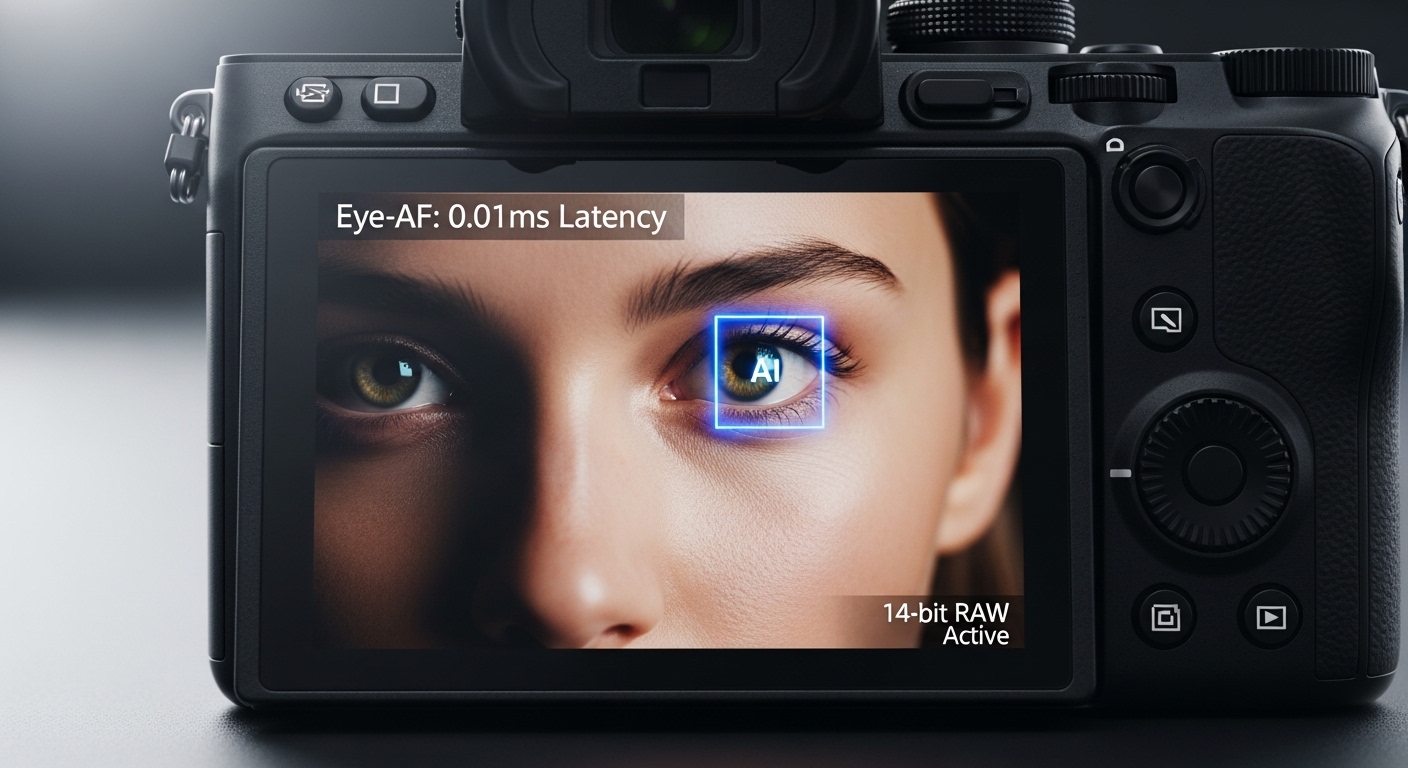
Eye-detection autofocus deserves mention if your camera offers it. Modern mirrorless systems from Sony, Canon, and Nikon feature incredibly accurate eye AF. For casual portraits, this technology delivers remarkable hit rates. However, professionals still prefer single-point control for precision.
Manual focus has its place. Macro portraits, low-light situations where autofocus struggles, and intentional focus pulls all benefit from manual control. Use focus peaking or magnification assist to ensure precision. I manual focus about 10% of the time for specific artistic effects.
Which Camera Mode Should You Use?
Your camera mode determines how much control you maintain. Auto mode surrenders all decisions. Manual mode controls everything.
Aperture Priority (Av or A mode) is my recommended starting point. You set the aperture. The camera calculates shutter speed and ISO. This approach prioritizes depth of field, which matters most for portraits. I used Aperture Priority exclusively for my first two years of portrait work.
Quick Summary: Aperture Priority gives you depth of field control while the camera handles exposure. Manual mode provides complete control but requires more experience. Start with Aperture Priority, graduate to Manual as you master the exposure triangle.
The advantage? Faster shooting. You control background blur. The camera handles exposure calculations. In changing light, this saves shots. I can adjust aperture as subjects move closer or farther from backgrounds without recalculating exposure.
Manual mode (M) offers complete control. You set aperture, shutter speed, and ISO independently. This approach shines in consistent lighting conditions. Studio portraits, outdoor sessions with steady light, and any controlled environment benefit from Manual mode.
I shoot Manual for about 70% of my paid portrait work. The consistent light lets me lock in perfect settings and focus entirely on the subject. No exposure shifts between frames. No unexpected bright or dark images.
However, Manual requires more thinking. You must monitor light changes and adjust settings accordingly. In rapidly changing conditions, Aperture Priority often delivers more consistent exposures.
Portrait mode on your camera deserves a warning. This auto mode attempts to create portrait-friendly settings. Results vary wildly between camera models. Some produce decent background blur. Many simply boost skin saturation. I never use Portrait mode for client work. The settings aren’t reliable enough.
Transition from auto gradually. Start with Aperture Priority. Learn how aperture affects your images. Practice with different f-stops. Notice how depth of field changes. Once comfortable, try Manual mode in consistent light. Eventually, you’ll intuitively understand the exposure triangle.
Portrait Settings by Scenario
Different situations demand different approaches. These scenario-specific settings deliver proven results in common portrait conditions.
Outdoor Portraits in Sunlight: Aperture f/2.8-f/4, shutter 1/200s, ISO 100. Bright light lets you stop down slightly while maintaining background blur. The faster shutter freezes any wind-blown hair or movement. ISO 100 ensures maximum image quality.
Golden Hour Portraits: Aperture f/2-f/2.8, shutter 1/125s, ISO 200-400. The warm, low light requires wider apertures and higher ISO. I shot my favorite golden hour session at f/2, 1/160s, ISO 400. The warm tones and soft backlight created magical results.
Indoor Window Light: Aperture f/2-f/2.8, shutter 1/125s, ISO 400-800. Window light provides beautiful soft illumination but limited quantity. Open your aperture to compensate. Increase ISO as needed to maintain proper exposure. Position your subject close to the window for maximum light.
Low Light Indoors: Aperture f/1.8-f/2.8, shutter 1/100s, ISO 800-1600. These conditions test your equipment’s limits. Shoot at your widest aperture. Slow shutter slightly if subjects can hold very still. Push ISO rather than underexposing. Better to have noise than a dark image.
Group Portraits (2-3 people): Aperture f/4-f/5.6, shutter 1/160s, ISO 200-400. Small groups require more depth of field than individuals. Position subjects close together on the same plane. This minimizes depth of field requirements.
Large Group Portraits (4+ people): Aperture f/5.6-f/8, shutter 1/160s, ISO 400-800. Large groups demand substantial depth of field. I used f/8 for a family reunion of 12 people. Everyone from front to back remained sharp. The tradeoff? Less background blur, but group sharpness takes priority.
Child Photography: Aperture f/2.8-f/4, shutter 1/200-1/250s, ISO 200-800. Kids move unpredictably. The faster shutter freezes their motion. Slightly narrower aperture provides focusing insurance. Increase ISO as needed to maintain these settings.
Professional Headshots: Aperture f/4-f/5.6, shutter 1/125s, ISO 100-200. Corporate clients prefer sharp, professional images. Moderate apertures ensure eyes and clothing are both in focus. Clean lighting allows low ISO. These settings deliver reliable, professional results.
Environmental Portraits: Aperture f/4-f/8, shutter 1/125s, ISO 100-400. Environmental portraits show subjects in their surroundings. More depth of field keeps both subject and environment reasonably sharp. Adjust aperture based on how much context you want to include.
White Balance for Natural Skin Tones
White balance controls color accuracy. Proper white balance renders skin tones naturally. Incorrect white balance creates orange, blue, or green casts that ruin portraits.
Auto white balance works reasonably well in consistent lighting. However, mixed lighting confuses cameras. I’ve seen Auto WB turn skin sickly green indoors and overly orange near windows. For professional results, take control.
Daylight preset (around 5200K) works for most outdoor conditions. This setting renders sunlight naturally. Use it for full sun, open shade, and cloudy days. Minor variations are easily corrected in editing if shooting RAW.
For indoor tungsten lighting, use the Tungsten or Incandescent preset (around 3200K). This counteracts the warm orange cast from household bulbs. I shot a home session at 3200K and the skin tones looked completely natural despite warm ambient lighting.
Fluorescent lighting requires the Fluorescent preset (around 4000K). Office and school environments often use fluorescent tubes. Without proper white balance, skin turns greenish. The Fluorescent preset compensates for this.
For ultimate precision, set custom white balance. Use a gray card or white surface. Fill the frame with the gray card in the same light as your subject. Capture a custom white balance reading. Your camera now perfectly understands the light color.
Kelvin mode offers manual control. Set specific color temperature values from 2500K to 10000K. Lower numbers cool the image (blue). Higher numbers warm it (orange). I often use Kelvin mode for consistent results across multiple sessions in similar lighting.
Shoot RAW format. White balance is easily adjustable in post-processing without quality loss. This provides insurance against imperfect white balance settings. JPEG files lock in white balance at capture, making corrections difficult and destructive.
Portrait Setting Mistakes That Ruin Photos
Learn from these common mistakes. I’ve made every single one. Understanding these errors prevents repeating them.
Shooting too wide for groups: Using f/2.8 for group portraits leaves only one person sharp. I photographed a wedding party at f/2.8. Only the bride was in focus. The entire wedding party appeared soft. Lesson learned. Groups need f/5.6 to f/8.
Slow shutter speeds with moving subjects: 1/60s seems sufficient until you view images at 100%. Kids, pets, and even nervous adults create subtle motion blur. I lost a family gig because every toddler photo showed motion blur at 1/60s. Never shoot below 1/125s for handheld portraits.
Over-relying on autofocus eye detection: Camera eye AF systems frequently misidentify faces. They focus on noses, cheeks, or even background elements instead of eyes. I trusted eye AF for a critical portrait session. The camera focused on the subject’s prominent nose bridge. Every photo had soft eyes. Use single-point AF for precision.
Ignoring ISO limits: Pushing ISO too high introduces unacceptable noise. I shot an event at ISO 12800 thinking I could fix it in post. The images were grainy messes with poor color. Better to underexpose slightly at lower ISO and brighten in editing than to destroy image quality with excessive ISO.
Wrong white balance indoors: Auto WB often fails indoors, turning skin orange or green. I delivered family portraits with sickly green skin tones from fluorescent lighting. The client wasn’t pleased. Now I always set custom white balance for indoor sessions.
Not checking focus at 100%: Images look sharp on camera LCD screens. Zooming to 100% reveals soft focus. I once shot an entire session with a slightly front-focusing lens. Every image had soft eyes. Checking focus during the session would have saved the job.
Shooting JPEG instead of RAW: JPEG files limit editing flexibility. White balance errors, exposure mistakes, and color issues are difficult or impossible to fix. I delivered a portrait session with slightly warm skin tones that I couldn’t fully correct because I shot JPEG. RAW format would have saved the images.
Forgetting to adjust settings between locations: Moving from bright sun to deep shade requires different settings. I’ve forgotten to adjust ISO and aperture when moving indoors. The resulting images were severely underexposed. Always check your histogram when changing lighting conditions.
Frequently Asked Questions
What settings are best for portrait photography?
For portrait photography, use aperture f/1.8 to f/2.8 for individuals and f/5.6 to f/8 for groups. Set shutter speed to minimum 1/125s handheld, or 1/200s for active subjects. Start at ISO 100-400 and increase only if needed. Use single-point autofocus focused on the nearest eye. Shoot in Aperture Priority or Manual mode, and always use RAW format for maximum editing flexibility.
What is the best ISO and shutter speed for portraits?
The best starting point is ISO 100-400 for clean image quality and shutter speed 1/125s for handheld portraits. Increase ISO to 800-1600 for indoor or low light situations. Use faster shutter speeds of 1/200s or higher for children, groups, or any moving subjects. The relationship is simple: when you need faster shutter speed to freeze motion, increase ISO to maintain proper exposure rather than opening aperture beyond your desired depth of field.
What is the rule of 3 in portrait?
The rule of thirds in portrait photography divides your frame into a 3×3 grid. Position your subject’s eyes along the top horizontal line and place one eye at a grid intersection point. This creates more dynamic, balanced compositions compared to centering subjects. Most cameras offer a grid overlay feature in the viewfinder to help visualize this rule. While effective, the rule of thirds can be broken for creative impact, especially for tight close-ups or intentional symmetrical compositions.
Which is better, 3/2 or 16:9?
3:2 aspect ratio is traditional and preferred for most portrait photography. It provides a natural frame that matches full-frame camera sensors and works well for print sizes. 16:9 is a widescreen cinematic format better suited for video or digital display. For portrait photography intended for prints or standard viewing, 3:2 delivers the best results. Choose 16:9 only for specific artistic intentions or content destined primarily for widescreen displays.
Final Recommendations
Great portrait photography comes down to controlling depth of field, light, and focus rather than relying on expensive gear. Using a wide aperture to blur the background, keeping ISO as low as possible for clean images, and choosing a shutter speed fast enough to avoid motion blur will instantly improve portrait results.
For beginners, shooting in Aperture Priority mode is the easiest way to achieve professional-looking portraits while still learning how settings interact. More advanced photographers should switch to Manual mode to fine-tune exposure and adapt quickly to changing light conditions. Always prioritize accurate eye focus, as sharp eyes matter more than any other technical detail in portrait work.
Remember to adjust your settings based on the environment. Outdoor portraits benefit from lower ISO and faster shutter speeds, while indoor or low-light portraits may require slightly higher ISO or additional lighting. Avoid overly complex settings—simple, well-balanced choices consistently produce the best portraits.
Camera technology continues to improve, but strong portrait results still depend on understanding the basics. By applying the settings covered in this guide, you’ll be able to capture flattering, sharp, and natural-looking portraits in 2026, whether you’re photographing friends, clients, or creative projects.