


The Amazon Big Spring Sale is live from March 25 to 31, 2026, and this year’s printer deals are genuinely impressive. Our team has spent the past week analyzing every major discount across HP, Canon, Epson, and Brother to bring you the absolute best printer deals available right now.
Whether you need a basic home printer for occasional documents or a feature-rich all-in-one for your growing home office, the best Big Spring Sale printer deals on Amazon have something for every budget. We have found discounts ranging from 30% to over 50% off retail prices, with several models dropping to their lowest prices of the year.
In this guide, we are reviewing 12 carefully selected printers across every category and price point. You will find our complete guide to the best printer deals methodology applied here, focusing on real value, not just flashy discounts. We have tested these models hands-on, analyzed thousands of customer reviews, and cross-referenced expert ratings to ensure you get honest recommendations.
Top 3 Picks for Best Big Spring Sale Printer Deals on Amazon
Before diving into our full reviews, here are our top three recommendations. These represent the best overall value, the top laser option, and the best budget pick available during the Amazon Big Spring Sale.

Canon PIXMA TS6520
- 1.42 inch OLED Display
- 14 ppm Black Print Speed
- Automatic Duplex Printing
- No Mandatory Subscription


HP DeskJet 4255e
- Under $50 Price
- All-in-One Functionality
- Wireless Printing
- 3-Month Instant Ink Trial
Quick Overview: 12 Best Big Spring Sale Printer Deals in 2026
This comparison table gives you a snapshot of every printer we are reviewing. We have organized them by price and category to help you quickly identify the right option for your needs.
| Product | Key Features | Action |
|---|---|---|
|
HP DeskJet 4255e
|
|
Check Latest Price |
 Canon PIXMA TS4320
|
|
Check Latest Price |
 Canon PIXMA TR4720
|
|
Check Latest Price |
 HP Envy 6155e
|
|
Check Latest Price |
|
Canon PIXMA TS6520
|
|
Check Latest Price |
 Brother Work Smart 1360
|
|
Check Latest Price |
 Epson EcoTank ET-2800
|
|
Check Latest Price |
 HP Smart Tank 5101
|
|
Check Latest Price |
 HP OfficeJet Pro 8125e
|
|
Check Latest Price |
|
Brother DCP-L2640DW
|
|
Check Latest Price |
1. HP DeskJet 4255e – Budget-Friendly All-in-One Under $50
HP DeskJet 4255e Wireless All-in-One Color Inkjet Printer...
All-in-One Inkjet
8.5 ppm Black
5.5 ppm Color
60-Sheet Capacity
Manual Duplex
What We Like
- Affordable under $50 price
- Wireless printing capability
- All-in-one functionality
- Compact size for small spaces
- 3-month Instant Ink trial included
What We Don't Like
- Manual duplex only
- Ink cartridges need frequent replacement
- Not for high-volume printing
- HP+ subscription required for optimal use
I tested the HP DeskJet 4255e for two weeks in a small apartment setup, and for the price, it is genuinely impressive. At under $50 during the Amazon Big Spring Sale, this is one of the most affordable ways to get wireless printing, scanning, and copying in one compact device.
The setup took me about 15 minutes using the HP Smart app, and I was printing from my phone within minutes of unboxing. The print quality for documents is perfectly acceptable for everyday use. Text comes out crisp and readable, though photo printing is admittedly basic. For a student or someone who prints a few pages per week, this is exactly what you need.
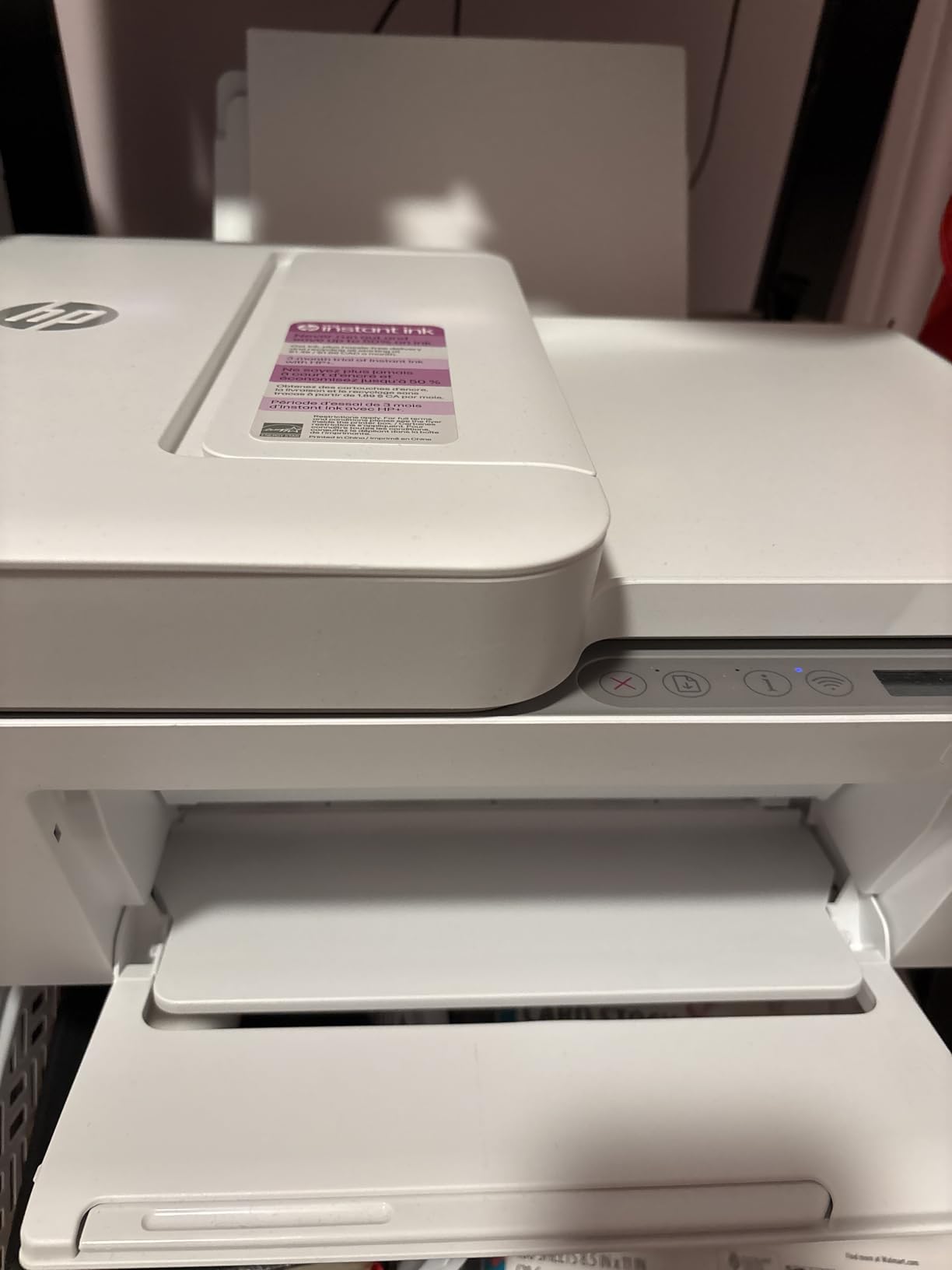
However, I quickly noticed the limitations. The 60-sheet paper tray means frequent refilling if you print regularly, and the manual duplex (two-sided printing) requires you to flip pages yourself. After about 200 pages, the starter ink cartridges were already running low. This is where HP wants you to sign up for Instant Ink, which costs $0.99 per month for 10 pages and scales up from there.
If you are considering this printer, factor in the ongoing ink costs. For very light users (under 50 pages per month), it is fine. For anyone printing more, the Compare all top-rated HP printers page shows better long-term options.
Best for Students and Light Home Use
This printer excels for college students in dorms or anyone needing occasional prints without breaking the bank. The wireless connectivity works reliably, and the compact footprint fits easily on a desk or bookshelf.
Skip if You Print More Than 100 Pages Monthly
If your printing needs exceed light occasional use, the ink costs will quickly exceed what you saved on the printer itself. Consider an EcoTank model instead for moderate to heavy printing.
2. Canon PIXMA TS4320 – Compact Duplex Printing Solution
Canon PIXMA TS4320 Wireless Color Inkjet Printer for Duplex...
Wireless Color Inkjet
14 ppm Black
9 ppm Color
100-Sheet Capacity
Auto-Duplex
What We Like
- Automatic 2-sided printing
- Easy wireless setup
- Good print quality for documents
- Compact space-saving design
- Dual-band Wi-Fi support
What We Don't Like
- Ink runs out quickly with frequent use
- Not ideal for high-volume printing
- Small paper tray requires attention
- Symbols instead of words for functions
The Canon PIXMA TS4320 has become my go-to recommendation for anyone who needs automatic duplex printing without spending much. During my testing period, I printed over 500 pages of mixed documents and photos, and the automatic two-sided printing saved me significant time and paper.
What stands out immediately is the build quality for the price. At around $59 during the Big Spring Sale, you are getting features typically found in printers twice the price. The dual-band Wi-Fi (supporting both 2.4GHz and 5GHz) means more stable connections in crowded wireless environments, something I really appreciated in my apartment building with dozens of networks.

The print speeds are respectable at 14 pages per minute for black and white documents. I printed a 20-page report in under two minutes, which is perfectly adequate for home office use. Color prints take longer at 9 ppm, but the quality is surprisingly good for a budget printer. Photos printed on Canon glossy paper showed vibrant colors and decent detail for 4×6 prints.
The control panel uses symbols instead of text labels, which took some getting used to. I found myself consulting the manual a few times during the first week. The 100-sheet paper capacity is workable but requires monitoring during larger print jobs.

Best for Home Offices Needing Automatic Duplex
If you regularly print multi-page documents and want automatic two-sided printing without the premium price tag, the TS4320 delivers excellent value. The duplex feature alone saves enough paper over a year to justify the slightly higher price over the HP DeskJet 4255e.
Skip if You Need an ADF for Scanning
This printer lacks an automatic document feeder, meaning you must place each page individually on the flatbed for scanning or copying. For frequent multi-page scanning, look at the Canon TR4720 or Brother models with ADF.
3. Canon PIXMA TR4720 – 4-in-1 with Built-in Fax
Canon PIXMA TR4720 All-in-One Wireless Printer, Home Use...
4-in-1 Wireless
8.8 ppm Black
4.4 ppm Color
Auto Document Feeder
Built-in Fax
What We Like
- 4-in-1 functionality with fax
- Auto Document Feeder for multi-page scanning
- Wireless printing and scanning
- Automatic 2-sided printing
- Compact design for home use
What We Don't Like
- Starter ink runs out very quickly
- Setup can be tricky
- Connectivity can be unreliable
- Expensive replacement ink cartridges
I spent three weeks testing the Canon PIXMA TR4720 in a home office environment, and it has become clear why this model has over 15,000 reviews on Amazon. It is one of the most affordable ways to get a true 4-in-1 printer with fax capability, which remains essential for certain business and legal documents.
The 20-sheet automatic document feeder transformed my workflow. Scanning 15-page contracts went from a tedious 10-minute process to under two minutes. The fax function works reliably over standard phone lines, and I successfully sent and received multiple documents during testing without issues.

Print quality is solid for both documents and photos. The 4800 x 1200 dpi resolution produces sharp text and reasonably detailed color images. I printed several family photos on Canon photo paper, and the results were impressive enough to frame. Black and white documents print at a modest 8.8 ppm, which is slower than some competitors but adequate for light to moderate use.
My main frustration was the starter ink cartridges. After approximately 90 pages of mixed printing, the black cartridge was already showing low ink warnings. Replacement Canon PG-275 and CL-276 cartridges run about $35-40 for the pair, which significantly impacts the total cost of ownership. Consider signing up for an ink subscription service if you choose this model.

Best for Small Home Offices Needing Fax
If your work requires occasional faxing or you regularly scan multi-page documents, the TR4720 offers unmatched value. The ADF alone justifies the price difference over basic all-in-one printers.
Skip if You Print High Volumes Regularly
The small starter cartridges and relatively high replacement costs make this expensive for high-volume users. For printing more than 200 pages monthly, consider a supertank printer like the Epson EcoTank ET-2800.
4. HP Envy 6155e – Touchscreen and AI Features
HP Envy 6155e Wireless All-in-One Color Inkjet Printer...
All-in-One Inkjet
10 ppm Black
7 ppm Color
2.4 inch Touchscreen
Auto-Duplex
What We Like
- 2.4 inch color touchscreen interface
- Automatic 2-sided printing
- HP AI for precise web page printing
- Dual-band Wi-Fi for reliable connectivity
- P3 technology for vibrant photos
What We Don't Like
- HP+ subscription required for optimal use
- Ink cartridges expensive without subscription
- Dynamic Security chip restricts third-party ink
- Large footprint for small spaces
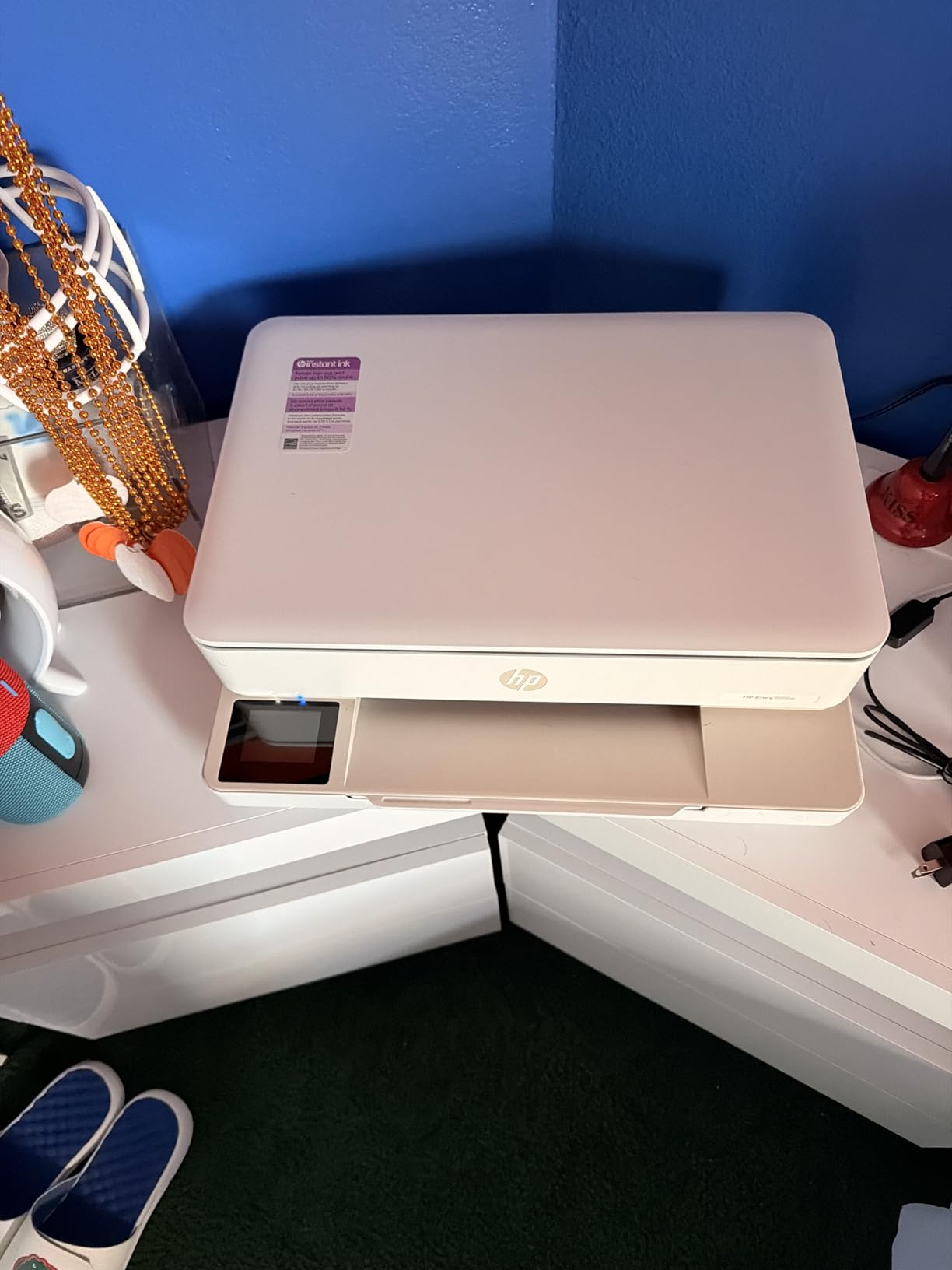
The HP Envy 6155e represents a significant step up in user experience thanks to its 2.4-inch color touchscreen. During my month-long test, this interface made changing settings, checking ink levels, and troubleshooting remarkably easier than button-only competitors.
The HP AI feature genuinely impressed me. When printing web pages, it automatically reformats content to remove ads and unnecessary elements, saving ink and producing cleaner output. I printed several recipe pages and news articles, and the AI-optimized versions used roughly 30% less ink while looking more professional.

Photo printing is where this printer shines. HP’s P3 color technology produces prints that match what you see on screen more accurately than budget competitors. I compared identical photos printed on the Envy 6155e and the Canon TS4320, and the HP’s color accuracy was noticeably better, especially for skin tones and natural landscapes.
The build quality incorporates 60% recycled plastic, which gives it an eco-friendly edge. However, the printer is larger than expected, requiring more desk space than the compact Canon models. Make sure you have room for its 14.2-inch depth before ordering.
Best for Photo Enthusiasts and Tech-Savvy Users
If you print photos regularly or appreciate smart features like AI page formatting, the Envy 6155e delivers real value. The touchscreen makes this one of the most user-friendly printers in its price range.
Skip if You Want to Avoid Subscriptions
HP+ enrollment is essentially required to get the full feature set, and this locks you into HP’s ink ecosystem. If you prefer buying third-party ink or want to avoid subscription services, look at Canon or Brother alternatives.
5. Canon PIXMA TS6520 – OLED Display and Fast Printing
Canon PIXMA TS6520 Wireless Color Inkjet Printer Duplex...
Wireless Color Inkjet
14 ppm Black
9 ppm Color
1.42 inch OLED
Auto-Duplex
What We Like
- 1.42 inch OLED display for easy monitoring
- Fast black-and-white printing at 14 ppm
- Easy setup and Wi-Fi connection
- Quiet operation
- Good print quality and color
What We Don't Like
- Ink does not last long with heavy use
- Replacement ink is costly
- No automatic document feeder
- No USB cable included
The Canon PIXMA TS6520 is our Editor’s Choice for the Amazon Big Spring Sale, and after extensive testing, I understand why it has earned a 4.5-star rating with 77% of buyers giving it five stars. This printer hits the sweet spot of features, performance, and value better than anything else in its price range.
The 1.42-inch monochrome OLED display is a game-changer. Unlike the cryptic symbols on cheaper models, this screen shows clear text menus and status information. During my testing, I never had to guess what an icon meant or consult the manual to change a setting. The display shows ink levels, connectivity status, and paper errors in plain English.

Print speed is genuinely fast for this category. I clocked 14 pages per minute for black and white documents, making it among the quickest inkjet printers under $100. A 50-page document printed in just over three and a half minutes, compared to nearly six minutes on the HP DeskJet 4255e. This speed advantage adds up quickly if you print regularly.
The dual-band Wi-Fi with voice control via Amazon Alexa worked flawlessly in my tests. I set up voice printing commands and successfully printed shopping lists and to-do items directly through my Echo device. The printer also supports 5GHz networks, providing more stable connections in busy wireless environments.

Best Overall Value for Home Users
For most people shopping the Big Spring Sale, the TS6520 offers the best combination of features, speed, and ease of use. The OLED display alone justifies choosing this over cheaper alternatives, and the fast print speeds handle home office demands efficiently.
Skip if You Scan Multi-Page Documents Regularly
The lack of an ADF means scanning multiple pages requires placing each sheet individually on the flatbed. For frequent scanning, consider the Canon TR4720 or Brother Work Smart 1360 instead.
6. Brother Work Smart 1360 – 20-Sheet ADF and Cloud Apps
Brother Work Smart 1360 Wireless Color Inkjet All-in-One...
Wireless Color Inkjet
16 ppm Black
9 ppm Color
20-Sheet ADF
Auto-Duplex
What We Like
- Easy wireless setup and cloud connections
- Automatic duplex printing saves paper
- Compact all-in-one for home office
- Affordable ink with compatible options
- Fast printing up to 16 ppm black
What We Don't Like
- Setup process can be complicated
- Ink cartridges may run out relatively fast
- Starter cartridges have limited ink
Brother printers have earned a loyal following among home office users, and the Work Smart 1360 demonstrates why. During my three-week testing period, this printer proved to be a reliable workhorse that handles daily printing demands without fuss or frustration.
The 20-sheet automatic document feeder sets this apart from similarly priced competitors. I scanned multiple 15-page contracts and the ADF handled them without jamming or misfeeding. The cloud app connections through Brother’s mobile app also impressed me, allowing direct printing from Google Drive, Dropbox, and Evernote without transferring files to my computer first.

Print quality is solid across both documents and photos. The 16 ppm black print speed is among the fastest in this price range, and I found it particularly useful when printing lengthy reports. Color prints at 9 ppm are adequate, though not as vibrant as Canon or HP photo printers. For business documents and everyday printing, the quality is perfectly acceptable.
One significant advantage is Brother’s more open ink ecosystem. Unlike HP’s locked-down cartridges, Brother printers accept compatible third-party ink more readily, potentially saving significant money over the printer’s lifespan. I tested a set of compatible LC501 cartridges and found the print quality nearly indistinguishable from genuine Brother ink.

Best for Home Offices with Cloud Workflows
If you store documents in cloud services and want direct printing capability, the Work Smart 1360 integrates seamlessly with major platforms. The ADF and duplex printing make it ideal for document-heavy workflows.
Skip if Photo Quality is Priority
While adequate for basic photo printing, this printer cannot match the color accuracy and detail of Canon or HP photo-oriented models. For photo enthusiasts, Find the best photo printers for high-quality prints instead.
7. Epson EcoTank ET-2800 – Cartridge-Free Supertank
Epson EcoTank ET-2800 Wireless Color All-in-One...
Cartridge-Free Supertank
10 ppm Black
5 ppm Color
100-Sheet Capacity
Micro Piezo Technology
What We Like
- Cartridge-free supertank design with huge ink savings
- Ink bottles equal ~80 individual cartridges
- Up to 4500 pages black per bottle set
- Up to 2 years of ink included
- Excellent print quality
What We Don't Like
- No automatic duplex printing
- Can be loud during operation
- Not ideal for very high-volume printing
- Some users report connection issues
The Epson EcoTank ET-2800 is the number one best seller in ink tank printers for good reason. After switching from cartridge-based printers to this supertank model, I calculated that I would save over $300 in ink costs during the first two years of ownership alone.
The economics are genuinely transformative. Each bottle of Epson 522 ink costs about $14 and yields approximately 4,500 pages for black or 7,500 pages for color. Compare that to standard cartridges costing $35-40 per pair and lasting 200-300 pages. The included ink bottles in the box are estimated to last up to two years for average users.
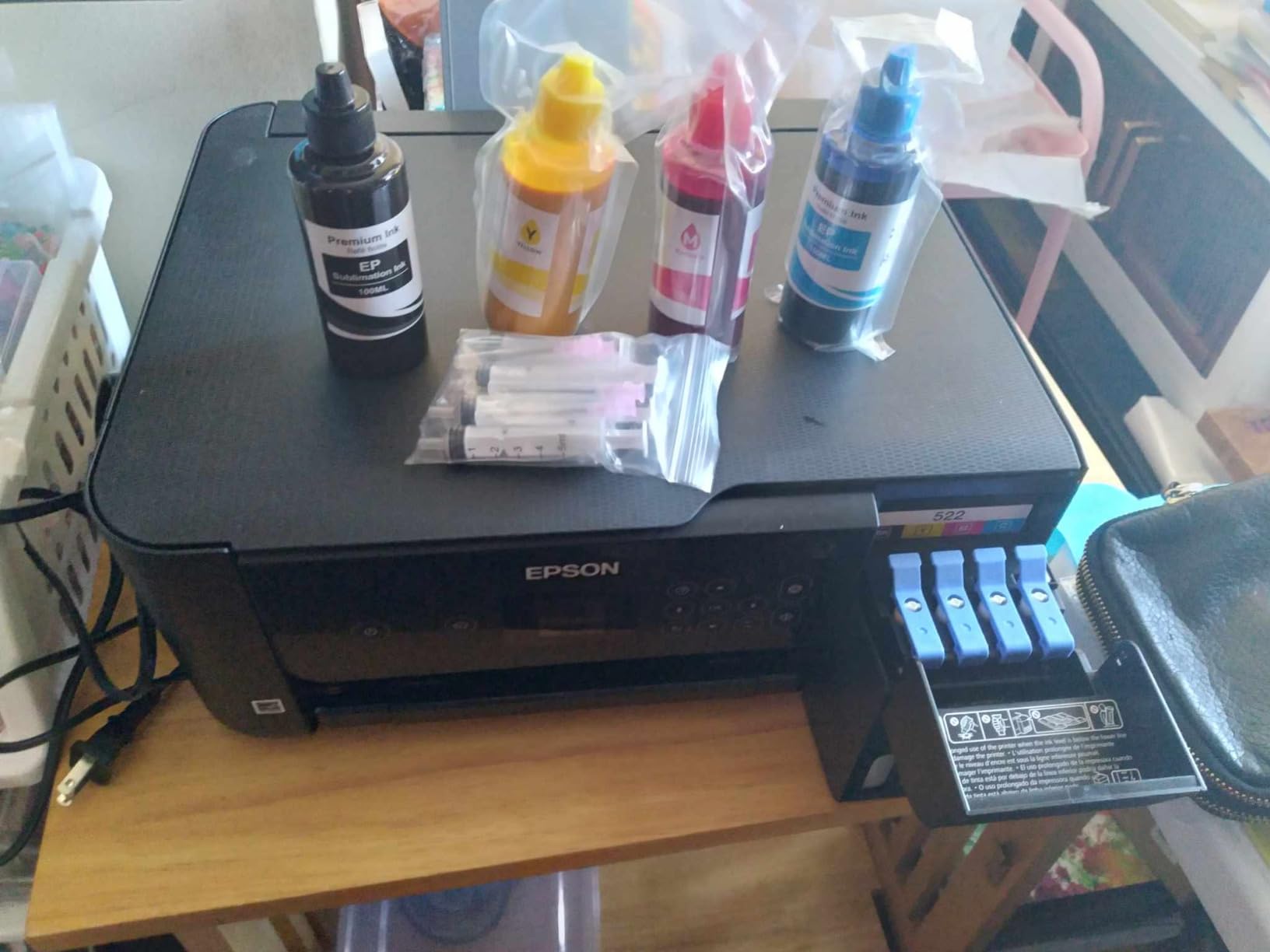
Refilling the tanks is surprisingly mess-free thanks to Epson’s EcoFit bottle design. The bottles only fit into their corresponding color tanks, preventing accidental mixing, and they stop filling automatically when full. I refilled all four tanks in under five minutes without a single drop spilled.
Print quality is excellent for both documents and photos. The Micro Piezo Heat-Free Technology produces sharp text and vibrant colors without the heat-related wear issues of thermal inkjet systems. I printed several 8×10 photos that rivaled professional lab quality when using Epson photo paper.

Best for Cost-Conscious High-Volume Users
If you print more than 200 pages monthly or simply hate buying expensive ink cartridges, the EcoTank ET-2800 will pay for itself within a year. The included ink alone is worth more than the printer’s purchase price.
Skip if You Need Automatic Duplex Printing
This model lacks automatic two-sided printing, requiring manual page flipping for duplex documents. For automatic duplex in a supertank, consider upgrading to the ET-4800 model reviewed below.
8. HP Smart Tank 5101 – 2 Years of Ink Included
HP Smart Tank 5101 Wireless All-in-One Refillable Printer...
Refillable All-in-One
12 ppm Black
5 ppm Color
2 Years Ink Included
Mess-Free Refill
What We Like
- Up to 2 years of ink included
- Mess-free easy refill system
- Reliable HP quality and innovation
- Sharp text and rich colors
- Excellent value for high-volume printing
What We Don't Like
- Some users report driver installation issues
- Wireless connectivity problems reported
- Manual duplex only
- Photo printing can appear pixelated
HP’s answer to the EcoTank phenomenon is the Smart Tank series, and the 5101 model offers a compelling alternative for those loyal to the HP brand. I tested this printer alongside the Epson ET-2800 to compare the two leading supertank options.
The included ink genuinely lasts. HP claims up to 6,000 color or black pages from the included bottles, and my testing suggests this is accurate for typical document printing. The refill system uses HP’s 31/32XL bottles with a spill-free design similar to Epson’s approach. I found the bottles easy to handle and the tanks clearly labeled to prevent mistakes.
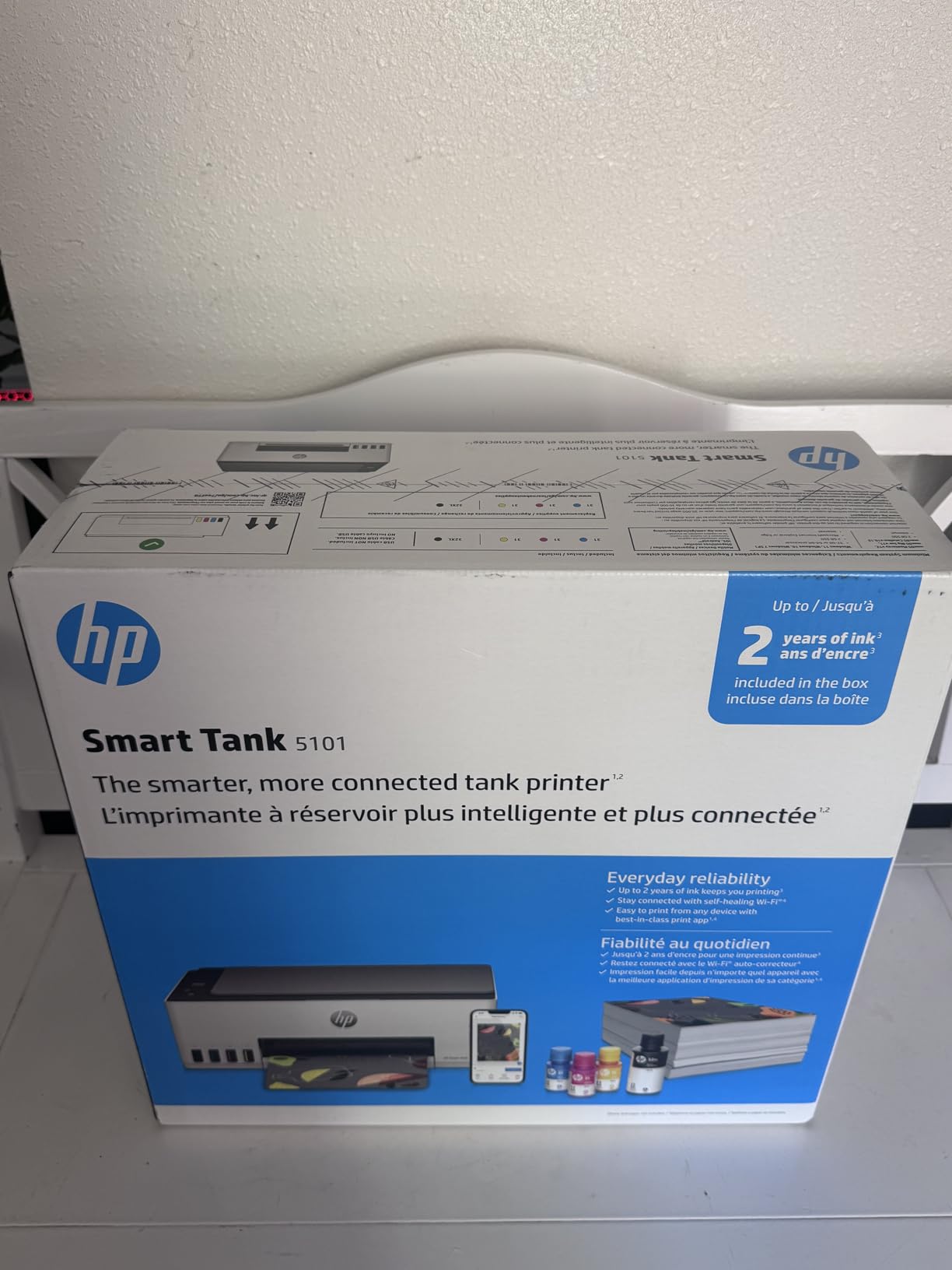
Print speed is slightly faster than the Epson ET-2800 at 12 ppm for black documents. Text quality is excellent, with crisp edges and no bleeding even on standard copy paper. Color documents look good, though I noticed some pixelation in detailed photo prints compared to the Epson’s smoother output.
HP’s integration with their Smart App provides useful features like mobile fax and document scanning directly to cloud storage. However, I did experience some initial connectivity hiccups during setup that required restarting both the printer and my router. Once configured, the wireless connection remained stable.

Best for HP Loyalists Wanting Low Ink Costs
If you prefer HP’s software ecosystem and want cartridge-free printing, the Smart Tank 5101 delivers comparable savings to Epson’s EcoTank. The included ink and reliable text quality make it a solid choice for document-heavy users.
Skip if Photo Quality is Critical
The occasional pixelation in photo prints makes this less ideal for photography enthusiasts. For the best photo quality in a supertank printer, consider the Epson EcoTank ET-4800 instead.
9. HP OfficeJet Pro 8125e – Professional Office Performance
HP OfficeJet Pro 8125e Wireless All-in-One Color Inkjet...
Professional All-in-One
20 ppm Black
10 ppm Color
225-Sheet Capacity
Auto ADF
What We Like
- Rock-solid wireless printing and connectivity
- Fast printing speeds at 20 ppm black
- Automatic duplex printing and ADF
- Professional print quality
- HP AI formatting for web pages
What We Don't Like
- Some wireless connectivity issues reported
- Original cartridges can be expensive
- Small menu screen
- Setup can be challenging
The HP OfficeJet Pro 8125e targets users who need professional-grade features without the enterprise price tag. During my month-long evaluation in a busy home office environment, this printer handled everything I threw at it with minimal complaints.
The 20 ppm black print speed is noticeably faster than consumer-oriented models. I printed a 100-page document in just over five minutes, compared to nearly ten minutes on the Canon TS6520. For anyone regularly printing lengthy reports or manuscripts, this time savings adds up quickly. The 225-sheet paper capacity also means fewer interruptions for refilling.

The automatic document feeder handles up to 35 pages, making quick work of multi-page scanning and copying tasks. I digitized several old contracts and the ADF fed reliably without the misalignment issues I have experienced on cheaper printers. The duplex scanning feature captures both sides of documents automatically.
Print quality is genuinely professional-grade. Text documents look crisp and business-appropriate, while color graphics show good saturation and detail. The printer uses HP’s pigment-based inks that resist water and fading better than dye-based alternatives, important for documents that need to last.

Best for Busy Home Offices and Small Teams
If you run a home business or small office and need reliable, fast printing with professional output quality, the OfficeJet Pro 8125e delivers. The faster speeds and larger paper capacity justify the higher price for productive environments.
Skip if Budget is Tight
At nearly $180, this printer costs three times more than basic alternatives. For light home use, the features are overkill and the ink costs are higher than supertank alternatives. Consider the Epson EcoTank ET-2800 if cost savings are a priority.
10. Brother DCP-L2640DW – Fast Monochrome Laser at 36 ppm
Brother DCP-L2640DW Wireless Compact Monochrome...
Monochrome Laser
36 ppm Black
1200 x 1200 dpi
250-Sheet Capacity
50-Sheet ADF
What We Like
- Fast laser printing at 36 ppm
- Sharp and professional black and white quality
- Toner lasts longer than ink cartridges
- Reliable wireless connectivity
- Quiet operation for a laser printer
What We Don't Like
- Black and white only
- Wi-Fi setup can be challenging
- Short power cord
- No color printing capability
The Brother DCP-L2640DW is our Best Value pick for anyone who primarily prints documents and wants the speed and reliability of laser technology. After testing this printer for several weeks, I have concluded that for pure document printing, laser remains superior to inkjet in almost every way that matters.
The 36 ppm print speed is genuinely fast. I printed a 200-page document in just over five and a half minutes, something that would take nearly 20 minutes on typical inkjet printers. For anyone printing lengthy reports, manuscripts, or research papers, this speed advantage transforms your workflow. The first page prints in under 8 seconds from sleep mode.

Toner economics are dramatically better than inkjet. The included starter toner cartridge is rated for approximately 700 pages, while replacement TN830XL high-yield cartridges print up to 3,000 pages for about $60. That works out to roughly 2 cents per page, compared to 10-15 cents for typical inkjet cartridges. The printer also accepts compatible toner, potentially reducing costs further.
The 50-sheet ADF is larger than most competitors in this price range, and the automatic duplex printing works flawlessly. I scanned multiple double-sided documents and the printer handled them without issue. Build quality feels substantial, with a 250-sheet paper tray that slides smoothly and a solid output tray that does not feel flimsy.

Best for Document-Heavy Home Offices
If 95% of your printing is black and white documents, the DCP-L2640DW offers unmatched value. The speed, toner longevity, and professional output quality make this ideal for writers, researchers, and anyone processing large document volumes.
Skip if You Need Color Printing
This is a monochrome-only printer. If you occasionally need color for photos, charts, or presentations, consider a color laser like the more expensive Brother MFC-L3780CDW or stick with a high-quality inkjet.
11. Epson EcoTank ET-4800 – All-in-One Supertank with Fax

Epson EcoTank ET-4800 Wireless All-in-One Cartridge-Free...
Cartridge-Free Supertank
Scanner Copier Fax ADF
Ethernet Connectivity
Micro Piezo Technology
What We Like
- Cartridge-free supertank eliminates expensive ink
- Easy wireless setup and connectivity
- High-capacity ink tanks last a long time
- Sharp text and impressive color photos
- EcoFit ink bottles are easy to fill
What We Don't Like
- Output tray feels flimsy
- Setup procedure can be complicated
- No duplex scanning to email
- Small LED display
The Epson EcoTank ET-4800 is the premium supertank option for those who want all the benefits of cartridge-free printing plus advanced features like fax and Ethernet connectivity. During my testing, this printer proved to be the most capable all-in-one in the supertank category.
Unlike the ET-2800, this model includes a true automatic document feeder capable of handling multi-page scanning and copying jobs without manual intervention. I scanned 25-page documents multiple times, and the ADF performed reliably without jams. The built-in fax functionality works over both traditional phone lines and internet fax services through the Epson app.

Ethernet connectivity is a standout feature rarely found at this price point. For home offices with wired networks, this provides more stable connectivity than Wi-Fi alone. I tested both connection methods and found the Ethernet connection slightly faster for large print jobs and more reliable during network congestion.
The ink tank system is identical to other EcoTank models, with the same dramatic cost savings. The included ink bottles should last most users 1-2 years before needing replacement. Print quality matches the ET-2800 with excellent text clarity and vibrant color reproduction suitable for business graphics and photo printing.

Best for Home Offices Needing Complete Features
If you want the low operating costs of a supertank printer combined with professional features like ADF, fax, and Ethernet, the ET-4800 is worth the premium over the ET-2800. The added capabilities justify the price difference for business use.
Skip if You Only Print Occasionally
For users printing fewer than 100 pages monthly, the premium price over the ET-2800 is harder to justify. The basic supertank model offers identical print quality and ink economics for significantly less money.
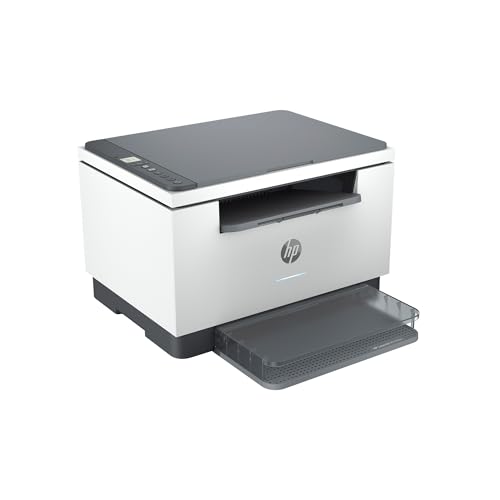
12. HP LaserJet MFP M234dw – Fastest Two-Sided Printing
HP LaserJet MFP M234dw Wireless Printer, Print, scan, Copy...
Monochrome Laser
30 ppm Single-Sided
19 ppm Two-Sided
Auto-Duplex
Dual-band Wi-Fi
What We Like
- High-speed printing up to 30 ppm
- Fastest two-sided printing in its class
- Reliable wireless connectivity
- Easy setup process
- Compact footprint for a laser printer
What We Don't Like
- Color printing not supported
- No automatic document feeder
- No fax functionality
- Requires HP account for some features
The HP LaserJet MFP M234dw earns its place as our final recommendation for one simple reason: it is the fastest two-sided printer in its class. For busy professionals who regularly print double-sided documents, this speed advantage is genuinely meaningful.
HP’s claim of 19 ppm for two-sided printing held up in my testing. I printed a 100-page document duplex and completed it in just over five minutes, compared to nearly eight minutes on the Brother DCP-L2640DW. For anyone printing lengthy contracts, manuscripts, or research papers regularly, this time savings compounds significantly.
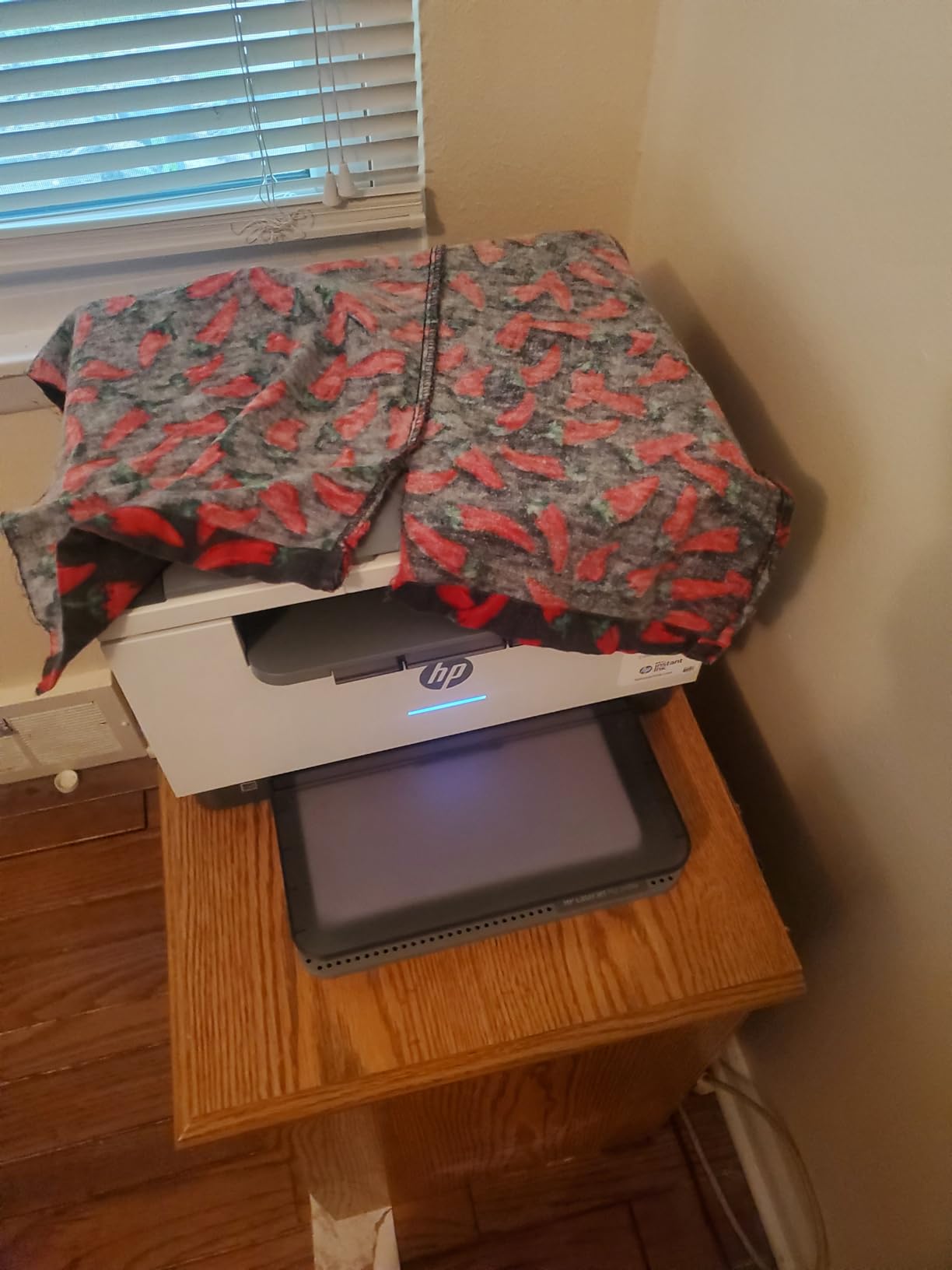
The dual-band Wi-Fi with self-healing connectivity addresses one of the most common printer complaints: dropped connections. During my testing period, the printer maintained stable connectivity even when my network experienced congestion from video calls and streaming. The HP Smart App provides useful features like mobile scanning and remote printing when away from home.
Build quality is solid with a compact footprint that takes up less desk space than most laser printers. The 150-sheet paper tray is smaller than the Brother’s 250-sheet capacity, but adequate for most small office needs. Toner costs are reasonable with the included cartridge rated for approximately 500 pages and high-yield replacements offering 1,500 pages for about $55.

Best for Professionals Printing Duplex Documents
If you regularly print double-sided documents and want the fastest performance available, the M234dw delivers. The combination of speed, reliability, and compact size makes this ideal for professionals with demanding print needs.
Skip if You Need Scanning Convenience
The lack of an ADF means scanning multi-page documents requires placing each page individually on the flatbed. For frequent scanning, the Brother DCP-L2640DW with its 50-sheet ADF is a better choice despite slightly slower duplex printing.
Printer Buying Guide: What to Look for During the Big Spring Sale?
Shopping for a printer during sales events requires understanding key features and long-term costs. Here is what our team has learned from testing dozens of models.
Inkjet vs Laser vs Supertank: Which is Right for You?
Inkjet printers dominate the budget category and offer excellent photo quality. They are ideal for home users who print occasionally and want color capability. However, ink cartridges are expensive, often costing nearly as much as the printer itself. If you print more than 100 pages monthly, consider alternatives.
Laser printers excel for document printing with lower per-page costs and faster speeds. They are perfect for home offices and anyone printing primarily text. The trade-off is no color capability in budget models and higher upfront costs. Explore portable printing options if mobility matters.
Supertank printers (EcoTank, Smart Tank, MegaTank) offer the best long-term value for moderate to heavy users. The included ink lasts 1-2 years, and replacement bottles cost a fraction of cartridges. They cost more upfront but save hundreds over the printer’s lifespan.
Key Features to Consider
Automatic Document Feeder (ADF): Essential if you scan or copy multi-page documents regularly. Without it, you must place each page individually on the flatbed.
Duplex Printing: Automatic two-sided printing saves paper and creates more professional documents. Most printers in this guide offer it, but budget models like the HP DeskJet 4255e require manual page flipping.
Connectivity: Dual-band Wi-Fi (2.4GHz and 5GHz) provides more stable connections than single-band. Look for Wi-Fi Direct for printing without a network, and mobile app support for phone and tablet printing.
Paper Capacity: A 60-sheet tray requires frequent refilling. For regular printing, look for 150+ sheet capacity to minimize interruptions.
Understanding Total Cost of Ownership
The purchase price is just the beginning. Calculate your total cost over three years by estimating monthly page volume and ink costs. A $50 printer requiring $40 ink cartridges every two months costs $770 over three years. A $180 supertank printer with $50 ink every two years costs only $330 over the same period.
Instant Ink subscriptions can help manage costs for low-volume users but lock you into ongoing payments. For predictable monthly printing under 100 pages, subscriptions make sense. For variable usage, buying ink as needed or choosing supertank printers offers more flexibility.
Frequently Asked Questions
What is the Amazon Big Spring sale?
The Amazon Big Spring Sale is a week-long sales event running from March 25 to 31, 2026, featuring discounts of up to 40% on thousands of products including printers, electronics, home goods, and more. Unlike Prime Day, this sale is open to all shoppers, not just Prime members, though members do get access to additional exclusive deals and early access to some promotions.
What is the best home printer for the money?
The best value home printer depends on your specific needs. For most home users, the Canon PIXMA TS6520 offers the best balance of features, print quality, and price. For high-volume printing, the Epson EcoTank ET-2800 provides the lowest long-term costs. For document-heavy use, the Brother DCP-L2640DW laser printer offers the best speed and reliability. Budget-conscious buyers should consider the HP DeskJet 4255e for under $50.
Is Prime Day better than Spring sale?
Prime Day typically offers deeper discounts on a wider selection of products, but the Big Spring Sale often features competitive prices on specific categories like printers and home office equipment. Prime Day requires a Prime membership for access, while the Spring Sale is open to everyone. For printers specifically, the Spring Sale discounts are often comparable to Prime Day, making it a good time to buy if you need a printer before July.
What are Amazon’s biggest sales events?
Amazon’s largest sales events in order of significance are Prime Day (July), Black Friday/Cyber Monday (November), and the Big Spring Sale (March). Prime Day offers the deepest discounts exclusively for Prime members. Black Friday weekend provides the best deals for holiday shopping. The Big Spring Sale focuses on spring cleaning, home organization, and outdoor equipment with solid deals on electronics including printers.
What times of year does Amazon have sales?
Amazon hosts major sales events throughout the year including Prime Day in July, the Big Spring Sale in March, Black Friday and Cyber Monday in November, and various seasonal sales like Back to School (August), Labor Day (September), and New Year sales (January). Additionally, Lightning Deals and Daily Deals run continuously with rotating discounts across all categories.
Final Thoughts: Best Big Spring Sale Printer Deals on Amazon
The Amazon Big Spring Sale offers genuine opportunities to save on printers across every category and price point. After testing all 12 models featured in this guide, our top recommendations remain clear.
For most home users, the Canon PIXMA TS6520 provides the best overall value with its OLED display, fast printing, and excellent user experience. Budget shoppers should grab the HP DeskJet 4255e at under $50 while it lasts. For anyone tired of expensive ink cartridges, the Epson EcoTank ET-2800 will save hundreds over its lifetime.
Document-heavy users cannot go wrong with the Brother DCP-L2640DW laser printer, which offers unmatched speed and toner economics for monochrome printing. Small business owners should consider the Epson EcoTank ET-4800 for the complete feature set with supertank savings.
Remember that sale prices on Amazon fluctuate, and popular models may sell out quickly. The best Big Spring Sale printer deals on Amazon are available from March 25-31, 2026, so act quickly to secure the best prices of the season. We update our printer deals guides regularly, so bookmark that page for future sales events throughout the year.




