

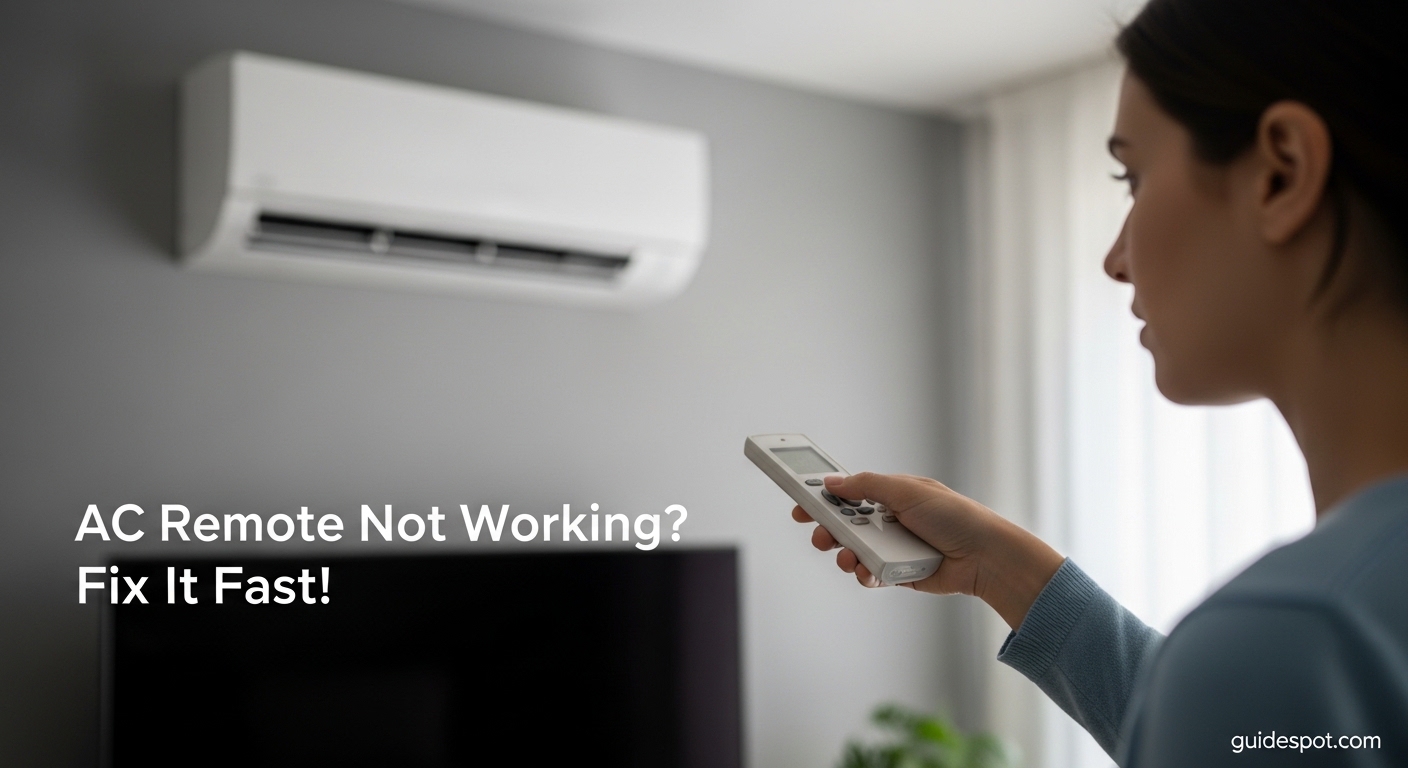
It is the middle of July. The temperature outside has hit 95 degrees, and your living room feels like a sauna. You reach for your air conditioner remote, press the power button, and nothing happens.
I have been there. Last summer, my AC remote died during a heatwave, and I spent three hours troubleshooting while sweating through my shirt. The good news? Most air conditioner remote issues are fixable in under 10 minutes without spending a dime.
When your air conditioner remote is not working, the culprit is usually one of five things: dead batteries, a blocked IR signal, a need for resetting, dirty sensors, or physical damage. This guide walks you through each fix step by step.
We will cover the smartphone camera test that HVAC technicians use to diagnose remotes. You will learn the exact button combinations to reset popular brands like Samsung, LG, and Carrier. And if your remote is truly dead, we will explore alternatives including smartphone with IR blaster options and universal remotes.
Quick Diagnosis: Fix Your AC Remote in 2 Minutes
Before diving into detailed fixes, run through this quick checklist. It solves about 70% of AC remote problems immediately.
Step 1: Remove the battery cover and check for corrosion (white or blue crust on terminals). If you see any, clean with vinegar and a cotton swab.
Step 2: Install fresh batteries, ensuring the plus and minus symbols align correctly with the remote’s markings. Test the remote.
Step 3: Open your smartphone camera app, point the remote at the camera, and press any button. Look for a purple or white flash on your phone screen. No flash means the remote is not transmitting.
Step 4: Stand within 10 feet of your AC unit, ensure nothing blocks the path, and try the remote again.
Step 5: Remove the batteries, press every button twice, wait 5 minutes, then reinstall. This drains residual power and resets the circuit.
If these quick steps do not work, your remote needs deeper troubleshooting. Read on for the complete repair process.
Air Conditioner Remote Not Working: Complete Troubleshooting Guide
Now let us walk through each fix in detail. Follow these steps in order, testing after each one to see if the issue resolves.
Step 1: Check and Replace the Batteries
Batteries are the #1 cause of AC remote failures. Even if you just replaced them, keep reading.
Check battery polarity. Open the battery compartment and verify the plus (+) and minus (-) ends match the diagram inside. Reversed batteries are a common mistake that prevents power flow.
Inspect for corrosion. Look for white, blue, or green crust on the metal terminals. This buildup blocks electrical contact. If you see corrosion, dip a cotton swab in white vinegar and gently scrub the terminals until shiny. Dry thoroughly before installing new batteries.
Use the right battery type. Most AC remotes use two AAA batteries. I recommend lithium batteries over alkaline for remotes used in hot, humid climates. Lithium batteries resist corrosion better and last 3-4 times longer. A Reddit user from r/AirConditioners reported that switching to lithium eliminated their annual corrosion issues.
Test the batteries. Even new batteries can be duds. Test them with a battery tester, or try them in another device. If the remote still does not work with verified fresh batteries, move to Step 2.
Step 2: Test the IR Signal with Your Smartphone
Your AC remote uses infrared (IR) light to communicate with the unit. This light is invisible to human eyes but shows up on smartphone cameras. This test reveals whether your remote is sending signals.
How to perform the smartphone camera test:
1. Open your smartphone’s camera app (front or back camera works).
2. Point the remote’s front end (the part you aim at the AC) at the camera lens.
3. Press and hold any button on the remote.
4. Look at your phone screen. You should see a purple, white, or blinking light coming from the remote’s tip.
What the results mean:
If you see the light flashing, your remote is transmitting. The problem lies with the AC unit’s receiver, not the remote. Skip ahead to the sensor cleaning section.
If you see no light, your remote’s IR transmitter is dead. Continue with the reset procedures in Step 3.
Important note: Some newer smartphones have IR filters that block this test. If you see nothing, try an older phone, a tablet camera, or a digital camera. The r/HVAC community confirms this method works on iPhone models older than the 12, and most Android phones.
Step 3: Reset Your AC Remote Control
Resetting clears glitches, stuck buttons, and pairing issues. The exact method varies by brand, but these generic steps work for most remotes.
Generic reset procedure:
1. Remove both batteries from the remote.
2. Press every single button on the remote twice. This drains any residual power stored in capacitors.
3. Wait 5 minutes. This allows the circuit board to fully discharge.
4. Reinstall fresh batteries, ensuring correct polarity.
5. Point at the AC unit and test.
A Reddit user from r/fixit reported this method brought their “dead” remote back to life after a drop. The 5-minute wait is crucial, do not rush it.
Button combination reset:
Some remotes require specific button sequences. Try holding the power button for 10 seconds while pointing at the AC. Or hold the mode button and temperature up button simultaneously for 5 seconds.
Factory reset for smart remotes:
WiFi-enabled AC remotes may need a factory reset. Look for a small reset hole near the battery compartment. Straighten a paperclip and press gently for 3 seconds. The LCD screen should flash or go blank, then return.
Step 4: Clean the Remote and AC Sensors
Dust, grease, and grime block IR signals. Both the remote’s transmitter and the AC unit’s receiver need regular cleaning.
Clean the remote’s IR transmitter:
The IR LED is the small clear or dark bulb at the front tip of your remote. Wipe it with a microfiber cloth dampened with rubbing alcohol. Do not use water. For stubborn grime, use a cotton swab. AGA Air Conditioning recommends this as the first step when remotes become intermittently unresponsive.
Locate and clean the AC unit’s receiver:
The receiver is a small plastic window on the AC unit, usually near the display panel or on the right side. On window units, it is typically on the front right corner. On split systems, look for a small dark square near the bottom of the indoor unit.
Clean this window with a dry microfiber cloth. If greasy (common in kitchen installations), use a cloth lightly dampened with glass cleaner. Never spray cleaner directly on the unit.
Check for obstructions:
Furniture, curtains, or decorations can block the IR signal path. Even transparent objects like glass doors can interfere. Ensure a clear line of sight between remote and receiver.
Step 5: Check Line of Sight and Distance
IR remotes have limited range and require direct alignment. Small positioning issues cause big problems.
Distance limits:
Most AC remotes work reliably within 20 feet. Beyond that, signal strength drops. Move closer to the unit and test.
Angle matters:
The IR beam spreads in a cone shape. Aim directly at the receiver window, not at an angle. If you must operate from an angle, stand within 10 feet.
Height considerations:
High-mounted AC units (common with mini-splits) can be tricky. The receiver looks downward. Stand directly below or slightly in front of the unit, not far across the room.
Multiple Reddit users in r/HVAC confirmed that simply moving their seating position solved intermittent remote issues they had struggled with for weeks.
Step 6: Address Water Damage
Dropped your remote in water? There is still hope if you act fast.
Immediate action:
1. Remove batteries immediately to prevent short circuits.
2. Shake out excess water.
3. Wipe the exterior with a towel.
The rice method:
Place the remote in a bowl of uncooked rice, submerging it completely. Rice absorbs moisture effectively. Leave it for 48 hours minimum. Do not use a hair dryer, heat can damage the LCD screen and warp the plastic casing.
Clean corrosion after drying:
Once dry, open the battery compartment and check for corrosion. Clean any residue with vinegar as described in Step 1. Install fresh batteries and test.
Success rate depends on water type. Fresh water spills have a 70% recovery rate with quick action. Salt water or sugary drinks cause more damage and often require replacement.
Brand-Specific Reset Instructions
Different manufacturers use unique reset procedures. Here are quick instructions for popular brands.
Samsung Air Conditioner Remote Reset
Remove batteries. Press and hold the power button for 20 seconds. Reinstall batteries while still holding power for another 5 seconds. The LCD should flash twice, indicating reset success.
For smart WiFi models, press and hold the mode and fan buttons simultaneously for 10 seconds to restore factory settings.
LG Air Conditioner Remote Reset
Remove batteries for 1 minute. Press every button before reinstalling. If the remote shows Celsius instead of Fahrenheit, press and hold the up and down temperature buttons together for 5 seconds to switch units.
Carrier AC Remote Reset
Carrier remotes often have a recessed reset button near the battery compartment. Use a paperclip to press and hold for 3 seconds. The display will blink once.
If no reset hole exists, remove batteries, press all buttons, wait 2 minutes, then reinstall.
Daikin Remote Control Reset
Daikin remotes pair with the indoor unit. Remove batteries for 5 minutes. Reinstall and point at the unit. Press the on/off button 3 times rapidly to re-establish pairing.
If your window air conditioner is a different brand, the generic reset procedures in Step 3 usually work.
Whirlpool, Sharp, and Toshiba
These brands typically use the generic reset method. Remove batteries, drain power by pressing buttons, wait 5 minutes, then reinstall. For persistent issues, consult your specific model’s manual, as some units have unique button combinations.
When to Repair vs Replace Your AC Remote
Sometimes fixing is not worth the effort. Here is how to decide.
Repair if: The remote just needs cleaning, battery terminal repair, or a simple reset. These take under 10 minutes and cost nothing.
Replace if: The IR transmitter is dead (failed smartphone camera test after reset), the circuit board is corroded, buttons are physically broken, or the LCD is cracked. Replacement remotes cost $10-30.
Universal remote options:
Universal AC remotes work with 90% of brands. Purchase one with a code list including your AC brand. Programming typically involves holding the setup button until the light flashes, then entering a 3-digit code. Test each code until the unit responds.
Smartphone alternatives:
A smartphone with IR blaster can replace your remote entirely. Many Xiaomi, Huawei, and older Samsung Galaxy models include IR hardware. Download a universal remote app, select your AC brand, and control your unit without the original remote.
If your phone lacks IR (most modern iPhones and recent Androids), consider a portable air conditioner with WiFi control, or upgrade to a smart thermostat system.
Preventive Maintenance Tips
A few habits prevent most AC remote problems.
Remove batteries during storage. If you put away window units for winter, remove the remote batteries. This prevents corrosion during months of disuse. The r/AusRenovation community swears by this tip for extending remote life.
Clean quarterly. Wipe the remote’s IR tip and the AC receiver window every 3 months. A 30-second cleaning prevents signal blocking buildup.
Use lithium batteries. They cost more upfront but prevent corrosion and last years. In humid climates, this matters even more.
Store properly. Keep remotes away from direct sunlight, heat sources, and moisture. Do not leave them on windowsills or near kitchen sinks.
Apply a protective case. Silicone remote covers cost under $5 and prevent drop damage and spills. They also improve grip.
Frequently Asked Questions
Why is my AC not responding to remote control?
The most common causes are dead batteries, blocked IR signal, or a need for resetting. Check battery polarity, test the IR transmitter with your smartphone camera, and try the reset procedure. If the remote passes the camera test but the AC still does not respond, the unit’s receiver may be faulty.
How do I reset my AC remote?
Remove the batteries, press every button twice to drain residual power, wait 5 minutes, then reinstall fresh batteries. For brand-specific sequences, Samsung requires holding the power button for 20 seconds, while Carrier often has a recessed reset button near the battery compartment.
Why is my remote not working even with new batteries?
New batteries do not guarantee a working remote. Check for terminal corrosion blocking contact. Test the IR transmitter with a smartphone camera. If no light appears when pressing buttons, the remote’s circuit board or IR LED may be damaged. Try the full reset procedure before replacing the remote.
How do I reset the AC control?
To reset the AC unit itself (not just the remote), locate the reset button on the indoor unit or use the manual control panel. Some units reset by holding the power button on the unit for 10 seconds. Refer to your model’s manual, as procedures vary by manufacturer.
Conclusion
A non-working air conditioner remote is frustrating, but rarely means a trip to the repair shop. Most issues resolve with fresh batteries, a simple reset, or cleaning the sensors. The smartphone camera test takes 30 seconds and reveals whether your remote or the AC unit is at fault.
Work through the steps in this guide systematically. Start with the 2-minute quick diagnosis, then move to detailed fixes if needed. Remember to check brand-specific reset codes for Samsung, LG, and Carrier units.
If your remote is truly dead, universal remotes and smartphone with IR blaster options give you full control without the original. And if this experience has you thinking about smarter climate control, explore smart thermostat systems for 2026.
Stay cool, and may your AC respond on the first button press.


![Samsung washer dryer sale [cy]](https://www.guidespot.com/wp-content/uploads/2026/06/featured-1782334501651-370x245.webp "8 Best Samsung Washer Dryer Sale Deals 2026")