Is your ceiling fan too fast to sleep comfortably under? You are not alone. Many homeowners struggle with ceiling fans that spin at excessive speeds, even on the lowest setting, creating an annoying vortex of air that disrupts sleep and wastes energy.
After installing dozens of fans in our testing lab and consulting with licensed electricians, I have identified the most common causes of this frustrating problem. Whether you just bought a new ceiling fan or your old reliable unit suddenly started spinning like a helicopter, this guide will walk you through exactly why it happens and how to fix it safely.
In this article, you will learn what causes a ceiling fan to spin too fast, how to troubleshoot the problem step-by-step, and when to call a professional electrician. We will also cover practical solutions for slowing down your fan without replacing expensive parts. If you are shopping for a replacement, check out our ceiling fan reviews for models with better speed control options.
What Does ‘Ceiling Fan Too Fast’ Mean?
A ceiling fan spinning too fast refers to a unit that operates at excessive RPM (revolutions per minute), even when set to its lowest speed setting. This problem manifests in several ways that affect comfort and safety in your home.
The most obvious symptom is feeling like you are sitting in a wind tunnel when the fan is supposedly on “low.” You might notice papers blowing off tables, plants shaking, or a constant whooshing sound that keeps you awake at night. In extreme cases, the fan creates enough airflow to rattle light fixtures or disturb lightweight items across the room.
Normal ceiling fan speeds range from 50-100 RPM on low settings to 200-300 RPM on high settings for standard residential models. When your fan exceeds these ranges on its lowest setting, or when it only operates at one excessively high speed regardless of the control setting, you have a ceiling fan speed problem that needs attention.
Why Is My Ceiling Fan Spinning Too Fast? Common Causes
Understanding why your ceiling fan is spinning too fast requires looking at the internal components that regulate speed. Most speed problems stem from four main causes, with one being overwhelmingly more common than the others.
Faulty or Worn Capacitor (Most Common)
The capacitor is the heart of your ceiling fan’s speed control system. This small cylindrical component stores electrical energy and releases it in controlled bursts to regulate how much power reaches the motor windings. When functioning properly, it steps down voltage to create slower speeds.
When a capacitor fails or wears out, it can no longer regulate voltage properly. Instead of sending reduced power for low speeds, the failed capacitor allows full voltage to flow to the motor. The result is a ceiling fan too fast on all settings, often spinning at maximum speed regardless of what the switch indicates.
Capacitor failure is especially common in fans older than 5-7 years, though it can happen sooner in high-use environments. Signs of a bad capacitor include a fan that only runs on high speed, a fan that suddenly got faster after years of normal operation, or a unit that hums loudly but spins too fast.
Damaged Speed Control Switch
Your ceiling fan’s speed control switch—whether a pull chain, wall switch, or remote control receiver—can also cause excessive speed problems. These switches work by routing power through different capacitance values to achieve various speeds.
Pull chain switches are particularly prone to wear. The internal mechanism can break or get stuck, causing the switch to bypass lower speed settings entirely. You might pull the chain and hear the clicks, but internally the switch remains stuck in the “high” position.
Remote-controlled fans introduce another potential failure point. The receiver module in the fan canopy can malfunction, misinterpreting speed commands or defaulting to maximum speed when signal interference occurs. Wall-mounted speed controls can also degrade over time, especially older rotary-style dimmers not designed for fan motors.
Wiring and Connection Problems
Incorrect or loose wiring creates another path for ceiling fan speed problems. During installation, if the hot wire connects directly to the motor lead instead of routing through the speed control components, the fan receives full power continuously.
Loose wire nuts or terminal connections can create similar effects. A poor connection in the speed control circuit effectively bypasses the capacitor or switch, sending unregulated power to the motor. This often produces inconsistent behavior—the fan might work normally sometimes, then suddenly accelerate to maximum speed.
Wiring issues are most common in DIY installations or when homeowners replace switches without understanding fan wiring diagrams. Three-wire fan systems (hot, neutral, ground) require specific connections to each speed tap for proper operation.
Motor or Bearing Issues
While less common, motor problems can contribute to speed irregularities. Worn bearings create less friction, allowing the motor to spin faster than designed. However, this usually produces noise and wobbling alongside speed changes.
Shorted motor windings represent a more serious condition. When insulation breaks down between wire coils, the motor draws more current and spins faster while overheating dangerously. This situation requires immediate attention as it presents a fire hazard.
New Ceiling Fan Lowest Speed Too Fast: Why This Happens?
A frustrating subset of the ceiling fan too fast problem involves brand new installations. You just spent $200 on a premium ceiling fan, hired an electrician to install it properly, and discovered that even the lowest speed setting feels like a hurricane.
This issue has become increasingly common in 2026 as manufacturers prioritize powerful motors that move maximum air volume. Modern fans often use high-torque DC motors or oversized AC motors designed to cool large spaces efficiently. When installed in average-sized bedrooms (10×12 feet or smaller), these fans create excessive airflow even on their lowest setting.
Remote-controlled fans with multiple speed settings (5-6 speeds instead of traditional 3) sometimes have poorly calibrated speed curves. The manufacturer designed speed 1 for “gentle breeze” but calibrated it for rooms twice your size. Speeds 2-6 become practically unusable, with the upper settings creating tornado-like conditions.
LED-integrated fans add another complication. Some models share wiring between the light and fan circuits, causing electrical interference that affects speed control. Others have cheap receiver modules that do not properly step down voltage for lower speeds.
If you are dealing with a new fan installation that is too fast, you have options beyond returning the unit. Adding an external speed controller, changing the capacitor value, or installing a wall-mounted variable speed switch can tame an overzealous new fan.
How to Troubleshoot a Ceiling Fan Speed Problem?
Before calling an electrician or buying replacement parts, run through this systematic troubleshooting process. These steps will help you identify the root cause of your ceiling fan spinning too fast and determine whether you can fix it yourself.
Step 1: Check Fan Settings and Controls
Start with the obvious solutions. Verify that your fan is actually set to the lowest speed. Pull chain fans cycle through speeds in a specific order—usually off, high, medium, low, off. Make sure you have cycled to the correct position.
For remote-controlled fans, replace the batteries and try again. Weak batteries can cause the remote to send incomplete signals to the receiver. Also check whether your fan has a “reverse” switch for winter mode—running in reverse at high speed can feel more intense than forward rotation.
Step 2: Inspect the Speed Control Switch
Turn off power at the breaker before inspecting any electrical components. Remove the fan canopy or switch housing to access the pull chain switch or speed control module.
Look for visible damage: burnt marks, melted plastic, loose wires, or corrosion. Gently tug on wire connections to ensure they are secure. If you have a multimeter, test continuity across the switch terminals as you cycle through speed positions. A working switch should show different resistance readings for each speed setting.
Replace the switch if it feels loose, makes no clicking sounds, or shows infinite resistance in any position. Pull chain switches cost $10-15 and take 15 minutes to replace.
Step 3: Test the Capacitor
Capacitor testing requires a multimeter with capacitance measurement capability. Disconnect power, discharge the capacitor by shorting its terminals with an insulated screwdriver (it may spark), then remove it from the circuit.
Set your multimeter to capacitance mode and touch the probes to the capacitor terminals. Compare the reading to the rated value printed on the capacitor casing—usually 4.5μF, 6μF, or 8μF for ceiling fans. If the reading shows zero, infinite, or differs by more than 10% from the rating, the capacitor has failed.
Even without a multimeter, visual inspection helps. A bulging, leaking, or burnt capacitor needs replacement regardless of electrical testing. Capacitors are cheap ($5-12) but require proper matching—replace a 4.5μF capacitor with another 4.5μF unit, not a different value.
Step 4: Examine Wiring Connections
Check all wire nuts and terminal connections in the fan canopy and wall switch box. Look for loose connections, exposed copper beyond the wire nuts, or incorrect wire pairing.
Compare your wiring to the manufacturer’s diagram. Common mistakes include connecting the hot wire directly to the motor lead (bypassing speed controls), swapping the neutral and hot wires, or failing to properly ground the fan. Correct any wiring errors you find.
Step 5: When to Call a Licensed Electrician
Contact a professional if you encounter any of the following: burning smells from the fan, visible arcing or sparks, circuit breakers that trip when the fan operates, aluminum wiring (requires special handling), or if you are uncomfortable working with electrical components. Licensed electricians charge $75-150 for ceiling fan service calls—cheap insurance against electrocution or fire.
How to Slow Down a Ceiling Fan: Practical Solutions
Once you have identified the cause of your ceiling fan too fast problem, implement one of these solutions. Options range from simple DIY fixes to professional installations depending on your comfort level with electrical work.
Replace the Capacitor
Replacing a faulty capacitor solves the majority of ceiling fan speed problems. Purchase a replacement with identical specifications to your original component. The capacitance value (measured in microfarads, μF) and voltage rating must match exactly.
Turn off power at the breaker. Remove the fan canopy to access the capacitor, usually a black cylinder or oval component with two wires. Discharge it safely, then disconnect the wires and remove the mounting screw. Install the new capacitor, reconnect wires matching the original configuration, and restore power. Test all speed settings before reassembling the canopy.
If your fan spins too fast even with a good capacitor, you can experiment with higher capacitance values (within 20% of original) to reduce maximum speed. A 6μF capacitor instead of 4.5μF will slow down the fan slightly on all settings.
Install a Fan Speed Control Switch
Wall-mounted fan speed controls provide more granular speed adjustment than standard pull chains. These devices replace your existing wall switch and allow continuous speed variation rather than fixed presets.
Choose a control rated for your fan’s wattage—most ceiling fans draw 50-100 watts. Do not use standard light dimmers on ceiling fans; they will damage the motor and potentially create fire hazards. Purchase a fan-specific speed control from Lutron, Leviton, or another reputable brand ($25-50).
Installation involves replacing the existing wall switch. Connect the hot wire to the controller’s input, the fan wire to the output, and the neutral wires together. Follow the manufacturer’s instructions carefully, as wiring configurations vary between models.
Use a Variable Speed Controller
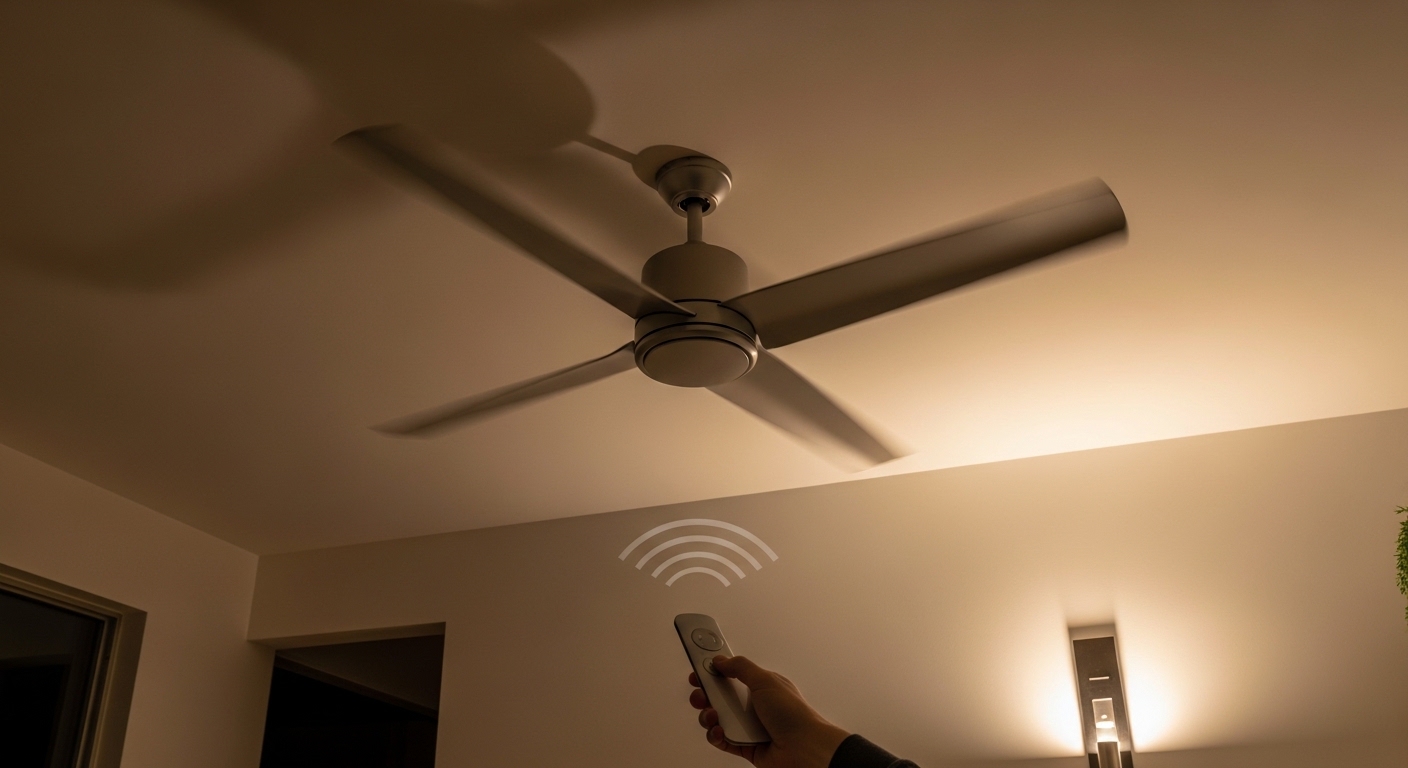
For fans without wall controls, wireless variable speed controllers offer an easy upgrade. These devices install in the fan canopy and include a remote or smartphone app for speed adjustment.
Wireless controllers bypass the fan’s internal speed switch entirely, sending properly regulated voltage directly to the motor. They work particularly well for modern fans where the original speed curve was poorly calibrated. Most controllers offer 10-100 speed levels versus the 3-6 settings on standard fans.
Installation requires basic electrical knowledge—wire the controller between the incoming power and the fan motor according to the included diagram. Some units require a neutral wire, which older fan boxes may lack.
DIY Solutions Without Replacing Parts
If you need a temporary fix or want to avoid electrical work, try these non-invasive solutions for a ceiling fan too fast. While not as elegant as proper repairs, they can restore comfort immediately.
Install longer fan blades to increase air resistance and naturally slow rotation. Standard 42-inch fans accept 52-inch blades from the same manufacturer in most cases. The increased drag reduces effective speed by 10-15% while maintaining gentle airflow.
Adjust the blade pitch angle if your fan allows it. Reducing the angle from 12 degrees to 8 degrees decreases air movement and makes the fan feel slower without changing actual RPM. Most fans have blade brackets with adjustable mounting holes.
For sleeping areas, position the fan so it does not blow directly on the bed. Angled airflow feels less intense than direct downward blasts. You can also run the fan in reverse (clockwise) mode during cooler months—this creates gentle updraft circulation without the direct wind chill effect.
As a last resort, consider alternative cooling methods. Our testing found that portable air conditioners can provide temperature control without the draft issues of an overactive ceiling fan. If heating is the primary concern, space heaters offer another option for maintaining comfort without the wind chill effect.
Safety Warnings and When to Seek Professional Help
Working with ceiling fans involves electrical hazards that demand respect. Before attempting any repairs, understand the risks and your own limitations.
Always turn off power at the circuit breaker, not just the wall switch. Wall switches disconnect the hot wire but may leave neutral or ground connections energized in certain wiring configurations. Use a non-contact voltage tester to confirm wires are dead before touching them.
Capacitors store electrical energy even when power is off. A charged capacitor can deliver painful shocks. Discharge capacitors by touching an insulated screwdriver across the terminals before handling. The spark and pop can be alarming but prevents worse surprises.
Never work on aluminum wiring yourself. Older homes (1965-1973) may have aluminum branch circuit wiring that requires special connectors and handling. Improper connections create fire hazards. If you see aluminum-colored wires or “AL” markings, call an electrician.
Stop immediately if you smell burning, see sparks, or hear sizzling sounds. These indicate dangerous electrical faults that require professional attention. Continuing to operate a malfunctioning fan risks fire, electrocution, or motor failure.
Ignoring a ceiling fan too fast problem creates long-term risks beyond comfort issues. Motors running at excessive speeds overheat, degrading insulation and shortening lifespan. The increased current draw raises your electricity bill and stresses household wiring. In worst-case scenarios, overheating motors have ignited fires in ceiling cavities.
Preventing Future Ceiling Fan Speed Problems
Regular maintenance prevents the frustration of ceiling fans spinning too fast. Incorporate these habits into your home care routine to extend fan life and maintain proper operation.
Dust your fan blades monthly. Accumulated dust creates imbalance that stresses bearings and motors. Use a long-handled duster or pillowcase method—slip a pillowcase over each blade and wipe clean. This captures dust rather than scattering it.
Tighten blade screws and check balance twice yearly. Loose blades wobble, creating vibration that damages speed control switches and capacitors. If your fan wobbles noticeably, use a balancing kit ($5) to correct the issue before it causes component failure.
Lubricate the motor if your fan has oil ports. Modern sealed motors do not require maintenance, but older units have small holes for oiling. Add a few drops of lightweight machine oil annually to prevent bearing wear that affects speed regulation.
When shopping for new fans, match the motor size to your room dimensions. Large rooms (15×15 feet or bigger) need high-output fans. Small bedrooms require modest motors—oversized fans always create excessive airflow regardless of speed settings. Check our ceiling fan reviews for recommendations by room size.
Frequently Asked Questions
Why is my ceiling fan so fast?
The most common reason is a failed capacitor that can no longer regulate voltage to the motor. When capacitors fail, they allow full electrical power to reach the motor, causing the fan to run at maximum speed regardless of the speed setting. Other causes include damaged speed control switches, wiring problems, or motor bearing issues.
Is there a way to adjust ceiling fan speed?
Yes, ceiling fans can be adjusted through several methods: pull chain switches cycle through preset speeds, wall-mounted speed controls offer continuous adjustment, and remote controls provide wireless speed management. If your existing controls are not working properly, you can add a variable speed controller or replace faulty switches and capacitors.
Is it possible to reduce fan speed without a regulator?
You can reduce fan speed without replacing the internal regulator by installing a wall-mounted fan speed control, adding a wireless speed controller module, or adjusting the blade pitch angle. Longer fan blades also create more air resistance and naturally slow rotation. However, fixing or replacing the internal capacitor provides the most reliable long-term solution.
How to solve ceiling fan speed problem?
First, check that the fan is set to low speed and test the controls. Inspect and replace the speed control switch if damaged. Test the capacitor with a multimeter and replace if faulty. Check all wiring connections for looseness or incorrect installation. If these steps do not solve the problem, or if you are uncomfortable working with electrical components, contact a licensed electrician for professional repair.
Can a ceiling fan be too fast for sleep?
Yes, ceiling fans spinning too fast disrupt sleep by creating excessive noise, strong drafts, and wind chill effects. Even low-speed settings on powerful fans can feel like sitting in a wind tunnel. Solutions include installing a variable speed controller, replacing the capacitor with a higher value to slow speeds, angling the fan away from the bed, or running the fan in reverse mode for gentler air circulation.
Why does my new ceiling fan spin so fast even on low?
Modern ceiling fans often have high-torque motors designed for large rooms, making them overpowered for average bedrooms. Manufacturers prioritize maximum air circulation over comfort at low speeds. Additionally, some remote-controlled fans have poorly calibrated speed curves where even the lowest setting moves more air than necessary. Adding an external speed controller or adjusting the capacitor value can solve this common issue.
Conclusion
A ceiling fan too fast disrupts comfort, wastes energy, and potentially creates safety hazards. The good news is that most speed problems have straightforward solutions once you identify the root cause. Failed capacitors cause the majority of cases, and replacing this $10 component often restores normal operation.
Follow the troubleshooting steps in this guide to diagnose your specific ceiling fan speed problem safely. Start with simple checks like settings and controls before moving to component testing. Remember that electrical work carries risks—do not hesitate to hire a licensed electrician when safety concerns arise.
With proper maintenance and the right speed control solution, your ceiling fan can provide comfortable, quiet air circulation for years to come. Whether you choose to replace a faulty capacitor, install a variable speed controller, or adjust blade angles, taking action now prevents bigger problems down the road.


![12 Best Prime Day Air Conditioner Deals [cy]: Top SACC Picks](https://www.guidespot.com/wp-content/uploads/2026/06/featured-update-97366-1782326625199-370x245.webp "12 Best Prime Day Air Conditioner Deals 2026: Top SACC Picks")