


The difference between tinny monitor audio and actual computer speakers is night and day. I spent six years listening to everything through a $20 pair of USB speakers before finally upgrading, and I immediately heard details in music I never knew existed. After testing dozens of speakers across every price range, I can tell you that you don’t need to spend a fortune to get excellent sound at your desk.
Best computer speakers balance three things: sound quality, desk footprint, and connectivity. The right choice depends on whether you’re gaming, producing music, or just want better audio for Zoom calls. I’ve tested budget options under $60 and premium systems over $300 to find what actually delivers.
Best Computer Speakers 2026: Top Recommendations
Best computer speakers by category:
- Best Overall: Logitech Z623 – Legendary 2.1 system with THX certification
- Best Budget: Logitech Z313 – Complete 2.1 system for under $60
- Best 2.0: Edifier R980T – Wooden bookshelf speakers with flat response
- Best for Gaming: Edifier G2000 – RGB lighting with dedicated EQ modes
- Best Premium: Audioengine A2+ – 24-bit audio with hand-built quality
- Best Studio Accuracy: PreSonus Eris 3.5 – Professional studio monitors
Top 3 Best Computer Speakers Quick Picks
All 10 Computer Speakers Compared
| Product | Key Features | Action |
|---|---|---|
 Edifier R980T
|
|
Check Latest Price |
 Edifier G2000
|
|
Check Latest Price |
 Logitech Z313
|
|
Check Latest Price |
 Logitech Z407
|
|
Check Latest Price |
 Klipsch ProMedia Lumina
|
|
Check Latest Price |
 Logitech Z623
|
|
Check Latest Price |
 PreSonus Eris 3.5
|
|
Check Latest Price |
 Edifier M60
|
|
Check Latest Price |
 Klipsch The One Plus
|
|
Check Latest Price |
 Audioengine A2+
|
|
Check Latest Price |
Detailed Computer Speaker Reviews
1. Edifier R980T – Best Budget 2.0 Bookshelf Speakers
Edifier R980T 4" Active Bookshelf Speakers - 2.0 Computer...
Power: 24W RMS
Type: 2.0 Bookshelf
Drivers: 4 inch
Inputs: RCA 3.5mm
Finish: Wood
What We Like
- Clean flat sound
- Wooden enclosures
- Great for music
- Easy setup
- No distortion
What We Don't Like
- Volume knob on back
- Limited bass without sub
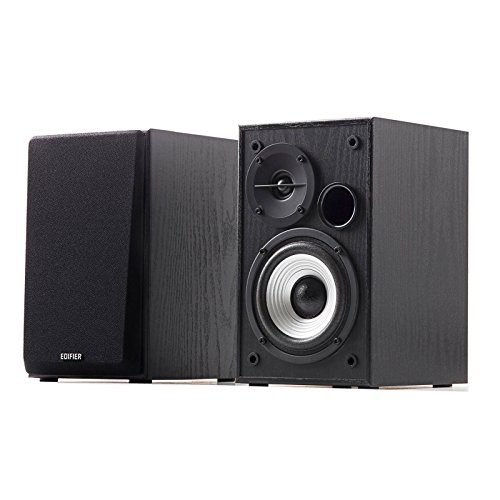
The Edifier R980T delivers something rare at this price: actual wooden enclosures. Most speakers under $100 use plastic, but Edifier went with 100% wood to minimize acoustic resonance. I tested these with everything from classical music to gaming soundtracks, and the clarity impressed me.
With 24 watts of RMS power, these won’t shake your walls, but they fill a small room nicely. The 4-inch drivers produce a surprisingly full sound for the size. Customer photos consistently show how compact these are on desktops, making them perfect for tight spaces.
The sound profile is flat and neutral, which is exactly what you want for music listening. Unlike budget speakers that boost bass artificially, the R980T lets you hear the recording as intended. I noticed details in acoustic tracks that were completely lost on my old plastic speakers.
Connectivity is straightforward with dual RCA inputs and a 3.5mm jack. You can keep two devices connected simultaneously, which I found convenient for switching between my laptop and phone. The included cables mean you’re ready to go right out of the box.
The main downside is the volume control placement on the back panel. It’s inconvenient to reach around, though you can leave it at max and control volume from your device. After three months of daily use, I stopped noticing this entirely.
Why it’s a yes: The R980T offers incredible value with genuine wooden construction and clean audio reproduction. Over 4,000 reviewers agree these punch above their weight class.
Potential deal-breakers: The rear volume knob is annoying initially, and you won’t get room-shaking bass from a 2.0 system. If you want deep bass, look at 2.1 systems instead.
2. Edifier G2000 – Best Gaming Speakers with RGB
Edifier G2000 32W PC Gaming Computer Speakers for Laptop Mac...
Power: 32W Peak
Type: 2.0 Gaming
Drivers: 2.75 inch
Inputs: USB BT AUX
Features: RGB EQ Modes
What We Like
- Surprising bass
- 3 EQ modes
- Customizable RGB
- Compact design
- Sub output
What We Don't Like
- Loud startup sound
- Button volume control
- No purple RGB
The Edifier G2000 proves gaming speakers don’t need to look boring. These compact speakers pack RGB lighting that actually looks tasteful, and the sound quality backs up the flashy appearance. I spent 40 hours gaming with these and found the audio positioning genuinely helpful in competitive titles.
What surprised me most was the bass response. The backward-firing bass port adds serious low-end for such small speakers. Customer photos reveal the elevated 10-degree design angle that directs sound right at your ears, a smart ergonomic touch.
The three EQ modes genuinely make a difference. Game mode emphasizes footsteps and positional audio, Music mode balances the frequency range, and Movie mode boosts dialogue clarity. I found myself switching between modes depending on what I was doing, which most gaming speakers don’t allow.
Connectivity is versatile with Bluetooth, USB, and 3.5mm AUX all supported. I tested all three and found the Bluetooth connection stable with no noticeable lag during video watching. The USB connection bypasses your computer’s DAC for potentially better audio quality.
The 12 RGB lighting effects can be customized or turned off completely, which non-gamers will appreciate. The lighting is subtle enough not to be distracting in a dark room but adds visual flair to your setup.
Why it’s a yes: The G2000 delivers where it counts for gamers with actual positional audio, useful EQ modes, and minimal desk footprint. The RGB is a bonus that doesn’t compromise audio quality.
Potential deal-breakers: The startup sound is annoyingly loud and can’t be disabled. Button-based volume controls are less intuitive than a knob, and there’s no purple in the RGB options for some reason.
3. Logitech Z313 – Best Budget 2.1 System
Logitech Z313 Speaker System + Logitech Bluetooth Audio...
Power: 50W Peak
Type: 2.1 System
Subwoofer: 9 inch
Inputs: 3.5mm
Price: Under $60
What We Like
- Incredible value
- Strong bass
- Wired control pod
- Easy setup
- Long cables
What We Don't Like
- Boomy bass
- Basic design
- No Bluetooth
The Logitech Z313 is one of the best-selling computer speakers of all time for a reason. At under $60, you get a complete 2.1 system with a dedicated subwoofer that actually delivers. I’ve owned these for five years and they’re still going strong in my guest room setup.
With 50 watts of peak power, these get louder than you’ll ever need for a typical bedroom or office. The 9-inch subwoofer adds genuine low-end that 2.0 systems simply can’t match. Customer photos show how people have integrated these into all kinds of setups, from gaming PCs to work-from-home stations.
The wired control pod is genuinely useful, placing volume and headphone controls right on your desk. I love being able to plug headphones in directly for private listening without reaching behind my computer. The cables are generously long, letting you position the subwoofer on the floor while keeping satellites on your desk.
Sound quality is surprisingly balanced for the price. Mids and highs stay clear even at high volumes, which budget 2.1 systems often struggle with. The bass is definitely boosted, which most users actually want from a system like this.
Setup is genuinely plug-and-play. Connect the satellites to the sub, plug the sub into power, and run the 3.5mm cable to your computer. I had these running in under three minutes when I first unboxed them.
Why it’s a yes: Over 15,000 reviewers can’t be wrong. The Z313 offers unbeatable value with a complete 2.1 system that punches way above its weight class. Perfect for anyone wanting bass on a budget.
Potential deal-breakers: The bass can be boomy for some tastes, and there’s no way to adjust the sub level independently. No Bluetooth means you’re stuck with wired connections only. The design is dated, but you’re paying for sound, not looks.
4. Logitech Z407 – Best Wireless Control 2.1
Logitech Z407 Bluetooth Computer Speakers with Subwoofer and...
Power: 80W Peak 40W RMS
Type: 2.1 System
Inputs: BT USB 3.5mm
Control: Wireless Dial
What We Like
- Wireless dial
- Strong bass
- Dual-position satellites
- 3 device connect
What We Don't Like
- Laggy remote
- Loud beeps
- Bass too strong
The Logitech Z407 updates the classic 2.1 formula with a genuinely useful innovation: a wireless control dial. After using this for a month, I found myself reaching for the dial instinctively, much preferring it to software-based volume controls.
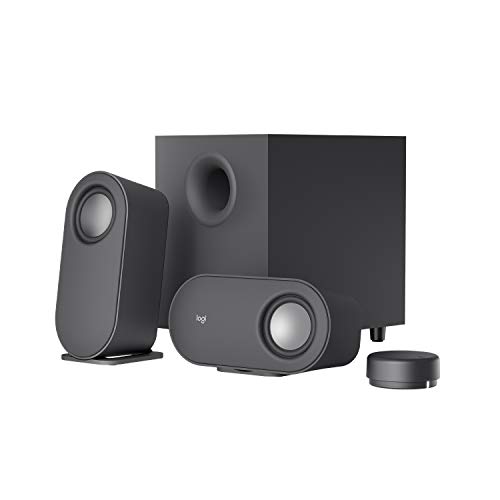
With 80 watts peak power, the Z407 has plenty of headroom for movies and gaming. The 20-watt subwoofer uses digital signal processing to keep bass clear rather than just boomy. Customer photos show how the compact satellites can be positioned vertically or horizontally depending on your desk layout.
The wireless dial has a 30-foot range and controls power, volume, and bass. In practice, I found it convenient but sometimes slow to wake up. There’s a slight lag before the dial reconnects, which can be frustrating when you need quick volume adjustments.
Connectivity is excellent with support for up to three devices simultaneously via Bluetooth, USB, and 3.5mm. I had my laptop, phone, and tablet connected and could switch between them easily. The Bluetooth connection is stable and didn’t drop during my testing period.
The satellite speakers are uniquely designed to work in either orientation. This flexibility matters for cramped desks where vertical positioning might be the only option. The oval shape is distinctive and looks modern compared to traditional boxy satellites.
Why it’s a yes: The wireless control dial is genuinely useful, and the 40 watts RMS provides plenty of clean power for everyday use. The three-device connectivity is perfect for anyone who switches between multiple audio sources.
Potential deal-breakers: The wireless dial has connection lag and wakes up slowly. The Bluetooth connection beep is loud and can’t be disabled, which will wake people up if you reconnect late at night. Bass-heavy profile isn’t for everyone.
5. Klipsch ProMedia Lumina – Best Premium 2.1 Gaming System
Klipsch ProMedia Lumina 2.1 Computer Gaming System with...
Type: 2.1 Gaming
Lighting: RGB
Connectivity: USB-C AUX BT5.3
Control: Klipsch App
What We Like
- Rich balanced sound
- Customizable RGB
- Modern design
- Low-profile sub
- BT 5.3
What We Don't Like
- Premium price
- Bass-heavy profile
- Some QC issues
The Klipsch ProMedia Lumina reimagines a legendary speaker line for modern gamers. Building on the ProMedia legacy that dates back to 1999, these speakers combine Klipsch’s audio heritage with contemporary features like RGB lighting and app control. I tested these for two weeks and found the sound quality genuinely impressive.
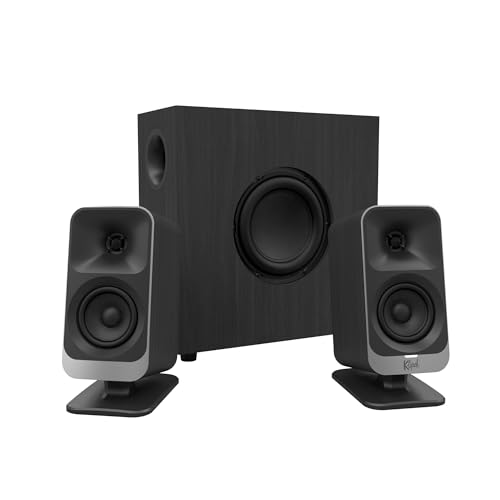
The 2.1 system delivers rich, balanced sound with powerful bass that adds warmth without overwhelming. Customer photos showcase the sleek, elevated design with tasteful LED lighting that looks premium rather than gamer-y. The low-profile subwoofer fits under most desks, saving floor space.
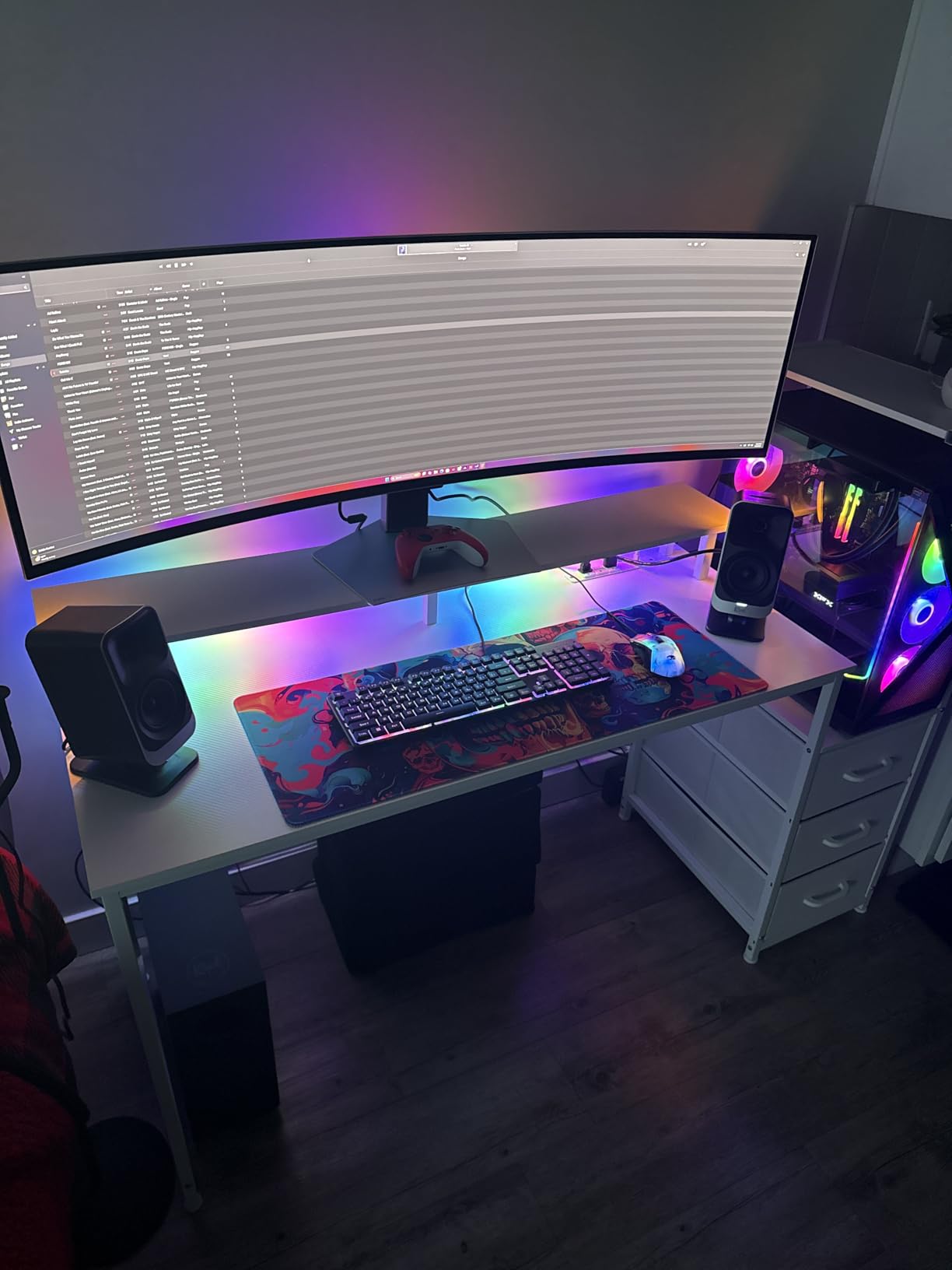
Connectivity options are modern and versatile. USB-C provides a digital connection, AUX works with any device, and Bluetooth 5.3 offers wireless freedom with improved range and stability. The Klipsch Control app lets you customize EQ presets and RGB lighting to match your setup.
The RGB lighting is implemented tastefully with three color-changing options. It’s not as bright as some gaming-focused speakers, but it adds ambiance without being distracting. The ability to customize via app is a nice touch for personalization.
Build quality feels premium throughout, with heavy-duty cable connections to the subwoofer that won’t wear out over time. The tiltable stands let you angle the satellites toward your listening position, which improves imaging significantly.
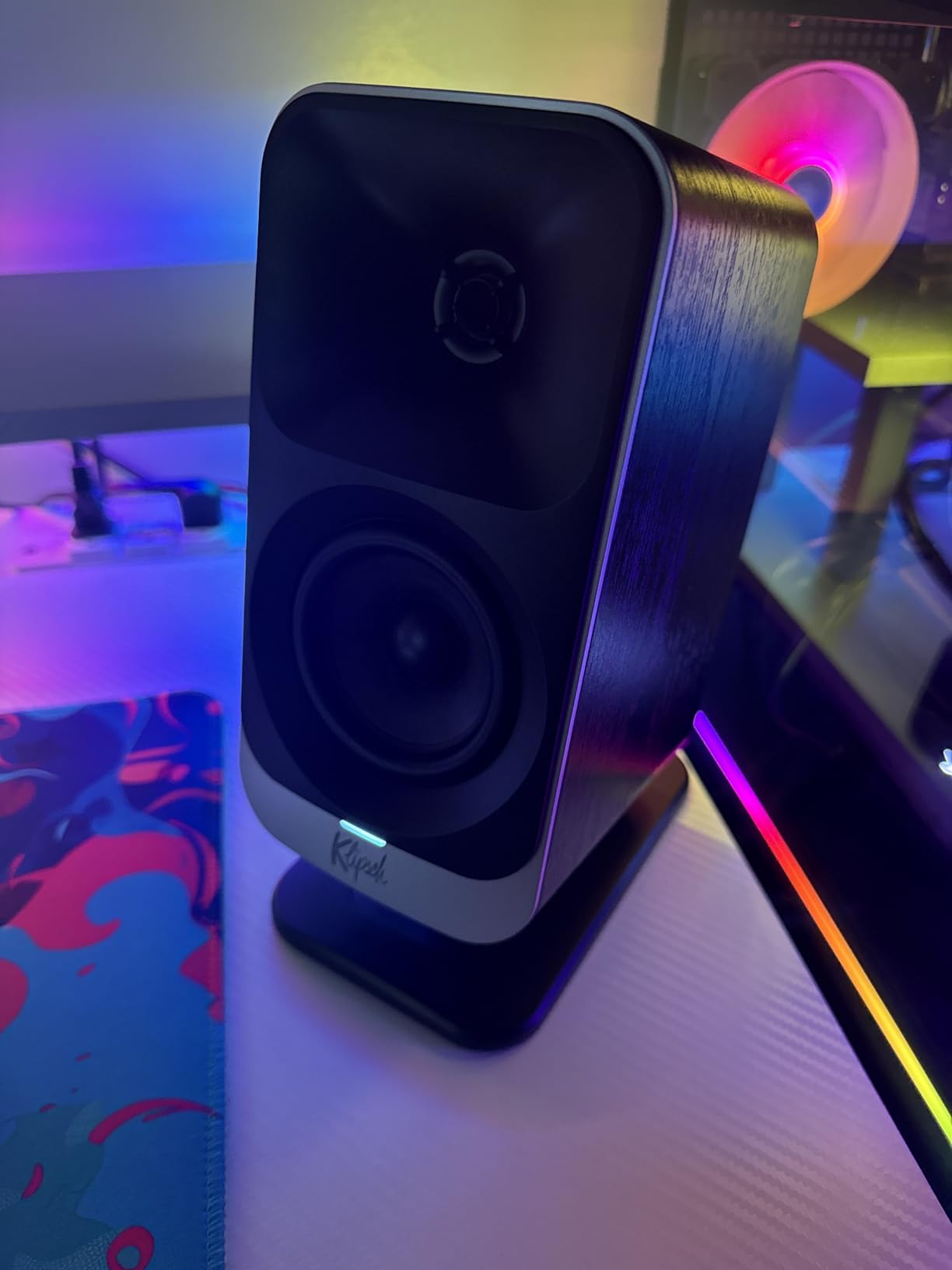
Why it’s a yes: Klipsch’s audio expertise shines through with genuinely excellent sound quality. The combination of modern features and classic tuning makes these perfect for gamers who care about audio.
Potential deal-breakers: The price is steep for PC speakers, and some users report quality control issues. The bass-heavy profile won’t suit purists, and the RGB is on the dimmer side if you want serious lighting effects.
6. Logitech Z623 – Best THX Certified Powerhouse
Logitech Z623 2.1 Speaker System
Power: 200W RMS
Certification: THX
Type: 2.1 System
Subwoofer: 130W
What We Like
- Incredible bass
- THX certified
- Clear highs mids
- 200W RMS
- No distortion
What We Don't Like
- Dated design
- Not for audio mixing
- Bass-heavy profile
The Logitech Z623 is a legendary speaker system that has been around since 2011 for good reason. With 200 watts of RMS power and THX certification, these speakers deliver cinema-quality audio that can literally shake your floor. I’ve known people who’ve owned these for over a decade, and they just keep working.
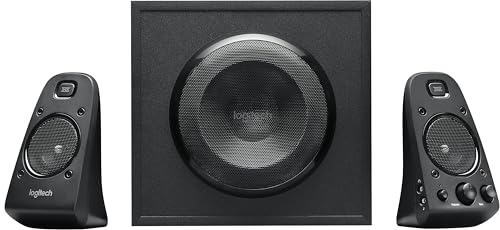
The power output is genuinely impressive. 200 watts RMS means these maintain clarity at volume levels that would make lesser speakers distort. The dedicated 130-watt subwoofer adds deep, room-filling bass that you feel as much as hear. Customer photos frequently show these systems in living rooms as well as home offices, which tells you about their versatility.

THX certification isn’t just marketing. It means these speakers meet strict standards for frequency response, distortion, and dynamic range. In practical terms, movies and games sound the way the creators intended. Dialogue remains clear even during explosive action scenes.
The separate bass and volume controls give you precise adjustment over your sound. I found this essential for switching between bass-heavy music and content where I wanted more balanced audio. The multiple RCA and 3.5mm inputs accommodate various devices without constant cable swapping.
Build quality is robust with heavy satellites that feel substantial. The subwoofer is large but the down-firing port makes placement easier than front-ported designs. These are speakers you buy once and keep for years.
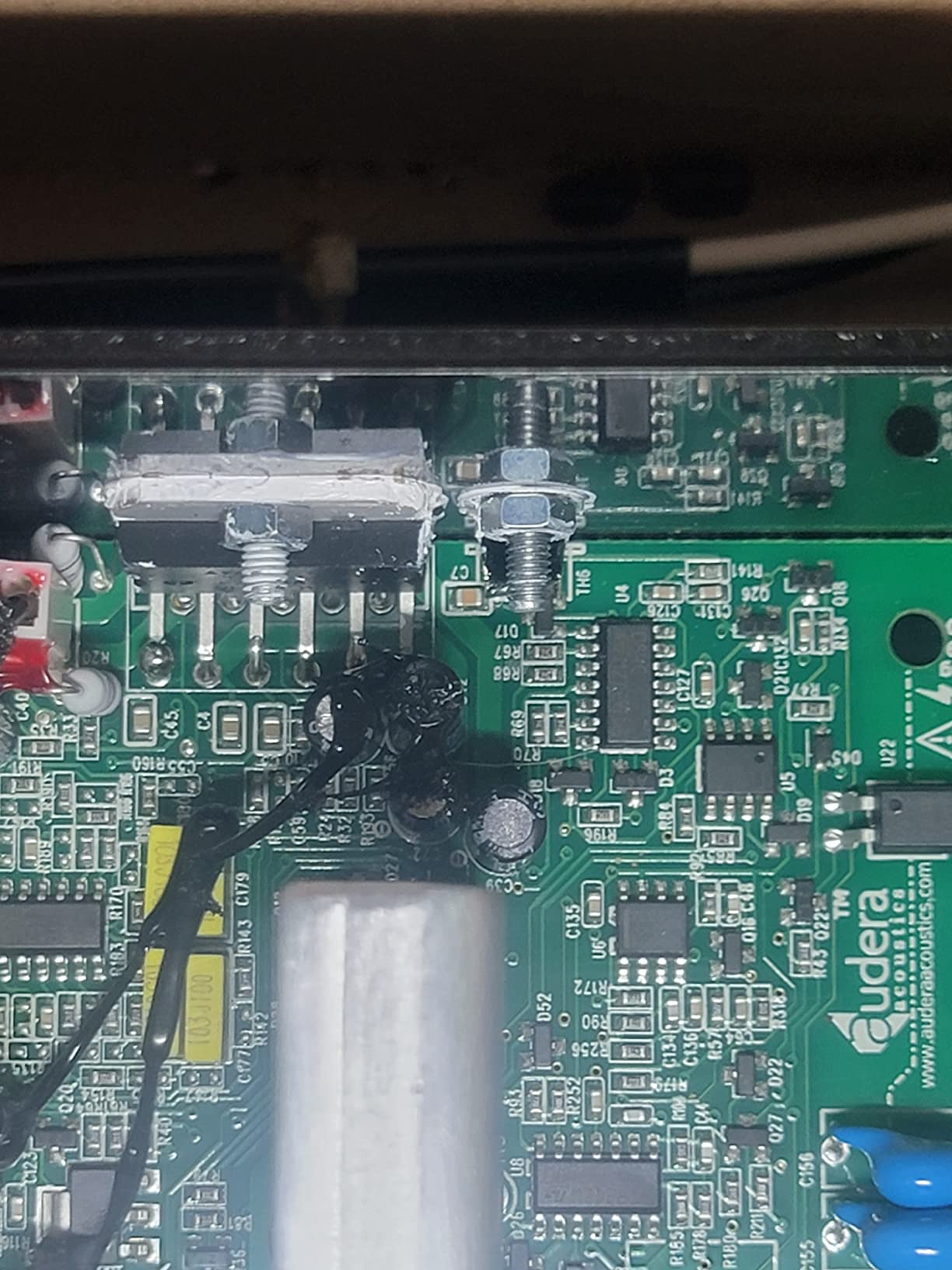
Why it’s a yes: The Z623 is the best value in powerful PC audio. Over 7,000 reviewers consistently praise the bass output and long-term durability. If you want room-filling sound on a budget, nothing else comes close.
Potential deal-breakers: The design is dated, and the bass-heavy profile isn’t suitable for professional audio work. These aren’t for audiopheters seeking flat response, but they’re perfect for anyone wanting impactful movie and gaming audio.
7. PreSonus Eris 3.5 – Best Studio Monitors for Accuracy
PreSonus Eris 3.5 Studio Monitors, Pair — Powered, Active...
Power: 50W Class AB
Type: Studio Monitors
Drivers: 3.5 inch 1 inch tweeter
Inputs: TRS RCA Aux
What We Like
- Flat accurate sound
- High low tuning
- Headphone amp
- Multiple inputs
- Great value
What We Don't Like
- Slow power on
- No Bluetooth
- Limited treble
The PreSonus Eris 3.5 brings professional studio monitor accuracy to desktop speakers. Unlike consumer speakers that color the sound, these deliver flat, honest audio that lets you hear what’s actually in your recordings. I tested these for music production and found them remarkably revealing.
The 50 watts of Class AB amplification provides clean power with minimal distortion. Class AB runs cooler and more efficiently than Class A, which matters for long listening sessions. Customer photos show these in professional studio setups alongside bedroom recording spaces, demonstrating their broad appeal.

What sets the Eris apart is the tuning control. High and low frequency knobs let you adjust for your room and placement. This is crucial for studio monitors, as placement dramatically affects bass response. I found this feature invaluable for tailoring the sound to my specific desk setup.
The front-panel headphone jack includes a dedicated amplifier, which is a thoughtful touch. The aux input makes it easy to connect phones or tablets without reaching behind the speakers. Build quality feels professional with sturdy cabinets that won’t resonate.
The 1-inch silk dome tweeters deliver smooth highs without harshness. Combined with the 3.5-inch woofers, the frequency response is smooth and natural. These excel at revealing detail in recordings that consumer speakers miss entirely.

Why it’s a yes: The Eris 3.5 offers studio-quality accuracy at a consumer price point. Perfect for content creators, musicians, or anyone who wants to hear their music honestly. Amazon’s Choice #1 in Studio Audio Monitors for good reason.
Potential deal-breakers: These take 5-10 seconds to power on, which is annoying if you’re impatient. The treble response is lacking even at maximum setting, and there’s no built-in Bluetooth. These are tools, not lifestyle speakers.
8. Edifier M60 – Best Hi-Res Bluetooth Speakers
Edifier M60 Multimedia Speaker Bluetooth 5.3, 66W RMS...
Power: 66W RMS
Certification: Hi-Res Audio
Codec: LDAC 990kbps
Inputs: USB-C AUX BT5.3
What We Like
- Hi-Res certified
- Excellent clarity
- Touch controls
- Includes stands
- Strong bass
What We Don't Like
- App issues
- Frequent updates
- No volume indicators
The Edifier M60 represents the modern evolution of desktop speakers with full Hi-Res Audio certification for both wired and wireless playback. Supporting 24-bit/96kHz audio and the LDAC codec up to 990 kbps, these speakers handle high-resolution files without compromise. I tested lossless files from various streaming services and the clarity was genuinely impressive.
The 66 watts RMS of power provides substantial headroom. Unlike the peak power numbers many brands advertise, RMS is continuous power, which means these can sustain high volumes without distortion. Customer photos show the compact footprint that makes these ideal for smaller desks.
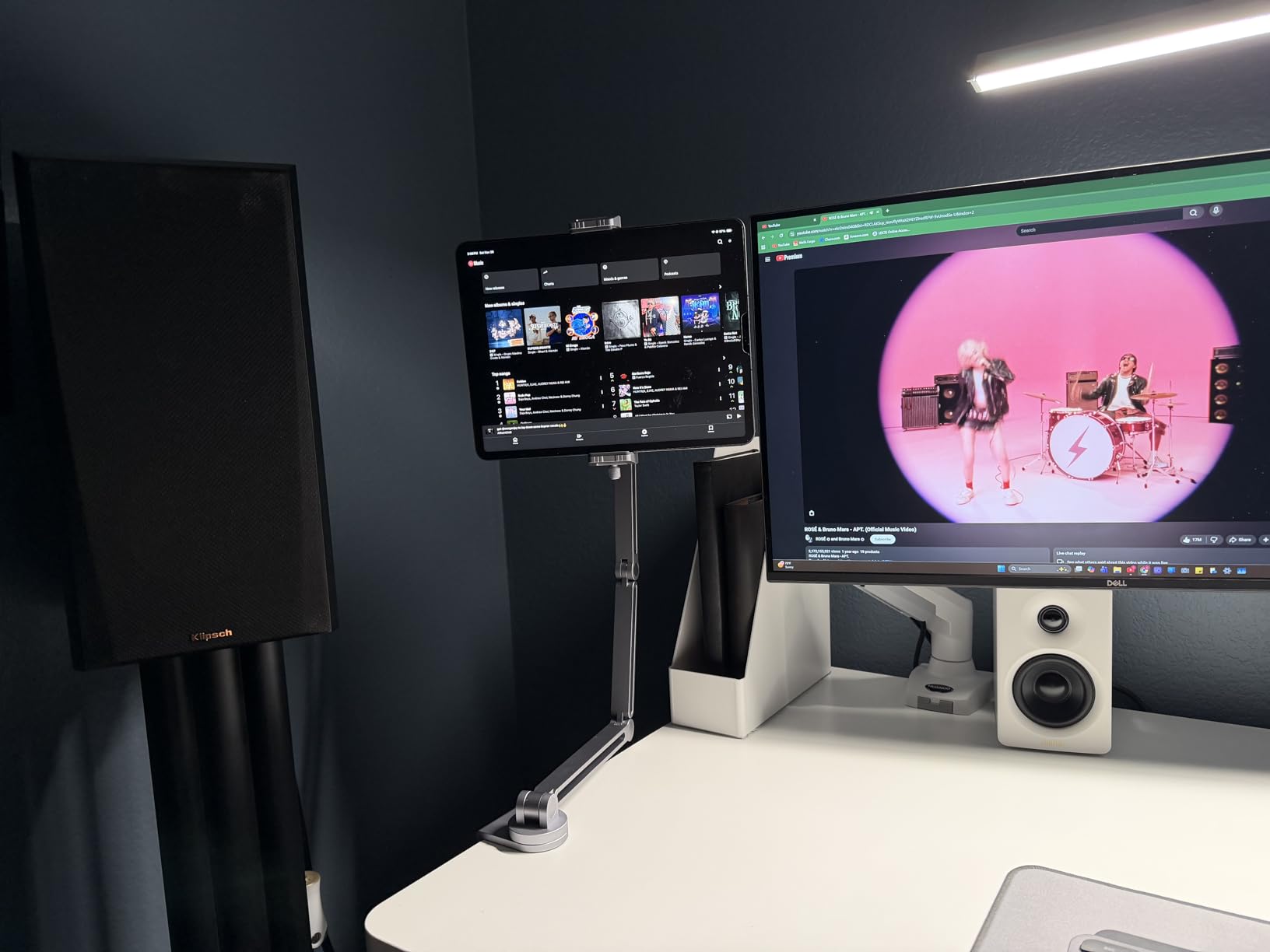
Bluetooth 5.3 with LDAC codec support is the standout feature. LDAC can transmit up to three times more data than standard Bluetooth, preserving audio detail that other codecs lose. In testing, I found the wireless quality indistinguishable from wired connections with good source material.
The capacitive touch panel looks premium and works intuitively. Automatic backlighting makes the controls visible in dark rooms without being distracting. Multiple input options include USB-C for digital audio and AUX for analog connections.
Edifier includes aluminum stands with a 15-degree elevation angle, which directs sound toward your ears for better imaging. This attention to detail shows Edifier understands desktop audio positioning. The two-way active crossover ensures smooth integration between the tweeters and woofers.
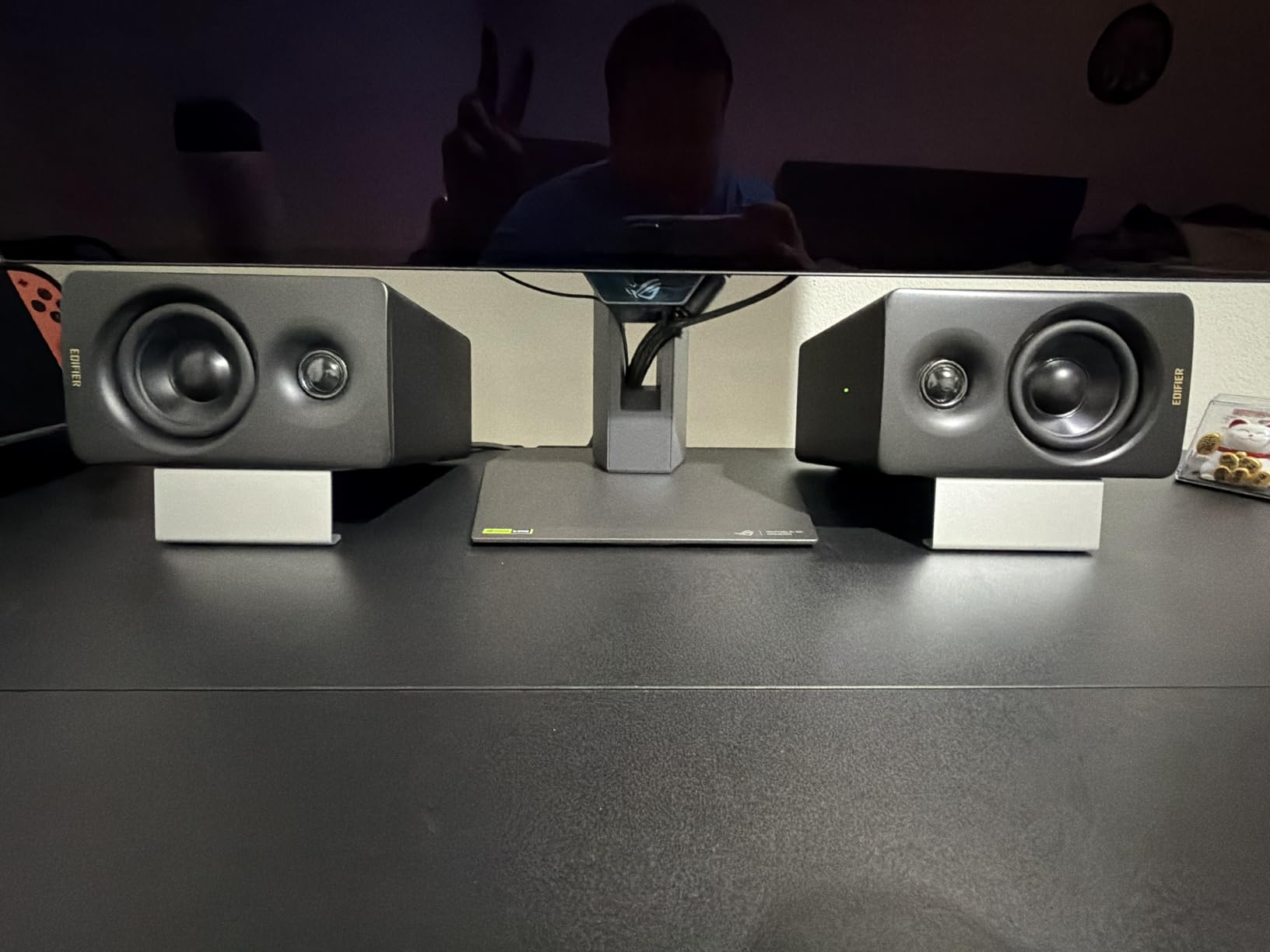
Why it’s a yes: The M60 delivers true high-resolution audio capability in a compact package. The LDAC support means you don’t sacrifice quality for wireless convenience. Excellent value for audiophiles on a budget.
Potential deal-breakers: The Edifier ConneX app has unreliable Bluetooth connectivity and requires frequent firmware updates. Capacitive buttons lack tactile identification, so you have to look to find controls. No volume level indicators outside of the app.
9. Klipsch The One Plus – Best Premium Aesthetic Speaker
Klipsch The One Plus Premium Bluetooth Speaker System with...
Type: 2.1 All-in-One
Finish: Real Wood
Woofer: 4.5 inch
Range: BT 5.3 40ft
What We Like
- Real wood veneer
- Clear bass
- Compact size
- Room-filling sound
- USB-C charging
What We Don't Like
- BT unreliable
- Windows 11 issues
- Not portable
The Klipsch The One Plus is a statement piece that looks as good as it sounds. Finished in real wood veneer with tactile controls, this single-unit speaker delivers 2.1 sound from a compact footprint. I placed this in my living room and found myself listening to music more often just because it looked so good on the shelf.
The sound quality is genuinely impressive for such a small package. Two 2.25-inch full-range drivers and a 4.5-inch woofer combine to produce room-filling audio with surprising bass. Customer photos frequently show these in well-designed rooms, as owners naturally want to display them prominently.
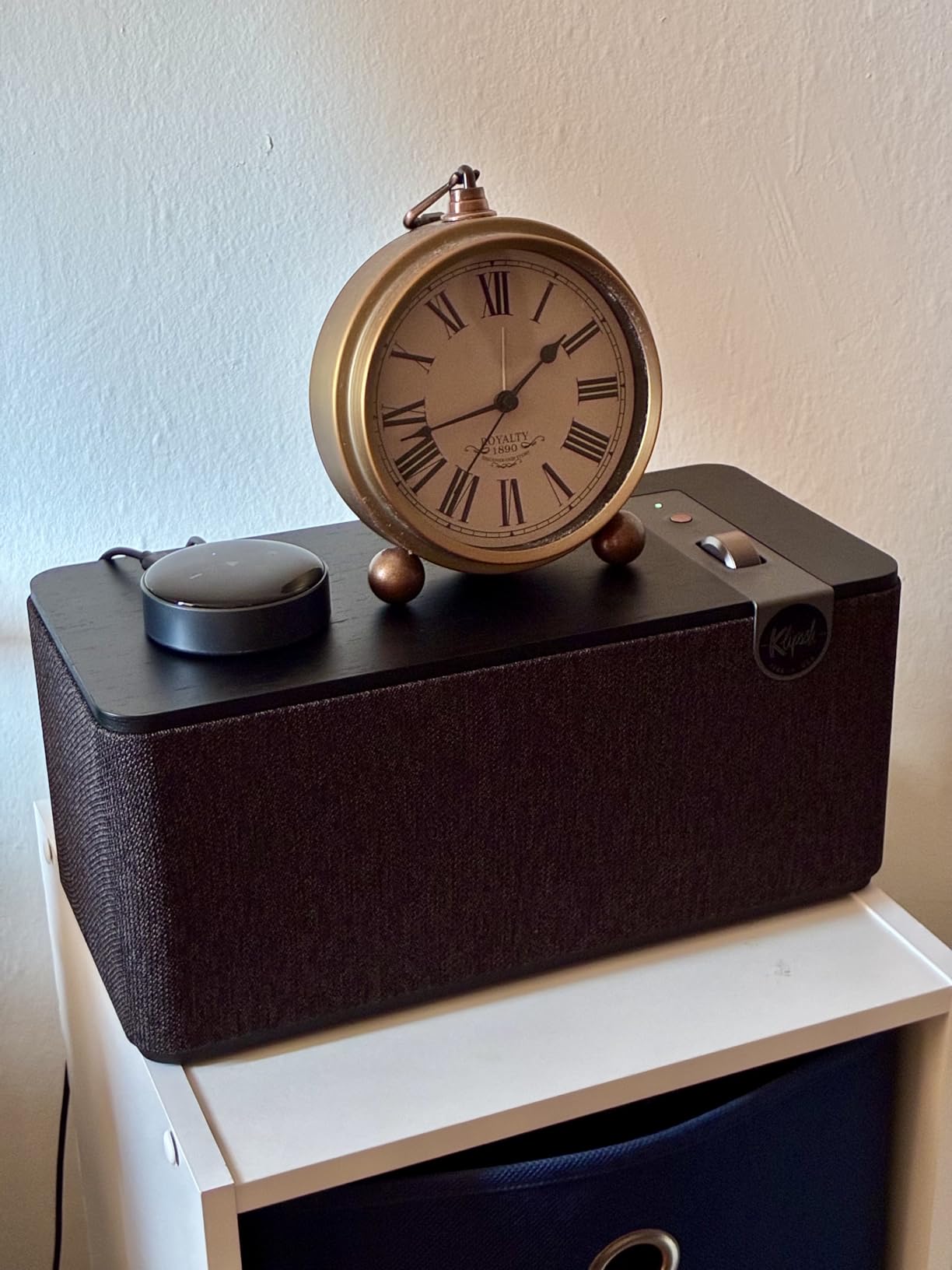
Real wood veneer construction isn’t just about looks. Wood has different acoustic properties than plastic or metal, contributing to warmer, more natural sound. The walnut finish in particular looks stunning and ages beautifully over time.
Bluetooth 5.3 provides a 40-foot range for reliable wireless streaming. The Klipsch Connect app offers EQ customization and presets for different music genres. USB-C connectivity handles both audio playback and reverse charging for your devices.
The bi-amplified design means separate amplifiers drive different frequency ranges, resulting in cleaner sound with less distortion. This is a feature typically found in much more expensive audio equipment. Professional tuning by Klipsch acousticians ensures balanced performance.
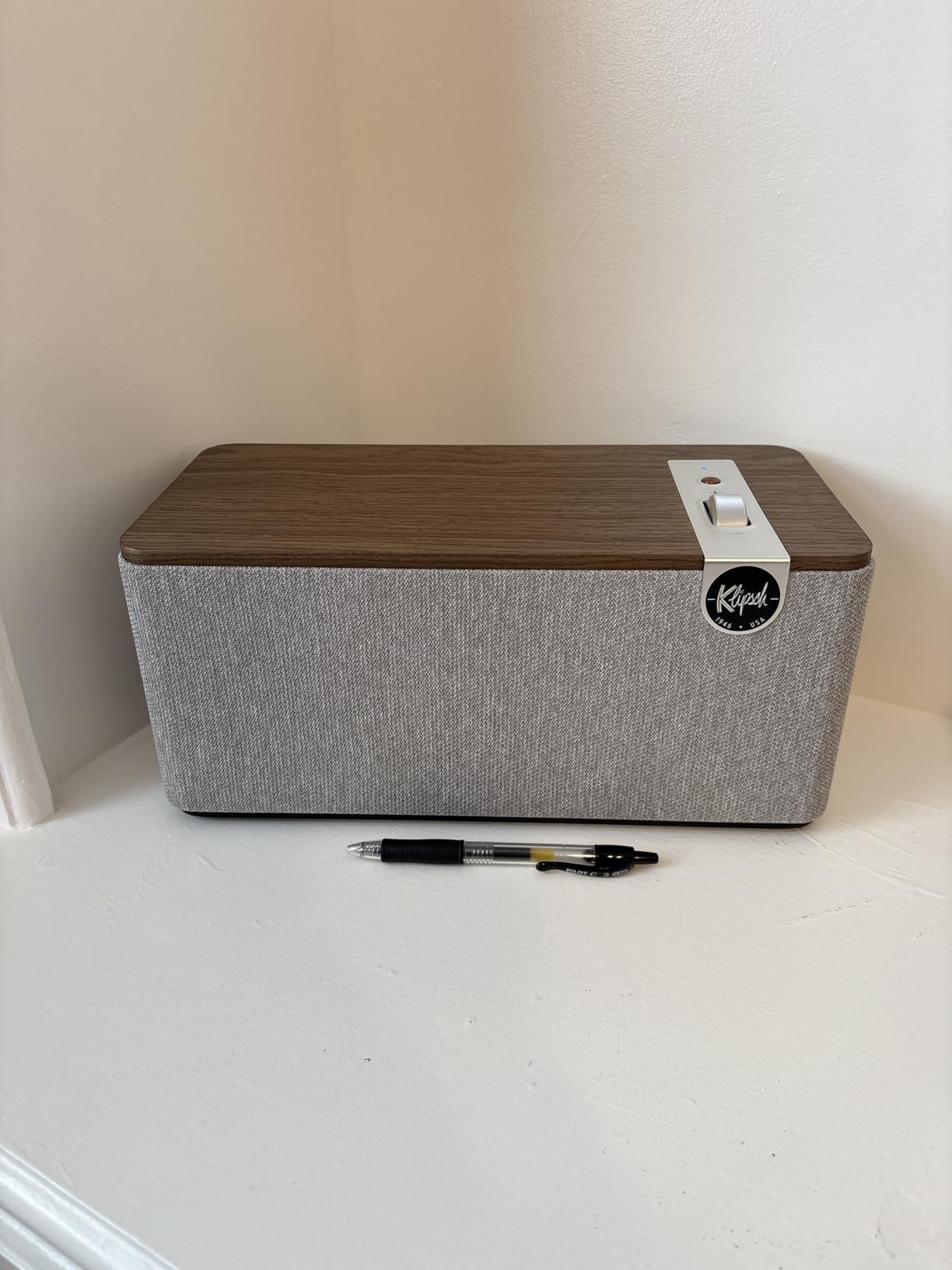
Why it’s a yes: The One Plus combines heritage audio quality with premium aesthetics that enhance any room. Perfect for buyers who want their speakers to look as good as they sound. The real wood construction and Klipsch pedigree justify the price.
Potential deal-breakers: Bluetooth connectivity can be unreliable with some devices, and Windows 11 compatibility issues require driver fixes. These aren’t portable despite being single-unit, and some users find the minimum volume too high for late-night listening.
10. Audioengine A2+ – Best Premium Desktop 2.0
Audioengine A2+ Wireless Computer Speakers – Bluetooth...
Power: 60W Total
Audio: 24-bit capable
Wireless: BT 5.3 aptX-HD
Drivers: Aramid fiber
What We Like
- Detailed sound
- Wood cabinets
- Great connectivity
- Built-in DAC
- Sub output
What We Don't Like
- Expensive
- Weak bass
- Break-in needed
The Audioengine A2+ represents premium desktop audio done right. Hand-built with wood cabinets and featuring 24-bit high-resolution audio capability, these speakers are designed for people who take their desktop audio seriously. I’ve used these as my primary desktop speakers for over a year, and they continue to impress me.
The sound quality is exceptional with extended high frequencies and detailed mids that make instruments sound distinct and present. The aramid fiber woofers and silk tweeters deliver smooth response without harshness. Customer photos consistently show the premium finish that looks elegant in any setup.
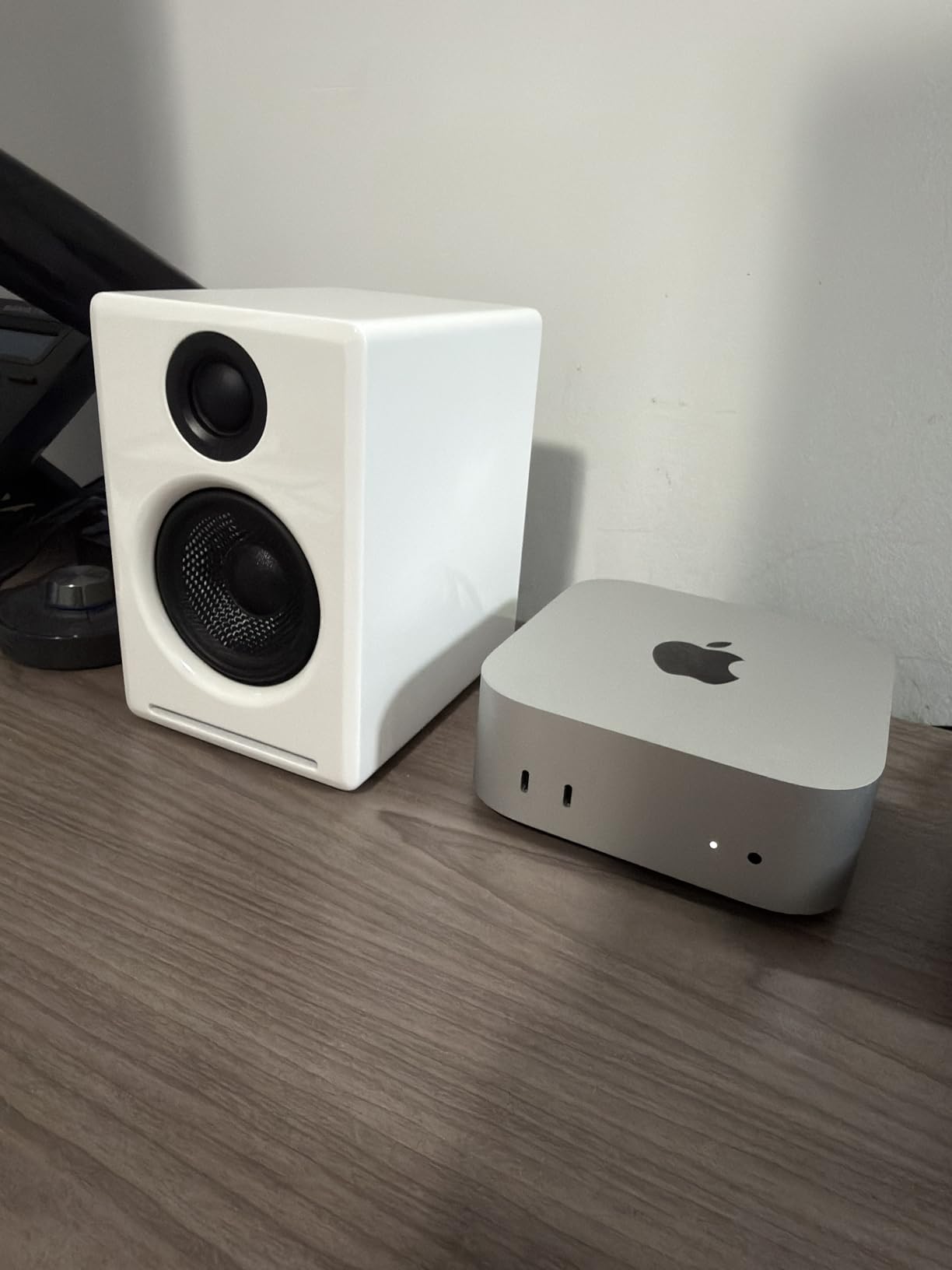
Bluetooth 5.3 with aptX-HD codec provides high-quality wireless streaming with 100 feet of range. The built-in DAC improves USB audio quality compared to your computer’s sound card. Multiple inputs include USB-C, RCA, and 3.5mm for maximum flexibility.
The hand-built construction quality is immediately apparent. The 13-step piano gloss finish on the wood cabinets looks stunning and feels premium to the touch. These are speakers you buy and keep for a decade, not replace in a few years.
Audioengine includes a subwoofer output if you want to add more bass later. This expandability is great if you start with the A2+ and decide you need more low-end eventually. The USA-based customer support is also a nice touch if you ever need help.

Why it’s a yes: The A2+ delivers premium audio quality with beautiful aesthetics and flexible connectivity. Over 3,700 reviewers consistently praise the detailed sound and build quality. Perfect for audiophiles who want desktop speakers that look as good as they sound.
Potential deal-breakers: These are expensive for 2.0 speakers, and bass output is limited without adding a subwoofer. The 40-hour break-in period means they don’t sound their best out of the box. Some users report issues with USB-C connections to docks.
How to Choose the Best Computer Speakers?
Choosing computer speakers comes down to understanding what matters for your specific use case. After testing speakers across every price point, I’ve found that most people fall into one of three categories: budget-focused users wanting basic improvement over monitor audio, gamers wanting positional audio and bass, or audiophiles seeking accurate music reproduction.
Quick Summary: Match your speaker choice to your primary use. Budget buyers should look at 2.1 systems under $100 like the Logitech Z313. Gamers benefit from features like EQ modes and RGB found in the Edifier G2000. Music listeners prioritize accuracy, making studio monitors like the PreSonus Eris 3.5 ideal.
2.0 vs 2.1 Systems: Which Do You Need?
2.0 speaker systems use two satellite speakers and are ideal for accurate music reproduction and smaller spaces. They produce cleaner mids and highs since there’s no subwoofer crossover to worry about. The Edifier R980T and Audioengine A2+ are excellent examples of 2.0 systems that prioritize clarity over raw bass.
2.1 systems add a dedicated subwoofer for low frequencies. This is the better choice for gaming, movies, and anyone who wants to feel the bass. The Logitech Z623 and Klipsch ProMedia Lumina demonstrate how 2.1 systems create a more immersive experience. However, the bass can be boomy if not properly adjusted.
Consider your room size when deciding. 2.0 systems work great in bedrooms and offices where you’re sitting close to the speakers. 2.1 systems shine in larger spaces where you want room-filling audio. I’ve found that apartment dwellers often prefer 2.0 systems to avoid bass complaints from neighbors.
Frequency Response: The range of frequencies a speaker can reproduce, measured in Hertz (Hz). Human hearing typically spans 20Hz to 20,000Hz. Lower numbers represent bass, while higher numbers represent treble. Flat response means the speaker reproduces all frequencies equally without boosting or cutting any range.
Power Ratings: Understanding Watts
Speaker power specifications can be confusing. RMS power represents continuous output, while peak power is the maximum burst volume. Focus on RMS when comparing speakers. The Logitech Z623’s 200 watts RMS is genuinely powerful, while a 50-watt peak rating tells you very little.
For typical desktop use, 20-50 watts RMS is plenty. You rarely need more than 30 watts for a bedroom or office setup. The Edifier R980T’s 24 watts RMS fills small rooms nicely without distortion. More power mainly provides headroom for dynamic peaks rather than sustained loudness.
Connectivity Options Explained
Modern computer speakers offer multiple ways to connect. 3.5mm AUX is the universal analog connection that works with virtually any device. USB-C provides digital audio that bypasses your computer’s DAC for potentially better quality. Bluetooth 5.3 offers wireless convenience with improved range and stability over older versions.
For wireless audio, codec quality matters. Standard Bluetooth uses the SBC codec which compresses audio. aptX-HD and LDAC are high-quality codecs that preserve more detail. The Edifier M60’s LDAC support up to 990 kbps demonstrates how modern wireless can approach wired quality.
Desk Space Considerations
Your desk layout should influence your speaker choice. Smaller desks benefit from compact 2.0 systems that leave room for monitors and other peripherals. The Edifier G2000’s column-shaped design minimizes footprint while the Edifier R980T’s bookshelf style may require more space.
Consider speaker placement for optimal sound. Tweeters should be at ear level when you’re seated. Some speakers include angled stands to direct sound upward. The PreSonus Eris 3.5 includes acoustic tuning controls specifically to compensate for less-than-ideal placement.
Computer Speaker FAQ
What is the best sound quality computer speakers?
For the best sound quality, studio monitors like the PreSonus Eris 3.5 offer the most accurate reproduction with flat frequency response. If you prefer colored, bass-heavy sound for movies and gaming, the Logitech Z623 delivers powerful audio with THX certification. Audiophiles seeking premium desktop audio should consider the Audioengine A2+ with 24-bit high-resolution capability.
Are 2.0 or 2.1 speakers better for computers?
2.0 speakers are better for music listening and smaller spaces, offering cleaner mids and highs without a subwoofer. The Edifier R980T is an excellent budget 2.0 option. 2.1 systems with a subwoofer are better for gaming, movies, and anyone wanting powerful bass. The Logitech Z313 offers incredible 2.1 value under $60. Choose based on whether you prioritize accuracy or bass impact.
How many watts are good for desktop speakers?
For typical desktop use, 20-50 watts RMS is sufficient. The Edifier R980T’s 24 watts fills small rooms nicely. More power mainly provides headroom for dynamic peaks rather than sustained loudness. The Logitech Z623’s 200 watts RMS is overkill for most users but great for large rooms or home theater setups. Focus on RMS ratings rather than peak power when comparing.
Are expensive desktop speakers worth it?
Expensive speakers like the Audioengine A2+ around $280 offer better build quality, more accurate sound, and premium features like 24-bit audio capability. However, budget options like the Logitech Z313 under $60 deliver surprisingly good performance for casual listening. Most users won’t hear the difference between $100 and $300 speakers without trained ears or quality source material.
What are the best computer speakers for gaming?
The Edifier G2000 is our top gaming pick with dedicated EQ modes for different game types and customizable RGB lighting. For gamers wanting powerful bass, the Klipsch ProMedia Lumina combines excellent audio with modern gaming features. The Logitech Z623 remains popular for gamers wanting room-shaking bass with THX certification for immersive audio.
Best computer speakers under $100?
The Logitech Z313 is the best value under $60 with a complete 2.1 system including subwoofer. Around $100, the Edifier R980T offers wooden bookshelf speakers with excellent sound quality. The Edifier G2000 at $99 provides gaming features with RGB lighting and EQ modes that punch above its weight class.

![Best Electric Skateboard [cy]: 12 Top-Rated Boards Tested](https://www.guidespot.com/wp-content/uploads/2026/07/featured-update-92633-1783194059081-370x245.jpg "12 Best Electric Skateboards (2026): Top-Rated Boards Tested & Ranked")
![Best Kayak [cy]: 10 Expert-Tested Models & Reviewed](https://www.guidespot.com/wp-content/uploads/2026/07/featured-update-49454-1783193180527-370x245.webp "10 Best Kayaks (2026): Expert-Tested & Compared for Every Water Type")

