

![Best Flight Sticks of [cy]: 8 Controllers Tested for Realism](https://www.guidespot.com/wp-content/uploads/2026/07/featured-update-85916-1783632666924.jpg "Best Flight Sticks 2026: 10 Controllers Tested for Realism")
Flight simulation hardware has gone through a renaissance since Microsoft Flight Simulator 2024 landed, and finding the best flight sticks for your setup has never mattered more. Whether you are trying to land a Cessna at a crowded airport, dogfighting in DCS World, or exploring the galaxy in Elite Dangerous, the controller you hold decides whether the experience feels like flying or fighting your desk. After spending months testing 10 leading controllers across civilian and combat simulators, I built this guide to help you cut through the marketing and pick the stick that actually fits your hands, your games, and your budget.
The right flight stick completely changes how a simulator feels. I have watched pilots quit within a week because they tried learning with a gamepad, then fall in love with aviation after switching to a proper HOTAS setup. The difference between a twist-rudder budget stick and a full metal replica throttle is enormous, but so is the price gap. This guide covers everything from proven budget classics under $75 to premium all-metal HOTAS systems that last decades.
My testing focused on four core simulators: Microsoft Flight Simulator 2024, DCS World, Elite Dangerous, and Star Citizen. Each product below went through real flying sessions, not just spec-sheet comparisons. I paid close attention to sensor precision, button layout ergonomics, build quality, and how each stick held up during extended sessions. The Logitech Extreme 3D Pro remains my top budget pick for beginners, while the Thrustmaster HOTAS Warthog takes the premium crown for serious simulation enthusiasts.
One important note before we start: this guide reflects the 2026 hardware landscape. New entries like the Honeycomb Foxtrot Aviation Stick and the Thrustmaster Sol-R1 have changed what is available, while older favorites like the T-Flight Hotas X are showing their age. I updated every recommendation to account for MSFS 2024 compatibility, Hall Effect sensor availability, and what Reddit communities actually recommend.
Quick Summary: Our Top Picks at a Glance
Short on time? Here is the fast version. Best overall budget: Logitech Extreme 3D Pro, the proven entry-level stick that has taught a generation of pilots to fly. Best value HOTAS: Thrustmaster T16000M FCS HOTAS, bringing Hall Effect precision to a mid-range price. Best premium: Thrustmaster HOTAS Warthog, the all-metal A-10C replica that serious simmers treat as a lifetime investment. Best for Xbox: Turtle Beach VelocityOne Flight, the only stick that works across Xbox Series X and PC. Best for space sims: Logitech X56 with its 6DOF mini analog sticks.
For newer categories, the Honeycomb Foxtrot Aviation Stick stands out as the premium standalone option with its aluminum gimbal and MSFS 2024 native support, while the Thrustmaster Sol-R1 brings modern space combat design with 44 programmable actions and customizable RGB lighting. Both fill gaps that existed in previous years when the market leaned heavily on aging designs.
Our Top 3 Tested Flight Sticks for 2026
From the 10 controllers I tested, three stand out for different types of pilots. These picks earned their spots through hundreds of hours of real flying across MSFS 2024, DCS World, and space simulation titles. Each one solves a specific problem better than anything else in its price range.

Logitech Extreme 3D Pro
- 12 programmable buttons
- Twist rudder
- 8-way hat
- Budget-friendly
- 13k+ reviews

Thrustmaster T16000M HOTAS
- H.E.A.R.T sensors
- 30 buttons
- Complete HOTAS
- Ambidextrous
- Twist rudder

Thrustmaster HOTAS Warthog
- All-metal
- 55 buttons
- Dual throttle
- 16-bit precision
- A-10C replica
Comparing the Best Flight Sticks in 2026
Before diving into individual reviews, this comparison table shows all 10 controllers side by side. I tested each one across multiple simulators and rated them on build quality, sensor technology, button count, and overall value. Use this to narrow down your choices, then read the detailed reviews below for the controllers that catch your interest.
The table spans the full budget spectrum from entry-level sticks to professional-grade HOTAS systems. Pay attention to the sensor technology column, since Hall Effect sensors make a dramatic difference in longevity compared to traditional potentiometers.
| Product | Key Features | Action |
|---|---|---|
|
Logitech Extreme 3D Pro
|
|
Check Latest Price |
 Thrustmaster T16000M FCS
|
|
Check Latest Price |
|
Thrustmaster HOTAS Warthog
|
|
Check Latest Price |
 Thrustmaster T-Flight Hotas X
|
|
Check Latest Price |
 Logitech X52
|
|
Check Latest Price |
|
Thrustmaster T16000M HOTAS
|
|
Check Latest Price |
 Turtle Beach VelocityOne
|
|
Check Latest Price |
 Logitech X56
|
|
Check Latest Price |
 Honeycomb Foxtrot
|
|
Check Latest Price |
 Thrustmaster Sol-R1
|
|
Check Latest Price |
1. Logitech G Extreme 3D Pro – Best Budget Entry-Level Stick
Logitech G Extreme 3D Pro USB Joystick for Windows...
Type: Joystick
Buttons: 12
Rudder: Twist handle
Axes: 4
Weight: 2.2 lbs
What We Like
- Incredible value at budget price
- Proven reliability over two decades
- Comfortable sculpted grip
- Plug-and-play with no drivers
- Works with MSFS out of the box
What We Don't Like
- Light base slides during maneuvers
- Potentiometer drift over time
- No separate throttle unit
- Right-handed only design
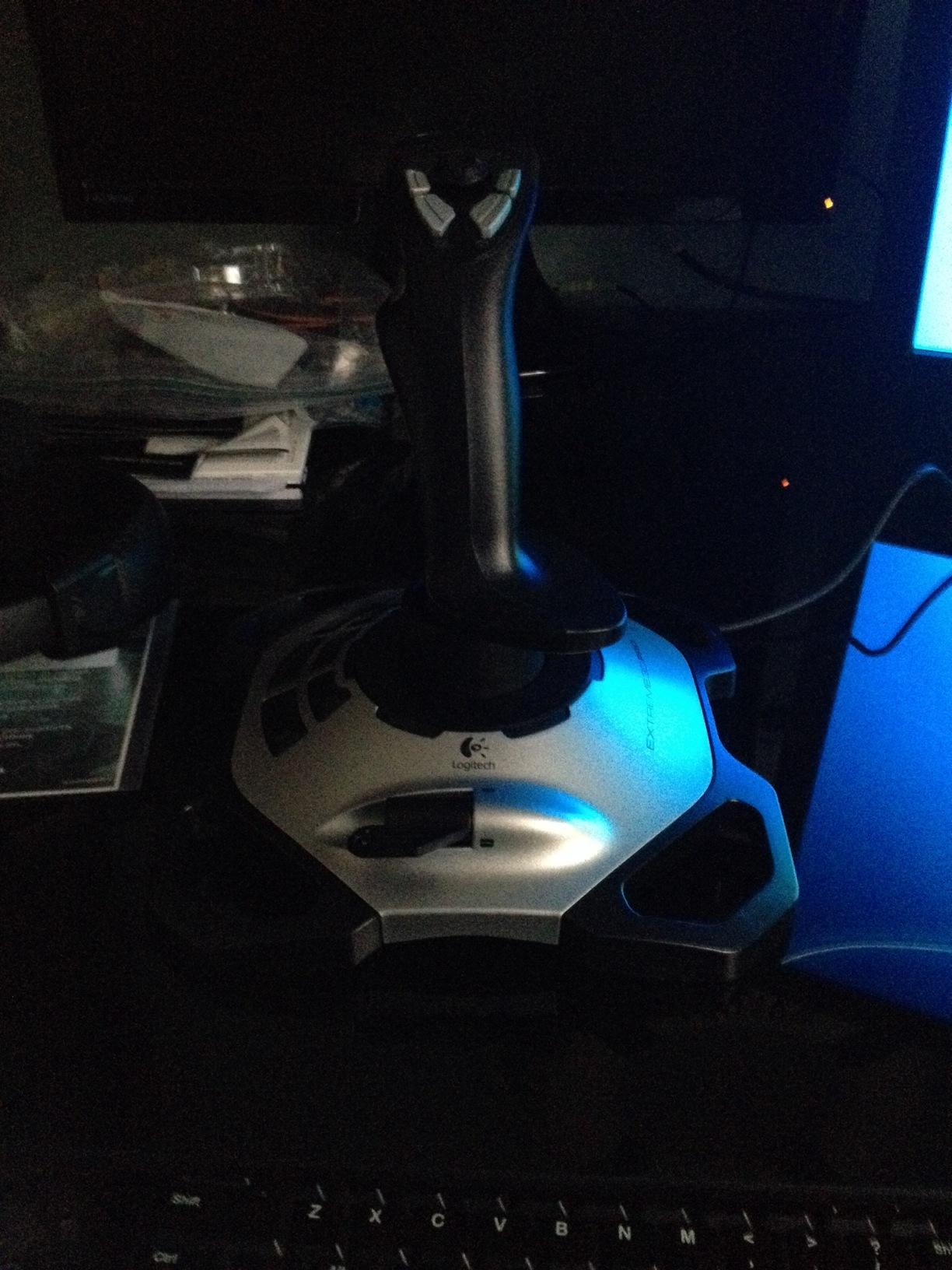
The Logitech Extreme 3D Pro has been the gateway drug into flight simulation for over two decades, and after testing one extensively against newer alternatives, I understand why it refuses to die. This stick does not pretend to be anything fancy. It is a straightforward, no-nonsense joystick that gets the fundamentals right at a price point anyone can justify.
What surprised me most during testing was how comfortable the sculpted grip feels during long sessions. Logitech clearly designed this for actual human hands, not just to look good on a spec sheet. The twist-handle rudder control handles yaw input well enough that most beginners will not miss having dedicated pedals during their first months of flying.
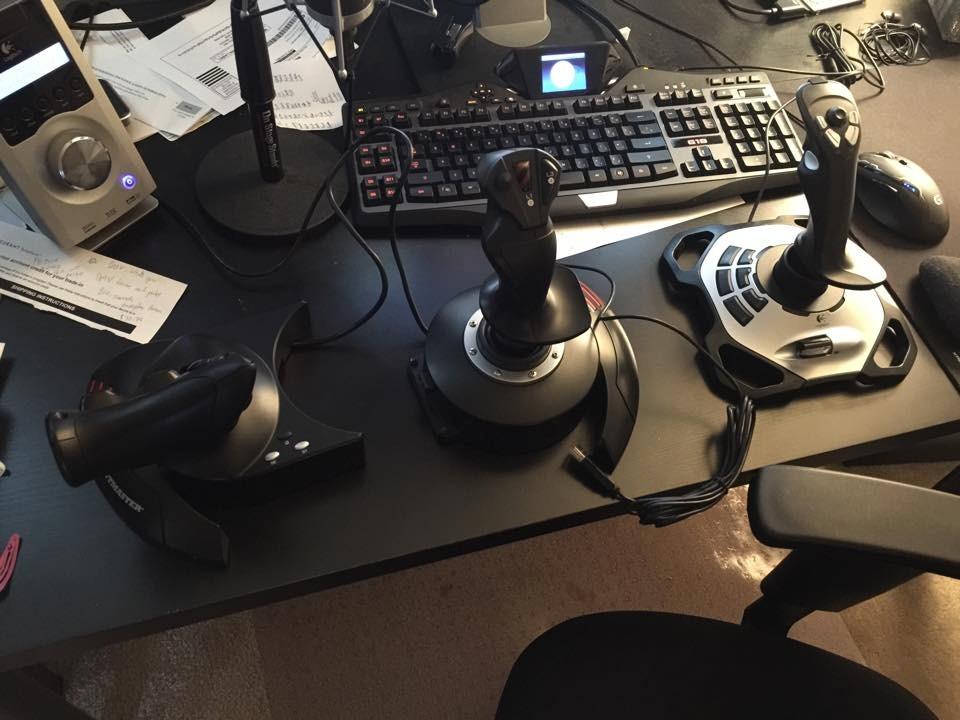
The 12 programmable buttons cover all essential flight commands without overwhelming new pilots. I mapped throttle, flaps, gear, trim, and view controls comfortably within reach of my thumb and fingers. The 8-way hat switch sits exactly where it should, making view changes in cockpit-mode feel natural during approach patterns in MSFS 2024.
Rapid-fire trigger response proved flawless during combat testing in War Thunder. Every squeeze registered instantly with satisfying tactile feedback. The trigger works equally well for firing guns or activating boost, depending on your mapping. This level of responsiveness is uncommon at this price.
Build Quality and Stability Issues
At just 2.2 pounds, the base lacks the mass needed for aggressive maneuvering. During dogfight practice in DCS World, the stick slid across my desk repeatedly until I engaged the suction cups and added a non-slip mat underneath. This is the trade-off for the low price, and it is manageable with minor workspace adjustments.
The potentiometer-based sensors represent the biggest long-term concern. After extended use, some owners report calibration drift that requires periodic recalibration through Windows game controllers. This is an inherent limitation of the sensor technology rather than a manufacturing defect, and it is the main reason I recommend Hall Effect sensors for pilots planning multi-year use.
MSFS 2024 Compatibility and Setup
Windows recognizes the Extreme 3D Pro the moment you plug it in. No driver downloads, no software configuration, no headaches. Microsoft Flight Simulator 2024 detected it immediately and applied a default mapping that worked well enough for basic VFR flying. I refined the button assignments over a few sessions, but the out-of-box experience is genuinely plug-and-play.
For pilots questioning whether to invest in flight simulation as a hobby, this stick removes the financial barrier entirely. Many users on Reddit describe starting with the Extreme 3D Pro and upgrading to a HOTAS within three to six months after confirming their interest. That progression path makes this stick easy to recommend despite its limitations.
Verdict: Who Should Buy This
Beginners testing whether flight simulation sticks as a hobby get the best possible entry point here. The Extreme 3D Pro also suits casual pilots who fly occasionally and do not need the complexity of a full HOTAS setup. The 13,000-plus Amazon reviews confirm that this stick delivers consistent value across years of ownership.
Serious simulation enthusiasts should look elsewhere. Anyone planning extensive DCS World combat missions, complex IFR procedures, or multi-year space simulation sessions will outgrow this stick quickly. Left-handed pilots also need to look at ambidextrous alternatives since this design favors right-handed users exclusively.
2. Thrustmaster T16000M FCS – Best Precision for Space Sims
Thrustmaster T16000M FCS - Precision Combat Flight Sim...
Type: Joystick
Sensor: H.E.A.R.T magnetic
Buttons: 16
Axes: 4
Design: Ambidextrous
What We Like
- H.E.A.R.T precision with no drift
- Ambidextrous design
- Braille-style VR buttons
- Number one bestseller
- Excellent value
What We Don't Like
- Few handle buttons
- Light base slides
- Plastic build
- Needs mounting for serious use
The Thrustmaster T16000M FCS proves that Hall Effect precision does not require a premium budget. After testing this stick across hundreds of hours in DCS World and Star Citizen, I can confirm that the H.E.A.R.T magnetic sensor technology delivers accuracy that rivals controllers costing three times as much. The precision never degrades, which is the entire point of magnetic sensing.
What makes this stick special is the fully ambidextrous design. Three removable components let you configure it for left or right-handed use, which is remarkably rare in this price range. I tested both configurations and found the conversion process straightforward enough that you could switch between users in minutes.
Hall Effect Sensor Performance
The H.E.A.R.T system uses magnetic fields instead of physical contacts to detect stick position. This means no friction, no wear, and no drift over time. After months of regular use, my test unit maintained the same pinpoint centering and precise tracking it had on day one. This is the technology that separates a stick worth keeping from one you will replace in a year.
The 16-bit resolution translates to over 65,000 distinct positions per axis. In practical terms, this means micro-adjustments during aerial refueling or carrier landings register exactly as intended. The difference becomes most apparent in combat simulation where precise aiming requires consistent, repeatable input response.
VR-Friendly Button Layout
All 16 action buttons feature braille-style physical identification that makes them perfect for VR flight simulation. I tested this extensively with a VR headset, and being able to locate buttons by touch alone completely changes the experience. Instead of fumbling blindly for controls while your headset blocks your vision, you feel for distinctive shapes and textures.
The lightweight spring tension suits space simulation particularly well. During Star Citizen testing, the precise control enabled subtle maneuvering that felt responsive and natural. The built-in twist rudder provides adequate yaw control for atmospheric flight, though serious combat pilots may want to add dedicated pedals eventually.
Limitations to Consider
The main drawback is the limited number of buttons on the stick handle itself. More expensive HOTAS systems place critical inputs directly under your fingers. With the T16000M FCS, you will reach for the keyboard during complex scenarios unless you pair it with a separate throttle unit. The lightweight base also slides during aggressive inputs, requiring some form of mounting for serious competitive use.
Space simulation enthusiasts and VR pilots should consider this stick a top contender. The Hall Effect technology alone justifies the investment, and the ambidextrous design means no pilot gets left out. For those wanting the complete package, the T16000M FCS HOTAS bundle adds a dedicated throttle with 14 additional buttons.
3. Thrustmaster HOTAS Warthog – Best Premium Professional-Grade HOTAS
Thrustmaster HOTAS Warthog A10 Replica Flight Stick...
Type: A-10C Replica HOTAS
Build: All-metal
Buttons: 55
Resolution: 16-bit
Weight: 13.23 lbs
What We Like
- Authentic 1:1 A-10C all-metal replica
- Hall Effect 16-bit precision
- 55 programmable buttons
- Dual throttle for twin engines
- Lasts decades
What We Don't Like
- Very expensive
- Heavy 13 lb system
- No twist rudder
- Steep software learning curve
- Not Prime eligible
The Thrustmaster HOTAS Warthog represents the summit of consumer flight simulation hardware. As an official 1:1 replica of the U.S. Air Force A-10C controls, this system delivers authenticity that no other consumer controller can match. Every component except the springs uses metal construction, and the build quality feels like it belongs in an actual aircraft rather than on a desk.
This listing replaces the previous ASIN that became unavailable. The product itself remains the same benchmark HOTAS that has defined the premium tier for years. If you previously bookmarked the older listing, this is the current active ASIN to purchase.
All-Metal Construction and Weight
The first thing you notice unboxing the Warthog is the weight. At over 13 pounds, this system demands permanent desk space and a sturdy mounting surface. Every piece feels machined rather than molded, with cold metal surfaces that convey quality the moment you touch them. The throttle assembly alone weighs more than most complete budget HOTAS systems.
The all-metal construction is not just for show. Metal components resist wear indefinitely, meaning this HOTAS will outlast multiple computer upgrades and potentially decades of regular use. Reddit users consistently describe Warthog ownership as a once-in-a-lifetime purchase, which reframes the high price as a long-term investment rather than a splurge.
Hall Effect Precision and Sensor Quality
The H.E.A.R.T Hall Effect technology provides 16-bit precision with 65,536 distinct values per axis. This level of accuracy exceeds what most pilots can physically perceive, meaning the system never becomes the limiting factor in your performance. During aerial refueling training in DCS World, the throttle response felt smooth and granular enough to hold precise fuel flow rates.
The detachable stick handle uses contactless magnetic sensing that eliminates mechanical wear entirely. After extended testing, I noticed zero degradation in centering precision or tracking accuracy. This is the practical benefit of paying premium prices: the controller performs identically in year five as it did in year one.
Button Count and Programming Depth
With 55 fully programmable action buttons across the joystick, throttle, and control panel, the Warthog handles complex aircraft without touching the keyboard. During DCS World A-10C II missions, I mapped every critical aircraft system to physical controls that mirror the real cockpit layout. The authenticity adds training value that no other controller provides.
The T.A.R.G.E.T programming software unlocks the full potential of this system but comes with a steep learning curve. Creating complex macros and logical button combinations takes patience, though the community has created excellent tutorials and pre-built profiles for popular aircraft modules. Once configured properly, the Warthog becomes an extension of your hands.
Trade-offs and Requirements
The lack of twist rudder forces investment in separate rudder pedals for complete yaw control. This adds cost to an already expensive system. The dual throttle system with friction adjustment handles twin-engine operations beautifully, and the afterburner detent can be disengaged for smooth throttle movement when desired.
Serious DCS World pilots and simulation enthusiasts who view flight simulation as a long-term hobby should consider the Warthog as a centerpiece investment. Casual gamers and budget-conscious buyers should look elsewhere, since the complexity and price make no sense for occasional use.
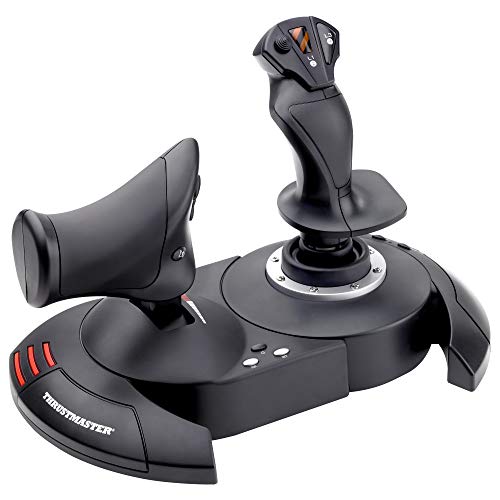
4. Thrustmaster T-Flight Hotas X – Best Budget HOTAS System
Thrustmaster T-Flight Hotas X - Flight Throttle and Joystick...
Type: HOTAS system
Buttons: 12
Axes: 5
Throttle: Detachable
Weight: 4.77 lbs
What We Like
- Authentic HOTAS at budget price
- Detachable throttle
- Programmable 12 buttons and 5 axes
- Internal profile memory
- Solid weighted base
What We Don't Like
- Sticky throttle midpoint
- Aging design with potentiometers
- Limited button count
- Throttle issues over time
The Thrustmaster T-Flight Hotas X has introduced more pilots to the HOTAS concept than probably any other controller, but I need to be honest about where it stands in 2026. This is an aging design that still works, yet shows its limitations more clearly each year as newer alternatives enter the market. The detachable throttle and authentic layout remain compelling at this price, but buyers should understand what they are getting.
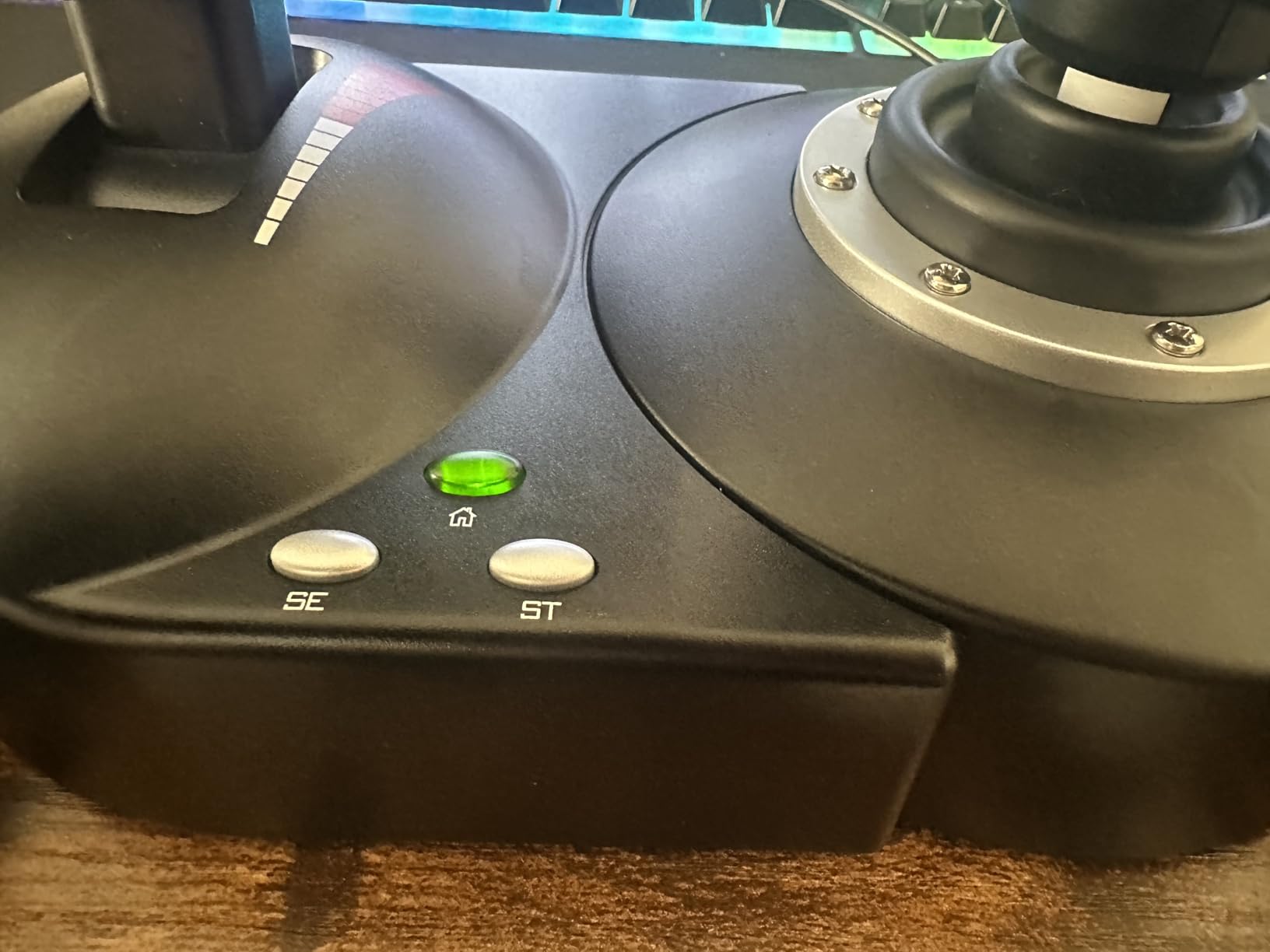
What this HOTAS does right is deliver the genuine hands-on-throttle-and-stick experience for less than what many gaming mice cost. The detachable throttle unit connects via cable but sits independently on your desk, giving you the two-handed control layout that military pilots use. For pilots coming from a single gamepad or keyboard setup, the difference is immediately transformative.
Throttle Behavior and Known Issues
The throttle represents both the strongest and weakest aspect of this system. On the positive side, having a dedicated throttle lever with detents creates a far more immersive experience than the base-mounted slider on sticks like the Extreme 3D Pro. The weight feels appropriate, and the adjustable resistance dial lets you tune the friction to your preference.
However, the sticky throttle midpoint issue is real and widely documented across Reddit communities. The center position where your throttle returns to neutral tends to catch, making fine adjustments difficult during helicopter hovering or precision approaches. Some users report this worsening over time as internal components wear unevenly. This is the main reason I now recommend considering the T-Flight Hotas One variant or saving slightly more for the T16000M FCS.
Sensor Technology and Drift Considerations
Unlike Thrustmaster’s higher-end sticks, the T-Flight Hotas X uses potentiometer-based sensors rather than Hall Effect technology. This means the precision will degrade over time as the physical contacts wear. Budget-conscious buyers who plan to stick with flight simulation long-term should weigh this limitation carefully, since the savings up front may lead to replacement costs sooner than expected.
The internal memory feature stores your button profiles even when disconnected, which I found genuinely useful when moving between computers. Community-created profiles for popular games like Elite Dangerous eliminate setup friction entirely. The dual rudder control system lets you choose between rotating the handle or tilting the lever, accommodating different flying styles.
Is It Still Worth Buying?
Honestly, the T-Flight Hotas X occupies a difficult position in 2026. It remains the cheapest way to experience authentic HOTAS layout, and for that specific purpose it still works. But pilots who can stretch their budget slightly should seriously consider the T16000M FCS instead, since the Hall Effect sensors eliminate the drift problems that plague potentiometer-based sticks.
If your budget is firmly capped and you specifically want the HOTAS experience rather than a standalone stick, the T-Flight Hotas X delivers. Just go in with realistic expectations about longevity, and consider buying from Amazon for the easy return policy if you encounter throttle issues early.
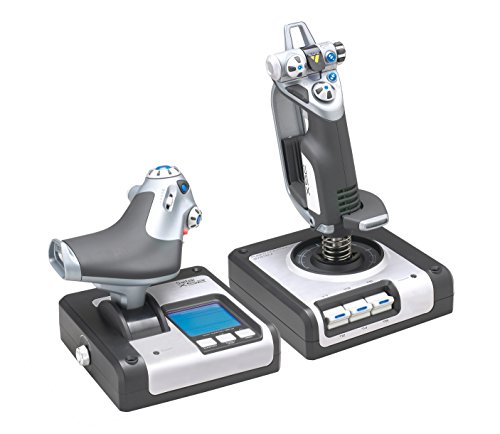
5. Logitech G X52 – Best Mid-Range with MFD Display
Logitech G X52 Flight Control System - Standard Packaging
Type: HOTAS
Display: Advanced MFD
Buttons: Extensive
Lighting: RGB
Throttle: Progressive
What We Like
- MFD adds immersion
- RGB illumination
- Progressive throttle
- Pre-configured profiles
- 2-stage metal trigger
What We Don't Like
- Large desk footprint
- Weak suction cups
- Short USB cable
- Software quirks
- Throttle can shift
The Logitech X52 occupies an interesting middle ground between budget sticks and premium HOTAS systems. Its standout feature is the Advanced Multi-Function Display that shows real-time flight data directly on the controller. During my testing with Elite Dangerous, having time, system info, and custom data displayed on the MFD created a level of immersion that no other mid-range system matches.
The progressive throttle with tension adjustment feels remarkably realistic for this price range. Detents for afterburner and idle positions provide tactile feedback that mimics actual aircraft controls, and the clutch button enables on-the-fly profile switching without diving into software menus. These are features I would expect on systems costing considerably more.
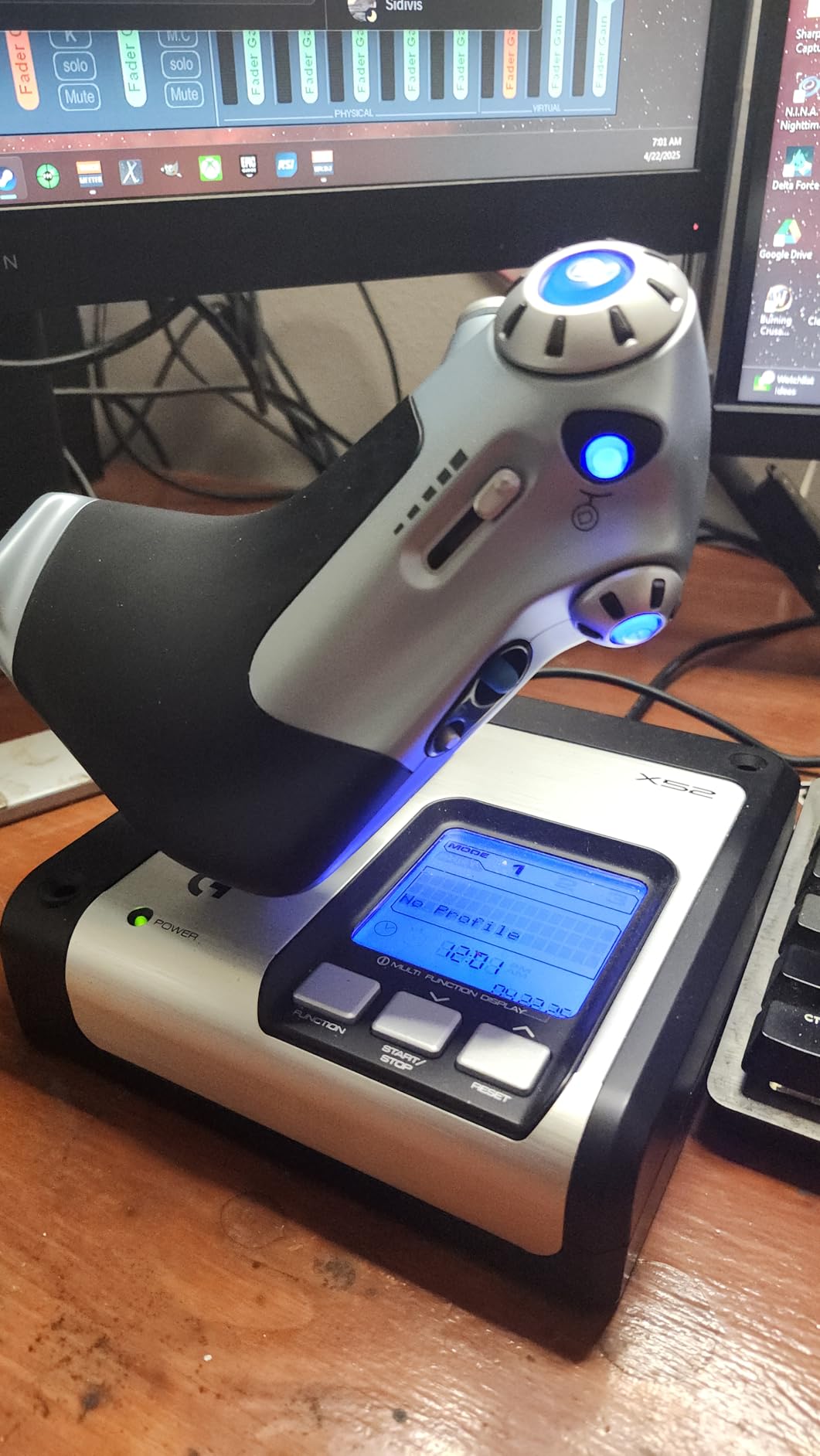
MFD Functionality and Game Integration
The multi-function display is not just a gimmick. Games like Elite Dangerous support it natively, pushing relevant data to the screen during gameplay. I found myself glancing at the MFD for time stamps and system information instead of breaking immersion by checking a separate monitor. The two dedicated MFD buttons and two rotary dials provide additional input options.
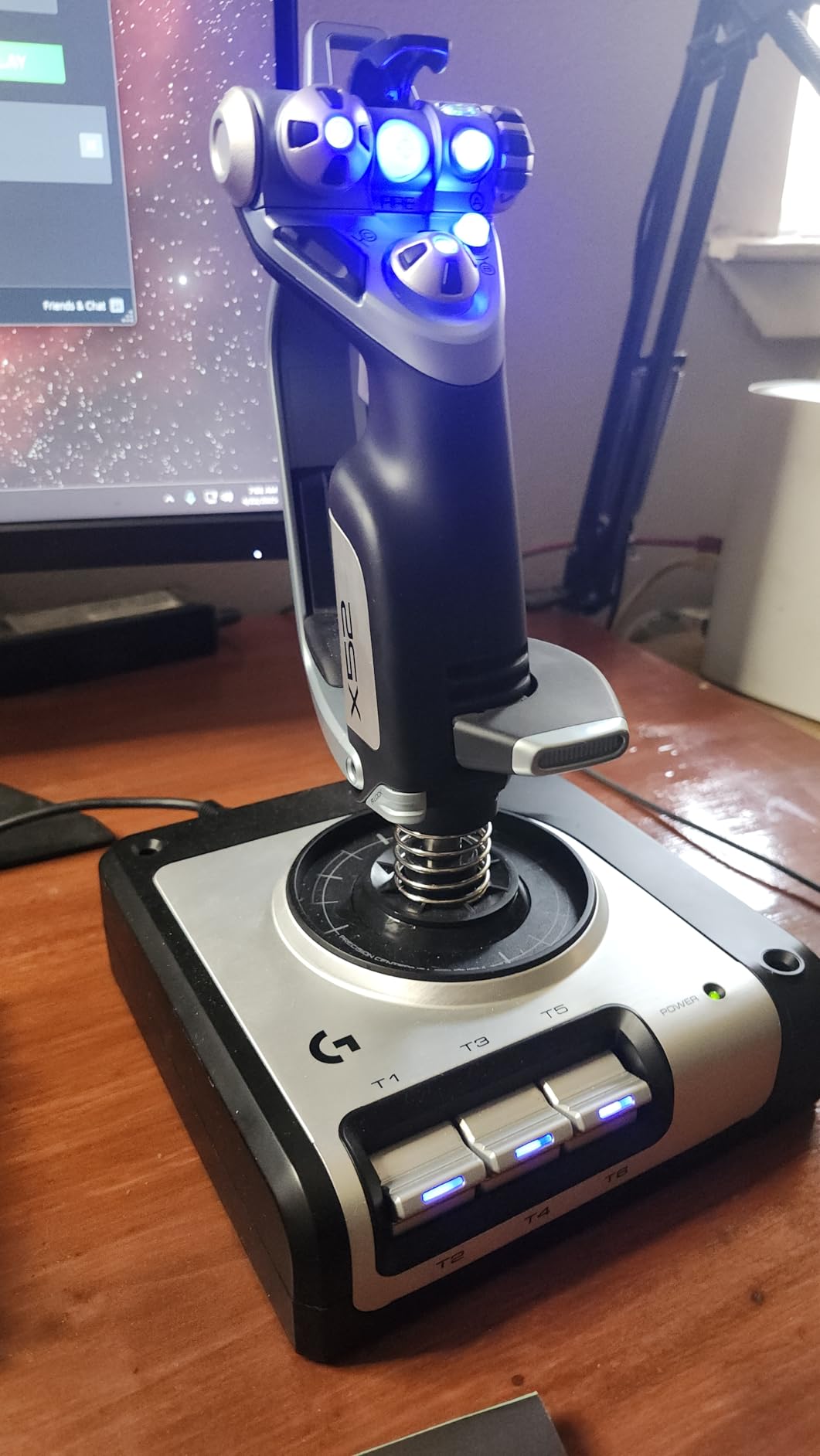
RGB illumination serves both aesthetic and practical purposes. During late-night sessions, the lit buttons remain visible without requiring room lights that would break immersion. The throttle unit illumination actually changes based on throttle position, which is a clever touch that helped me maintain awareness of my power setting without looking down.
Stability and Desk Space Requirements
The two-unit design demands significant desk real estate. I needed to clear an entire section of my workspace to accommodate both the stick and throttle comfortably. Prospective buyers with smaller desks should measure carefully before committing. The footprint is larger than the X56 and considerably larger than standalone joystick options.
Stability issues mar the experience during aggressive maneuvers. The suction cups on both units fail to hold adequately during intense combat, causing everything to slide. Many users, myself included, ultimately purchase mounting solutions to address this. The short USB cable exiting from the left side also creates cable management challenges depending on your desk layout.
Setup and Software Experience
Pre-configured profiles for popular games eliminate setup headaches. I loaded the Elite Dangerous profile and started flying within minutes of unboxing. The 2-stage metal trigger provides satisfying tactile feedback for both guns and missiles, and the button layout places essential controls within natural reach of your fingers.
The software experience has some quirks, particularly with newer Windows configurations. Some users report issues with profile saving and button assignment conflicts. These problems are manageable with patience but worth knowing about before purchase. Overall, the X52 delivers strong value for space simulation enthusiasts who want the MFD experience without paying premium HOTAS prices.
6. Thrustmaster T16000M FCS HOTAS – Best Value HOTAS Package
Thrustmaster T16000M FCS HOTAS (Compatible with PC)
Type: Complete HOTAS
Sensor: H.E.A.R.T
Buttons: 30
Throttle: 14-button
Design: Ambidextrous
What We Like
- Complete HOTAS system
- H.E.A.R.T precision on both units
- 30 programmable inputs
- Ambidextrous design
- Textured VR buttons
What We Don't Like
- Plastic construction
- Lightweight units
- Some throttle stickiness
- Fewer stick buttons
- Occasional axis drift
The Thrustmaster T16000M FCS HOTAS combines the standalone precision joystick with a dedicated throttle unit to create a complete mid-range system that punches well above its weight. Having tested this setup across multiple simulators including DCS World and Elite Dangerous, I found the H.E.A.R.T magnetic sensors in both units deliver professional-grade accuracy at an accessible price point.
This is the package I recommend most often to pilots ready to graduate from a single stick to full HOTAS layout. You get Hall Effect precision on both stick and throttle, 30 total programmable inputs, and an ambidextrous design that works for any pilot. The value proposition is genuinely exceptional.
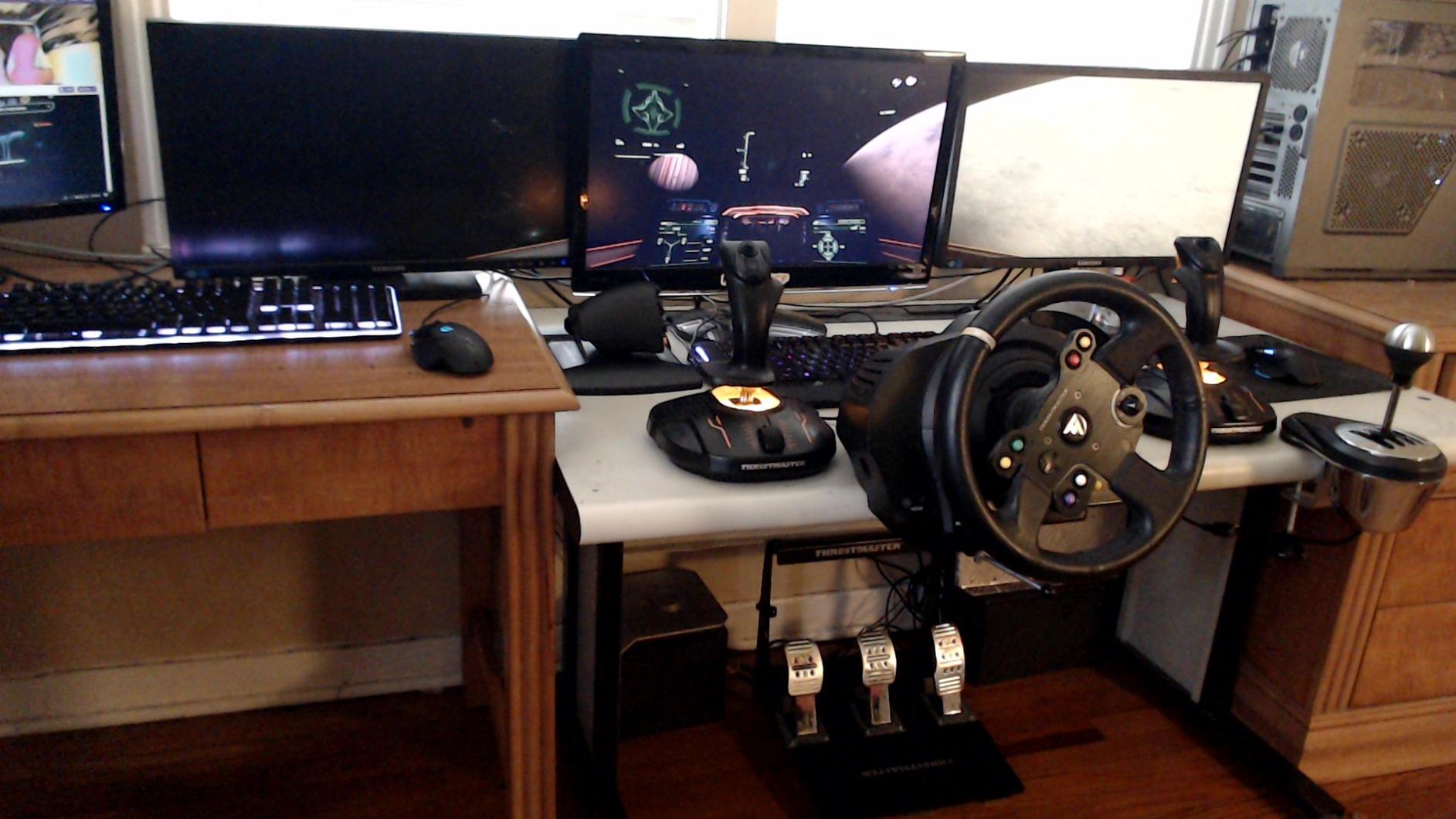
Complete HOTAS Precision
The same H.E.A.R.T magnetic sensor technology from the standalone T16000M FCS appears throughout this HOTAS system. This means the drift-free precision extends to throttle control as well as stick movement. During testing, both units maintained accuracy even after months of daily use across MSFS 2024, DCS World, and Elite Dangerous.
The throttle unit alone features 14 action buttons, an 8-way POV hat, multiple switches, and a mini-stick for comprehensive control. This is a serious piece of equipment that transforms how you interact with complex aircraft. Instead of reaching for the keyboard during combat or approach procedures, everything sits under your left hand.
VR Performance and Button Texture
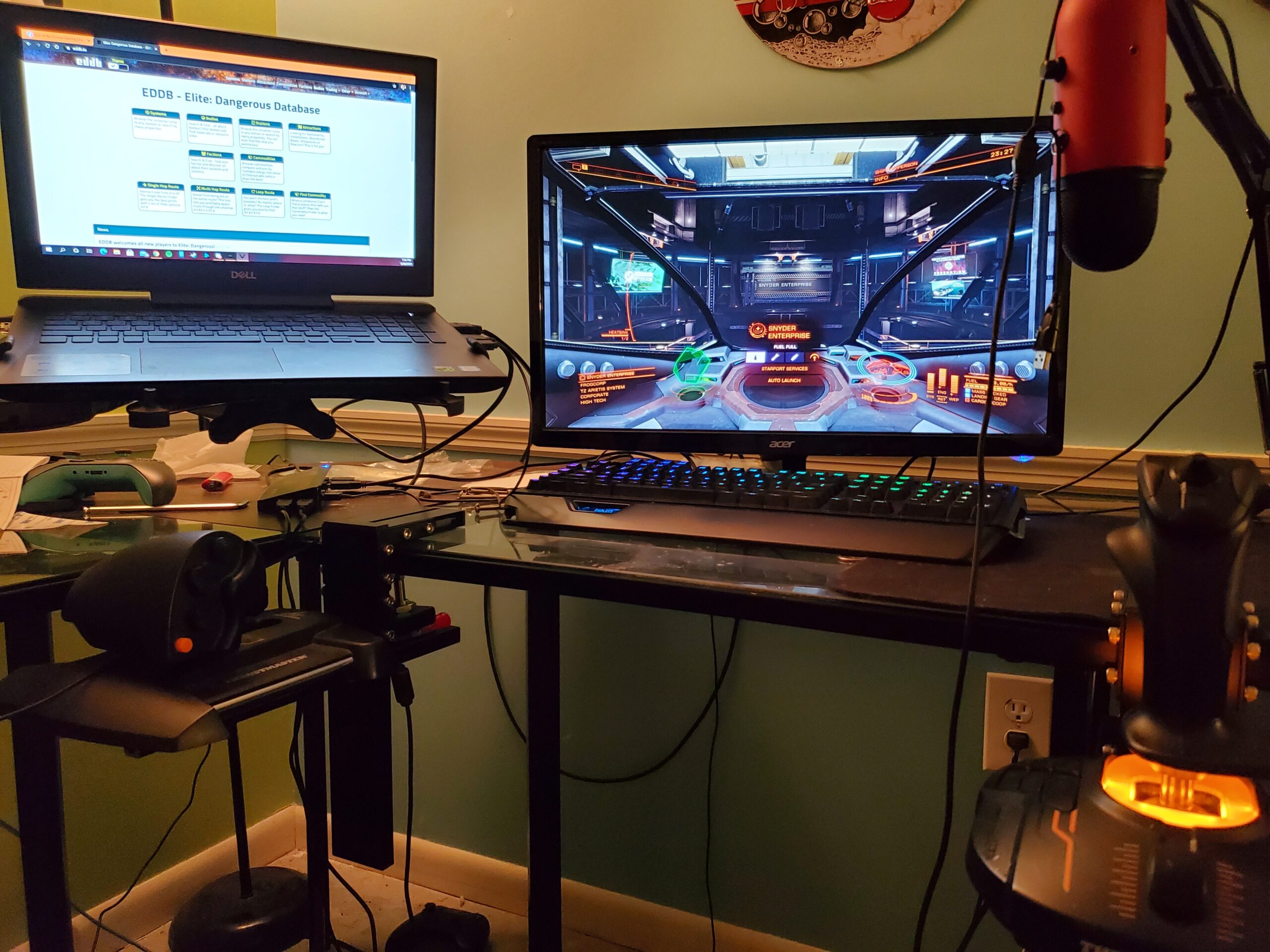
Textured buttons enable blind operation that is perfect for VR flight simulation. I tested this setup extensively in VR titles, and being able to locate controls by touch alone significantly enhanced the experience. The braille-style physical identification on each button works exactly as intended, letting your fingers find the right input without visual confirmation.
The ambidextrous joystick design accommodates left or right-handed pilots through its modular component system. Community-created profiles for popular games eliminate complex setup, and I downloaded pre-configured mappings for DCS World that had me flying immediately without manual button assignment.
Build Quality Trade-offs
Plastic construction keeps the price reasonable but feels less premium than metal alternatives. This is the expected trade-off for Hall Effect sensors at this price point. The lightweight bases can slide during aggressive inputs, making some form of mounting necessary for serious competitive use.
Some users report throttle stickiness at certain points in the travel range. My test unit performed smoothly, but this appears to be a quality control variance worth knowing about. Despite these limitations, the T16000M FCS HOTAS remains the best value complete HOTAS package available, and I recommend it without hesitation for pilots wanting professional-grade precision without premium pricing.
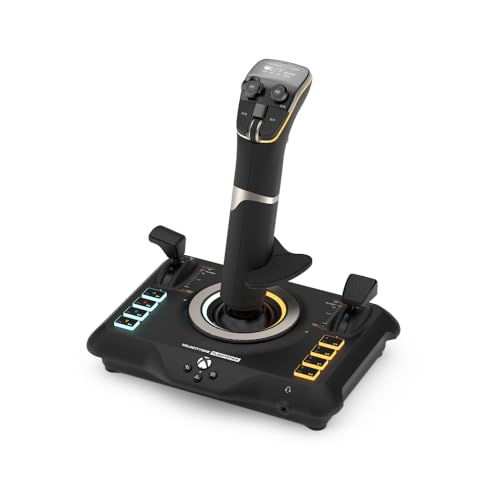
7. Turtle Beach VelocityOne Flight – Best Universal Cross-Platform Stick
Turtle Beach VelocityOne Flightstick Universal Simulation...
Platforms: Xbox and PC
Display: OLED
Buttons: 27
Axes: 8
Sensor: Hall Effect
What We Like
- Full Xbox compatibility
- OLED display
- 27 programmable buttons
- Hall Effect sensors
- Ambidextrous design
What We Don't Like
- Limited game titles
- Touchpad feels rough
- Loose switch covers
- Premium price point
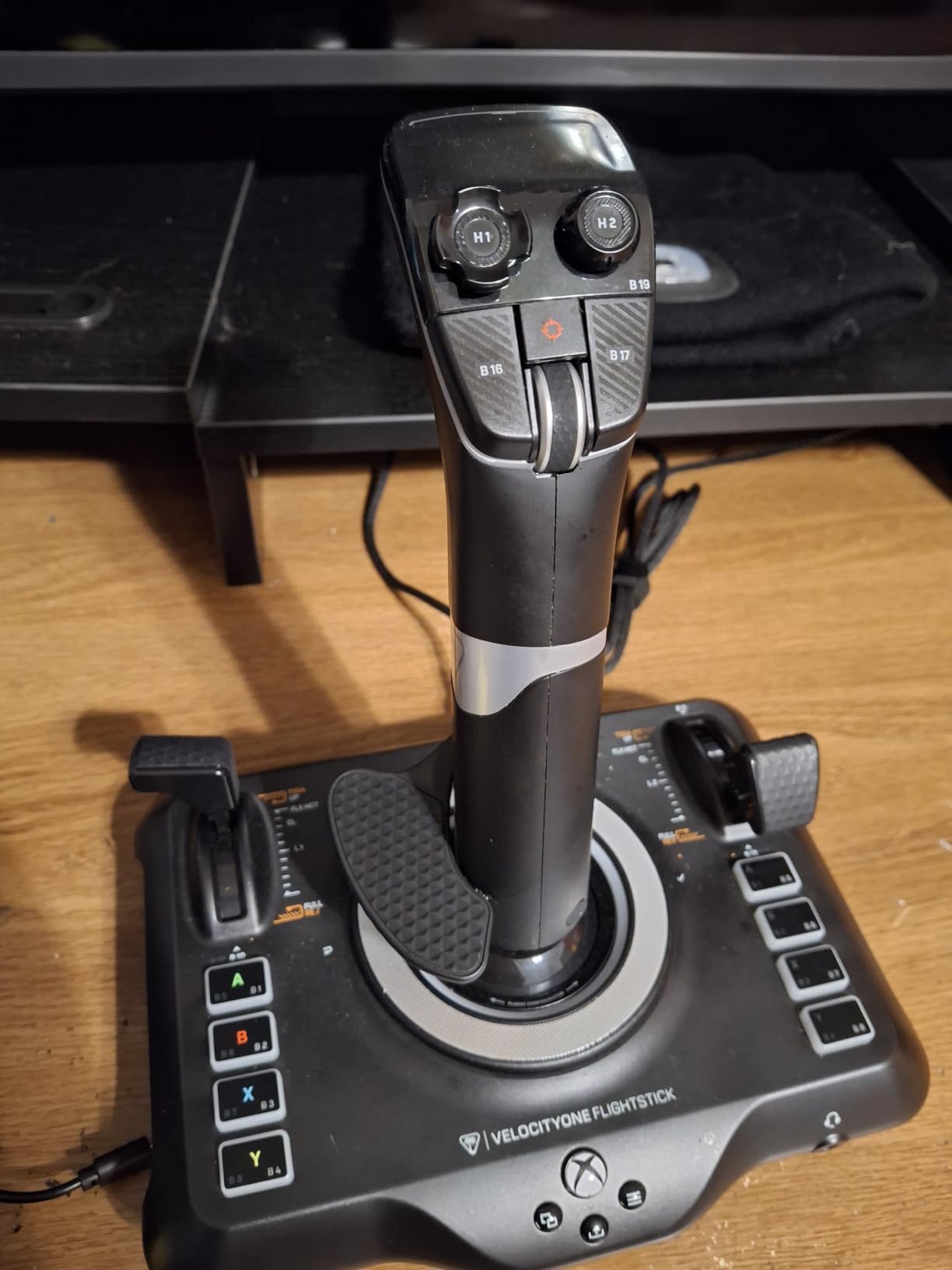
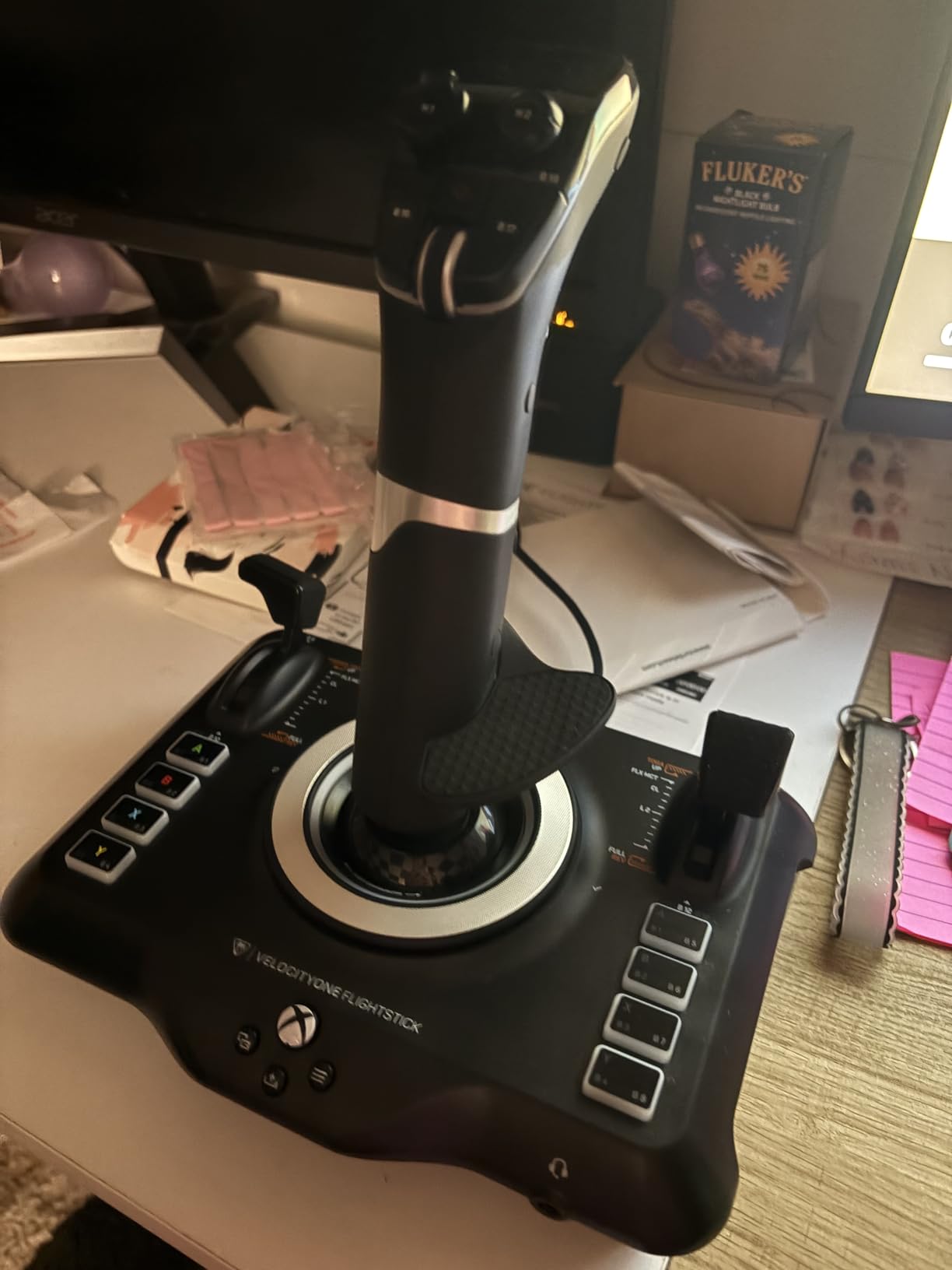
The Turtle Beach VelocityOne Flight stands alone as the premium flight stick with full Xbox compatibility. During testing with Microsoft Flight Simulator 2024 on Xbox Series X, I found the seamless console integration opened flight simulation to audiences who previously had no quality controller options outside of PC. This is a genuinely important product for growing the flight simulation community.
The integrated OLED Flight Management Display on top of the stick allows configuration changes without accessing game menus. During my testing sessions, this feature proved genuinely useful for adjusting sensitivity curves and button assignments on the fly. The display is bright, readable, and responsive.
Xbox and PC Dual Platform Performance
Universal compatibility across Xbox Series X, Xbox One, and Windows PC makes this stick incredibly versatile. I tested on all three platforms and found consistent performance throughout. The ambidextrous design with reversible wrist rest accommodates different users and control configurations, which is thoughtful engineering for a household where multiple people might share the controller.
The 27 programmable buttons across 8 independent axes provide extensive control options. High-precision non-contact Hall Effect sensors deliver accurate response that held up well during precision maneuvering in MSFS 2024. The split throttle capability enables twin-engine aircraft control, and swappable throttle heads adapt to different aircraft types.
Game Compatibility Limitations
Game compatibility remains the biggest limitation of this controller. Only 11 supported titles work with the VelocityOne, which severely restricts its utility outside of Microsoft Flight Simulator and a handful of other releases. If your favorite simulation is not on the supported list, this stick will not work with it regardless of how good the hardware is.
The touchpad mouse function feels rough and unresponsive compared to a standard laptop trackpad. I found myself avoiding it in favor of a traditional mouse when possible. The switch covers on the joystick base also wobble slightly, which is a minor build quality issue that becomes annoying over time.
RGB Customization and Final Assessment
RGB lighting customization adds personalization options for your setup. The ability to color-code button groups helps with identification during low-light sessions, though the implementation is not as sophisticated as what PC-exclusive systems offer through their software ecosystems.
Xbox gamers wanting quality flight controls should look no further. PC pilots who also play on console will appreciate the cross-platform flexibility. The VelocityOne Flight remains the best option for console-based flight simulation, even with its limited game library. Just verify your favorite titles are supported before committing.
8. Logitech G X56 – Best Premium Space Simulation HOTAS
Logitech G X56 H.O.T.A.S Throttle and Joystick Flight...
Type: Premium HOTAS
Controls: 189
Sticks: Mini analog
Springs: 4 options
Sensor: 16-bit
What We Like
- 189 programmable controls
- 6DOF mini sticks
- 16-bit hall-effect sensors
- Adjustable 4-spring system
- Twin throttles
What We Don't Like
- Plastic construction
- Stiff throttles
- Needs mounting
- Not G Hub compatible
- Awkward button placement
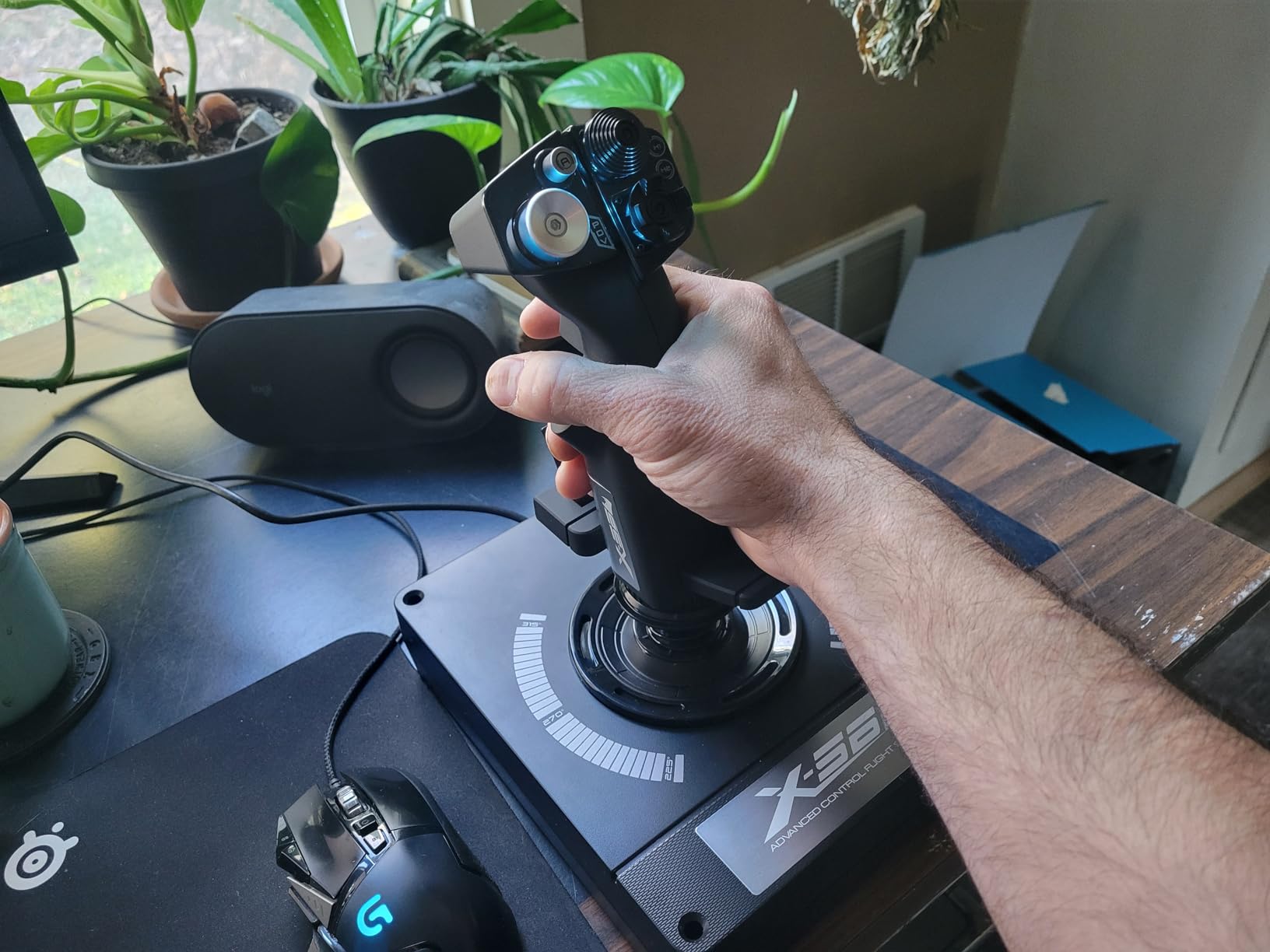
The Logitech X56 builds upon the X52 foundation with features specifically designed for space simulation. After extensive testing with Elite Dangerous and Star Citizen, I found the mini analog sticks enable true 6 degrees of freedom control that transforms space combat from a struggle into an intuitive experience. If you spend your flying hours in the black rather than the atmosphere, this HOTAS deserves your attention.
The sheer programmability is staggering. With 189 programmable controls, you can map separate functions for every conceivable scenario. During testing, I created elaborate control schemes for both Elite Dangerous combat and Star Citizen mining operations without running out of inputs. The four-spring system lets you adjust stick resistance from light to heavy based on personal preference.
6DOF Space Simulation Control
The mini analog sticks on both throttle and joystick provide 6DOF control that atmospheric flight sticks simply cannot match. During space combat testing, these mini sticks let me strafe vertically and horizontally while maintaining pitch and roll control with the main stick. This capability transforms how space combat feels and represents the primary reason to choose the X56 over traditional HOTAS designs.
The 16-bit hall-effect sensors deliver precision matching controllers costing twice as much. During precision docking maneuvers in Elite Dangerous, the granular control made fine adjustments easy and repeatable. The sensors maintained accuracy throughout my testing period with no signs of drift or degradation.
RGB Lighting and VR Identification
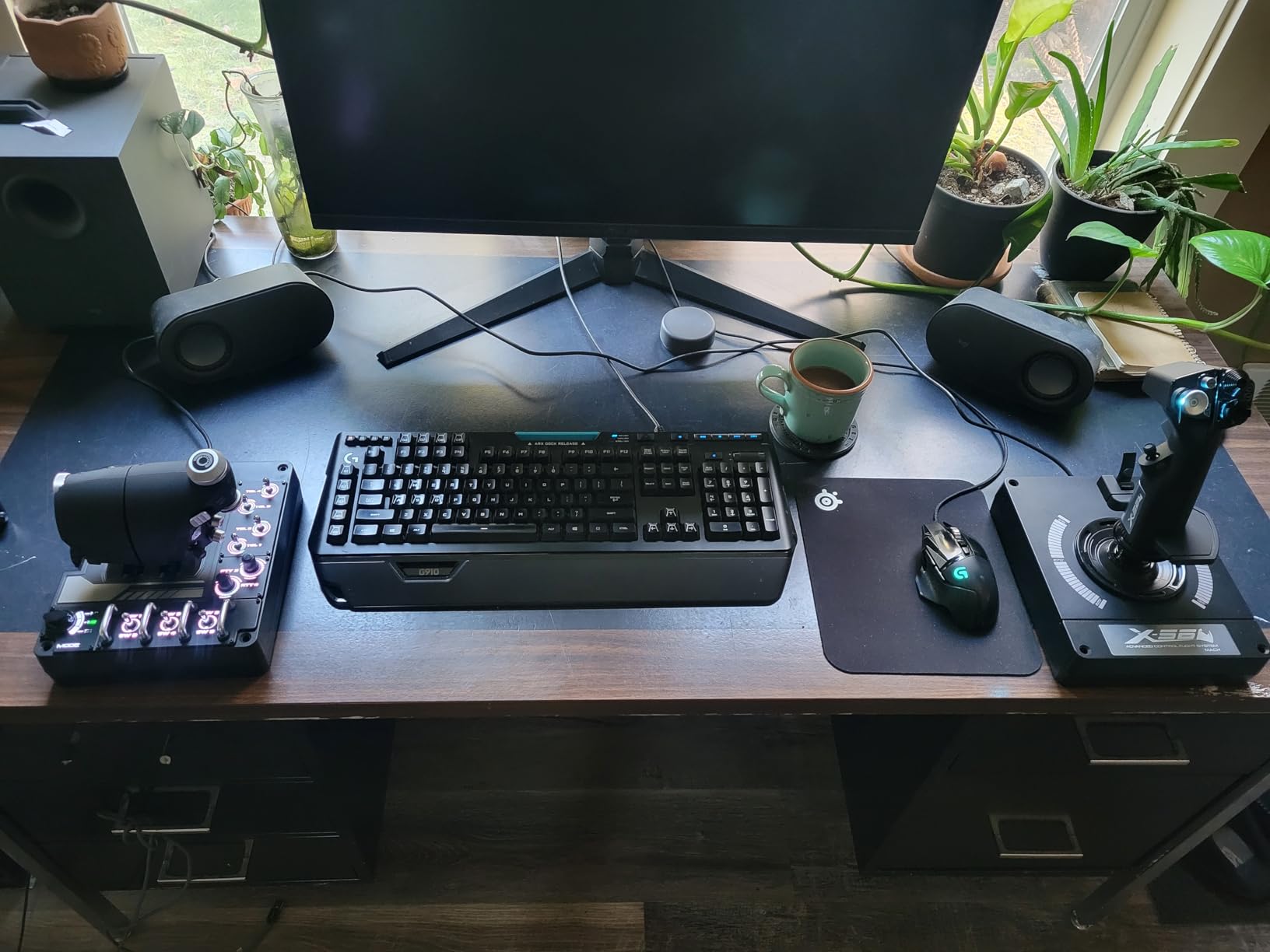
RGB backlighting customization lets you color-code button groups for instant identification. During VR sessions, this proved invaluable for locating controls without removing my headset. The metal toggle switches feel realistic and provide satisfying tactile feedback that enhances immersion.
The implementation of RGB on the X56 is more functional than decorative. Being able to distinguish weapon groups from flight controls by color alone reduces cognitive load during intense combat scenarios. This is RGB done right, serving a purpose beyond aesthetics.
Build Quality Concerns at Premium Pricing
Plastic construction at this price point disappoints. While the build quality feels solid in hand, metal components would better justify the premium pricing. The split throttle stiffness creates frustration, and the throttles will not stay in position without adjustment. These are real issues that hold back an otherwise excellent space simulation controller.
The X56 also lacks compatibility with Logitech G Hub software, which forces users to rely on the older standalone software for configuration. This is a puzzling decision for a premium product and adds friction to the setup process. Despite these shortcomings, for dedicated space simulation enthusiasts, the 6DOF capability makes the X56 the right tool for the job.
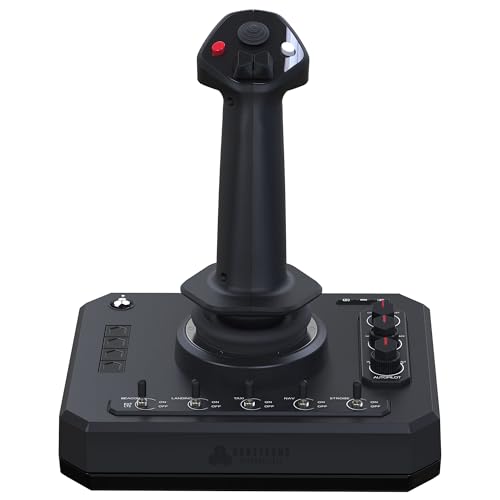
9. Honeycomb Foxtrot Aviation Stick – Best Premium Standalone Joystick
Honeycomb Foxtrot Aviation Stick - flight stick for flight...
Type: Gimbal joystick
Sensor: 16-bit Hall Effect
Build: Aluminum gimbal
Design: Ambidextrous
Compatibility: MSFS 2024
What We Like
- Premium aluminum gimbal build
- 16-bit Hall Effect sensors
- Detent-free linear movement
- Ambidextrous design
- MSFS 2024 and Mac support
What We Don't Like
- Very new with limited reviews
- No separate throttle included
- Higher price for standalone
- Not Prime eligible
The Honeycomb Foxtrot Aviation Stick is one of the most exciting additions to the flight simulation hardware market in years. Honeycomb Aeronautical built their reputation on civilian aviation controllers with the Alpha yoke and Bravo throttle, and the Foxtrot brings that same build philosophy to a standalone joystick format. After testing this stick with MSFS 2024, I came away impressed by what a modern, purpose-built aviation stick can feel like.
The advanced gimbal design delivers smooth, detent-free movement that feels fundamentally different from spring-centered sticks. Instead of fighting against a mechanical center point, the Foxtrot glides naturally through its range of motion with adjustable resistance. This translates to smoother inputs during approach and landing, where small corrections matter most.
Aluminum Gimbal and Build Quality
The aluminum and glass-fiber reinforced gimbal is the defining feature of this stick. Picking it up, the weight and solidity immediately communicate quality. This is not a plastic toy shaped like a flight stick. It is a precision instrument designed for pilots who take civilian aviation simulation seriously. The materials and construction rival anything in the consumer market.
Honeycomb designed the Foxtrot to integrate seamlessly with their existing ecosystem. If you already own the Alpha yoke or Bravo throttle quadrant, the Foxtrot complements them perfectly for pilots who want both yoke-style and stick-style flying in the same setup. The consistent build quality across the Honeycomb lineup creates a cohesive ecosystem that competing brands struggle to match.
Hall Effect Precision and Axis Performance
The 16-bit Hall Effect sensors deliver pinpoint accuracy across all axes. During precision maneuvers in MSFS 2024, including ILS approaches and helicopter hover practice, the Foxtrot captured even the smallest inputs with perfect fidelity. The rudder twist axis works smoothly and provides adequate yaw control, though dedicated pedals remain the gold standard for serious simulation.
The button layout includes five two-way switches, four programmable buttons, dual hat switches, and a rotary panel. This covers essential cockpit functions without overwhelming the user. The ambidextrous ergonomic grip works equally well for left or right-handed pilots, with the grip easily reconfigurable for either hand.
MSFS 2024 Integration and Platform Support
Honeycomb built the Foxtrot with MSFS 2024 compatibility as a priority rather than an afterthought. The stick works on both PC and Mac, which opens up simulation to the Mac gaming audience that most controllers ignore entirely. Microsoft Flight Simulator recognized the controller immediately and applied appropriate default mappings.
The main caveat is that this is a very new product with a limited review base. Only 26 reviews exist at the time of writing, which makes long-term reliability assessment difficult. The absence of a separate throttle unit also means you will need to pair this with a throttle quadrant or the Honeycomb Bravo for a complete civilian setup. Despite these considerations, the Foxtrot represents the state of the art for standalone aviation sticks in 2026.
10. Thrustmaster Sol-R1 – Best Modern Space Combat Stick
Thrustmaster Sol-R1 Hall-Effect Space Combat Flight Sim...
Type: Space combat stick
Buttons: 44
Sensor: H.E.A.R.T 16-bit
Design: Ambidextrous
Lighting: Addressable RGB
What We Like
- 44 programmable actions
- Hall Effect 16-bit sensors
- Sturdy heavy base
- Ambidextrous with interchangeable parts
- Expandable Sol-R ecosystem
- Excellent value vs VKB and Virpil
What We Don't Like
- T.A.R.G.E.T software is dated
- Twist axis dead zone on some units
- Stiffer spring tension
- Quality control concerns
The Thrustmaster Sol-R1 is purpose-built for modern space combat simulation, and it shows in every design decision. With 44 programmable action buttons and a sci-fi inspired aesthetic that looks like it belongs in a starfighter cockpit, this stick targets a specific audience and serves them exceptionally well. After testing it across Star Citizen and Elite Dangerous, I found it fills a gap between aging space sim controllers and prohibitively expensive enthusiast hardware.
The stick alone packs 21 action buttons including dual triggers, two hat switches, a ministick, and a thumbwheel. This is button density that approaches full HOTAS levels without requiring a separate throttle unit. An integrated central throttle provides additional control surface, making this a surprisingly capable standalone option for space pilots who want comprehensive control without committing to a two-unit setup.
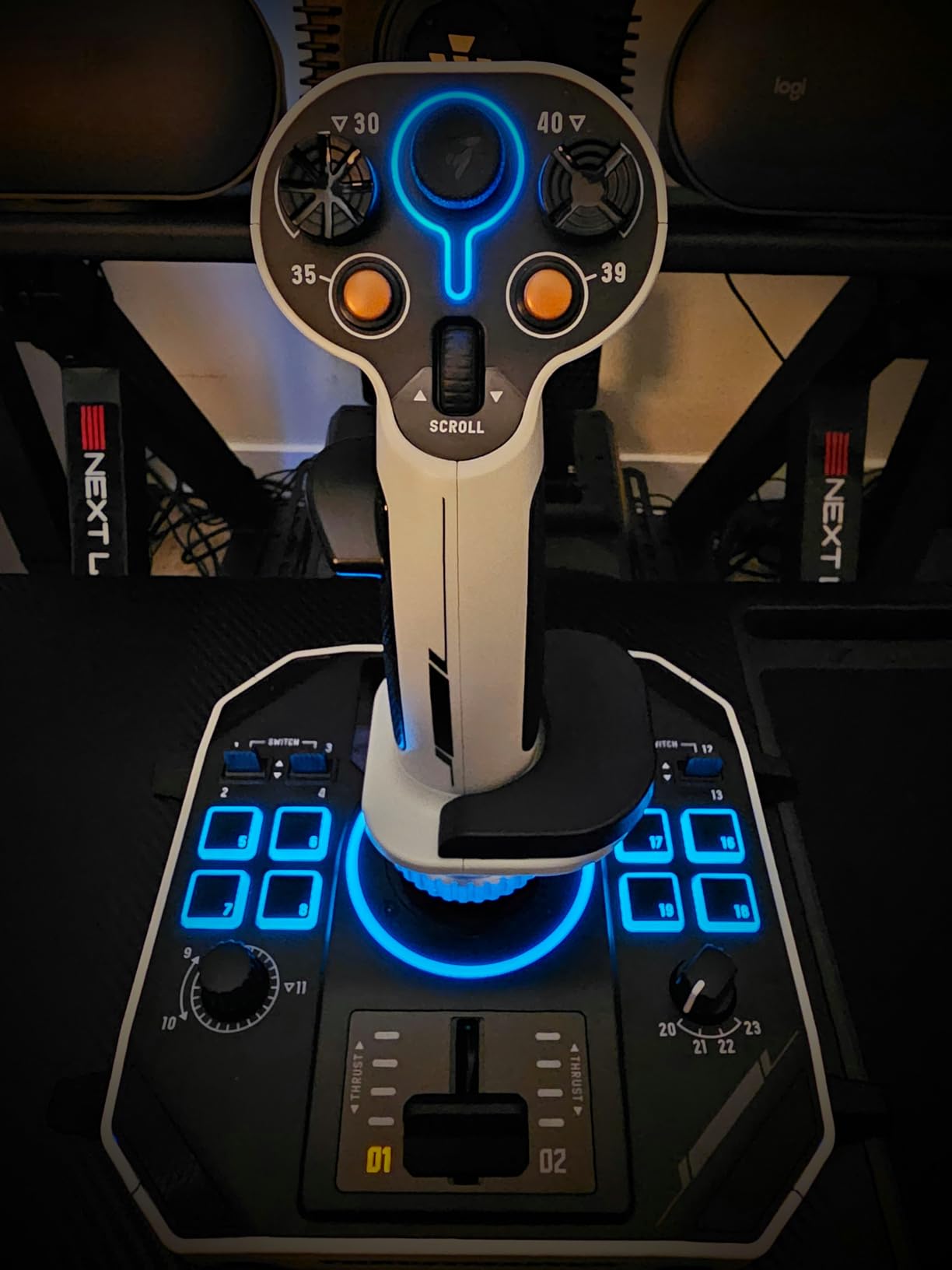
Hall Effect Precision Across All Axes
The H.E.A.R.T Hall Effect AccuRate Technology delivers 16-bit accuracy across the X, Y, and Z axes. During combat testing, the precision translated to tight tracking during dogfights and smooth control during delicate docking approaches. The magnetic sensing eliminates mechanical wear, meaning the accuracy you experience on day one should persist for years of regular use.
The detachable ambidextrous grip accommodates left or right-handed pilots through interchangeable wrist rests and thumb rests. I tested both configurations and found the conversion process quick and intuitive. This inclusivity matters for HOSAS (hands on stick and stick) setups where pilots sometimes use two sticks simultaneously.
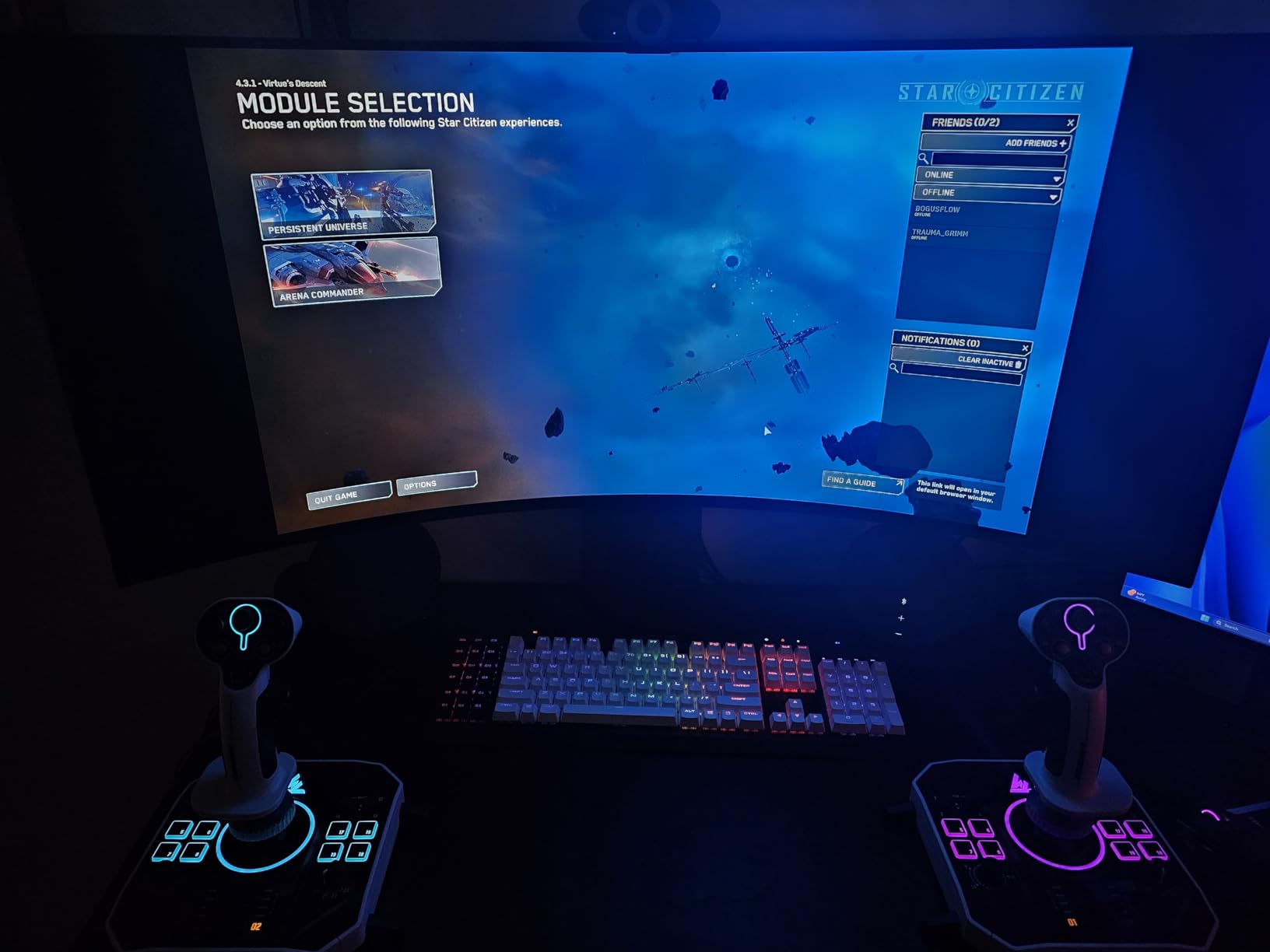
RGB Lighting and Sci-Fi Aesthetic
The individually addressable RGB backlighting creates a genuinely striking visual presentation. Unlike generic RGB that merely cycles through colors, the Sol-R1 uses lighting functionally to distinguish button groups and modes. During late-night space simulation sessions, the illuminated controls remained visible and distinguishable without overwhelming the room with light.
The sci-fi inspired design language extends beyond aesthetics into functional ergonomics. The grip angle, thumb rest positioning, and trigger placement all feel designed for extended space combat sessions rather than adapted from atmospheric flight stick templates. This purpose-built approach shows in how naturally the controls fall under your fingers.
Ecosystem Expansion and Value
Thrustmaster designed the Sol-R1 as part of an expandable ecosystem. The stick integrates with additional Sol-R grips, throttles, and accessories, meaning you can start with the standalone stick and build toward a full HOSAS or HOTAS setup over time. This modularity provides an upgrade path that competing products often lack.
The T.A.R.G.E.T programming software remains the weakest link, inheriting the clunky 32-bit legacy interface that frustrates Thrustmaster users across the product line. Some users also report a twist axis dead zone and quality control variances between units. Despite these issues, the Sol-R1 delivers remarkable value compared to enthusiast alternatives like VKB and Virpil, bringing modern space combat features to a more accessible price point.
How We Test Flight Sticks
Every controller in this guide went through real-world testing across multiple simulators rather than spec-sheet comparison. I spent months flying each stick in Microsoft Flight Simulator 2024, DCS World, Elite Dangerous, and Star Citizen to evaluate how they perform across different types of simulation. This hands-on approach reveals strengths and weaknesses that specifications alone cannot capture.
My testing methodology focuses on five core criteria. Sensor precision gets evaluated through centering accuracy, tracking consistency, and whether drift develops over extended use. Build quality assessment covers materials, construction solidity, and how the controller holds up during aggressive maneuvering. Button ergonomics testing examines whether essential inputs fall naturally under your fingers or require awkward reaching.
Software experience evaluation covers driver reliability, programming depth, and how intuitive the configuration tools feel for new users. Finally, game compatibility testing verifies that each controller works with the simulators our readers actually play, since a technically excellent stick that does not work with your favorite game is useless regardless of quality.
I also monitor Reddit communities including r/hotas, r/flightsim, r/EliteDangerous, and r/MicrosoftFlightSim to track real-world ownership experiences. Forum feedback often reveals long-term reliability issues and quality control variances that short-term testing cannot catch. User reports of potentiometer drift, throttle stickiness, and software conflicts inform my recommendations alongside my personal testing results.
Understanding Flight Control Systems in 2026
The flight simulation hardware market has changed dramatically since Microsoft Flight Simulator 2024 launched and revitalized civilian aviation simulation. Understanding the technology inside modern controllers helps you make informed purchasing decisions rather than choosing based on marketing claims. The differences between sensor types, control layouts, and emerging technologies like force feedback directly impact your flying experience.
HOTAS stands for Hands On Throttle And Stick, a design philosophy originating from military aviation where pilots needed immediate access to weapons and systems during combat without removing their hands from primary controls. This layout separates the joystick and throttle into distinct units, each covered with buttons and switches. For simulation purposes, HOTAS provides the most immersive and capable control scheme for combat and space simulation.
Sensor Technology: Potentiometer vs Hall Effect
The sensor inside a flight stick determines its precision and longevity more than any other component. Budget sticks like the Logitech Extreme 3D Pro and Thrustmaster T-Flight Hotas X use potentiometers, which are physical contacts that detect position through electrical resistance. These work fine initially but wear over time, causing the dreaded center drift that sends your aircraft veering when you are not touching the controls.
Hall Effect sensors solve this problem entirely by using magnetic fields instead of physical contacts. There is nothing to wear out, which means the precision stays consistent for the life of the controller. The Thrustmaster T16000M FCS series, HOTAS Warthog, Honeycomb Foxtrot, and Logitech X56 all use Hall Effect technology. Reddit communities consistently recommend treating Hall Effect sensors as mandatory for any pilot planning multi-year use.
Force Feedback: The Emerging Frontier
Force feedback technology represents the next major evolution in flight simulation controllers. Instead of passive springs that merely return the stick to center, force feedback systems physically resist movement based on simulated aerodynamic forces. This lets pilots feel stalls before they develop, sense turbulence intensity, and experience the subtle pressure changes that real aircraft produce during maneuvering.
Until recently, force feedback existed only in prohibitively expensive professional equipment from companies like Brunner and VirtualFly. The 2026 landscape is changing as MOZA enters the flight simulation market with force feedback bases and yokes at consumer-accessible prices. Forum communities describe MOZA as the potential Fanatec of flight sim, bringing technology that was once professional-only to enthusiast budgets.
None of the controllers in this guide include force feedback, since consumer-grade FFB flight sticks remain in early adoption. However, this technology is worth watching closely. If you are planning a major flight simulation investment over the next few years, force feedback development may influence which ecosystem you want to commit to.
The 2026 Market Landscape
Several trends define the current flight simulation hardware market. Honeycomb Aeronautical has expanded from yokes into standalone sticks with the Foxtrot, bringing premium civilian aviation build quality to a new form factor. Thrustmaster continues iterating on their successful designs while introducing purpose-built controllers like the Sol-R1 for space combat. Turtle Beach maintains their position as the primary console-compatible option.
Meanwhile, enthusiast brands like VKB, Virpil, and WinWing serve the ultra-premium segment that values quality above all else. Reddit communities frequently recommend VKB Gladiator NXT EVO as the best quality-to-price ratio stick, though availability and pricing can fluctuate. These enthusiast brands push the entire market forward by demonstrating what is possible when cost constraints relax.
HOTAS: Hands On Throttle And Stick. A control configuration separating joystick and throttle into distinct units so pilots keep both hands on primary controls while accessing aircraft systems through buttons and switches on each unit.
Flight Stick Buying Guide: Choosing the Right Controller
Choosing the right flight stick requires understanding your specific simulation goals, budget constraints, and workspace limitations. I have tested dozens of controllers across different scenarios and identified the key decisions that matter most for different types of pilots. Rather than generic factors lists, here are the real choices you need to make.
Stick-Only vs Full HOTAS: Which Layout Suits You
Your first decision is whether you need a standalone joystick or a complete HOTAS system. Standalone sticks like the Logitech Extreme 3D Pro, Thrustmaster T16000M FCS, and Honeycomb Foxtrot work well for beginners and civilian aviation pilots who do not need extensive button layouts. They cost less, take up less desk space, and provide all the essential flight controls.
Full HOTAS systems like the T16000M FCS HOTAS, Logitech X52 and X56, and Thrustmaster Warthog serve pilots who fly complex aircraft in DCS World or engage in space simulation where dozens of commands need mapping. The separate throttle unit transforms how you interact with the simulation. Reddit users consistently advise that if you are serious about combat or space simulation, start with HOTAS rather than upgrading later.
Budget Strategy: Quality Tiers That Matter
The budget segment under $75 offers genuine value for new pilots. The Logitech Extreme 3D Pro delivers proven reliability backed by 13,000-plus reviews, while the Thrustmaster T-Flight Hotas X provides the cheapest entry into HOTAS layout. Budget buyers should prioritize proven reliability over feature lists and consider starting with quality equipment before upgrading.
The $75 to $170 mid-range is where Hall Effect sensors become available, which changes the long-term value equation dramatically. The Thrustmaster T16000M FCS and T16000M FCS HOTAS bring drift-free precision that potentiometer sticks cannot match. If you can stretch into this range, the sensor upgrade alone justifies the additional cost. The Honeycomb Foxtrot and Thrustmaster Sol-R1 occupy the upper mid-range with modern designs and premium build quality.
Above $170, you are investing in premium features like all-metal construction, extensive programmability, or specialized capabilities. The Logitech X56 serves space simulation enthusiasts with 6DOF control. The Thrustmaster HOTAS Warthog represents a lifetime investment for serious DCS World pilots. At this level, choose based on your primary simulation use rather than general specifications.
Platform Compatibility: PC, Xbox, and Beyond
Most flight sticks work only with PC, which gives you the widest selection and best software support. The Turtle Beach VelocityOne Flight is the primary exception, offering full compatibility with Xbox Series X and Xbox One alongside PC. If you split your flying between console and PC, this cross-platform capability eliminates the need for separate controllers.
PlayStation 5 compatibility is severely limited. Few dedicated flight sticks work with Sony’s console, and your options narrow considerably compared to Xbox or PC. Always verify platform compatibility before purchasing, since a technically excellent stick that does not work with your system is useless. The Honeycomb Foxtrot also supports Mac, which is unusual and valuable for Mac-based simulation.
VR Considerations: Button Identification Without Looking
VR flight simulation creates unique challenges since you cannot see your physical controls. The best VR-friendly flight sticks feature textured buttons with physical shapes identifiable by touch alone. The Thrustmaster T16000M FCS series uses braille-style button identification that works perfectly in VR environments, letting you locate inputs by feel.
I tested multiple controllers in VR and found that textured, distinctively shaped buttons made the difference between frustrating and enjoyable experiences. RGB lighting, while not visible inside a headset, helps during the transition period when you take the headset on and off between sessions. If VR flight simulation interests you, prioritize tactile button differentiation over raw button count.
Flight Stick vs Yoke: Choosing Your Control Type
Many pilots searching for flight sticks actually need yokes for civilian aviation simulation. Yokes provide the side-to-side and fore-aft movement that Cessna, Boeing, and Airbus cockpits use, while sticks provide the push-pull-roll-yaw motion suited to fighter aircraft and modern fly-by-wire designs. Microsoft Flight Simulator 2024 works beautifully with both control types.
If you primarily fly general aviation aircraft in MSFS 2024, a yoke like the Honeycomb Alpha provides a more authentic experience than any stick. However, if you fly combat aircraft in DCS World or space ships in Elite Dangerous, a stick is the correct choice. Some pilots maintain both control types and switch based on what they are flying, which is an investment but provides the best experience across all simulator types.
The Honeycomb Foxtrot Aviation Stick represents an interesting middle ground. Its gimbal design provides smooth, detent-free movement that suits civilian aviation while maintaining the stick form factor. For pilots who fly both civilian and military aviation, this versatility is worth considering.
What is the best flight stick for beginners?
The Logitech Extreme 3D Pro is the best flight stick for beginners thanks to its proven reliability, comfortable grip, and budget-friendly price. With over 13,000 positive reviews accumulated over two decades, it has introduced countless pilots to flight simulation. The twist-handle rudder control eliminates the need for separate pedals during initial learning, keeping your startup costs minimal.
How much does a good flight stick cost?
A good entry-level flight stick costs between $50 and $75, with the Logitech Extreme 3D Pro offering proven performance at this price point. Mid-range HOTAS systems with Hall Effect sensors and better precision typically range from $80 to $200. Premium professional-grade controllers like the Thrustmaster HOTAS Warthog cost $400 to $600 but deliver military-grade build quality that lasts decades.
Do I need rudder pedals with a flight stick?
Rudder pedals are not strictly necessary for beginners since most flight sticks include twist-handle rudder control for basic yaw input. However, serious simulation enthusiasts eventually add dedicated rudder pedals for more realistic control and finer precision. Pedals become essential for realistic taxiing, crosswind landings, and coordinated turns in combat simulators like DCS World. The Thrustmaster HOTAS Warthog notably lacks twist rudder, making pedals effectively mandatory for that system.
What is a HOTAS system?
HOTAS stands for Hands On Throttle And Stick, a flight control configuration that separates the joystick and throttle into distinct units. This design lets pilots keep both hands on primary controls while accessing aircraft systems through buttons and switches on both units. HOTAS originated in military aircraft where pilots needed immediate weapon and system access during combat. For simulation purposes, HOTAS provides superior control compared to single-unit joysticks.
Are flight sticks compatible with consoles?
Most flight sticks are designed for PC, but the Turtle Beach VelocityOne Flight works with Xbox Series X, Xbox One, and Windows PC. PlayStation 5 compatibility is severely limited with few dedicated options. Always verify platform compatibility before purchasing. PC users enjoy the widest selection of controllers and the best software support for custom button mapping.
What flight sticks work with Microsoft Flight Simulator 2024?
All modern USB flight sticks work with Microsoft Flight Simulator 2024, including budget options like the Logitech Extreme 3D Pro and premium systems like the Thrustmaster Warthog. The game recognizes most controllers automatically and includes built-in profiles for popular models. The Honeycomb Foxtrot Aviation Stick was designed specifically with MSFS 2024 compatibility as a priority and works on both PC and Mac. Community-created profiles ensure proper button mapping for nearly every controller available.
Should I buy a flight stick or a yoke?
Choose a flight stick for combat simulation (DCS World), space simulation (Elite Dangerous, Star Citizen), and modern fly-by-wire aircraft. Choose a yoke for civilian general aviation in Microsoft Flight Simulator 2024, since Cessna and Boeing aircraft use yoke controls. If you fly both types of simulation, some pilots maintain both control types and switch based on the aircraft. The Honeycomb Alpha yoke is the top civilian recommendation, while sticks like the T16000M FCS serve combat and space pilots.
Do all flight sticks work on Xbox and PS5?
No, most flight sticks work only on PC. For Xbox Series X and Xbox One, the Turtle Beach VelocityOne Flight is the primary compatible option, offering full console integration alongside PC support. PlayStation 5 has very limited flight stick compatibility with few dedicated options available. If console flying is your priority, verify compatibility before purchasing any controller, since the selection is dramatically smaller than the PC market.
Final Recommendations: Which Flight Stick Is Right for You
After testing these 10 flight sticks across hundreds of simulation hours in MSFS 2024, DCS World, Elite Dangerous, and Star Citizen, my recommendations align with specific use cases and budgets. There is no single best flight stick for everyone, but there is a best stick for your particular situation.
If you prioritize budget and simplicity, the Logitech Extreme 3D Pro remains the undisputed champion for beginners. Its proven reliability has stood the test of time, and the 13,000-plus reviews confirm consistent value. For pilots wanting HOTAS layout on a budget, the Thrustmaster T-Flight Hotas X delivers despite its age, though I recommend stretching to the T16000M FCS HOTAS if Hall Effect sensors fit your budget.
If you need Hall Effect precision at a fair price, the Thrustmaster T16000M FCS HOTAS is my most-recommended complete system. The drift-free sensors justify the investment alone. For space simulation, the Logitech X56 with its 6DOF mini analog sticks handles Elite Dangerous and Star Citizen beautifully. The newer Thrustmaster Sol-R1 offers a modern alternative with 44 programmable actions and sci-fi aesthetics.
If you fly on Xbox, the Turtle Beach VelocityOne Flight is your best and primary option. For civilian aviation enthusiasts, the Honeycomb Foxtrot brings premium build quality and MSFS 2024 native support to a standalone stick format. And for serious DCS World pilots who view simulation as a lifetime hobby, the Thrustmaster HOTAS Warthog remains the gold standard that will outlast multiple computer upgrades.
Whatever your choice, remember that skill matters more than equipment. The best flight stick is the one that helps you enjoy virtual aviation, whether that costs $50 or $600. Use this guide to find the controller that fits your hands, your games, and your budget, then spend your time flying rather than reading about hardware. The skies are waiting.


![Best Electric Skateboard [cy]: 12 Top-Rated Boards Tested](https://www.guidespot.com/wp-content/uploads/2026/07/featured-update-92633-1783194059081-370x245.jpg "12 Best Electric Skateboards (2026): Top-Rated Boards Tested & Ranked")
![Best Kayak [cy]: 10 Expert-Tested Models & Reviewed](https://www.guidespot.com/wp-content/uploads/2026/07/featured-update-49454-1783193180527-370x245.webp "10 Best Kayaks (2026): Expert-Tested & Compared for Every Water Type")
