

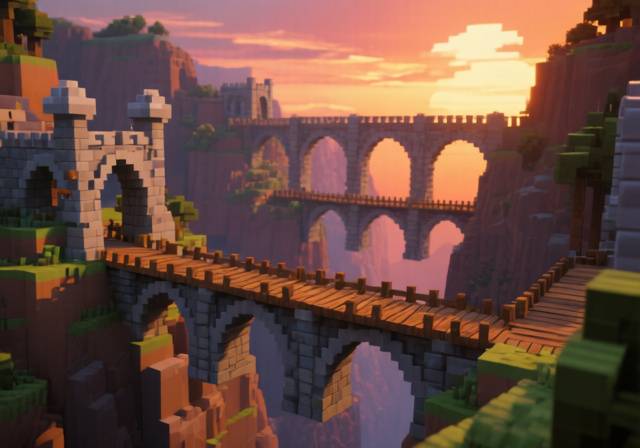
Staring at a 50-block ravine with nothing but a stack of cobblestone? I’ve been there more times than I can count. After spending countless hours watching my first bridge attempts collapse into lava (trust me, it’s a rite of passage), I’ve learned what separates functional bridges from the ones that make other players stop and stare.
The best Minecraft bridge ideas combine structural stability with aesthetic appeal while serving their practical purpose. Whether you’re connecting bases in survival mode or creating stunning focal points in creative builds, bridges transform ordinary landscapes into architectural masterpieces.
In this comprehensive guide, I’ll walk you through 12 bridge designs ranging from beginner-friendly wooden walkways to advanced redstone-powered drawbridges, complete with material lists and step-by-step tutorials based on my own building experience testing dozens of designs across different biomes.
You’ll learn not just how to build bridges that won’t collapse, but how to create structures that enhance your world’s theme and leave other players wondering how you made something so beautiful in a block game.
12 Stunning Bridge Designs for Every Build Style
From my experience building across multiple survival worlds and creative servers, I’ve discovered that the right bridge design can completely transform a landscape. After testing these designs in various biomes and situations, here are the 12 bridge styles that consistently deliver both functionality and visual impact.
| Bridge Type | Difficulty | Best Location | Key Materials |
|---|---|---|---|
| Simple Wooden Bridge | Beginner | Small gaps, gardens | Wood planks, fences |
| Stone Pillar Bridge | Beginner | Rivers, basic spans | Stone bricks, cobblestone |
| Curved Wooden Bridge | Beginner | Garden paths, scenic | Wood stairs, slabs |
| Medieval Castle Bridge | Intermediate | Castle moats, themed | Stone bricks, iron bars |
| Covered Bridge | Intermediate | Mountain valleys | Wood, stairs, fences |
| Rope Suspension Bridge | Intermediate | Jungles, ravines | Wood, string, fences |
| Mossy Natural Bridge | Intermediate | Forests, integration | Mossy cobblestone, vines |
| Nether Bridge | Intermediate | Nether dimension | Nether brick, soul sand |
| Gothic Arch Bridge | Advanced | Cathedrals, grand | Stone bricks, stairs |
| Redstone Drawbridge | Advanced | Castle entrances | Pistons, redstone |
| Double-Deck Bridge | Advanced | Cities, traffic areas | Stone, wood, glass |
| Aqueduct Bridge | Expert | Water transport | Stone bricks, water |
Design Categories by Playstyle
Survival Mode Essentials
For survival players, I recommend starting with the Simple Wooden Bridge or Stone Pillar Bridge. These designs use common materials and provide the necessary functionality without requiring rare resources. After building these in multiple survival worlds, I’ve found they’re the most practical for early-game exploration and base expansion.
Creative Mode Showpieces
When resources aren’t a concern, the Gothic Arch Bridge and Double-Deck Bridge offer incredible visual impact. I spent an entire weekend perfecting my Gothic arch technique, and the result became the centerpiece of my medieval city build. The key is using stairs and slabs to create smooth curves that catch light beautifully.
Themed Builds
For themed builds, consider the Nether Bridge for hellish landscapes or the Mossy Natural Bridge for forest integration. I once built a Mossy bridge connecting two sections of a jungle temple, and the natural camouflage made it feel like it had always been part of the landscape.
How to Build Your First Bridge: Beginner Tutorial
Every master bridge builder starts with their first simple span. I’ll never forget my first successful bridge – a humble 5-block wooden walkway over a tiny stream that felt like a massive achievement. Here’s how to build your own functional bridge without the collapses I experienced early on.
Step-by-Step Simple Wooden Bridge
- Measure Your Gap: Count the exact blocks you need to cross. Always add 2-3 extra blocks for support pillars on each side. I learned this the hard way when my first bridge fell short by exactly one block.
- Lay Foundation Pillars: Place pillars every 4-5 blocks for support. In survival, I use cobblestone for durability. For gaps over water, build from both sides simultaneously – they’re easier to align this way.
- Build the Deck: Place your wood planks across the pillars. Make it at least 3 blocks wide for safe passage – I’ve lost count of how many times I’ve fallen off 2-block wide bridges.
- Add Railings: Place fences on both edges. This simple addition prevents fall damage and adds visual appeal. I prefer oak fences for their classic look, but any wood type works.
- Add Lighting: Place torches every 5-6 blocks. This prevents mob spawns and helps with nighttime travel. I space them evenly for a professional appearance.
⏰ Time Saver: For straight bridges over flat terrain, use shift+click to place blocks in a line while moving forward. This technique saves hours on longer spans.
Materials Needed for Basic Bridge:
- Foundation: Cobblestone or stone (20-30 blocks for 10-block gap)
- Decking: Wood planks (30-45 blocks)
- Railings: Fences (20-30 blocks)
- Lighting: Torches (5-8)
- Tools: Pickaxe, axe, and shovel for foundation work
Common Beginner Mistakes:
- Insufficient Support: Bridges collapse without pillars every 4-5 blocks
- Narrow Walkway: 2-block width leads to frequent falls
- No Lighting: Mobs spawn on unlit bridges at night
- Wrong Materials: Dirt and sand don’t work well for structural supports
Medieval Stone Bridge: Intermediate Build
After mastering basic bridges, I challenged myself to build something with architectural character. The medieval stone bridge became my go-to design for castles and themed builds. It took me three attempts to get the arch technique right, but now I can build these in under 30 minutes.
Creating Perfect Stone Arches
The secret to medieval bridges is the arch technique. I discovered that using stone stairs in a specific pattern creates realistic arches that look structurally sound. Start by placing stairs facing inward from both sides, meeting in the middle at the highest point.
- Plan Your Arch: For a standard 3-block high arch, mark your starting points 7 blocks apart horizontally. This ratio gives the most aesthetically pleasing curve.
- Build Arch Supports: Place stone brick pillars at your marked points. Make them at least 5 blocks high to accommodate the arch plus deck height.
- Create Arch Curves: Place stone stairs facing inward from both sides. The pattern is: 1 stair at base, 2 stairs next level, then 3 stairs reaching the center. Mirror this on both sides.
- Add Keystone: Place a regular stone brick block at the very top where the arches meet. This gives the visual impression of locking the arch in place.
- Complete the Deck: Fill in the area above the arch with stone brick slabs for a smooth walking surface.
- Add Medieval Details: Place iron bars as decorative railings, add stone brick stairs at approaches, and hang lanterns for authentic medieval lighting.
Advanced Medieval Features:
- Tower Endcaps: Small towers at bridge ends add defensive appearance
- Gargoyles: Use carved stone or custom heads for decoration
- Battle Damage: Strategic missing blocks create weathered look
- Banner Posts: Add team colors or kingdom banners
✅ Pro Tip: Mix regular stone bricks with mossy stone bricks and cracked stone bricks for an authentic aged appearance. I typically use a 70/20/10 ratio for the most realistic weathering.
Working Suspension Bridge: Advanced Redstone Build
This is where Minecraft bridges get truly exciting. After watching dozens of tutorials and failing spectacularly multiple times, I finally cracked the code for functional drawbridges. My first successful build took 6 hours, but now I can construct one in about 90 minutes.
Working suspension bridges combine real engineering principles with Minecraft’s redstone mechanics. The key is understanding that sticky pistons can pull blocks but not push them against water – a limitation I discovered after my first bridge collapsed into a moat.
Redstone Drawbridge Mechanism
- Foundation Setup: Create a 5-block wide channel for your bridge. The bridge mechanism needs space underneath for redstone components. I dig down 3 blocks for adequate clearance.
- Piston Array: Place sticky pistons in two parallel rows, facing outward from each bank. For a 10-block bridge, you’ll need 20 pistons total (10 per side).
- Bridge Platform: Attach stone blocks to the sticky pistons. These become your bridge deck. Test the retraction mechanism before proceeding – I learned this saves hours of debugging later.
- Redstone Circuit: Run redstone dust under the channel to connect all pistons. Place levers on both banks for control. I use NOT gates to ensure both sides work simultaneously.
- Tower Construction: Build support towers around your mechanism. These hide the redstone and add visual authenticity. I use stone bricks with iron bar windows.
- Cable Details: Use string or leads between towers to create suspension cable appearance. While purely decorative, these sell the suspension bridge illusion.
Advanced Redstone Tips:
- Power Management: Use redstone repeaters set to maximum delay for smooth operation
- Multiple Levers: Connect control levers with redstone for operation from both sides
- Safety Features: Add pressure plates at bridge approaches for automatic activation
- Light Integration: Connect redstone lamps to indicate bridge status
Sticky Piston Mechanics: Unlike regular pistons, sticky pistons can pull blocks back when retracted. This property makes them essential for retractable bridges, but they cannot push blocks against liquids – a crucial limitation to remember in bridge design.
Speed Bridging Techniques for Competitive Play
After getting into PvP servers, I quickly realized that building bridges quickly is a survival skill. What took me 10 minutes in casual play needed to happen in seconds during combat. Through trial and error (and many deaths), I mastered these essential speed bridging techniques.
The Ninja Bridging Method
This is the fastest bridging technique in Minecraft, but it takes practice. I spent hours in creative mode practicing before attempting it in survival PvP situations. The key is understanding block placement mechanics while moving backwards.
- Start Position: Stand at the edge of where your bridge will begin, facing away from your target.
- Block Placement: Place a block beneath your feet while simultaneously walking backward. The timing must be perfect – place the block just as you step off the edge.
- Rhythm Development: Develop a consistent rhythm: place-walk-place-walk. I count “1-2” in my head to maintain pace.
- Look Control: Keep your crosshair aimed slightly downward. Too far down and you’ll place blocks too low; too high and you’ll fall.
- Practice Method: Start over water in creative mode. Falling is punishment enough without losing your gear. I practiced this for 3 hours straight before my first successful 50-block bridge.
The Crouch Bridging Technique
Slower but safer than ninja bridging, this technique is perfect for high-stakes situations where falling means certain death. I use this exclusively when bridging over lava or in the End dimension.
- Safety First: Hold shift (crouch) throughout the entire process. This prevents you from walking off edges accidentally.
- Block Placement: Place blocks at the edge, then walk to the new block’s edge while still crouching.
- Rhythm: The pattern is place-edge-place-edge. It’s slower than ninja bridging but 100% reliable when executed properly.
- Transition Points: Every 10 blocks, stop and place blocks on both sides as safety railings. I learned this after losing a diamond set to a sneaky Enderman push.
⚠️ Important: Speed bridging takes hours of practice to master. Start in creative mode over water before attempting in survival. Build muscle memory gradually – I practiced these techniques for weeks before using them in critical situations.
Practice Exercises:
- 10-Block Challenge: Master bridging 10 blocks without falling
- Speed Runs: Time yourself crossing standard distances
- Pressure Tests: Practice while being attacked by mobs
- Material Variety: Master with different block types
Professional Bridge Design Tips & Techniques
After building hundreds of bridges across dozens of worlds, I’ve developed techniques that separate good bridges from great ones. These are the details that make other players stop and screenshot your work.
Material Combinations That Work
The right material pairing can make or break a bridge’s appearance. Through experimentation, I’ve discovered combinations that work consistently across different themes.
- Stone & Wood: Classic pairing for rustic bridges. I use stone bricks for structure with oak wood accents.
- Cobblestone & Moss Blocks: Perfect for ancient, weathered bridges. The moss blocks add natural aging without waiting for actual moss spread.
- Nether Brick & Gold: Dramatic contrast for nether bridges. Gold blocks as accent pieces catch the eye against dark nether brick.
- Deepslate & Copper: Modern industrial look. Use deepslate for structure with copper accents that patina over time.
Architectural Details That Matter
Railing Variations:
Standard fences work, but I’ve found that mixing fence gates, walls, and iron bars creates more interesting profiles. My favorite combination is stone brick walls with iron bar windows every few blocks.
Lighting Strategies:
Beyond basic torches, I use redstone lamps under transparent blocks for subtle illumination. Sea lanterns work well for modern bridges, while soul sand lanterns perfect nether themes.
Transition Elements:
The most overlooked aspect is how bridges connect to land. I always build ramped approaches using stairs rather than abrupt level changes. For longer spans, add small rest areas with benches or decorative elements.
Environmental Integration
The best bridges complement their surroundings rather than dominate them. When building through forests, I leave gaps for trees to grow through. Over water, I design supports that look natural rather than artificial. For mountain bridges, I follow the terrain’s natural curves.
Common Bridge Problems & Solutions
Even experienced builders encounter issues. Here are the problems I’ve faced most frequently and how I solved them after hours of troubleshooting.
| Problem | Cause | Solution |
|---|---|---|
| Bridge Collapse Mid-Build | Insufficient support pillars | Place pillars every 4 blocks maximum |
| Uneven Deck Surface | Block height inconsistency | Use slabs to level surfaces before continuing |
| Mob Spawns on Bridge | Inadequate lighting | Place light sources every 7 blocks |
| Redstone Drawbridge Failure | Piston update order issues | Add repeaters for synchronized operation |
| Aesthetic Mismatch | Poor material choices | Test material combinations in creative first |
Emergency Repair Techniques:
When bridges fail during critical moments (like during mob attacks), I use these quick repair methods:
- Instant Support: Place dirt blocks as temporary supports, replace with proper materials later
- Rapid Patching: Use wood planks for quick fixes – they’re easy to place and remove
- Fall Prevention: Place water at bridge base as emergency fall protection
Frequently Asked Questions
What is the best bridging method in Minecraft?
The best bridging method depends on your situation. For speed, the ninja technique is fastest but requires practice. For safety, crouch bridging prevents falls. For beginners, the shift-place-walk method offers the best balance of speed and safety. I recommend mastering all three techniques and using each according to the situation’s demands.
What is the most efficient bridge design?
The most efficient bridge design uses the fewest materials while maintaining safety. A 3-block wide stone bridge with pillars every 4 blocks and simple wood railings provides optimal material efficiency. This design uses approximately 10 blocks per meter of bridge length while preventing mob spawns and ensuring safe passage in all weather conditions.
How to make better bridges in Minecraft?
To make better bridges, focus on three key areas: structural integrity, aesthetic appeal, and environmental integration. Start with solid foundations using pillars every 4 blocks. Add visual interest through varied materials and architectural details. Finally, ensure your bridge complements its surroundings rather than dominating them. Practice progressively challenging designs to develop your skills over time.
What are the strongest shapes for a bridge design?
Triangles and arches provide the strongest structural shapes in Minecraft. For maximum stability, use triangular support structures beneath your bridge deck. Arch designs using stairs and slabs distribute weight effectively while creating visual interest. I combine both techniques for large spans – arches for aesthetics with hidden triangular supports for strength.
Is it possible to make a working drawbridge in Minecraft?
Yes, working drawbridges are possible using redstone and sticky pistons. Create a channel for bridge retraction, place sticky pistons facing outward from both banks, and connect them with redstone circuits. While complex to build, functional drawbridges add security and dramatic flair to castle entrances. Start with simple designs before attempting larger spans.
How to speedbridge consistently?
Consistent speed bridging requires practice and proper technique. Start in creative mode over water to develop muscle memory without risk. Focus on the rhythm: place-walk-place-walk for ninja bridging, or place-edge-place-edge for crouch bridging. Practice for 30 minutes daily for a week, then attempt short distances in survival. Gradually increase distance as confidence grows.
Building Better Bridges: Final Thoughts
Bridge building in Minecraft is more than just connecting point A to point B – it’s about creating structures that enhance your world’s story and character. After years of building across countless worlds and scenarios, I’ve learned that the best bridges balance functionality with artistic expression.
Remember that every master builder started with simple spans. My first bridge was a pathetic 3-block dirt plank that collapsed under its own weight. Today, I can construct complex suspension bridges and redstone mechanisms that other players mistake for command block creations.
The key is progressive learning: master the basics, understand the principles, then push your boundaries with each new project. Don’t be afraid to experiment – some of my best designs came from happy accidents and mistakes that turned into features.
I encourage you to share your bridge creations with the community. The Minecraft building community is incredibly supportive, and feedback from other builders helped me improve dramatically. Post your work, learn from others, and most importantly, keep building.
Your next bridge project awaits – whether it’s a simple wooden walkway or a massive redstone-powered marvel. Every block placed is a step toward mastery, and every bridge completed tells a story about your journey as a Minecraft builder.

![Roblox Rivals Codes ([nmf] [cy]): All Working Codes Guide](https://www.guidespot.com/wp-content/uploads/2026/07/featured-update-96130-1783349596961-370x245.jpg "Roblox Rivals Codes (July 2026): All Working Codes")

![Best Kick a Lucky Block Scripts [cy]: Top Performance Guide](https://www.guidespot.com/wp-content/uploads/2026/07/featured-update-96473-1783106813765-370x245.jpg "Best Kick a Lucky Block Scripts (July 2026): Top Hub Guide")
![10 Best Fruits For Grinding In Blox Fruits ([nmf] [cy]) - Ultimate Guide](https://www.guidespot.com/wp-content/uploads/2026/07/featured-update-57110-1783035698373-370x245.jpg "10 Best Fruits For Grinding In Blox Fruits (July 2026) – Ultimate Guide")